

Social Media Distribution
What's on this page
About Social Media Distribution
The Social Media section in the Distributions tab makes it easy to post your survey to social media websites. Qualtrics currently supports the following sites:
- X (formerly known as Twitter)
Keep in mind that for most of these options, you’ll need to already have a user account for that social media platform.
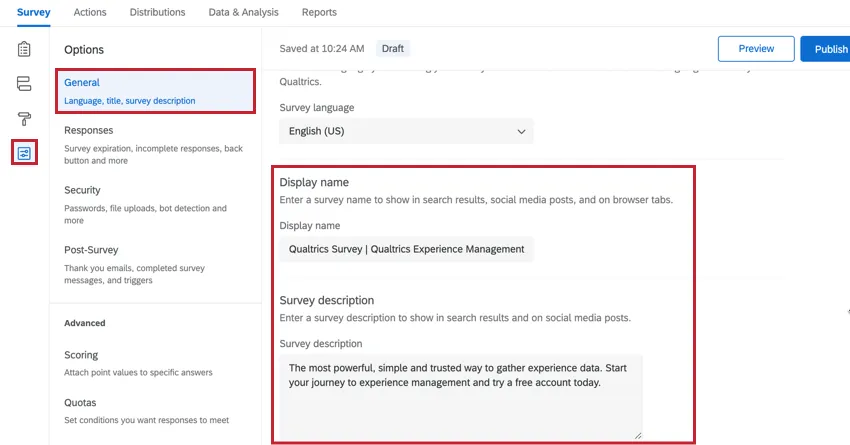
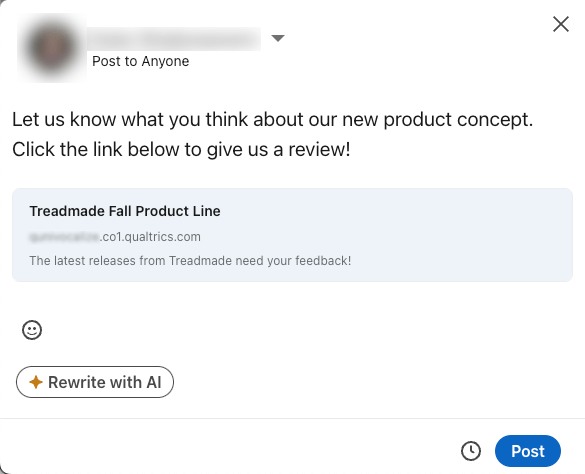
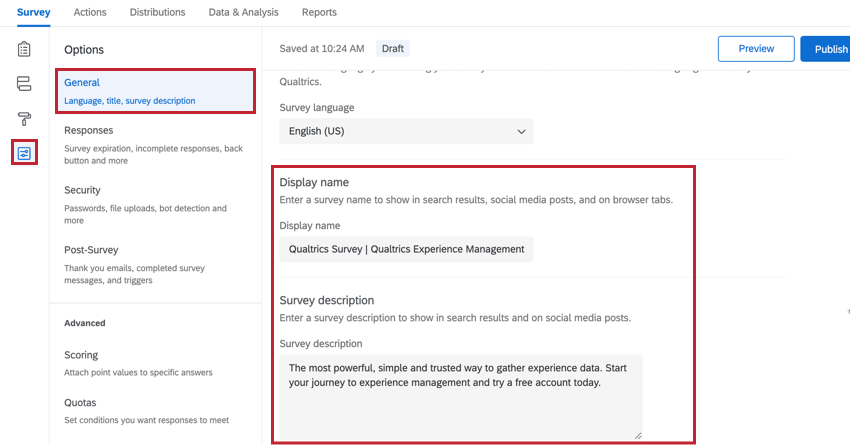
Qtip: The survey’s display name and survey description will display when the survey is posted on social media. These can be edited by opening the survey options. Make sure the survey name and description are customized before you post to social media, or the social media site might cache your original name and description for a few days! See the troubleshooting section for tips on how to resolve this.

Posting Your Survey to Social Media
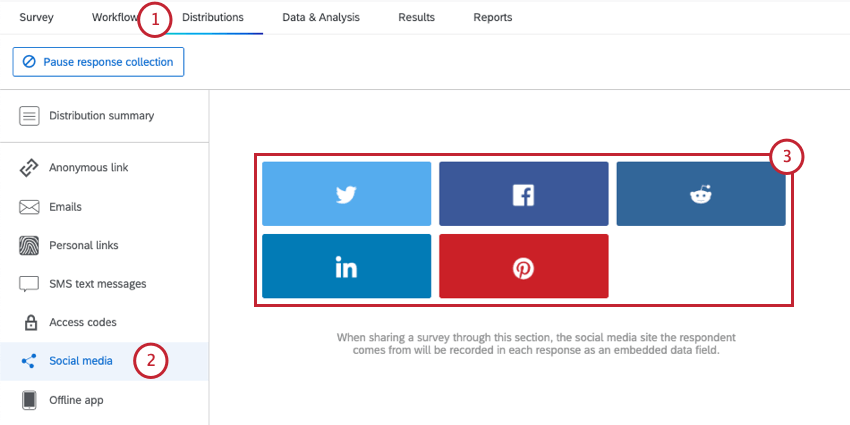
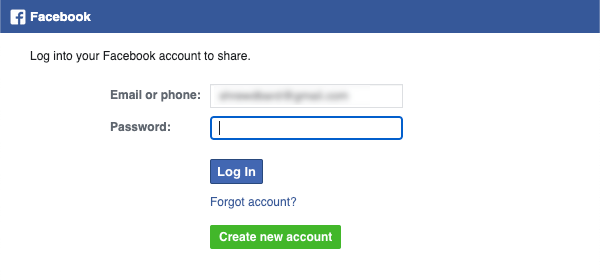
Qtip: If you’re already logged in, you may not get a login prompt.
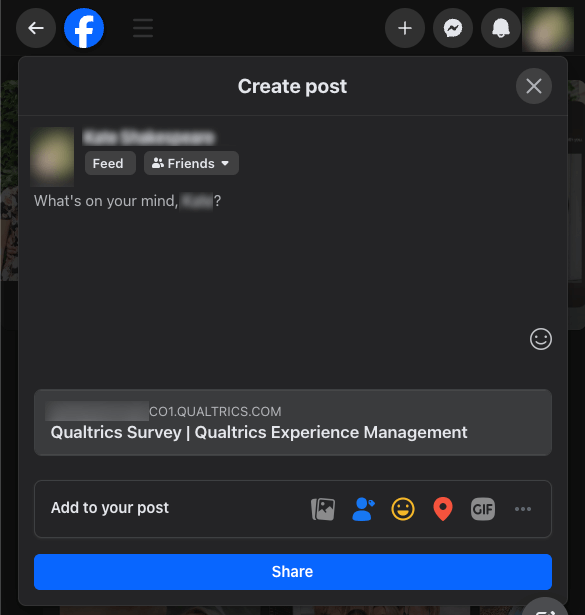
Qtip: Qualtrics uses pop-ups to connect to these various social media platforms. If you’re having difficulty accessing these features, try enabling pop-ups on your browser.
Troubleshooting Incorrect Survey Name and Description
Sometimes when you post a survey to Facebook or LinkedIn, you’ll notice the name and description of the survey seem incorrect. This section will go over the steps to fix this issue.
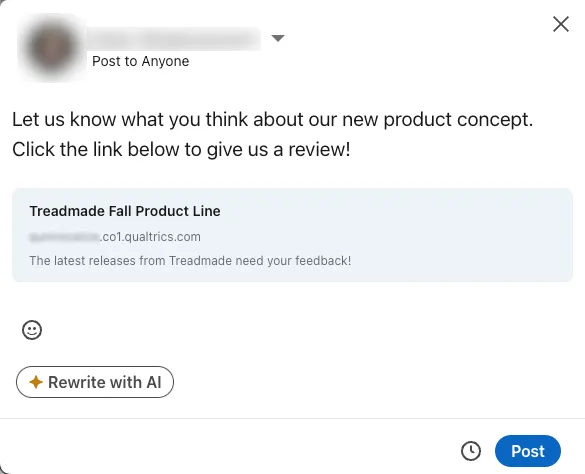
Qtip: Test your link on Facebook by posting privately to your wall or by sending the links over Messenger to a colleague who’s working on the project with you. This prevents your test subjects from seeing the survey link before you get it right.
Changing the Display Name and Survey Description
First, make sure you have the correct name and description set. Edit this information with the display name and survey description settings in the general section of survey options.
Facebook Debug
Once you post your link to Facebook, it’ll cache the information. This means if you post your link with the wrong information set, the wrong information may continue to appear even after you fix the display name and survey description.
To fix this and make your new edits appear instead, go to https://developers.facebook.com/tools/debug. Note, you’ll need to log into your Facebook account to use this tool. Paste your anonymous link into the box provided and click Debug. This will re-cache the description and name and when you paste it in, you will get the current information from your Survey Options. This may take about 10-20 minutes to update on Facebook’s end.
Qtip: If you have additional questions about Facebook’s debug tool, please reach out to Facebook’s support team.
LinkedIn Debug
Once you post your link to LinkedIn, it’ll cache the preview content for 7 days. This means that your display name and survey description may continue to display information that you’ve since updated.
To make your edits appear, go to https://www.linkedin.com/post-inspector/inspect . Note, you’ll need to log into your LinkedIn account to use this tool. Paste your anonymous link into the box provided and click Inspect. When you click Inspect, you should see an updated preview showing the new display name and survey description. You can now share the updated version of your survey.
Qtip: If you have additional questions about LinkedIn’s inspect tool, please reach out to LinkedIn’s support team.
Reporting on Social Media Responses
When sharing a survey through social media, the social media site the respondent comes from will be recorded in each response as embedded data called Q_SocialSource. This field can be used the same way you do any field, in data previews, analysis, and reporting.
Before you can use this data, you may need to add the field to your survey:
Qtip: You can add Q_SocialSource to the survey flow at any time before, during, or after data collection. It may take a while after you publish your changes for this data to appear in your survey.
The social media site is recorded using a query string that’s added automatically to each survey link. If you want to distribute to social media platforms not included on this list, you can use your anonymous link, add a query string for the field Q_SocialSource, and post it to your website of choice.
Example: You want to post a survey link to tumblr. You use the following URL: https://datacenter.qualtrics.com/jfe/form/SV_XXXX?Q_SocialSource=tumblr

Projects You Can Distribute Through Social Media
Attention: Not all of the features described in this section are included in every license. Please contact Account Services if you are interested in getting access to any of these features.

The social media distribution page only appears in several types of projects, including:
- Survey projects
- XM Solutions
- Conjoint and MaxDiff projects
Any projects not listed above are not compatible with this distribution method.
That's great! Thank you for your feedback!
Thank you for your feedback!