

Exporting & Importing Conjoint Designs
What's on this page
About Exporting & Importing Conjoint Designs
This feature is primarily for advanced users familiar with conducting conjoints on other platforms. This tool allows you to export a design file containing the explicit design of the conjoint, down to every available choice combination (and disregarding exclusions).
This page will explain how to read the conjoint design file and give parameters for the type of information that can be imported.
Qtip: This feature is not similar to the ability to import and export surveys.

Understanding the Export
This section explains what the different columns in a file export of a conjoint design mean.
question_set column
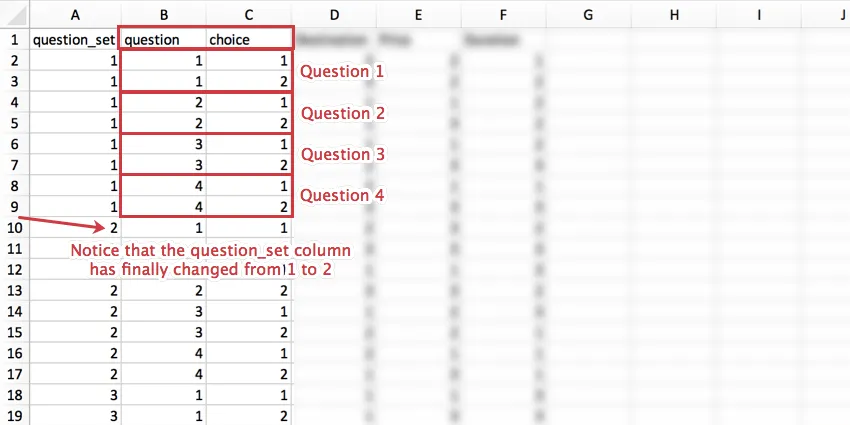
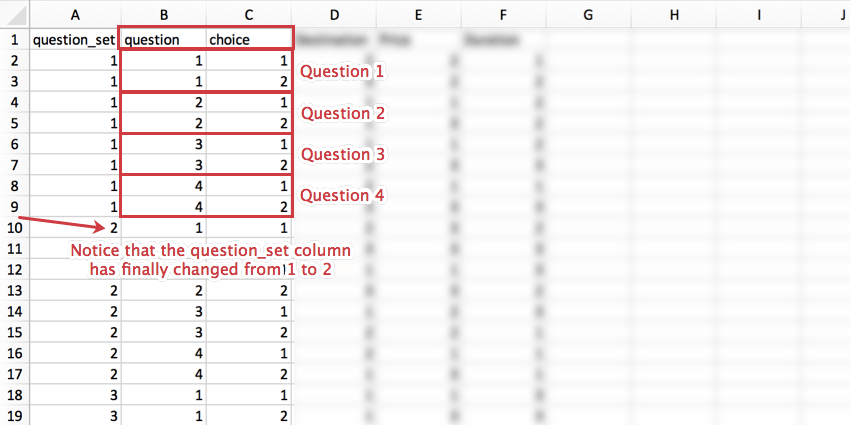
This column refers to the set of questions. This value will repeat row by row until you have reached the maximum number of questions for a set.
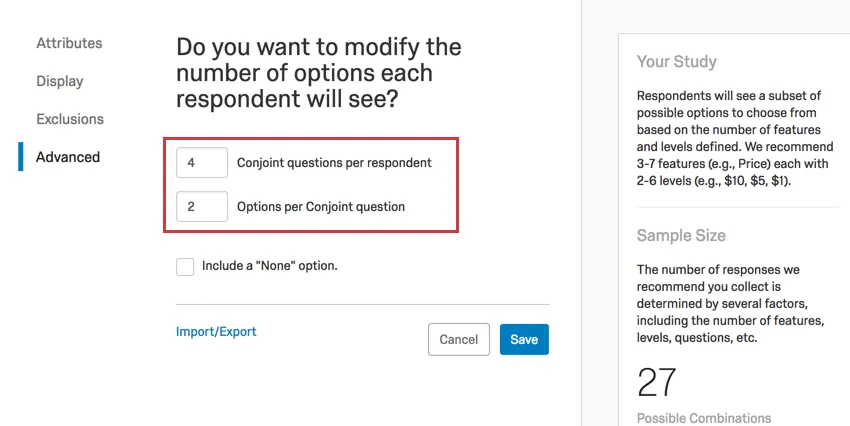
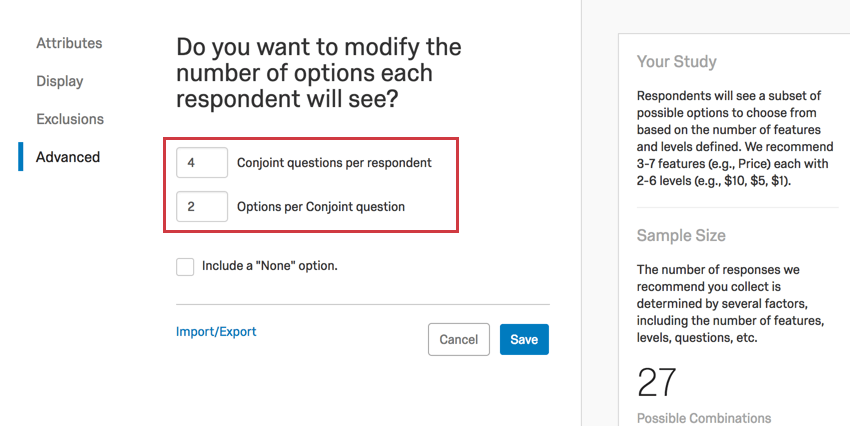
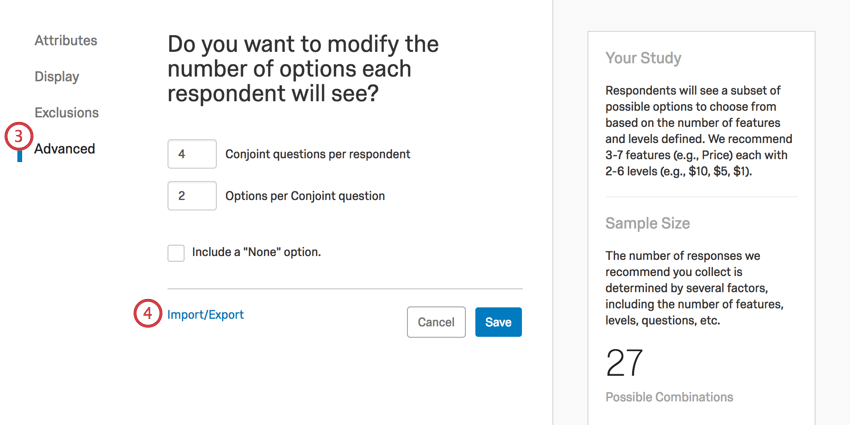
Under Advanced in this example, the maximum number of questions is 4 and each question has two choices. As soon as each question has choice 1 and choice 2 defined, the question_set row’s value can change.
question column
The question column identifies which question in the question set you are defining.
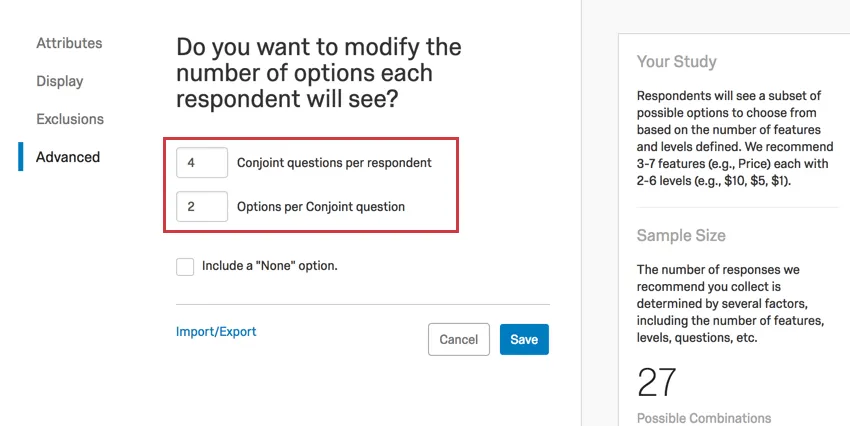
Under Advanced in this example, the maximum number of questions is 4. So the question column can only ever have values from 1-4.
choice column
The choice column identifies which option in the question you are defining.
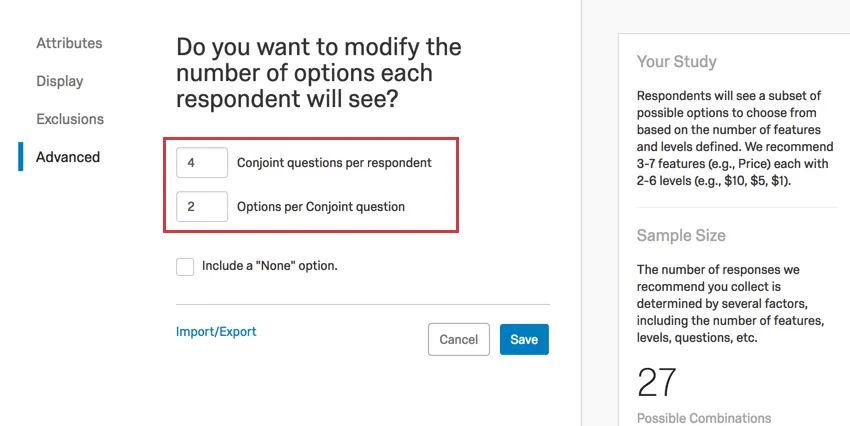
Under Advanced in this example, the number of options per conjoint question is 2. So the question column can only ever have the value 1 or 2.
Feature columns
Each feature you have defined in features will get its own column. You cannot use this file to add new features or remove these columns.
In our example, we have the following features with the following levels, defined on the page in this exact order:
- Destination
- Aruba (1)
- Jamaica (2)
- Bermuda (3)
- Price
- $1000 (1)
- $2000 (2)
- $5000 (3)
- Duration
- 3 days (1)
- 1 week (2)
- 2 weeks (3)
The “recode values” are listed in parentheses next to each level. These match the order of the levels as listed on the features page and cannot be edited or defined by the user.
As you can see in the image below, each feature (Destination, Price, Duration) gets a column.
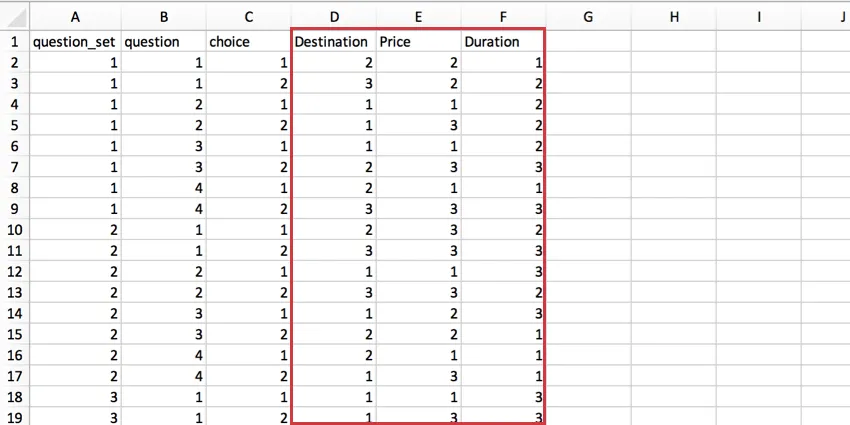
Because each feature has only 3 levels, the maximum value in each column is 3. However, if you added another destination, you’d be able to have up to 4 in the Destination column, and still only 3 in Price or Duration.
Import Restrictions
When you make changes to your design file, it is unlikely that you will add or remove just one line at a time. There are rules you have to follow before the import will succeed.
Example: If your package only offers 3 prices, you cannot put a 4 in the Price column. In addition, you cannot erase the Price column altogether just because you suddenly don’t want to study this feature. To make edits like this, you must modify features in the product.

Importing and Exporting
Warning: If you import a new design, your conjoint will reset. This removes all previously collected data. You will not be able to retrieve this data after it is removed. Only make changes if you are totally sure you want to.

That's great! Thank you for your feedback!
Thank you for your feedback!