

Configuring Research Hub
What's on this page
About Configuring Research Hub
Qtip: For a general overview of Research Hub, see Research Hub Overview.

Once Research Hub is enabled for your organization, you can configure various aspects of the app. This includes restricting who has access to view specific search results and documents within Research Hub. This can be useful if certain search results or documents should only be viewed by specific users or groups.
Managing Search Result Limitations
Attention: Brand Administrators can see everything within search results. The one exception to this is if specific projects are added as limitations. These projects won’t be visible to anyone, including Brand Admins.

Qtip: The steps in this section explain how to limit the specific content users can search in Research Hub. To give permission for a user to search research, or to give permission for their research appear in the search, you'll have to adjust their user permissions.
Brand Administrators can restrict who has access to specific search results within Research Hub. If you are an administrator, follow these steps to set up search limitations:
Navigate to the Home tab within Research Hub.
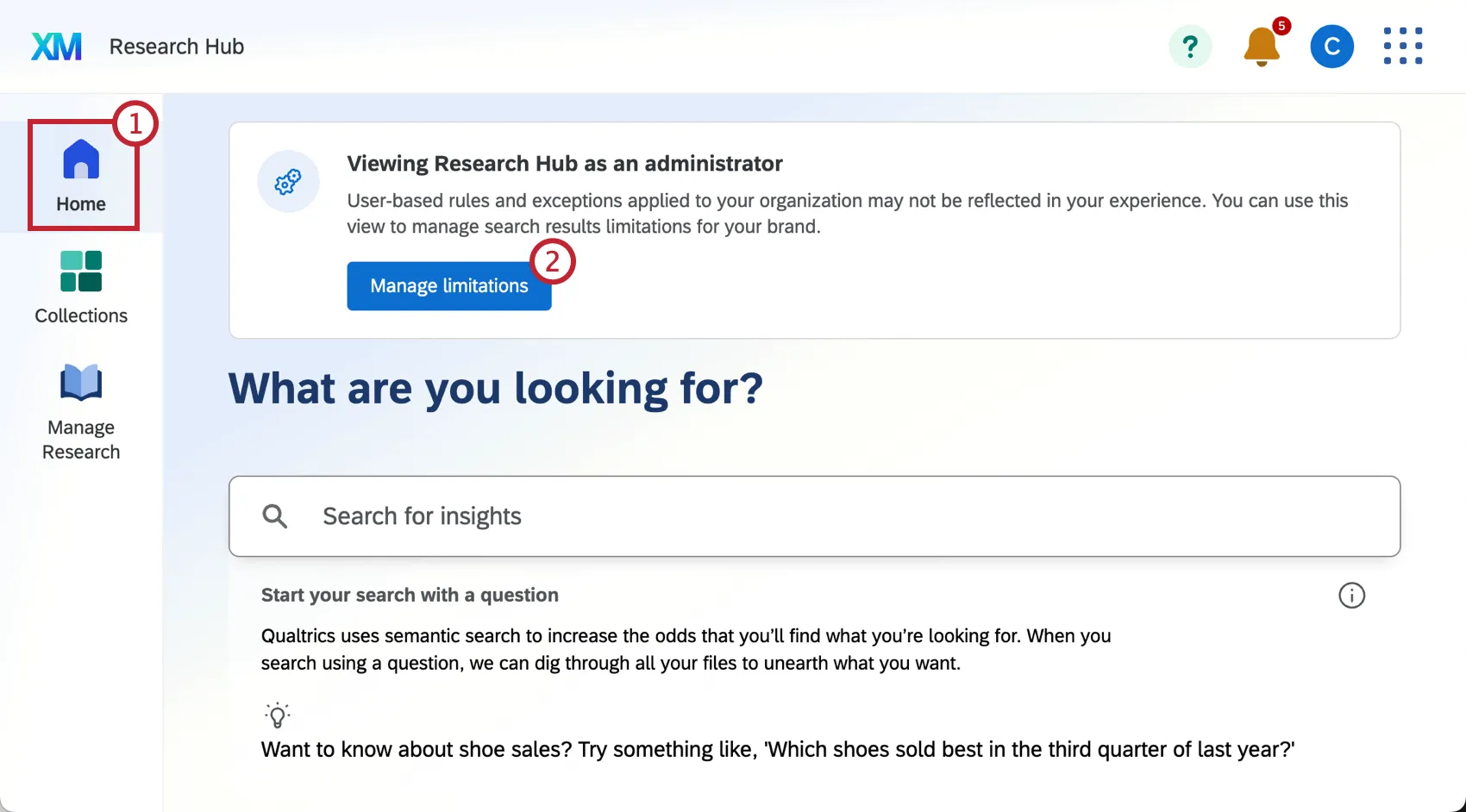
Select Manage limitations.
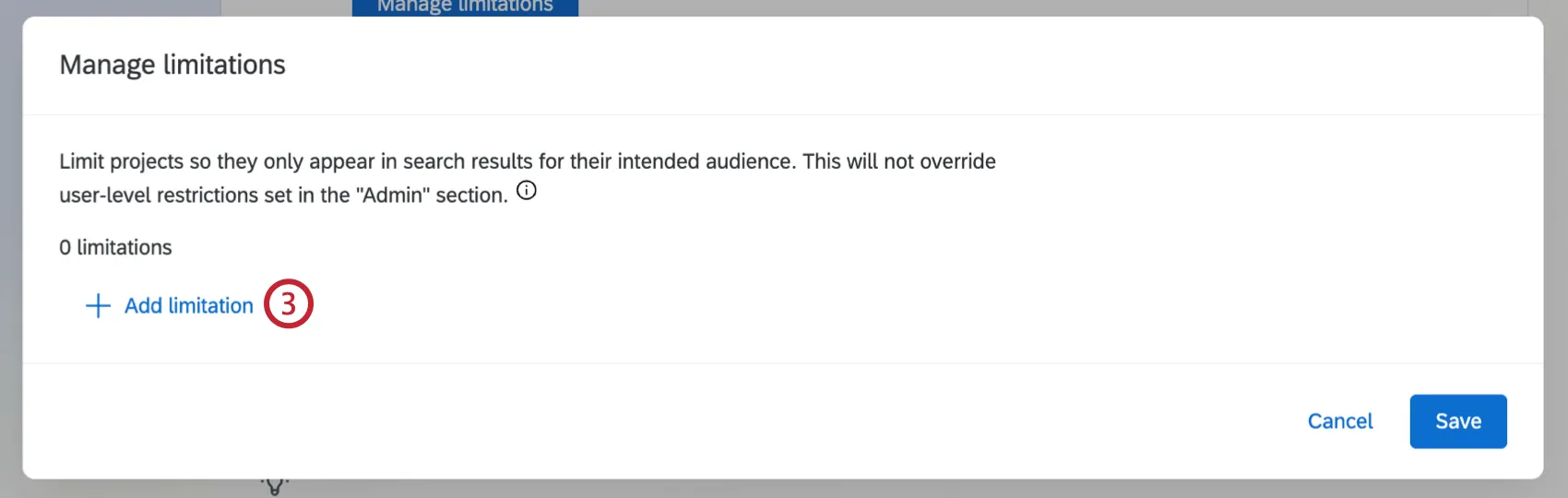
Click Add limitation.
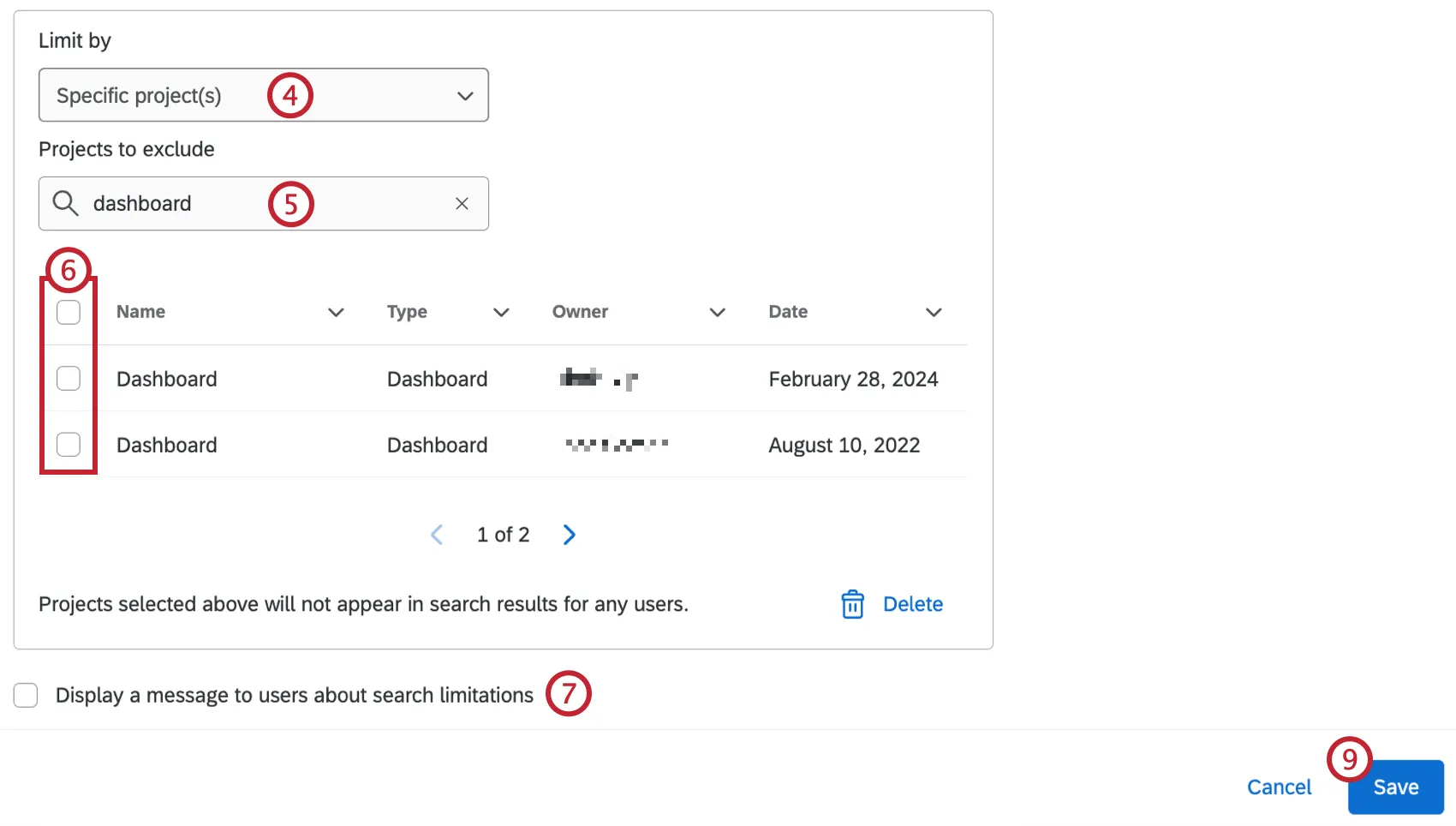
Use the dropdown to select how you want to limit search results:
- Division: Projects owned by users in this division will only appear in search results for users within the same division.
- User group: Projects owned by users in this user group will only appear in search results for users within the same user group.
- Specific project(s): Selected projects will not appear in search results for any users.
If you selected Specific project(s), use the search box to search for your project(s) by name.
Qtip: You can search any project in your Qualtrics organization.
Use the checkboxes to select projects to exclude from search results.
If desired, select Display a message to users about search limitations. Users with limited access will see a banner when viewing search results or the Manage Research tab.
You can add additional limitations by repeating steps 3-5.
Qtip: Click the trash icon next to a limitation to remove it.
Click Save.
Managing Document Access
After uploading a document to Research Hub, you can control who has access to view it. You can either make documents available for all users in your brand, or you can restrict access to specific user groups. Brand Admins can also manage access for any documents, regardless of who uploaded them.
For more information on uploading and viewing documents, see Manage Research in Research Hub.
Attention: When managing access for a file, you can only select the groups or divisions the file owner is a part of. Additionally, if brand-wide limitations have been set up for specific groups or divisions, this may limit the options available to select when managing individual document access.
Attention: Users cannot remove brand-wide limitations on specific files.
Follow these steps to manage document access:
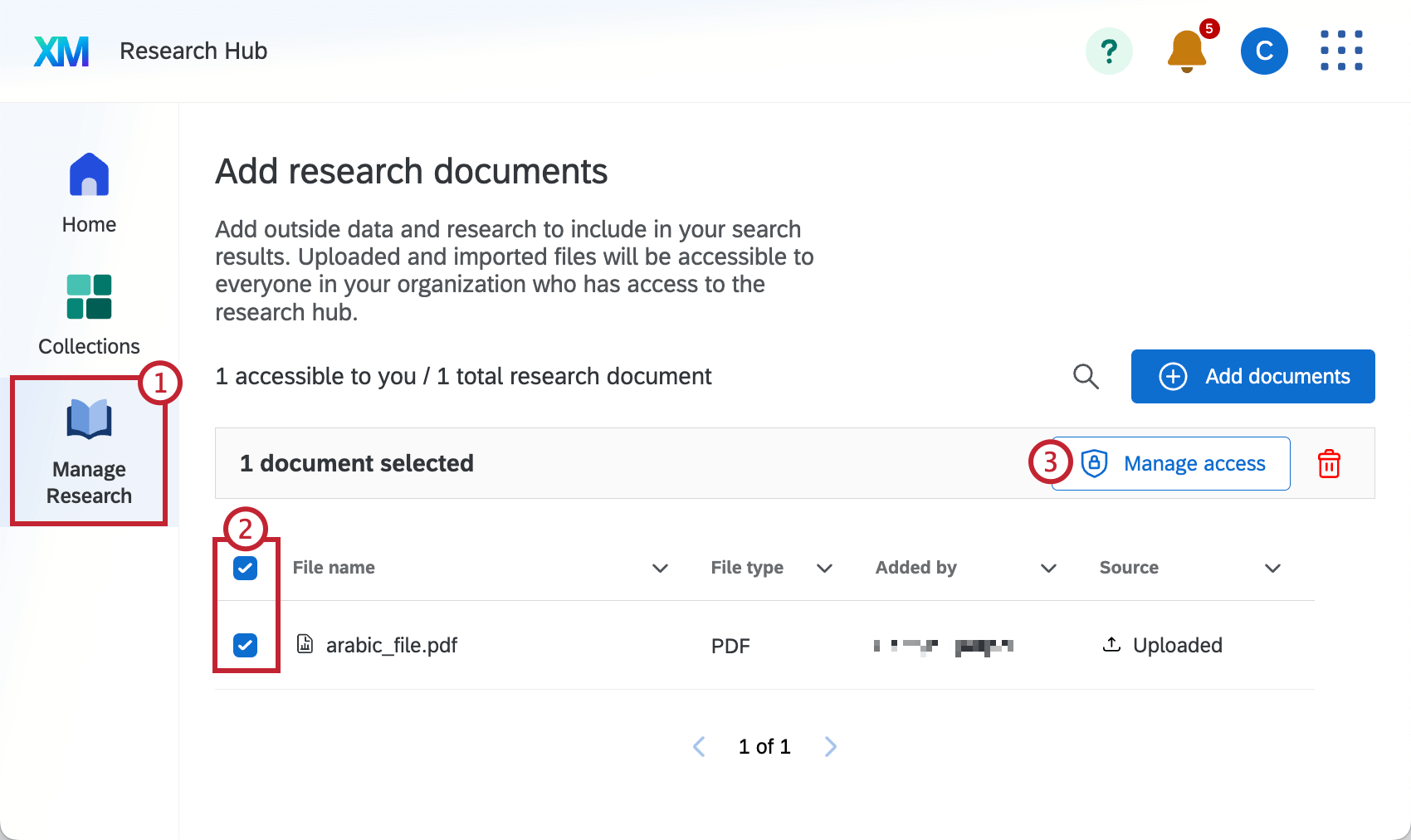
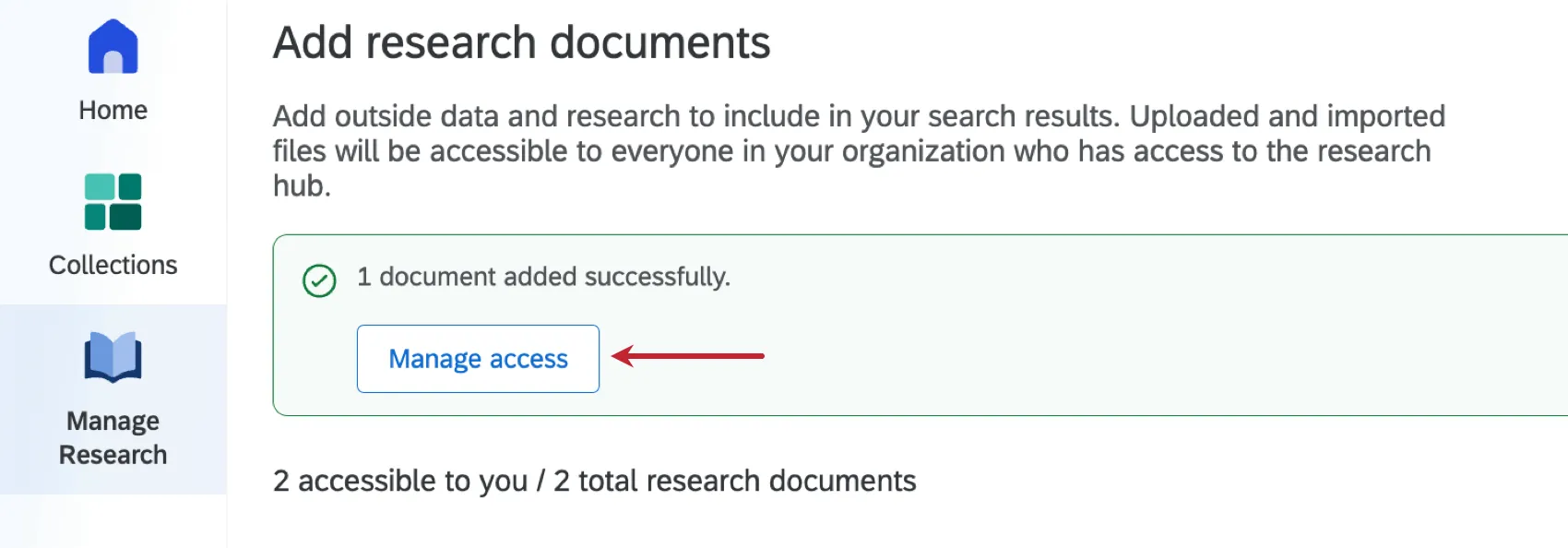
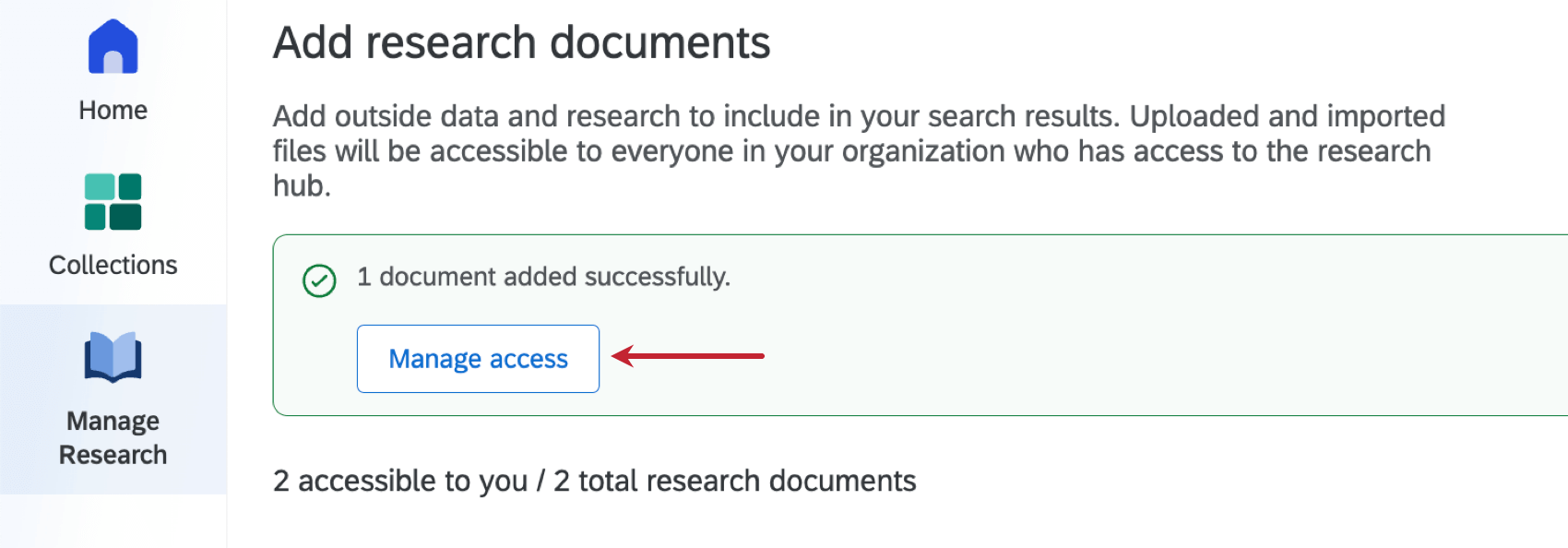
Qtip: If you’ve just uploaded a document, you can select Manage access from the banner that appears at the top of the screen.
- Division: The document can only be viewed by users in the division you select.
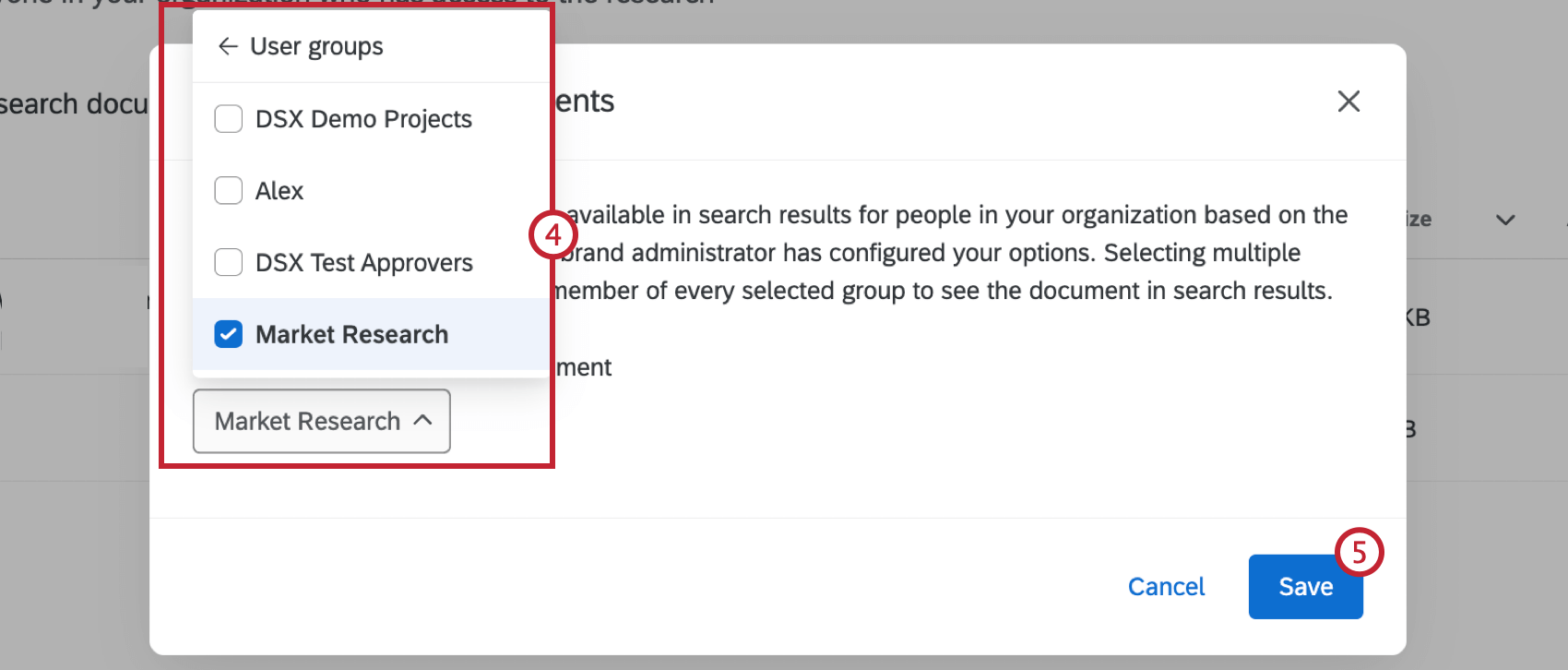
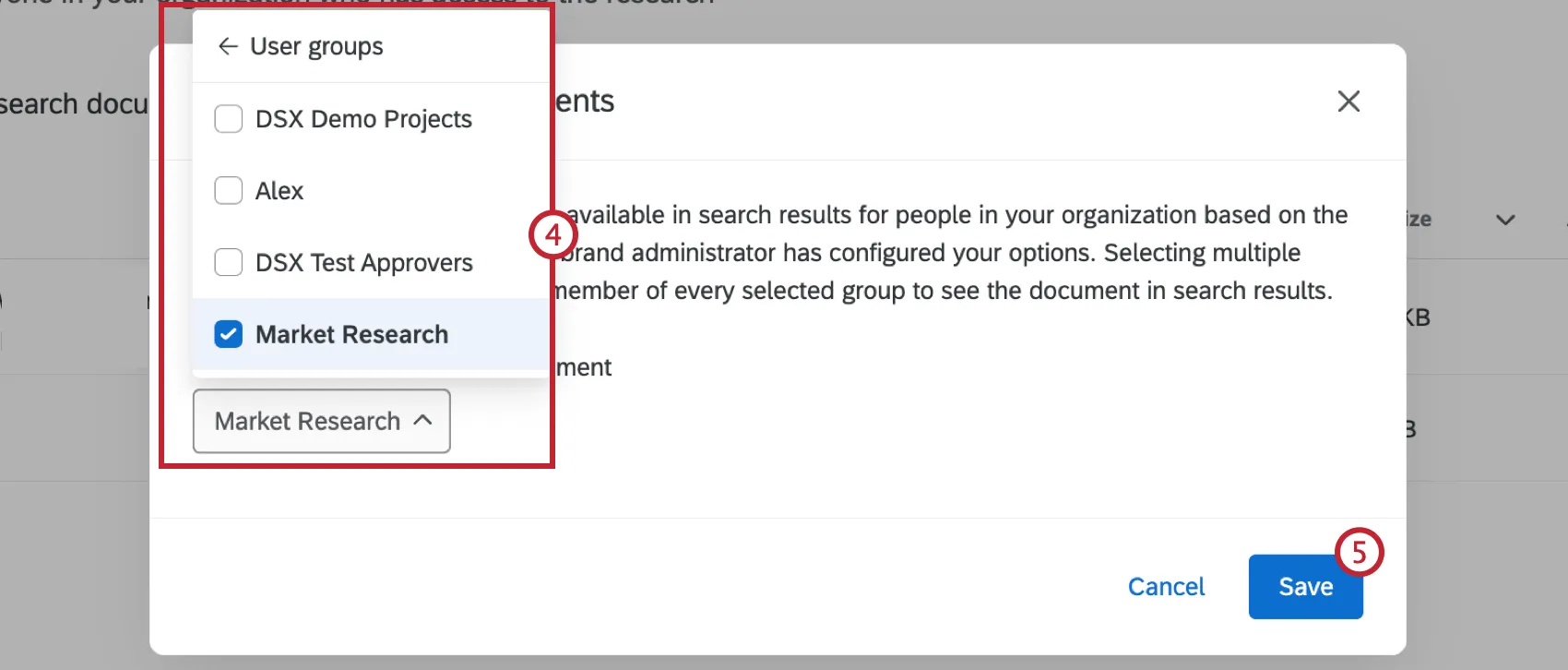
- User groups: The document can only be viewed by users in the group(s) you select. Selecting multiple groups means a user must be a member of every selected group to see the document in search results.
- Share with the entire brand: The document can be viewed by everyone in the brand.
Qtip: The steps above explain how to restrict who has access to specific documents. To allow someone to search and view research, you'll have to adjust their user permissions accordingly.
That's great! Thank you for your feedback!
Thank you for your feedback!