

Insert a Downloadable File
Suite
Customer Experience
Employee Experience
Strategy & Research
Product
Qualtrics
What's on this page
About Inserting a Downloadable File
Sometimes you’ll want to attach extra information for your respondents to download — like a consent form, additional reading, or report. By using our insert file feature, you can include a link in your survey that respondents can click to download any file to their device.
Qtip: The instructions below are for inserting a file into a question in the Survey tab, but you can insert a file wherever you have access to the rich content editor (Header/Footer in the Look and feel, emails, etc.).

How To Insert a File
Click on the question text you want to edit.
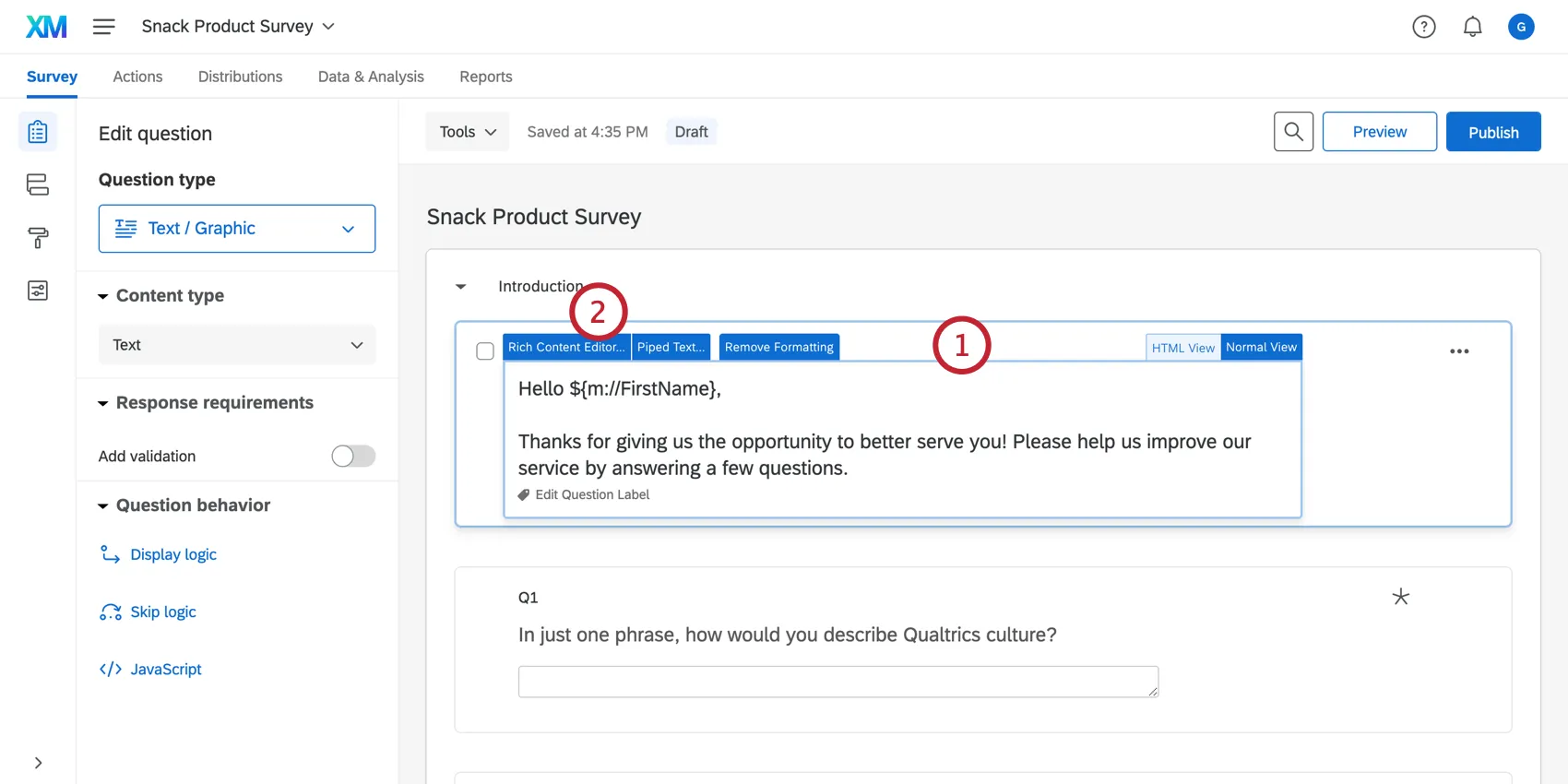
Click the Rich Content Editor tab.
Click More.
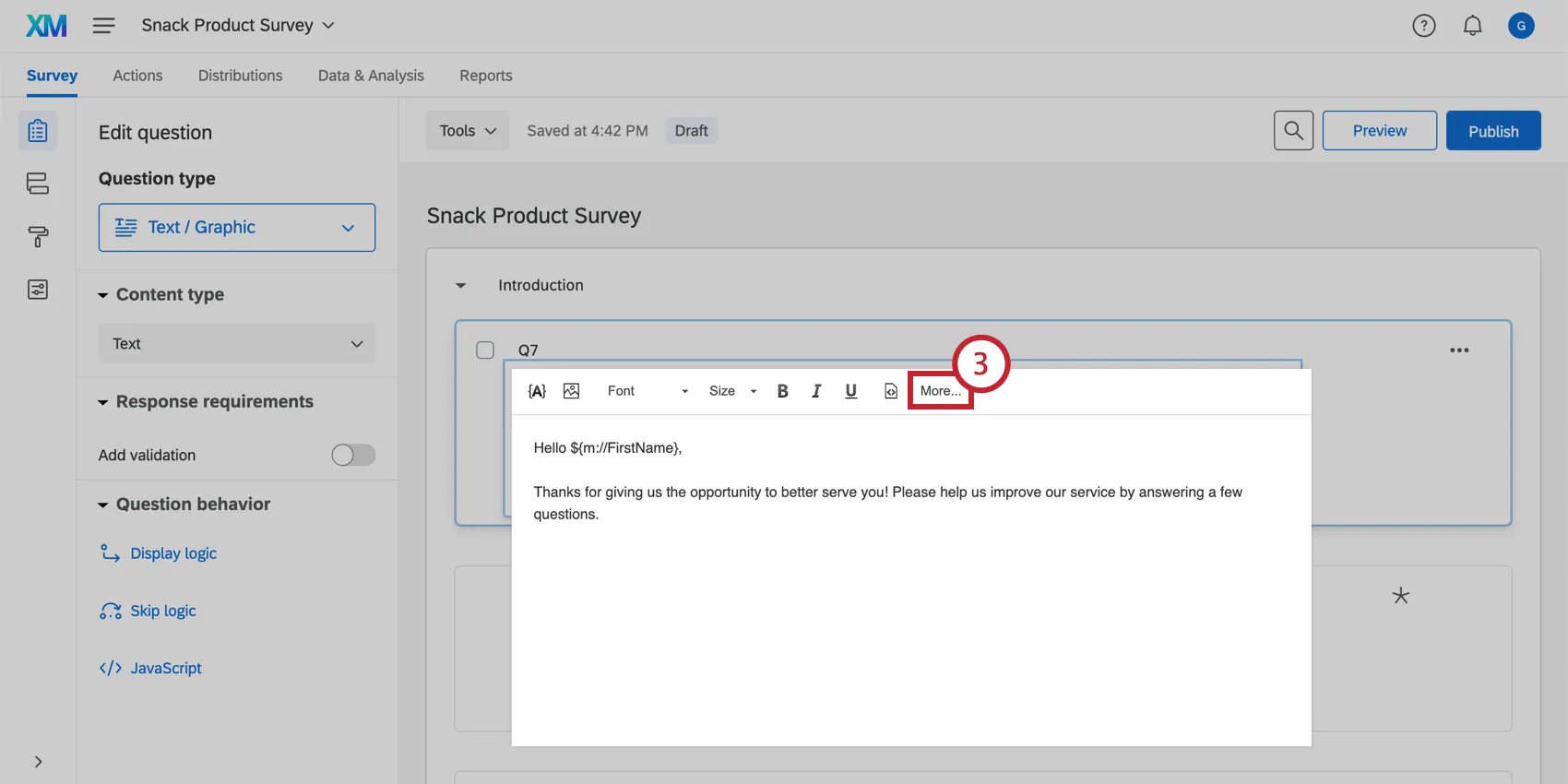
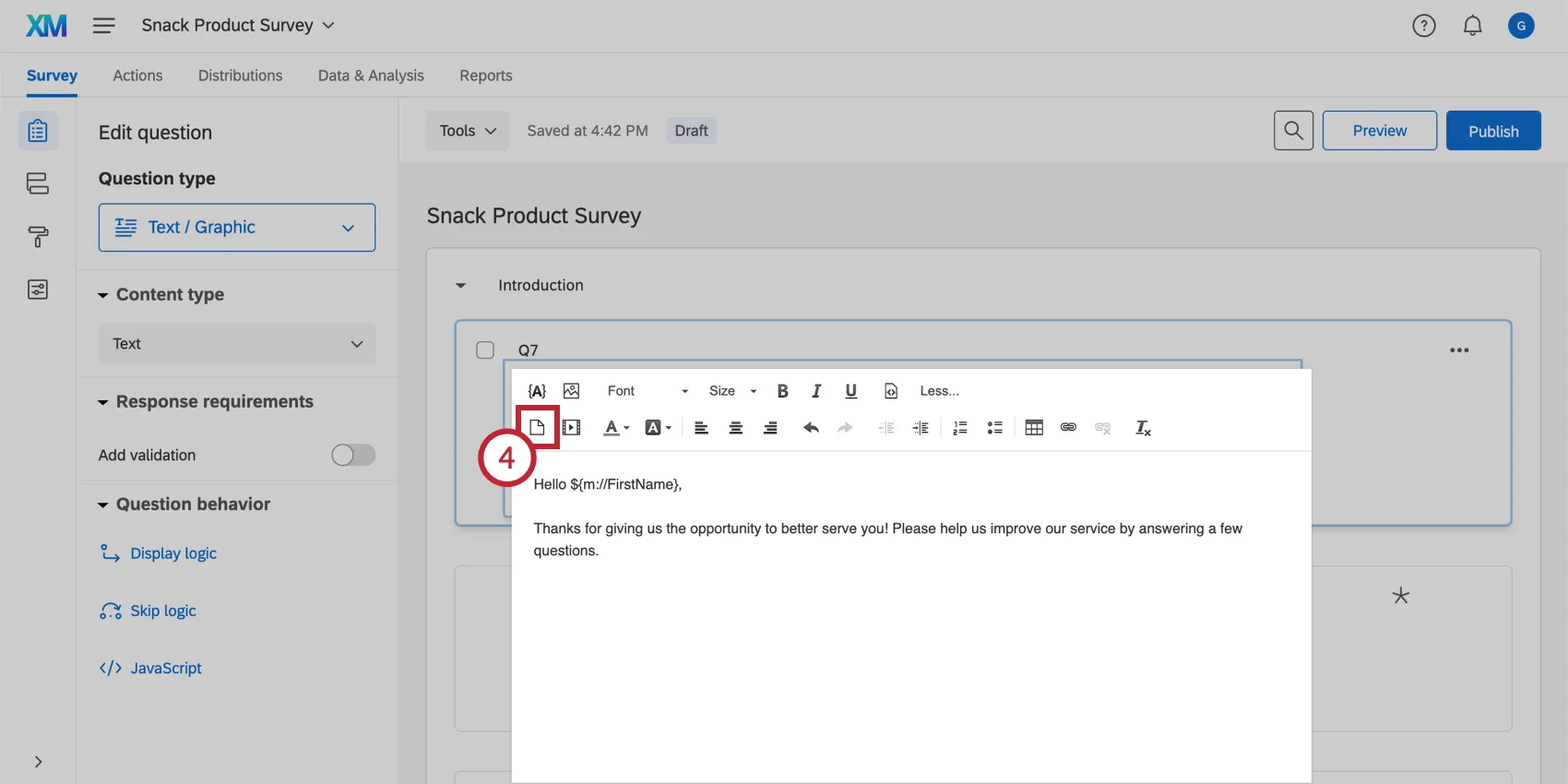
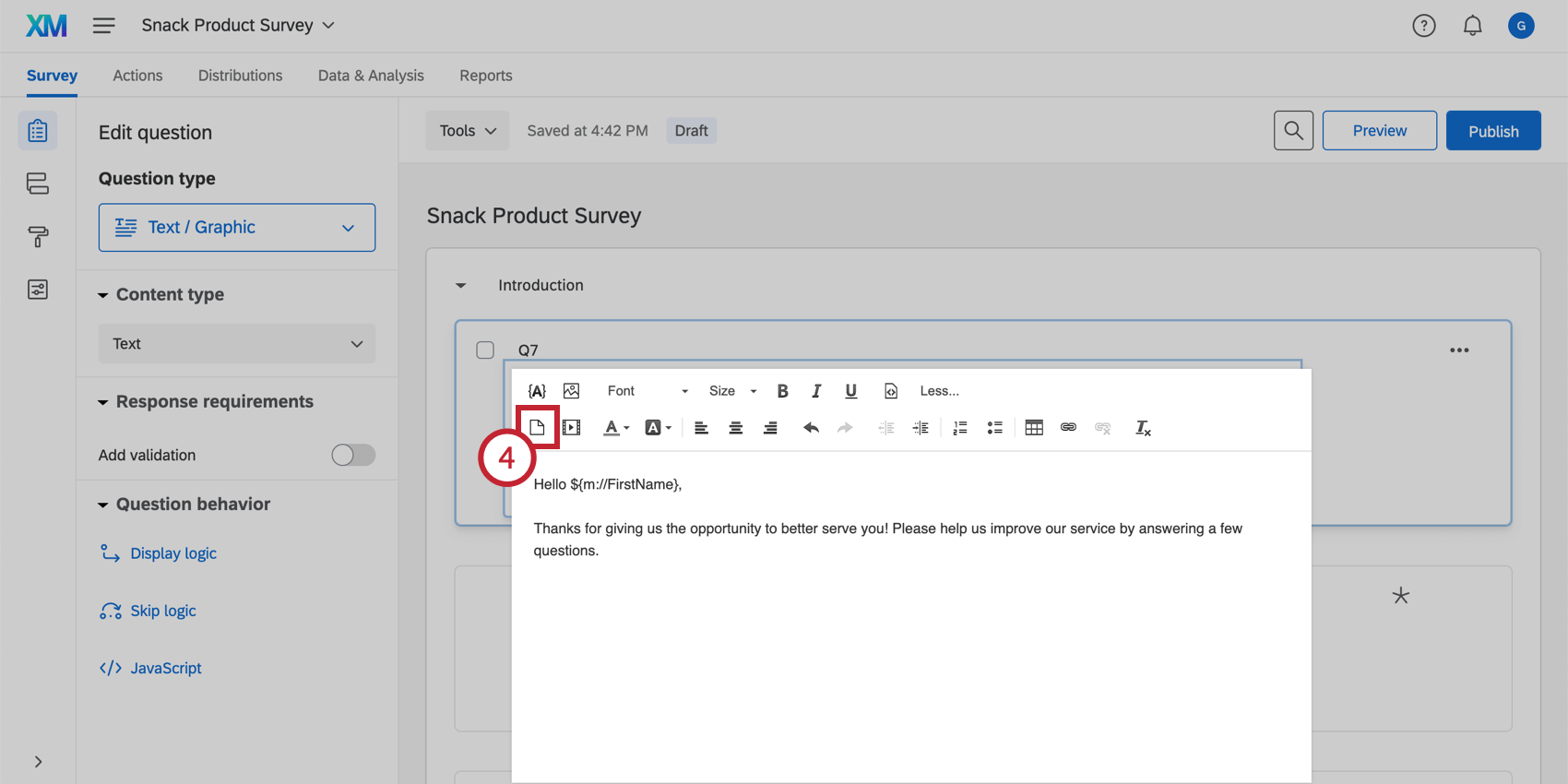
Click the Insert File icon.
Choose a file from your Library, or upload a new file from your computer by clicking Upload a New File.
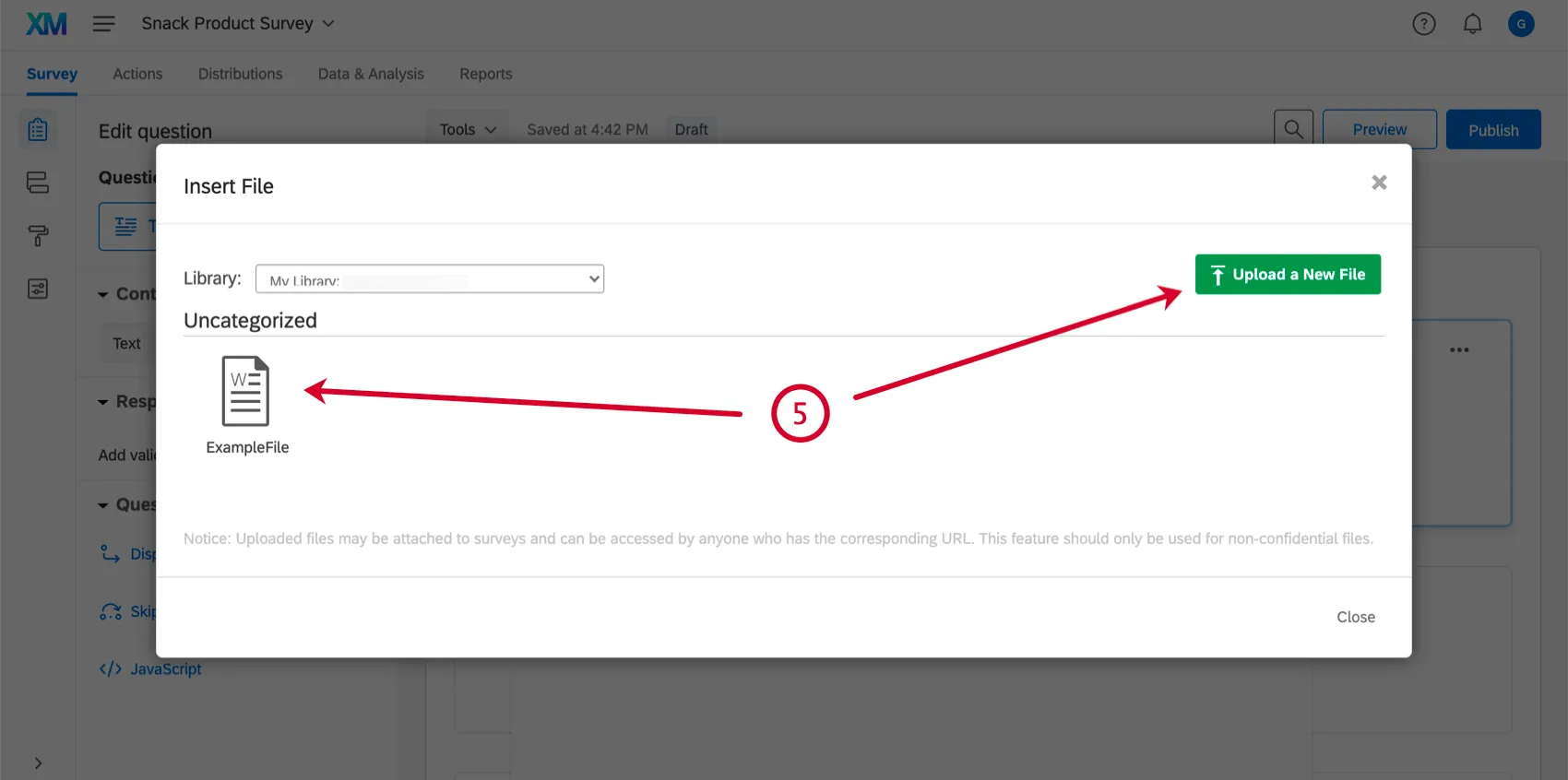
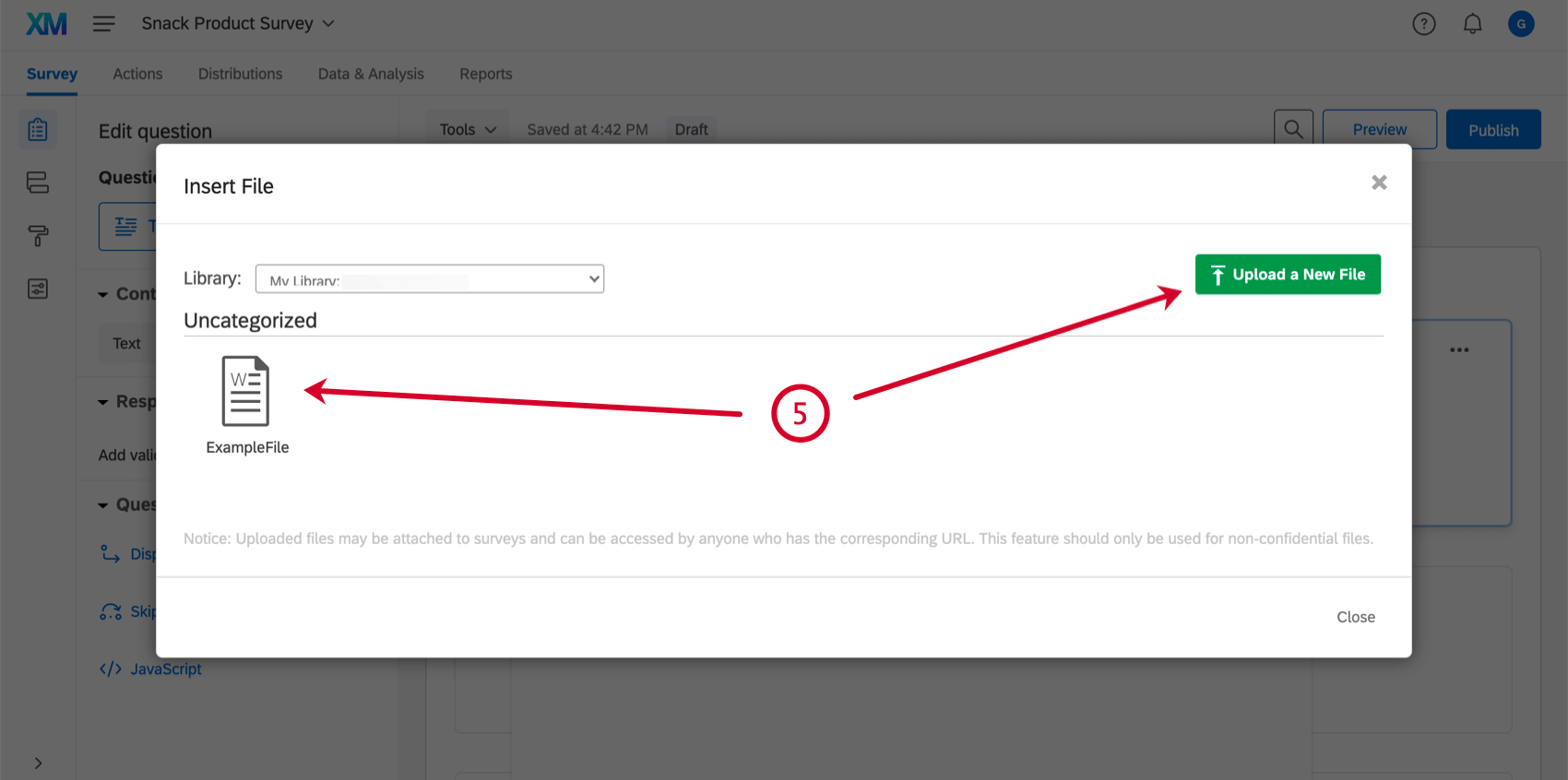
Qtip: You can upload any non-executable file up to 16MB in size.
Place the file link where you would like it to appear in your question text.
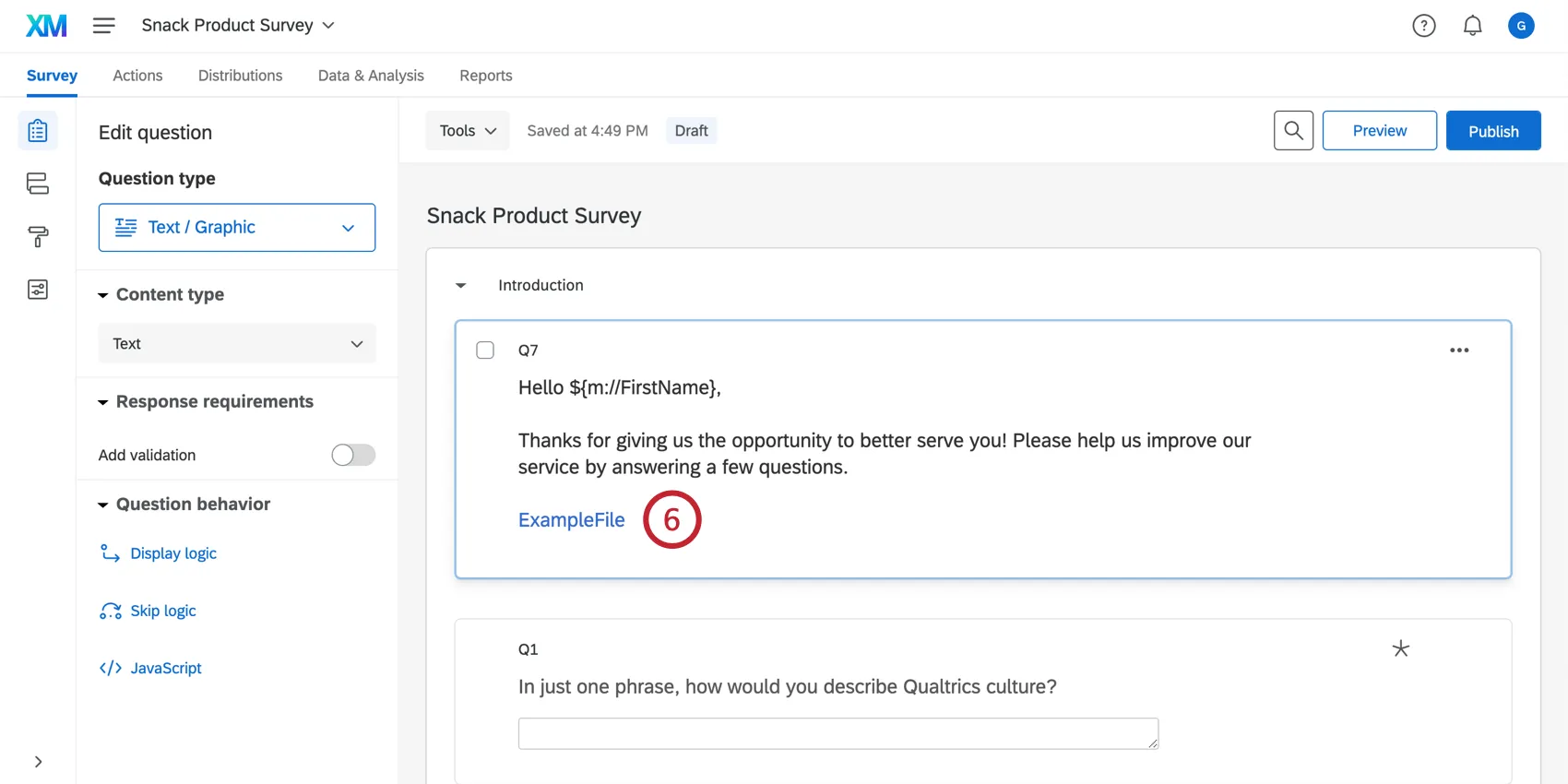
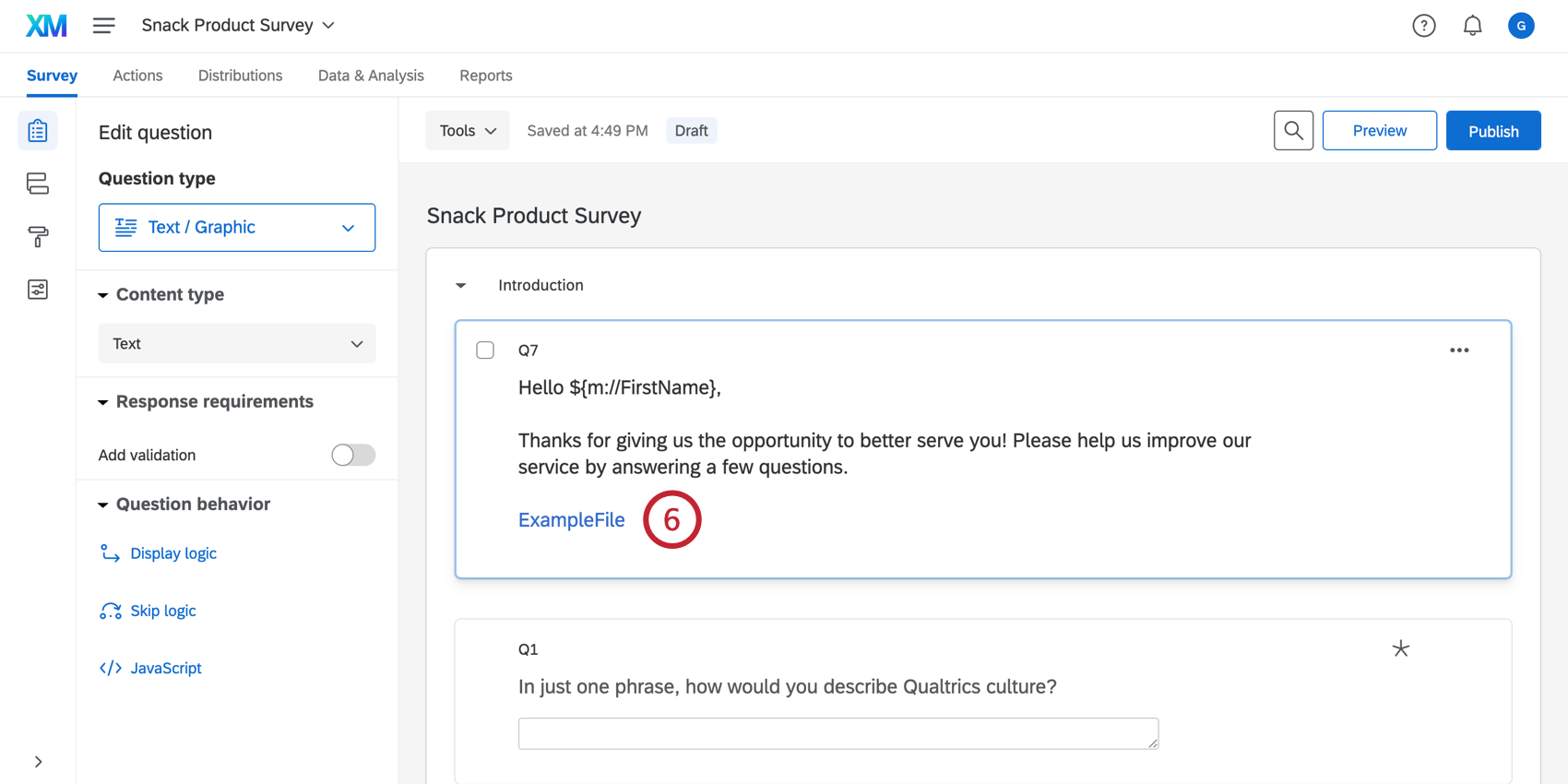
Your respondents can now click the link to download the file.
That's great! Thank you for your feedback!
Thank you for your feedback!