

Audiences Tab
What's on this page
About the Audiences Tab
Panels are groups of participants who have been recruited to provide feedback on a research topic. When creating a panel, you can target specific demographics and criteria to form the appropriate audience for your research.
For organizations that run multiple similar studies (e.g., weekly trackers, multi-market studies, or iterative concept tests), you can use panel templates to easily target the same audience across studies. Qualtrics provides some templates to start, and you can create custom, user-made templates for your research needs.
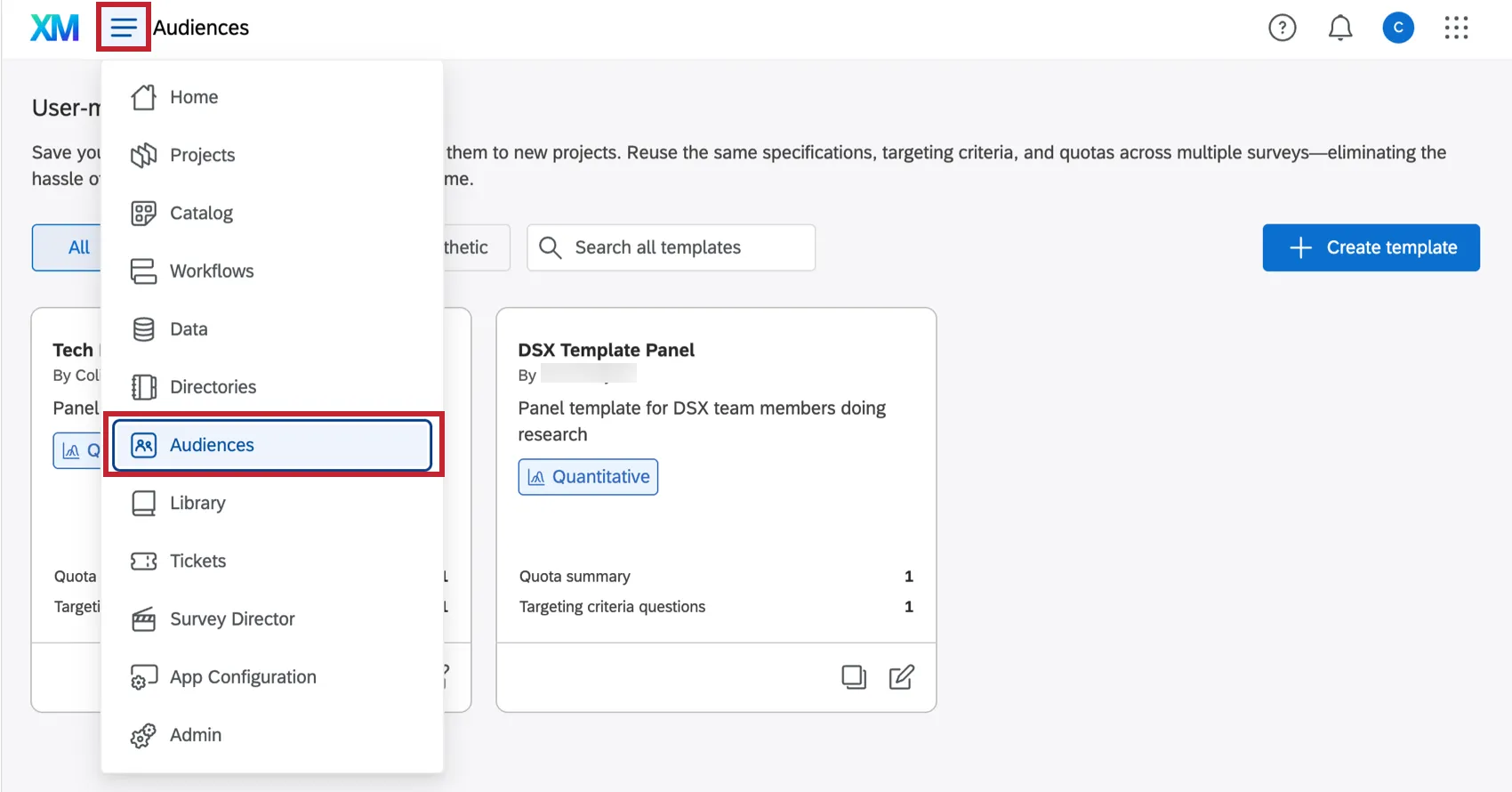
Your user-made panel templates can be created and managed from the Audiences tab, found via the navigation menu in the top lefthand corner of your Qualtrics account.
Enabling the Audiences Tab
In order to access the Audiences tab and start creating panel templates, you need the Access Online Panels permissions.
If you don't have access to this feature, reach out to a Brand Administrator to get this permission enabled.
Creating a User-Made Panel Template
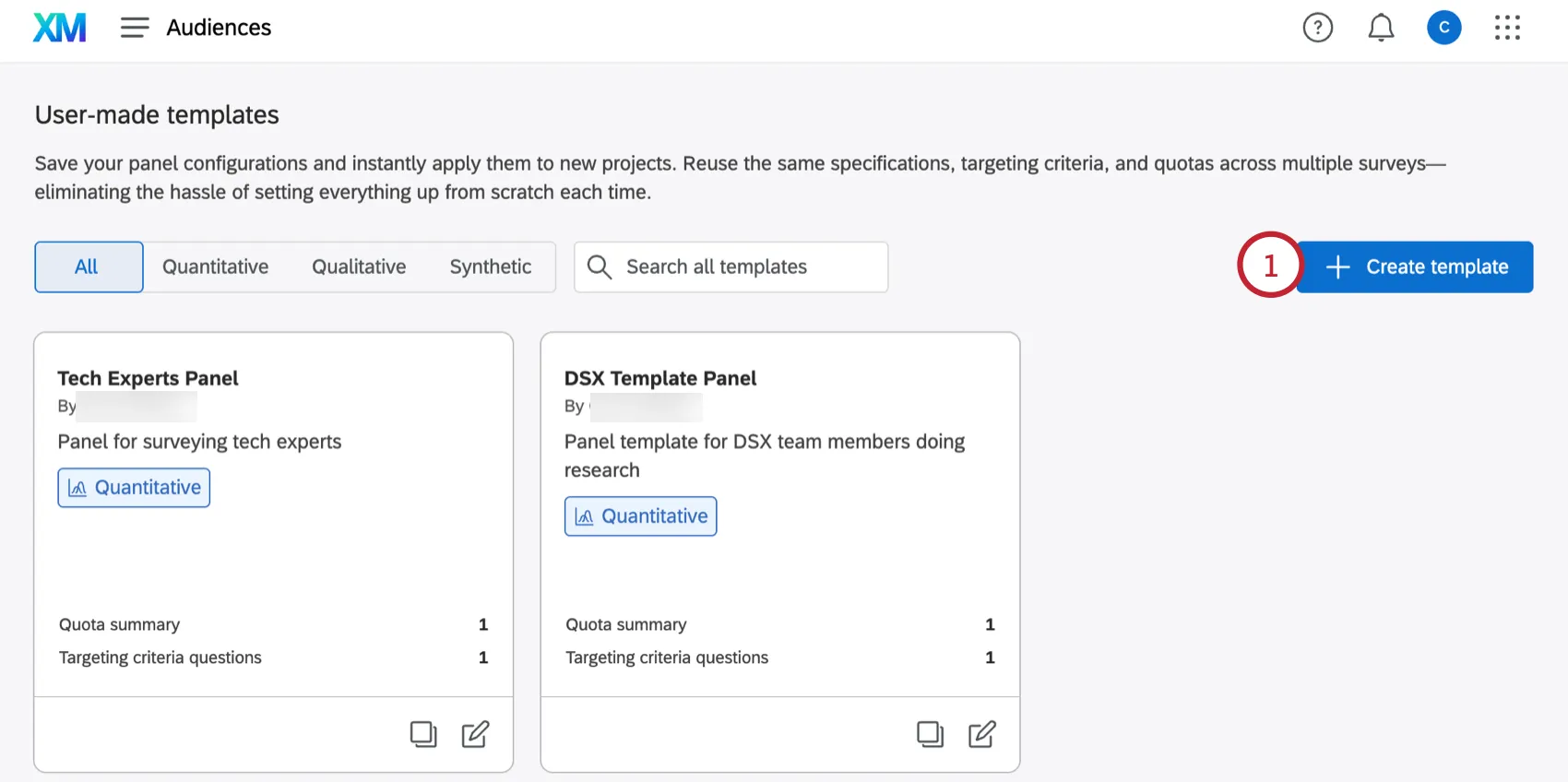
From the Audiences tab, click Create template.
Enter a Template name.
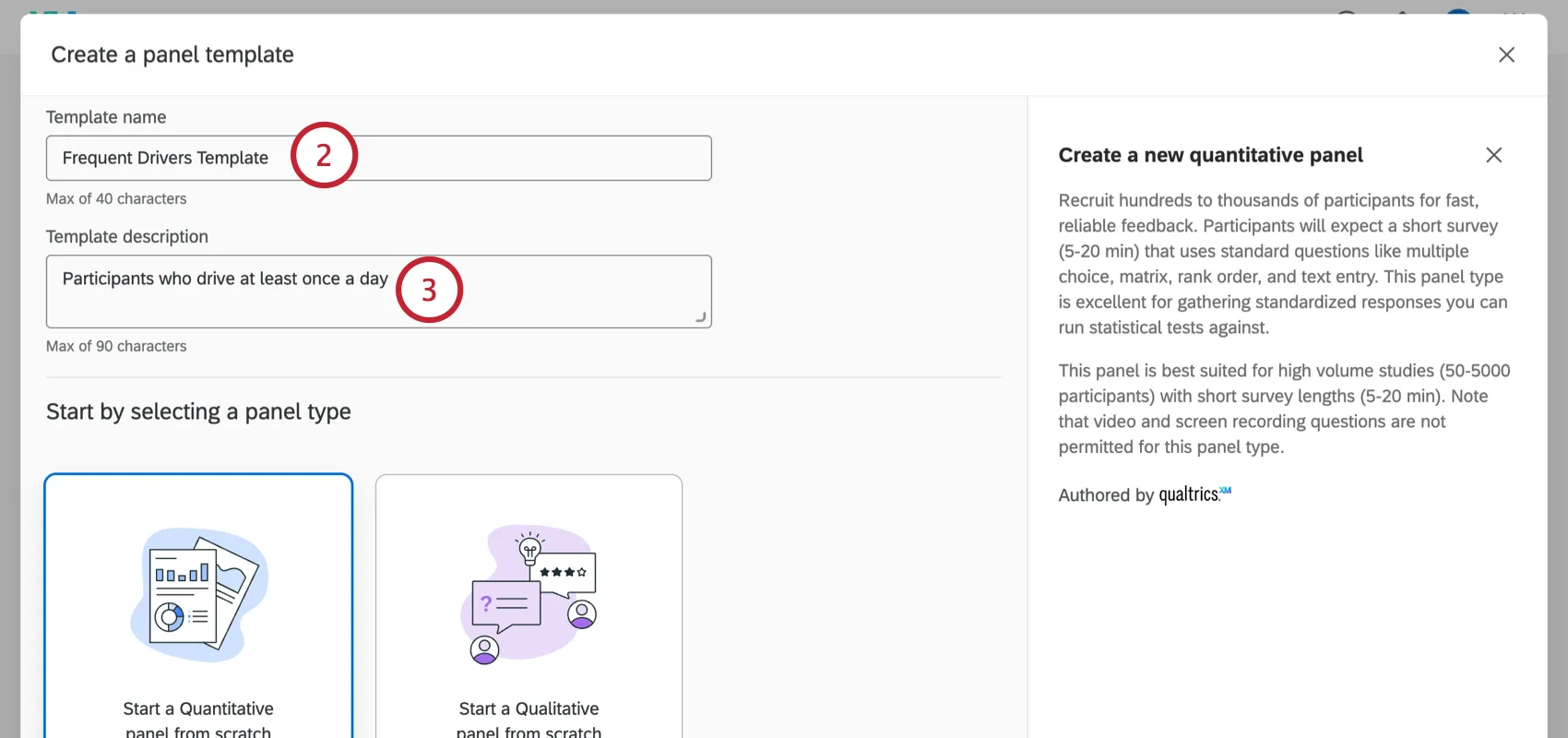
Enter a Template description so you know the purpose of this panel template.
When creating your template, you can start with either a quantitative or qualitative panel created from scratch.
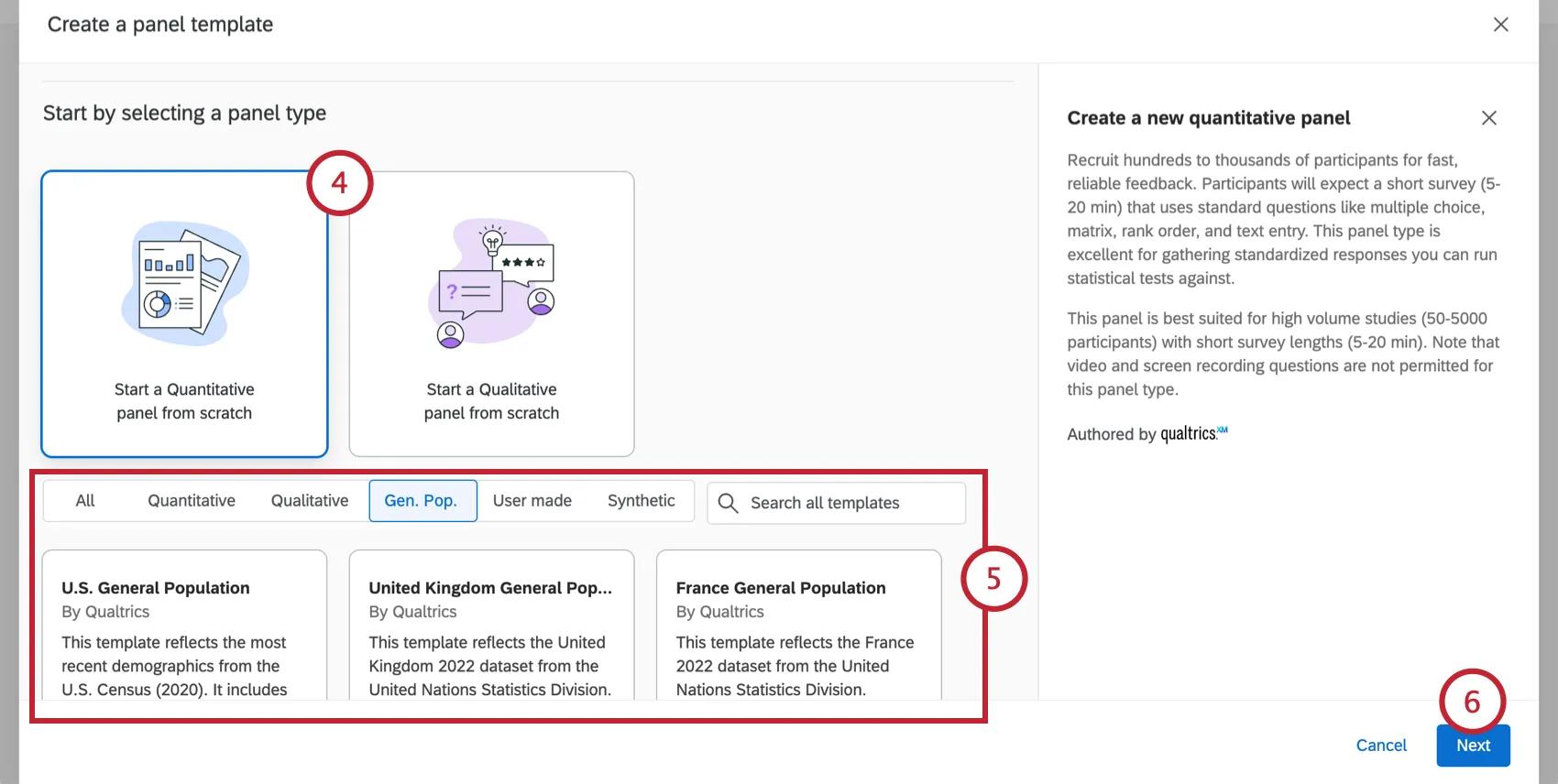
Alternatively, choose one of the existing templates as your starting point. This includes templates created by Qualtrics, synthetic panels, or other custom templates you may have created. You can customize the exact panel makeup in the following steps.
Click Next.
Customize your panel details and targeting criteria. See Online Panels for more help.
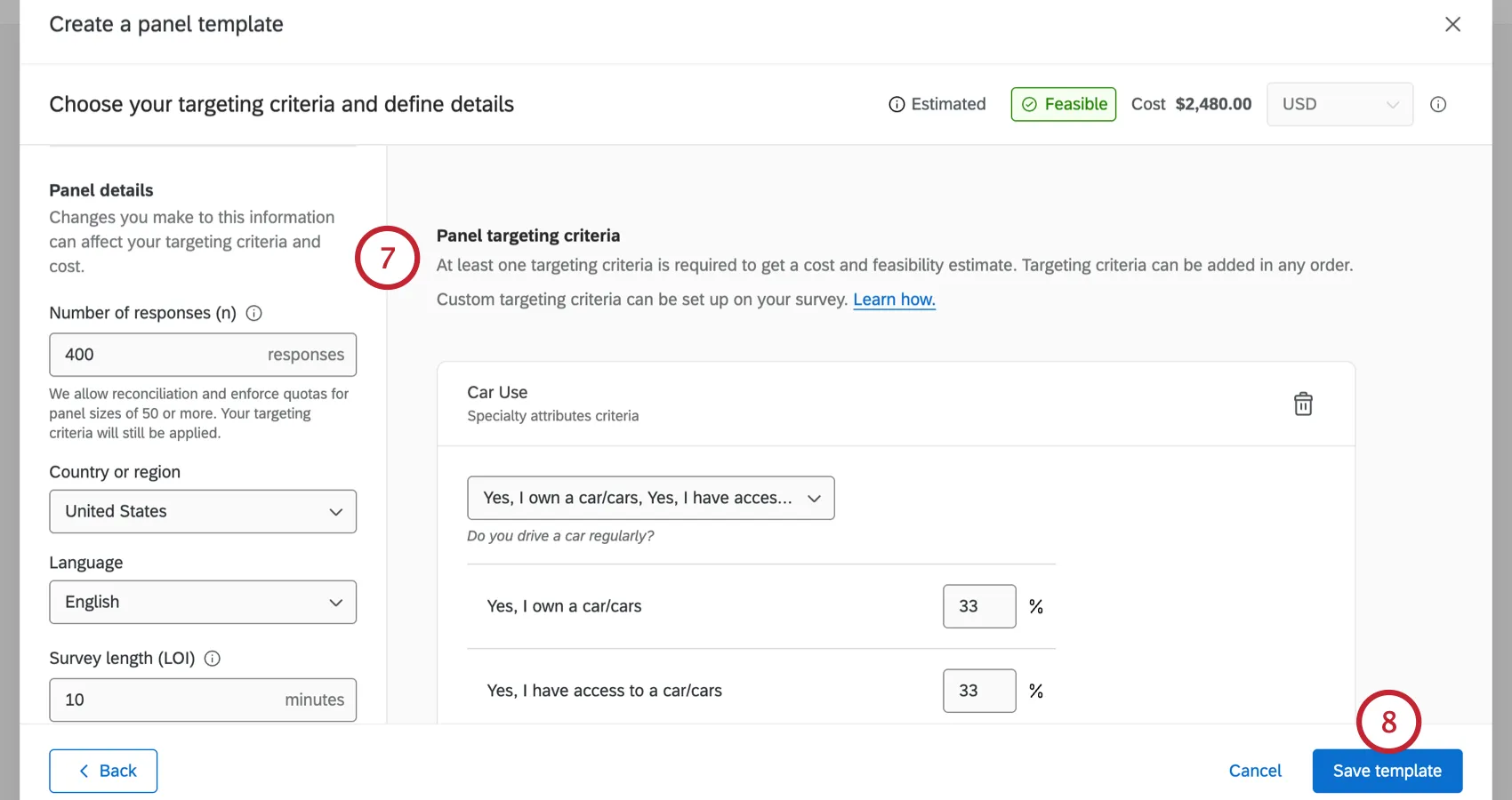
Click Save template.
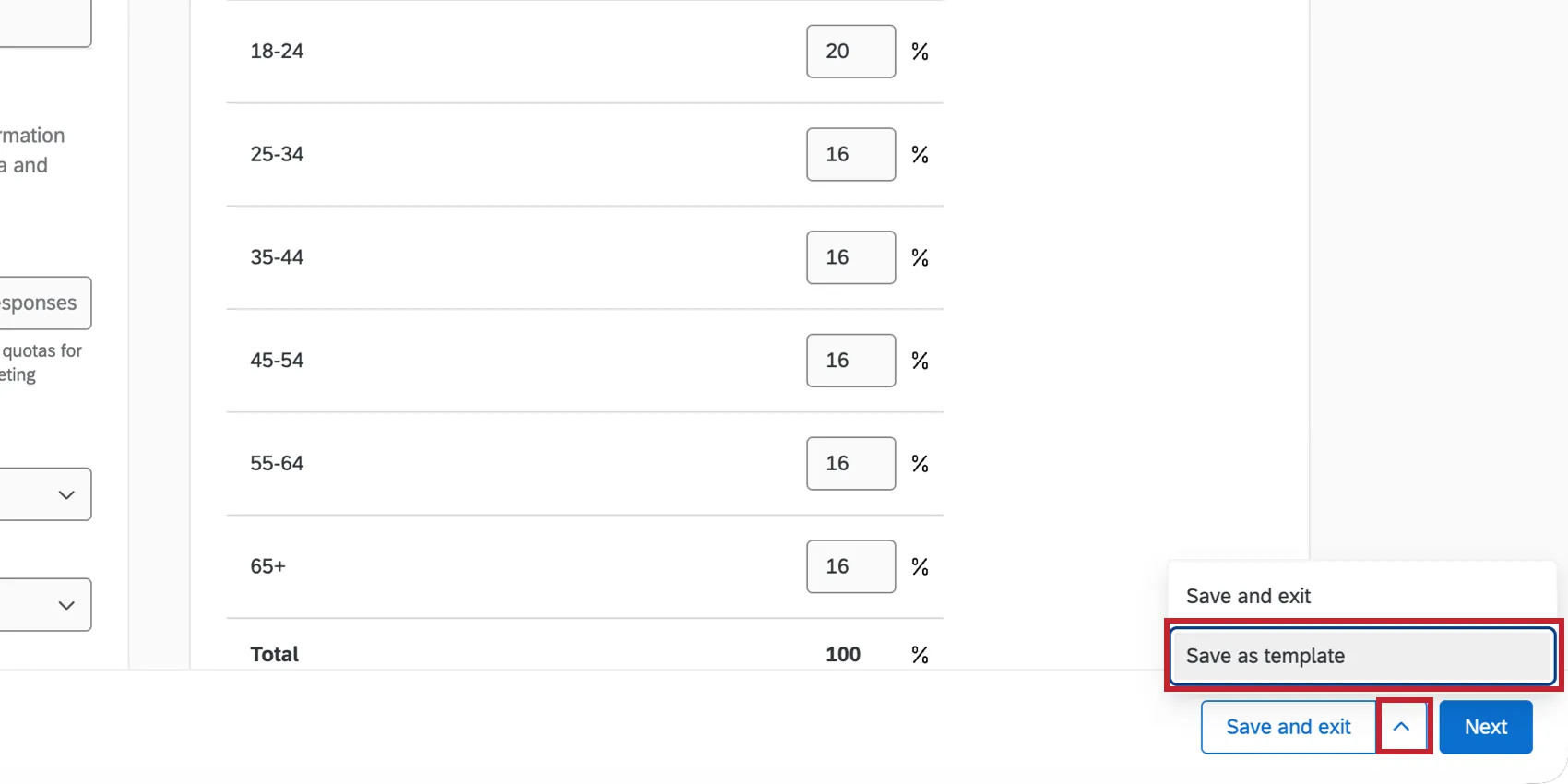
Qtip: If you are creating a new panel from scratch in your survey, then you can save that panel as a template by clicking the arrow next to the save button and choosing Save as template.

Managing User-Made Panel Templates
You can manage your user-made panel templates from the Audiences tab. Click on the panel you’d like to manage to see more information about it.
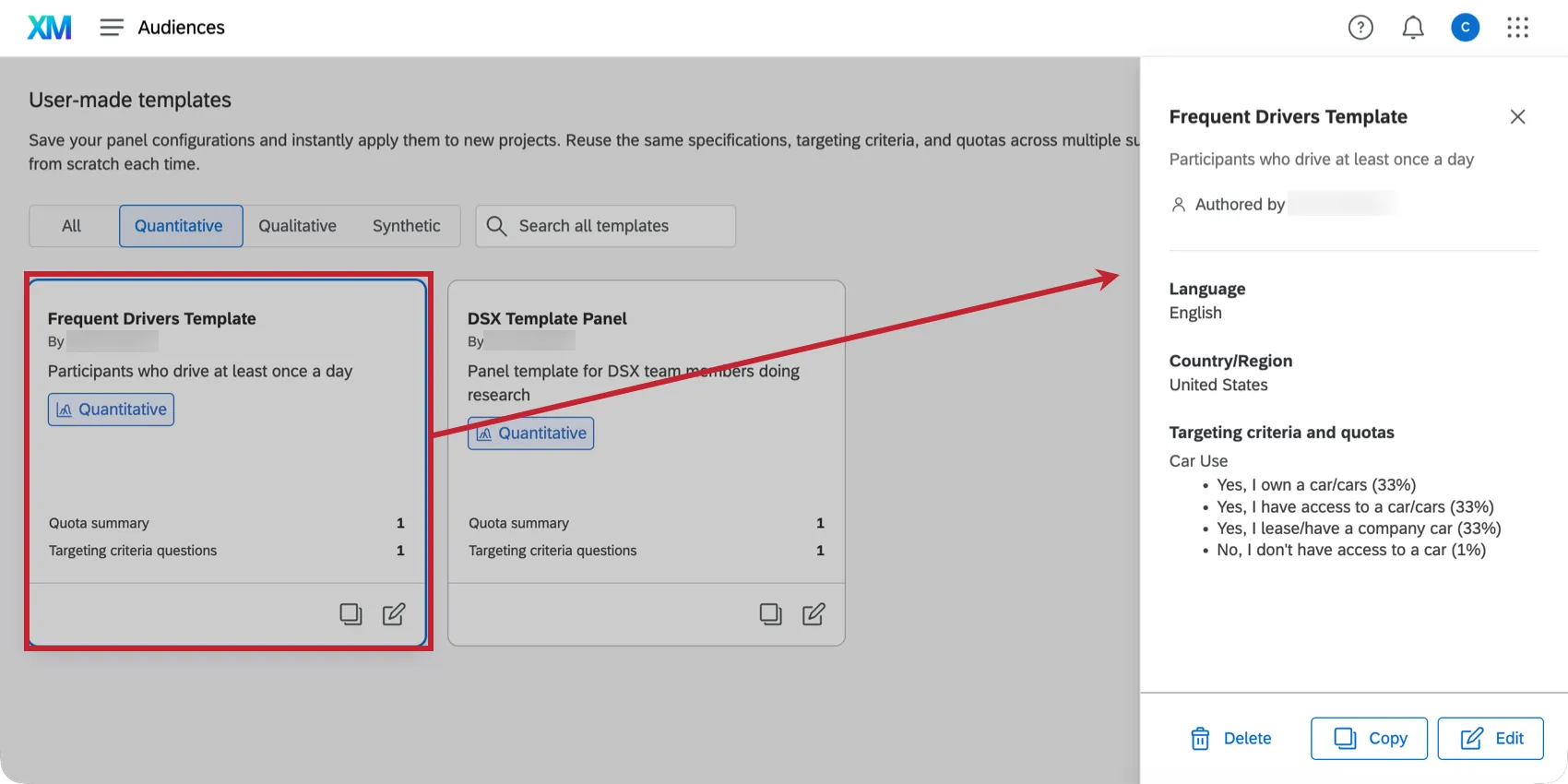
Here, you can see who created the template, the template’s language, the country/region, and any targeting criteria.
You can manage the template using the buttons at the bottom of this window:
- Delete: Deletes the template. Note that any existing panels that use the template will be unaffected.
- Copy: Create a copy of the template.
- Edit: Edit the template’s name, description, details, or targeting criteria.
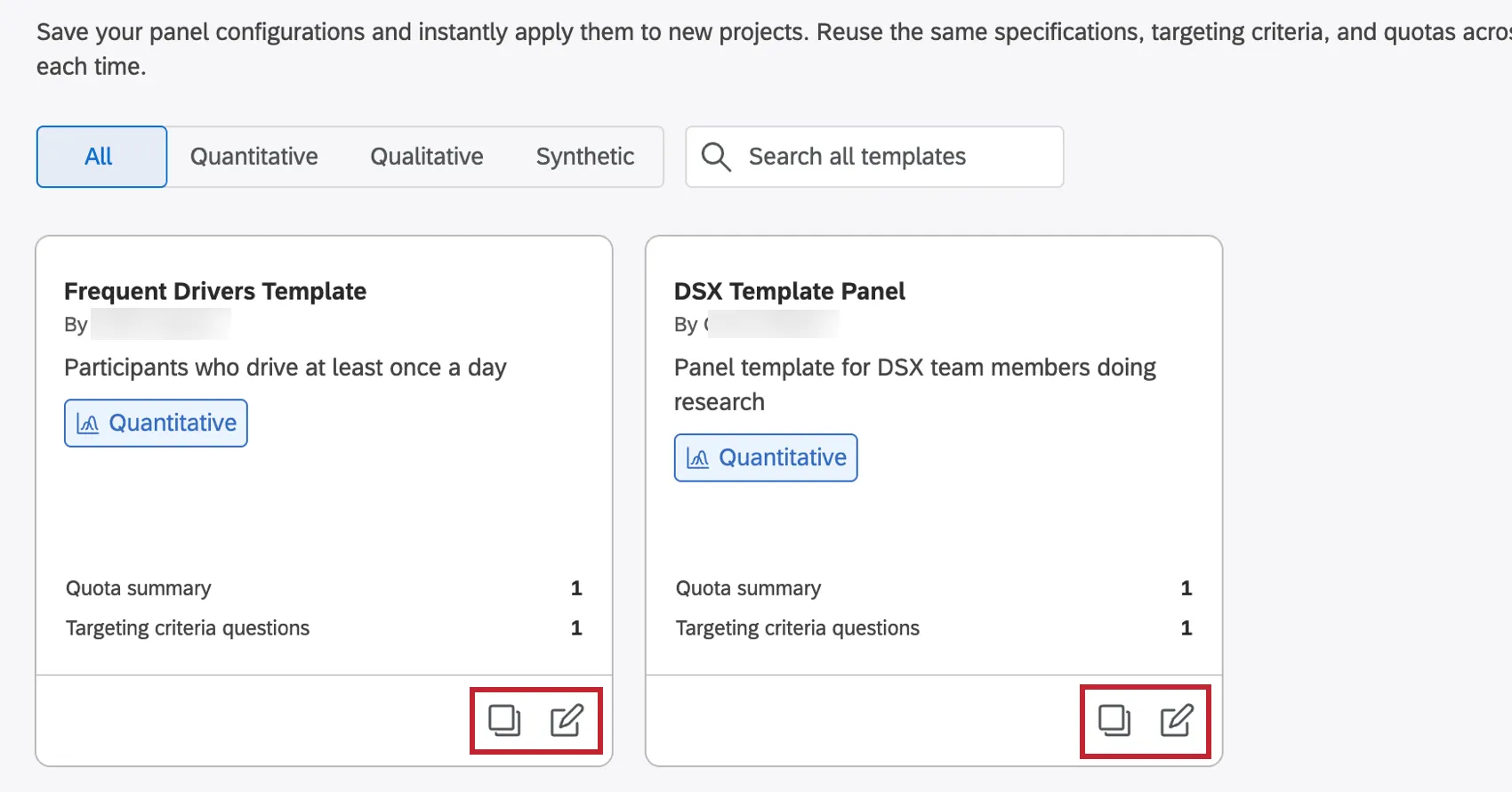
Qtip: You can also quickly copy or edit a template using the buttons at the bottom of the template.
Distributing to a User-Made Panel Template
After you’ve created a template, you can use it in any survey that supports online panels.
Follow the linked steps to create a new panel in your project. When choosing the type of panel to create, select User made and then the template you’d like to use.
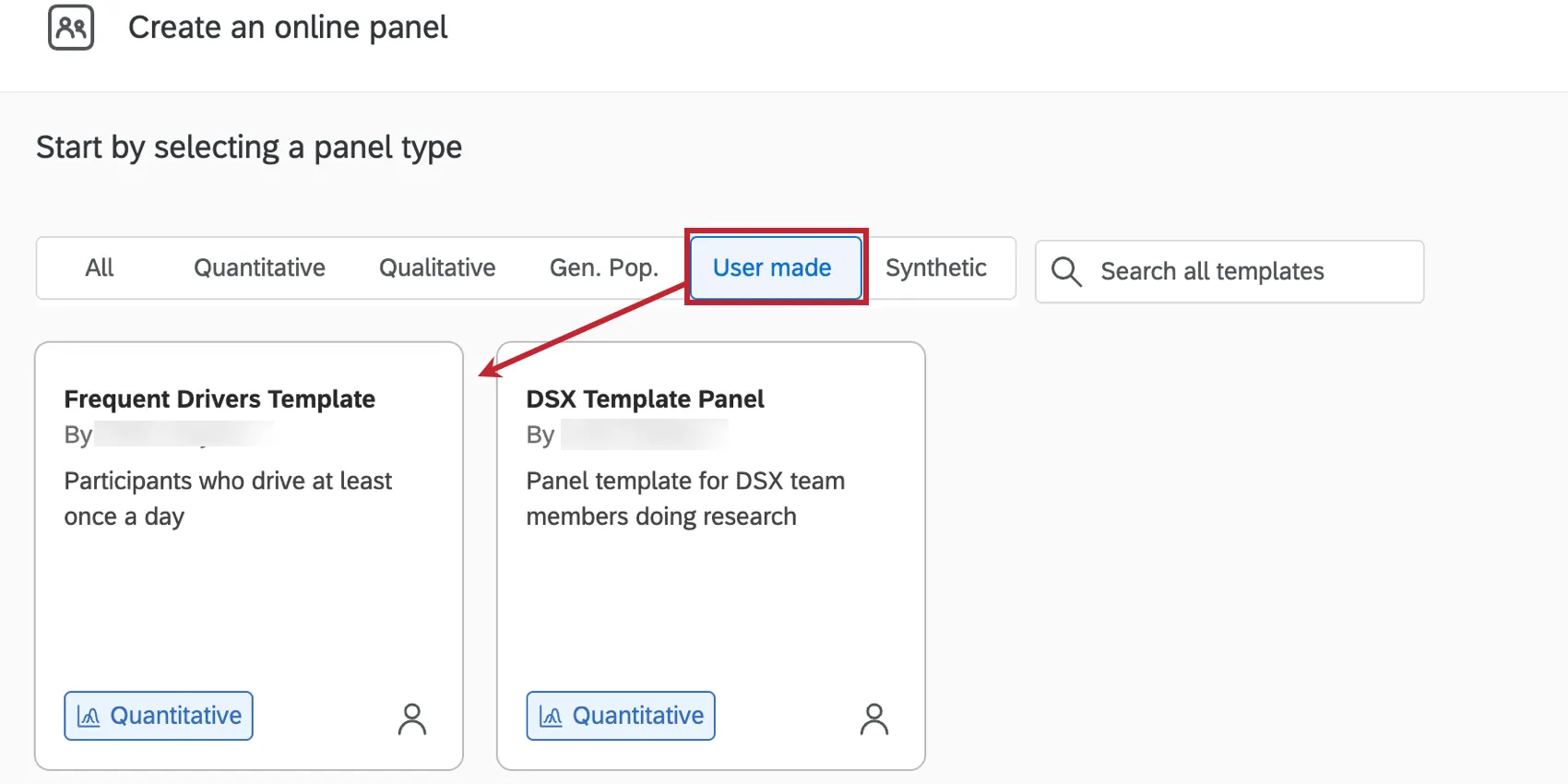
You’ll then be able to customize the panel further, if needed. This allows you to maintain audience consistency across research projects, while allowing flexibility for that project’s specific needs.
Sharing User-Made Panel Templates
By default, only you have access to panel templates you create. However, you can share the template with any user or groups in your organization by following these steps:
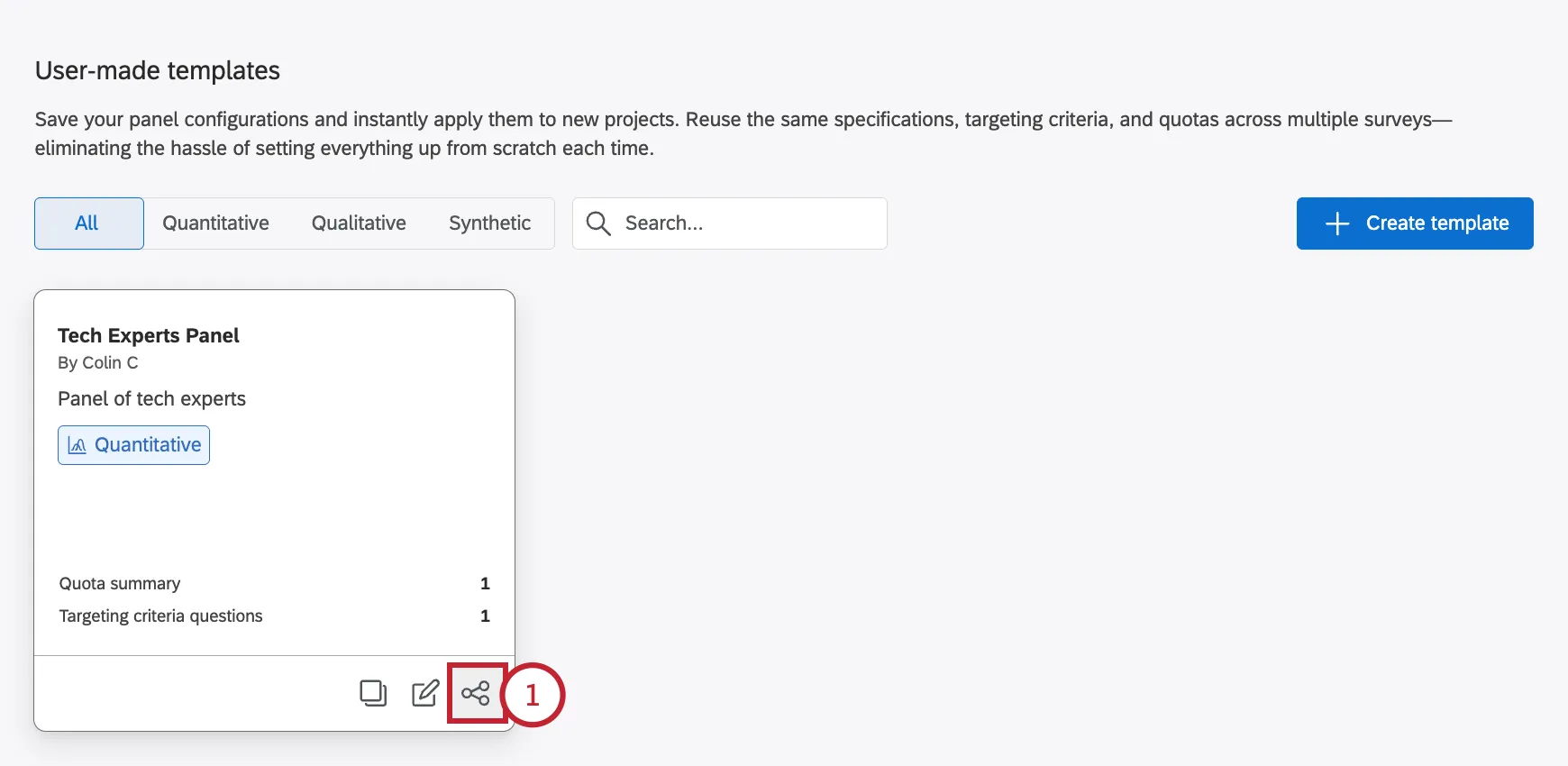
Click the share icon on the panel template.
Search for the user or user group you’d like to share the template with. You can share the template with multiple users and groups.
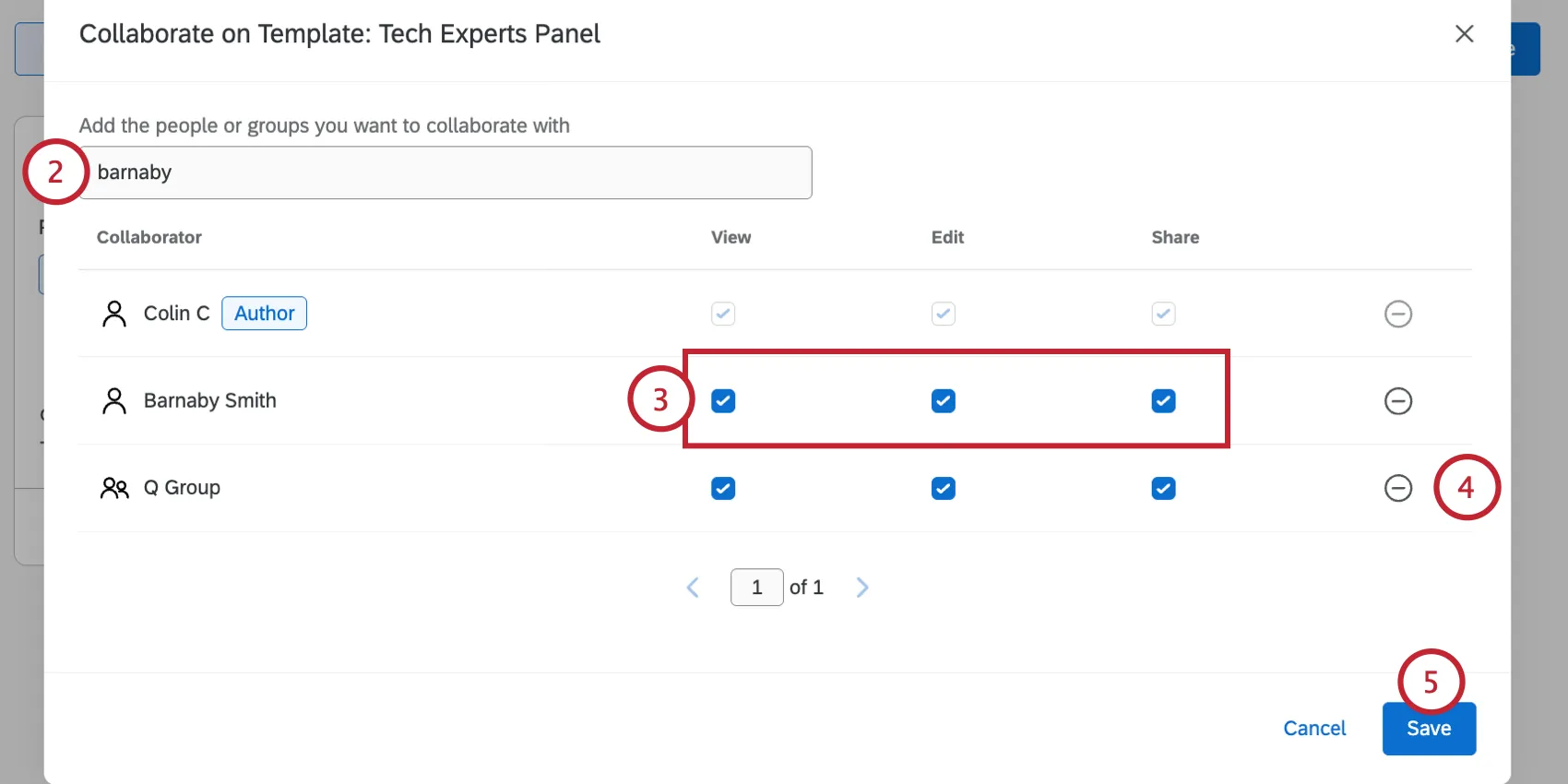
Choose the permissions for each collaborator:
- View: The user can view the template and use it in distributions.
- Edit: The user can edit the template.
- Share: The user can modify who the template is shared with.
To remove a collaborator, click the minus sign ( - ) next to them.
Click Save.
You can repeat the above steps to modify the people you’ve shared the template with.
That's great! Thank you for your feedback!
Thank you for your feedback!