

Generating a Level-Based Hierarchy (EX)
What's on this page
Qtip: This page describes functionality available to Engagement and Pulse projects, but not Lifecycle or Ad Hoc Employee Research projects. For more details on each, see Types of Employee Experience Projects.
About Level-Based Hierarchies
Level-Based hierarchies are a good option if your HR data includes each level the employee reports to, from the top of the hierarchy all the way down to where the employee sits. With Level-Based hierarchies, you don’t necessarily have to know who the employee’s manager is; you just need to know the chain of command for each employee you’re including in the project. This data format is often more common with companies that organize employee data by distinct levels, location, or functional breakout.
Qtip: Not sure what type of hierarchy fits your HR data best? Check out a basic comparison of your options on the Hierarchies Basic Overview page.
Generating a Level-Based Hierarchy
Warning: You may have up to 10 hierarchies in a project. Once you reach 7 hierarchies, you will receive a warning that you’re approaching the hierarchy limit. If you have 10 hierarchies, you will not be able to create another without deleting a hierarchy.

Qtip: Hierarchy units with more than 100 sub units can’t be used as a breakout in widgets.
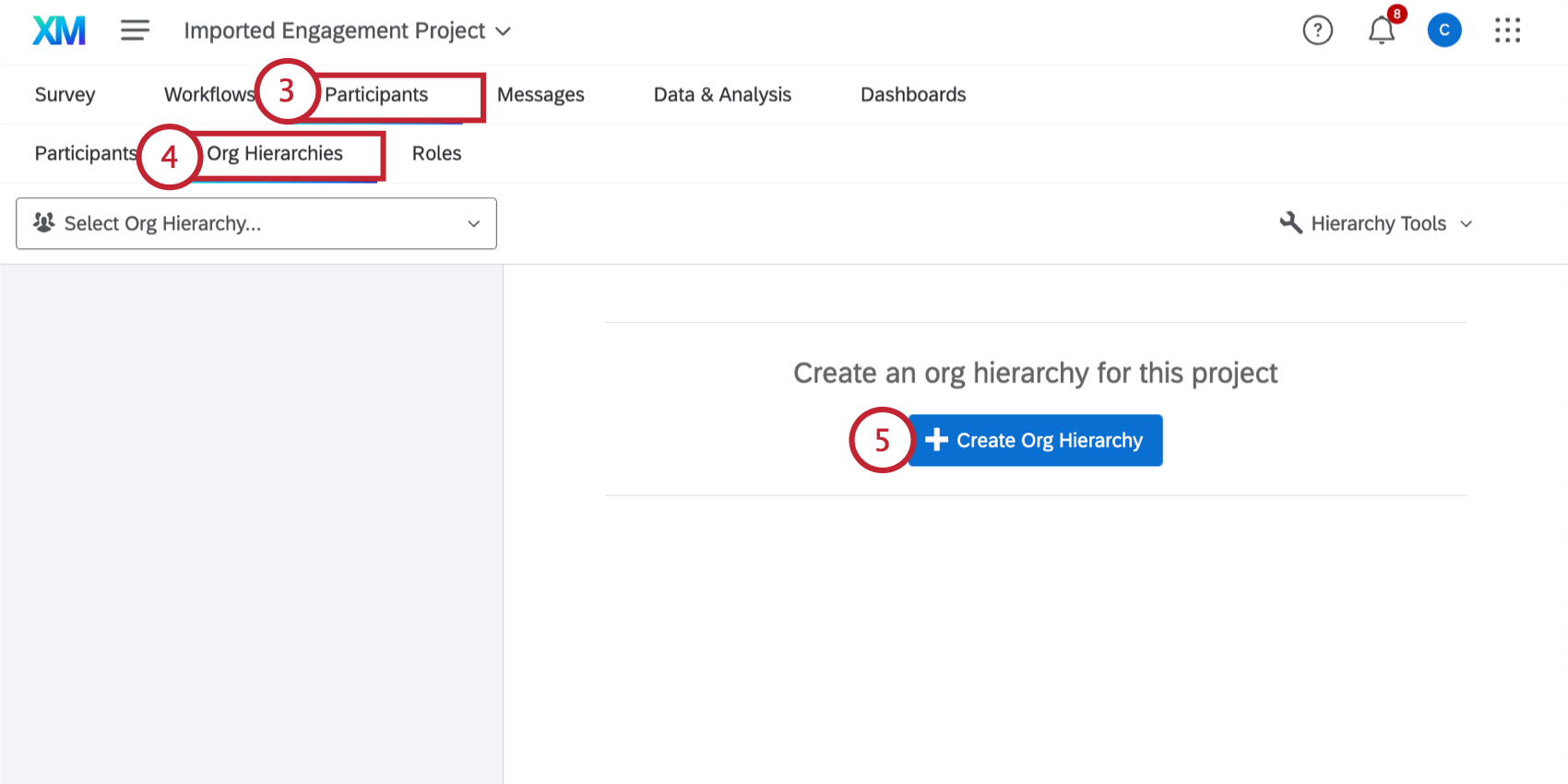
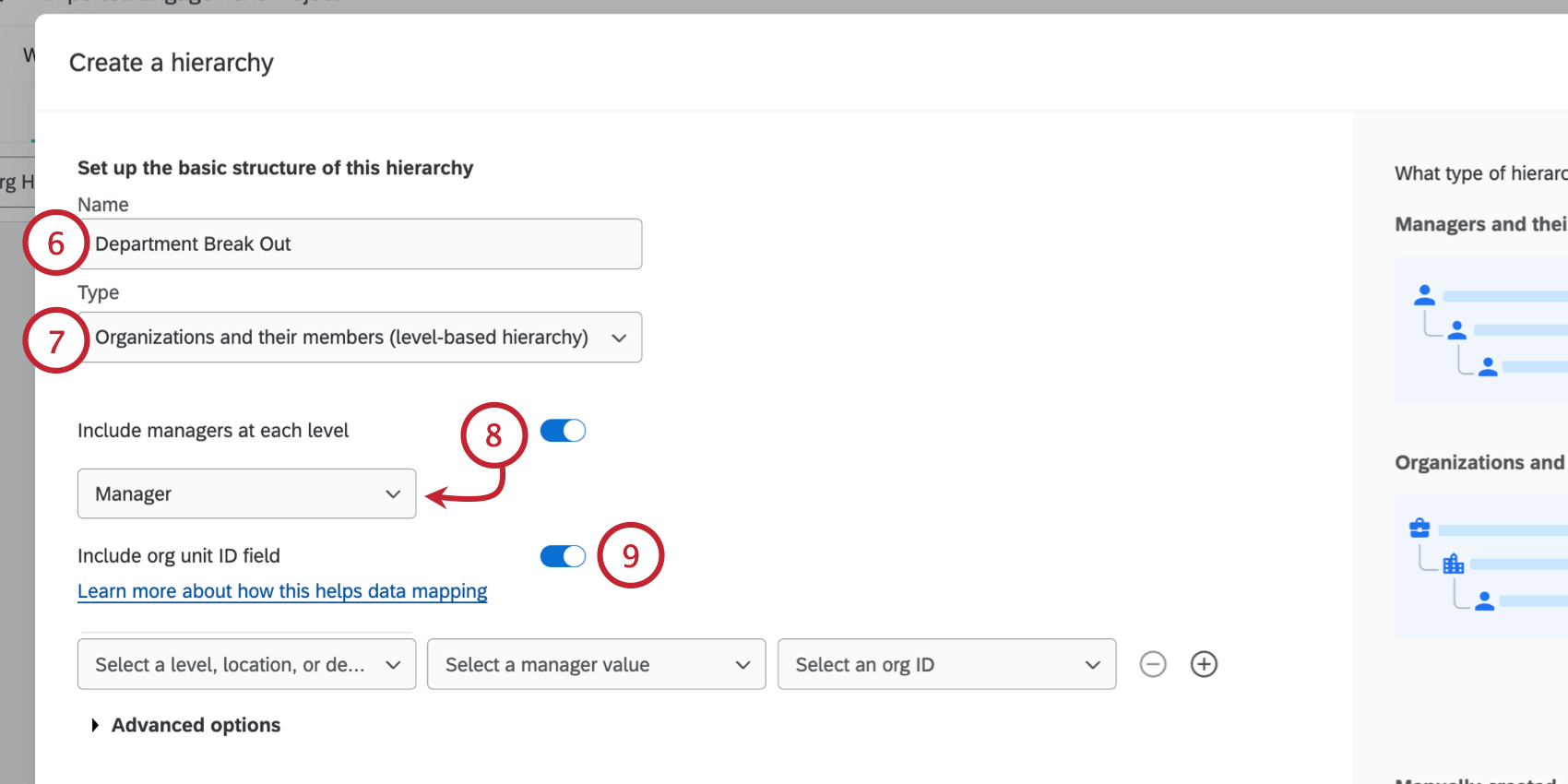
Qtip: When you use Org Unit IDs, you do not have to manually map your hierarchy units from other projects so you can compare data across projects in your dashboards; instead, units with the same ID will be recognized as the same, even if their names have changed.
Qtip: There must be a unique Org Unit ID column for each level in the Level-Based hierarchy. For example, if your organization has two levels, “Level 1” and “Level 2”, then you will need two columns for Org Unit IDs: “Org Unit ID 1”, which contains the Org Unit ID for anyone in Level 1, and “Org Unit ID 2”, which contains the Org Unit ID for anyone in Level 2. You must also be careful not to reuse Org Unit field names, which is why we recommend numbering them.
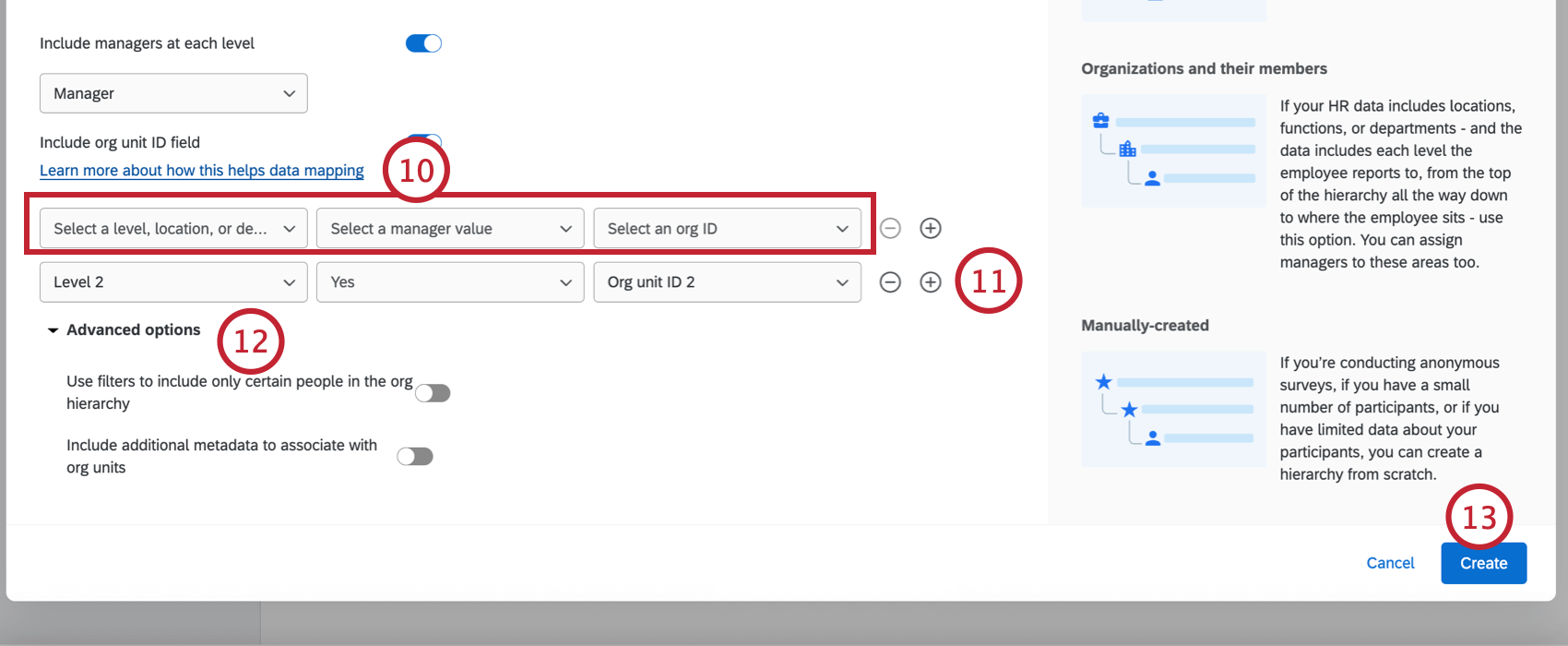
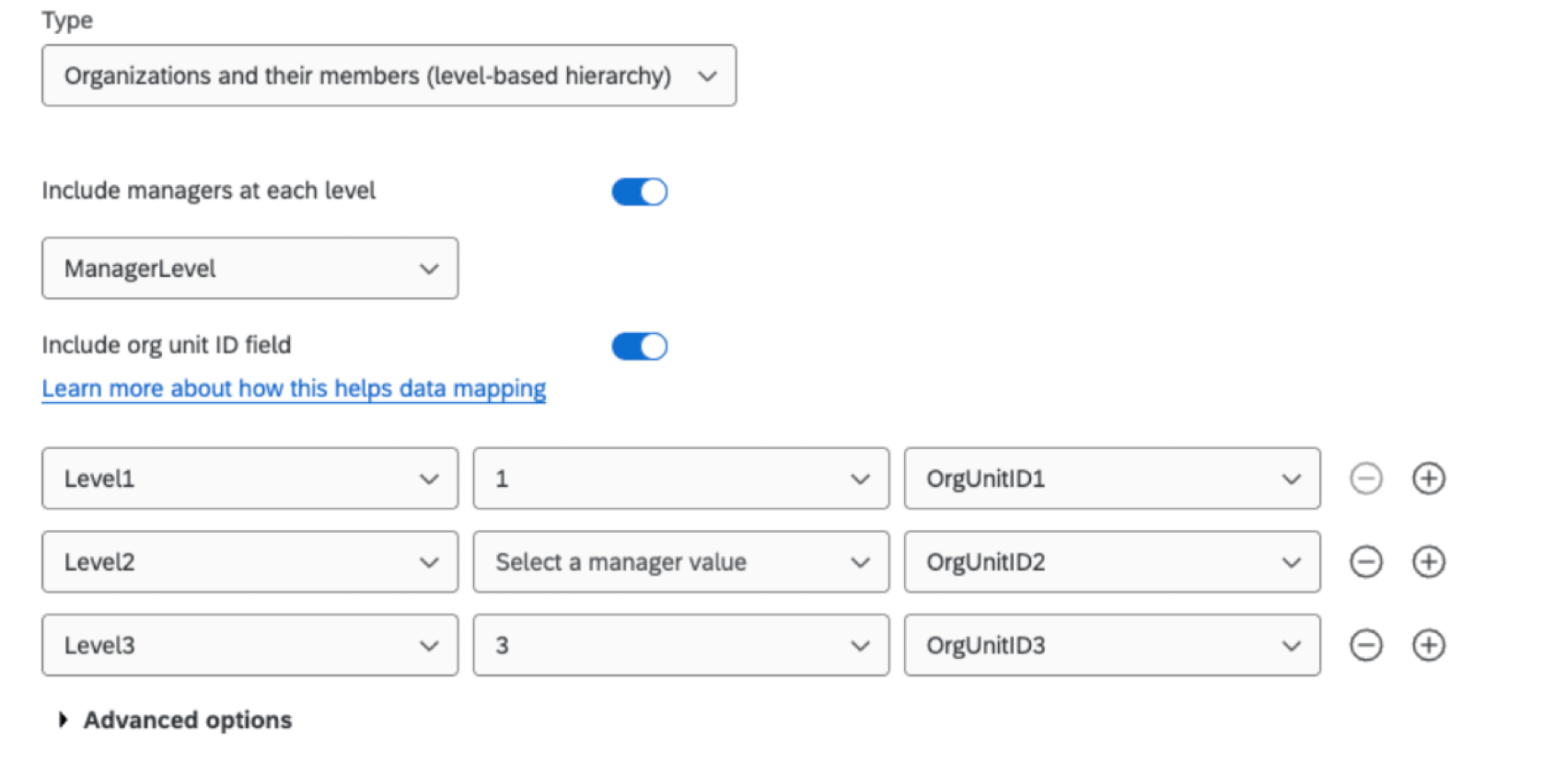
- Select a level, location, or department field: Choose the metadata field where you define your levels. For example, we simply call our first level “Level 1.”
- Select a manager value: If you’re assigning managers, select the value that indicates someone is a manager in this level. In this example, we indicated managers with the value “Yes.” Qtip: This field is only selectable if you enabled “Include managers at each level” in step 8.
 Qtip: If you chose a Manager Level style metadata instead, your levels may look more like the example image below, where managers at Level 1 have the value “1,” and managers at Level 3 have the value “3.” You can also skip manager levels, like Level 2 below (even if someone has metadata with value “2,” they will not be added as manager, and instead will be a direct report of the level unit).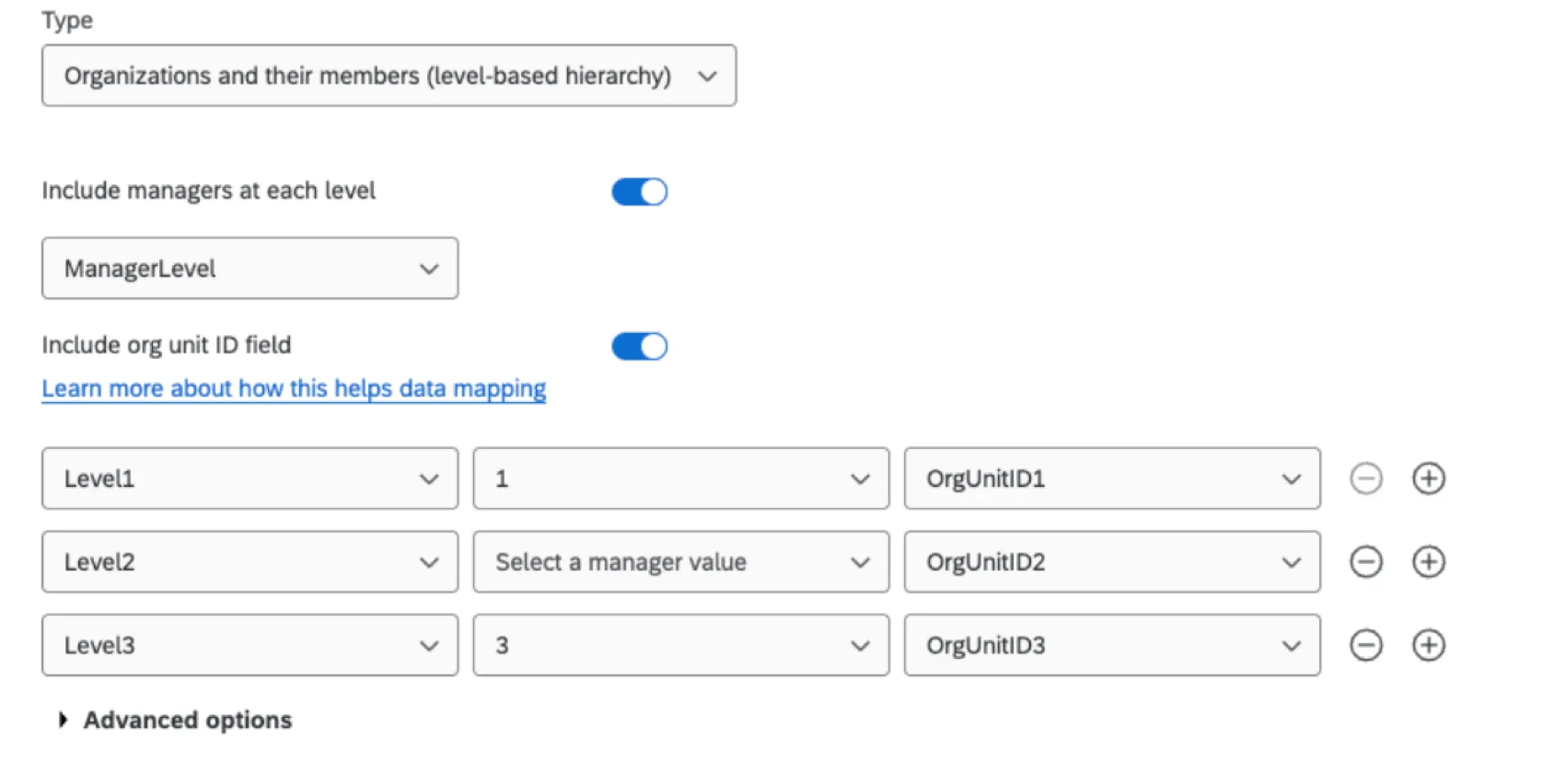
- Select an org ID: If including Org Unit IDs, select the metadata field with the Org Unit ID. Qtip: This field is only selectable if you enabled “Include org unit ID field” in step 9.
Advanced Options
Click Advanced options when creating a level-based hierarchy to change the following settings:
- Use filters to include only certain people in the org hierarchy: Allows you to limit the people included in the hierarchy based on a metadata value. Once enabled, you can then select a metadata field and determine the criteria for a participant to be included in the hierarchy. In the example below, only participants from a certain hiring date are being included in the hierarchy.

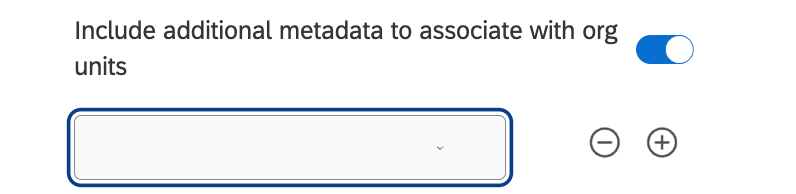
- Include additional metadata to associate with org units: Allows you to specify other metadata to include with your units. This metadata must match all members of the same organizational unit. You can add and remove fields by clicking the plus ( + ) and minus ( – ) signs next to the field dropdown.
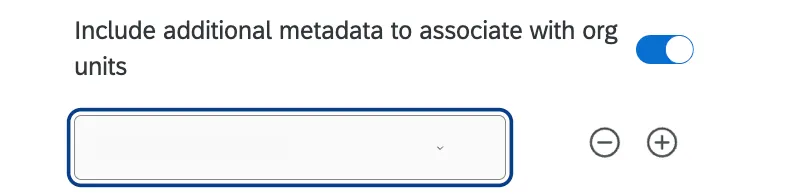 Example: Your levels are determined by office location (Tokyo, Provo, Seattle, etc.). A field like “Office Address” or “Office Phone number,” which would be the same for all members in the same level, would go here.
 Qtip: You cannot select fields that are already being used for org hierarchy generation (e.g., ManagerID, EmployeeID). You also cannot select fields that are already being used to configure other org hierarchies in your project. Any fields already being used as additional metadata for another hierarchy in your project will not show up in the field dropdown.

FAQs
I've already uploaded my participant file and collected data, but I need to make a change to my hierarchy. How do I do this?
I've already uploaded my participant file and collected data, but I need to make a change to my hierarchy. How do I do this?
What's the maximum number of hierarchies I can have in my project?
What's the maximum number of hierarchies I can have in my project?
Can I use the same metadata field to build multiple org hierarchies in the same project?
Can I use the same metadata field to build multiple org hierarchies in the same project?
If you’d like to use the same field to build multiple hierarchies, you will need to duplicate the field and use the duplicate to build your additional hierarchies. For example, instead of only including the columns UniqueIdentifier and Manager ID with every participant, you can also include columns named EmployeeID2 and ManagerID2, which you'll use to build a second, separate hierarchy.
How do I make sure that leading zeroes are included in my CSV/TSV file?
How do I make sure that leading zeroes are included in my CSV/TSV file?
Thankfully, there are solutions to ensure your leading zeroes are not removed. If you add this formatting to your file, be careful not to re-open the CSV before importing it to Qualtrics, or you may lose your formatting.
Can I automate changes to my Engagement org hierarchy?
Can I automate changes to my Engagement org hierarchy?
To learn more about automating employee directory changes, see Load Users into EX Directory.
That's great! Thank you for your feedback!
Thank you for your feedback!