

Using Supplemental Data to Set Google Place IDs
What's on this page
About Using Supplemental Data to Set Google Place IDs
You can solicit reviews from Google from right inside a Qualtrics survey by using the solicit reviews question. However, because Google Reviews are divided by location, you need to make sure your survey can map reviews to these different locations. One of the ways to do that is using supplemental data, which we explain on this page.
Preparing Your File

Qtip: You can replace values in the Location name or Store code columns, or you can add a new column that will match the location ID that you have in your survey. The location name in the original file might not match your internal Location name/ID because it is pulled directly from Google.

Example: We added a column to our file named “Store_Name” that contains this information.
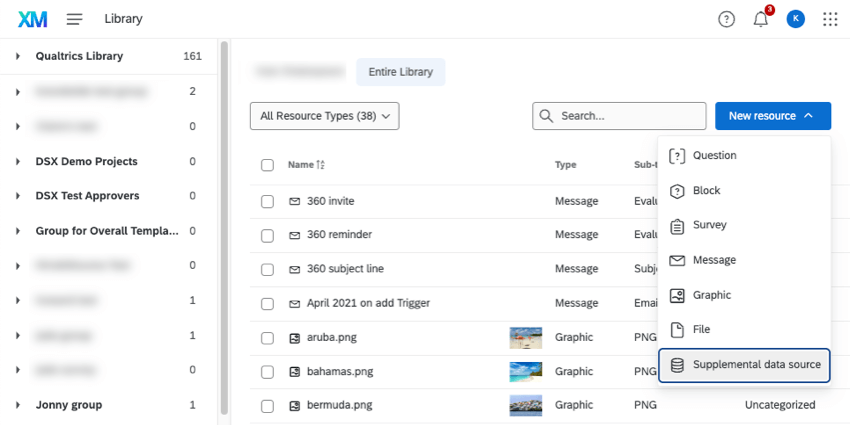
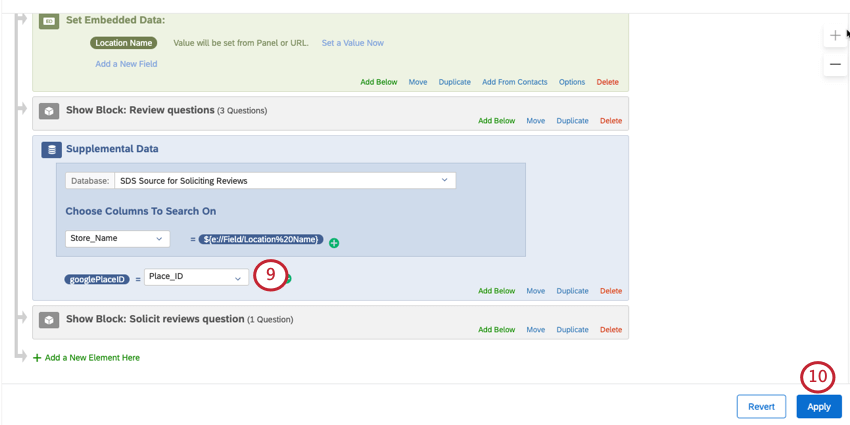
Configuring the Supplemental Data Element
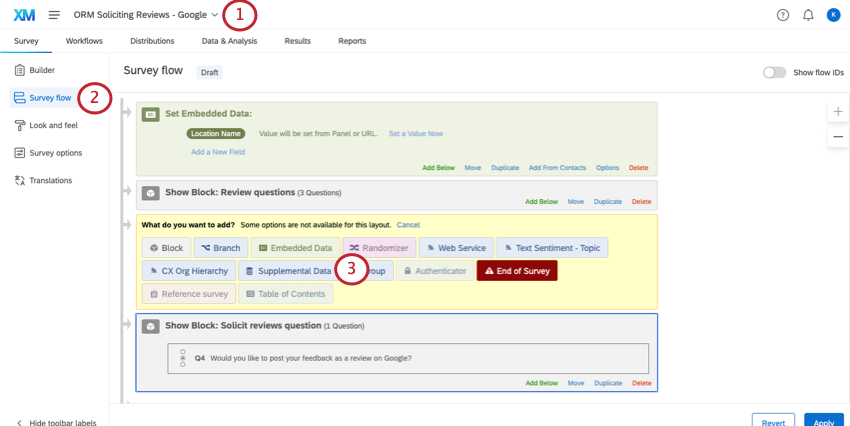
Attention: The supplemental data element must be placed before the solicit reviews question in the survey flow!

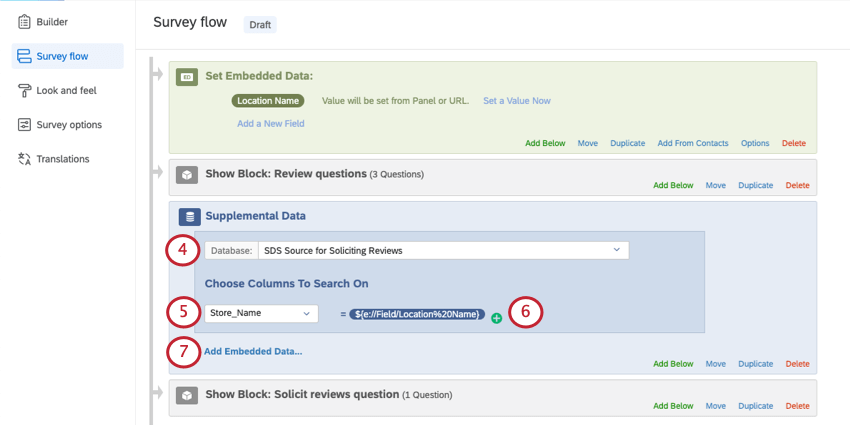
Example: We chose Store_Name.

Example: In our contact list, we save this information to each contact as an embedded data field that is named Location Name, so that’s what we selected here.
Example: If you have a question where a person chooses a location, you can set that equal to the value here. Make sure the answers to the question exactly match the values in your imported data project’s column. For example, if you write a location as Seattle (Washington) in the imported data field, it has to be Seattle (Washington) in the question. It cannot be Seattle or Seattle, Washington.
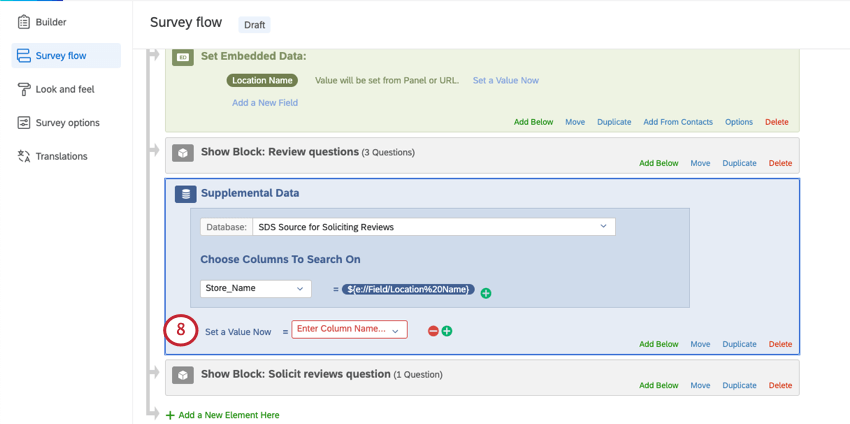
Example: Here we used “googlePlaceID.”
Setting the Place ID in the Solicit Reviews Question
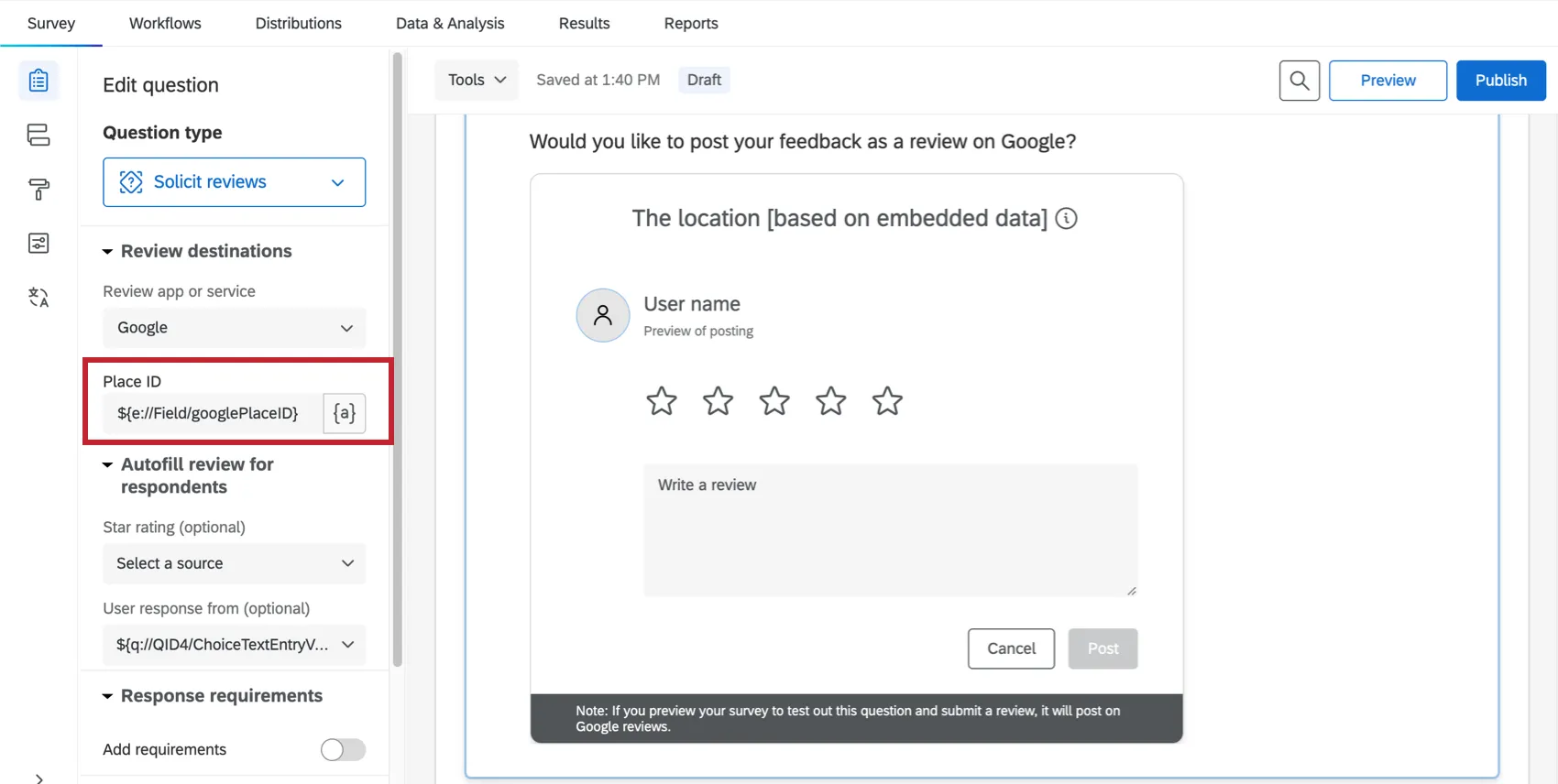
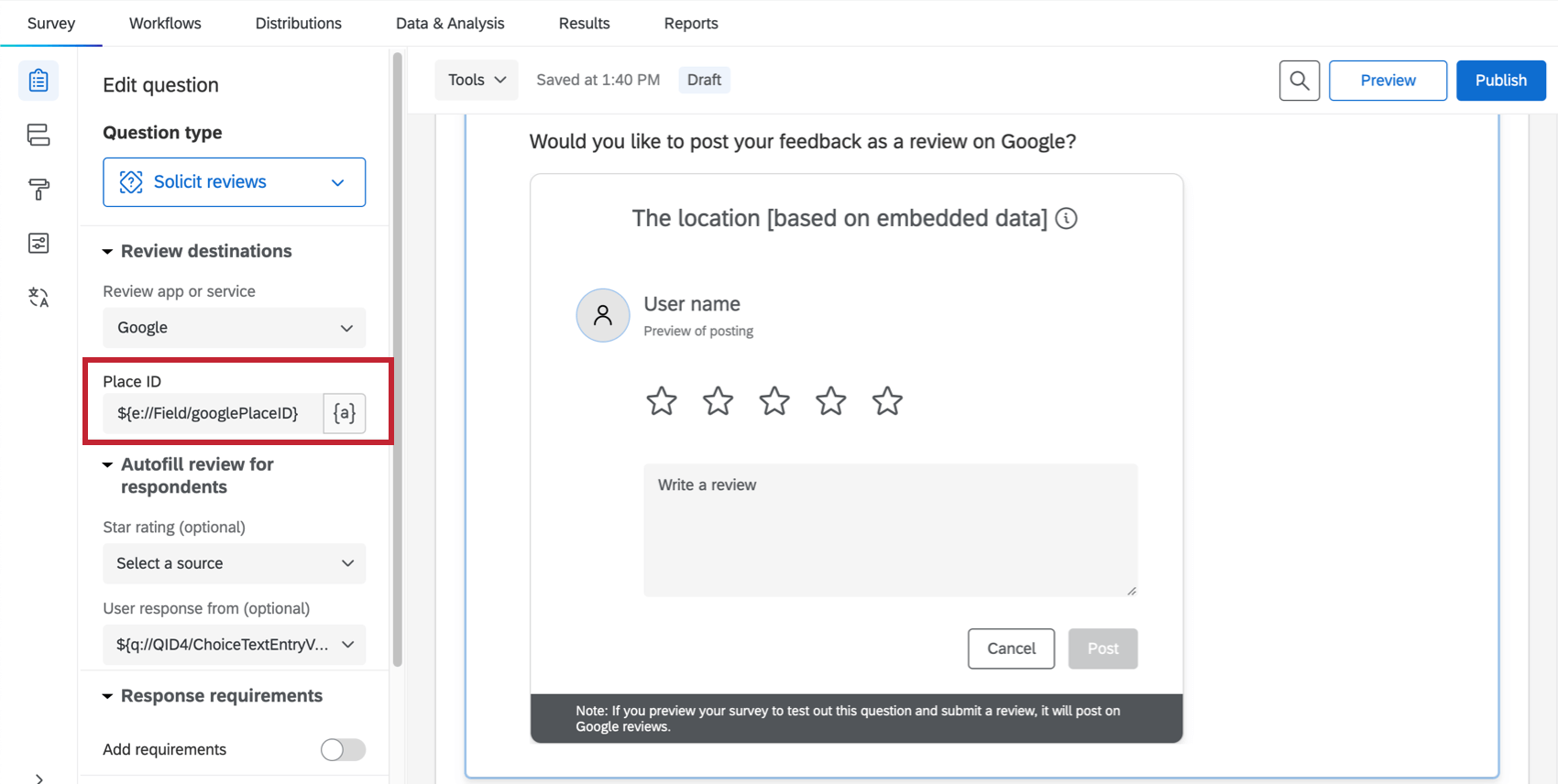
Go to your solicit reviews question and click on it. Under Place ID, add the piped text for the embedded data field you just created in step 9 your supplemental data element.
Example: In our example, this was googlePlaceID.
What Happens When There is No Google Place ID
If some locations or respondents don’t have a Google Place ID, the solicit reviews question will not display correctly. It is better in these cases to hide the solicit reviews question from the respondent.
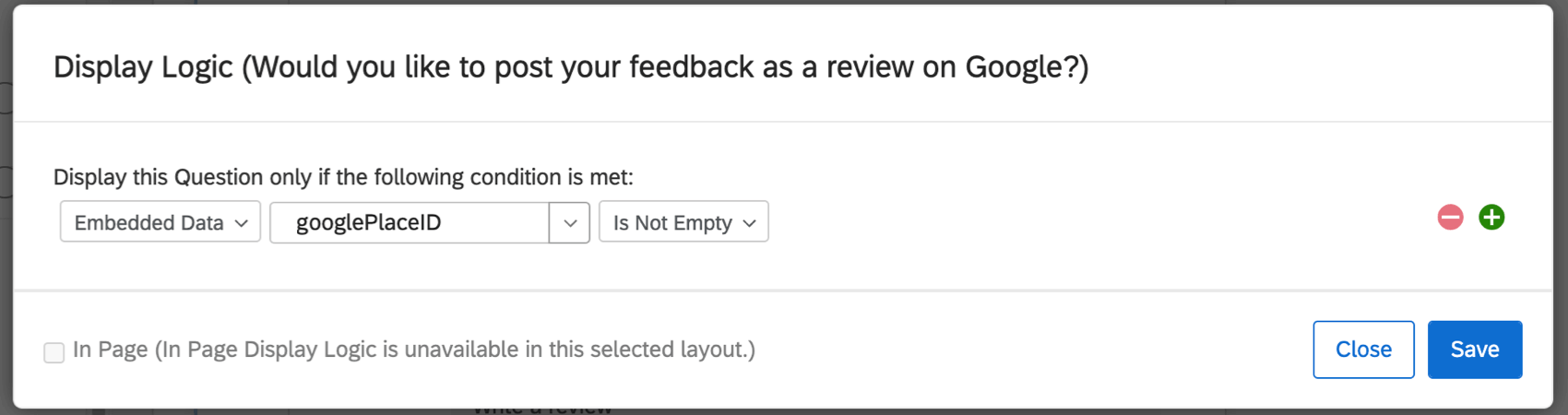
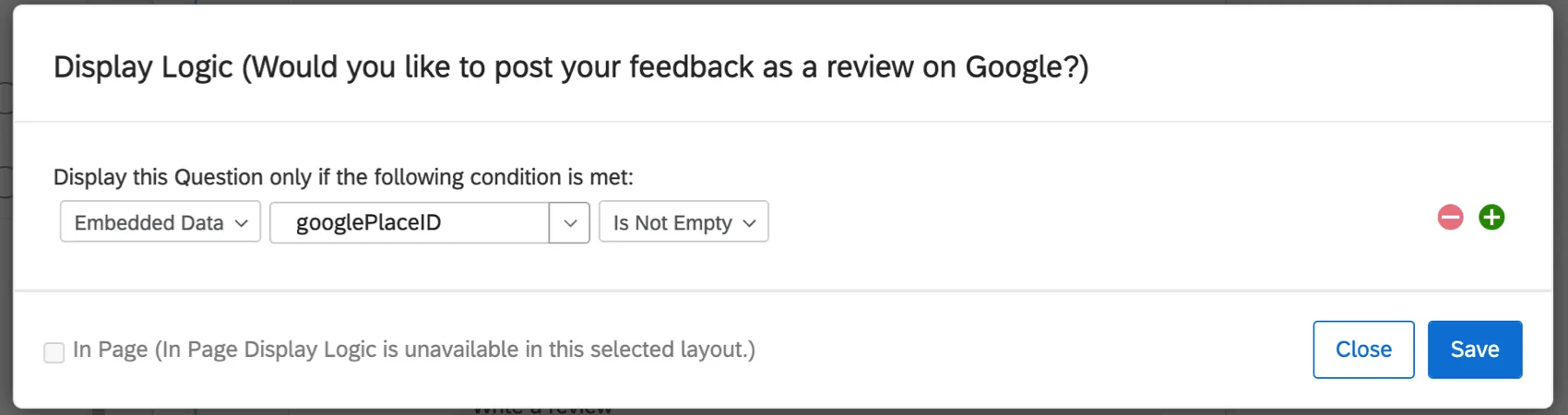
Add display logic to your solicit reviews question. Add a condition based on the embedded data “googlePlaceID,” and select “Is Not Empty.” This means the question will only display if the Google Place ID has a value.
That's great! Thank you for your feedback!
Thank you for your feedback!