

Salesforce Web to Lead
Suite
Customer Experience
Product
Qualtrics
What's on this page
About Web To Lead
The Salesforce Web to Lead feature allows you to insert information from your Qualtrics survey into the lead object of your Salesforce instance. Conditions can be set using advanced logic to identify specifically which respondents will be saved into Salesforce and which ones will not.
Using Web to Lead
Qtip: The Web to Lead feature requires you purchase access to the Qualtrics Salesforce extension. If you do not have access to this feature and are interested, contact Account Services.

Navigate to the Workflows tab.

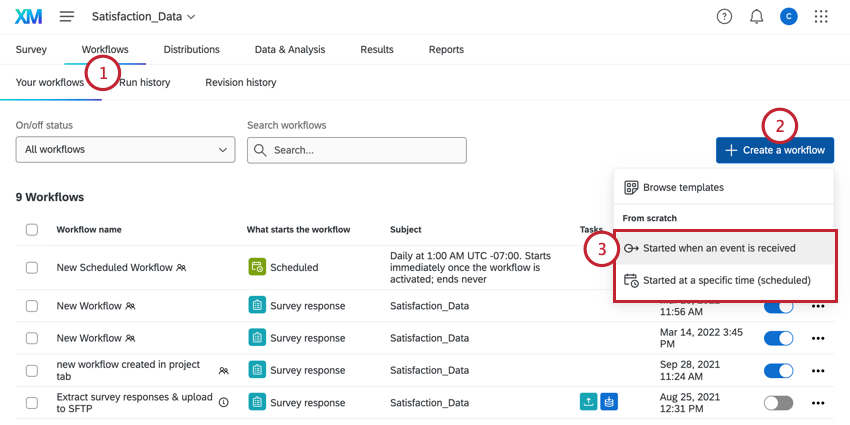
Click Create a workflow.
Select Started when an event is received.
For your event, choose the survey response event. More information about setting up the event can be found on the linked page.

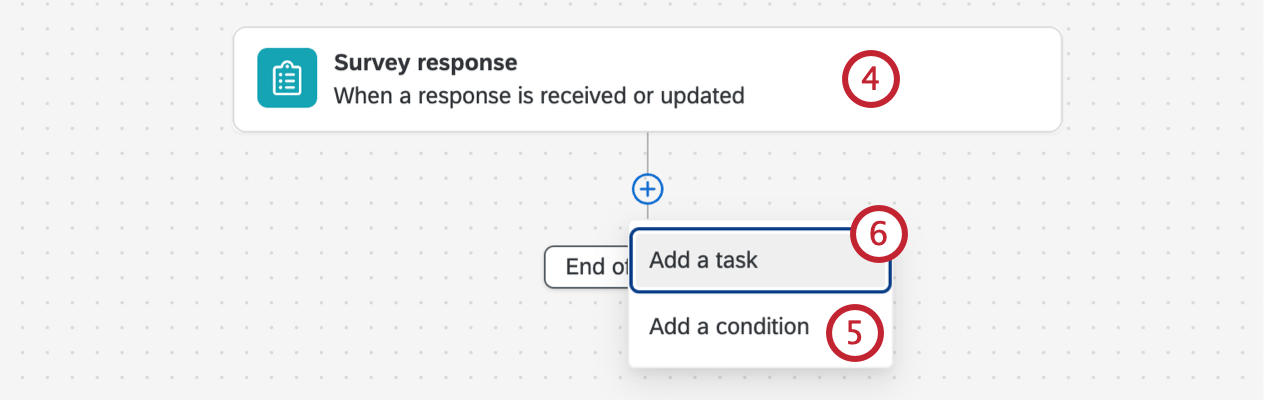
If desired, click the plus sign ( + ) and then Add a condition to add conditions to your workflow, which determine when the workflow fires.
Click the plus sign ( + ) and then Add a task.
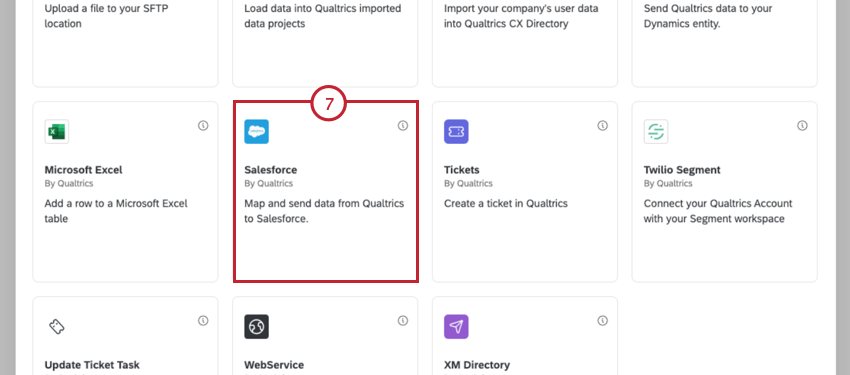
Select the Salesforce task.

Select Web to lead.
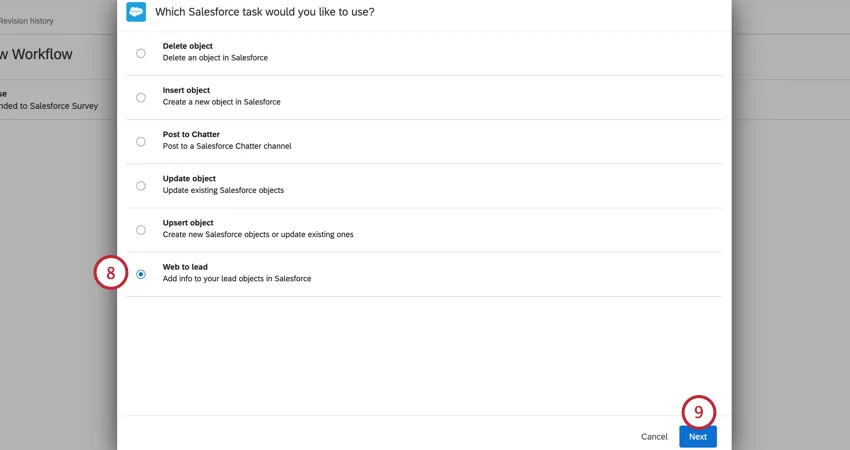
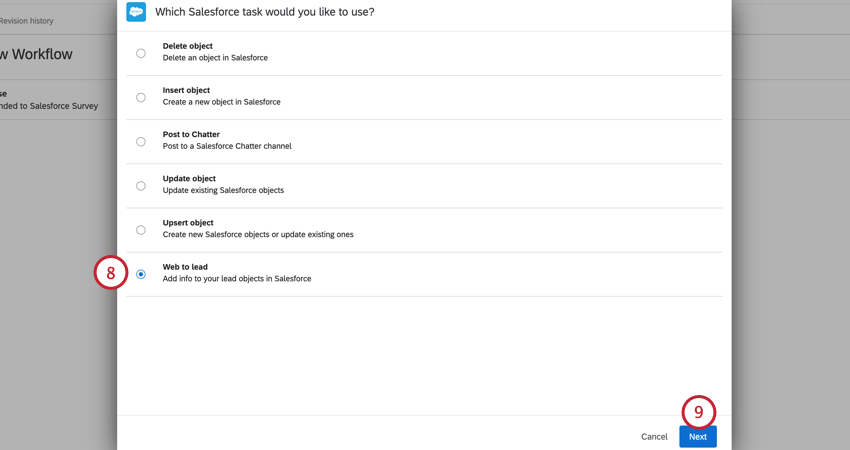
Click Next.
Select the Salesforce Account to map to.

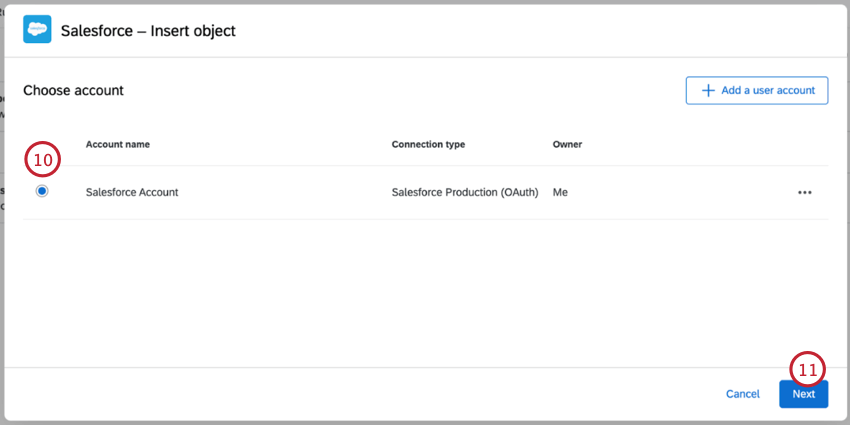
Qtip: Alternatively, click Add a user account to connect a Salesforce account. See Linking Qualtrics and Salesforce for more information.
Click Next.
Map your fields from Qualtrics to fields in Salesforce.
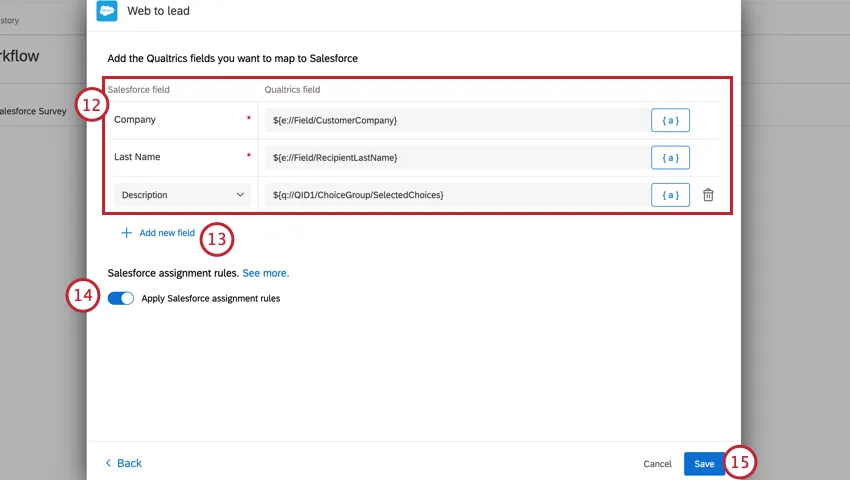
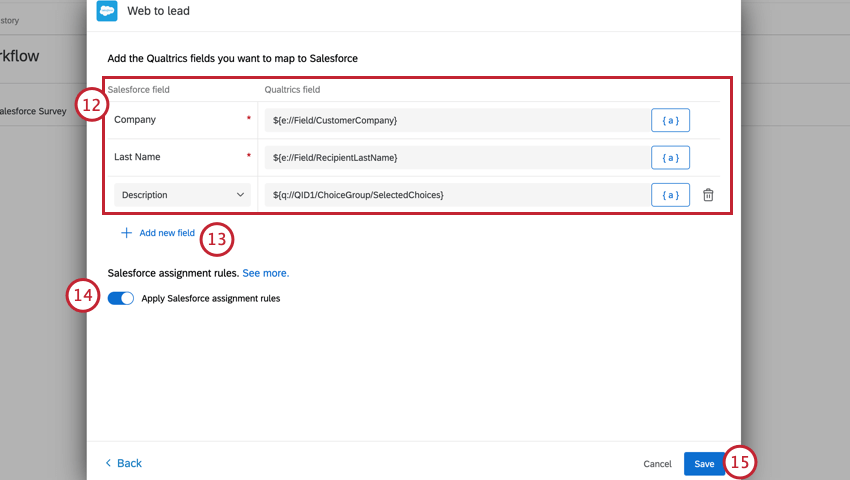
Qtip: Use the piped text menu, {a}, to pull in values from your survey.
To map additional fields, click Add new field and choose the field from Salesforce.
Apply Salesforce assignment rules applies assignment rules set up within Salesforce when your lead is created. This setting is enabled by default.
Click Save.
Click Preview to test the setup of your Salesforce Web to Lead feature in Qualtrics. Once the survey is completed, you’ll receive a Debug Email indicating whether or not the Web to Lead was successful. You should also check your Salesforce instance for verification that the lead has been saved.
Attention: When making edits to your Salesforce workflow, it’s important that the user who initially set up the workflow is the only user who edits the workflow. If a user who did not set up the workflow tries to edit it, the Salesforce integration will stop working. If you are not the Salesforce workflow owner but need to edit the workflow, then copy the workflow and make edits to the copy.

That's great! Thank you for your feedback!
Thank you for your feedback!