

Import Salesforce Report Data Task
What's on this page
About the Import Salesforce Report Data Task
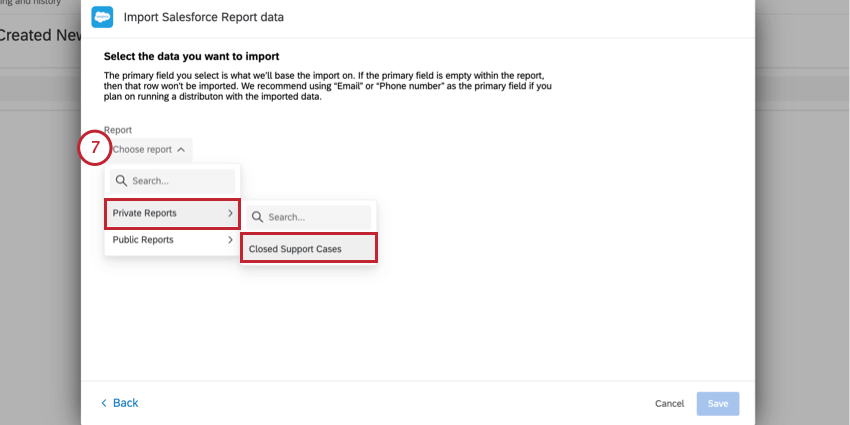
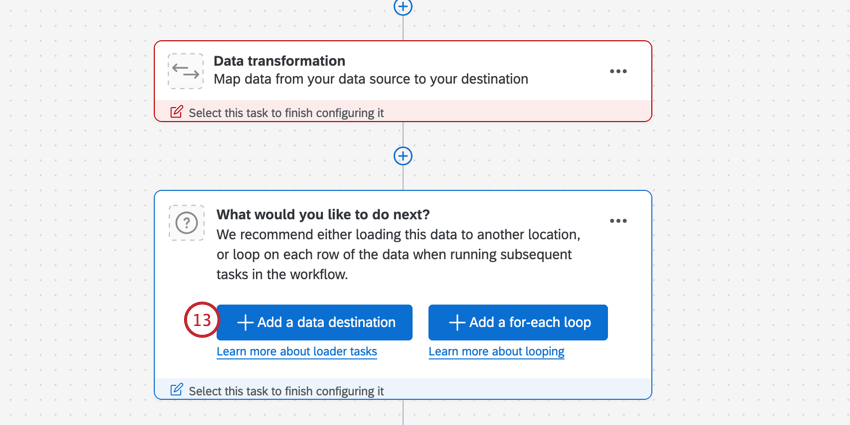
The Import Salesforce Report data task allows you to import data from a Salesforce report into Qualtrics. Once the data is imported into Qualtrics, use a data loader task to save the data in your desired area on the platform.
Example: One use-case for this task is to import a set of contacts made of recently closed support cases and save them to XM Directory. You can then distribute a follow-up survey to understand if their issue was resolved.

Attention: This task only allows for a Tabular report type to be imported from Salesforce, and will only support reports containing up to 100 columns due to a Salesforce API limitation.

Qtip: For information on general limits that apply to ETL workflows, see Workflow Limits. For any task-specific limits, refer to the information on this page.

Setting Up an Import Salesforce Report Data Task
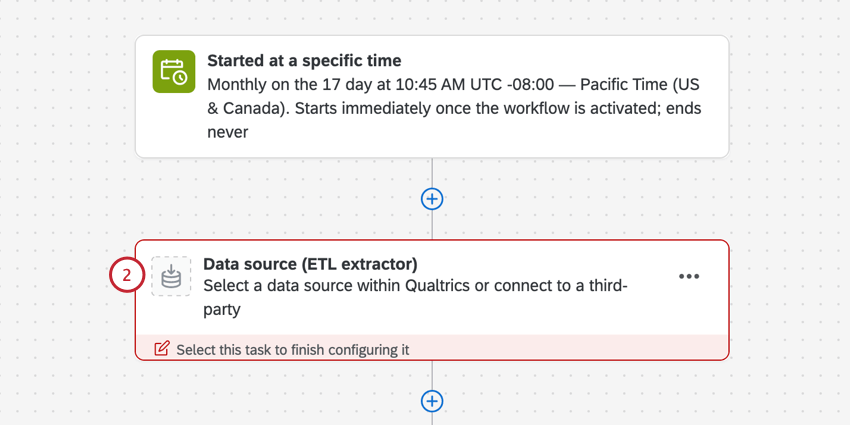
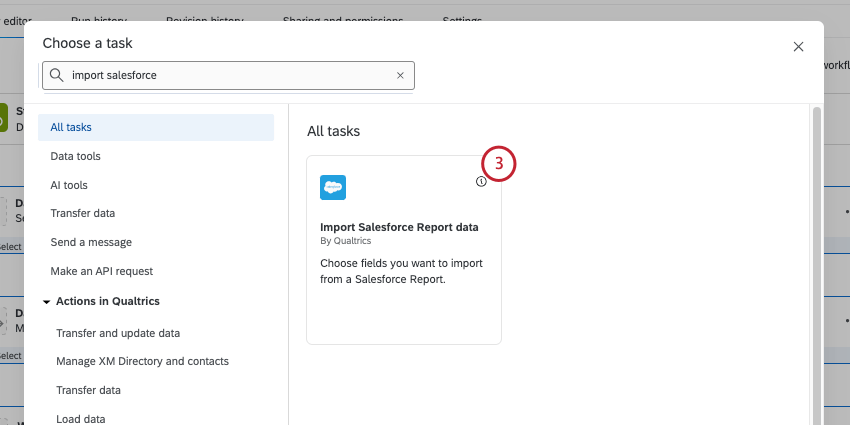
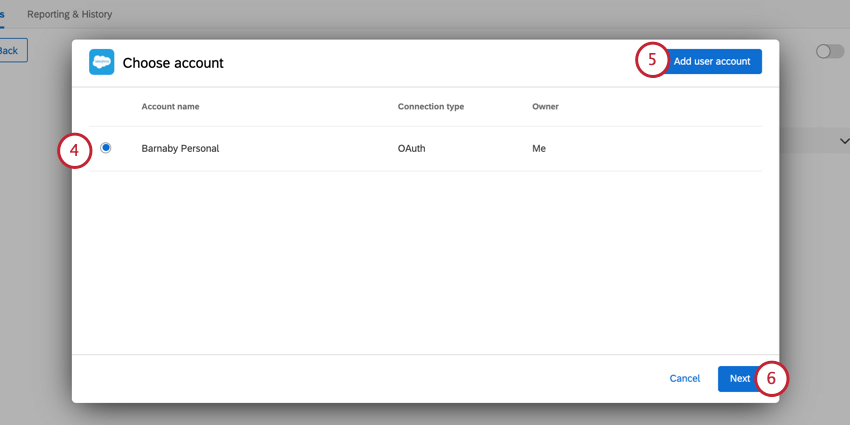
Qtip: Any Salesforce accounts you’ve previously connected as well as accounts set up by Brand Administrators will be available here.
Attention: You may have up to five external connections to your Salesforce account for this task. If you add more than five connections, the oldest connection will be disconnected.
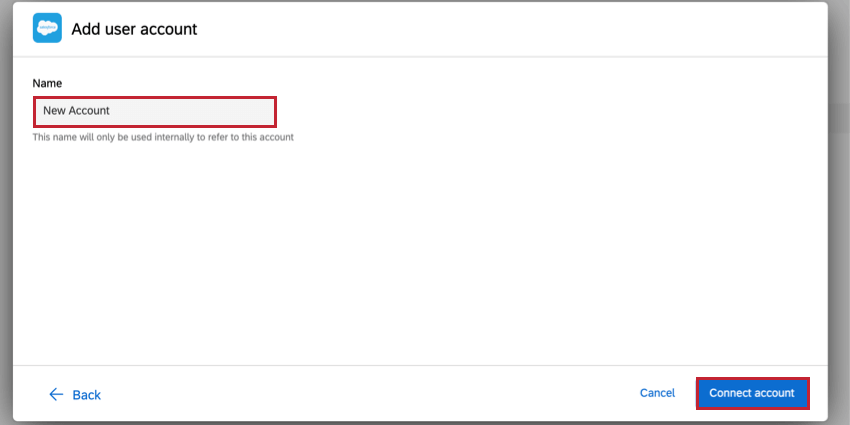
Qtip: After clicking Add user account, specify the account name and click Connect account. After clicking Connect account, login with your Salesforce credentials.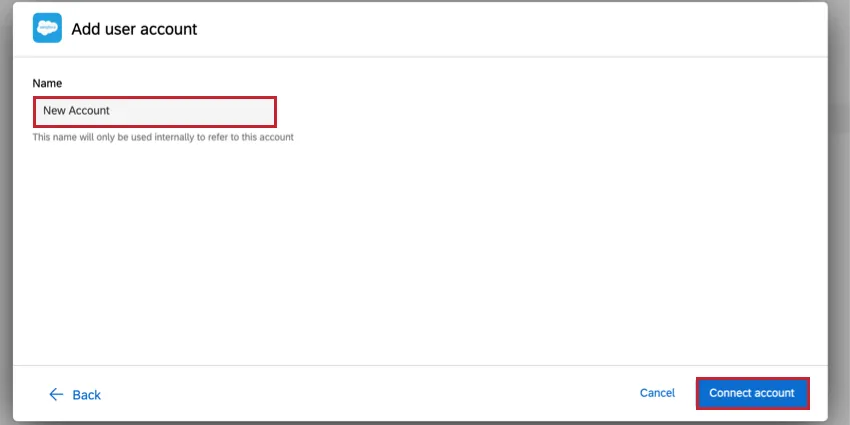
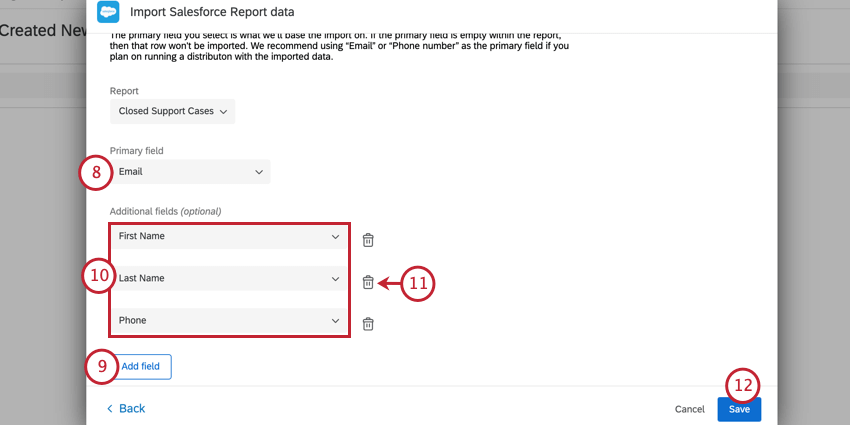
Qtip:Make sure all values in this field are unique. Duplicate values will prevent the field from being imported.
Example: If Email is chosen as your primary field, all email addresses must be unique and without duplicates.
That's great! Thank you for your feedback!
Thank you for your feedback!