

Generate an Insight Task
What's on this page
About the Generate an Insight Task
The Generate an Insight task enables you to use workflows to regenerate existing insight definitions from Insights Explorer.
Example: If your strategic goal is to improve retention, you may want to answer the question “what are leading indicators of churn in the past week?” To do this, you create an Insight that uses customer responses from an open-ended feedback question, a “past 7 days” date filter, and high effort enrichments. You can then use the “Generate an Insight” task to refresh that insight definition every Monday morning before the start of business in your time zone.

Attention: Only the owner of the workflow can view the insights created within this task. Sharing the link to an insight will not allow people with the link to view it.

Setting Up a Generate an Insight Task
Qtip: You must have the Generate an Insight permission enabled to use this task. Additionally, you must have access to Insights Explorer and have already generated at least 1 insight.

Navigate to the stand-alone Workflows page.
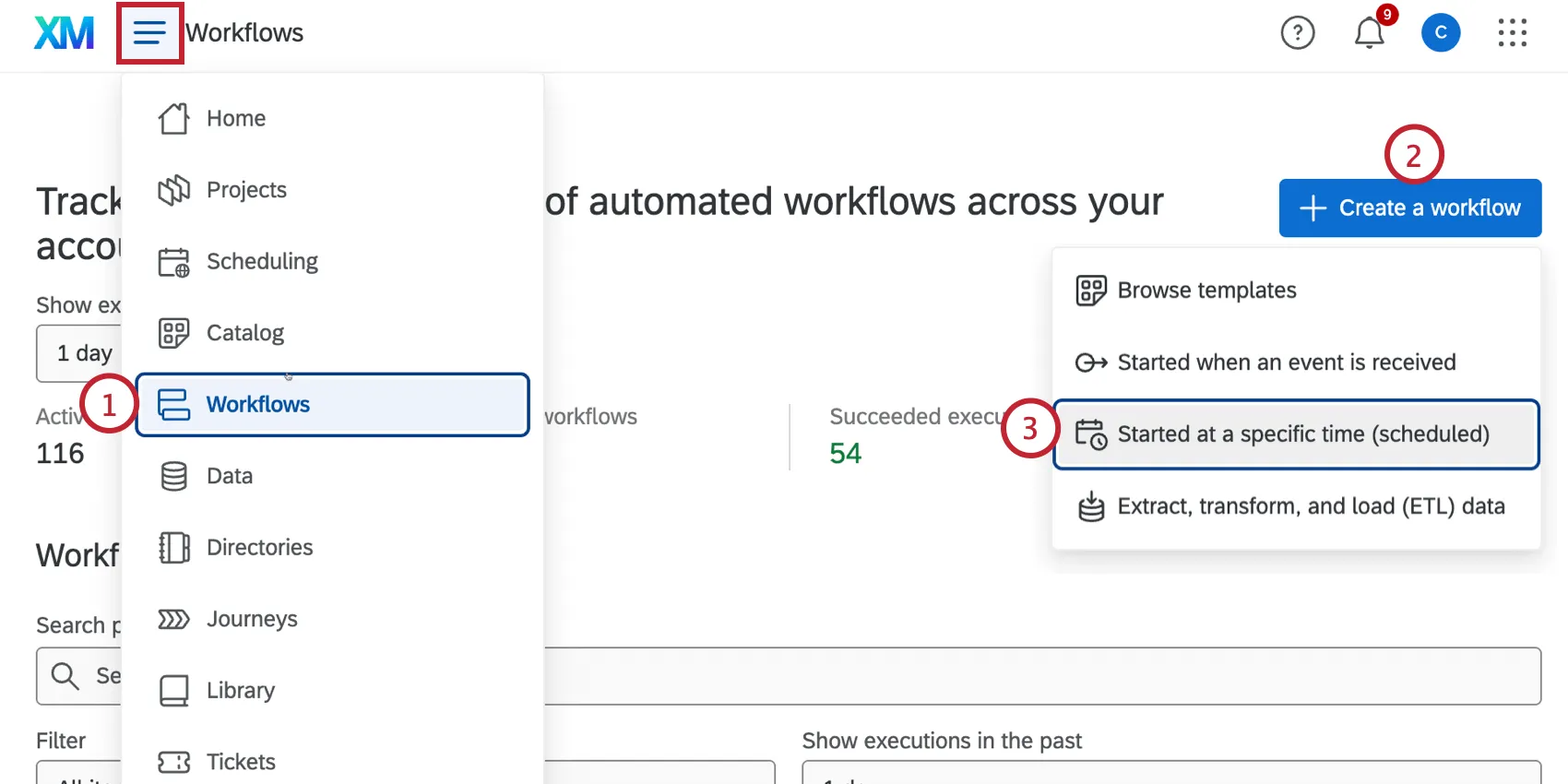
Click Create a workflow.
Select Started at a specific time (scheduled).
Name your workflow.
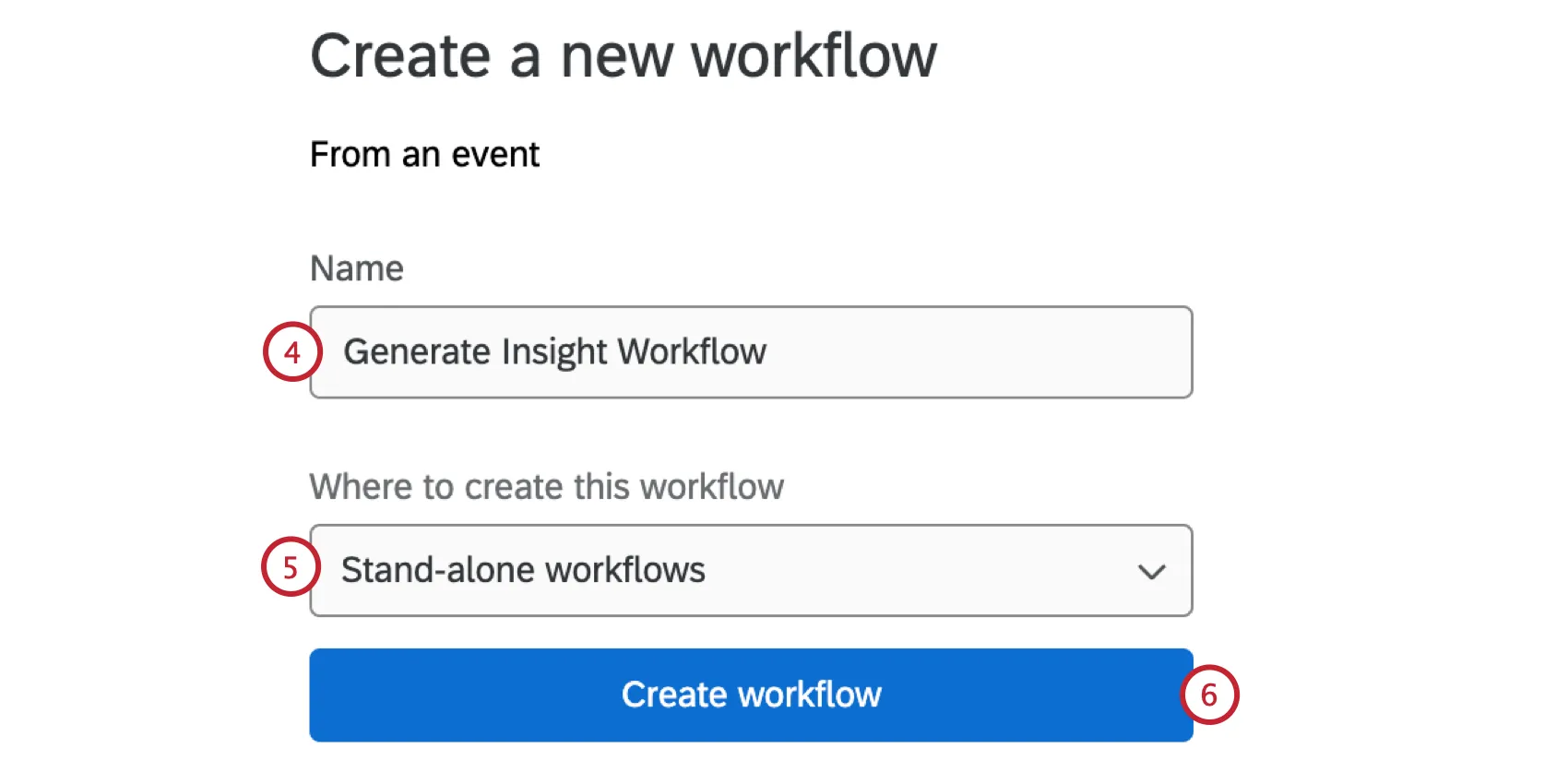
Save it as a Stand-alone workflow.
Click Create workflow.
Set your workflow’s schedule.
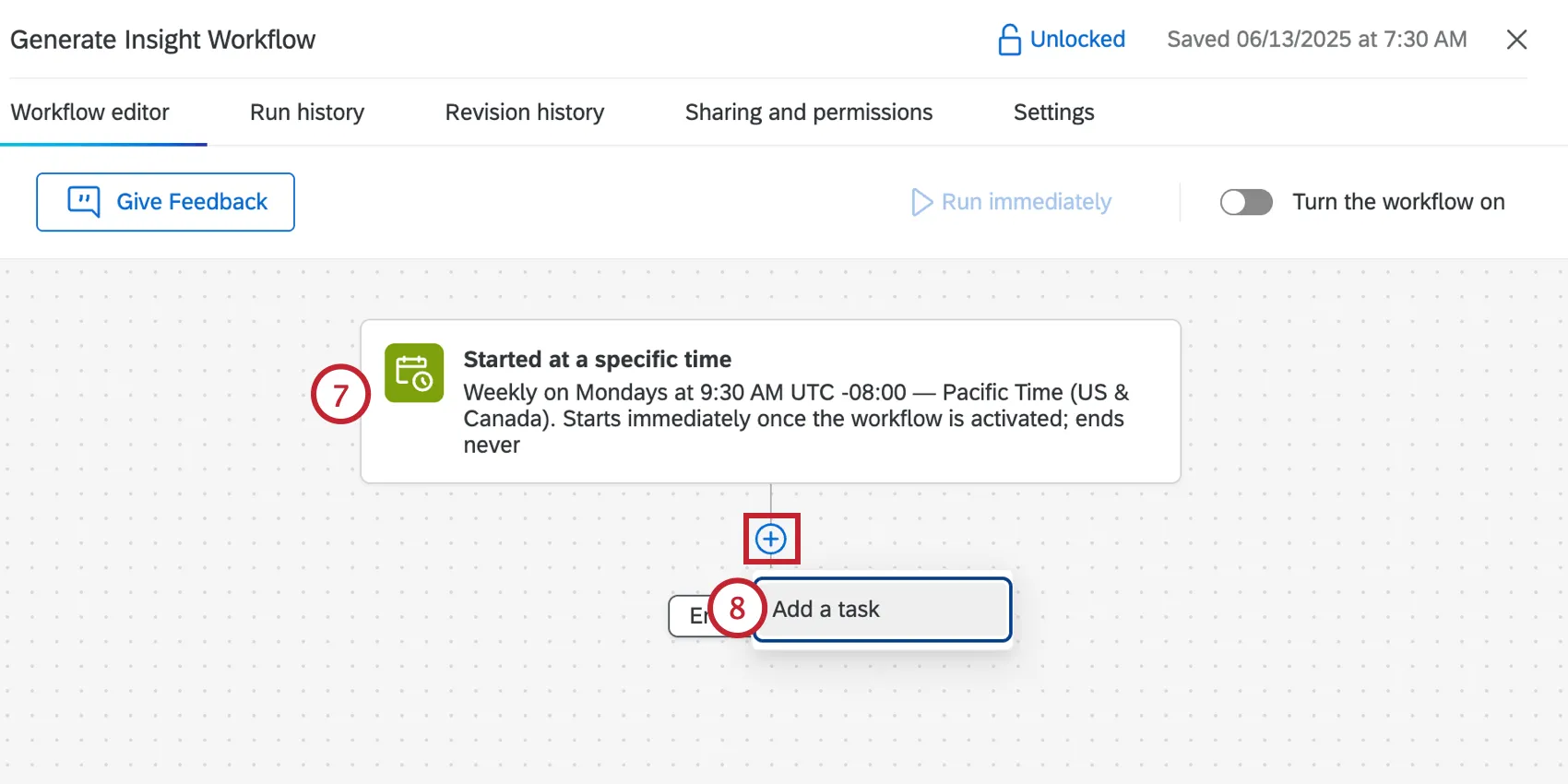
Click the plus sign ( + ) and select Add a task.
Select the Generate an insight task.
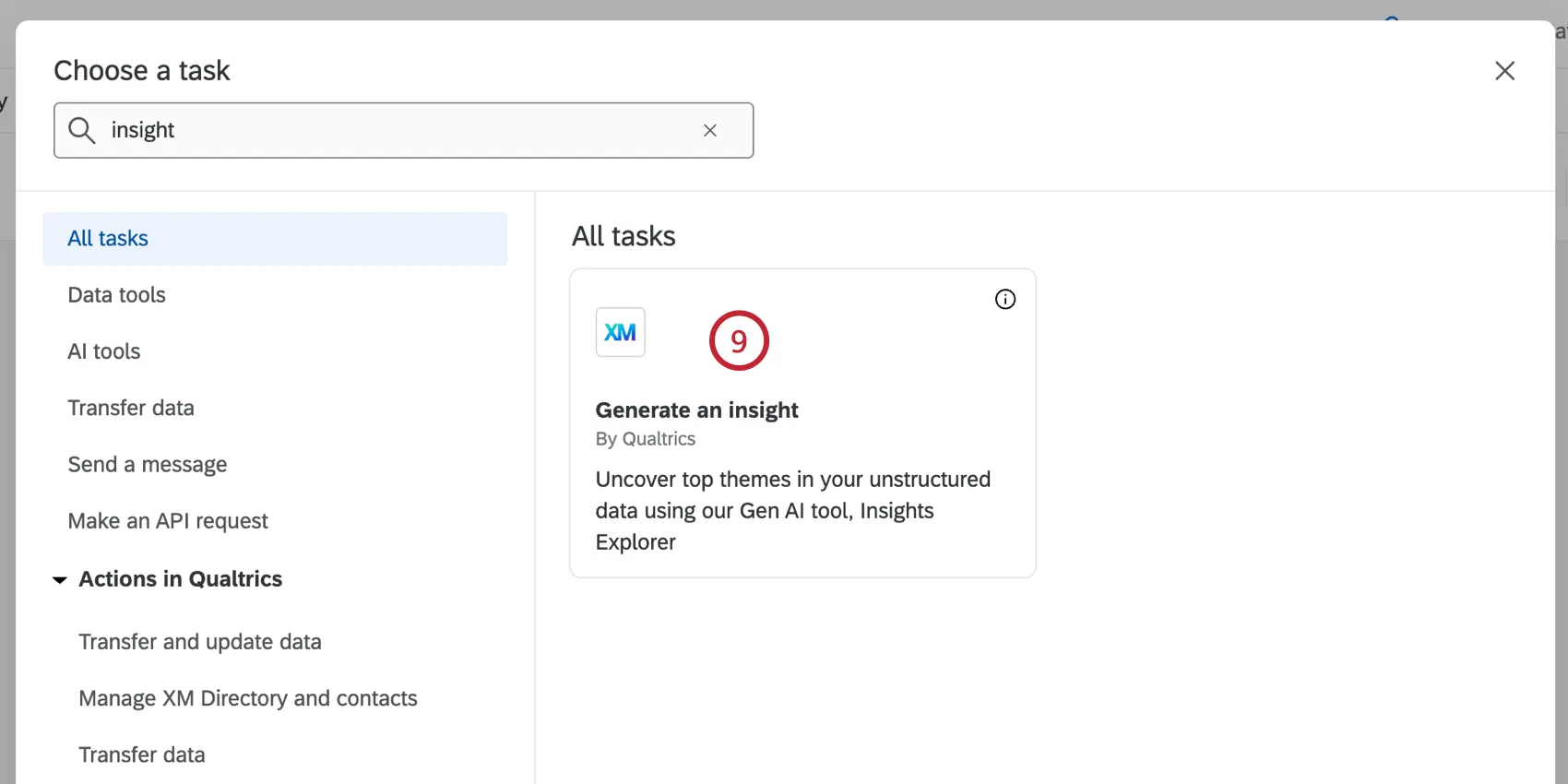
Select the insight definition you wish to reuse. Note that XM Discover projects are not yet supported and insight definitions based on these projects will be hidden from selection.
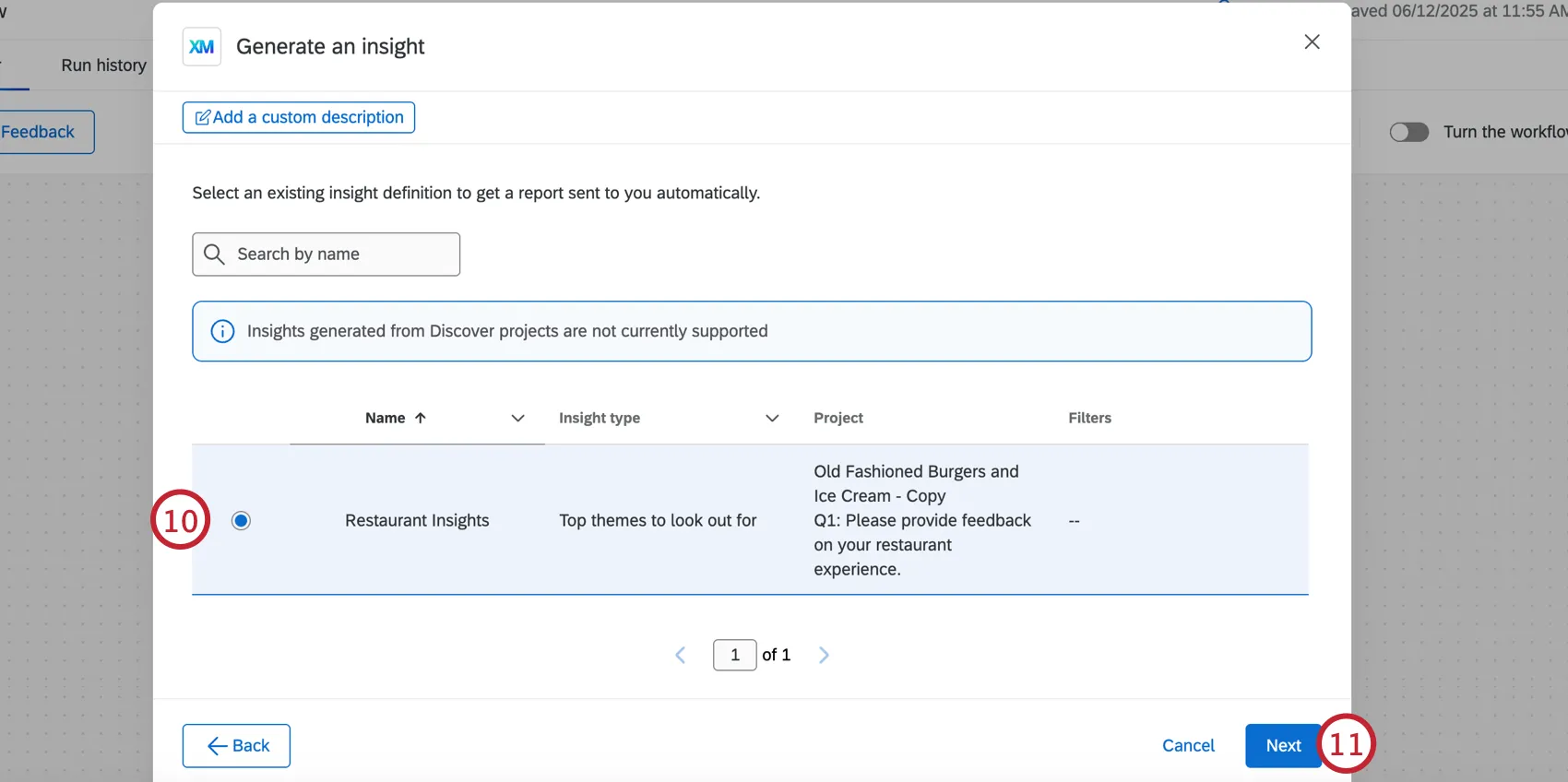
Click Next.
Review your insight definition selection.
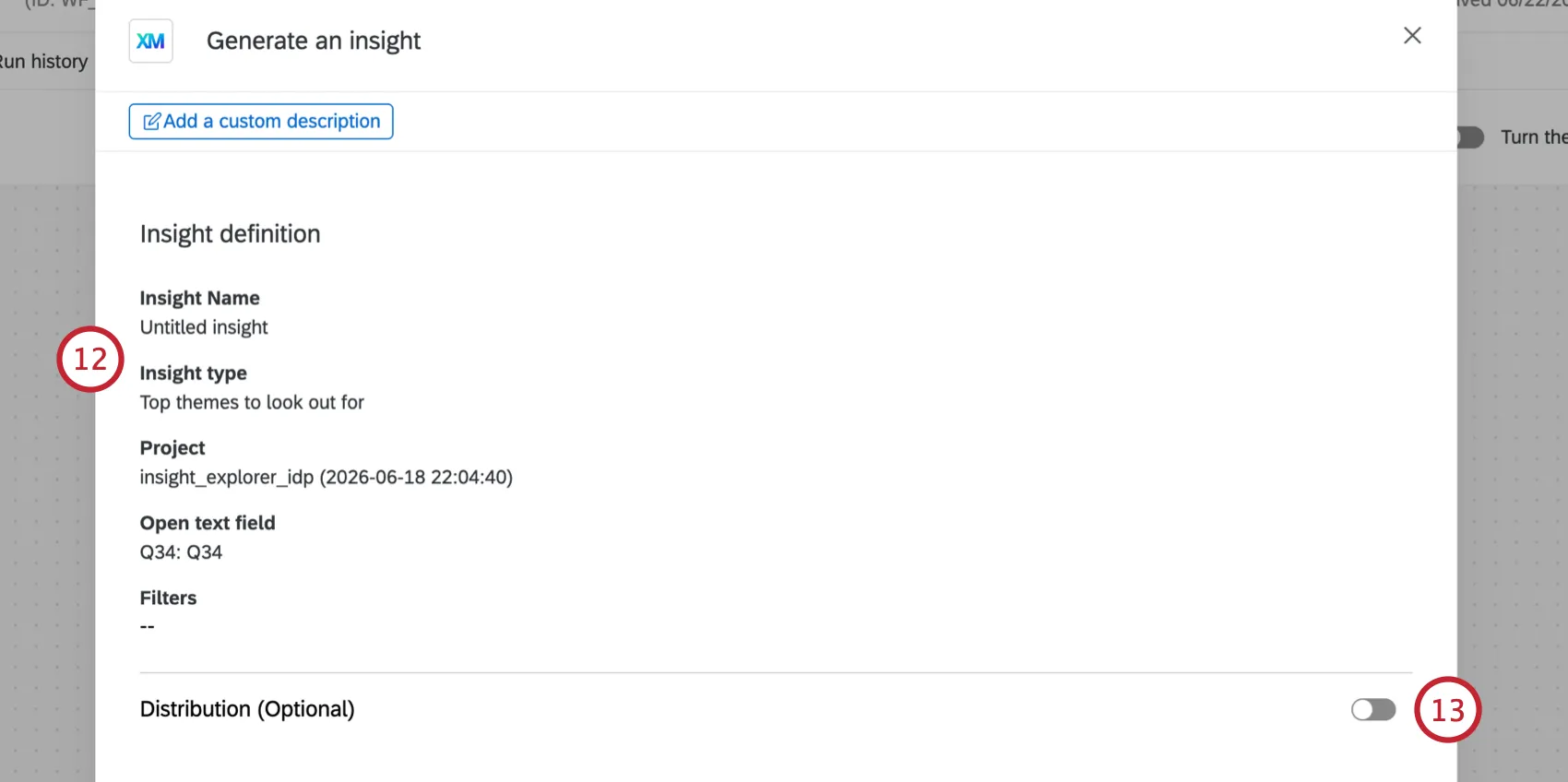
If desired, you can email the generated insight to yourself or other recipients by enabling the Distribution (Optional) setting.
Enter a comma-separated list of recipients.
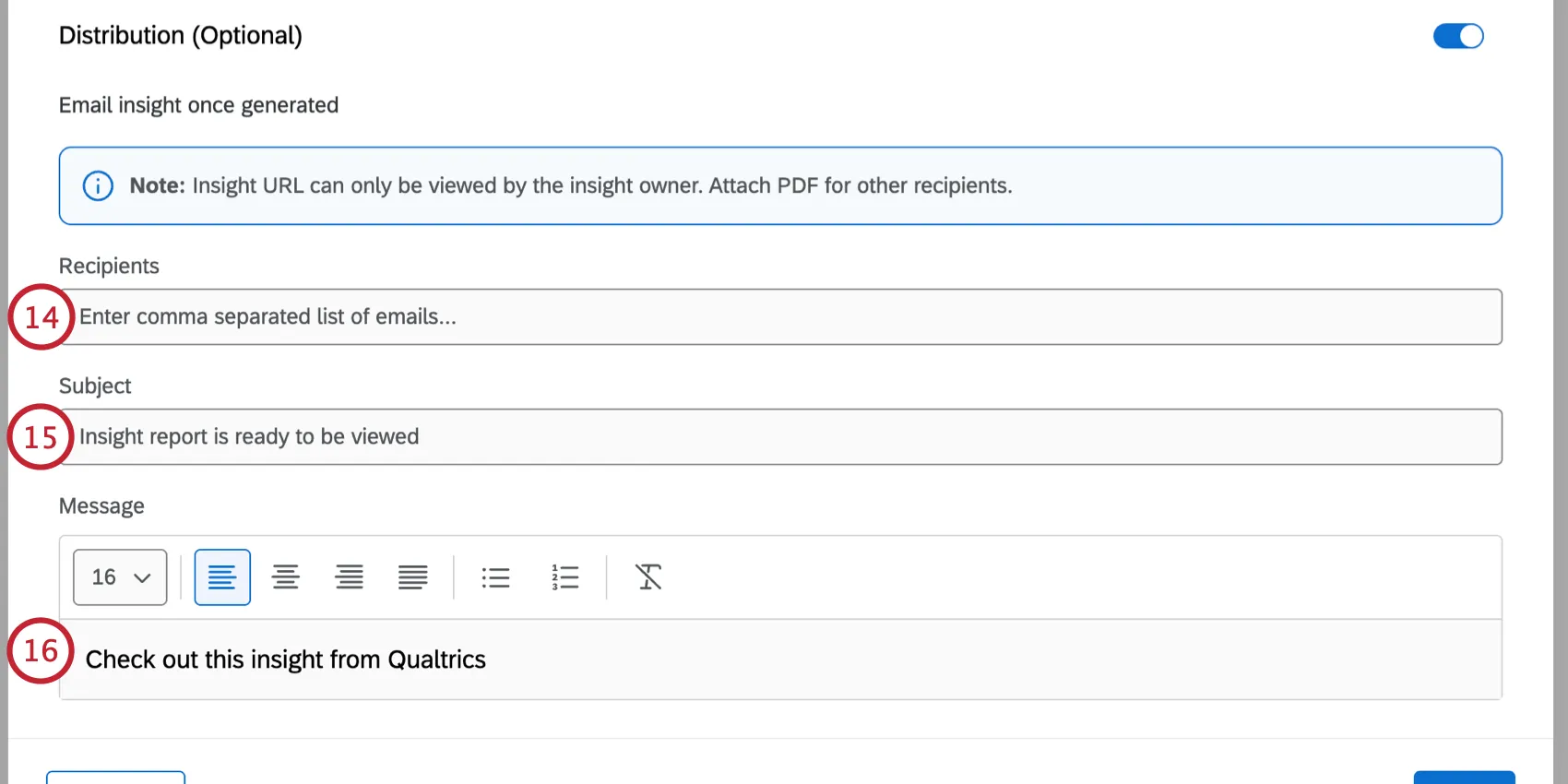
Enter a subject line for the email.
Customize the email message. You can use the tools at the top of the text editor to change the font size, change text alignment, add lists, and remove formatting.
Enable Attach distribution as a PDF file to send the insight as a PDF. You can change the file name by clicking the pencil icon.
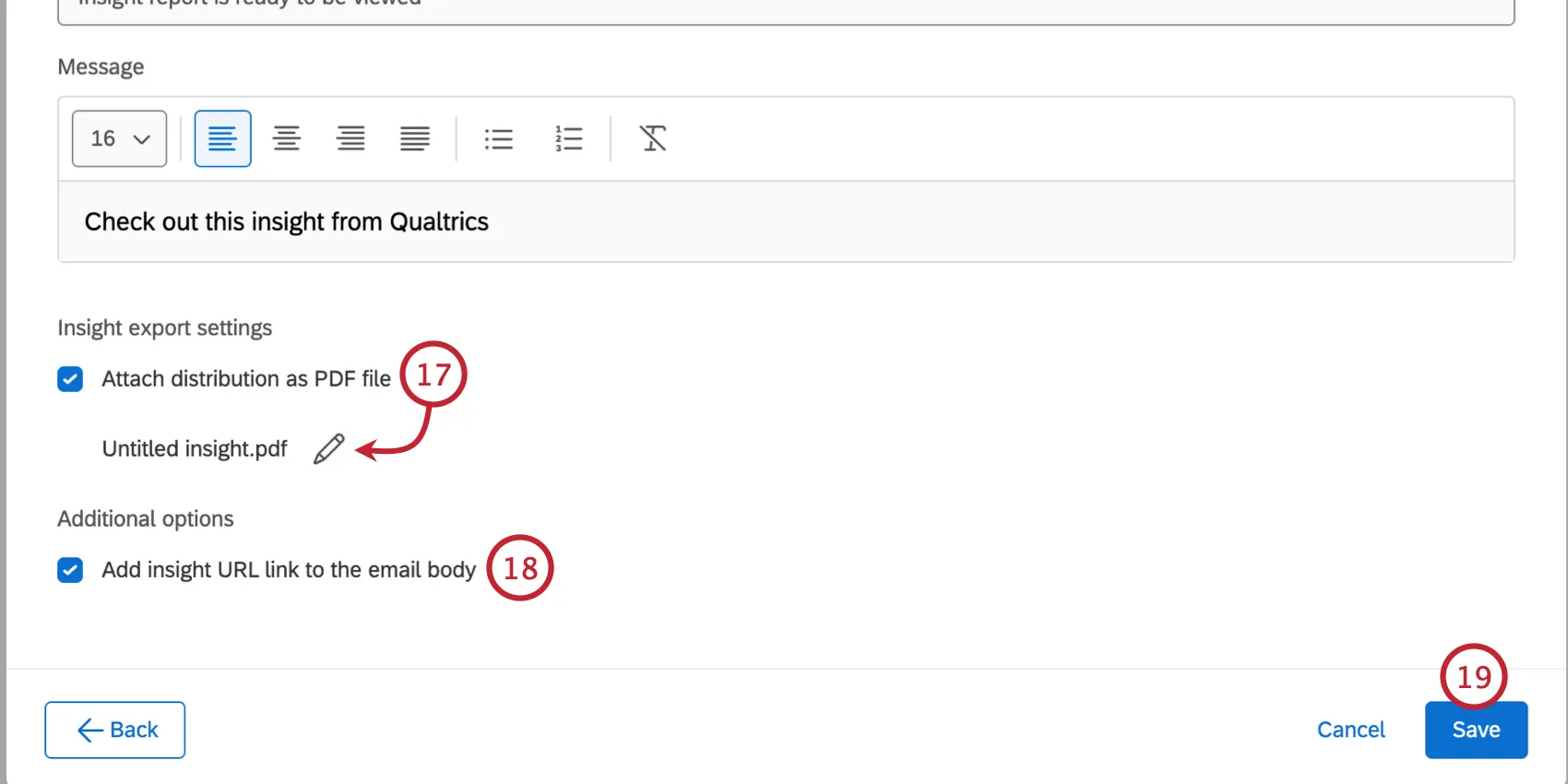
Enable Attach insight URL link to the email body to include a direct link to the insight in Qualtrics.
Qtip: Only the insight owner can access the insight via the link. For other recipients, make sure to include the insight as a PDF.
Click Save.
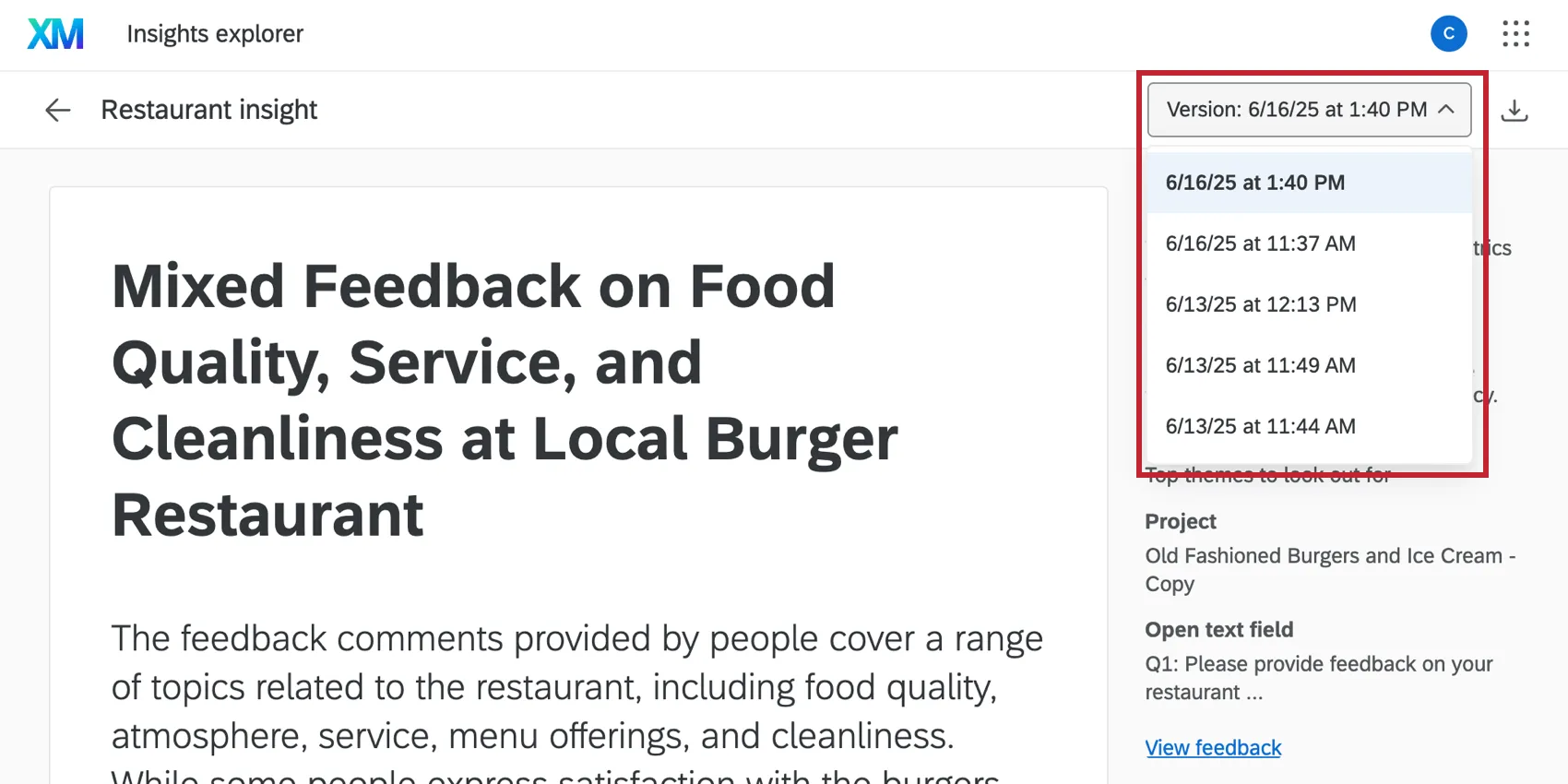
After your workflow runs, a new version of the insights will be generated. You can view the different versions when managing the insight in Insights Explorer.
That's great! Thank you for your feedback!
Thank you for your feedback!