

Widget to Widget Filtering
Suite
Customer Experience
Employee Experience
Strategy & Research
Product
Qualtrics
What's on this page
About Widget to Widget Filtering
Enable widget to widget filtering on compatible widgets to filter other widgets in your dashboard after clicking on a specific data point.
Qtip: Any non-legacy widget with dimensions can be set as the source for widget to widget filtering. All widgets can be set as targets to receive filtering from the source widget.

Setting Up Widget to Widget Filtering
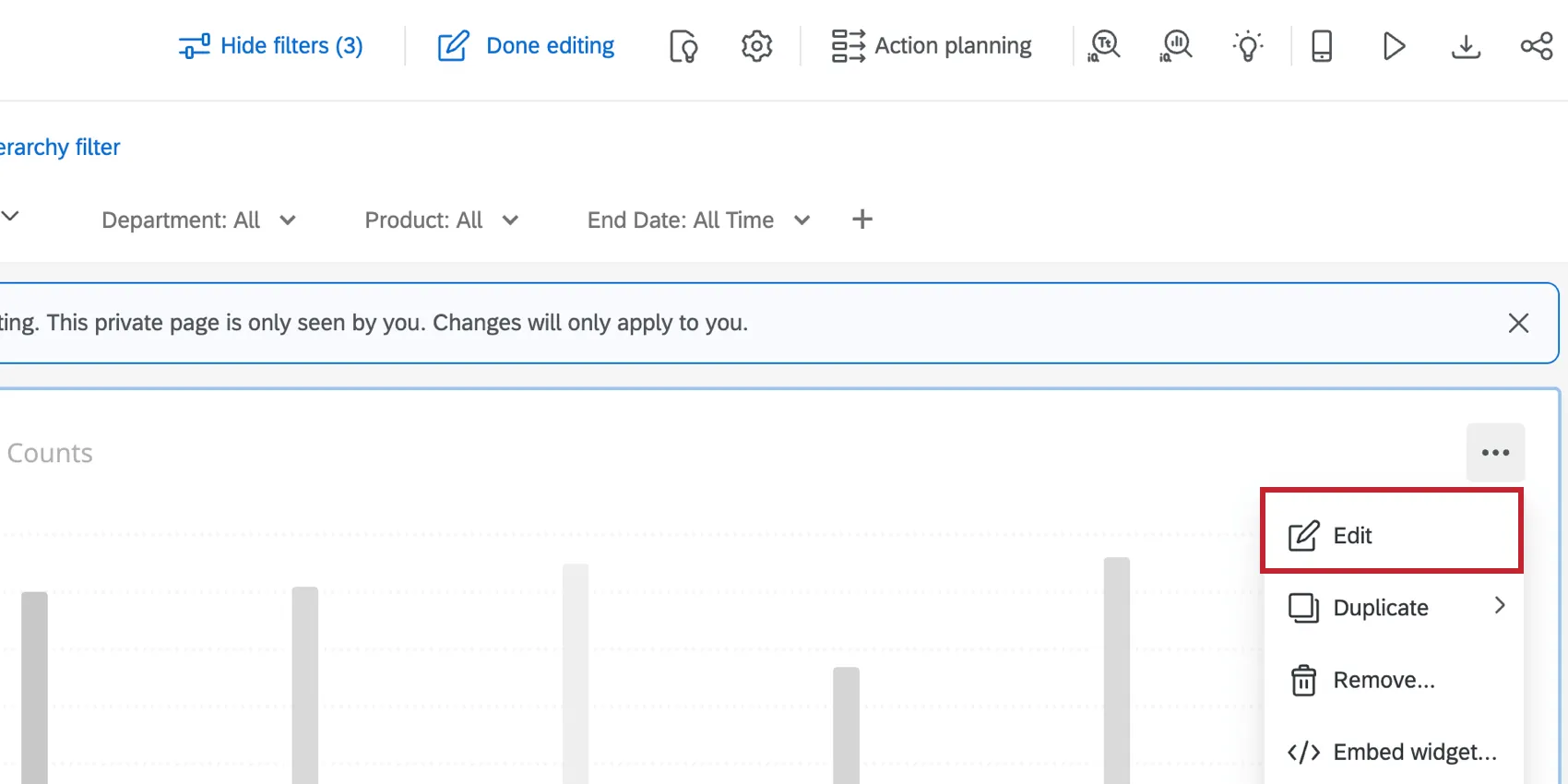
Edit the widget that you would like to base your filter on. For dashboard-specific information on editing widgets, see Dashboards Basic Overview (CX|EX).

In the filters section of the configuration menu, click the checkbox next to When you select a widget data point, apply the selection as a temporary filter to the.
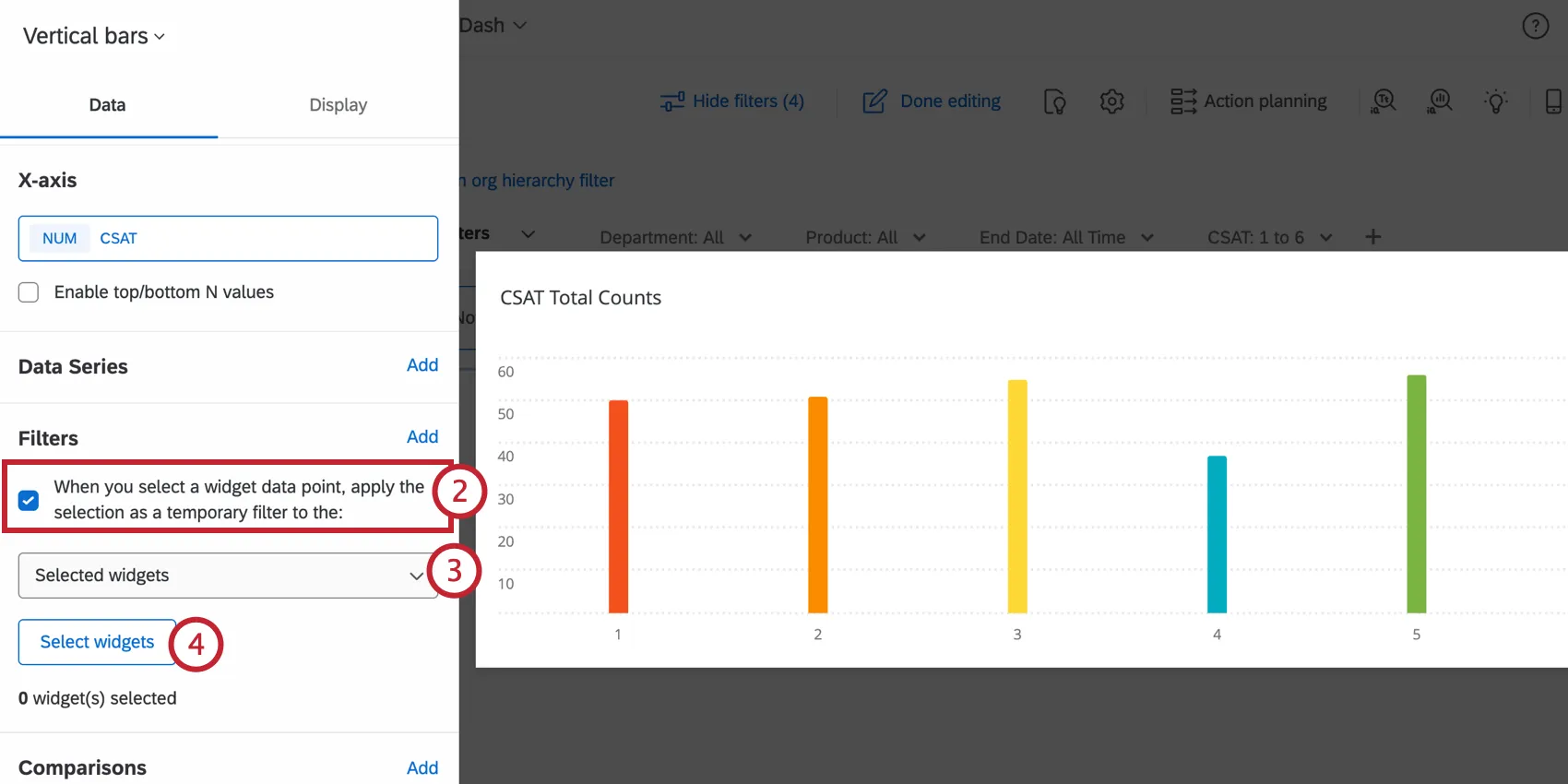

Choose Selected widgets from the dropdown menu.
Click Select widgets.
Select the widgets that you would like to filter by clicking on them. Widgets that you’ve selected will be highlighted.
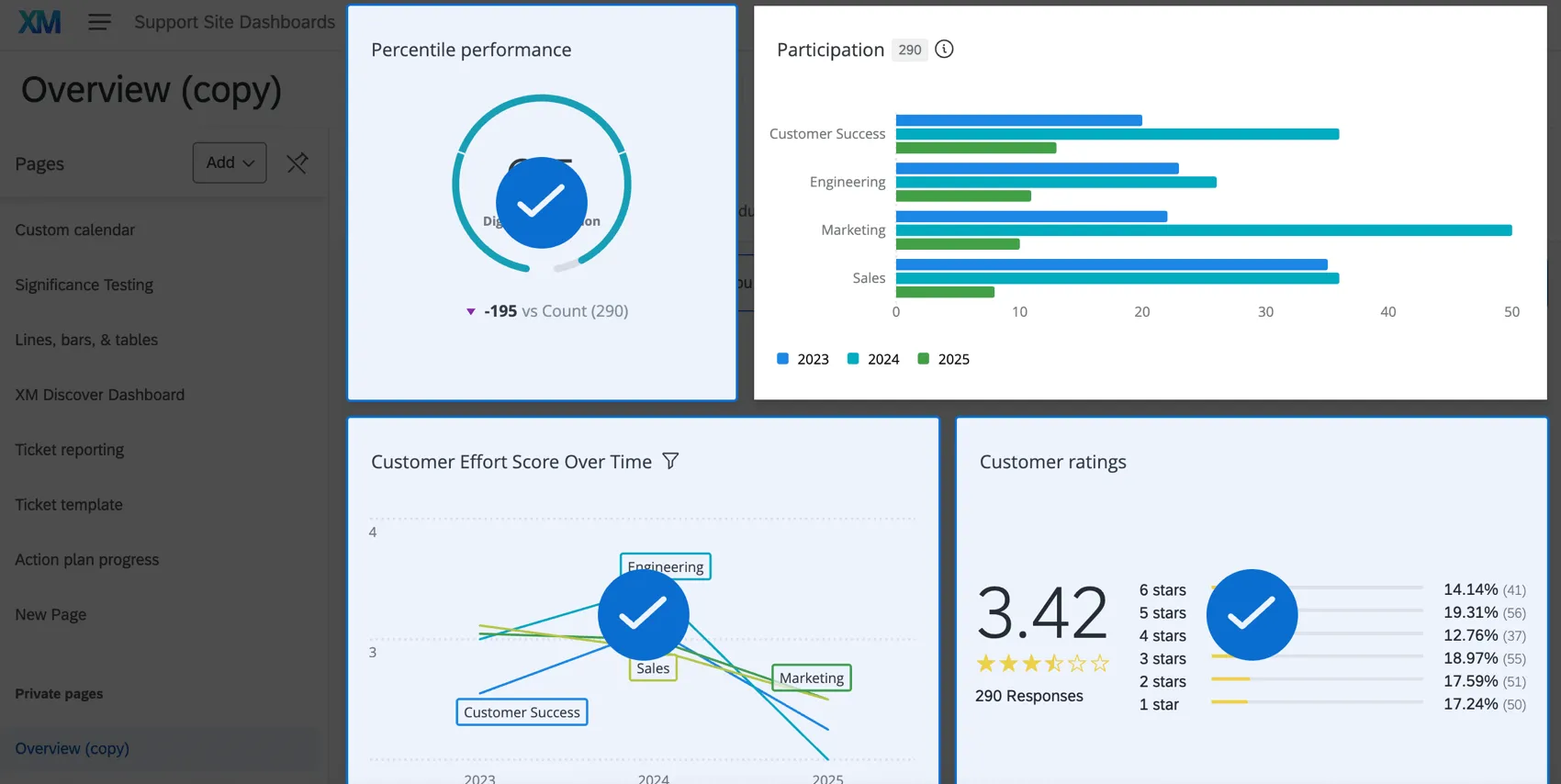

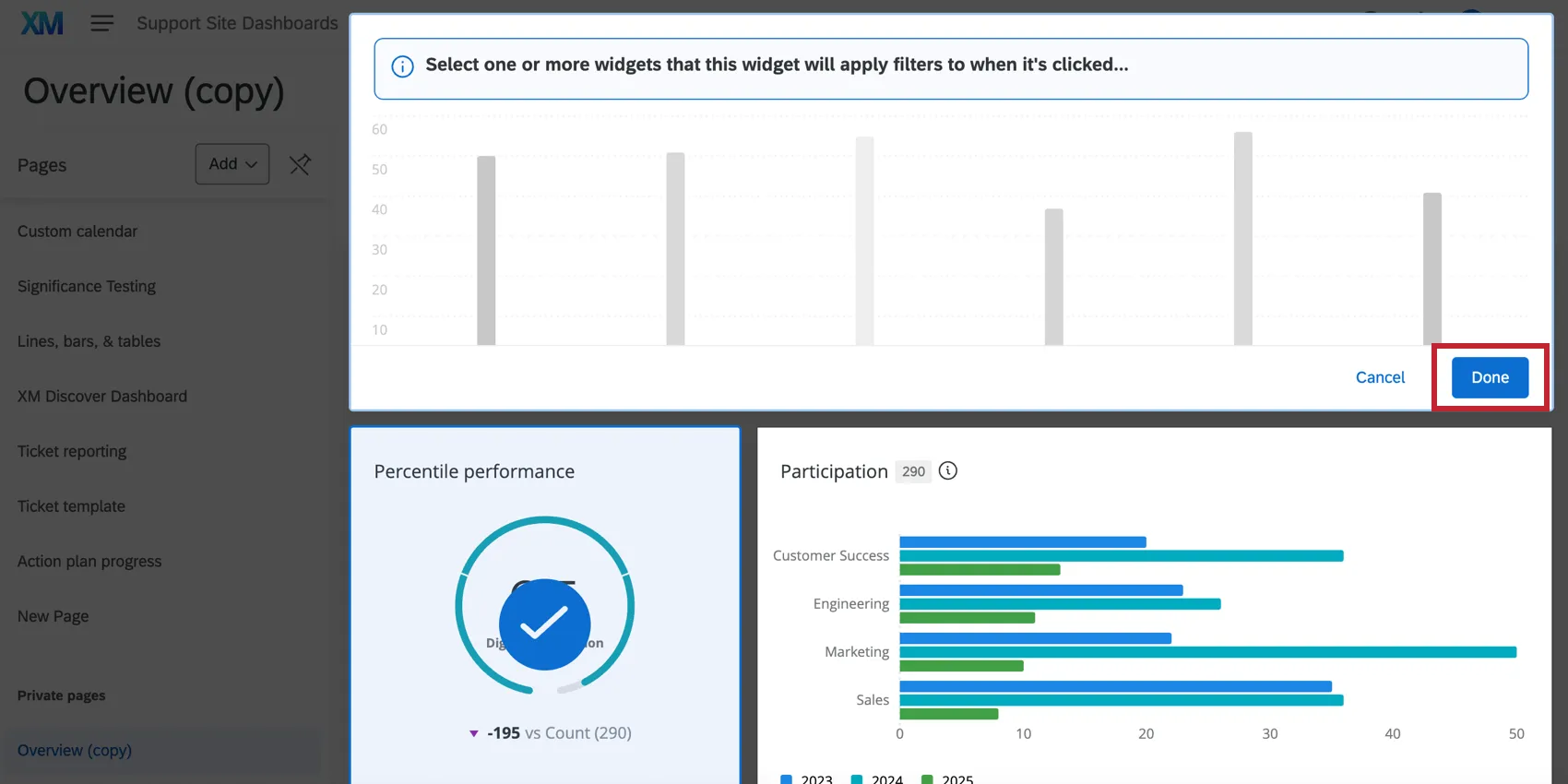
Once you have selected all of the widgets, navigate to the original widget that you edited and click Done.

View the selected widgets in the Filters section of the configuration menu.
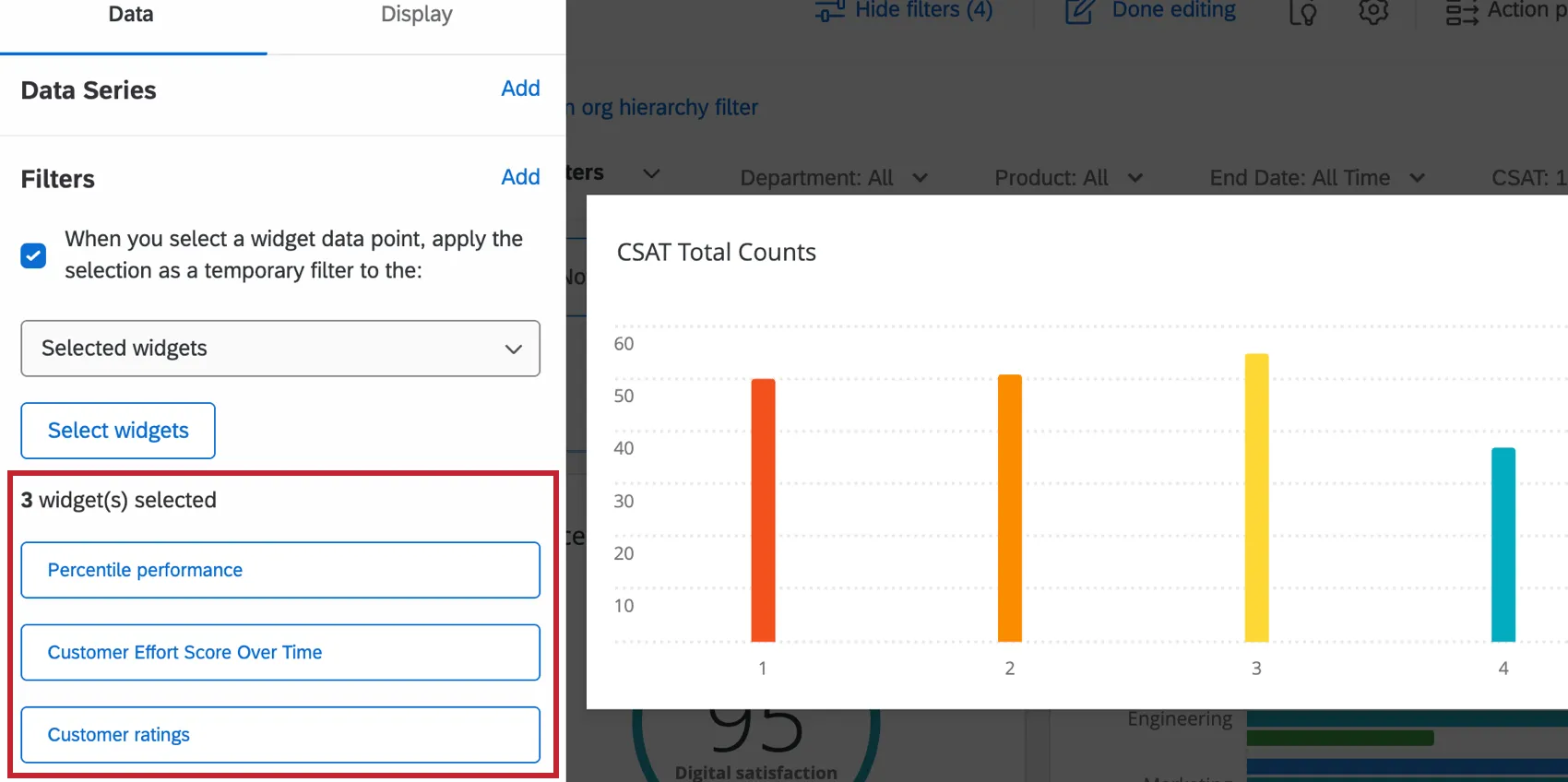

Qtip: To add more widgets, click Select widgets. To unselect a widget, click the widget title and then click Unselect widget.
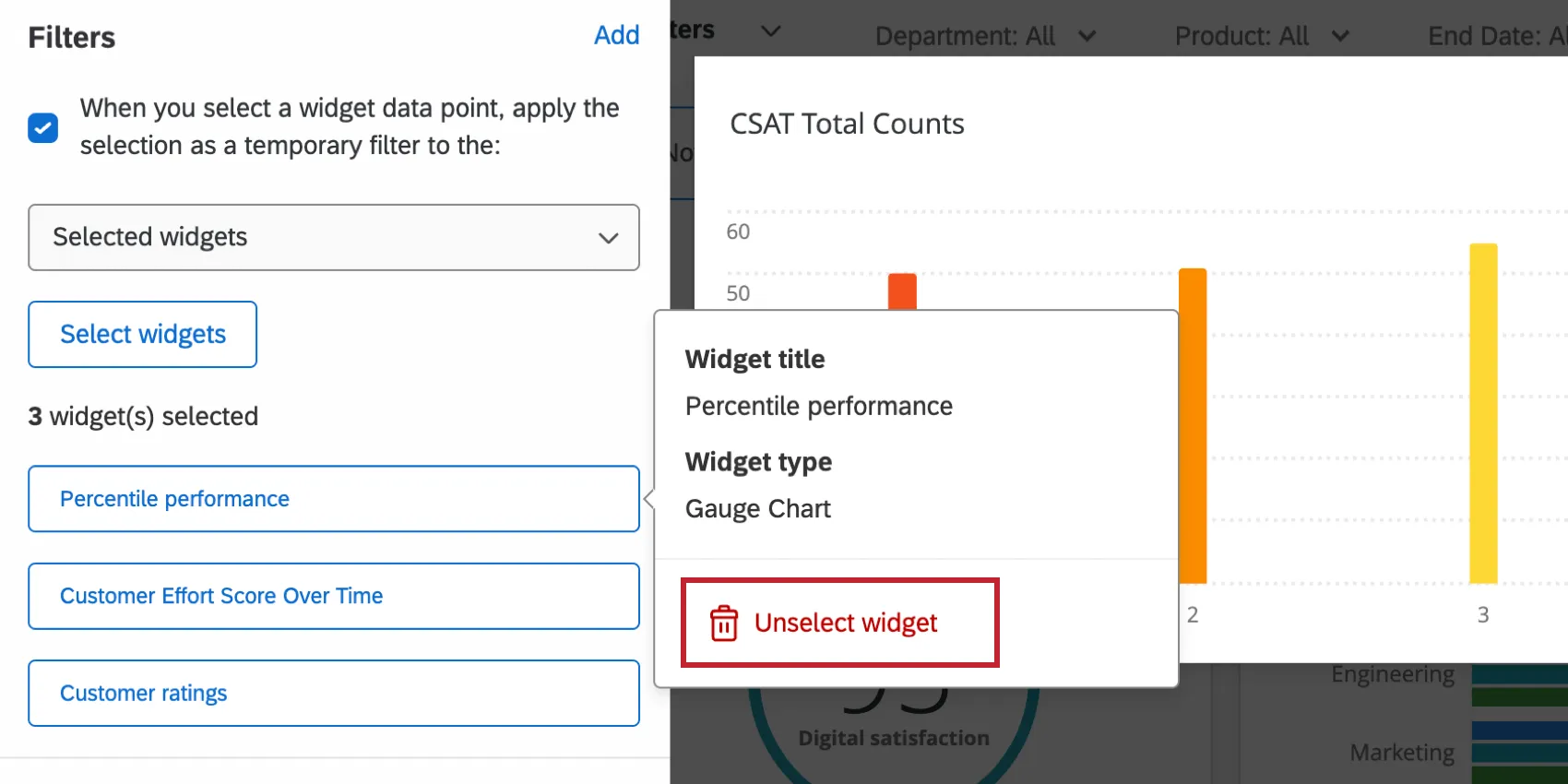

Click Done.
Applying Widget to Widget Filters
Once you have set up widget to widget filtering, click on a data point in your filtering widget. This will highlight that data point and apply it as a filter to the selected widgets.

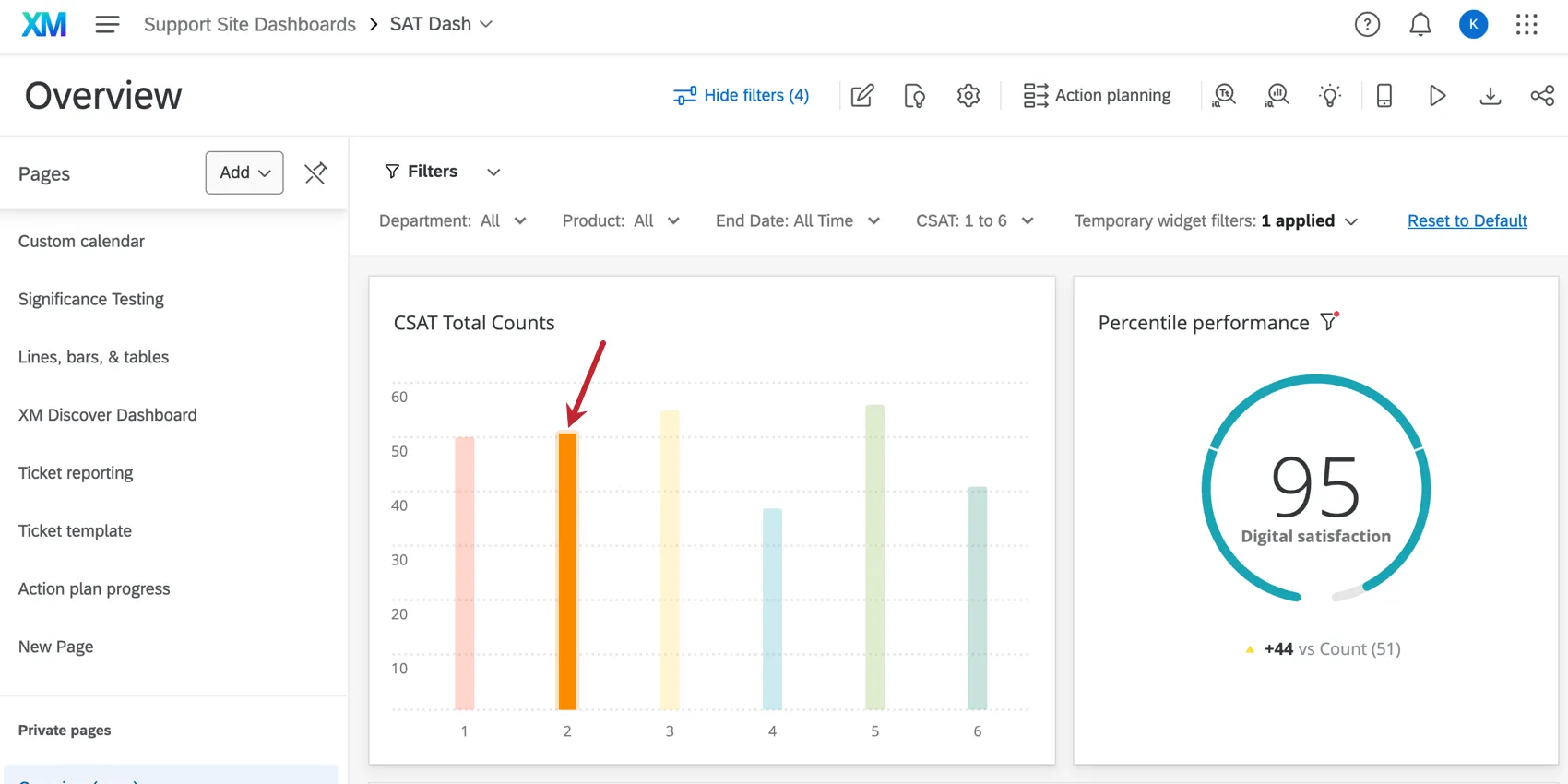
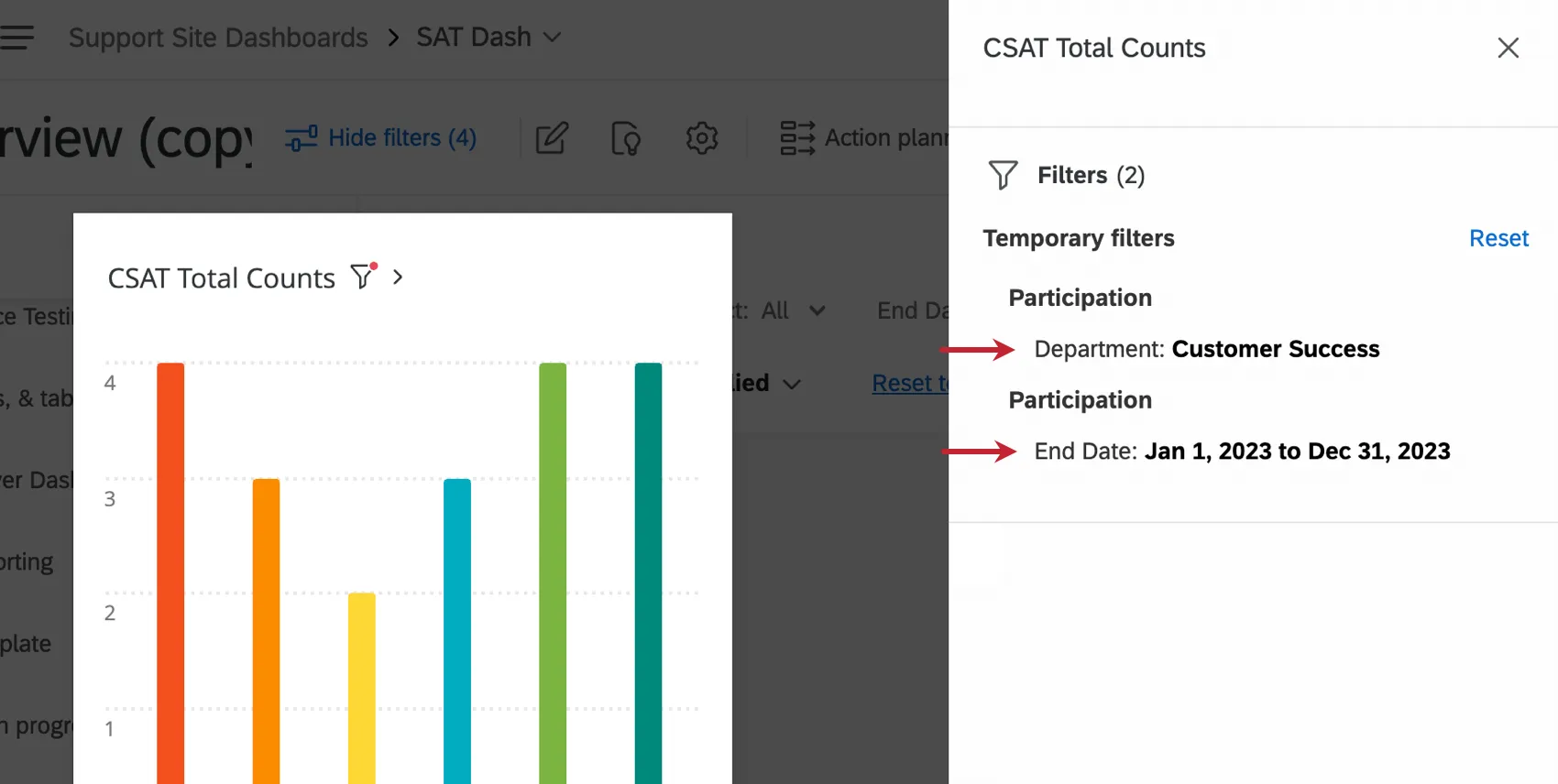
The selected widgets will have a filter icon next to their title. Click this icon to view the widget to widget filter applied to them.

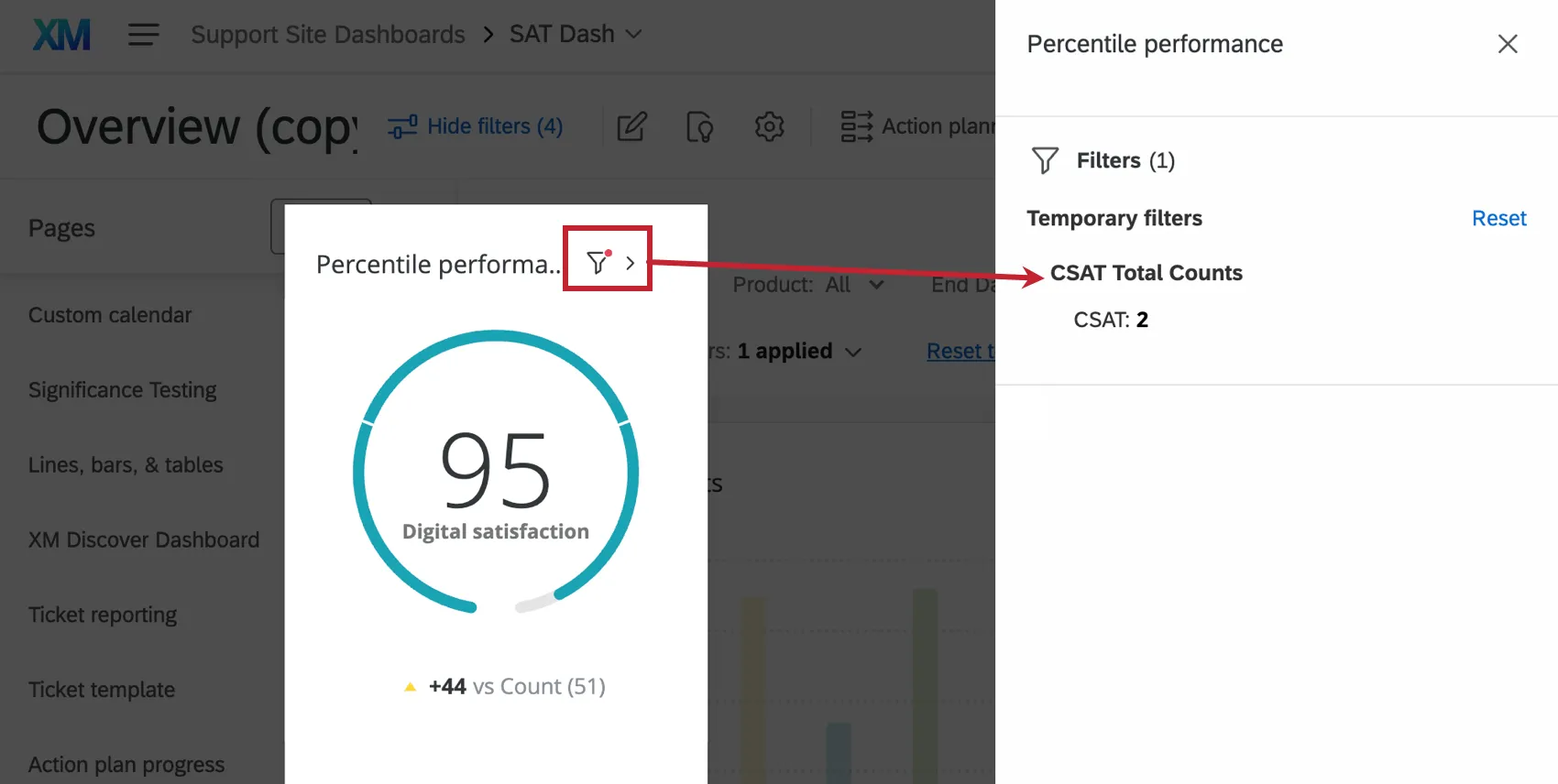
If the widget with filtering enabled has multiple dimensions, such as a horizontal or vertical bar with series set up, all dimensions will be applied to the selected widgets.

That's great! Thank you for your feedback!
Thank you for your feedback!