

Web Service Conditions
Suite
Customer Experience
Strategy & Research
Product
Qualtrics
What's on this page
Warning: This feature is currently being deprecated. We advise that you no longer use this feature when creating your Website / App Feedback Action Sets.

About Web Service Conditions
Web Service conditions allow an external web service to determine whether or not a creative should display. For example, a resort in Palm Beach might use a web service to check the current weather and offer a special promotion when it is raining outside. You can also pass parameters to Web Service intercept conditions directly in the user interface.
Setting a Web Service Condition
Qtip: For additional information on how web services work, see the Web Service support page.

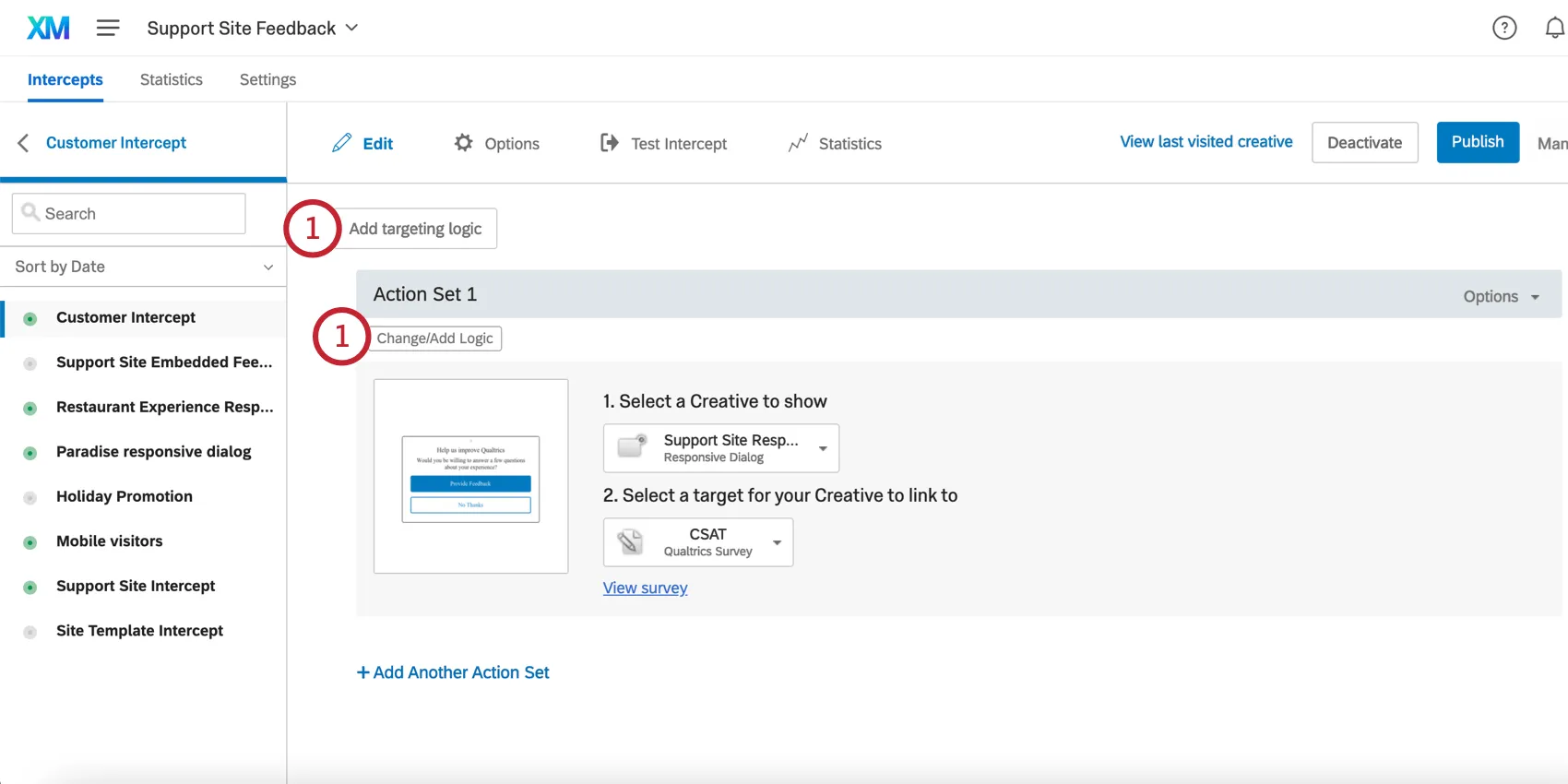
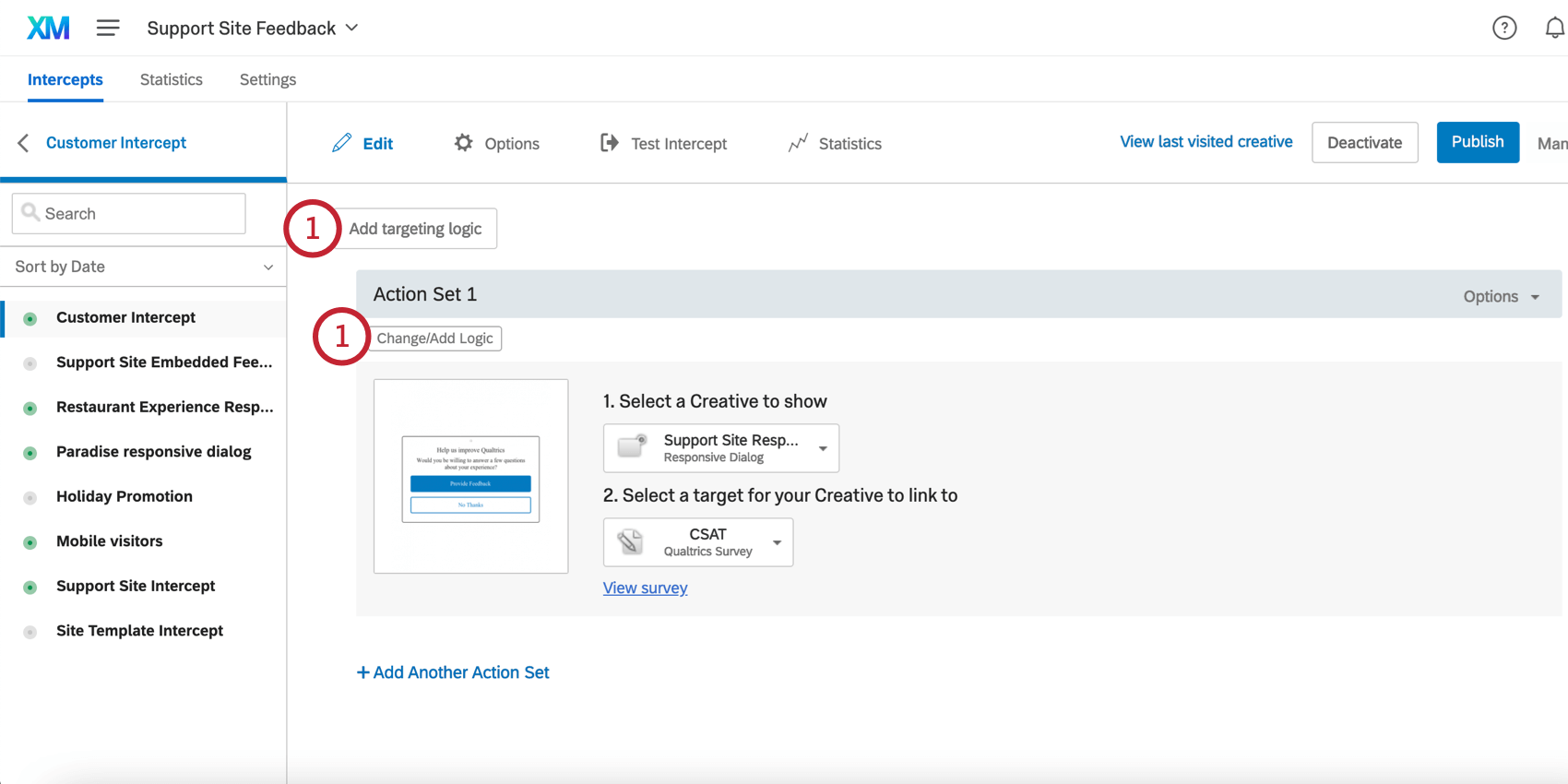
On either the intercept targeting-level or the action set-level, add logic.
Select Web Service.
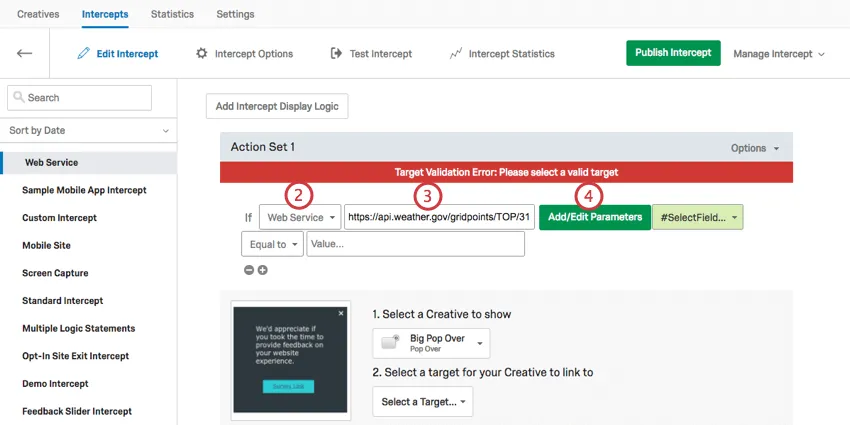
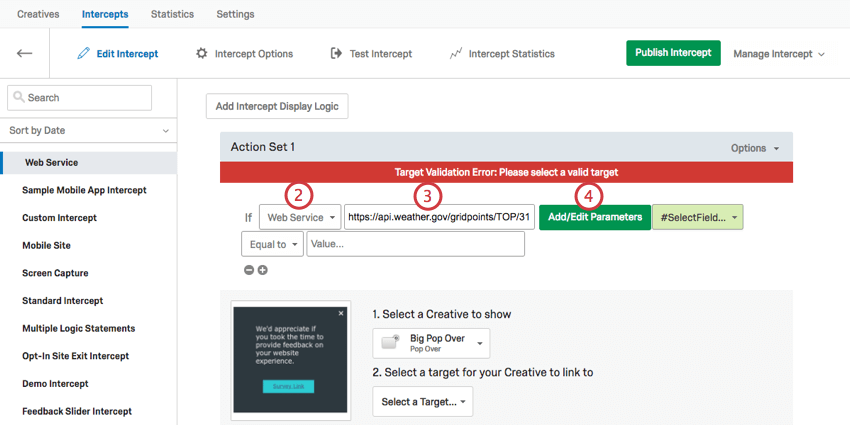
Enter the URL of the web service you would like to use.
If desired, click Add/Edit Parameters to pass one or more parameters to the web service.
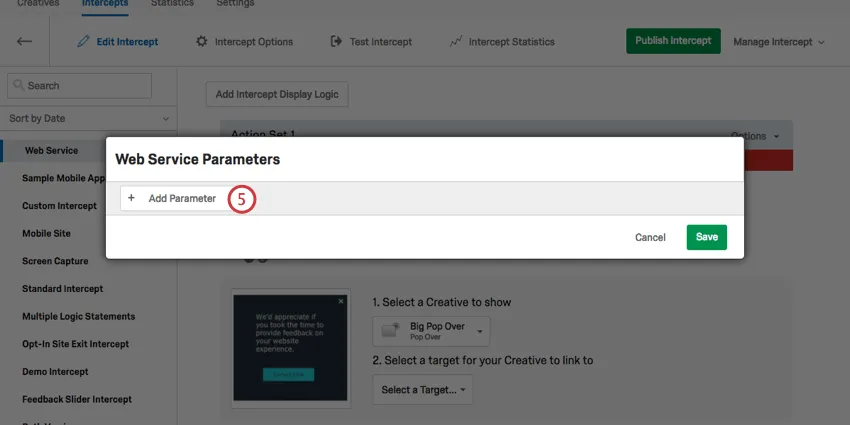
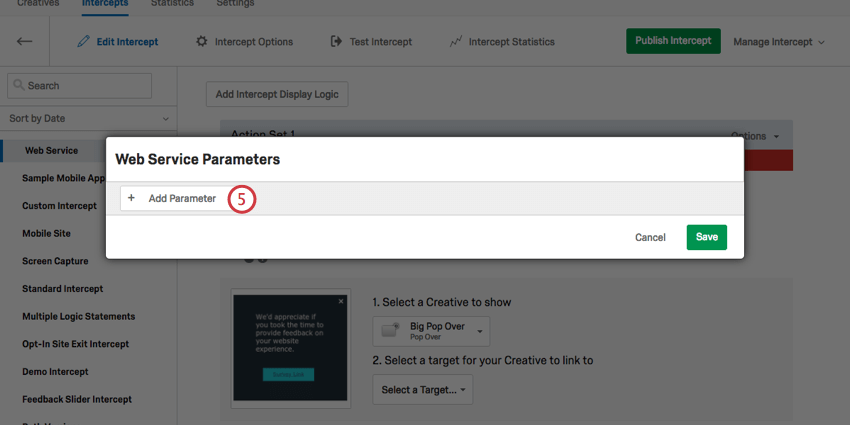
Click Add Parameter.
Enter the name of the parameter in the field.
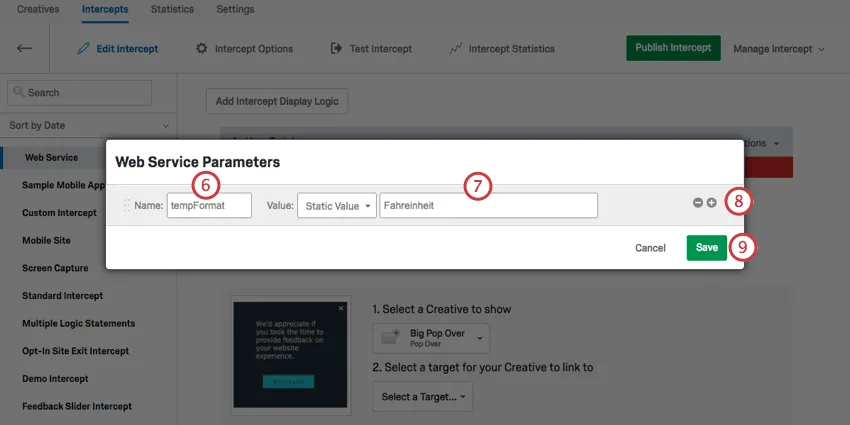
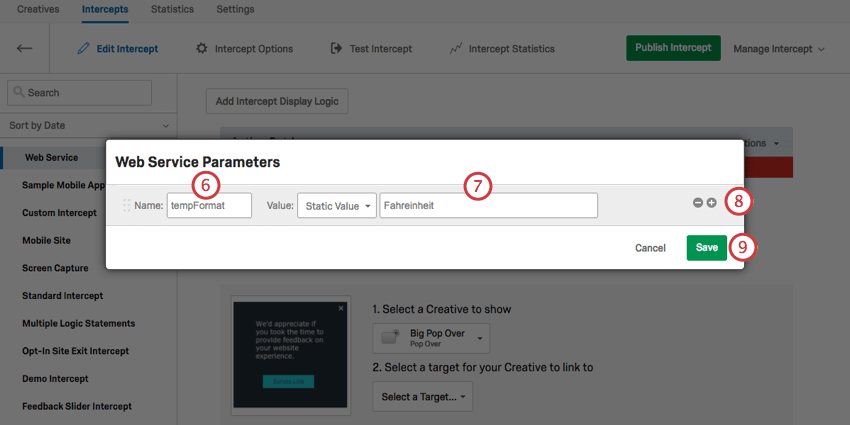
Set the value of the parameter.
Click the plus sign (+) to add another parameter.
Click Save.
Choose which field from the web service you would like to use for your targeting.
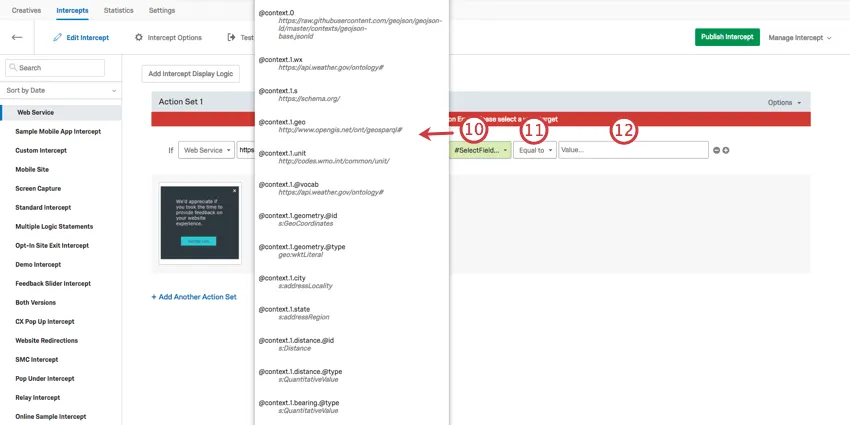
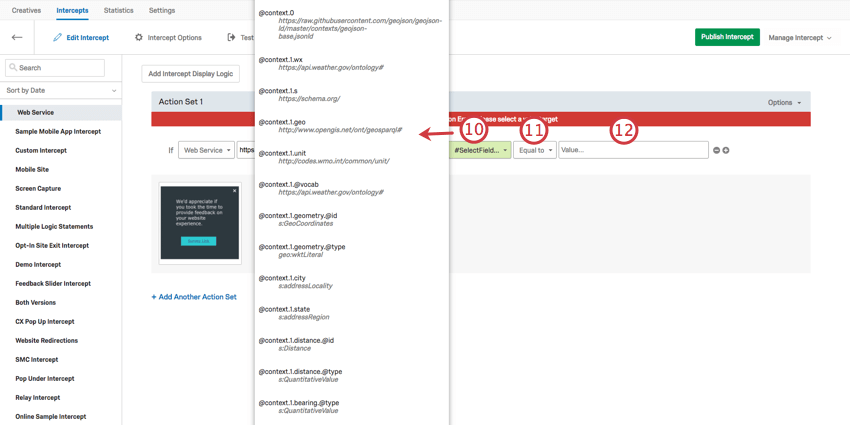
Qtip: If no values appear here, you have not filled out the correct URL for your web service.
Indicate whether you are targeting visitors whose value is Equal To or Not Equal To what you specify in the next step.
Enter the value the web service should return in this condition.
FAQs
When should I use logic on my action sets?
When should I use logic on my action sets?
Action set logic is used to determine when you want to display the Intercept. It can be helpful for when you have multiple action sets with different conditions for displaying.
For example, since creatives are not responsive to screen size, many users like to implement action set logic focused on whether a website viewer is/is not using a mobile device or whether the website is being displayed on a certain screen size. By using logic in this instance, you are able to target a properly formatted and sized creative to the appropriate person.
Action set logic based on location can even be used to make sure that website viewers are seeing a creative that is written in the language that most likely applies to them.
For example, since creatives are not responsive to screen size, many users like to implement action set logic focused on whether a website viewer is/is not using a mobile device or whether the website is being displayed on a certain screen size. By using logic in this instance, you are able to target a properly formatted and sized creative to the appropriate person.
Action set logic based on location can even be used to make sure that website viewers are seeing a creative that is written in the language that most likely applies to them.
That's great! Thank you for your feedback!
Thank you for your feedback!