

Ad-Hoc File Upload Inbound Connector
Suite
Customer Experience
Product
Qualtrics
What's on this page
About the Ad-Hoc File Upload Inbound Connector
You can use the ad-hoc file upload inbound connector to load customer data via a file upload. Ad-hoc file upload jobs are a one-time occurrence and each job must be scheduled separately.
Ad-hoc file jobs allow you to upload data in the following formats:
- Flat delimited text files (CSV, TSV, etc)
- XLS or XLSX
- JSON
- WebVTT
Setting Up An Ad-Hoc File Upload Job
Qtip: The “Manage Jobs” permission is required to use this feature.
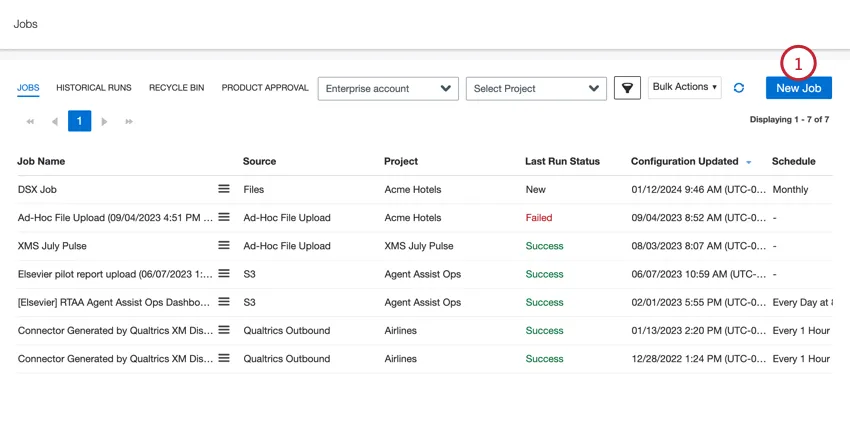
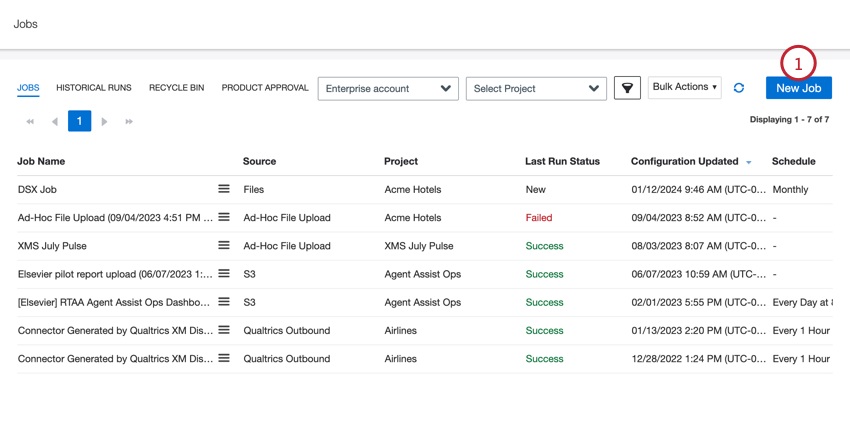
In the Jobs tab, click New Job.
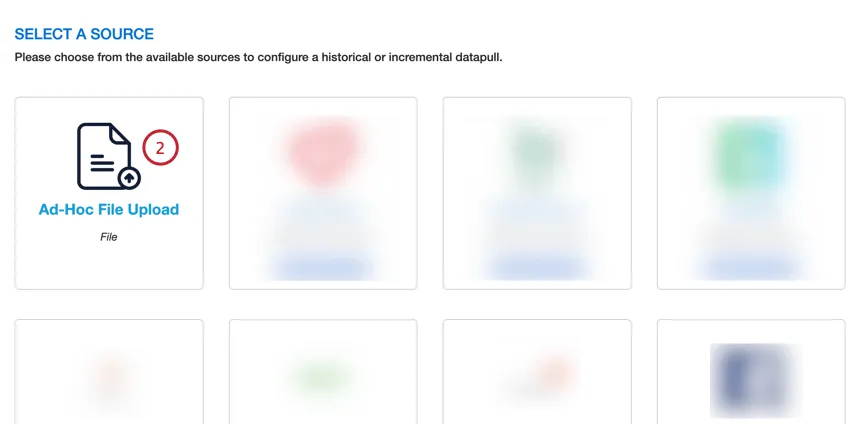
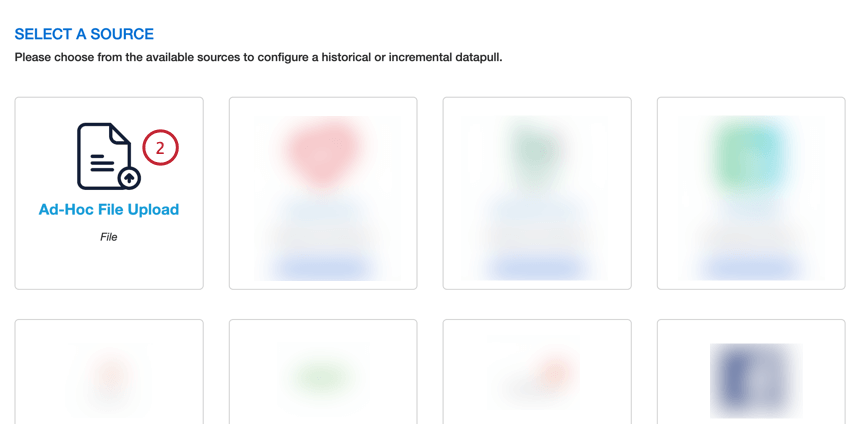
Select Ad-Hoc File Upload.
Give your job a name so you can identify it.
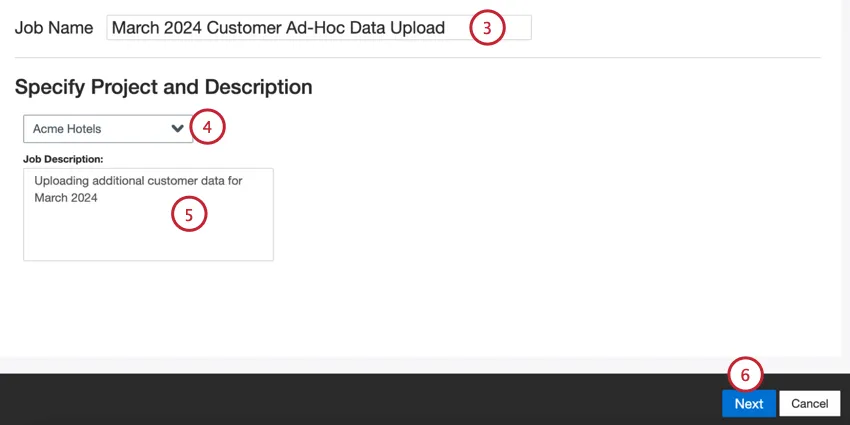
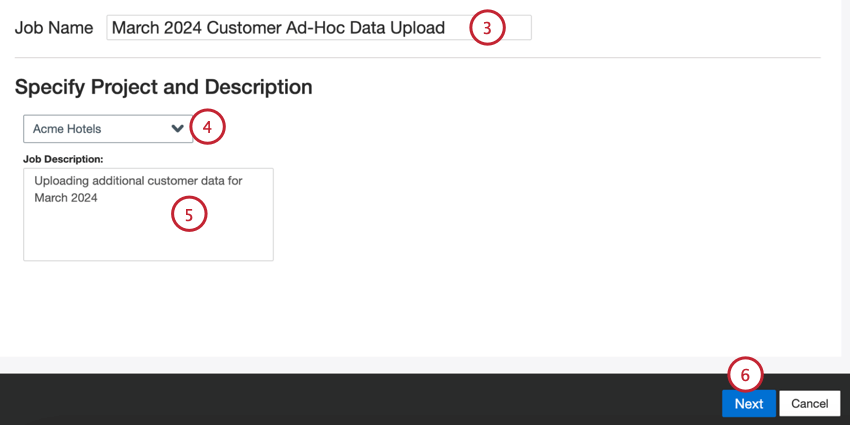
Choose the project to load data into.
Give your job a description so you know its purpose.
Click Next.
Choose the file type you’d like to upload:
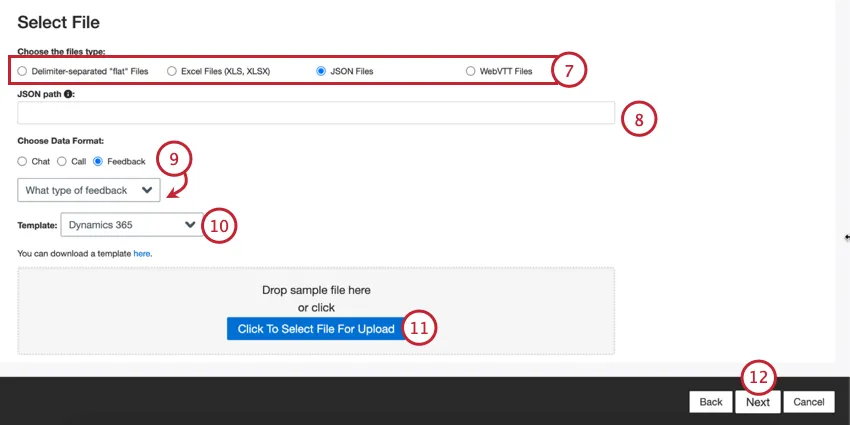
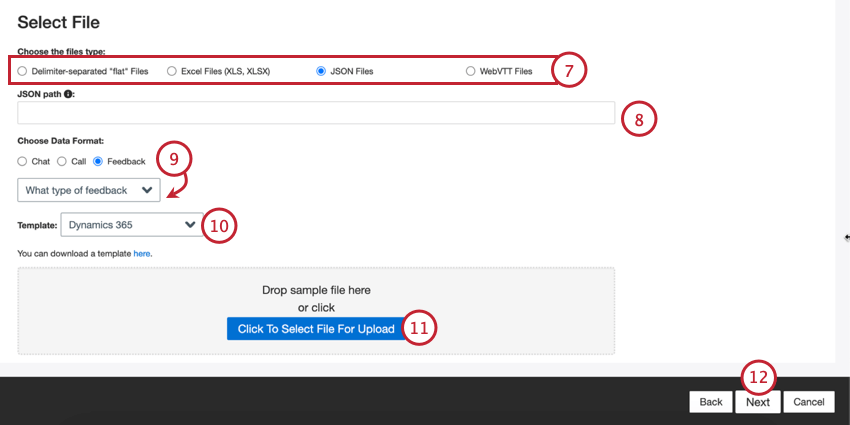
- Delimiter-separated “flat” Files
- Excel Files (XLS, XLSX)
- JSON Files
- WebVTT Files
Depending on your selected file type, fill out the additional file settings:
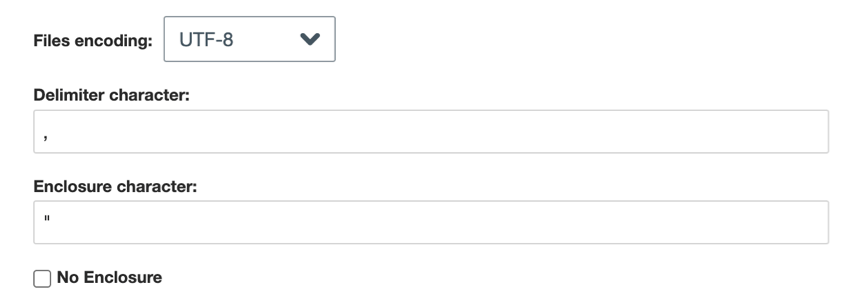
- Delimiter-separated flat Files: For delimiter-separated files, choose the following:
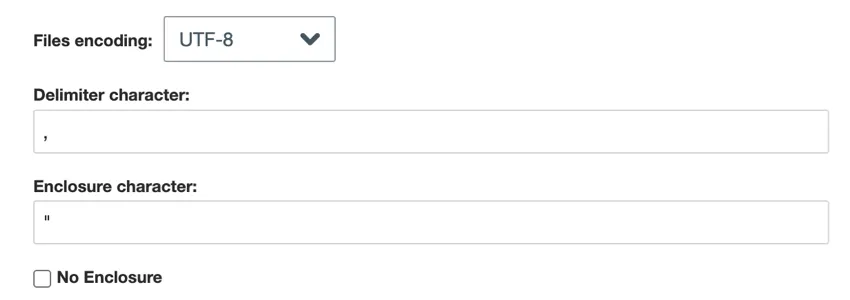
- File encoding: Choose the file’s encoding system (UTF-8, ASCII, etc).
- Delimiter character: Enter the character used to delimit data entries. By default, this is a comma for CSV files.
- Enclosure character: Enter the character that encloses data entry. Leave this field blank if No enclosure is selected.
- No enclosure: Enable this option if your file does not contain enclosure characters.
- JSON: Enter the JSON path that contains the document data you want to upload to XM Discover. Leave this field blank if your documents are at the root level.

- Skip to the next step for Excel and WebVTT files.

Choose the type of data you want to import:
- Chat: Digital interactions with multiple lines of dialogue between 2 or more participants.
- Call: Call transcripts with multiple lines of dialogue between 2 or more participants.
- Feedback: Documents presented as single-row, or “flat” objects. Qtip: If you selected “feedback,” then a second menu will appear for you to choose the type of interaction data included in the feedback. Your options include call, chat, email, review, social, and survey.

Qtip: Depending on your file type, some data types are not compatible. For example, WebVTT files can only be used to upload call transcripts.
If needed, you can select a Template file to download. Click the here link to download your selected template. Use this file to add the data you want to import into XM Discover. See the XM Discover Data Formats support page for specific formatting information on each file and data type.
Click the Click Here to Select File For Upload button and choose your file on your computer. Your data will appear as a preview at the bottom of the page.
Qtip: See Sample File Errors if you need help troubleshooting your upload file.
Click Next.
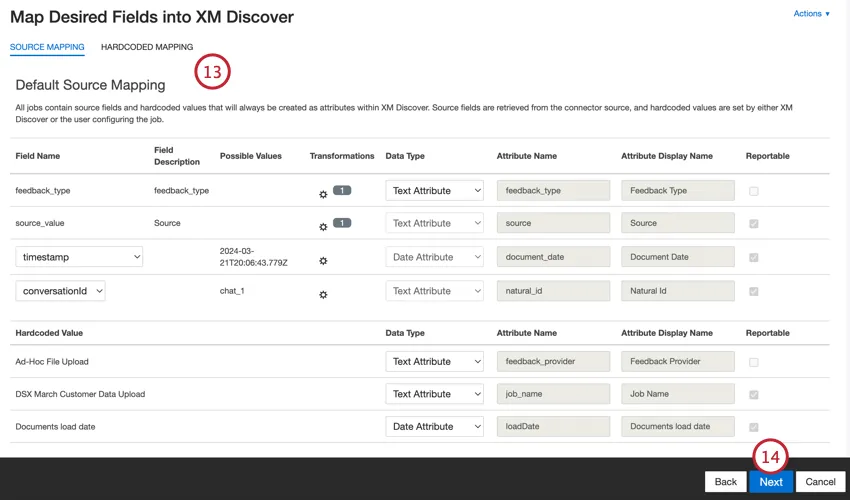
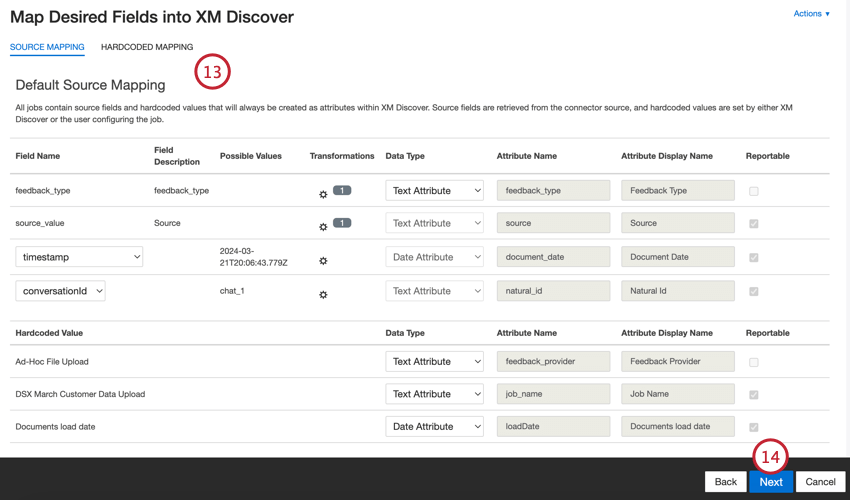
If needed, adjust your data mappings. See the Data Mapping support page for detailed information on mapping fields in XM Discover. The Default Data Mapping section has information on the fields specific to this connector and the Conversational Fields section covers how to map data for conversational data.
Click Next.
If desired, you can add data substitution and redaction rules to hide sensitive data or automatically replace certain words and phrases in customer feedback and interactions. See the Data Substitution and Redaction support page for more information.
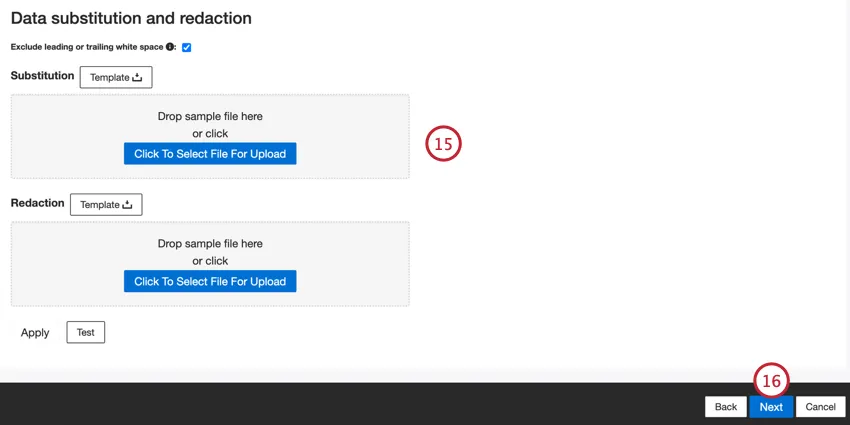
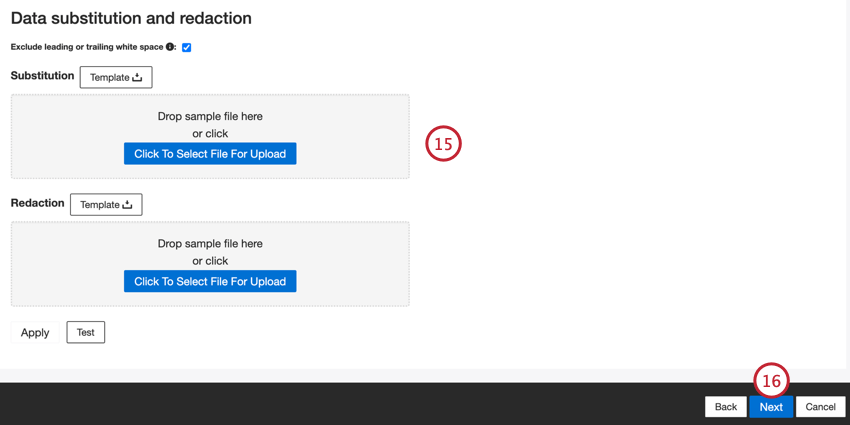
Click Next.
If desired, you can add a connector filter to filter the incoming data to limit what data is imported.
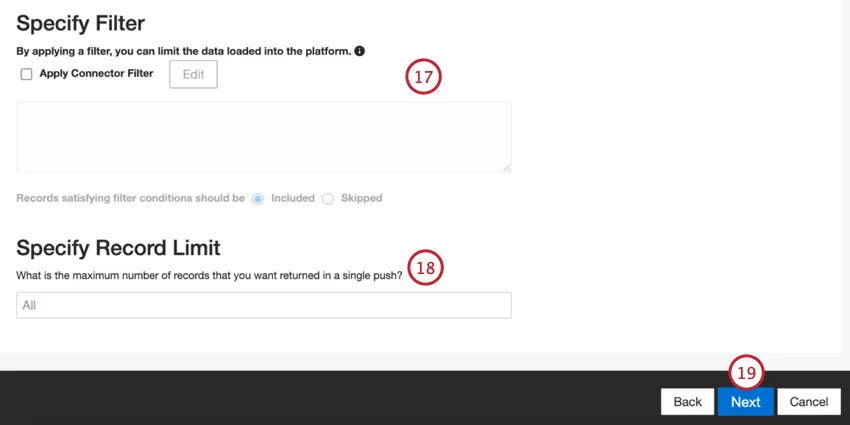
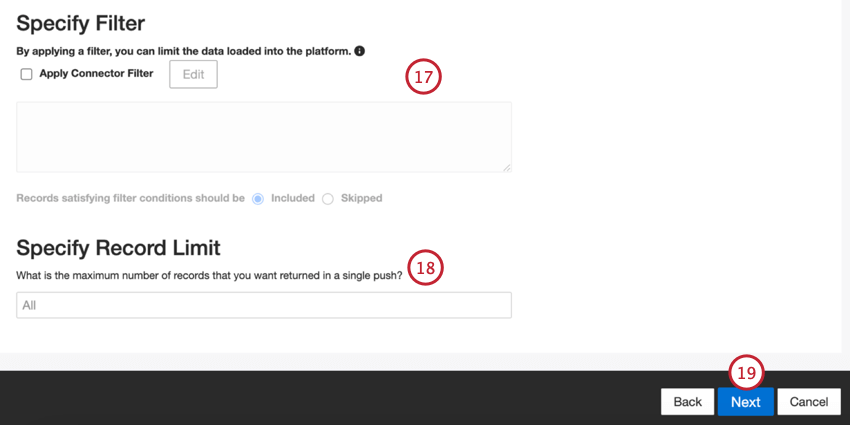
You can also limit the number of records imported in a single job by entering a number in the Specify Record Limit box. Enter “All” if you would like to import all records.
Qtip: For conversational data, the limit is applied based on conversations rather than rows.
Click Next.
Choose when you’d like to be notified. See Job Notifications for more information.
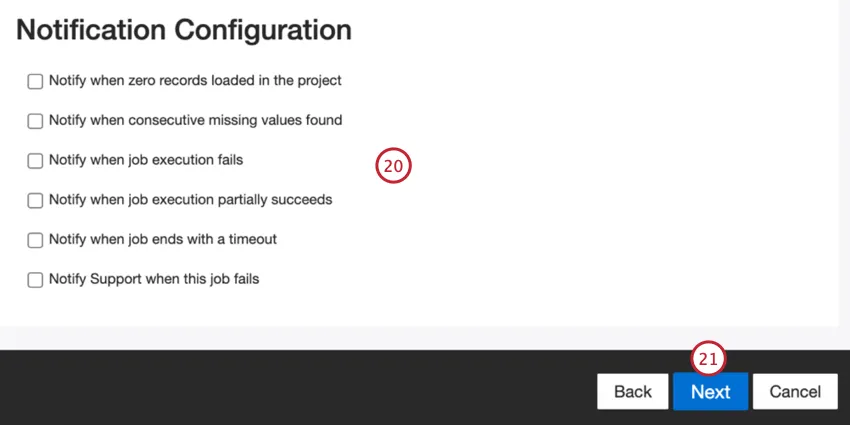
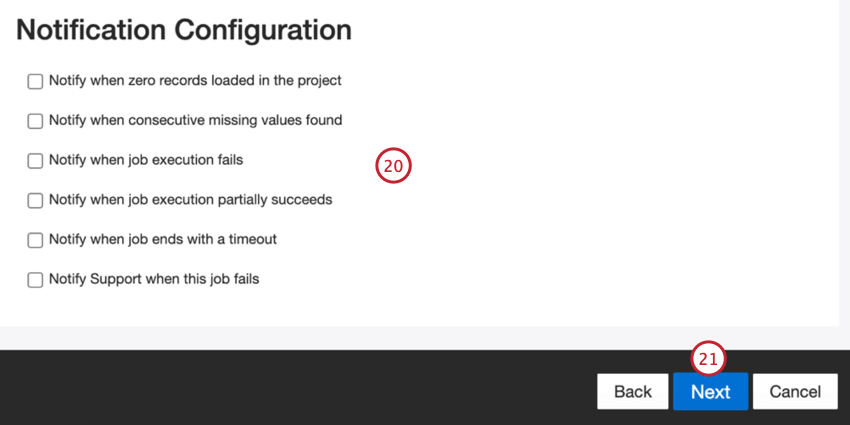
Click Next.
Choose how duplicate documents are handled. See Duplicate Handling for more information.
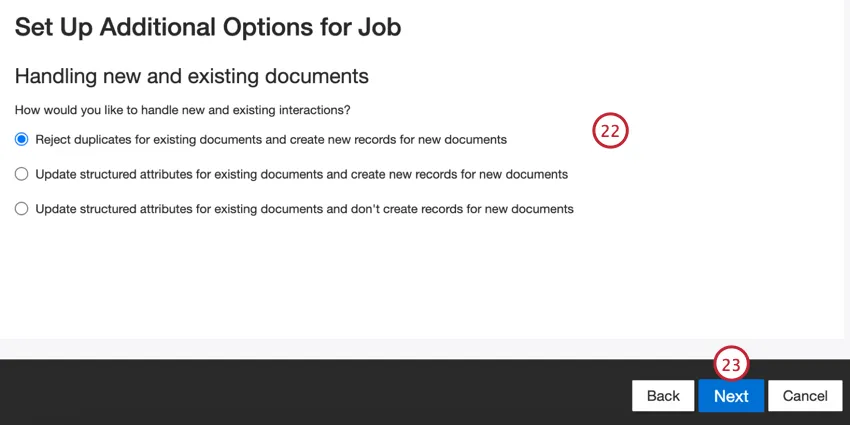
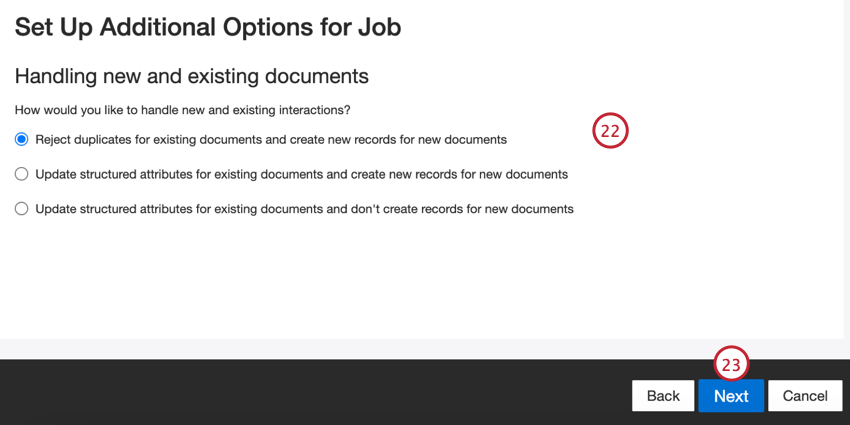
Click Next.
Review your setup. If you need to change a specific setting, click the Edit button to be brought to that step in the connector setup.
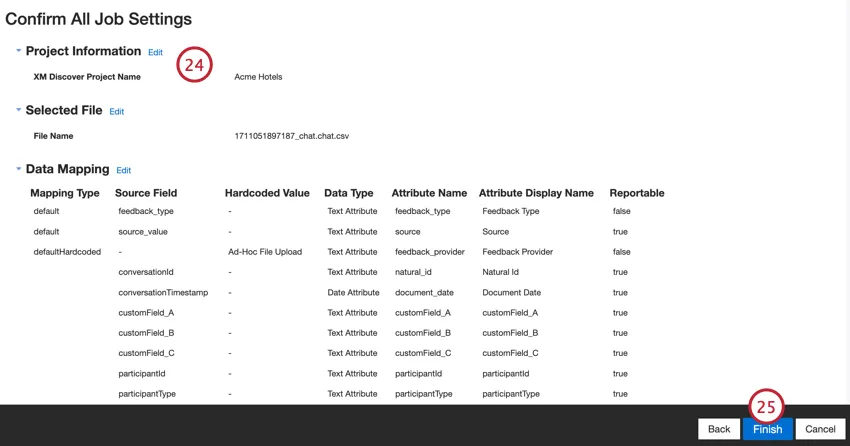
Click Finish to save the job.
Default Data Mapping
This section contains information on the default fields for ad hoc file upload inbound jobs.
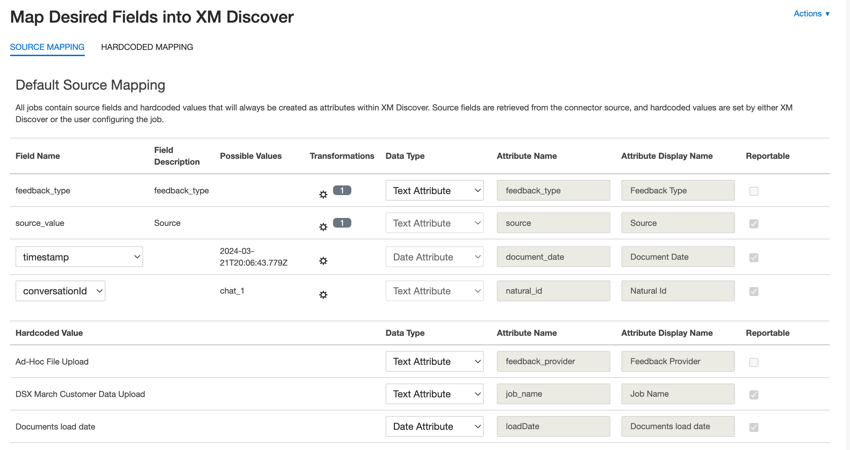
- feedback_type: Identifies data based on its type. This is useful for reporting when your project contains different types of data (for example, surveys and social media feedback). By default, this attribute’s value is set to “call” for call transcripts, “chat” for digital interactions or “feedback” for individual feedback. Use custom transformations to set a custom value, define an expression, or map it to another field.
- source_value: Identifies data obtained from a specific source. This can be anything that describes the origin of data, such as the name of a survey or a mobile marketing campaign. By default, this attribute’s value is set to “Ad-Hoc File Upload.” Use custom transformations to set a custom value, define an expression, or map it to another field.
- document_date: The primary date field associated with a document. This date is used in XM Discover reports, trends, alerts, and so on. You can use any date field in your dataset for the document date. You can also set a specific document date.
- natural_id: A unique identifier of a document. It is highly recommended to have a unique ID for each document to process duplicates correctly. For Natural ID, you can select any text or numeric field from your data. Alternatively, you can automatically generate IDs by adding a custom field.
- feedback_provider: Identifies data obtained from a specific provider. For file uploads, this attribute’s value is set to “Ad-Hoc File Upload” and cannot be changed.
- job_name: Identifies data based on the name of the job used to upload it. You can modify this attribute’s value during the setup via the Job Name field that is displayed at the top of each page during the setup.
- loadDate: Indicates when a document was uploaded into XM Discover. This field is set automatically and cannot be changed.
Qtip: See Mapping Conversational Fields for information on how to map conversational data.
That's great! Thank you for your feedback!
Thank you for your feedback!