

Report Caching (Designer)
What's on this page
About Report Caching
Report caching stores results of frequently run reports so they can be loaded faster. When any user in your project runs a report, its results are cached.
When a user runs a previously cached report, the results are displayed immediately with a timestamp indicating the date or time as of which the report is valid.
Qtip: If you view a sub-report that was cached previously, the latest cached results will be displayed while the report is automatically refreshed in the background. This will also happen when filtering a report.

Enabling Report Caching
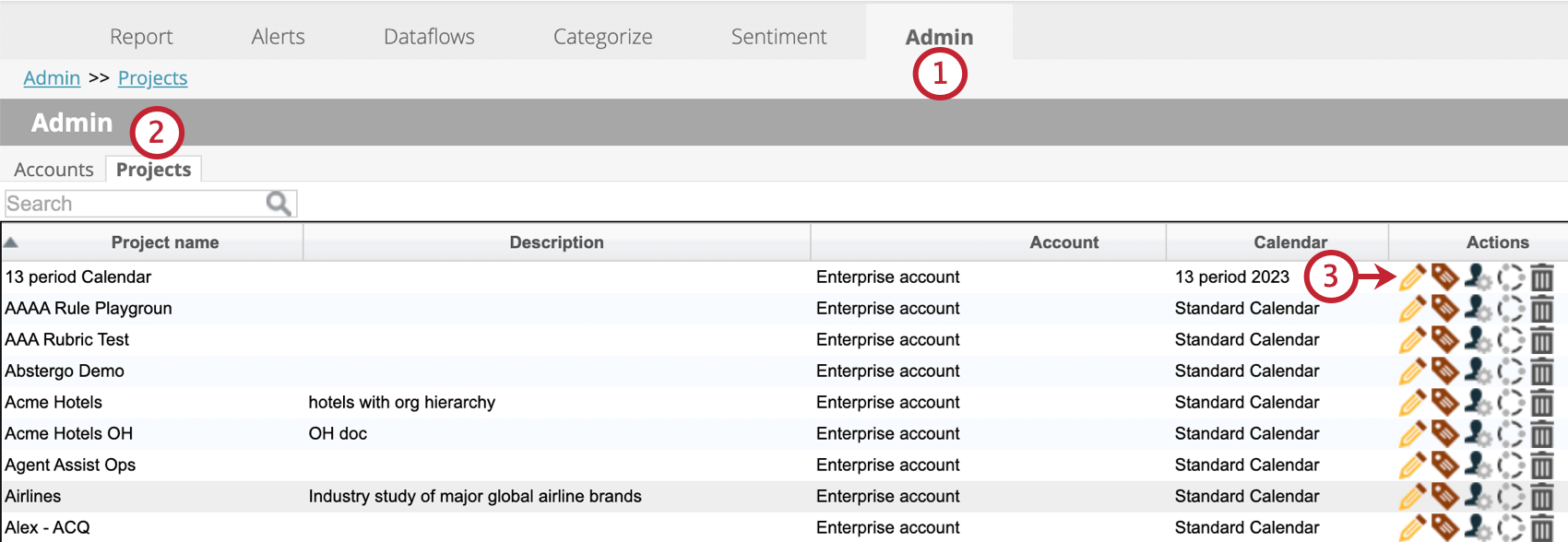
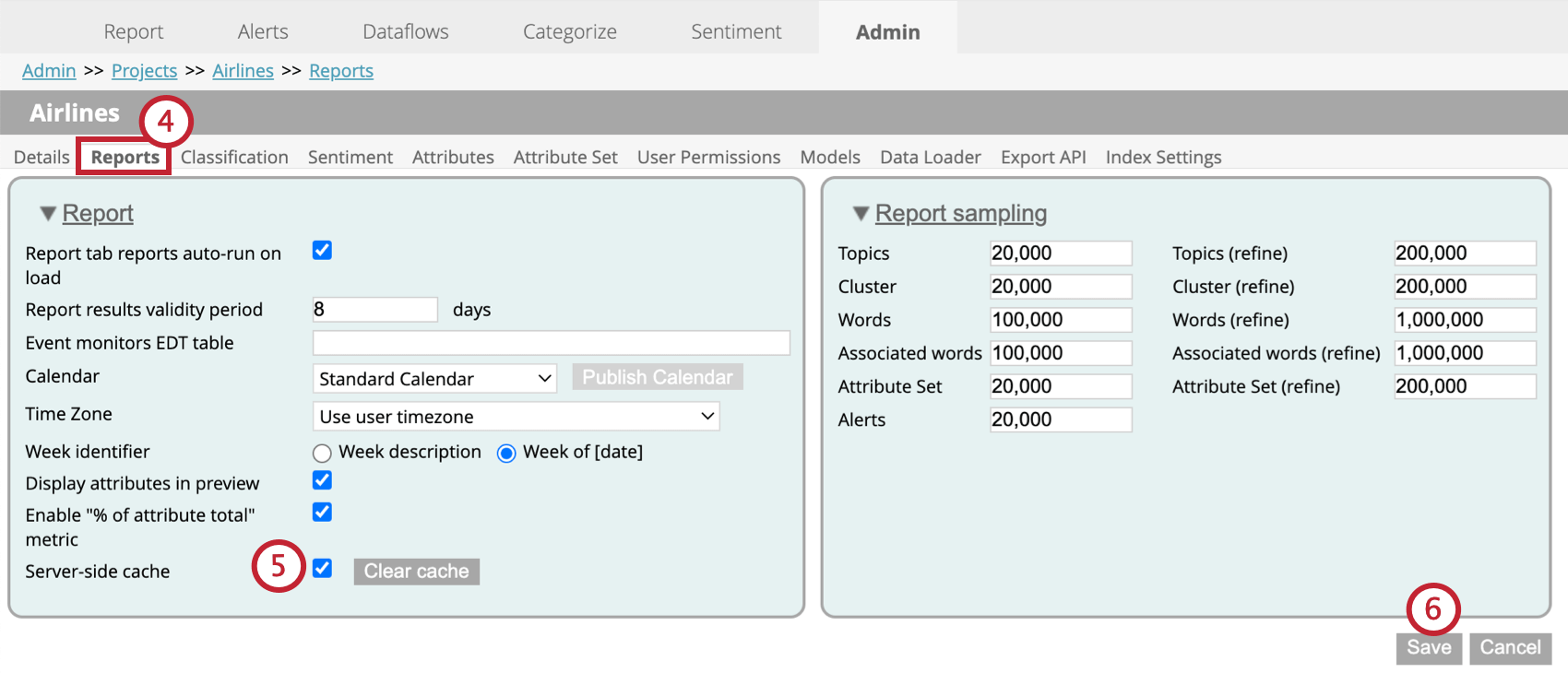
Follow these steps to enable report caching for your project.
Clearing the Cache
Clicking the Clear cache button next to the Server-side cache setting will clear the project cache. This removes any previously cached report results. Reports will have to be rerun to view current results.
Cache Validity Status
Cached results will have 1 of the following statuses:
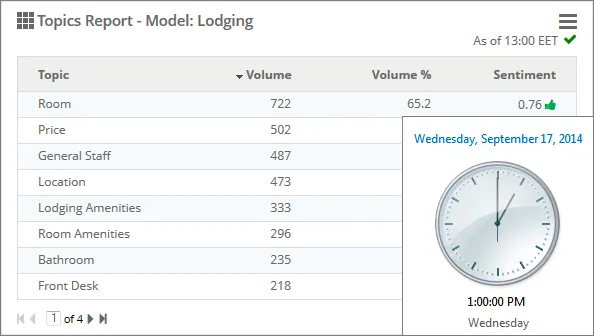
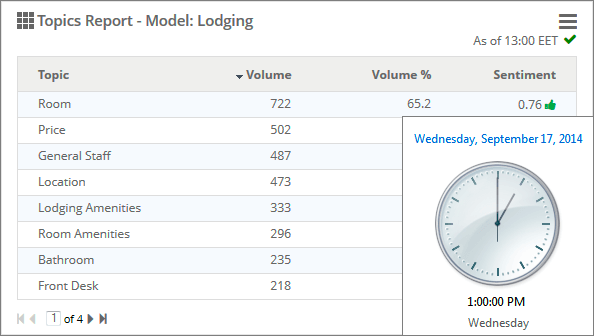
- Current: The cached results are also the latest results. The report validity timestamp displays the time the report was requested with a green checkmark. Example: A user requested a report at 1:00 PM on September 17, and the report is shown from a current cache.

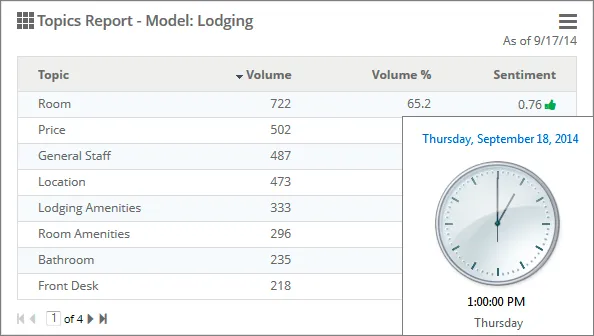
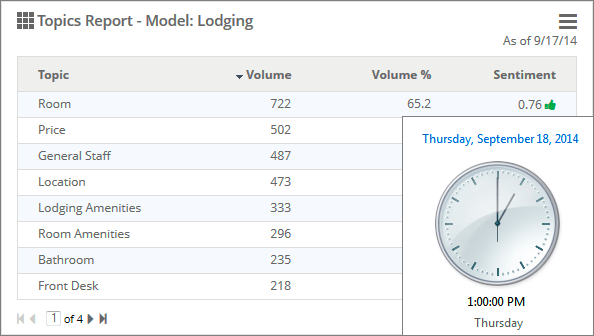
- Expired: Cached results are expired, but can still be used. The report validity timestamp displays the date or time of the earliest event that caused the cache to expire. See Cache Expiration. Example: A user requested a report at 1:00 PM on September 18, and the report is shown from a cache that expired on September 17.
- Invalid: The cached results can no longer be used. See Cache Invalidation.
Cache Expiration
Expired cache results can still be used to display reports until newer results become available. Viewing expired results can be useful for reports where there is constantly new data being added.
Cached results will expire in the following cases:
- When new data is loaded into the project.
- When sentiment is recalculated.
- When related classification models are modified.
Cache Invalidation
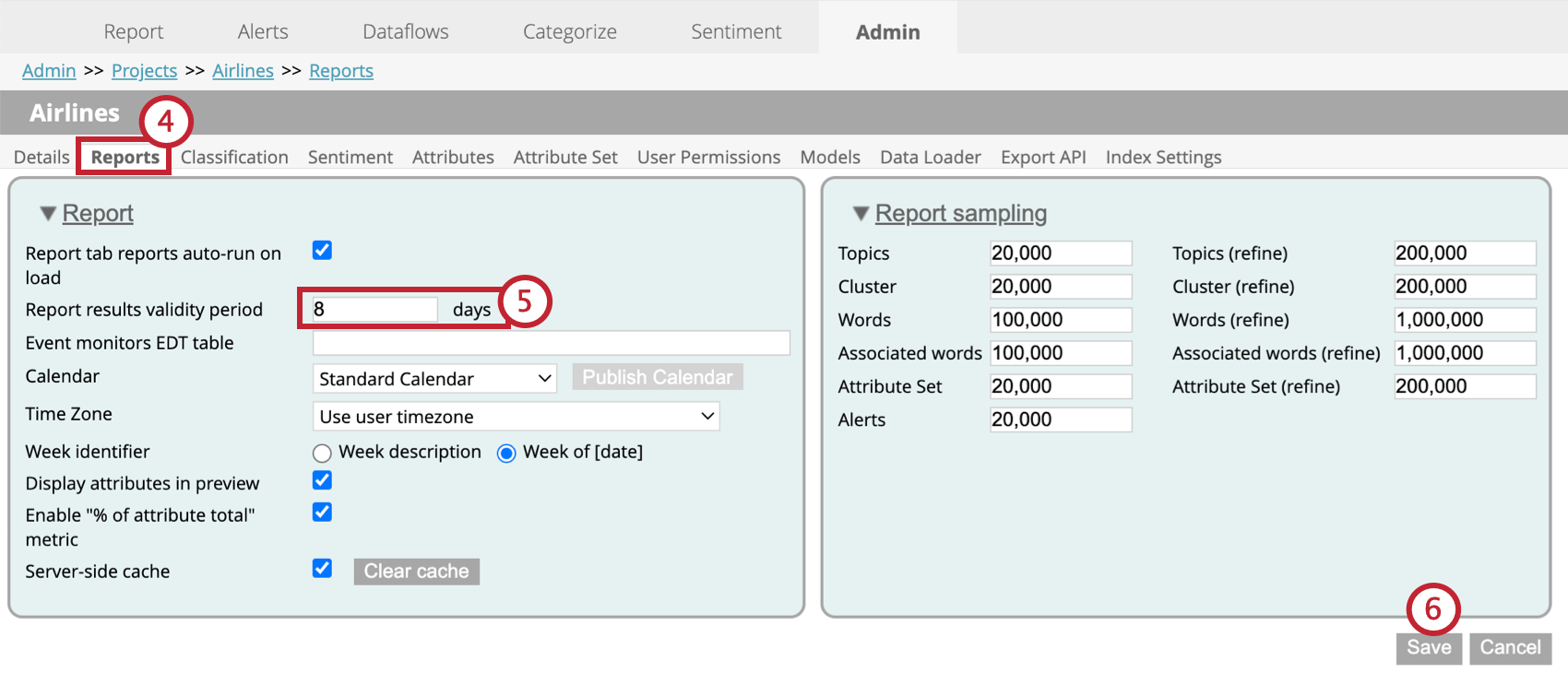
Invalid cache results can not be used in reports. To determine when cache results become invalid, you can define a validity period. After this time period cache results can no longer be used.
When a report’s cache results become older than the validity period, this report will be rerun.
To set a report results validity period, follow these steps:
Refreshing Reports
Refreshing reports allows expired reports to be rerun in the background, while still being able to view the latest cached results.
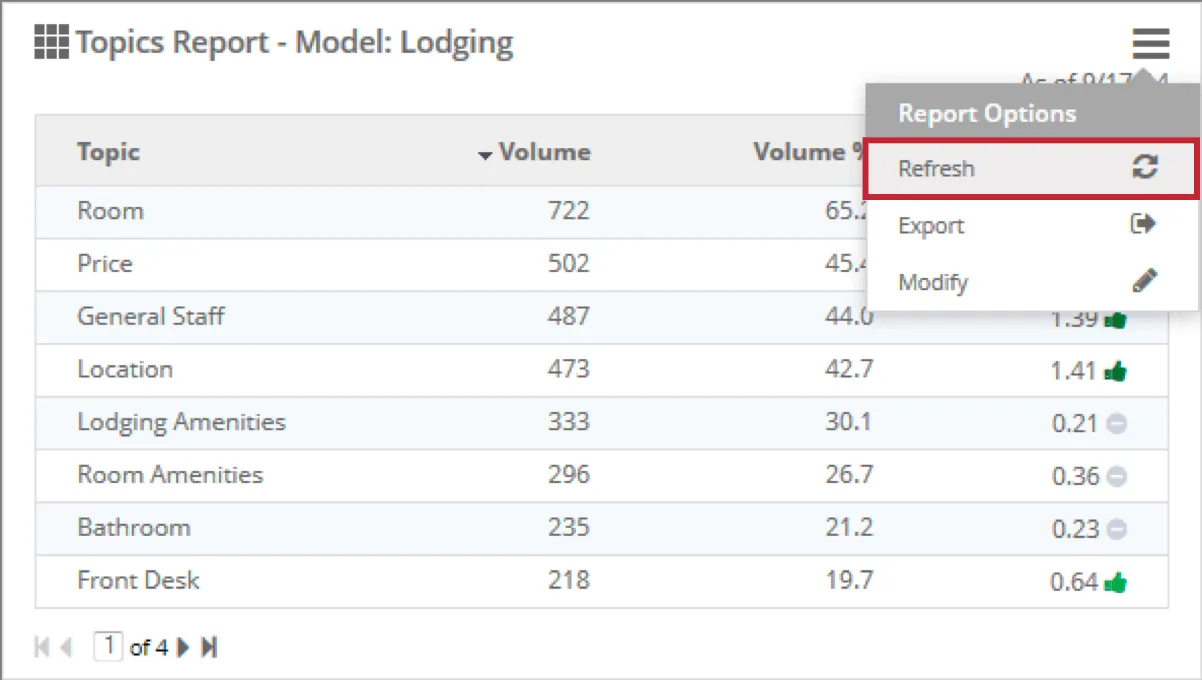
Whenever you want to refresh your report, you can open report options and click Refresh.
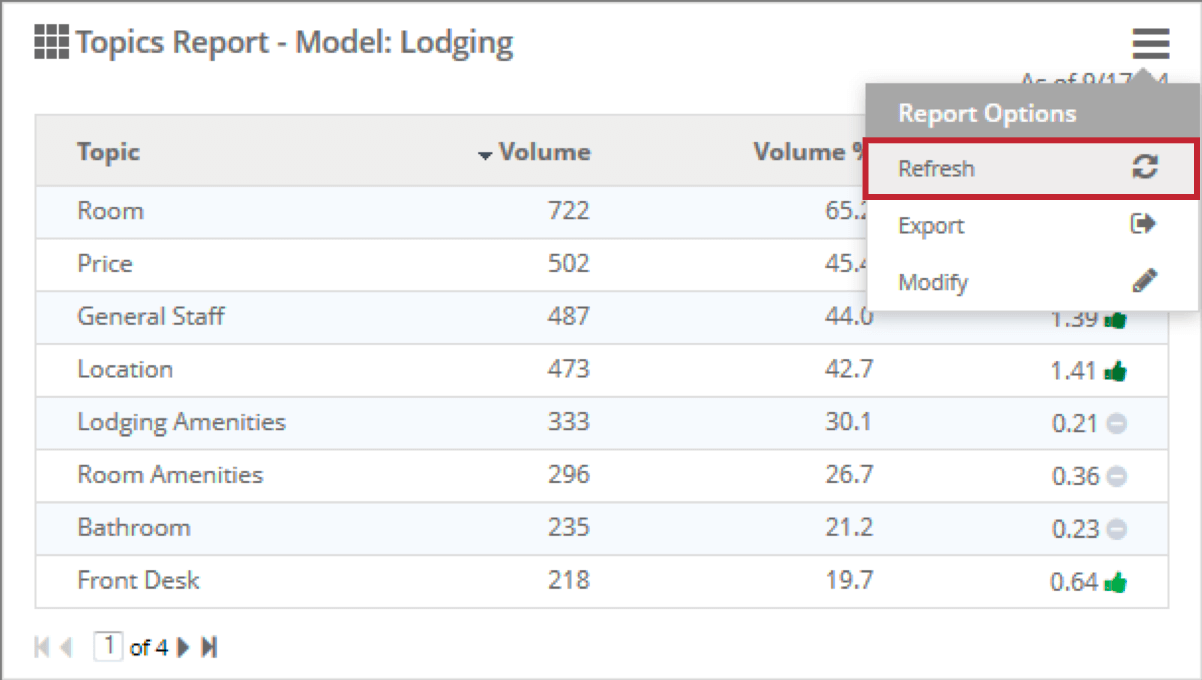
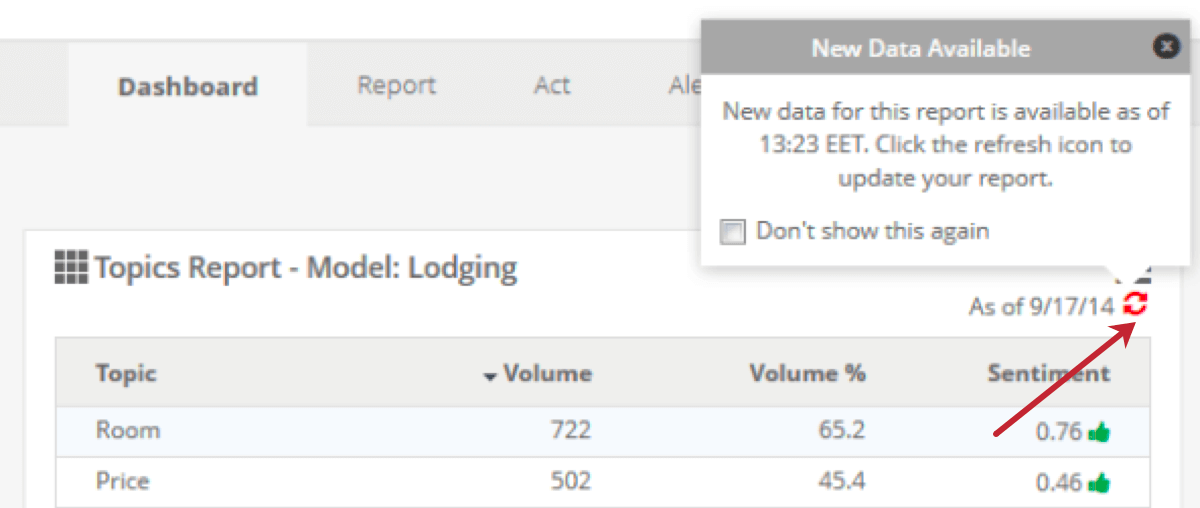
The report will rerun in the background. When the new data is ready, you will see a refresh icon. Click this to update the report.
That's great! Thank you for your feedback!
Thank you for your feedback!