

Retake Survey Link (360)
What's on this page
About the Retake Survey Link
Retake survey links allow you or your participant to go back into a 360 survey response and edit it after it has been submitted. This is useful if a respondent mistakenly answered a question or if the participant’s incomplete response was closed because of inactivity but they would like to finish the survey.
Qtip: Although you can issue retake survey links for any recorded response, responses in progress must be closed and moved to recorded responses first.

When participants enter the retake link, they’ll see the answers they chose the last time they worked on the survey. When they finish, the new response will completely replace the original response in the dataset.
Retaking the Survey from the Participant Portal
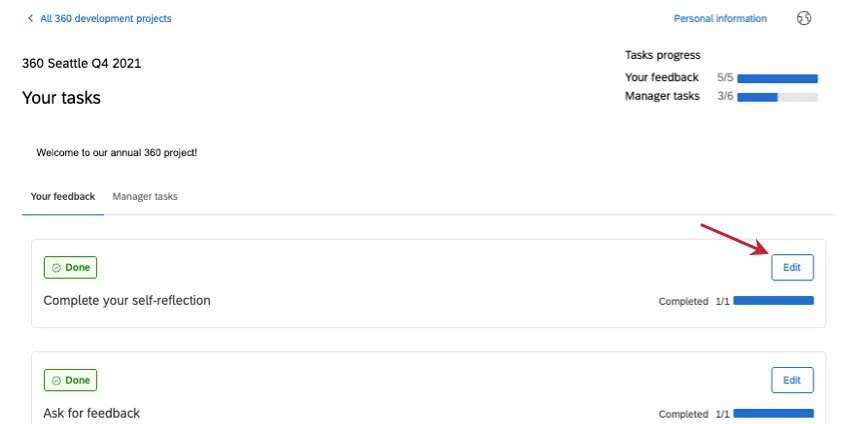
When a subject or evaluator logs into their portal, they can retake 360 surveys. Find the completed evaluation and click Edit.
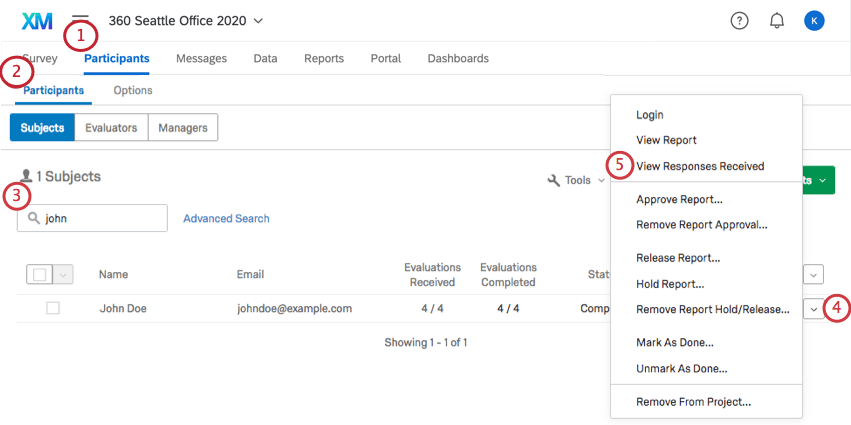
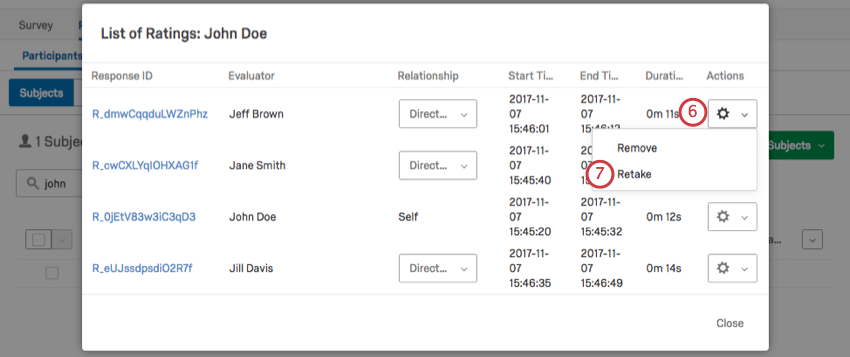
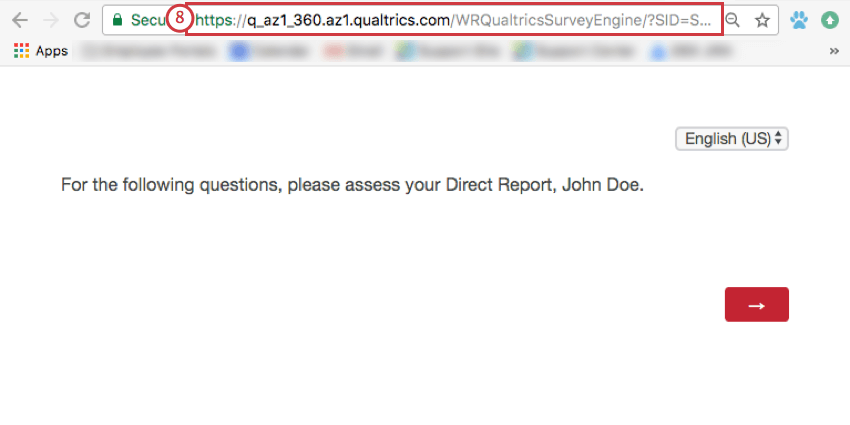
Generating a Retake Link in the Participants Tab
When you generate a retake link in the Participants tab, it is up to you to send this link to the participant.
Qtip: If a participant is having a hard time figuring out their portal, or if they are an external evaluator, it is best practice to generate your retake links in the Participants tab, since you can easily identify which subject and evaluator the link is for.
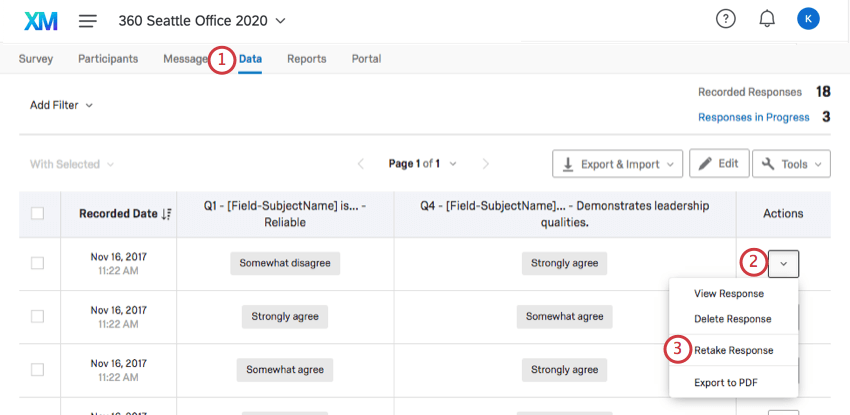
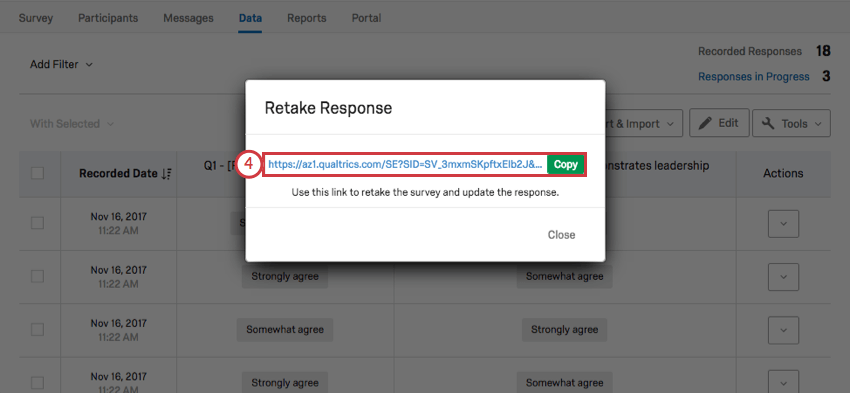
Generating a Retake Link in the Data Tab
When you generate a retake link in the Data tab, it is up to you to send this link to the evaluator. The Data tab does not display subject or evaluator’s name or email on the response, so unless you use knowledge of the answers or unique metadata to find the right response, it is better to generate a retake link from the Participants tab.
FAQs
I need to retake my 360 evaluation. How can I do that?
I need to retake my 360 evaluation. How can I do that?
That's great! Thank you for your feedback!
Thank you for your feedback!