

Jira Event
What's on this page
About Jira Events
Jira events allow you to begin a workflow in Qualtrics based on changes to Jira issues. For example, you could build a Jira event that distributes a survey whenever a Jira issue has closed.
Qtip: The Jira integration only works with cloud-based implementations of Jira, and will not work with on-premises deployments.

Qtip: If you have questions about Jira-specific fields and functionalities, please visit the Atlassian community.
Connecting Jira Credentials to Qualtrics
Before you let users on the brand use the Jira event, you can specify a Jira account that can be used brand-wide. See Connecting Jira Credentials to Qualtrics for more information.
Qtip: Your Qualtrics account needs the "Access API" user permission enabled to use the Jira event.
Setting Up a Jira Event
Attention: Setting up a Jira event will require working with your Jira administrator to configure a webhook that links Qualtrics with Jira. Any changes made to the event will require the Jira administrator to update the webhook with the same changes.

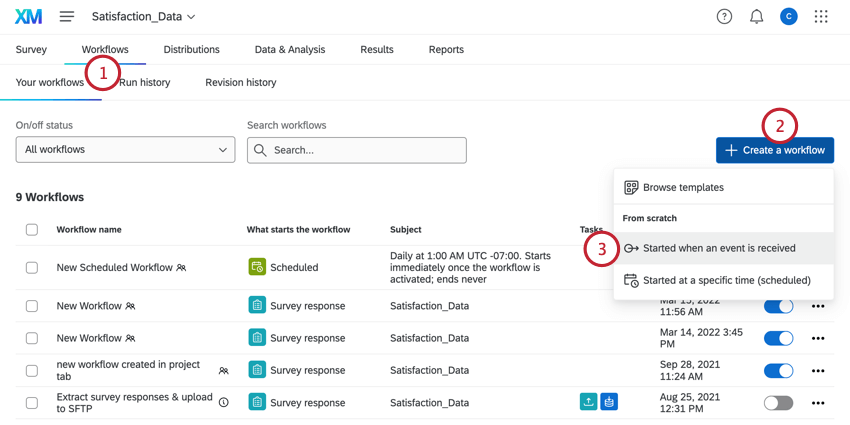
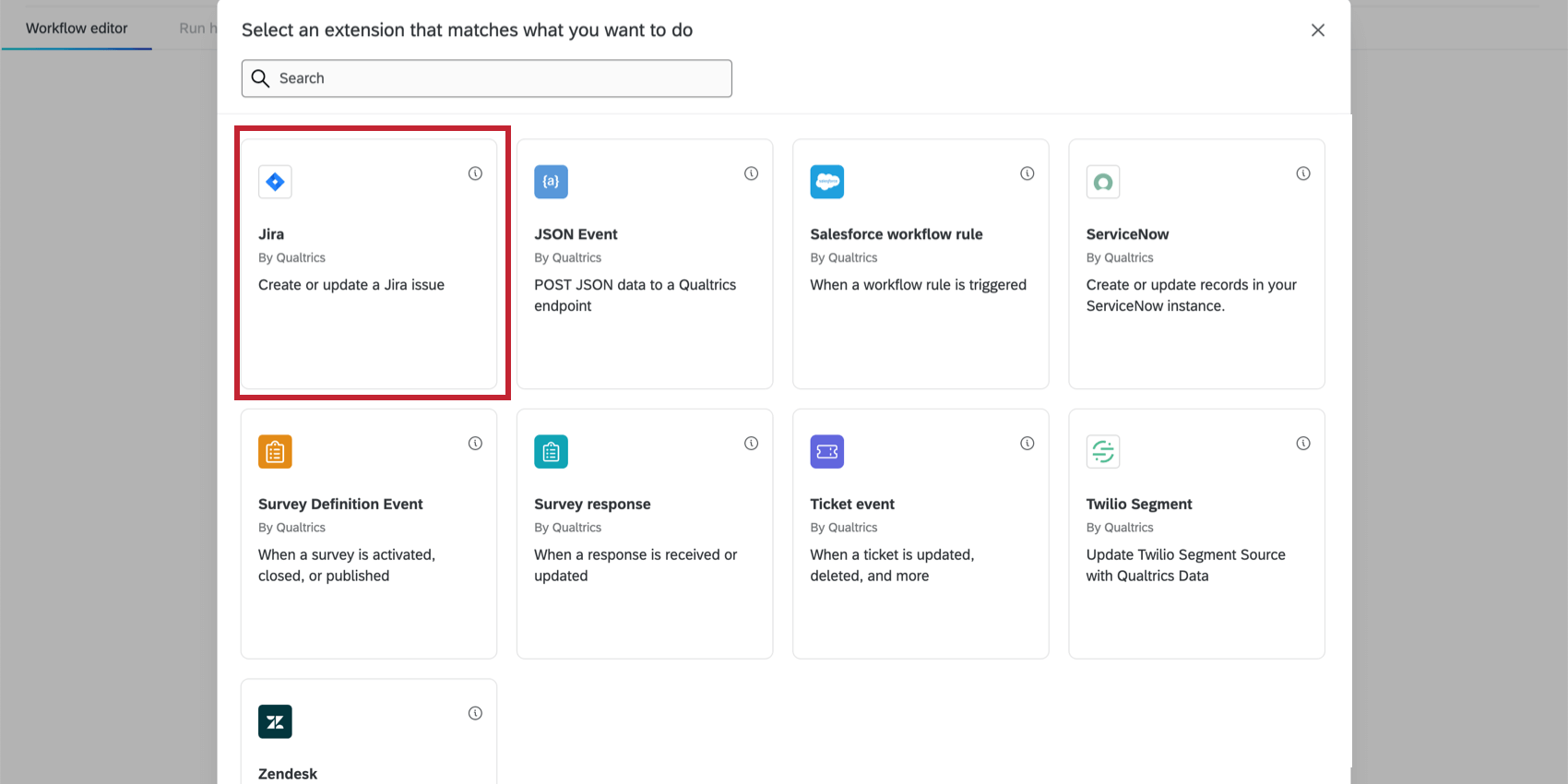
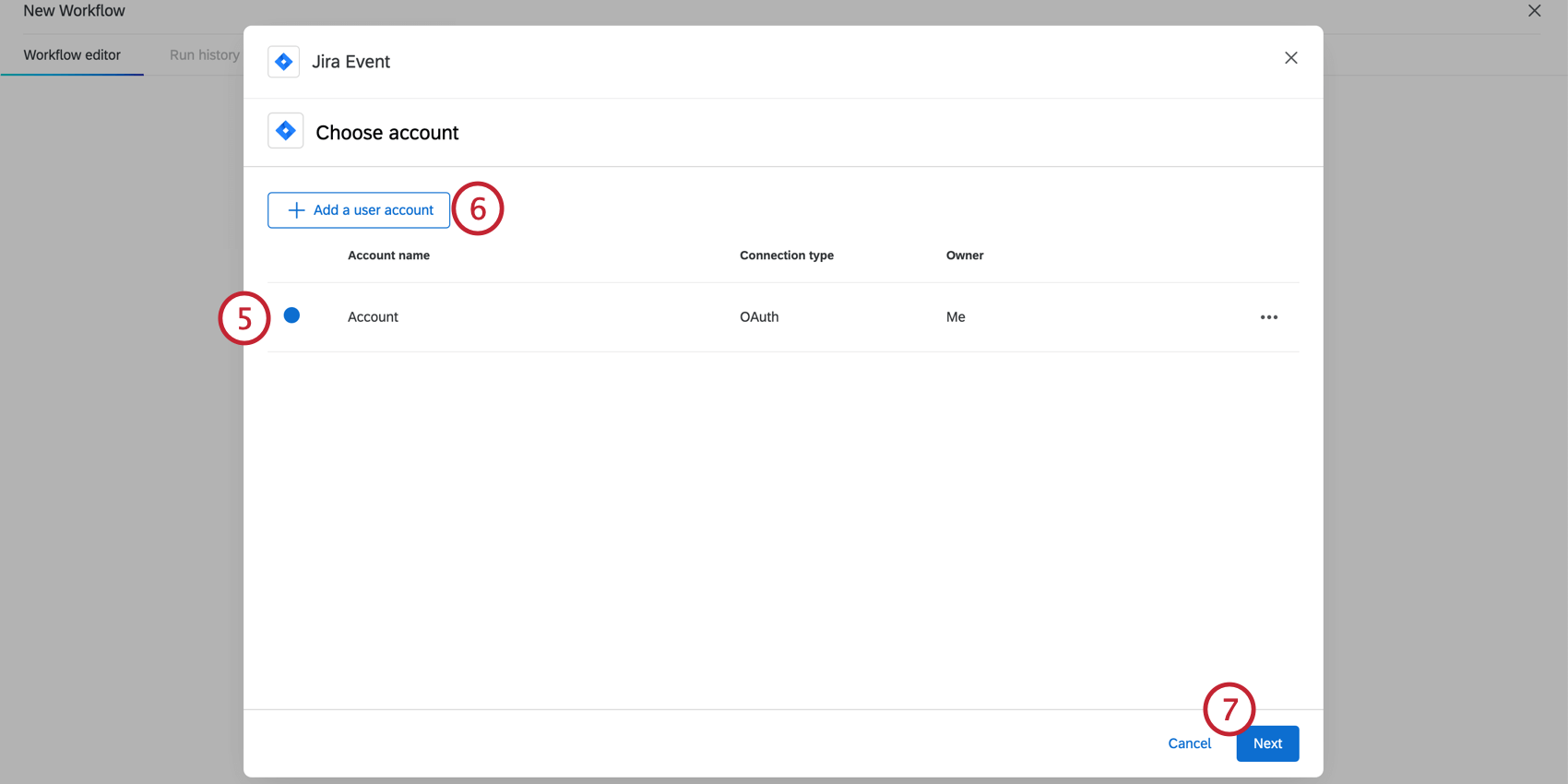
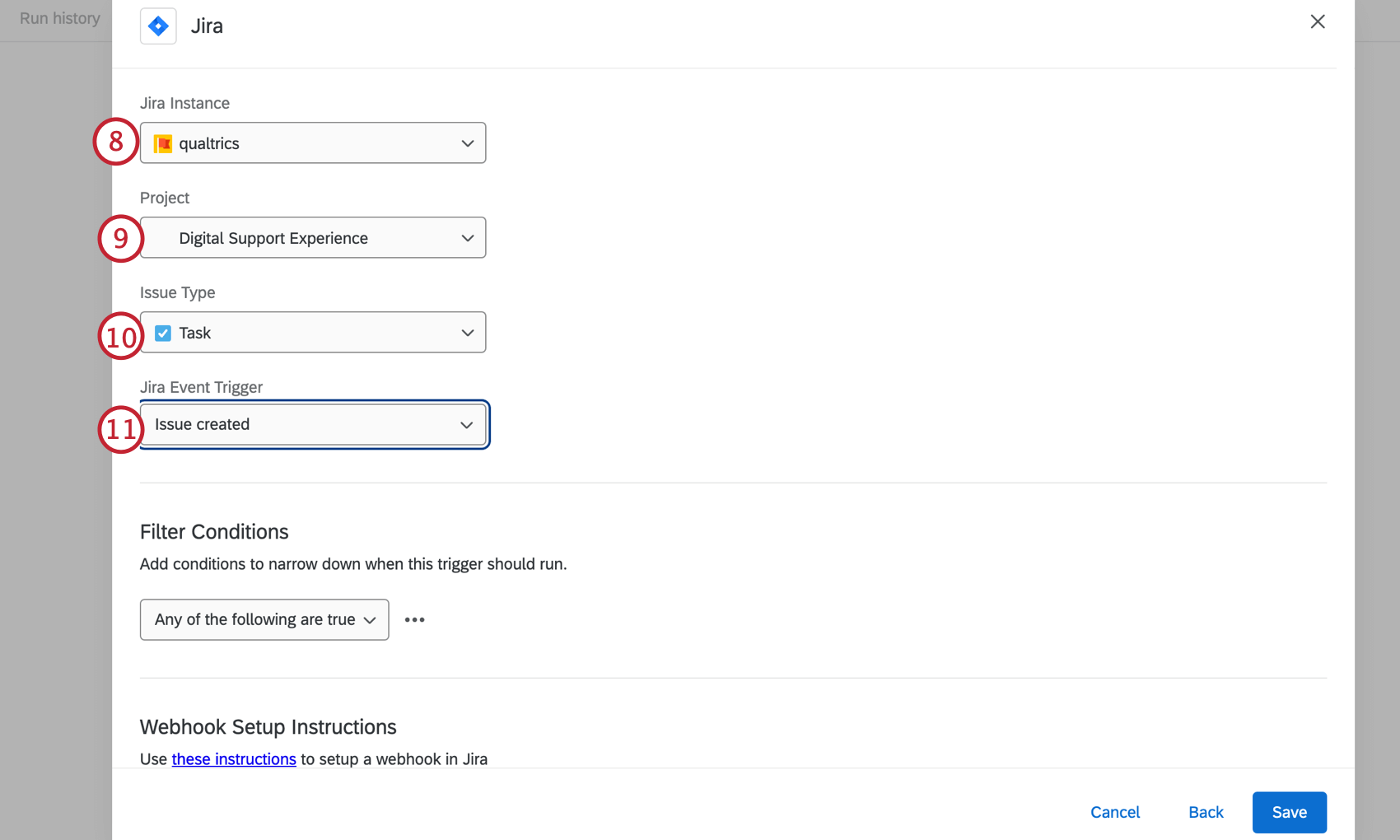
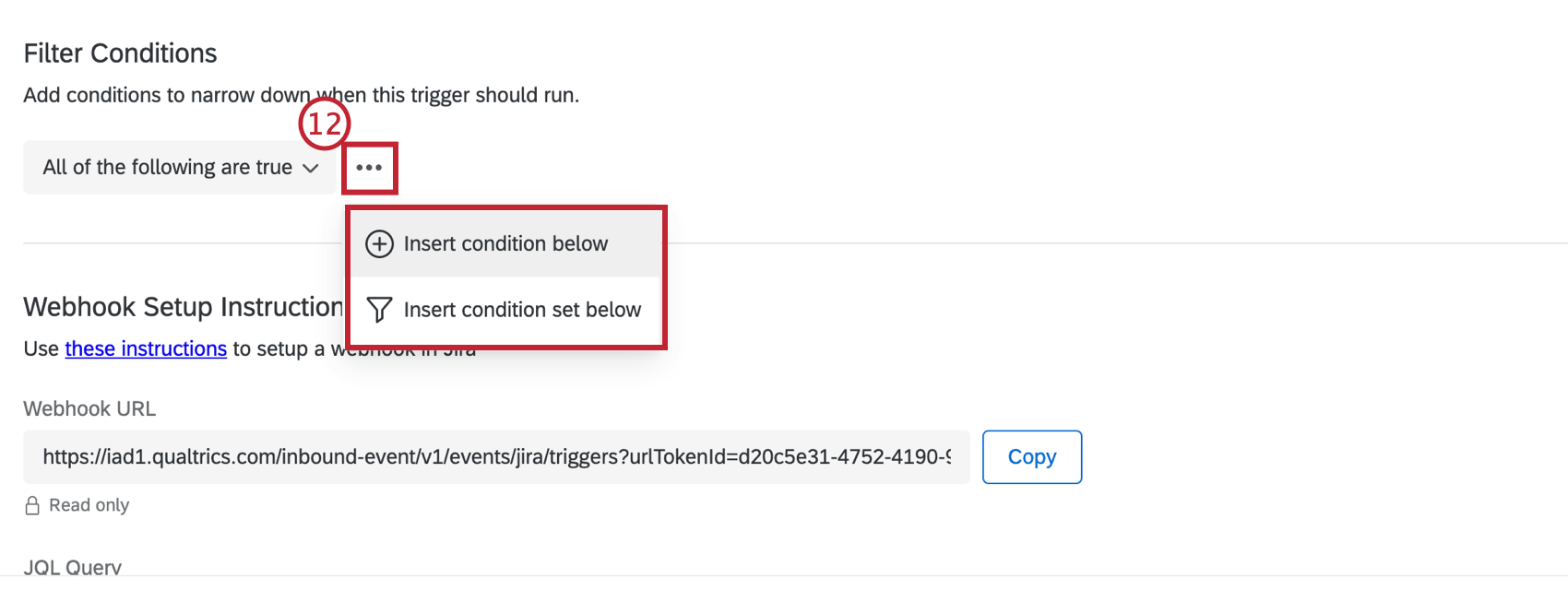
Qtip: We recommend using filters to narrow event parameters and avoid triggering unnecessary workflows.
Qtip: These conditions are evaluated before the event triggers. For general information on formatting condition logic, see Creating Conditions. Note that you can still add conditions later in your workflow to determine when your task fires.
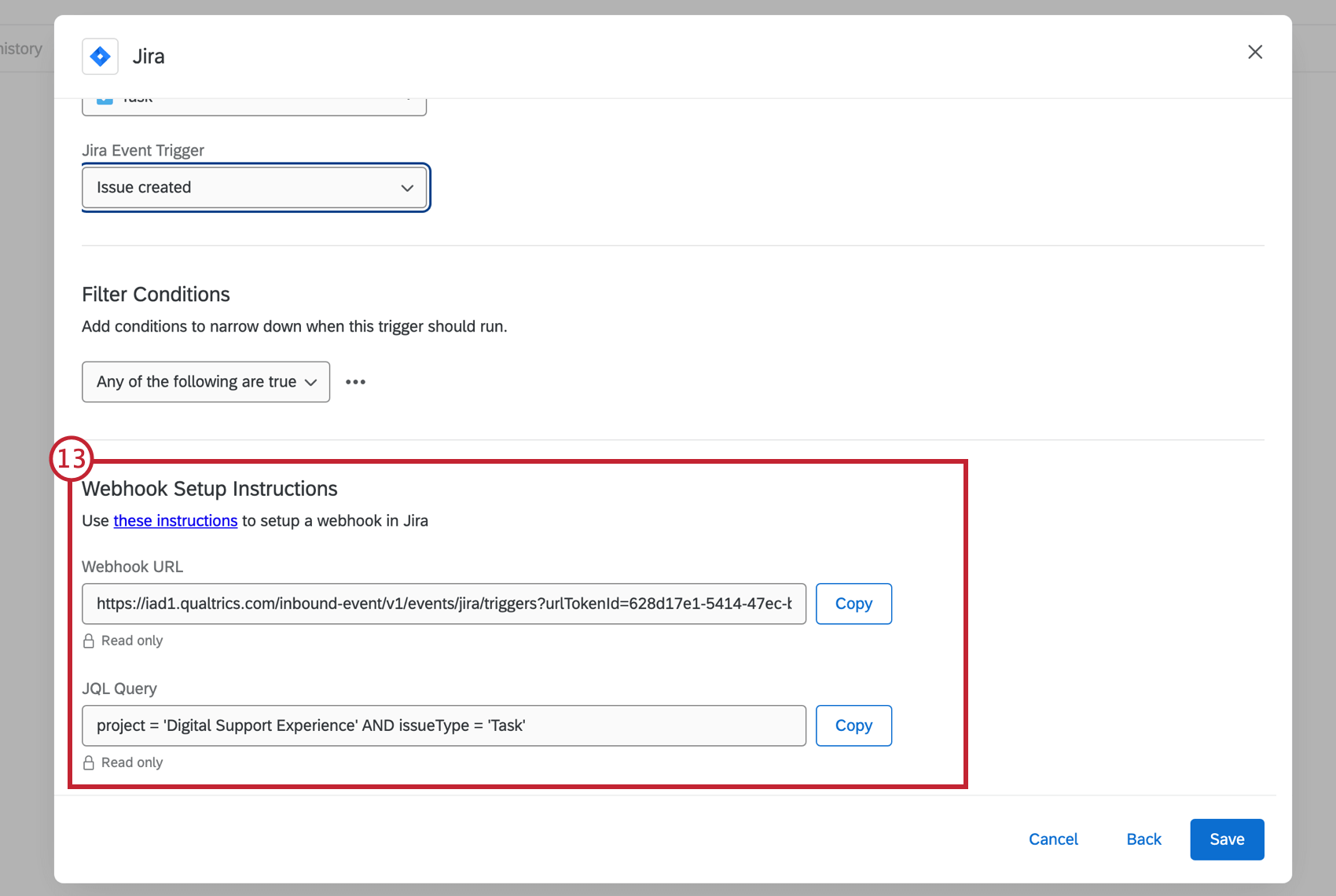
JIRA ADMINISTRATOR CONFIGURATION STEPS
Your Jira administrator must complete the following steps in order for the event to trigger. In the meantime, you can Save and exit your workflow as no further action in Qualtrics is required.
Qtip: Replace <ATLASSIAN_INSTANCE> with your atlassian instance name.
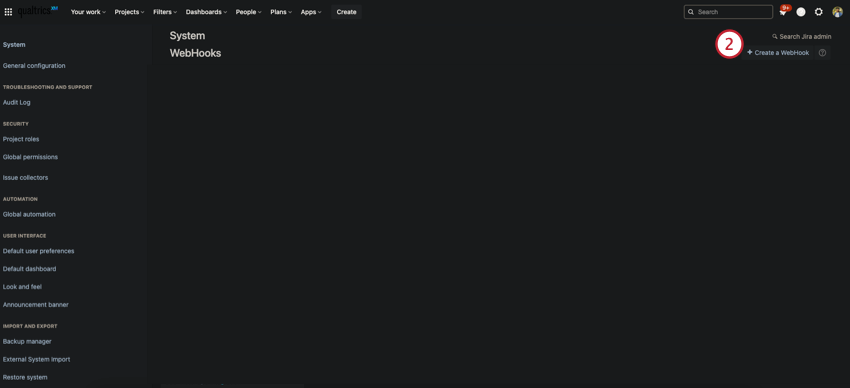
Qtip: What you see in the screenshots may differ from your Jira account since dark mode is enabled.
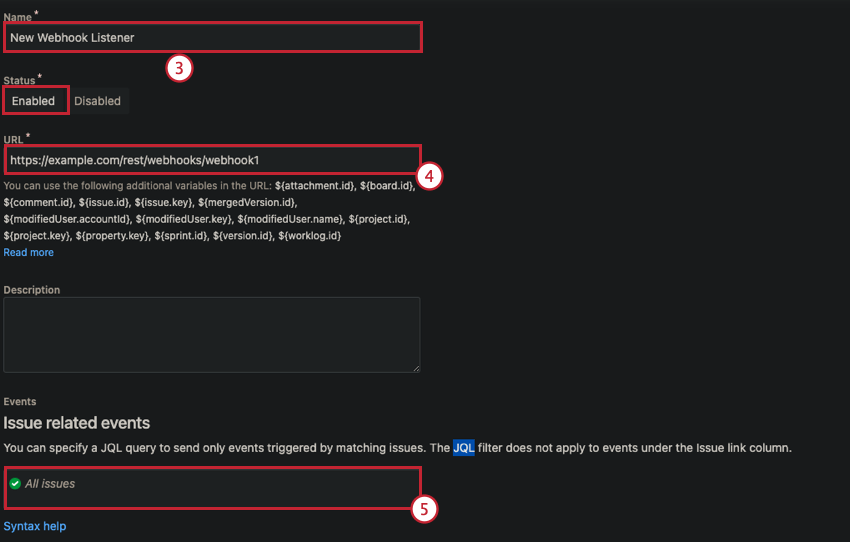
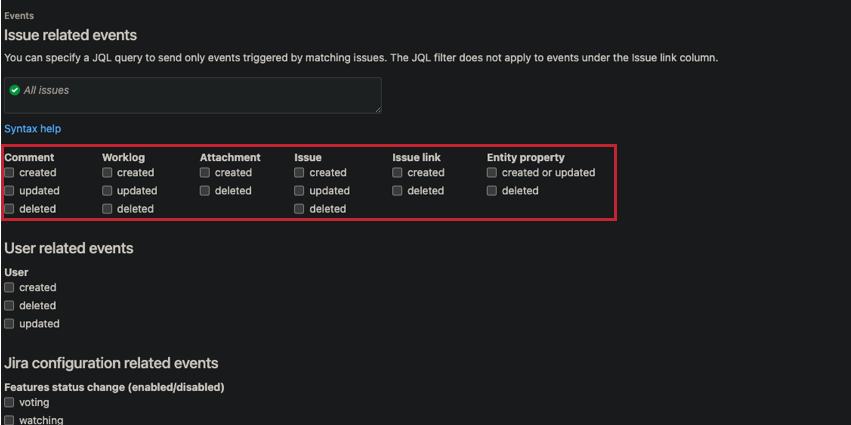
Qtip: Only check the item that was selected in the Jira Event trigger dropdown menu in the Qualtrics Jira Event. Any events outside of these may not map the correct fields.
That's great! Thank you for your feedback!
Thank you for your feedback!