

Get Survey Definition Task
What's on this page
About the Get Survey Definition Task
The Get Survey Definition task allows you to retrieve the survey definition from any survey. This makes the full survey structure and content, including questions and embedded data fields, available for use in later tasks in the workflow. For example, you can set up a custom response report using content from the survey definition.
Qtip: This task only returns information about the design of the survey and does not include details about how respondents answered the questions in your survey.

Qtip: This task works with both surveys and EX projects.
Attention: This task uses the Get Survey API endpoint and will count towards your brand’s API request limits.

Creating a Get Survey Definition Task
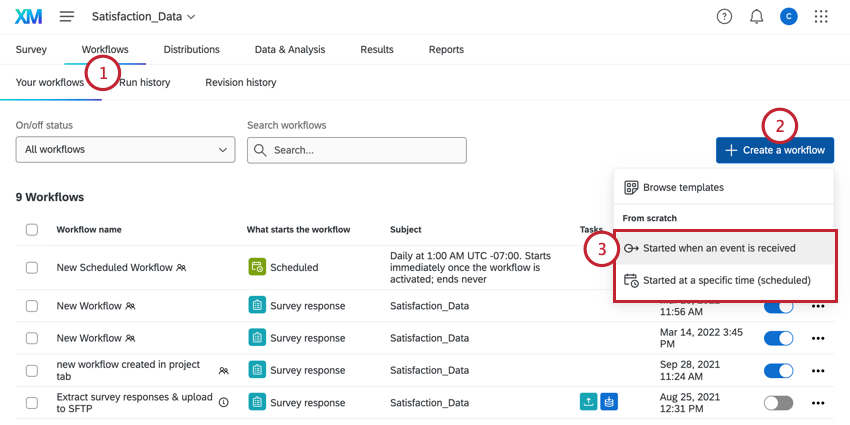
Qtip: The survey response creation event is the most common.

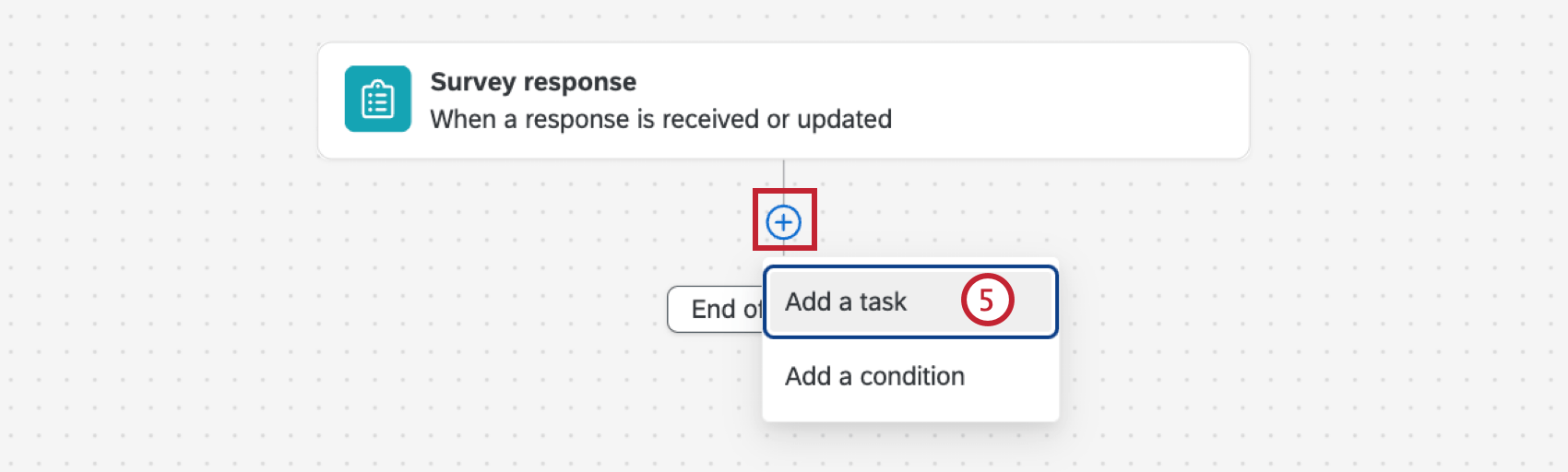
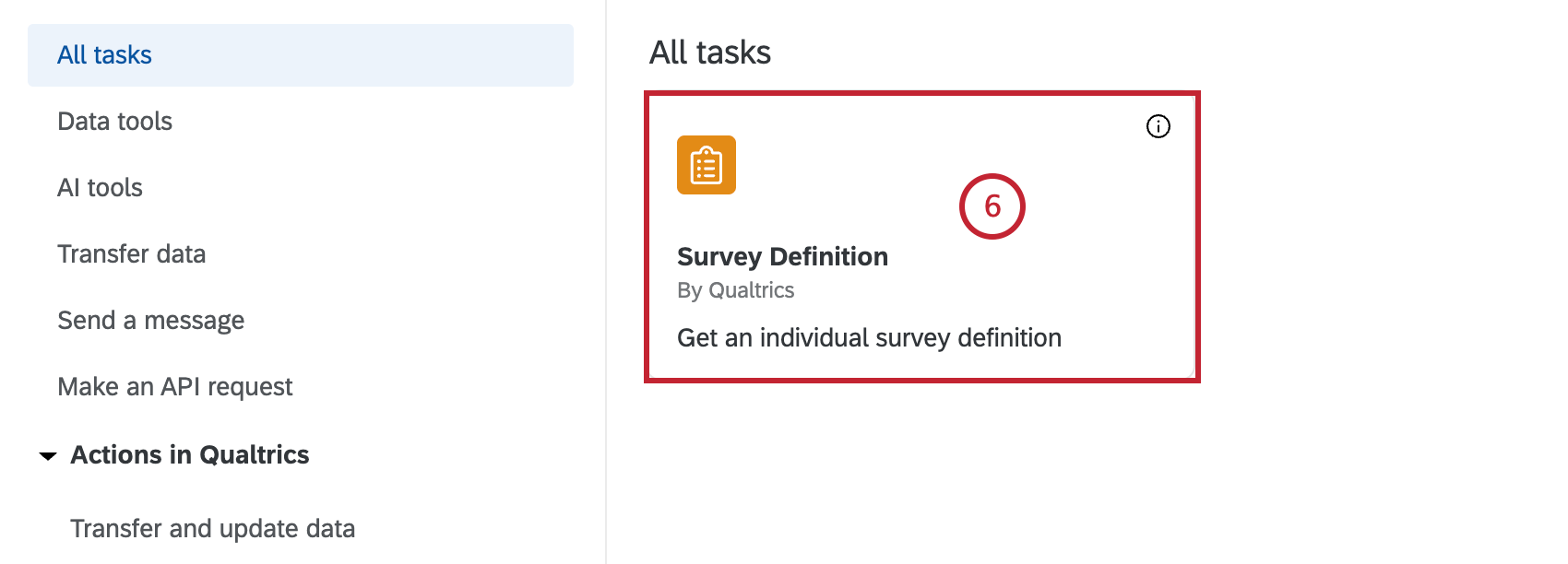
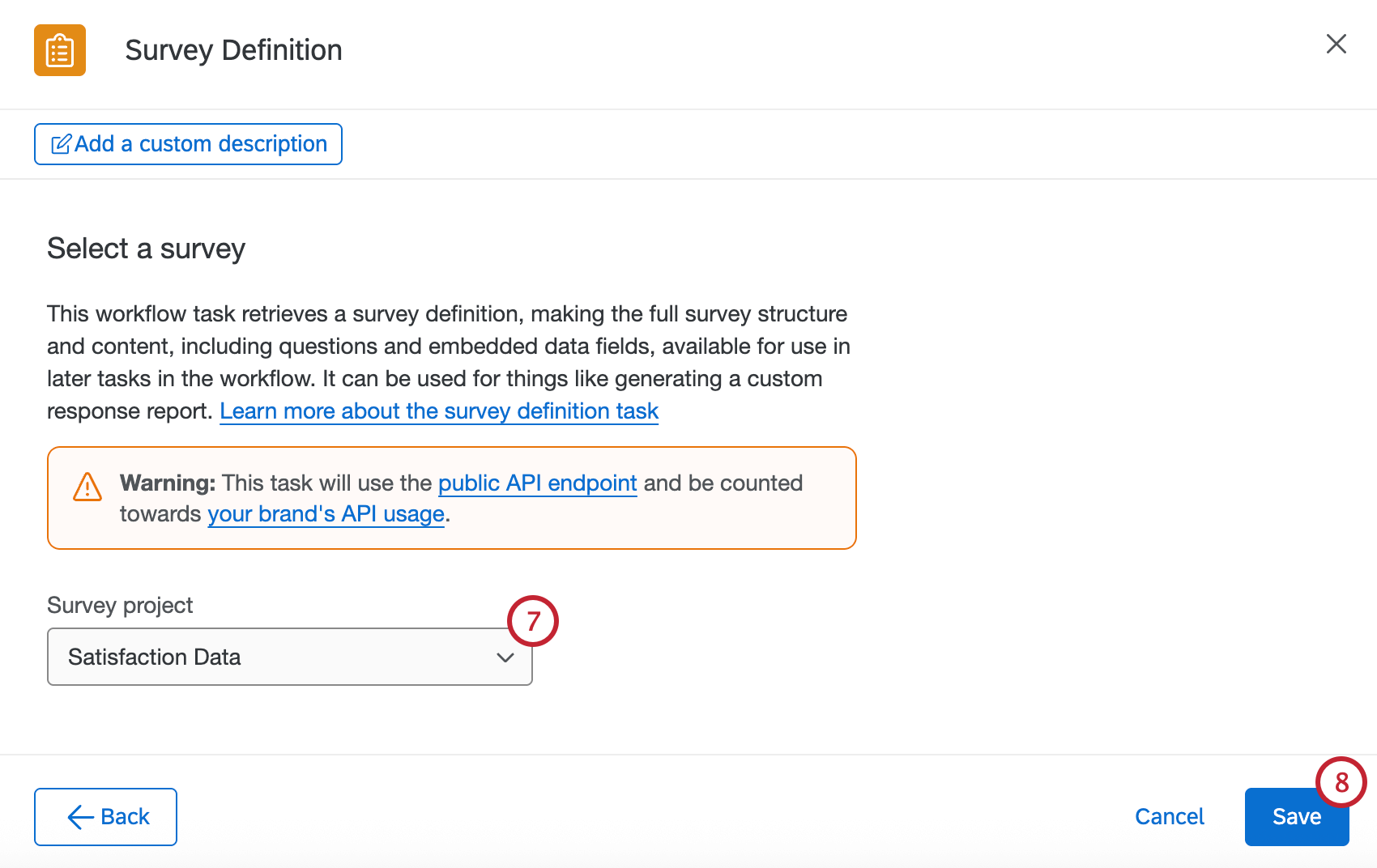
Once your task has been set up, you can use the survey definition details in later tasks in your workflow.
Example: Set up an Email task that uses piped text from the survey definition to send a custom response report to respondents that finish your survey.

That's great! Thank you for your feedback!
Thank you for your feedback!