

Rebuild XM Directory Segment Task
Suite
Customer Experience
Strategy & Research
Product
Qualtrics
What's on this page
About the Rebuild XM Directory Segment Task
This task will automatically refresh a segment to the most updated version, so long as you have a segment configured that you want to update.
By default, segments are updated twice a day. Using this task allows you to automatically rebuild segments on a more frequent schedule, or after a specific event, such as a survey response.
To use this task there must be segments within your brand’s XM Directory. See XM Directory Segments for more information on creating segments.
Attention: Only users with the Manage Directory permission can use this task.

Creating a Rebuild XM Directory Segment Task
Qtip: Each task will only rebuild a single XM Directory segment. If there are multiple segments that you want to rebuild, you have to set up multiple tasks.

Go to the Workflows tab.
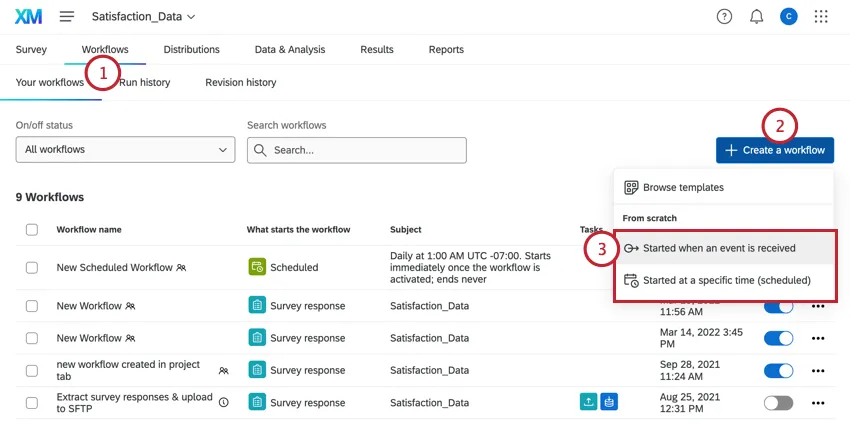
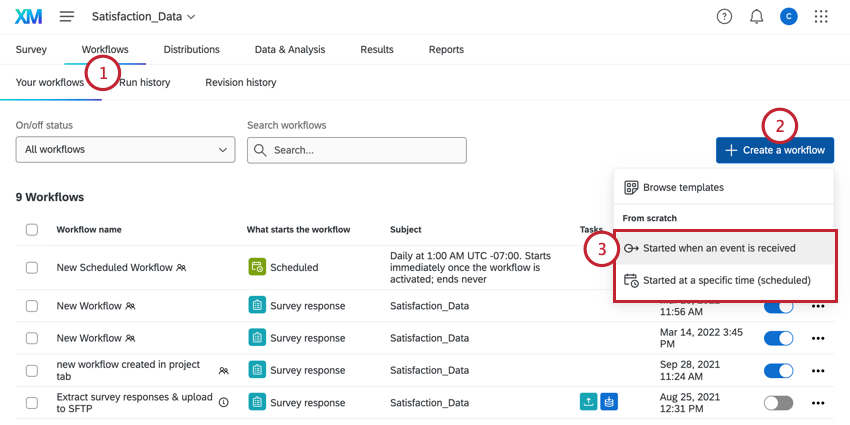
Click Create a workflow.
Determine whether the workflow should be scheduled or based on an event.
Qtip: It is recommended to use a scheduled workflow with this task. The schedule can be associated with a scheduled import or distribution set up for your brand, as these will cause directory changes that you may want reflected in your segments.

If you’re setting up a workflow based on an event, you can click the plus sign ( + ) and then Add a condition to set the conditions under which the workflow is triggered.
Click the plus sign ( + ) and then Add a task.
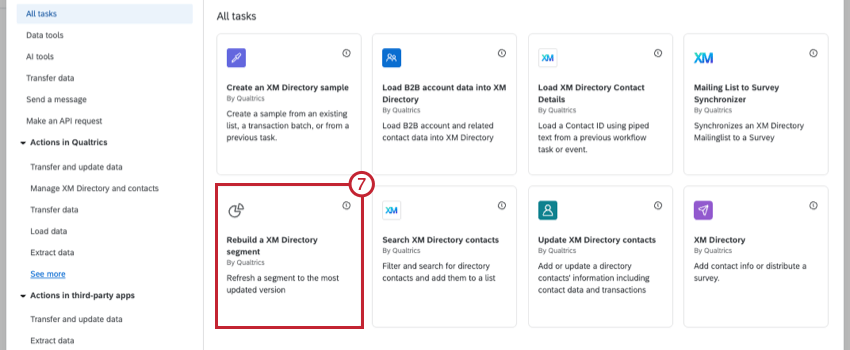
Select the Rebuild a XM Directory Segment task.

Use the dropdown to select the directory that contains your segment.

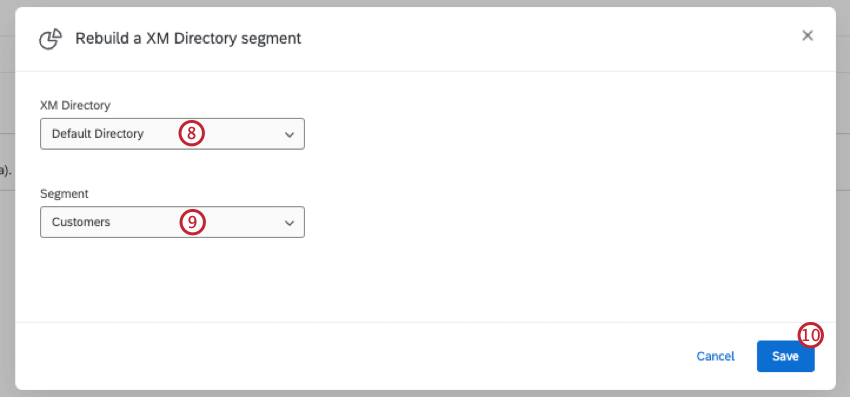
Use the dropdown to select the segment you want to rebuild.
Click Save.
That's great! Thank you for your feedback!
Thank you for your feedback!