

Manage Public Results Dashboards
What's on this page
Attention: This feature can only be enabled for State & Local Governments and Academic research products.

About Managing Public Results Dashboards
Making your results dashboard public lets you share the dashboard with people who don’t have a Qualtrics account. You can also add a passcode to the dashboard for added security.
Once you make your dashboard public, you’ll get a link you can share. The link will update whenever new responses come in, so that whenever someone opens the link or refreshes the page, they’ll see the most recent data.
Attention: This feature is not related to CX or EX Dashboards.
Getting the Public Results Dashboard Feature
Attention: This feature can only be enabled for State & Local Governments and Academic research products.
Before you pursue this route, there are some important considerations to take into account.
Qtip: There is no way to make a “restricted” link that can only be viewed by members of your organization. You can choose to add a password for added protection.

Please have a Brand Administrator reach out to Account Services if you are interested in this feature.
Attention: You must have all required legal rights and consents for any data included in your public results dashboards. Your right to use public dashboards will end upon the expiration or termination of your corresponding Qualtrics license.
Unsupported Features
Not all features are supported on public dashboards. Some of the features unavailable to public dashboards include:
- Text iQ
- Custom widgets
- Action planning pages
- Ticket reporting pages
- Dashboard translation previews
- Certain widget types
- Any data marked as sensitive
Attention: If unsupported features are used in a public dashboard, viewers will see error messages instead.
Managing Public Results Dashboards
Once you’ve opened the dashboard, follow these steps to make it public.
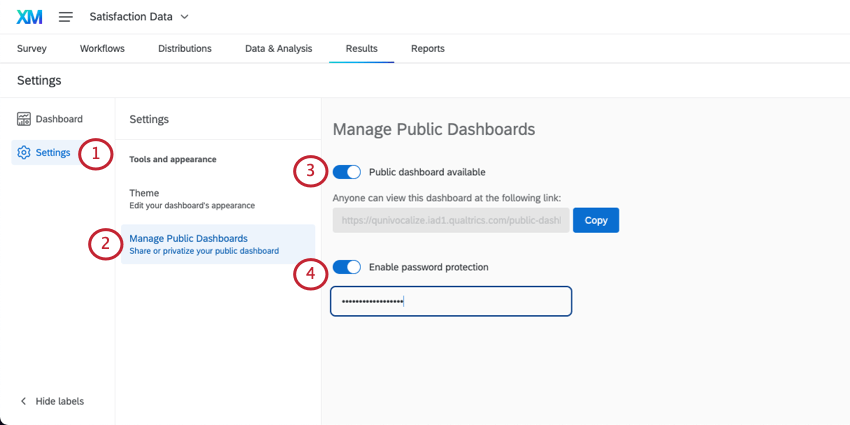
Qtip: You will not be able to view this password. You can change it at any time. Results dashboard passwords are not required to meet your organization’s account password rules.
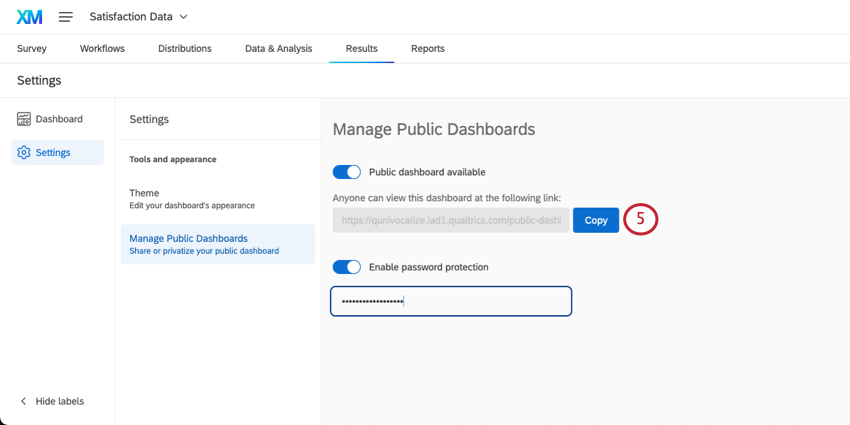
Qtip: You can remove a public report or its password protection at any time. Return to this page and disable the corresponding settings.
Exporting Public Results Dashboards
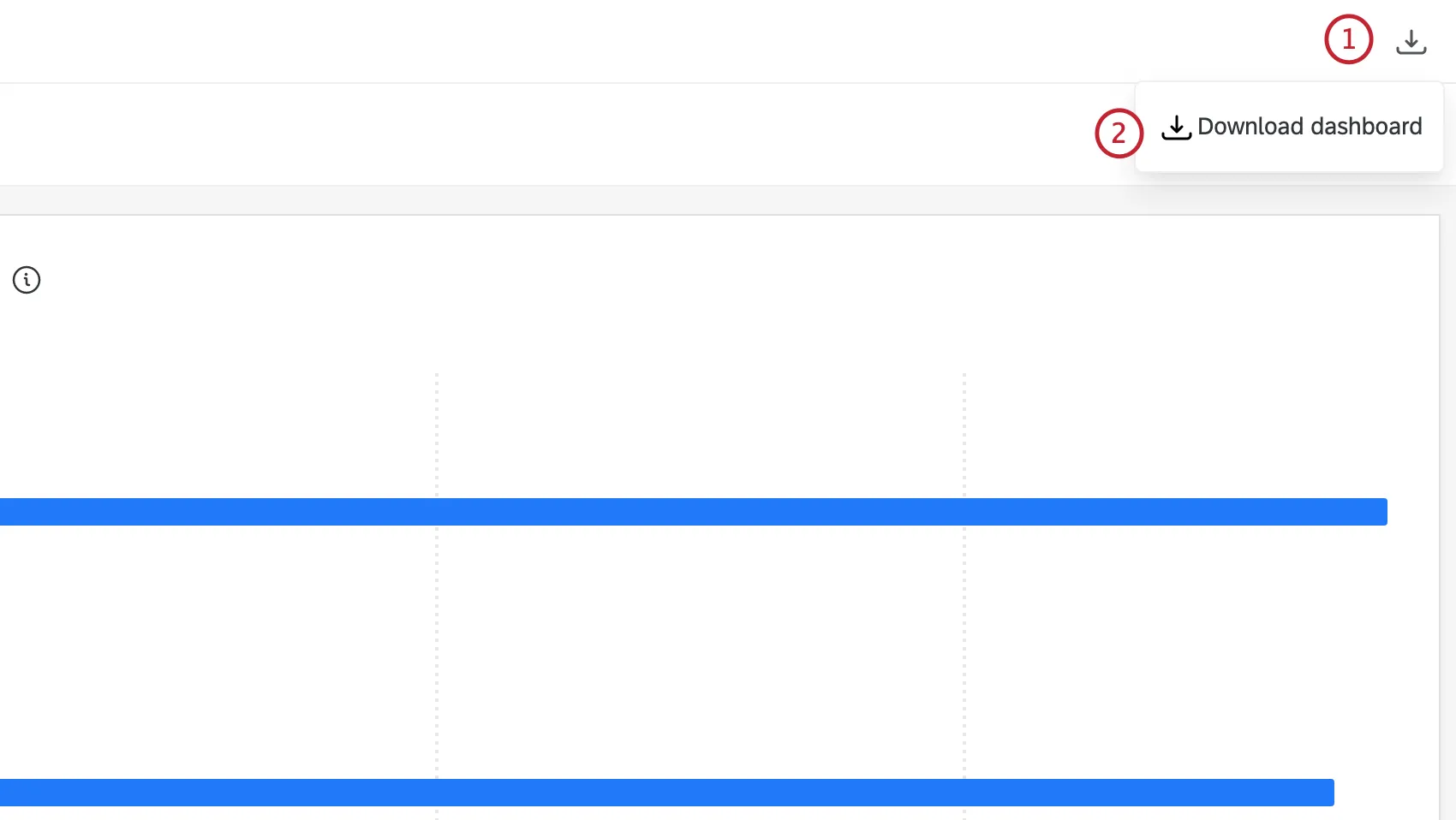
You can export public dashboards to PDF directly from the dashboard link. Select the download icon in the upper-right corner then click Download dashboard. You will be able to configure options such as paper size, orientation, margin width, and more.
That's great! Thank you for your feedback!
Thank you for your feedback!