

Exporting Results-Reports
What's on this page
Attention: On April 1, 2027, Legacy Results-Reports will no longer be available, and you will only be able to use Results-Dashboards. While some reports will be automatically migrated, custom content will need to be saved or moved over manually before this date. See the migration guide.

Qtip: There is a new version of Results available. To opt in to the new Results Dashboards, navigate to the Results tab and click Try it now.


About Exporting Results-Reports
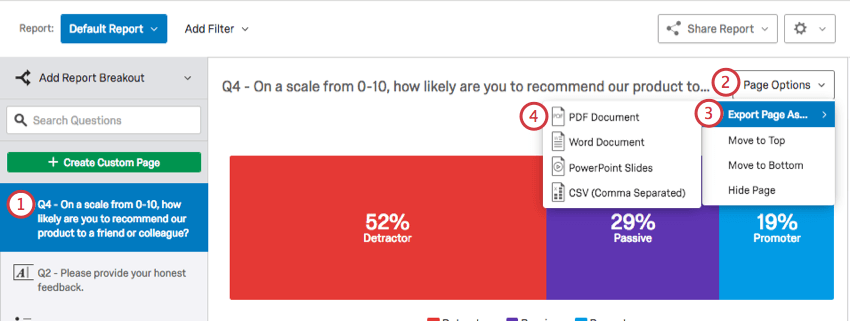
Qualtrics gives you a number of different options for exporting material created in your Results section. You can export your entire results-report, a single page, or individual visualizations to a variety of formats.
Exporting a Results-Report
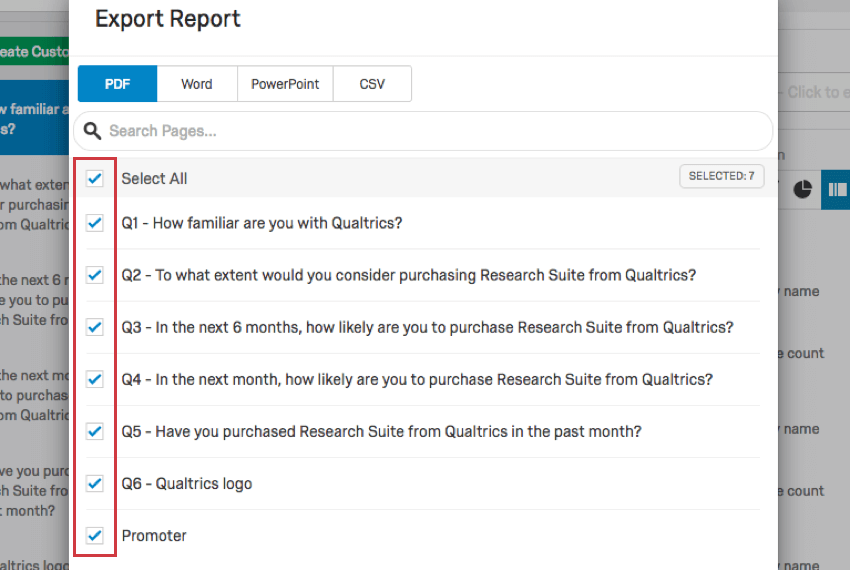
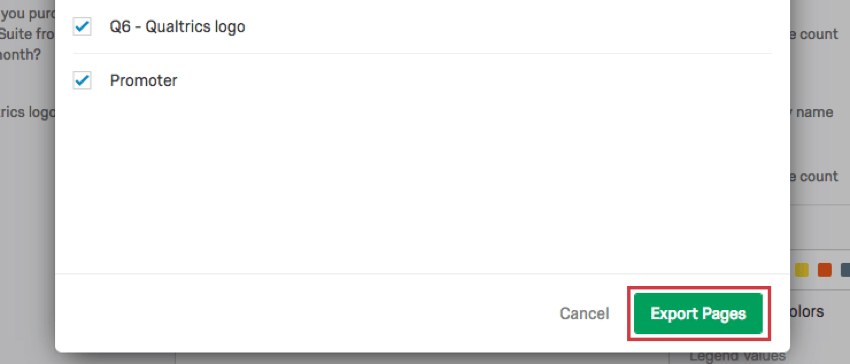
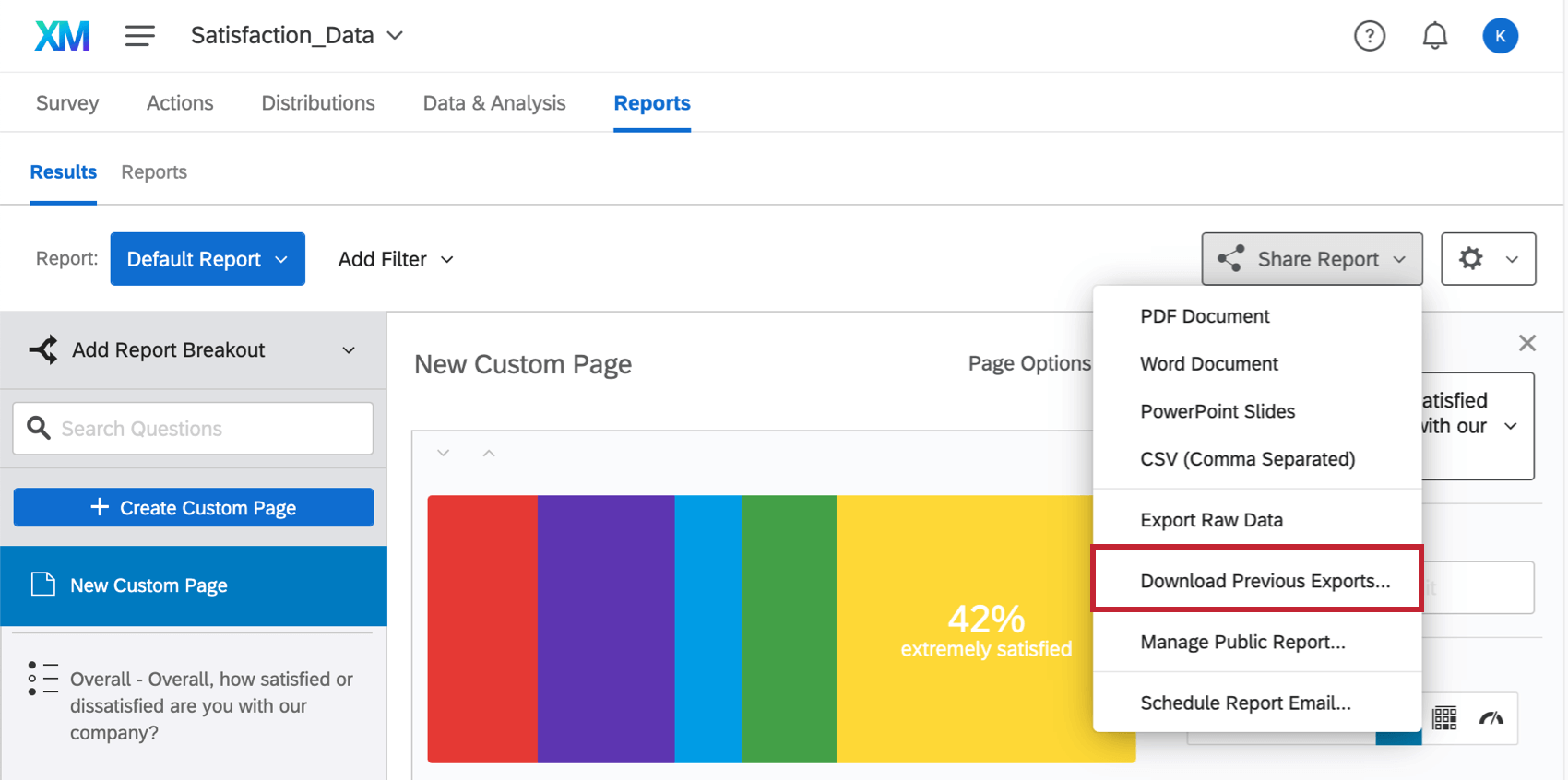
You can export all your custom pages and question pages at once to a PDF, Word, Powerpoint, or CSV document. You can also view previous exports you’ve completed and download them again.
Qtip: To print this report, export it to PDF. From there, you can open the file on your computer to print it.
To export your results-report
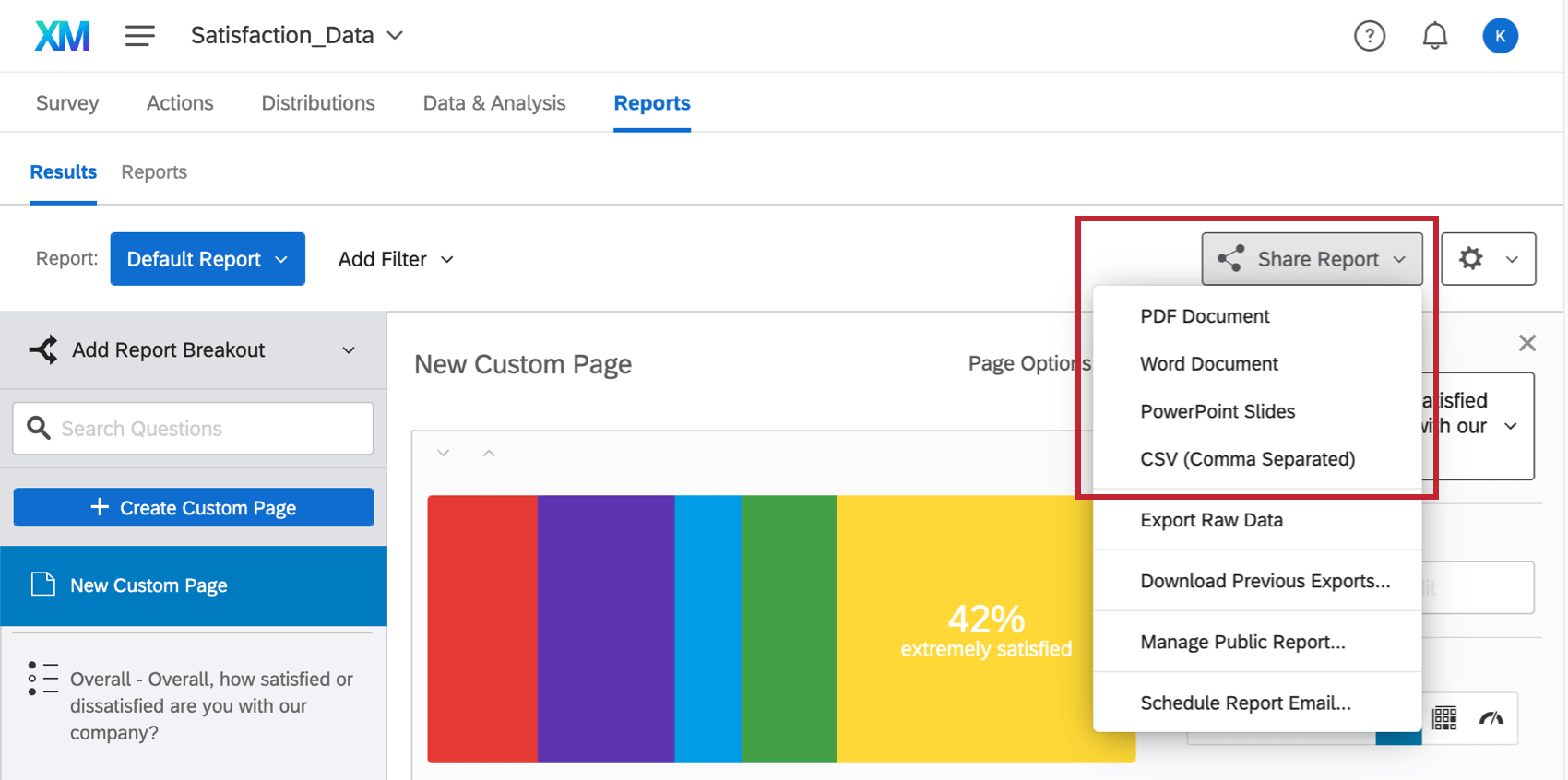
Qtip: Selecting Export Raw Data will take you to the Data & Analysis tab, where you can export every single survey response in a spreadsheet, instead of downloading your aggregate results-reports.
To download previous exports
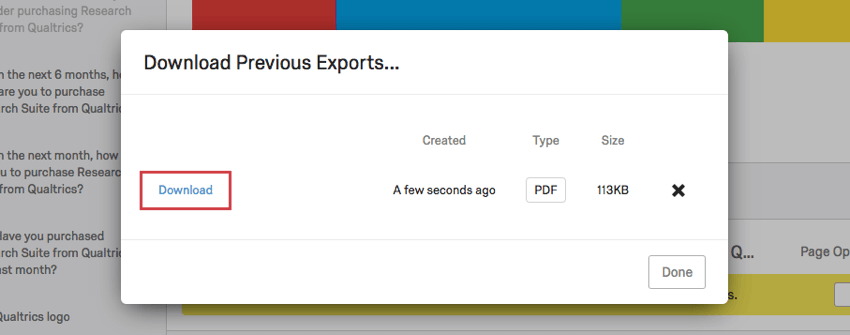
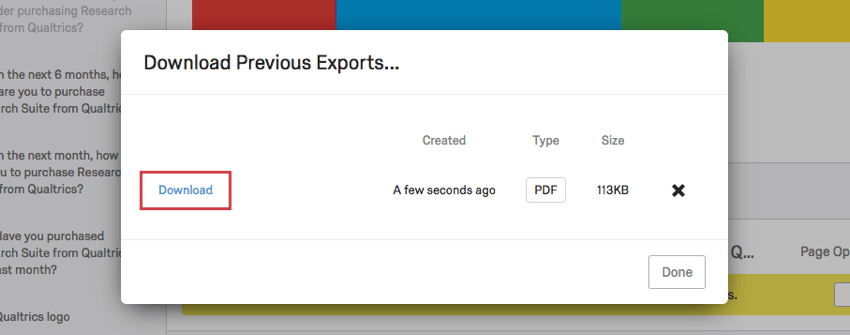
If you recently downloaded your results-report and want to save some time, you can find the export and re-download it.
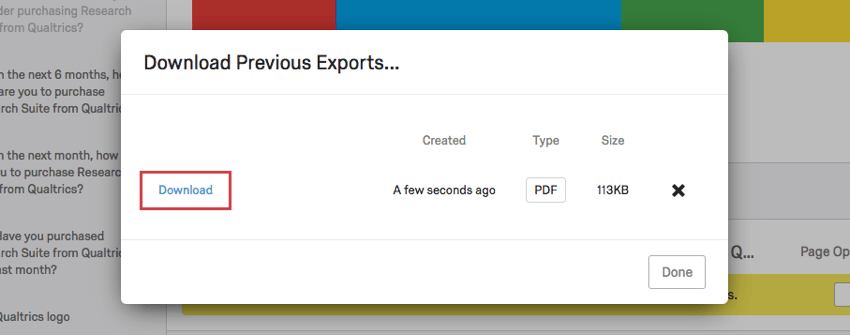
Qtip: This export will only include data that existed at the time the export was generated, and it will not reflect any changes you’ve made to your results-report since that time.
Exporting a Page
Exporting a Visualization
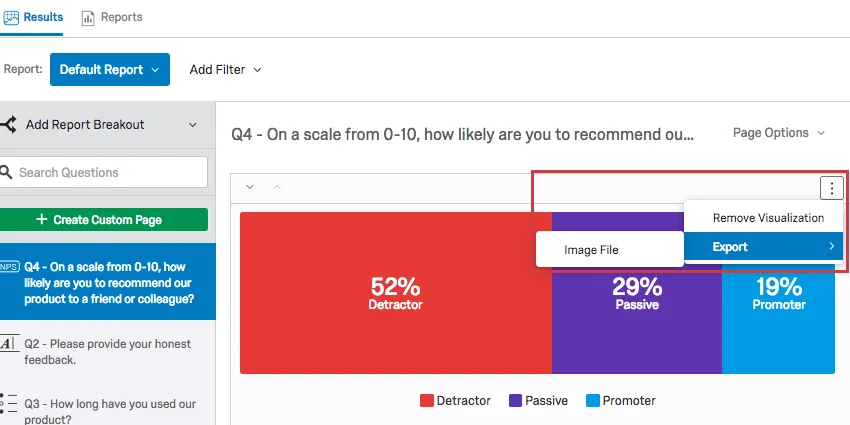
After clicking this option, your visualization will be automatically downloaded to your computer as a PNG file.
FAQs
When will I lose access to Results-Reports?
When will I lose access to Results-Reports?
- November 1, 2026: You can no longer create new Legacy Results-Reports, for either existing or new survey projects. Existing Legacy Results-Reports will still be viewable and editable.
- March 17, 2027: You can no longer edit existing Legacy Results-Reports. Existing Legacy Results-Reports will still be viewable.
- April 1, 2027: Question pages automatically move to Results Dashboards. Legacy Results-Reports is completely removed from Qualtrics, and old reports are no longer accessible.
Qualtrics may, in its sole discretion and without liability, change the timing of any product feature rollout, change the functionality for any in preview or in development product feature, or choose not to release a product feature or functionality for any reason or for no reason.
That's great! Thank you for your feedback!
Thank you for your feedback!