

Managing Public Results-Reports
What's on this page
Qtip: There is a new version of Results available. To opt in to the new Results Dashboards, navigate to the Results tab and click Try it now.


About Managing Public Results-Reports
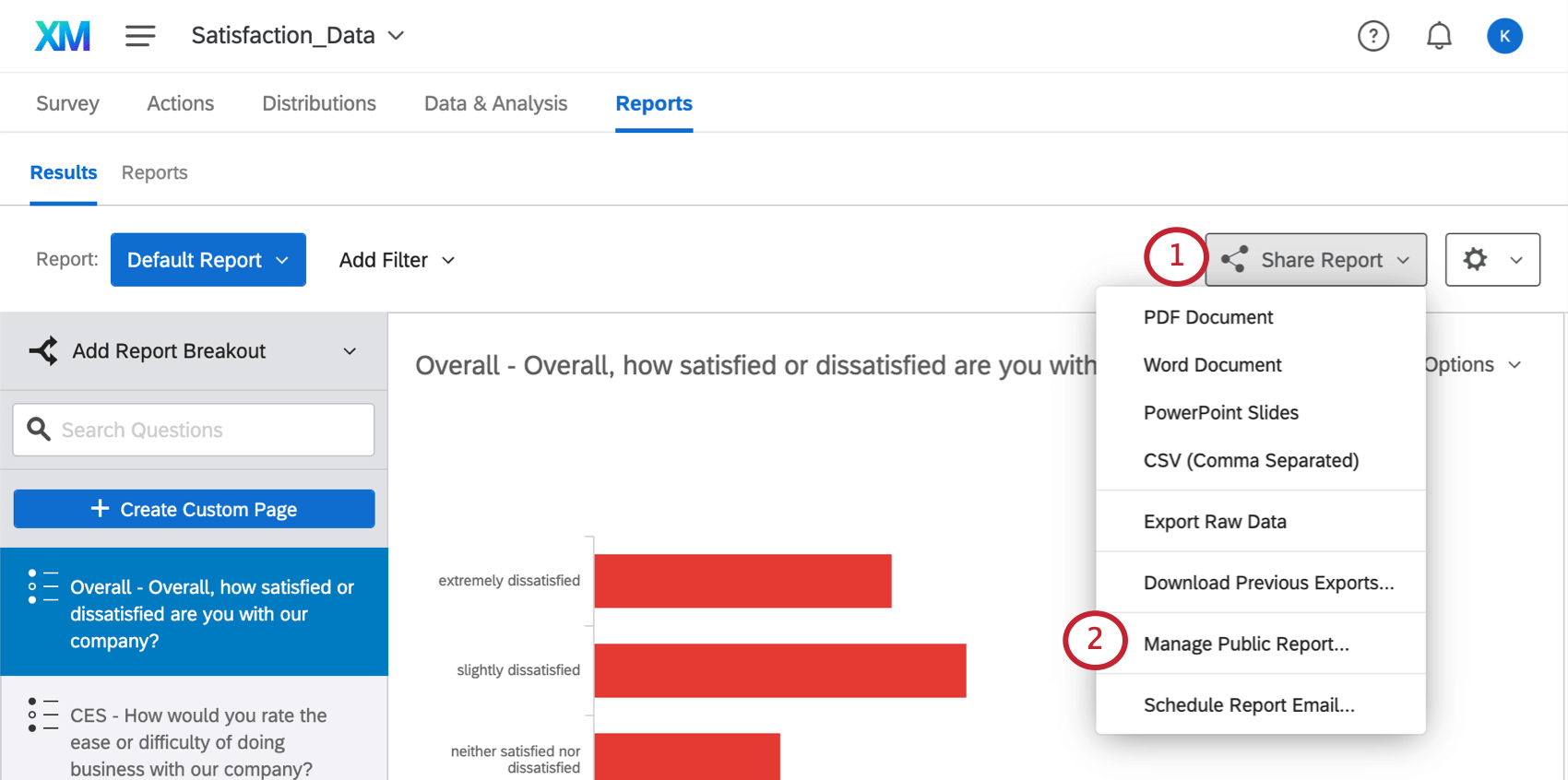
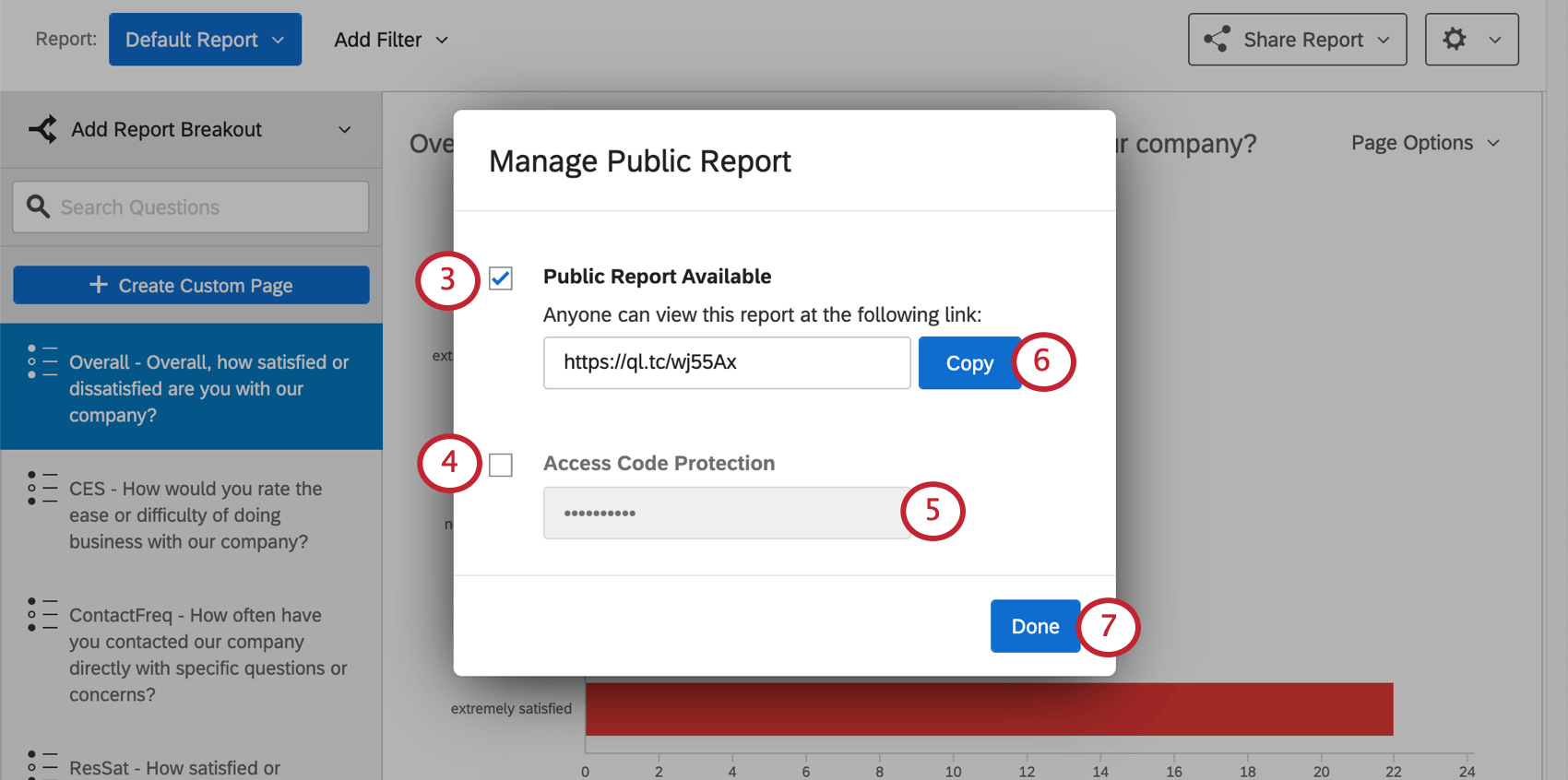
You can publish your each of your results-reports to the web. Your associates won’t need to have a Qualtrics account to view the reports; they’ll just need the link you provide. This link will update whenever new responses come in, so that whenever someone opens the link or refreshes the page, they’ll be seeing the most recent data.
Qtip: You can also share your reports by sharing your project to a colleague’s account. Having a shared project allows you to share that project’s Results section directly with your colleagues. You and your colleagues can view, edit, and create reports.
Publishing a Results-Report
Hiding Pages
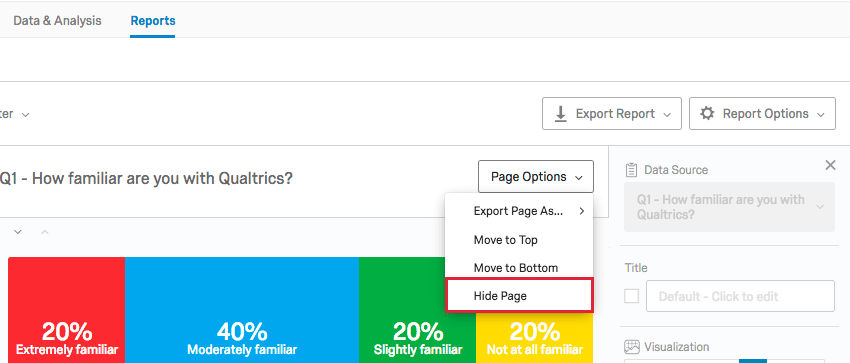
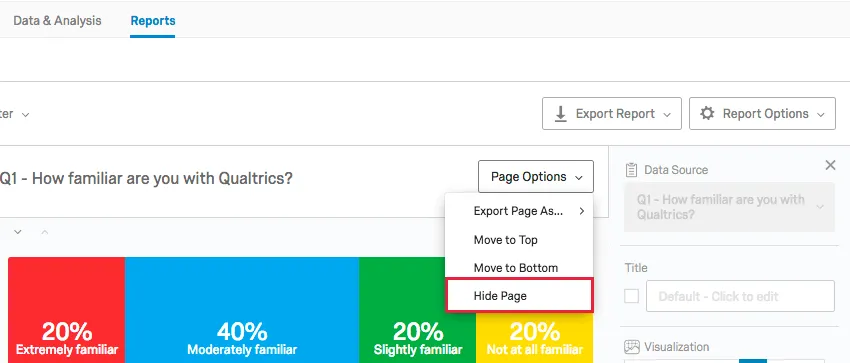
Oftentimes, there will be certain pages or worksheets you don’t want to display in your published report. To hide a page, simply click the Page Options menu and select Hide Page.
Hidden pages appear grayed out in your page list and and will have a yellow bar across the top of the report editor.
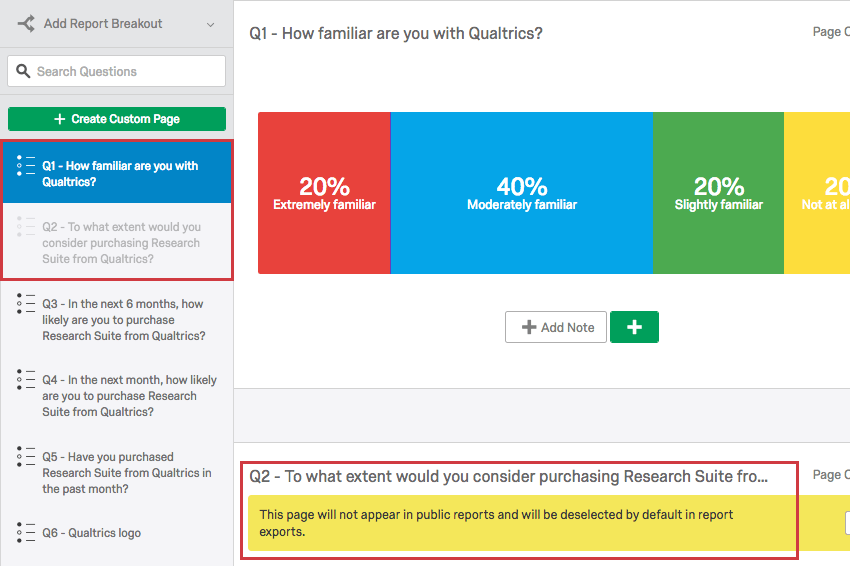
At any time, you can choose to again display the page by clicking Page Options again and selecting Unhide Page.
FAQs
That's great! Thank you for your feedback!
Thank you for your feedback!