

Using Contact Data as a CX Dashboard Source
What's on this page
About Using Contact Data as a CX Dashboard Source
Sometimes, you may want to create dashboards to get insights on your customer panels and the contact data stored in XM Directory. CX Dashboards lets you use this contact data as a datasource, allowing you to visualize up-to-date data from your contacts to understand your customers in real time. Once mapped, contact data sources act just like regular survey data sources.
Qtip: Contact datasets update automatically several times an hour to refresh the customer data in your dashboards.

Attention: You can only publish contact datasets for directories with a maximum of 50 million contacts and 200 embedded data fields. If your directory has more than 50 million contacts and you are interested in publishing a contact dataset, reach out to support to request a limit increase.

Before enabling a contact dataset for use in your dashboards, make sure your directory has clean data. This includes merging duplicate contacts and combining duplicate embedded data fields. See Data Hygiene for more information.
Enabling the Contact Dataset
Before you can use contact data in a dashboard, the contact dataset has to be enabled within Directory Settings. This can only be done by users with the Manage Directory permission.
Qtip: If you have multiple directories, you can create a contact dataset for each directory.
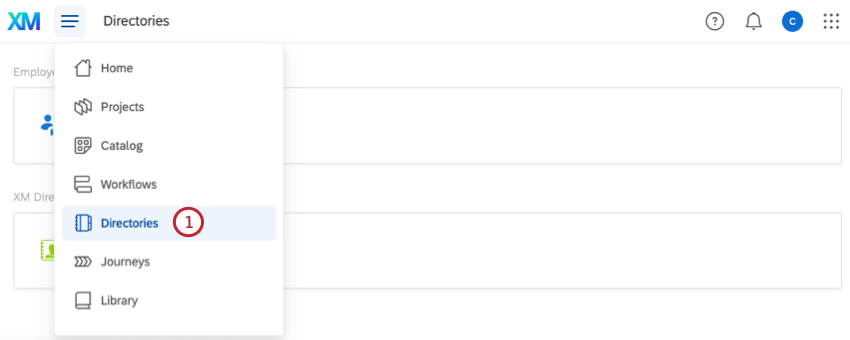
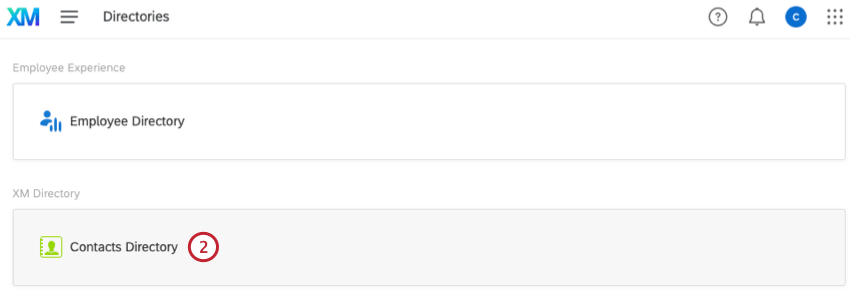
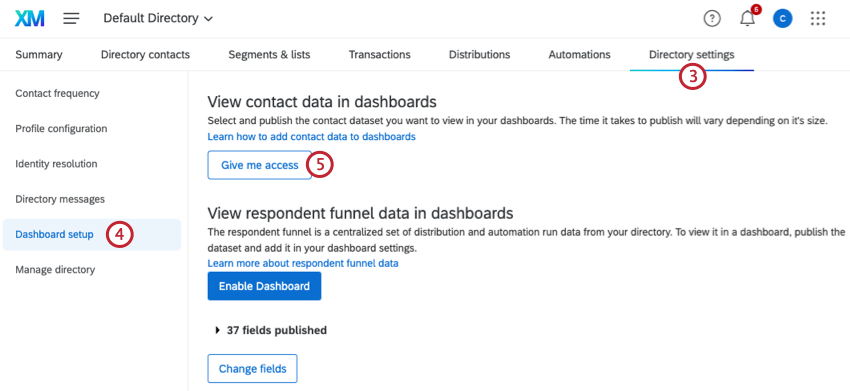
Editing the Contact Dataset
After the contact dataset is enabled, you can edit the dataset to change the name or change the available fields.
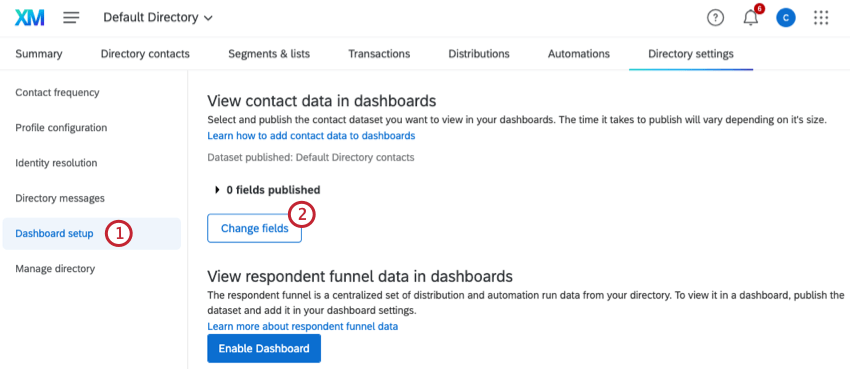
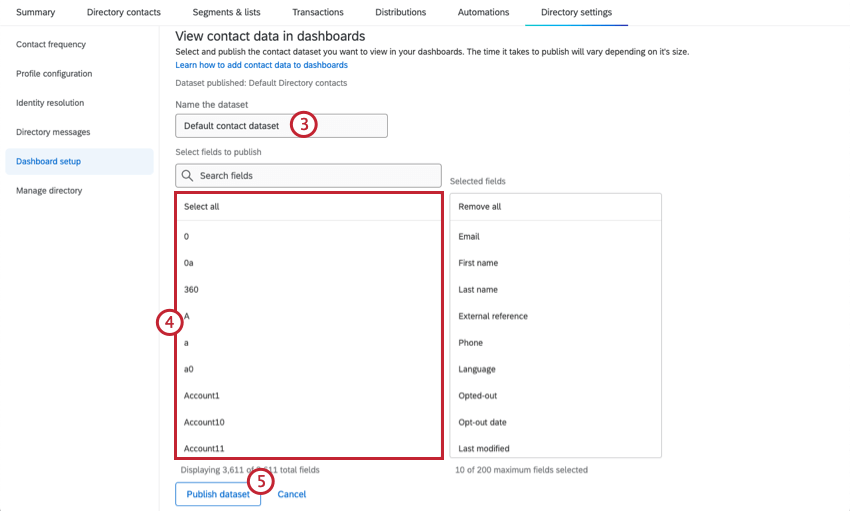
Attention: You can select a maximum of 200 fields.
Qtip: If you enter a term into the search bar, clicking Select all will select all fields returned by that search, not all fields within your directory.
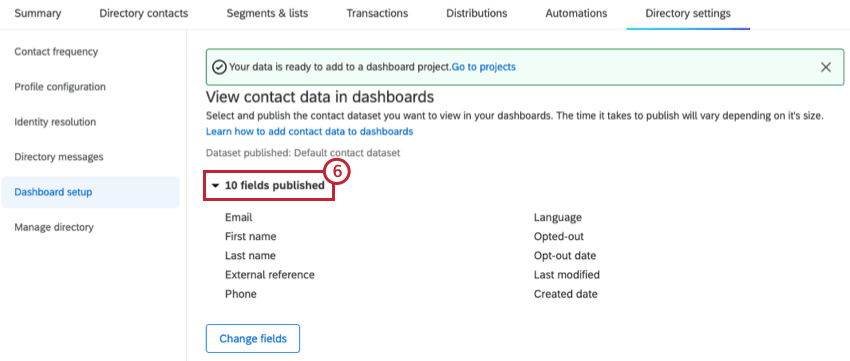
Adding Contact Data as a Dashboard Data Source
After the contact dataset is enabled and you’ve published the fields you want to use, you can add this dataset as an external source within your dashboard. See Mapping Data Sources for instructions.
Once the dataset is added to a dashboard you will be able to build widgets using contact data.
Qtip: Be thoughtful about the fields you include in your contact dataset. If there are sensitive fields you don’t want shown to users, consider excluding them completely from the dashboard data or adding them to a separate dashboard with limited access.
Attention: While only directory admins will be able to create a dashboard with contact data as a datasource, this dashboard can be shared with non-admin users.
Joining Segment Data with Contact Data
Segment data isn’t included in your contact dataset by default. However, you can easily add segment membership data to your dashboard, and even join it with the rest of your directory data for enhanced reporting.
To learn more, see Using Segment Data in Dashboards.
That's great! Thank you for your feedback!
Thank you for your feedback!