

Embedding Dashboard Widgets in Third Party Software
What's on this page
About Embedding Dashboard Widgets in Third Party Software
Have you ever wanted to view Qualtrics data while using a third party software? You can embed your dashboard widgets in certain software to view experience data in your daily workstreams.
Example: Let’s say you send your accounts a yearly satisfaction survey. You can embed a widget showing your account’s experience data in Salesforce to help you make decisions about the account, such as trying to upsell based on their experience using your product.

Once a widget is embedded, you can click View details at the bottom of the widget to be brought back to the Qualtrics platform to view the original dashboard.
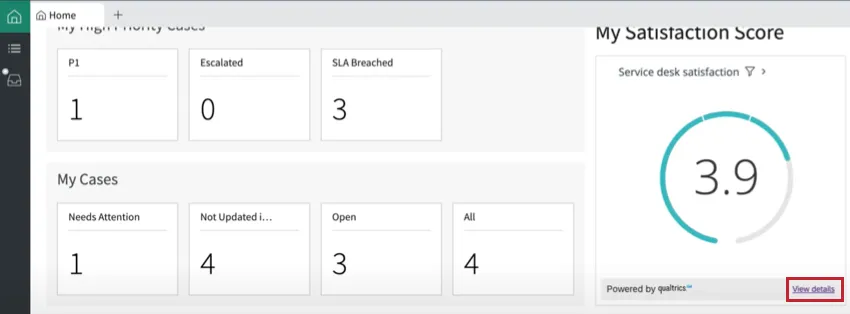
Attention: Each third party app user who views embedded widgets will be counted as a user against your Qualtrics license.

Compatible Software
At this time, you can embed your dashboard widgets in:
We are working on integrating Qualtrics widgets with additional software. You can subscribe to weekly product release notes on the Experience Community to receive a notification when additional software becomes compatible.
Steps to Complete in Qualtrics
Before you can embed your widget in third party software, you must retrieve the code for your widget from Qualtrics.
To retrieve the widget code, you must have editing access for the dashboard containing the widget. If you have dashboard editing access and do not see the “Embed widget” option described below, contact Account Services to see if this feature is included in your license.
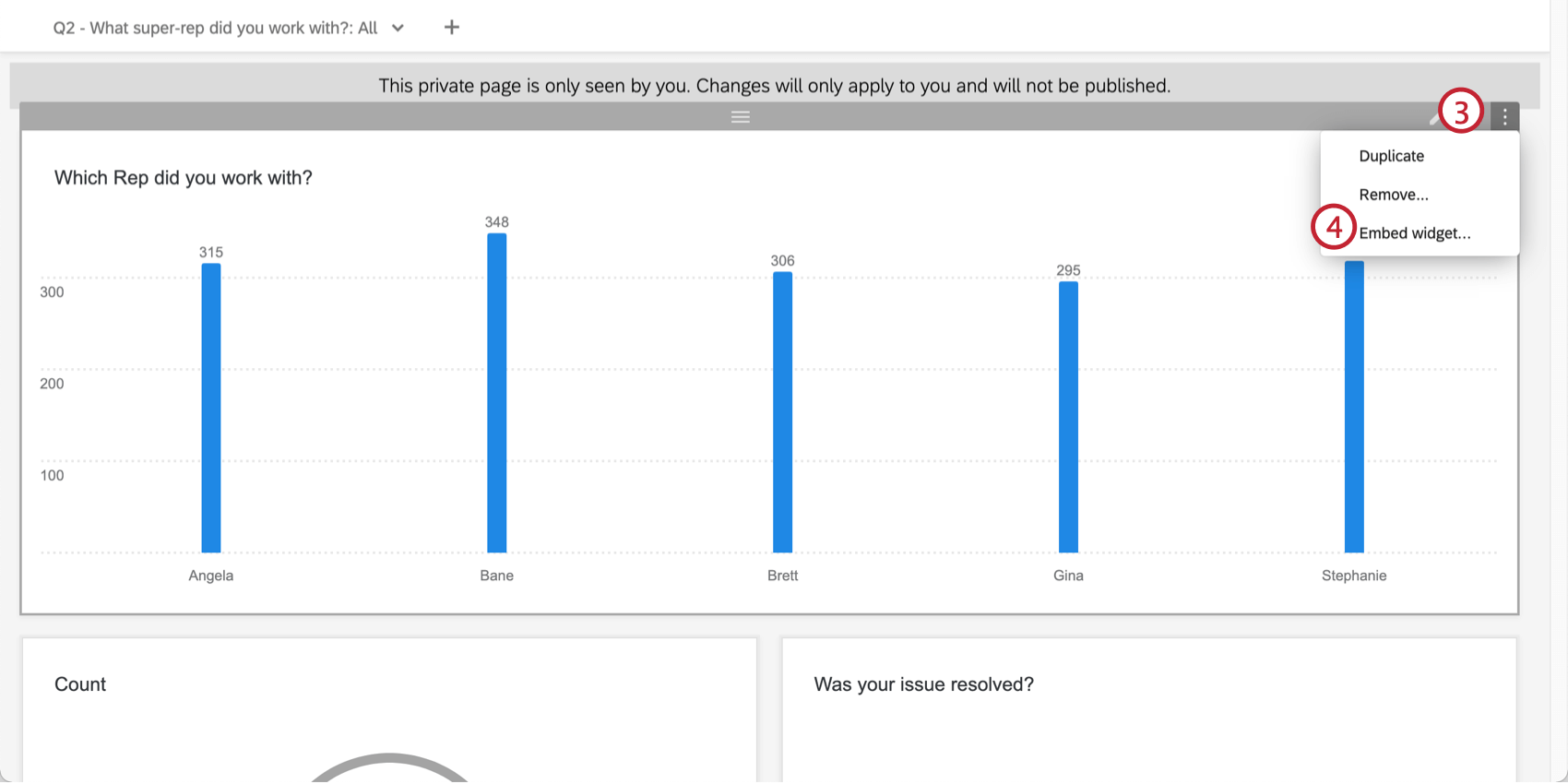
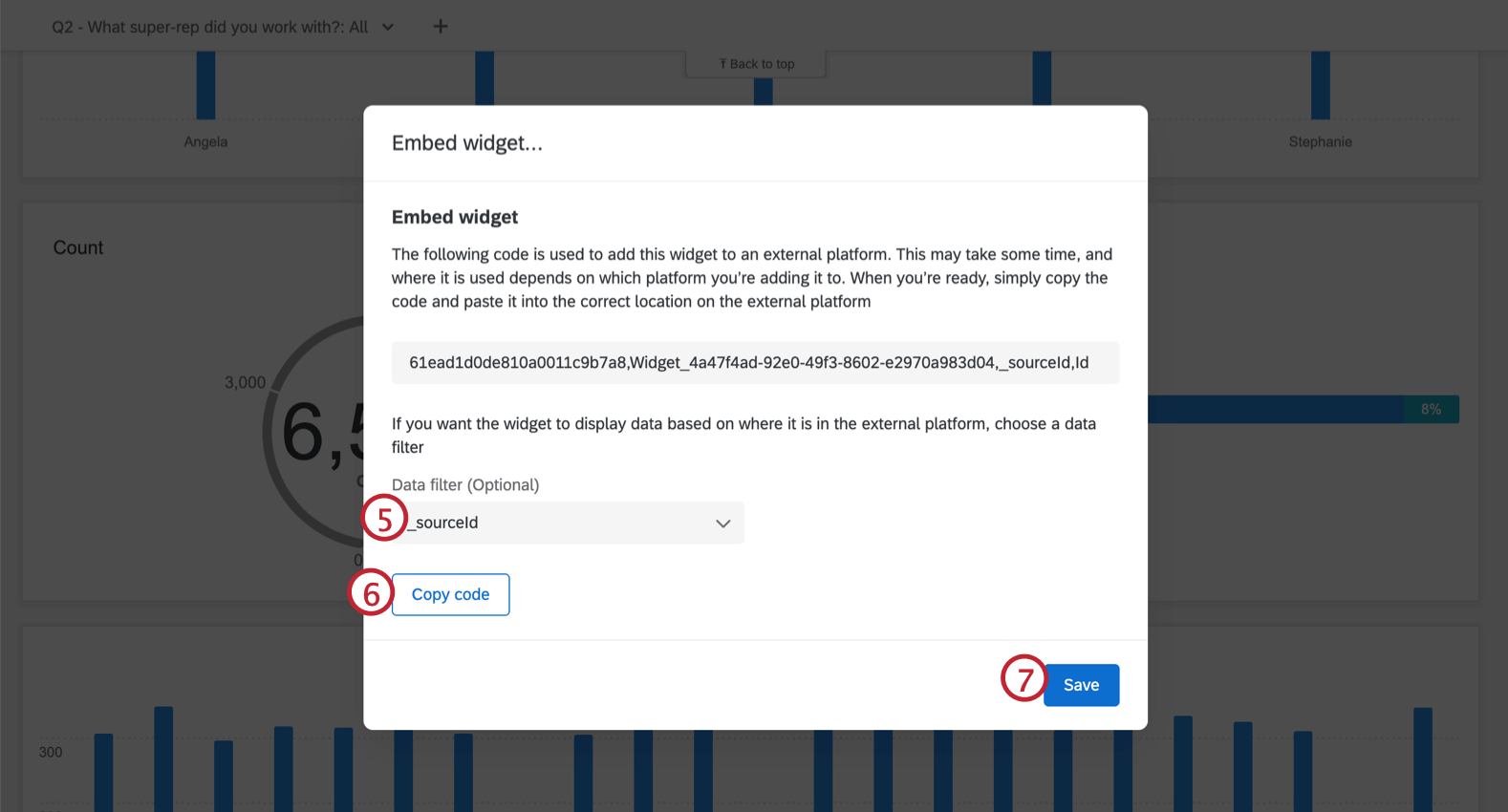
Example: For example, you add the widget to an Account record page, and you want the widget to automatically filter by Salesforce Account ID so that the widget only displays data relevant to the account you’re viewing. You have this information saved in the externalReferenceId field in Qualtrics, so you select this field as the filter.
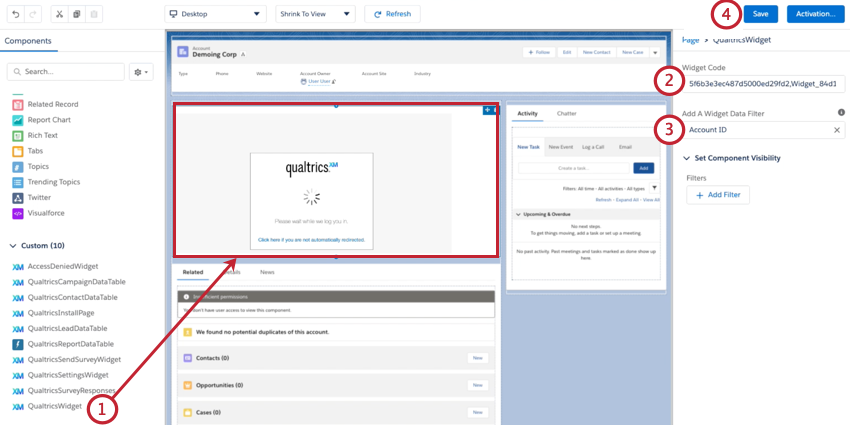
Next, you’ll add the widget code to your third party software to embed the widget. See the below sections for more information on how to accomplish this in compatible software.
Attention: To view the widget embedded in a third party software, you must have access to the dashboard.
Salesforce
Adding the widget to Salesforce must be completed by a Salesforce administrator. If you retrieved the widget code but are not a Salesforce administrator for your organization, send the copied widget code to your administrator so they can complete the setup.
ServiceNow
Adding the widget to ServiceNow must be completed by a ServiceNow administrator. If you retrieved the widget code but are not a ServiceNow administrator for your organization, send the copied widget code to your administrator so they can complete the setup.
Qtip: For more info about using the ServiceNow UI builder see this ServiceNow support page.

Before performing the steps below, make sure to download the Qualtrics app from the ServiceNow store.
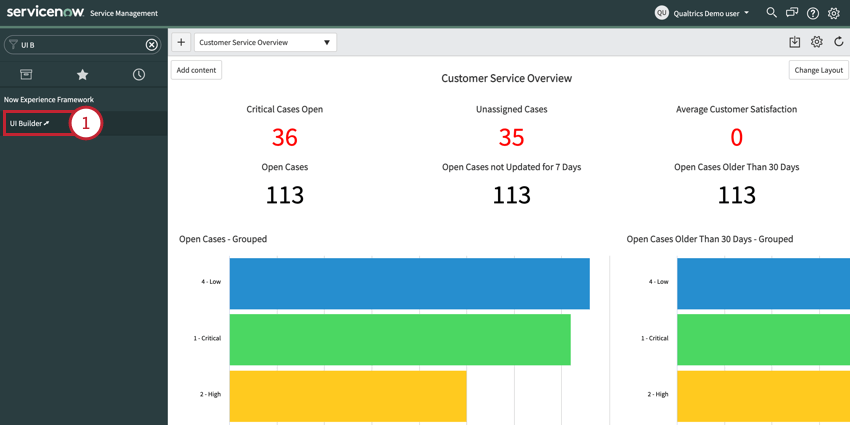
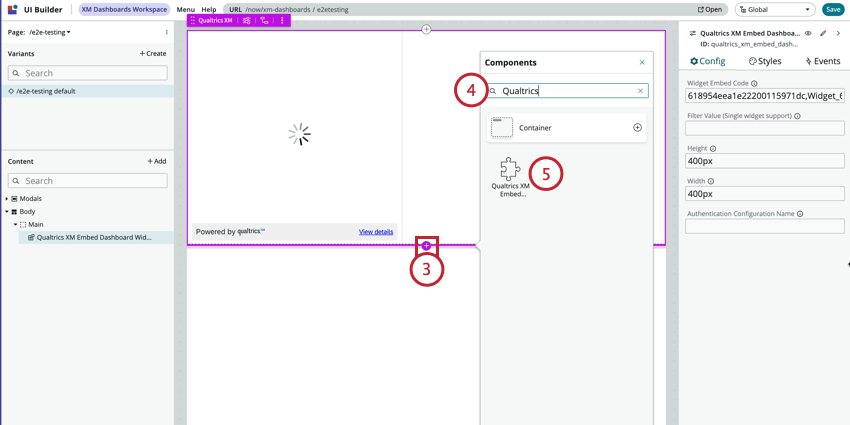
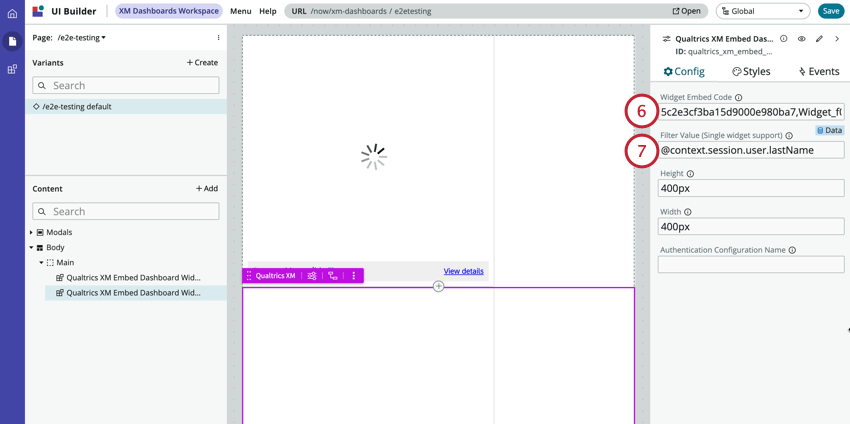
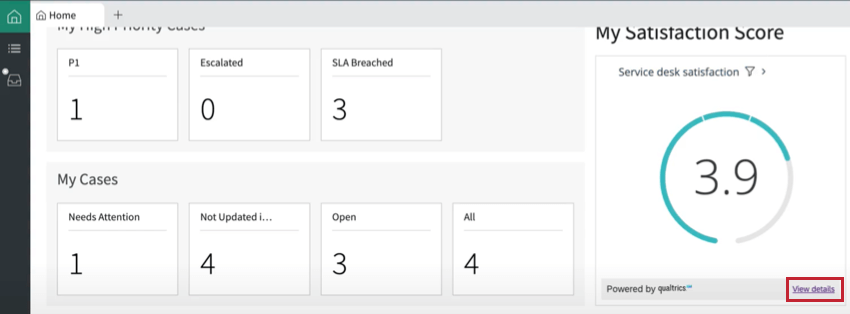
Example: We want to show a representative their CSAT score. The widget is filtered by “Agent Last Name” in Qualtrics. To complete the setup, we chose the “@context.session.user.lastName” field from ServiceNow.
That's great! Thank you for your feedback!
Thank you for your feedback!