

Theme Detection (Designer)
What's on this page
About Theme Detection
Theme Detection creates rule-based category trees based after analyzing prominent themes in your data. You can use theme detection to analyze your entire dataset or only specific parts of your dataset including uncategorized and incremental data. Once your dataset has been analyzed, themes can be added or merged with other categories, or deleted.
Creating Category Models using Theme Detection
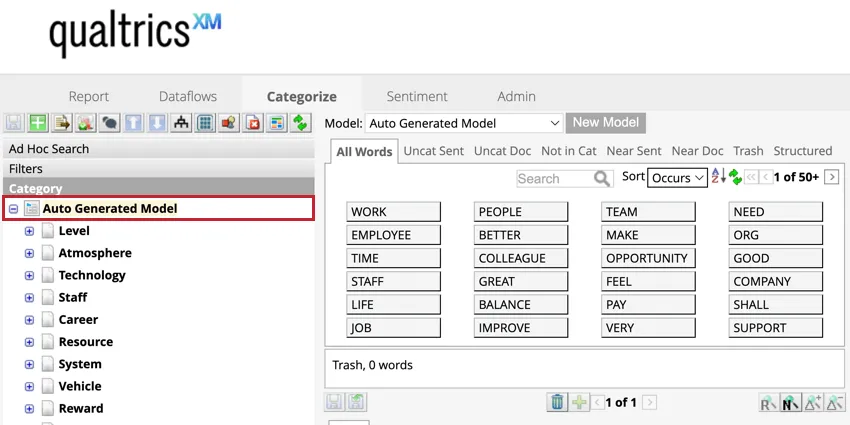
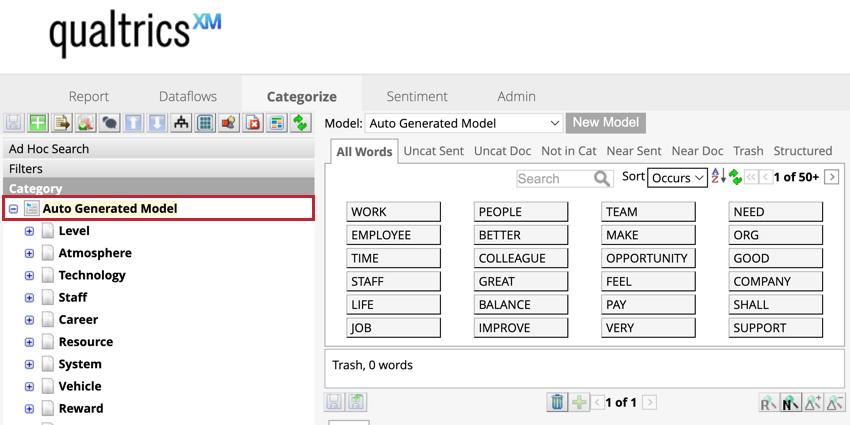
Creating a category model by using Theme Detection can help you discover meaningful themes automatically without having to manually categorize and build the model.
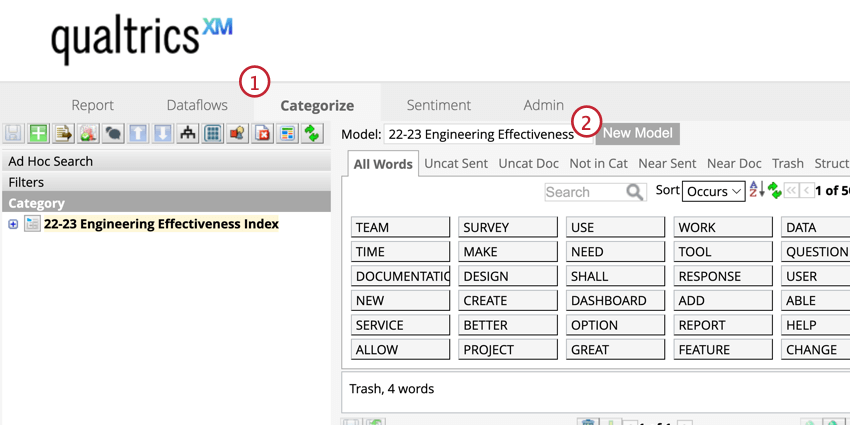
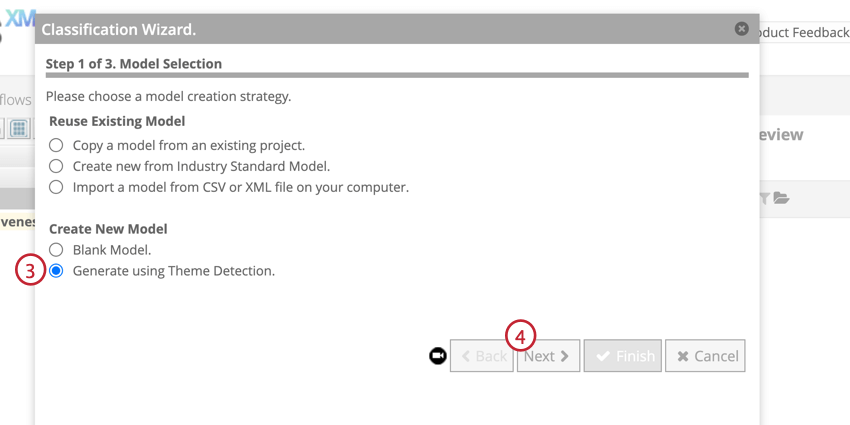
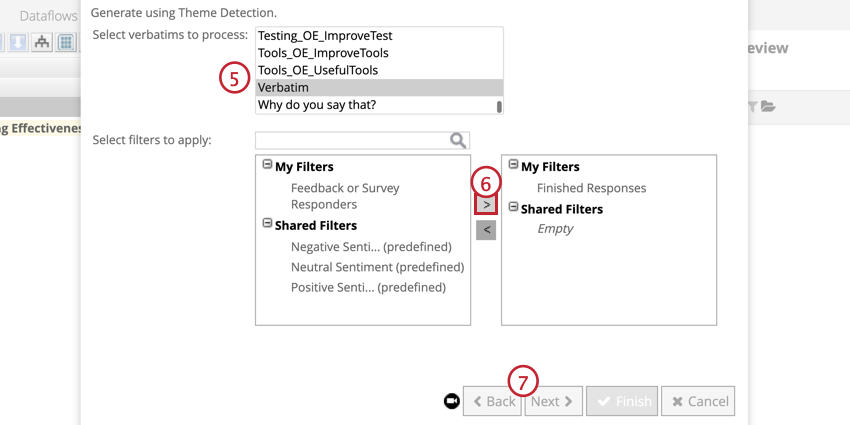
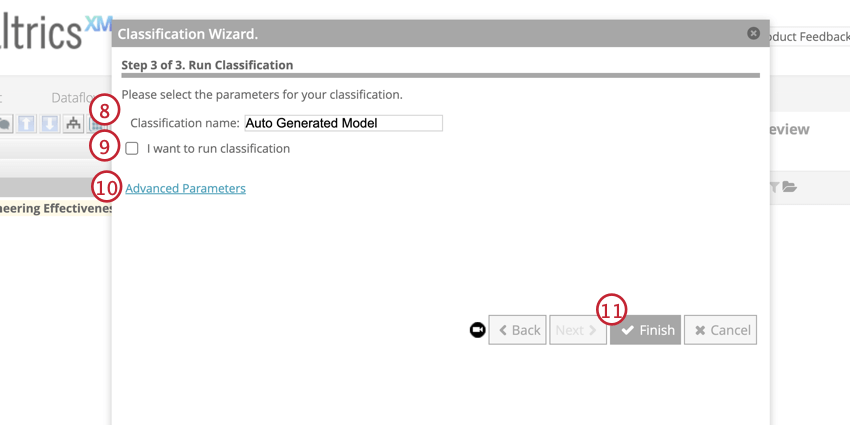
Once the model is finished generating, you will see it in your category list.
Using Theme Detection on Uncategorized Data
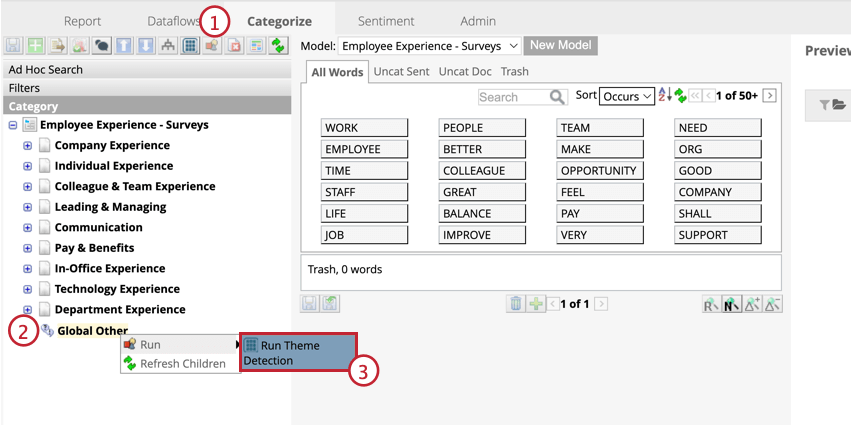
Theme Detection can be used in your local and global Other categories to uncover major themes in those buckets. This feature can uncover areas in your data where you can create a new meaningful category, or sort this data into existing categories.
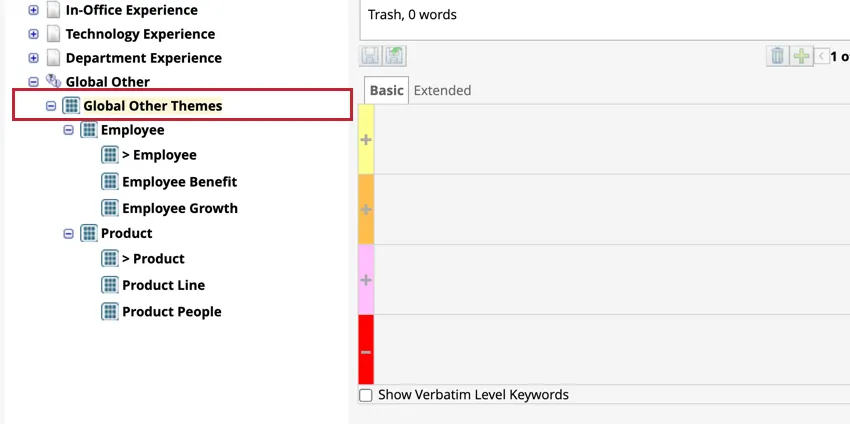
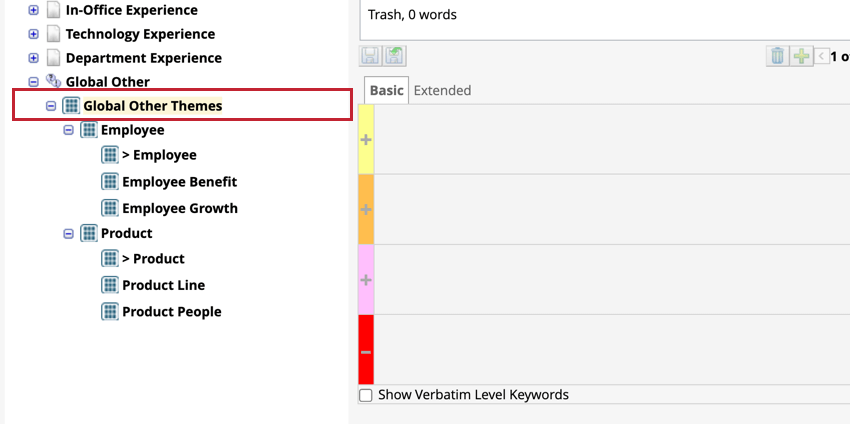
A new sub-category called will appear under the bucket that you ran Theme Detection on. Each theme in this category will need to be reviewed to determine how you want to use them. See Using Detected Themes for more information.
Using Theme Detection on Incremental Data
You can set Theme Detection to run automatically whenever new data is loaded and classified into a category model.
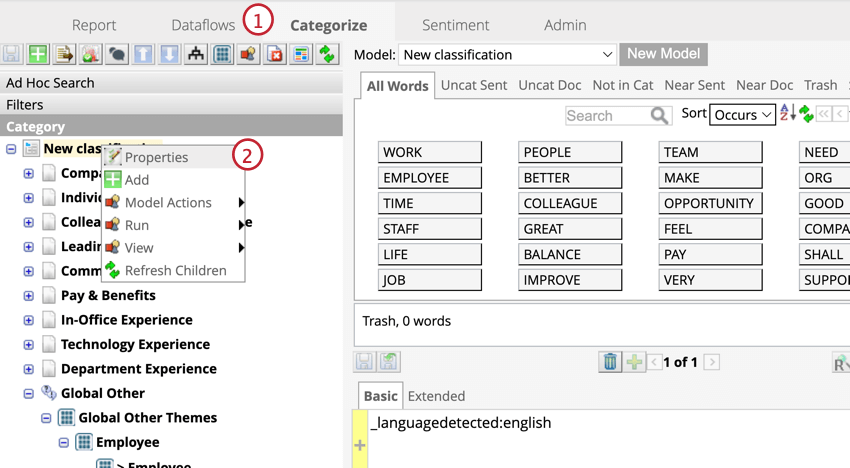
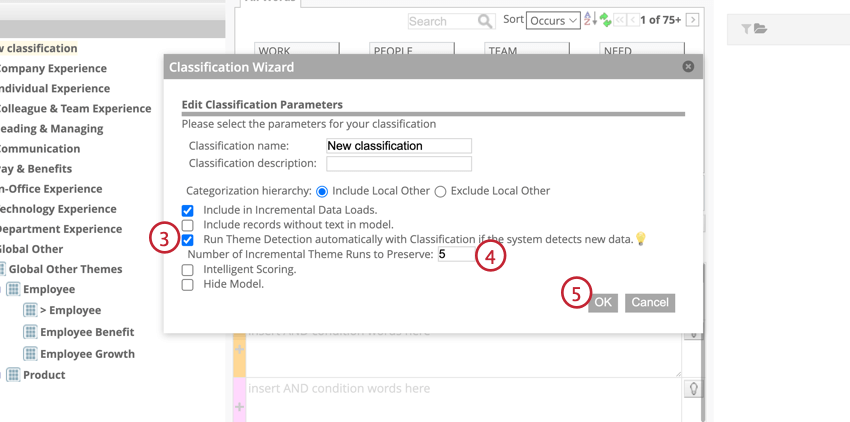
The results of incremental Theme Detection are broken down by date and time of the upload session. If no themes are detected during an upload session, a category will not be generated.
Making Themes into New Categories
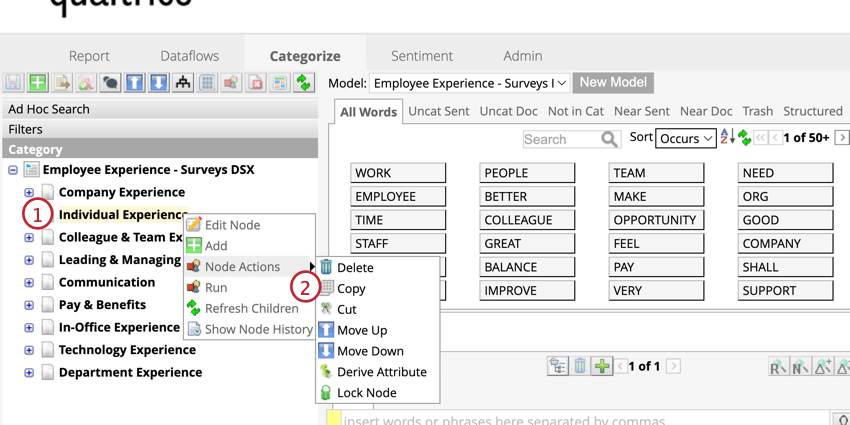
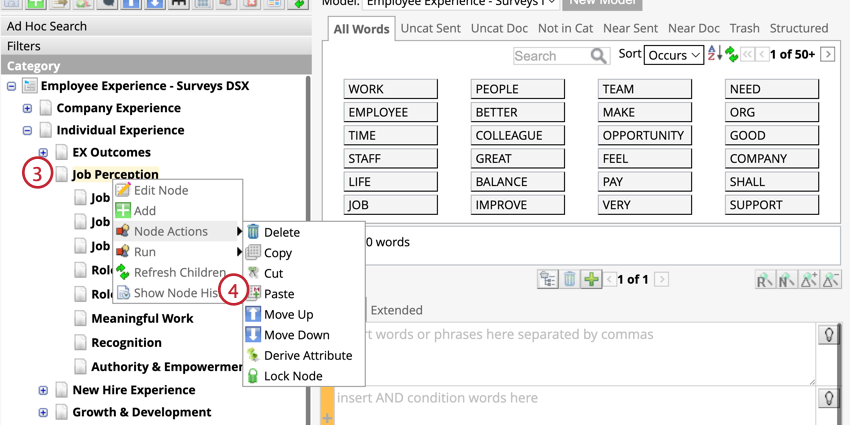
Add detected themes to your category tree as a new category by copying and pasting it from the original node to another node. The theme will be a new category underneath that node.
Merging Themes with an Existing Category
You can merge a theme into a category that already exists in your model.
Attention: Groups cannot be merged.

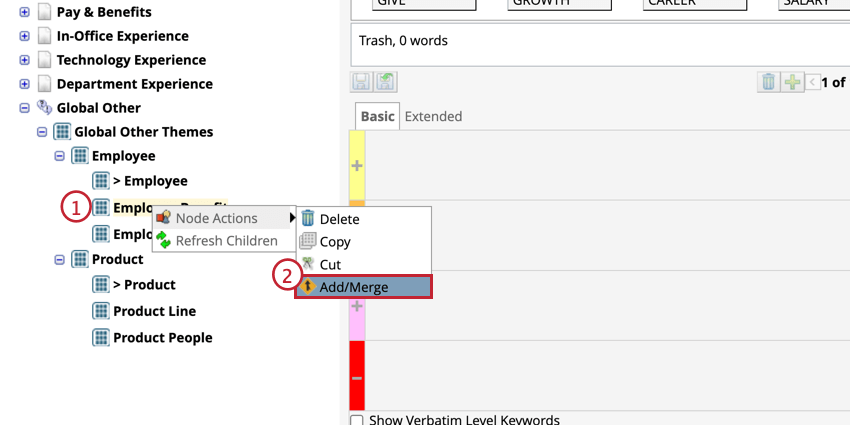
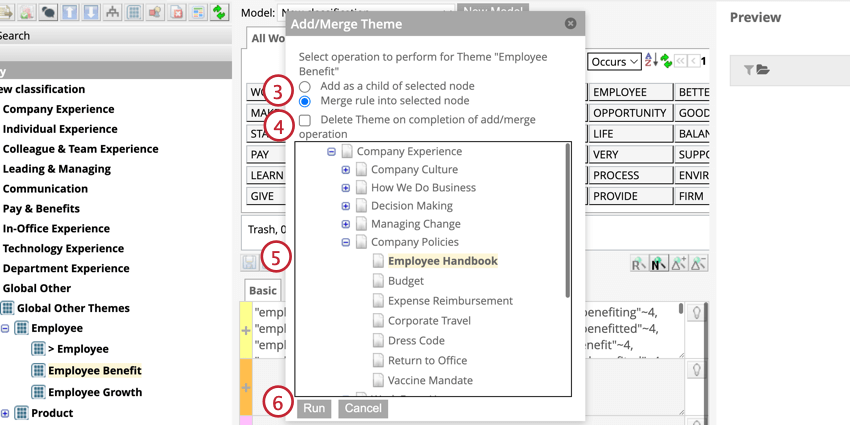
- Add as a child of selected node: Adds the theme as a new category in the parent node. This is the same as copying and pasting.
- Merge rule into selected node: Merges a detected theme into an existing category. Rules from the detected theme and its parent will be added as a new rule to that category.
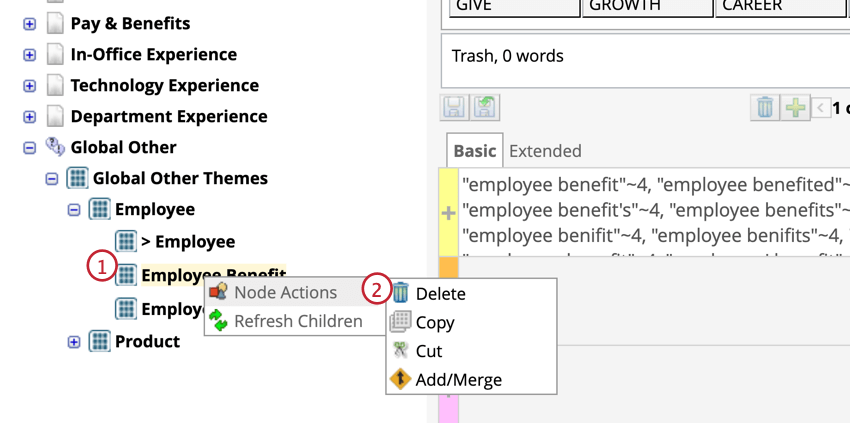
Deleting a Detected Theme
That's great! Thank you for your feedback!
Thank you for your feedback!