

Exporting Interactions (Studio)
Suite
Customer Experience
Product
Qualtrics
What's on this page
About Exporting Interactions
You can export interactions to Excel as an XLSX file.
Qtip: A single export cannot exceed 5000 sentences worth of data.
Exporting Interactions
Qtip: You need the View Interactions Explorer and Export Feedback permissions to export interactions.
Click the Spaces menu.
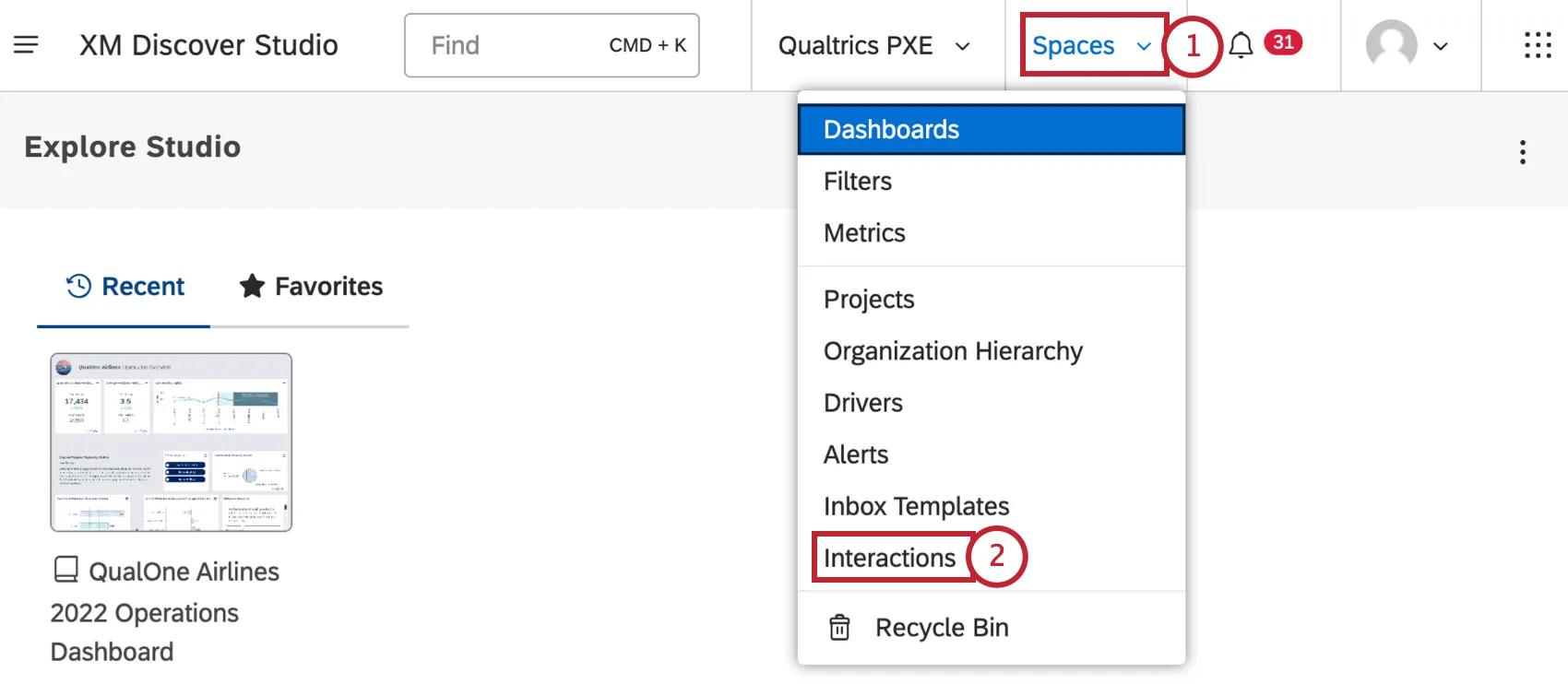
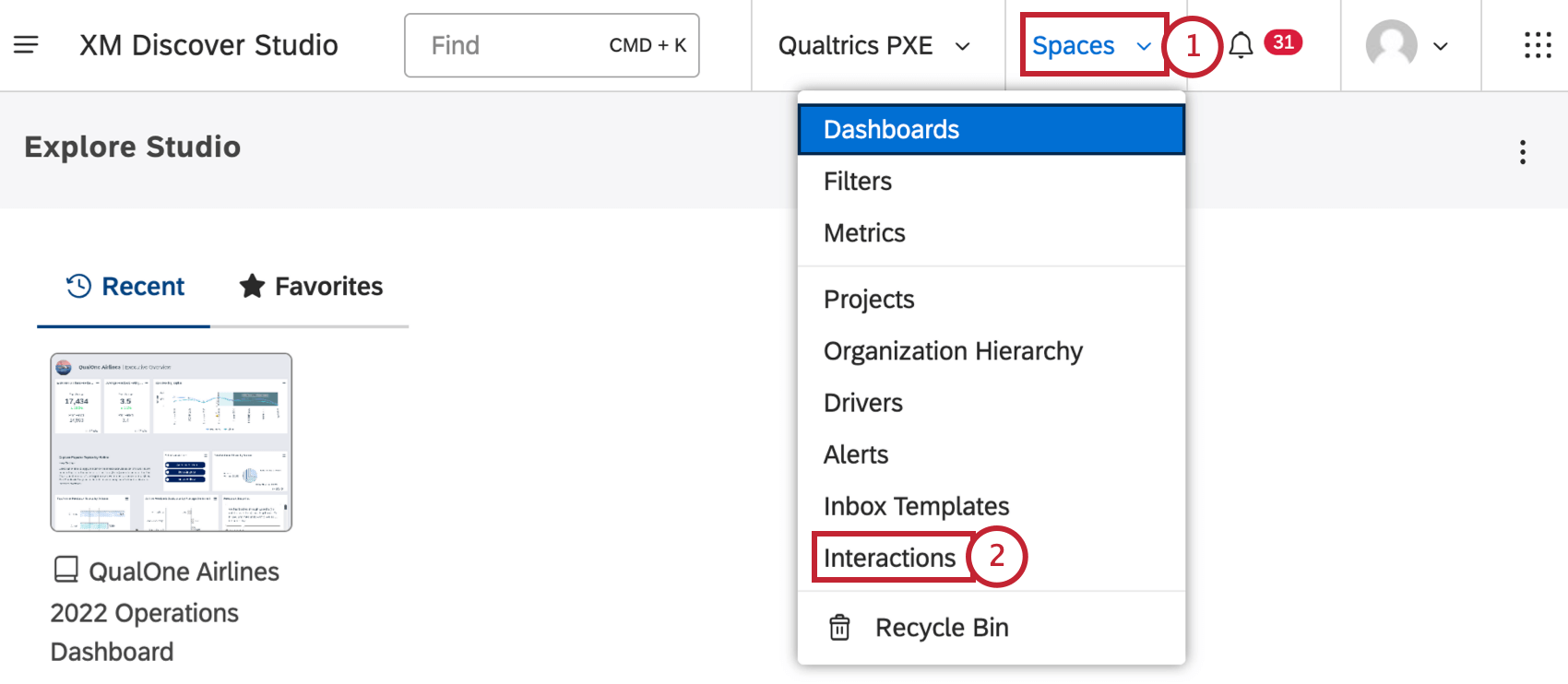
Select Interactions.
Use the Project dropdown to view interactions associated with different projects.
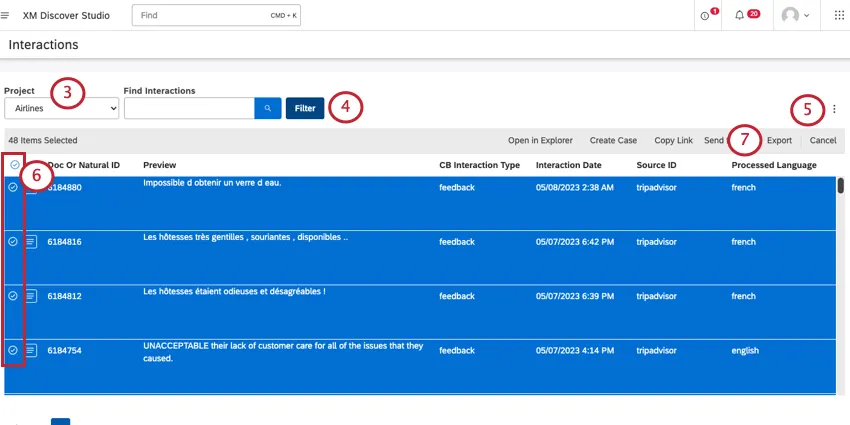
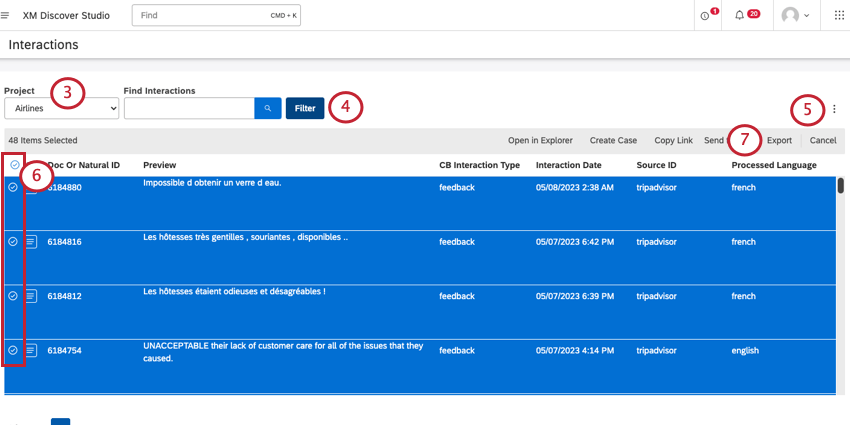
Qtip: You may also need to choose an account and a content provider, depending on what you have access to.
Adjust filters for the interactions you want to include (optional).
Adjust the columns you want to appear in the export (optional).
Select documents you want to export.
Click Export.
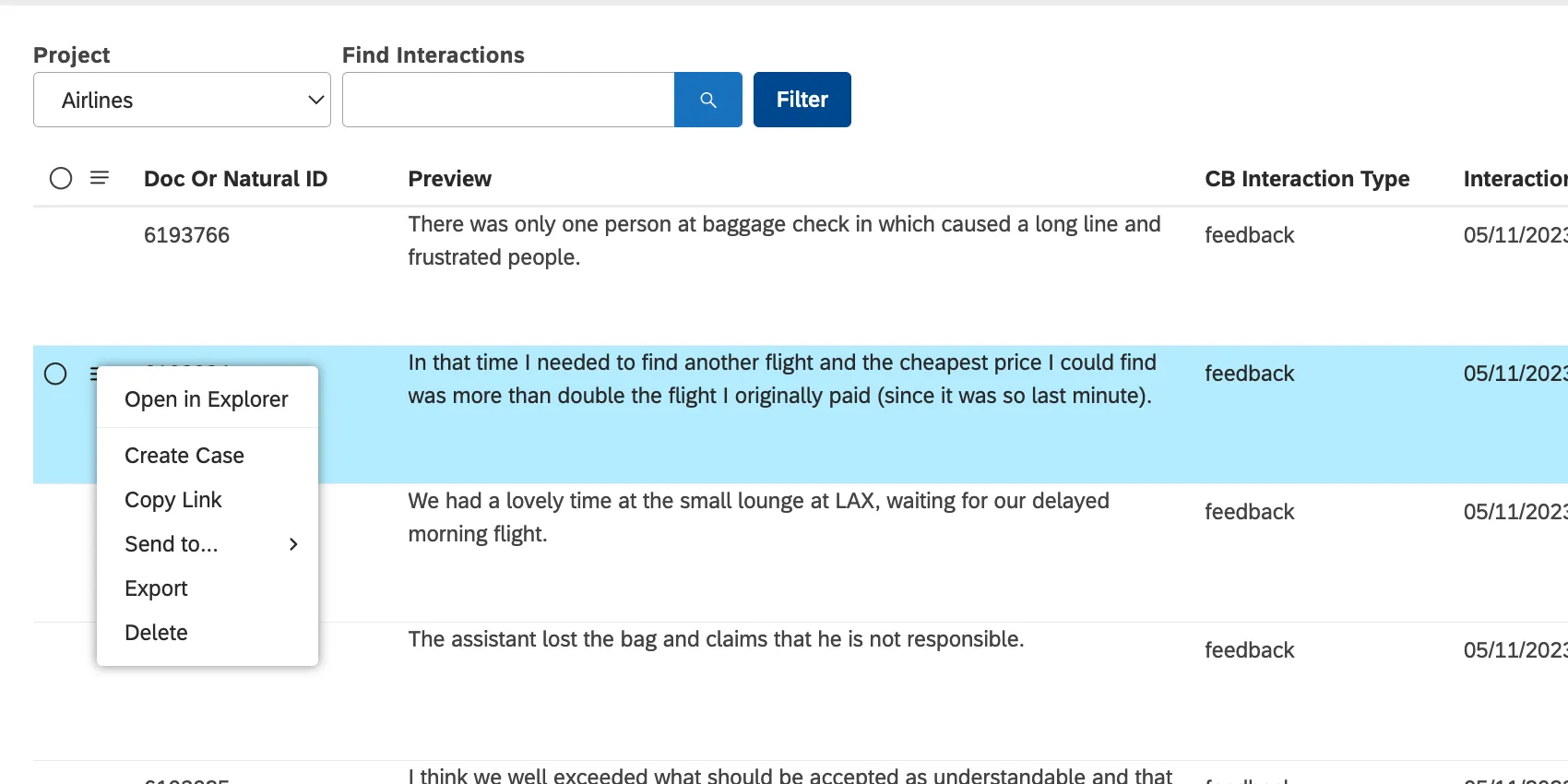
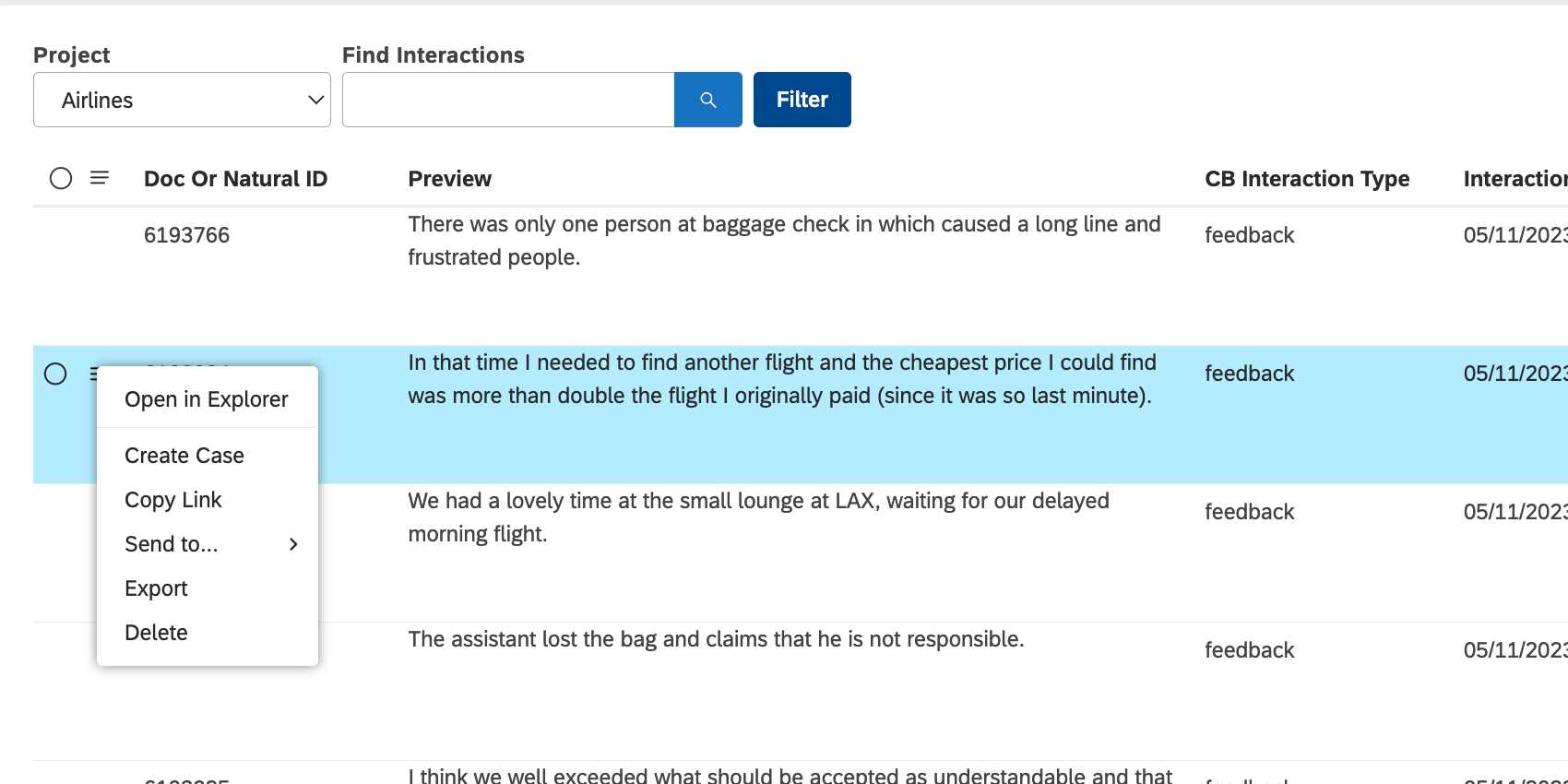
Qtip: To download an individual interaction, click the dropdown next to it, then select Export.
Information Included in the Export
- Content Provider. Content Provider instance.
- Account. The name of the account.
- Project. The name of the project containing customer feedback.
- Owner: The user who exported the data.
- Description: These pull from widget descriptions, found in widget properties.
- Title: Interactions.
- Organization Filters: What organization filters, if any, are applied.
- Additional Conditions: Filters applied to the interactions. The document’s ID.
- Drill Filters: If you export data after drilling into a widget, the drilling filters will be applied to the export, then listed here. See Widget Drilling.
- Date Run: When data was last refreshed. If cached data is displayed, this could be different than the export date.
- Date Exported: The date the file was exported.
- Dataset Volume: The number of documents exported.
- Document: The full text of the interaction. Qtip: Exports cannot include Twitter content. Feedback that comes from Twitter is represented with IDs and the following text instead of the actual content: “Twitter data cannot be exported.”

- Document metadata: All additional columns are document metadata. These are all the columns you chose to display in the export. Metadata includes attributes, enrichments, and models.
That's great! Thank you for your feedback!
Thank you for your feedback!