

XM Discover Search
Suite
Customer Experience
Product
Qualtrics
What's on this page
About XM Discover Search
Attention: XM Discover search is not enabled out-of-the-box; you can add it as part of a custom homepage.
XM Discover search is an intelligent search assistant designed to help you find quick XM Insights without building dashboards and setting up widgets. When enabled, XM Discover search appears as a search bar at the top of the Studio homepage.
Using XM Discover Search
Go to the Studio homepage.
Locate the search box at the top of the Studio homepage, next to What would you like XM Discover to search for today?.


Start typing your query. As you type, XM Discover search provides suggestions for you below the search bar.
Select one of XM Discover search’s suggestions from the menu or press Enter to run a text search on your current query.
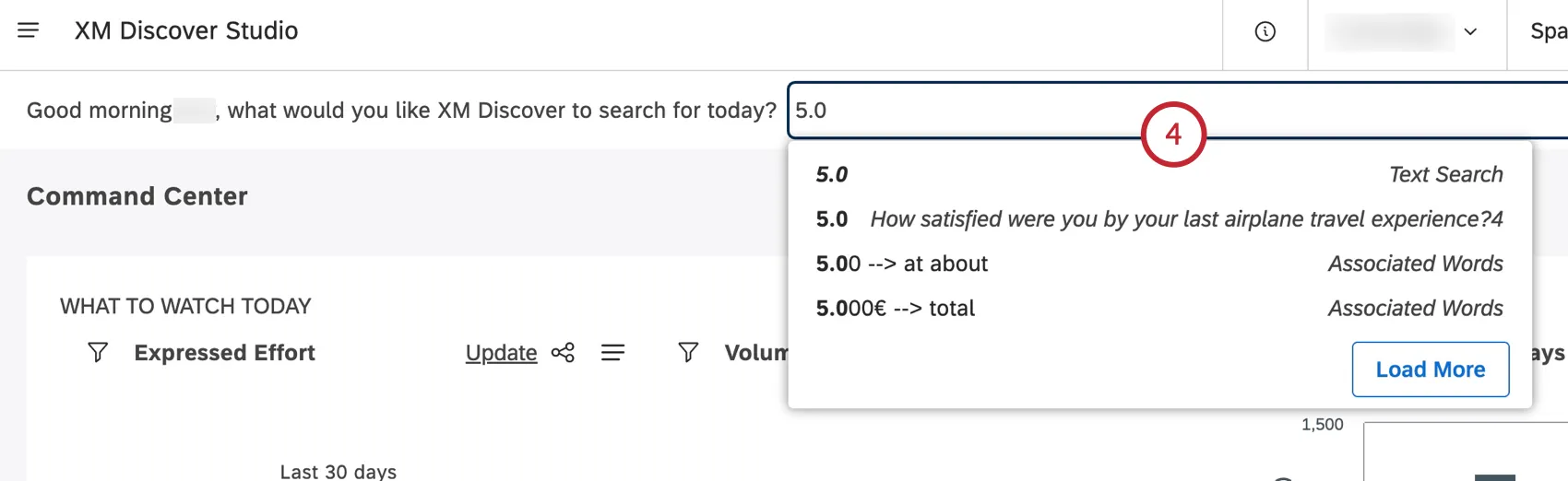
- Text Search: Suggestions tagged as “Text Search” run a keyword search across your data. To learn how text search works, please see Using the Text Filter.
- Numeric and Text Attribute Value: Suggestions tagged with an attribute name are specific values of an attribute. Attention: Attributes need to be explicitly included in XM Discover search to appear among suggestions.

XM Discover search returns a set of quick reports and a list of dashboards or books relevant to your query.
Qtip: Like other Studio widgets, you can drill into data points for details or to link to or share individual records.

That's great! Thank you for your feedback!
Thank you for your feedback!