

Top Box Metrics (Studio)
Suite
Customer Experience
Product
Qualtrics
What's on this page
About Top Box Metrics
Top box metrics can be used to show the percentage of respondents who gave a favorable response in a survey.
Calculation
A top box metric is calculated using the following formula:
Top Box = Promoters / Total Responses Respondents fall into one of 2 groups: Promoters or Other (Detractors, Neutral). Whether or not a respondent is a promoter depends on a cutoff value that you define.
Example: If you set the Promoter cutoff value to 9, respondents who rate your company’s service as 9 or above are considered Promoters, and the rest are treated as Other.

Qtip: You can adjust whether undefined values are included in the total when you create your top box.
Defining a Top Box Metric
This section describes what you need to fill out in the Definition tab of your top box.
Qtip: For steps to create and format a metric, see Creating Metrics.
Set the metric type to Top Box.
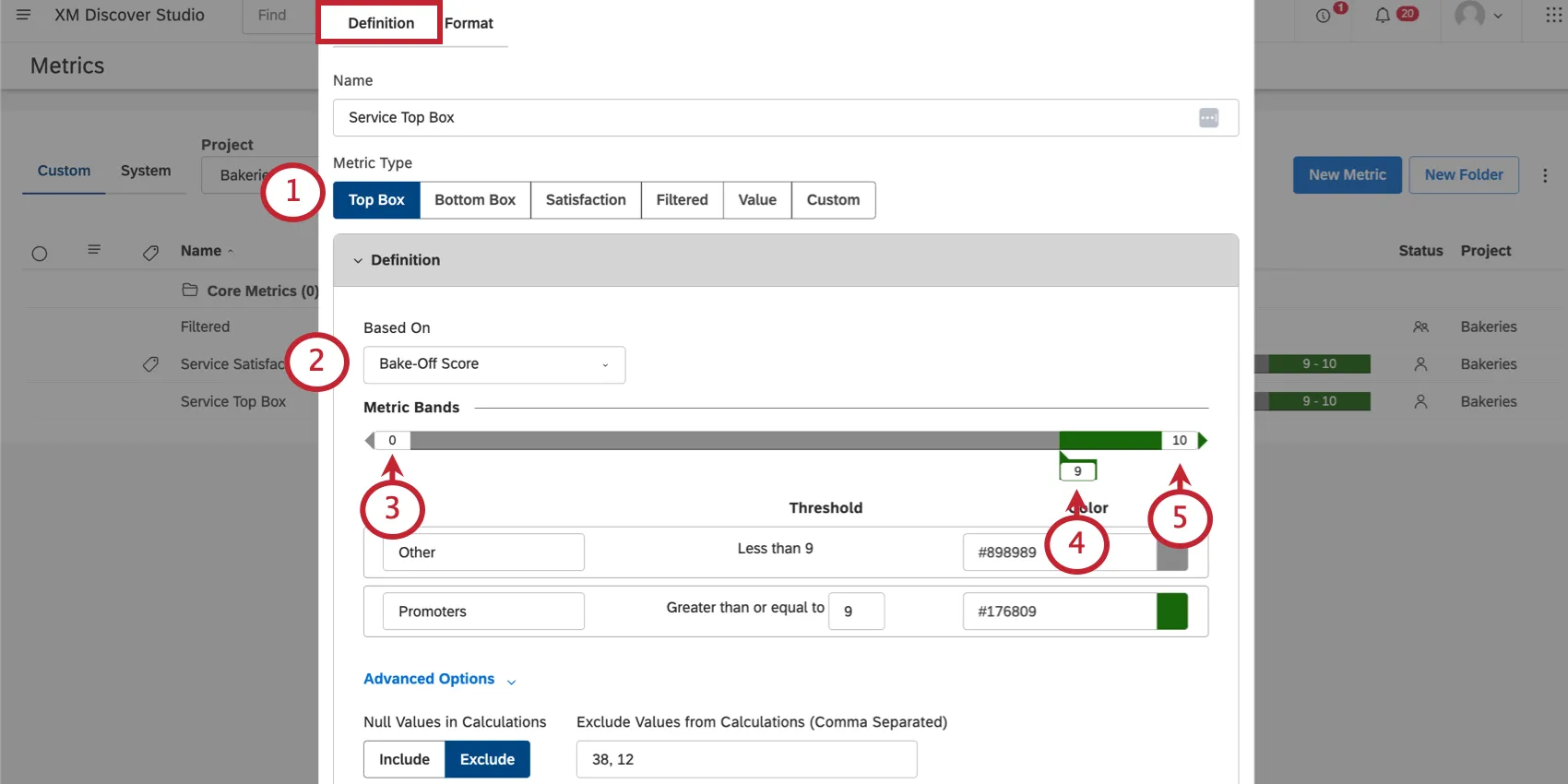
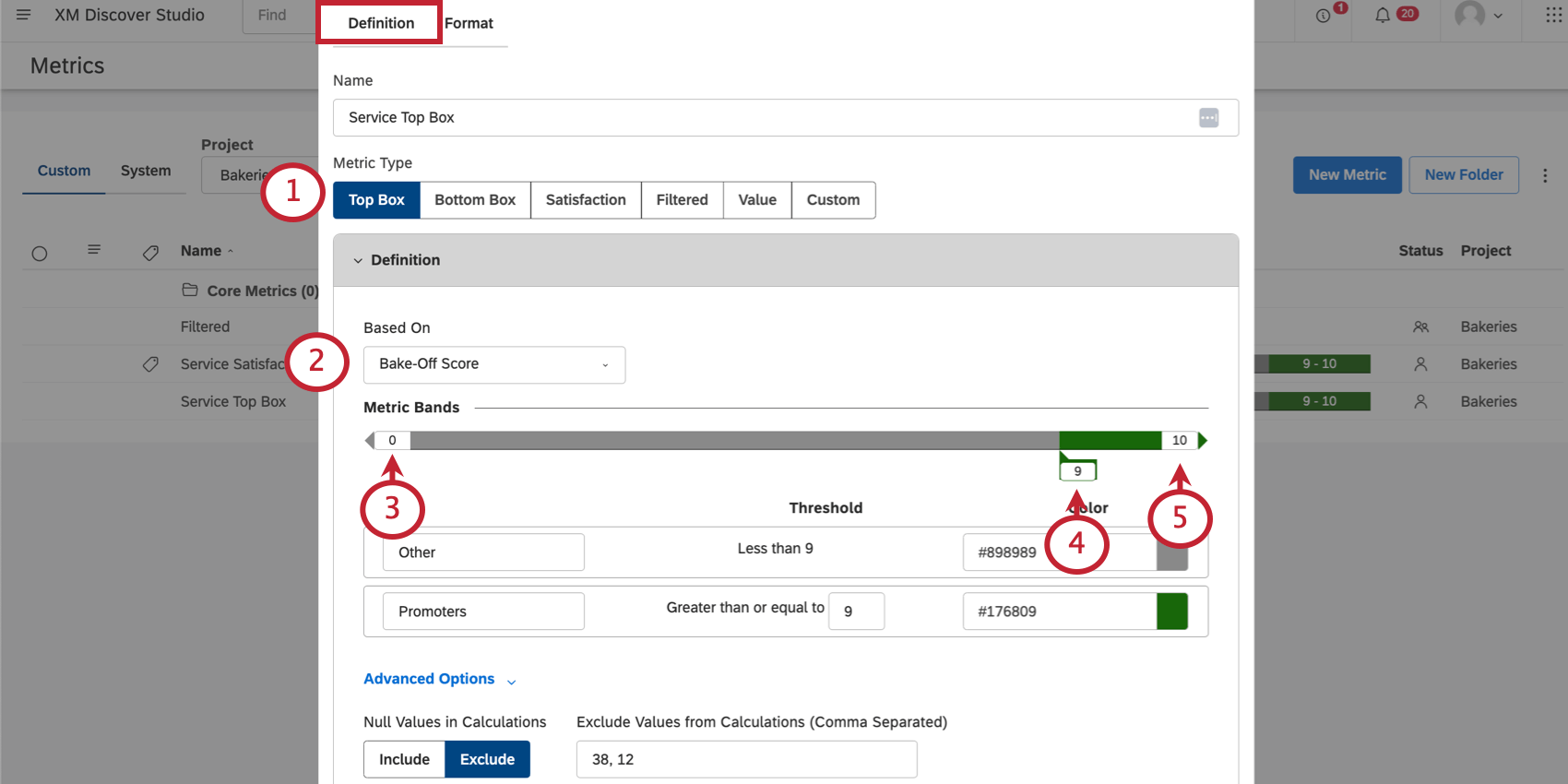
Select the attribute the metric should be based on.
Qtip: You can only select numeric attributes.
Set a minimum value.
Qtip: The minimum and maximum values are used for visual purposes only. For example, if your minimum is 0 and your maximum is 10, a score of 77 is still a Promoter, and a score of -2 is included in the Other band.
Determine the value that a response must be greater than or equal to in order to qualify as a promoter.
Set a maximum value.
Name your groups. By default, these are Other and Promoters.
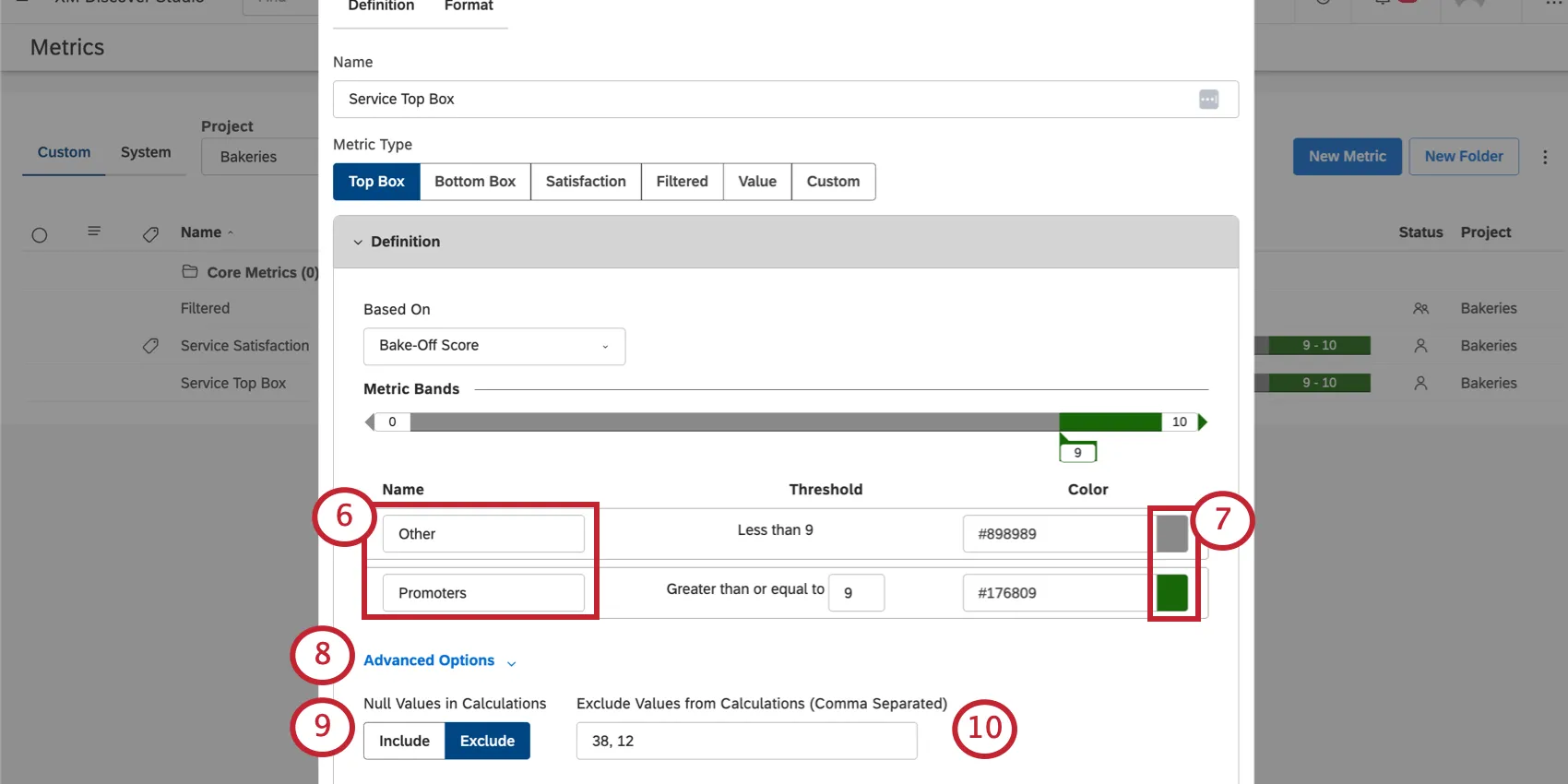
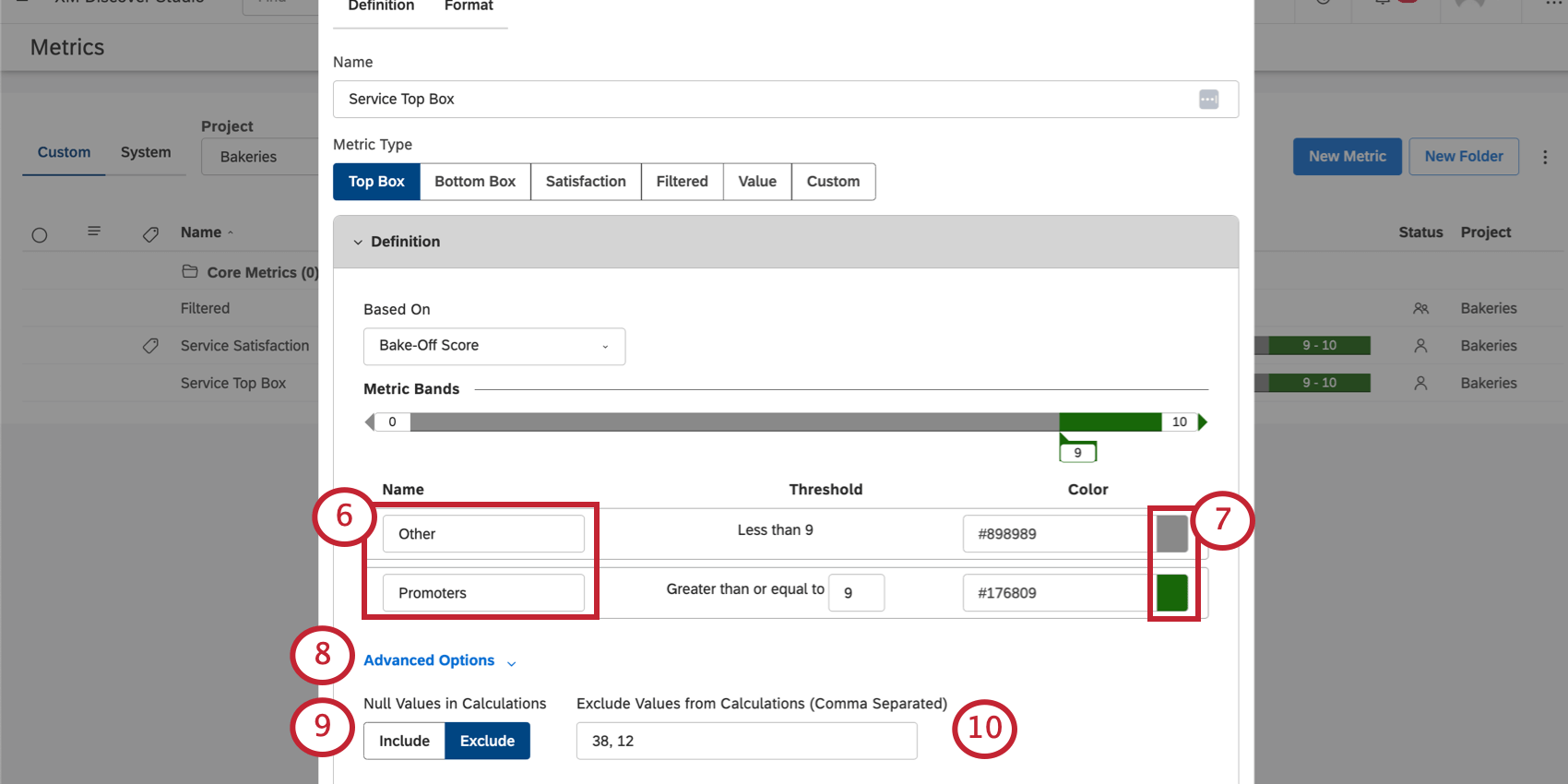
Change the color for responses that fall within that band’s threshold.
If you have null values to define, click Advanced Options.
For Null Values in Calculations, choose one of the following:
- Include: Include null and undefined values in the total when calculating top box.
- Exclude: Exclude null and undefined values from the total when calculating top box. Qtip: This setting only determines if null values are included in the top box calculation. This setting does not determine whether null values are displayed in the report (see Grouping Settings).

Under Exclude Values from Calculations (Comma Separated), type the values you want to exclude from calculations.
Qtip: Make sure to save your changes when you’re finished.
That's great! Thank you for your feedback!
Thank you for your feedback!