

Rescoring Historical Data (Designer)
Suite
Customer Experience
Product
Qualtrics
What's on this page
About Rescoring Historical Data
After you select a scoring model and create a rubric, all new documents that get categorized into that model will be scored automatically. To apply intelligent scoring to historical data (i.e., existing data collected before the rubric was created), you need to rescore the data.
Here are some situations where you may want to run rubric rescoring:
- When you want to apply a rubric to documents that were uploaded before the rubric was created.
- When you make changes to the rubric, and want to apply these changes to documents that have already been scored.
- When you make changes to the scoring model and want to apply these changes to documents that have already been scored. Qtip: When a scoring model is edited, rescoring only updates documents affected by the changes.

- When incremental classification is disabled for your data loads and you want to score those documents retroactively.
Qtip: To run rescoring for a specific upload session, run session-specific classification.
Rescoring Historical Data
Qtip: This step is performed in Designer. You must have data access to the project you want to use.
Log into Studio.
Open the global navigation menu.
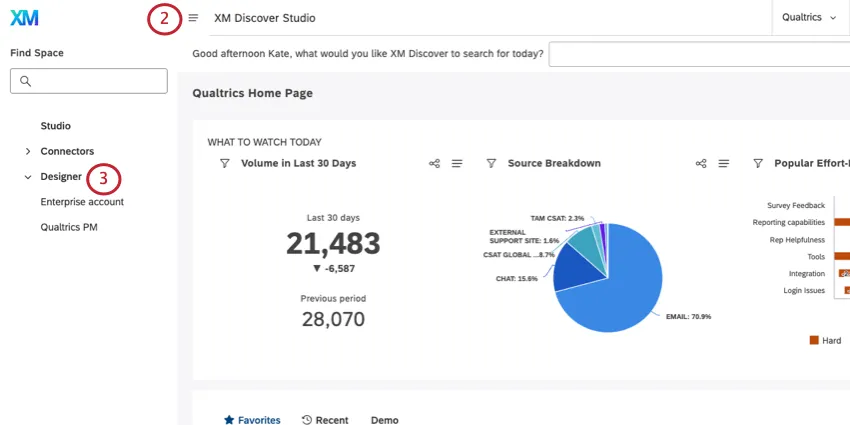
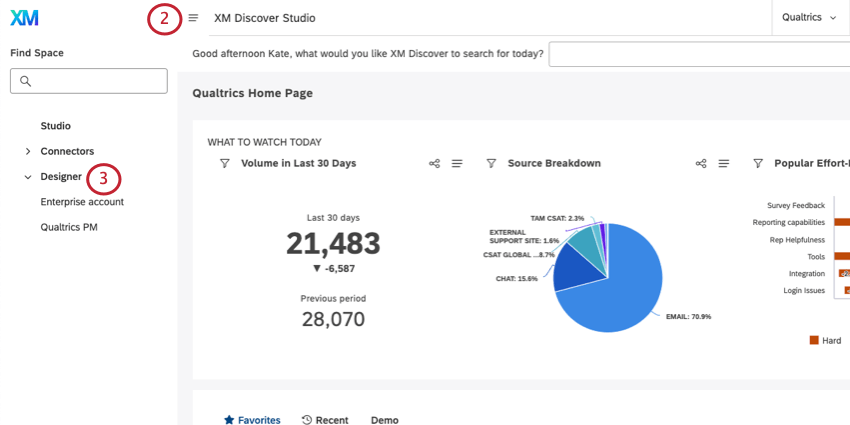
Select Designer.
Qtip: If you have access to more than one instance, select the instance you’d like to open.
Make sure you’re in the correct project.
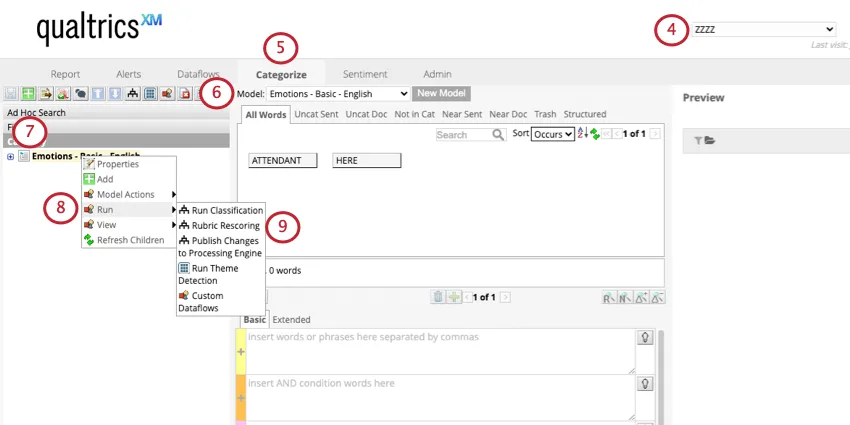
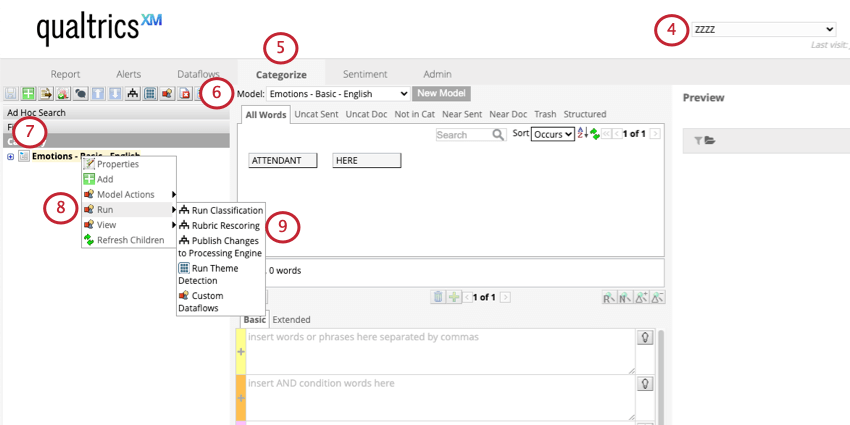
Go to Categorize.
Select a category model to use from the Model dropdown.
Right-click the topmost (root) node.
Hover over Run.
Select Rubric Rescoring.
Under Date filters, select the date range of the data you want to rescore. Select All time to recalculate the full history.
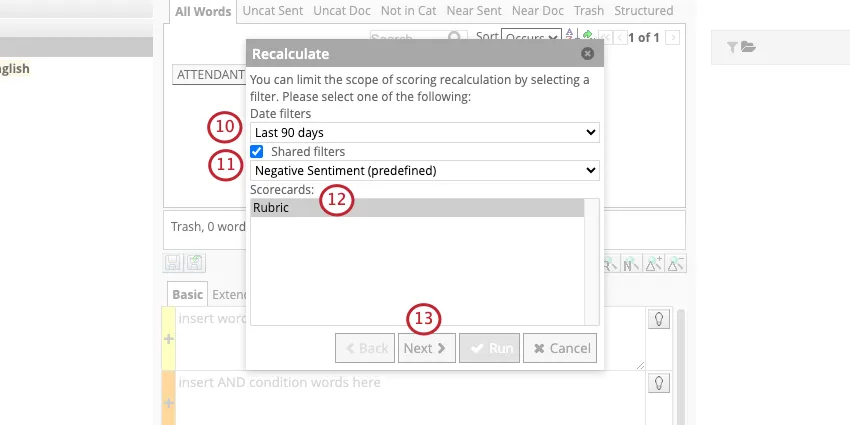
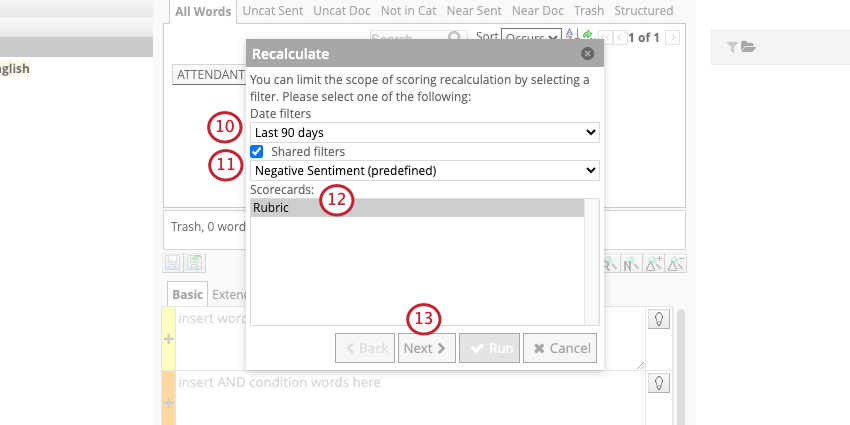
If you want, you can use Shared filters to narrow down the documents that will be rescored. If you don’t use filters, then all historical data within the date range will be rescored.
Under Scorecards, select the scorecards you want to rescore.
Qtip: This option is useful if several rubrics have been defined for the same model.
Click Next.
Click Advanced.
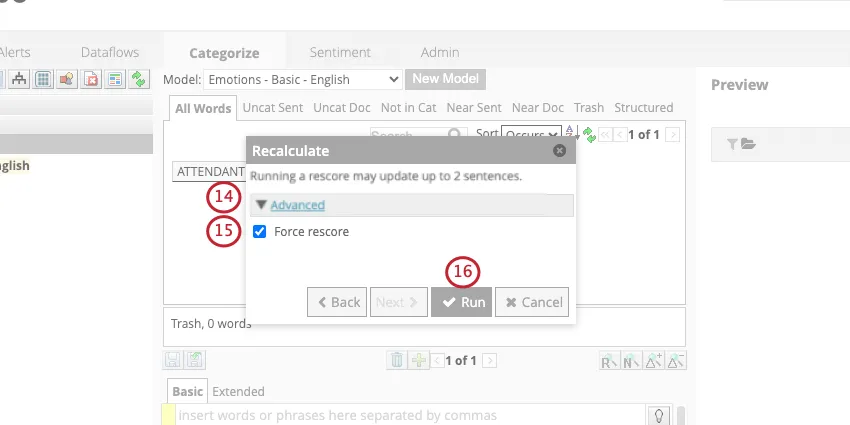
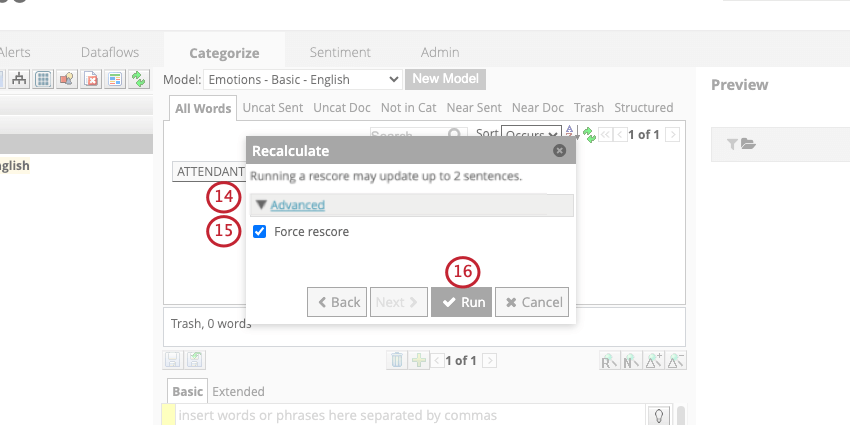
Qtip: You’ll see the number of feedback that will be recalculated based on the filters you defined.
Select Force Response.
Click Run.
Wait until the rescoring finishes to leave the page.
Qtip: Rescoring the rubric also runs classification on your model.
Best Practices
Please keep in mind the following recommendations when running rubric rescoring:
- When you’re first creating your rubric, filter rescoring by date to make sure you’re not rescoring all historical data every time you want to make a small change to your rubric. This can save time spent loading data and checking results.
- Work with smaller subsets of your data at the beginning. Validating scores on a smaller set of data will vastly improve performance, especially in the early stages when you’re still perfecting your rubric.
- Rescore larger datasets during off-hours, because the rescoring might take some time to complete, and you don’t want to interrupt working day functions.
FAQs
That's great! Thank you for your feedback!
Thank you for your feedback!