

Collections
What's on this page
About Collections
Collections allow you to organize your results from search into consolidated groups that can be shared with users. This can be useful to organize important insights before a presentation, or provide background research to your collaborators.
See Research Hub Overview for more information on how to set up and use Research Hub.
Attention: This feature is only available to users on the new simplified pricing and packaging plans or customers who actively participated in the Preview Program for this feature. For more information, see Qualtrics Public Preview. If you have questions about your Qualtrics pricing and packaging plan, reach out to Account Services.

Creating Collections
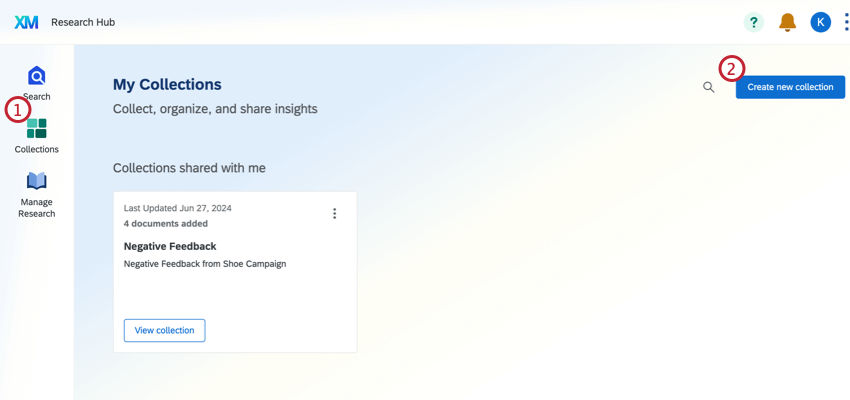
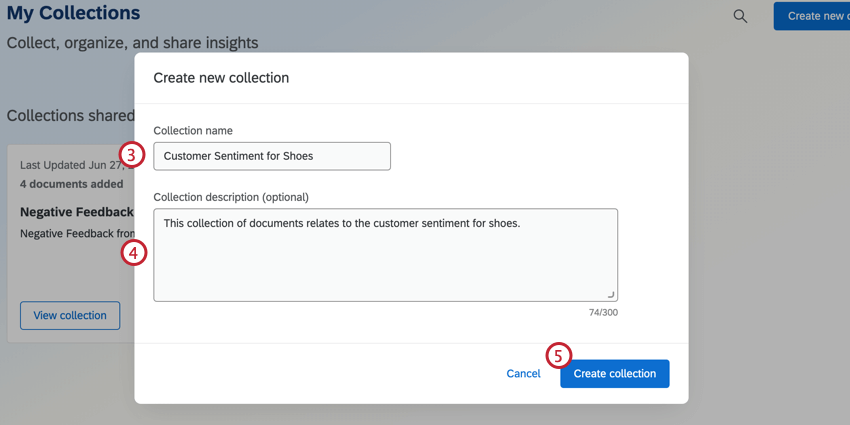
Alternatively, you can create a new collection from search. Click Add to collection, then select Create new collection.

Qtip: The exact result, including all items in the card, will be added to the collection.

Bulk Add to Collection
You can quickly add multiple search results to a collection with a single action.
Perform your search.
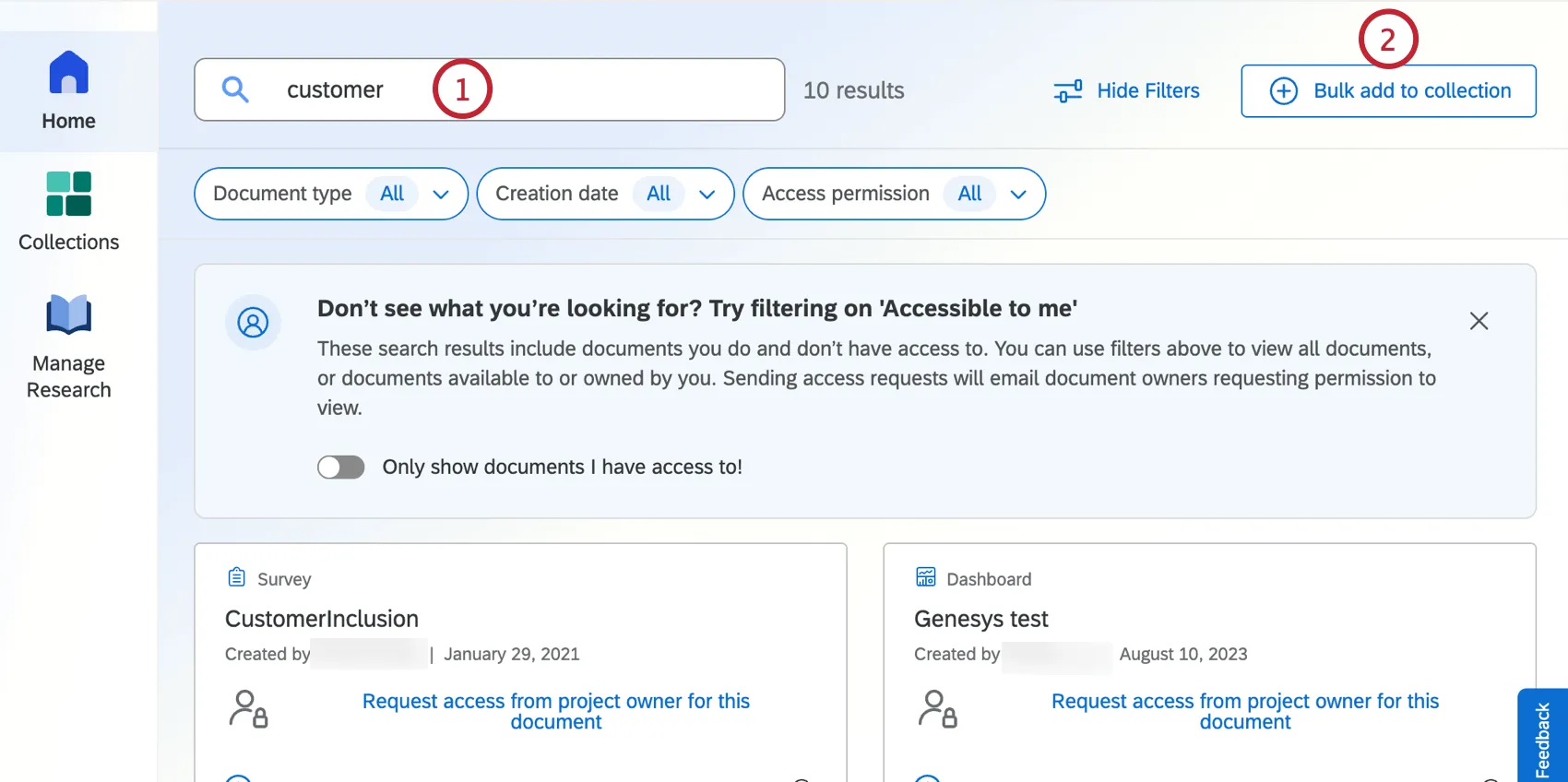
Click Bulk add to collection.
Select the items you’d like to add to the collection.
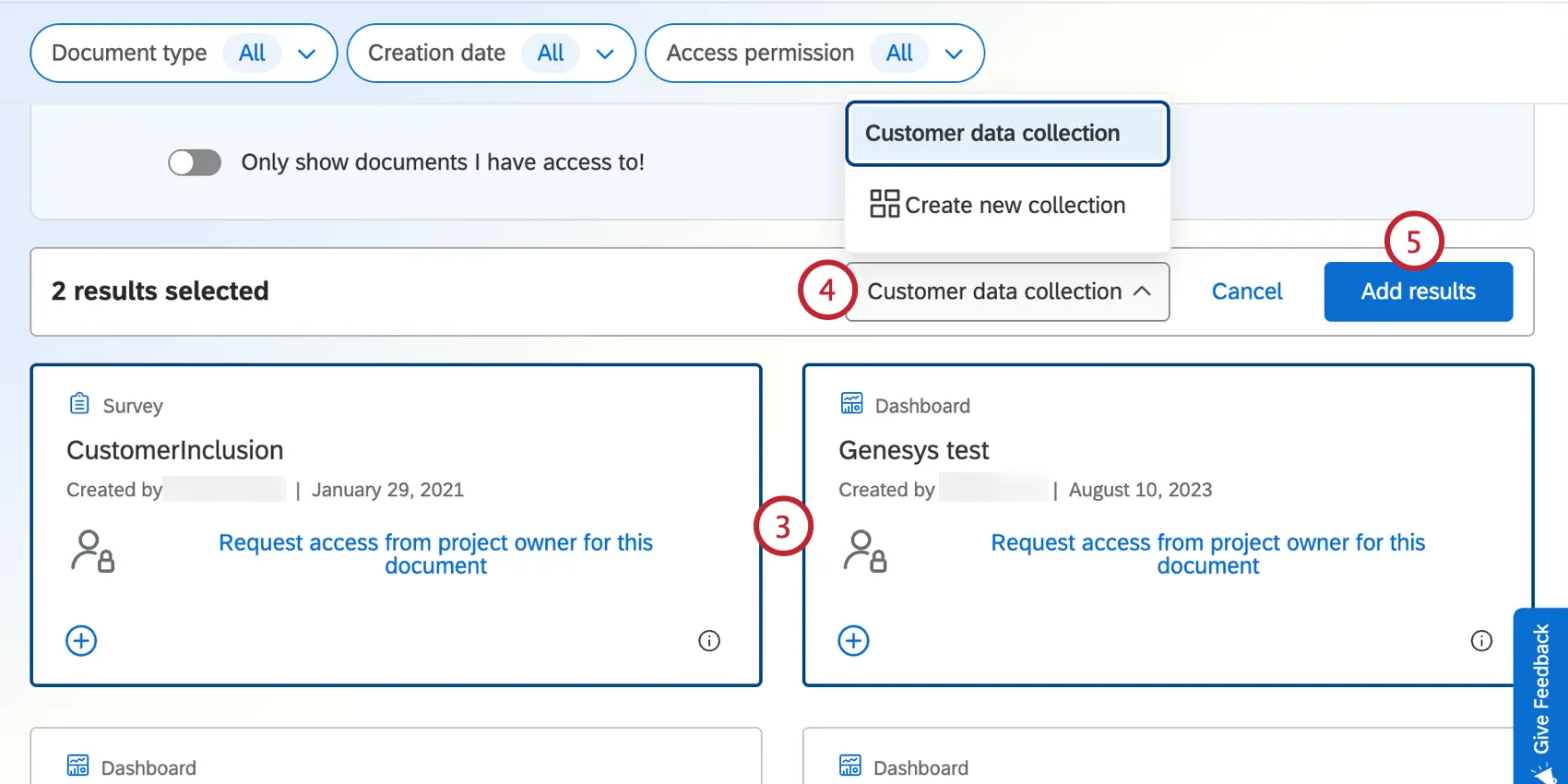
Choose the collection to add the items to. Alternatively, select Create new collection to add them to a new collection instead.
Click Add results.
Navigating Collections
From the Collections tab, click View collection to view the contents of a collection.
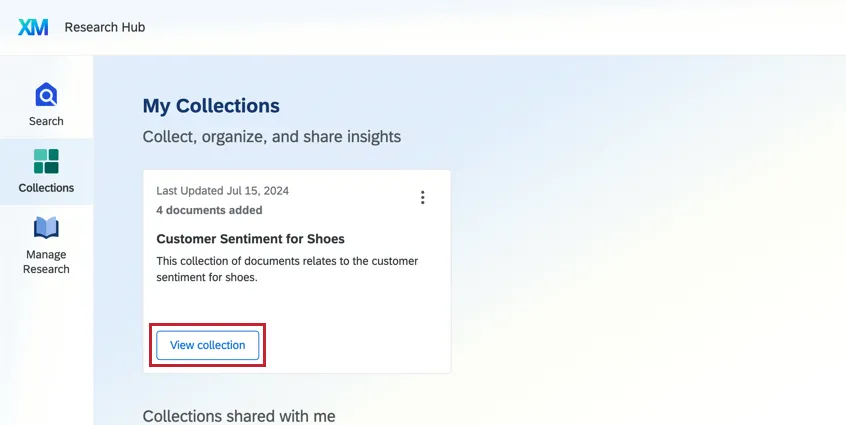
The collection will show all of the Search results that have been added to that collection.

Sharing Collections
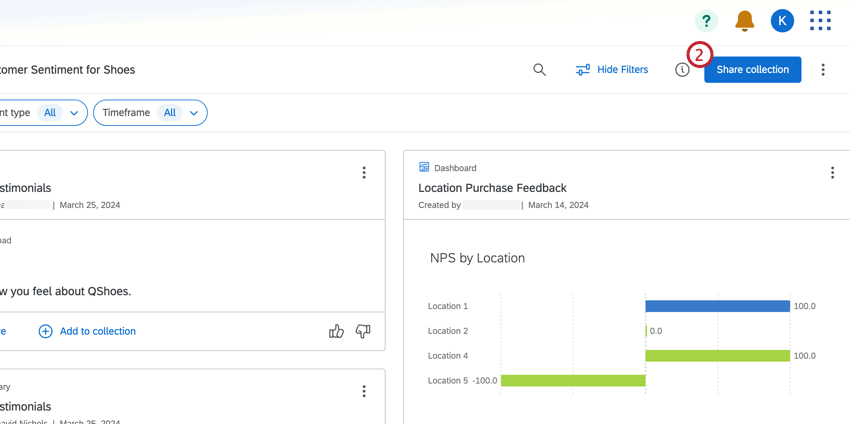
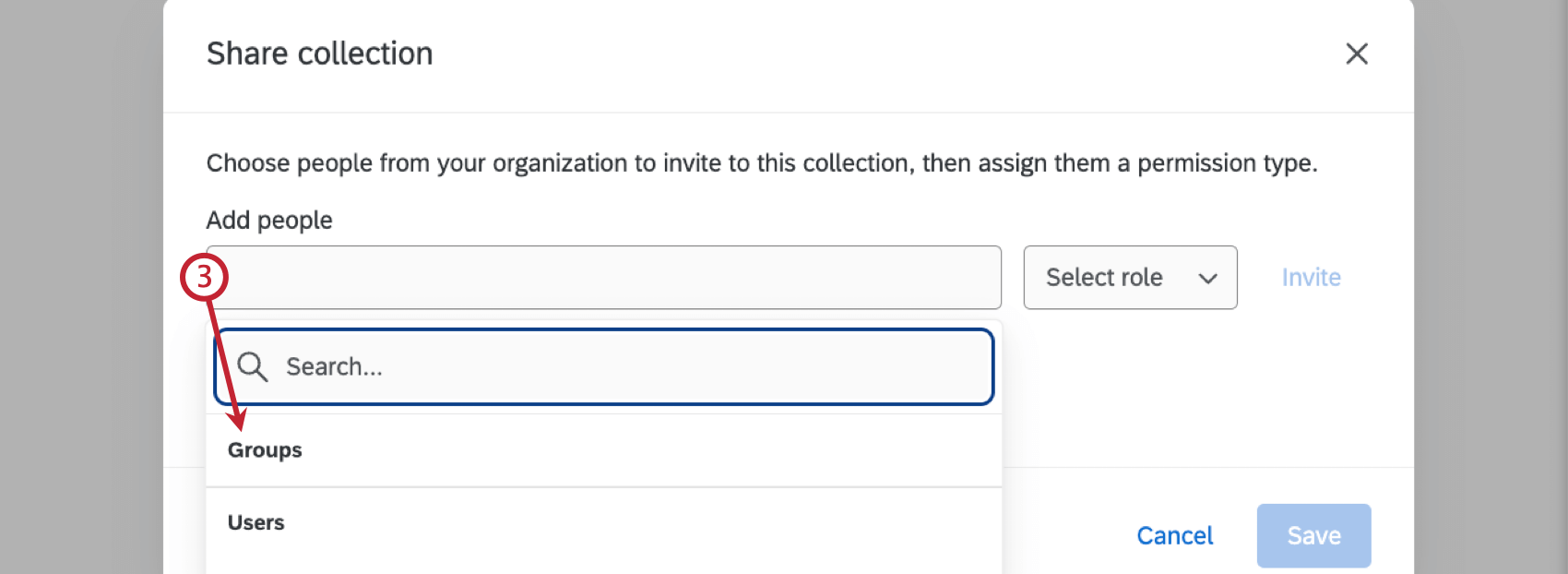
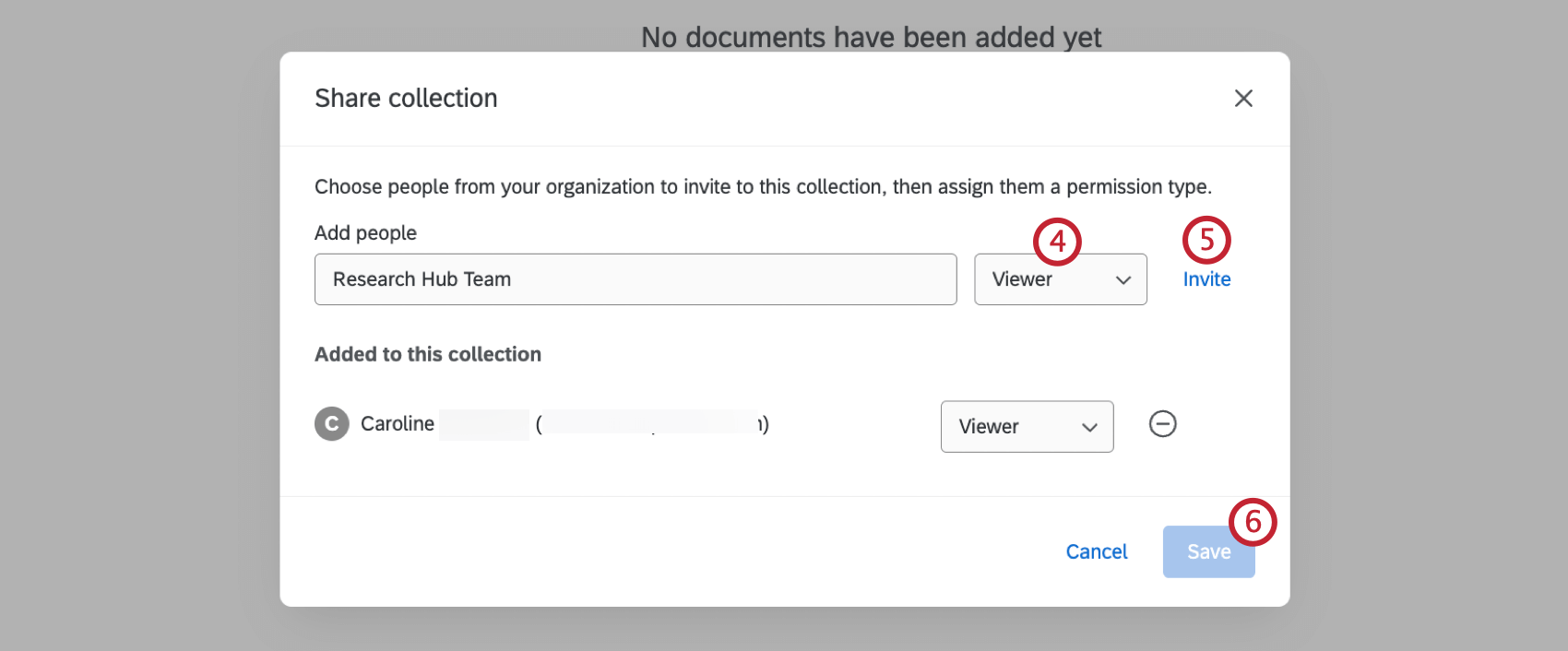
- Collaborator: User can access Research Hub and create collections and upload files.
- Viewer: User can view collections and files within Research Hub.
That's great! Thank you for your feedback!
Thank you for your feedback!