

Zendesk Event
Suite
Customer Experience
Strategy & Research
Product
Qualtrics
What's on this page
About Zendesk Events
Zendesk events allow you to begin a workflow in Qualtrics based on events in Zendesk. This includes when a ticket requester or assignee is changed, or when a ticket field is modified. You can then use the data passed from Zendesk in subsequent workflow tasks.
Attention: With Zendesk events, no additional configuration is necessary on the Zendesk side.

Setting up a Zendesk Event
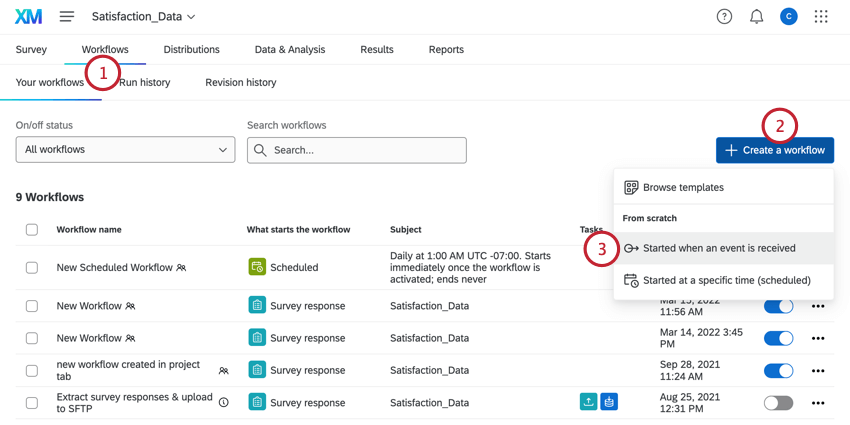
Click Create a workflow.
Select Started when an event is received.
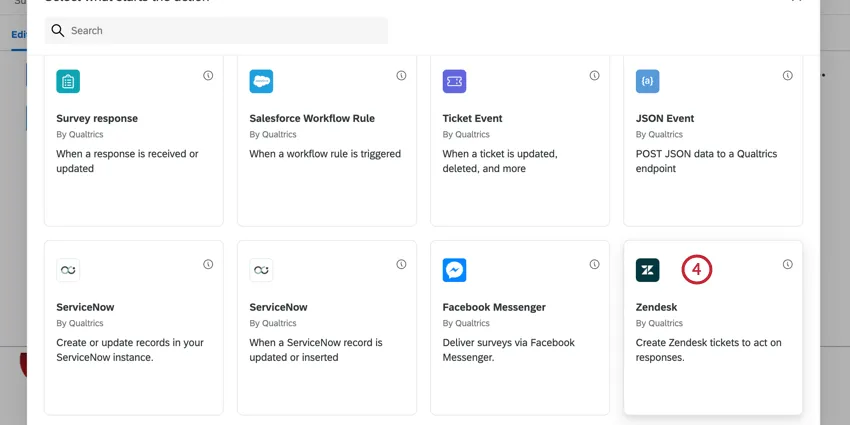
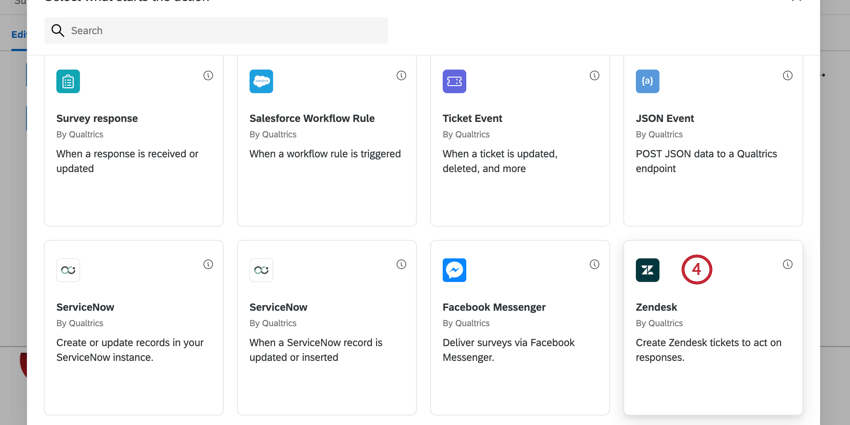
Choose the Zendesk event.
Choose the Zendesk account to use. Your options include any Zendesk accounts you’ve previously connected to Qualtrics in addition to any brandwide accounts added by your Brand Administrator.
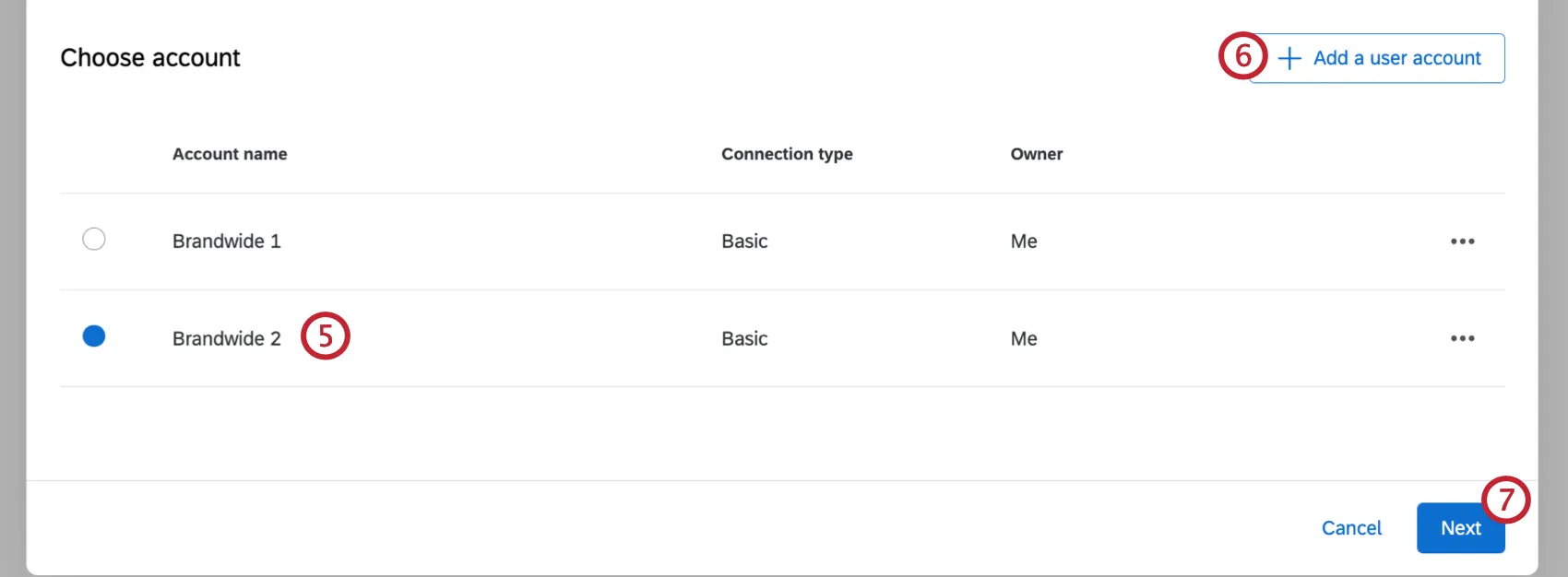
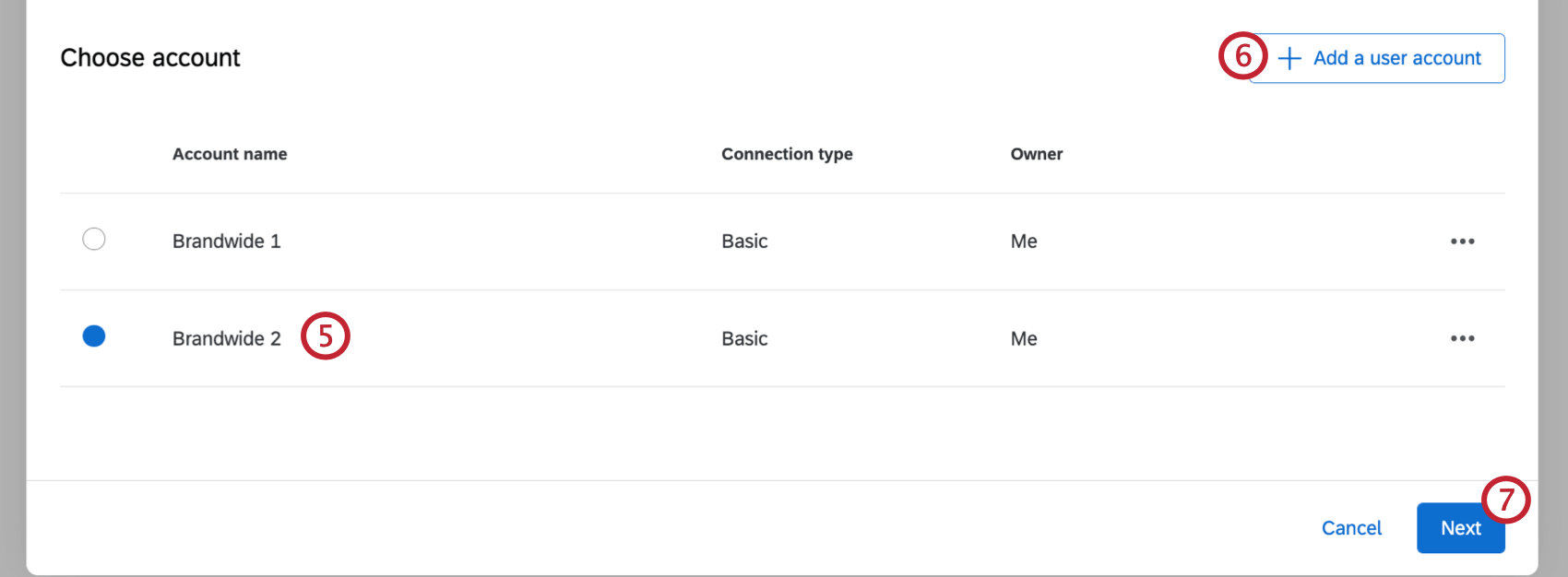
If you need to add a new Zendesk account, click Add user account.
Qtip: When adding your Zendesk account, give the account a name for internal purposes, then enter your username and API token. Your username is your Zendesk email address with /token at the end – for example, barnabys@company.com/token. See Zendesk’s documentation on generating API tokens.

Click Next.
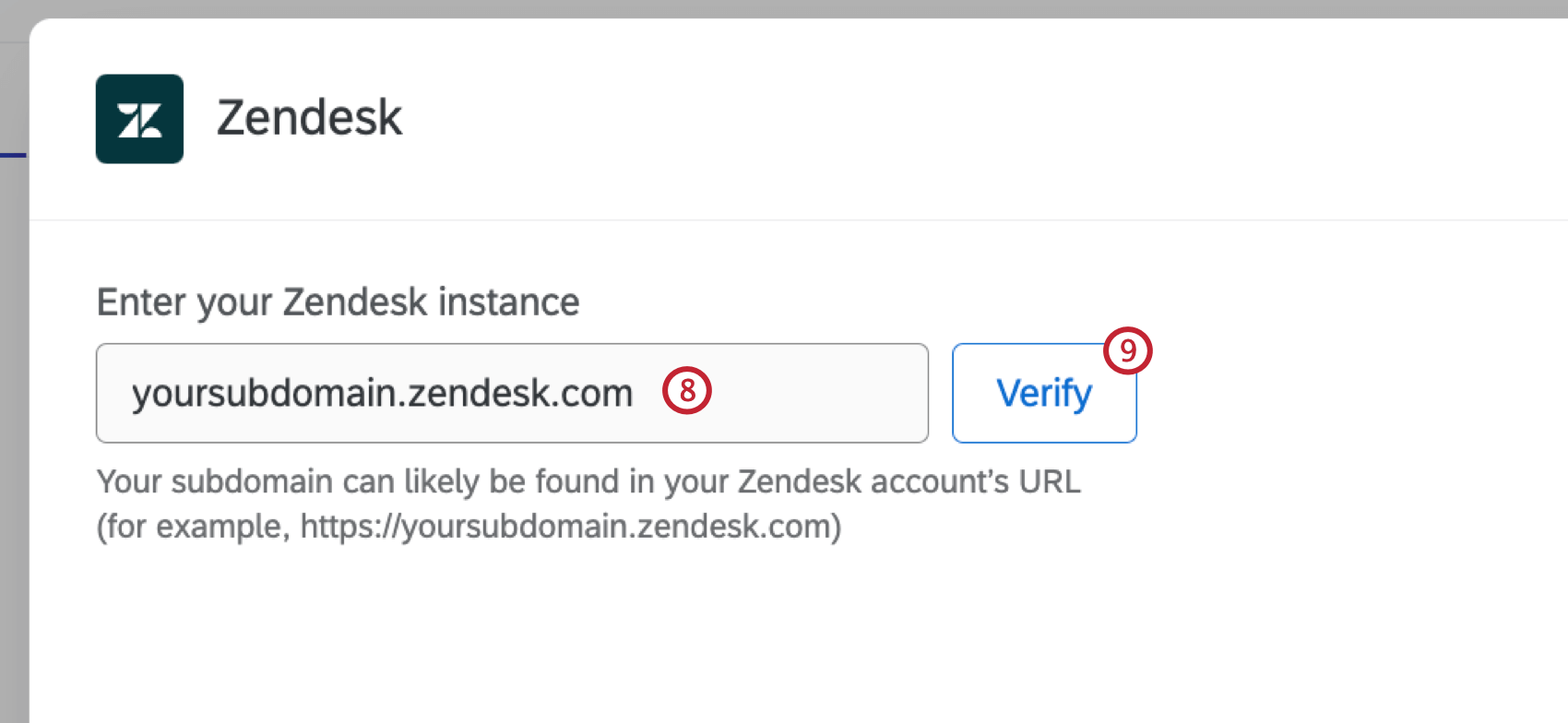
Click Verify.
Click Select fields to select the fields that will be passed from Zendesk. These fields can be used in conditions and subsequent workflow tasks. You may choose multiple or Select all.
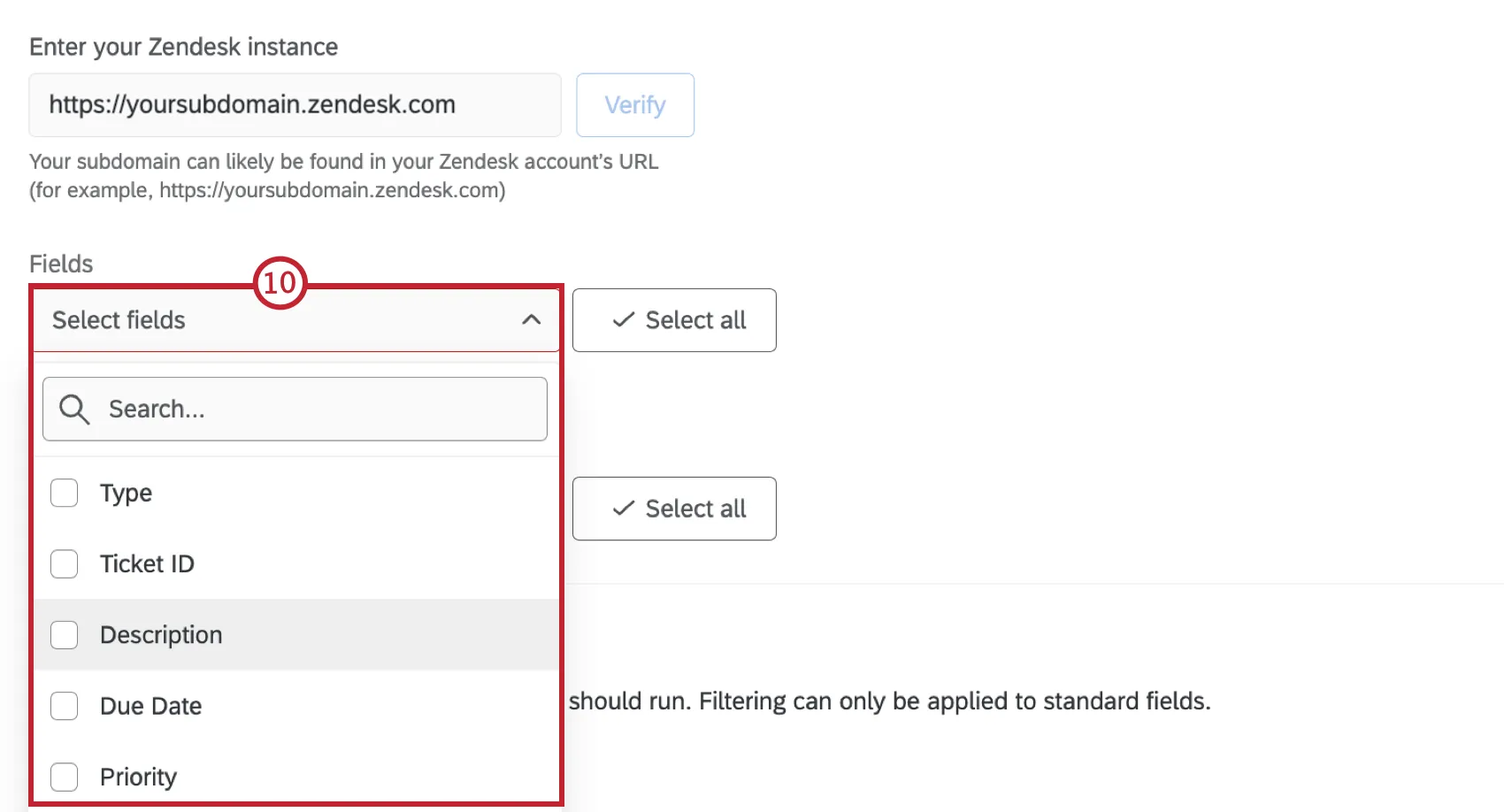
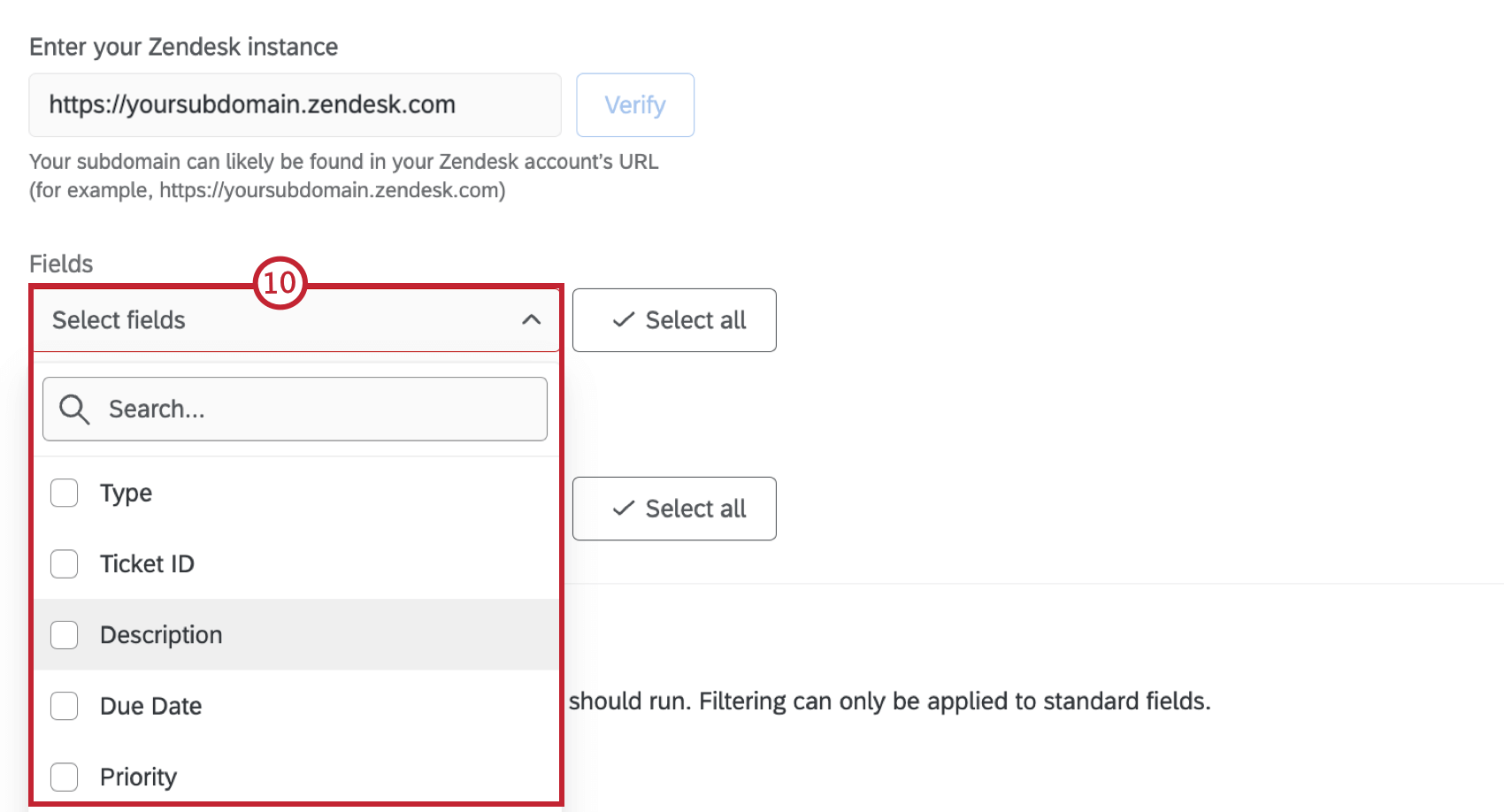
Qtip: You cannot modify the fields that appear here.
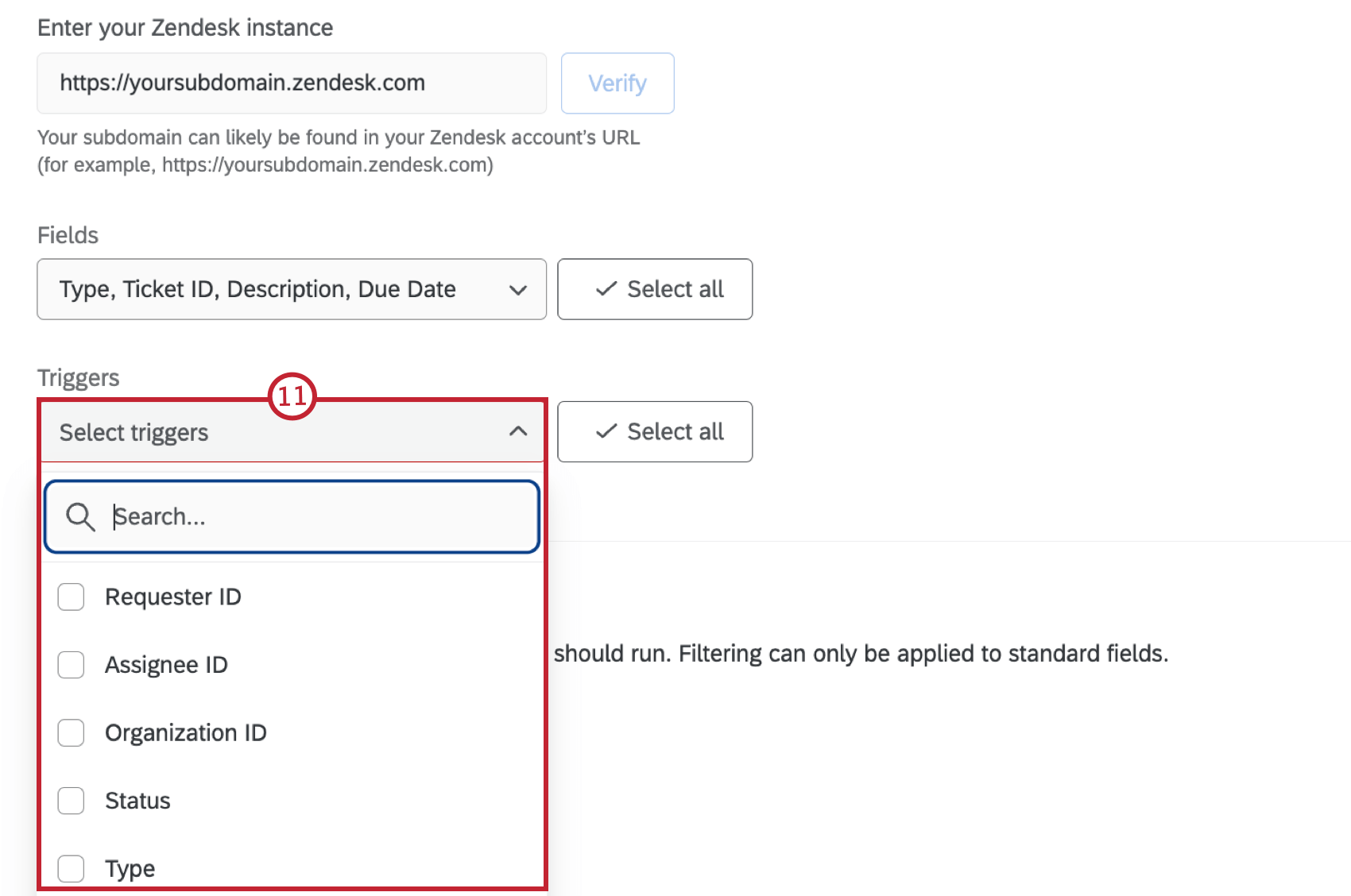
Click Select triggers to select which ticket events will trigger the workflow. You may choose multiple. Your options include:
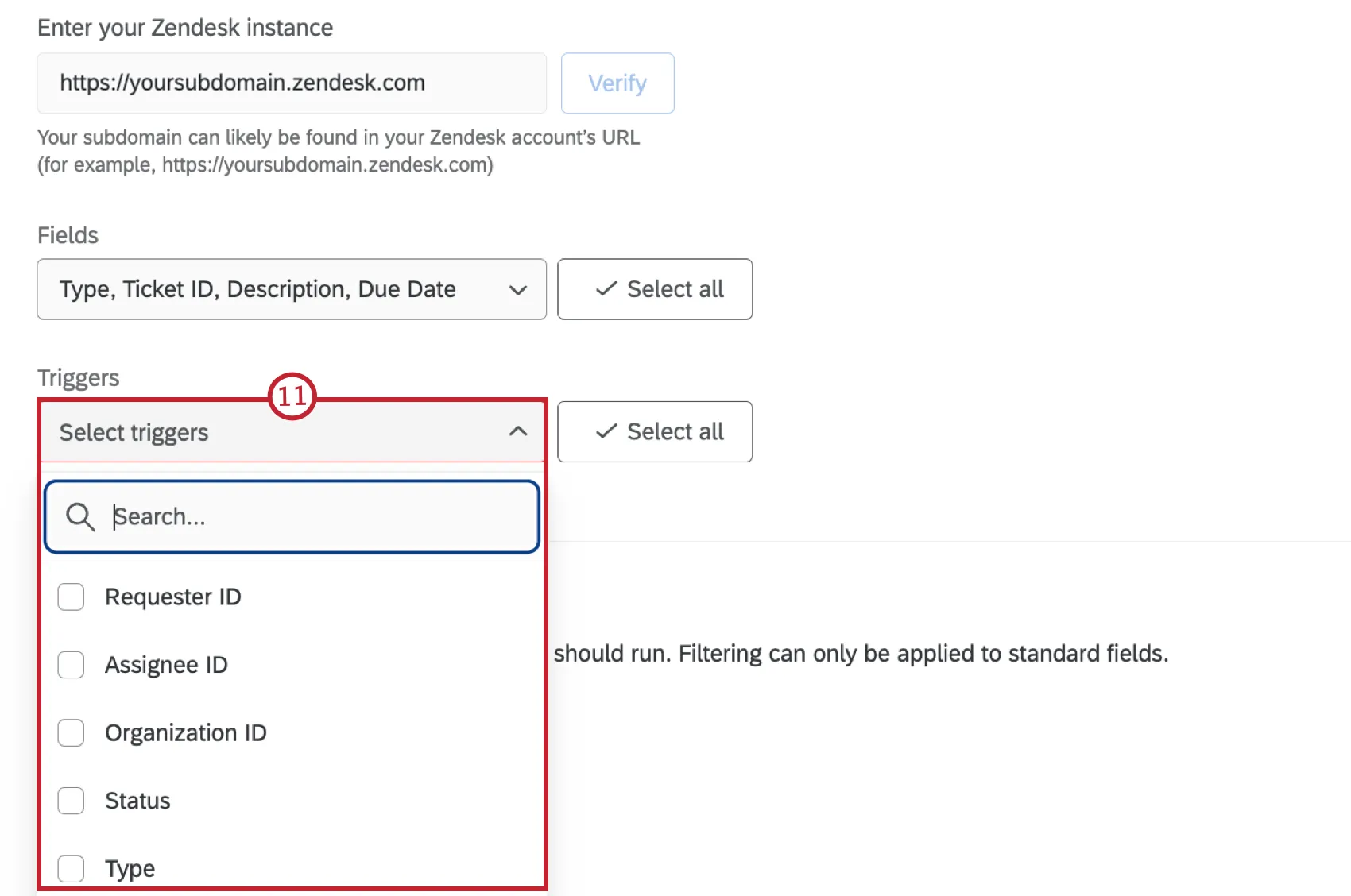
- Select All: Selects all of the ticket events.
- Requester ID Change
- Assignee ID Change
- Organization ID Change
- Status Change
- Type Change
- Priority Change
- Group ID Change
If desired, build conditions for your Zendesk event. These conditions determine the criteria in Zendesk for the event to trigger. See Building Zendesk Conditions for more information.
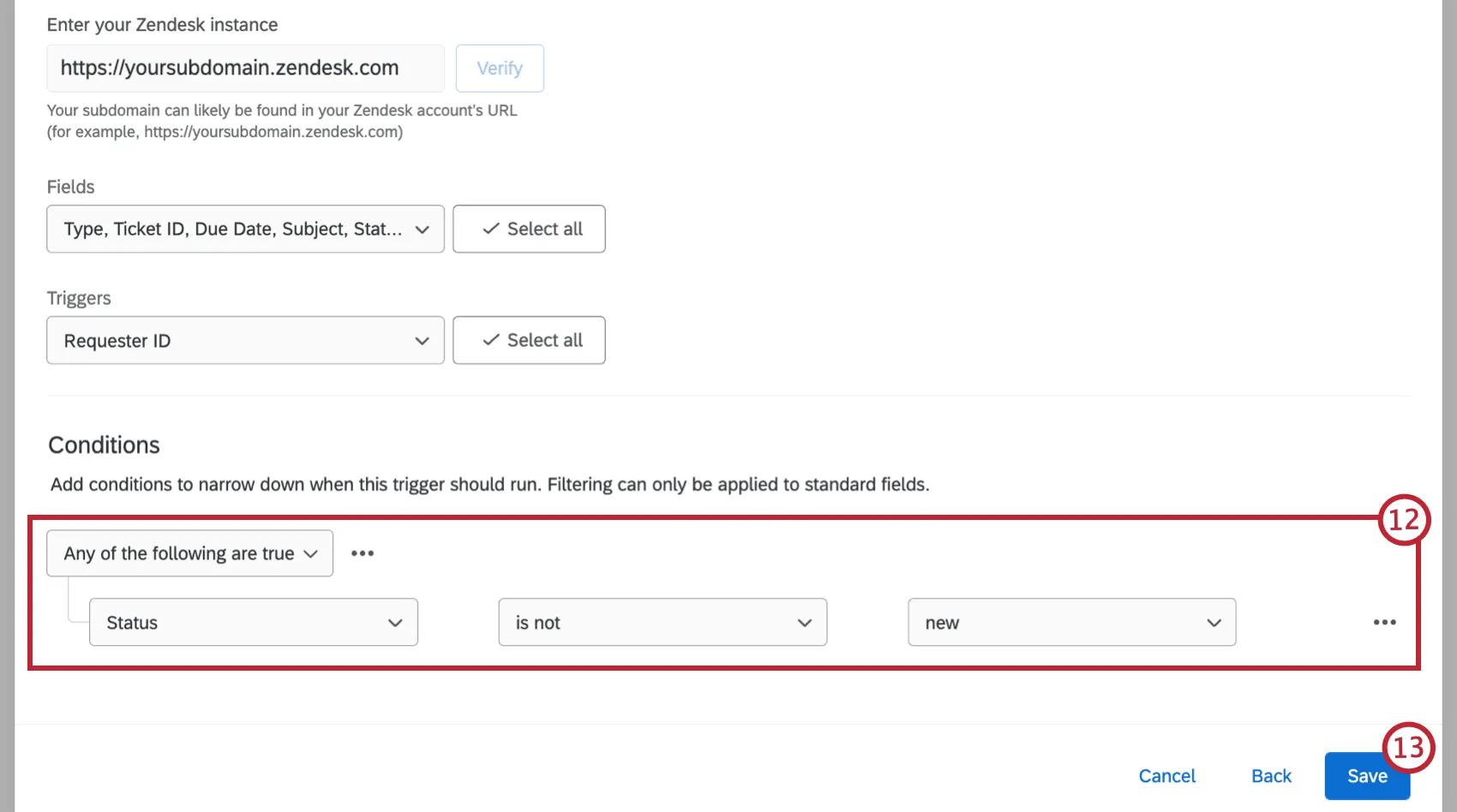
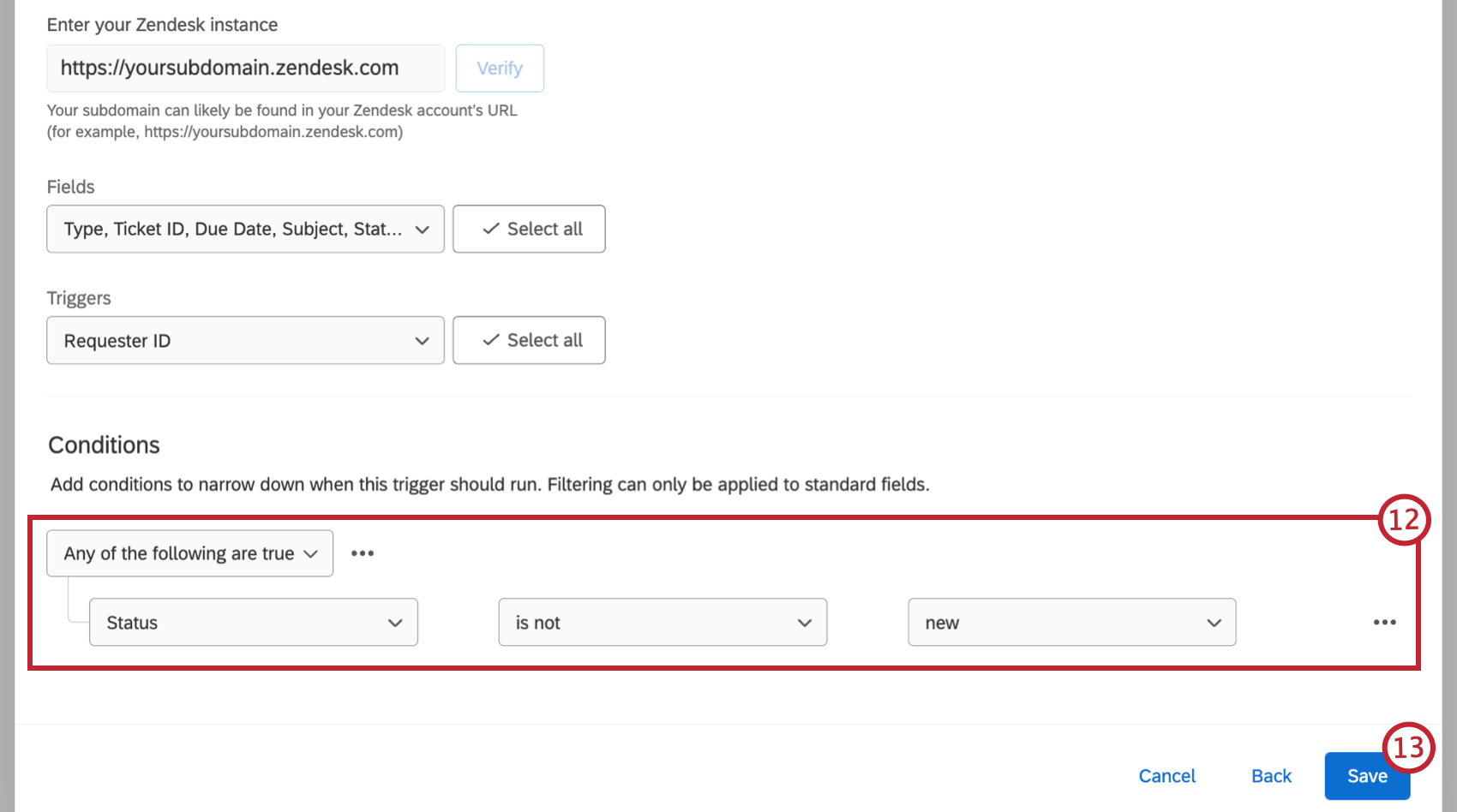
Qtip: These conditions are conditions from Zendesk being set up within the task.
When finished, click Save.
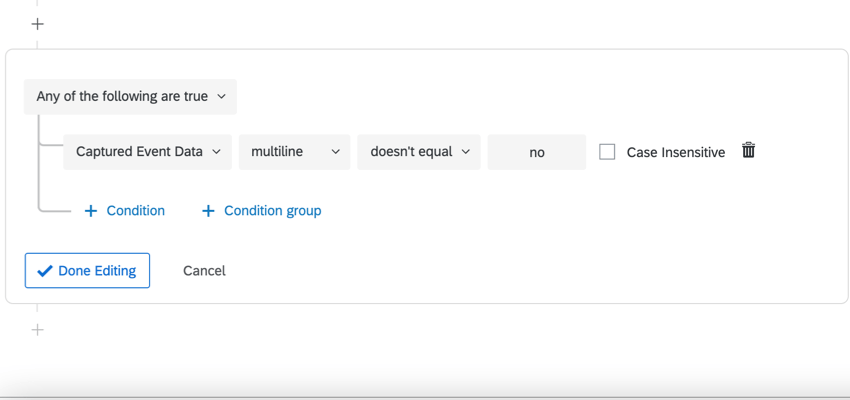
If desired, click the plus sign ( + ) and then Conditions to add conditions to your workflow.
Qtip: These conditions are separate from the conditions you set up in your event. You may base your conditions here on your previous ticket fields that are listed in step 12.
Example: In this example, we have a condition for the ticket field “multiline” is not equal to “no”. This field is a custom field that can’t be used in the event conditions, but can be used in the conditions outside the event.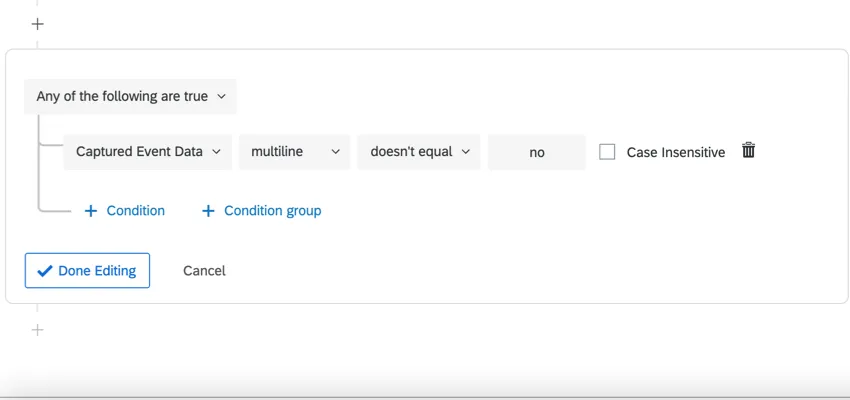

Click the plus sign and then Task and choose the task that you want to happen in your workflow. See Defining Tasks for more information.
Building Zendesk Conditions
When setting up your Zendesk event, you can set conditions that determine when the event triggers. These conditions are represent conditions within Zendesk.
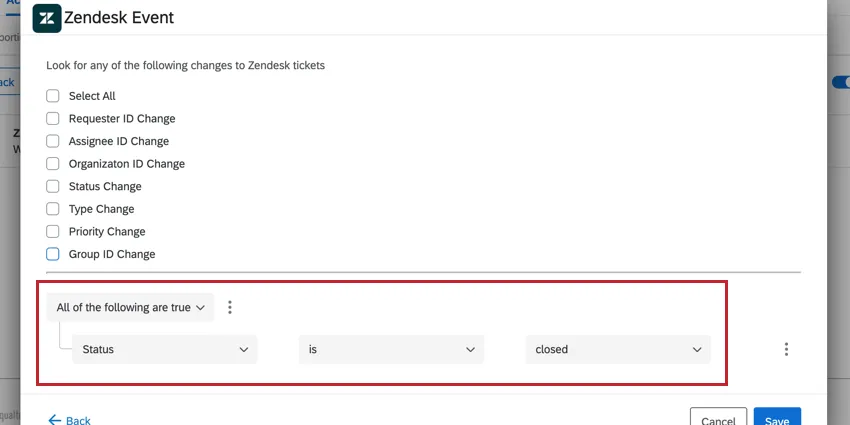
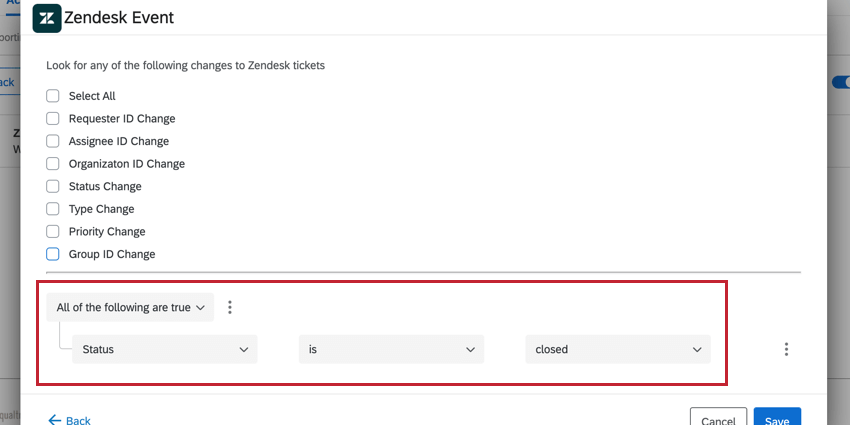
Example: Let’s say your Zendesk event is set up to trigger for ticket status changes. However, you don’t want the event to trigger for every ticket status change; you only want it to trigger when the status is changed to closed. You can set up conditions to trigger when “Status” “is” “closed.”
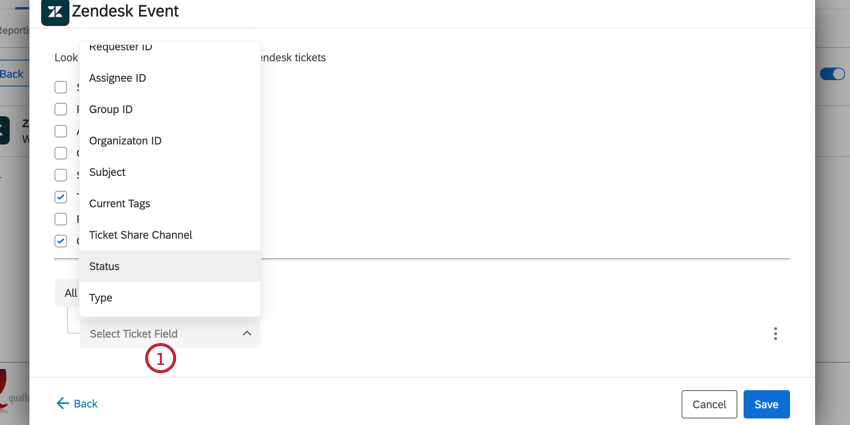
Choose a Ticket Field for the condition. This is a field from the Zendesk ticket. You may choose one of the following fields:
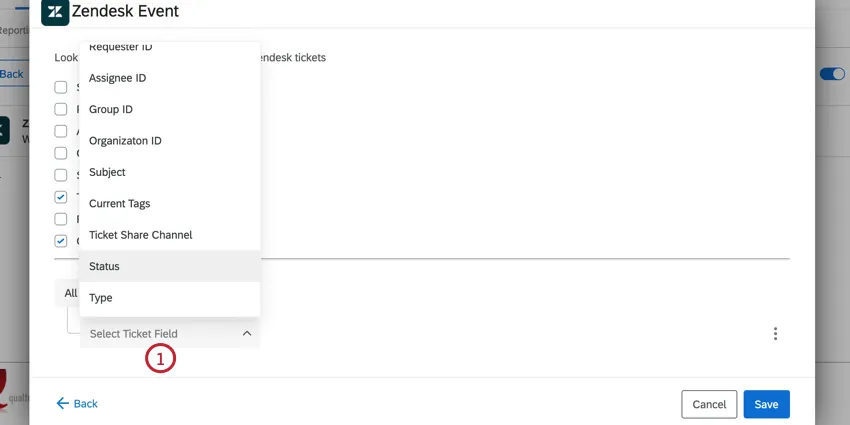
- Requester ID
- Assignee ID
- Group ID
- Organization ID
- Subject
- Current Tags
- Ticket Share Channel
- Status
- Type
- Priority
Choose the Operator or how the ticket’s value should be evaluated. Your options depend on the field that you selected earlier.
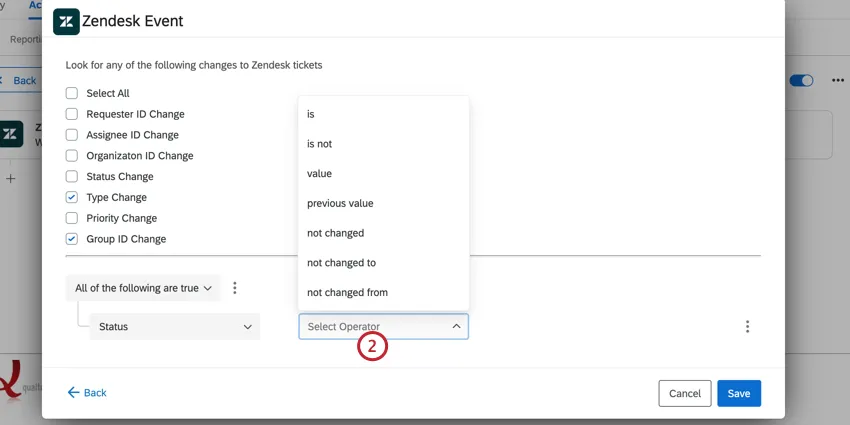
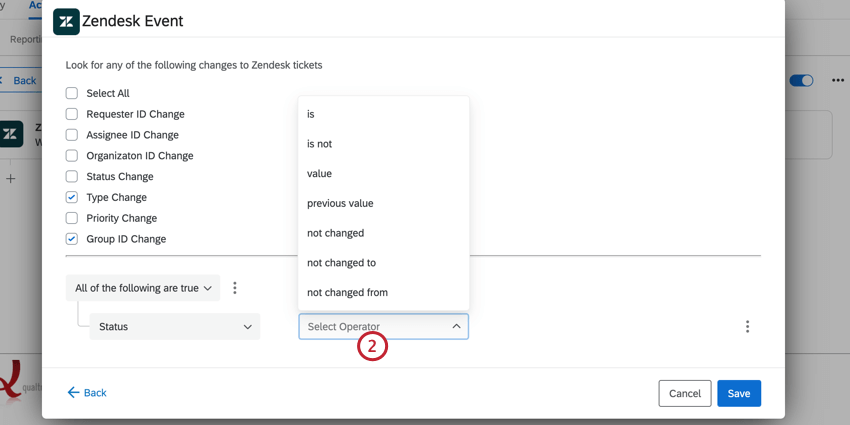
Qtip: The “value” operator corresponds to “changed to” meaning it only looks at the ticket’s new value. For example, if your condition is “status value closed” then the event will trigger if a ticket’s status is changed to closed.
Next, choose the Comparator or the ticket value to be compared against. Your options will depend on both the selected field and operator.
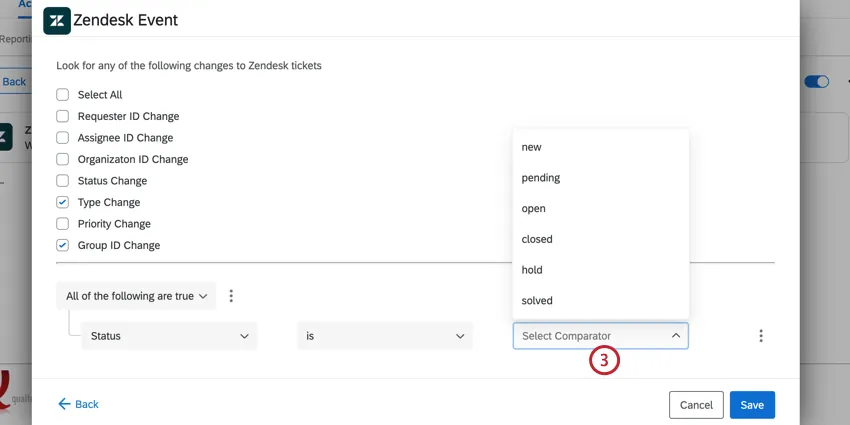
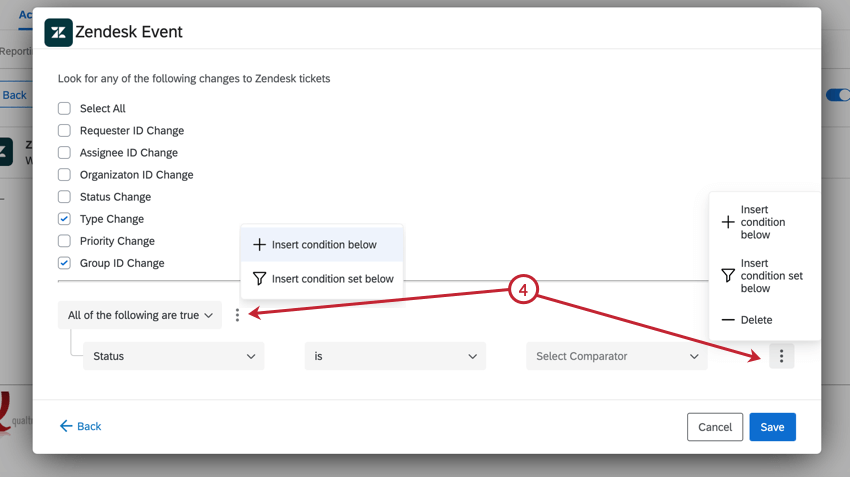
If needed, you can add multiple conditions to your event for more complex workflows. Click the three dot menu at either the top of the conditions, or to the right of an individual condition. You can then add another condition, or a condition set.
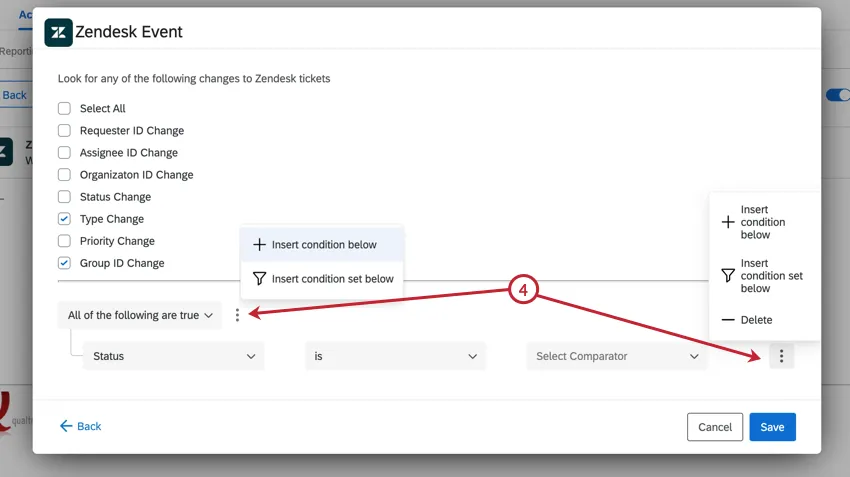
If you’ve added multiple conditions, you need to determine if All or Any of the conditions need to be true. See All vs. Any for an in-depth explanation.
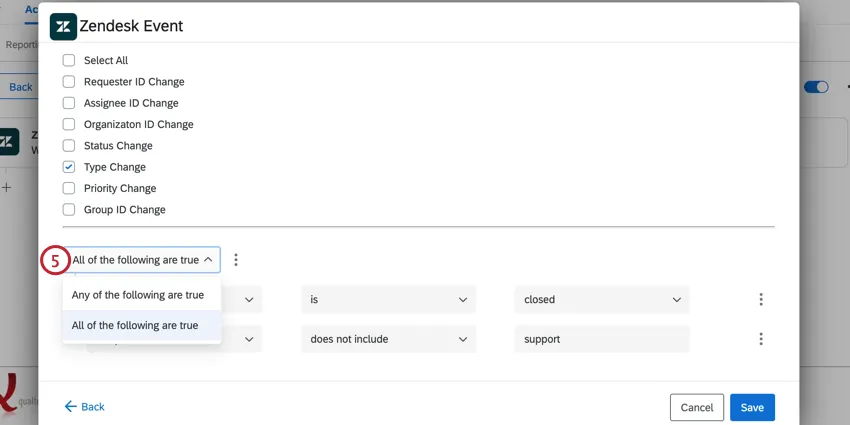
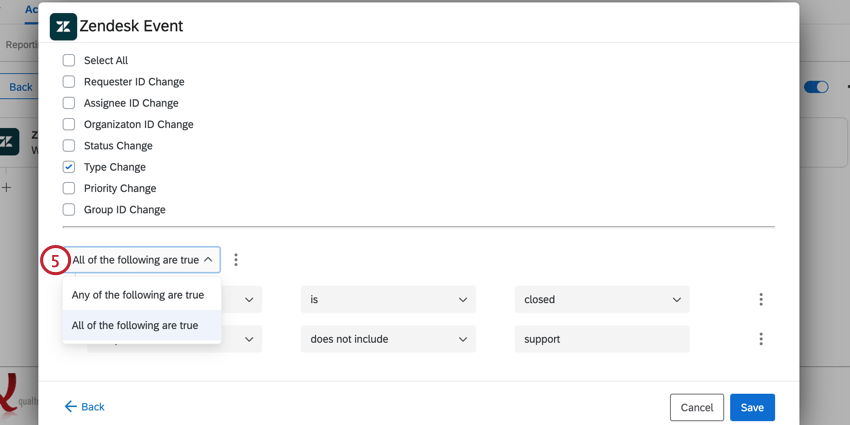
Qtip: If you’ve added condition sets, each condition set will have its own all/any option for you to choose.
Example: Let’s break down the example from earlier. The condition’s ticket field is “Status” since we want to trigger based on the ticket status. Our operator is “is” since we only want tickets with one specific value. Our comparator is “closed” since that’s the status we’re interested in.
FAQs
Do I have access to all extensions available through the Workflows templates?
Do I have access to all extensions available through the Workflows templates?
Access depends on your licensing and permissions. Reach out to your Brand Administrator and ask if your license has access to that extension.
Is there a link to all Workflows events and tasks?
Is there a link to all Workflows events and tasks?
See this support page for the basics of Qualtrics workflows. All events and tasks are linked from the support site menu you'll see to the left.
What are Workflows templates?
What are Workflows templates?
Workflows templates are collections of pre-assembled automated workflows so that users don’t have to build workflows from scratch. These templates are created by Qualtrics subject matter experts.
What are workflows? / Where are actions?
What are workflows? / Where are actions?
Actions have been renamed to workflows to better represent the product experience and to reflect how users engage with the product. See the Workflows Basic Overview page for more information about using workflows.
There are no changes to workflow functionality as part of this update.
There are no changes to workflow functionality as part of this update.
That's great! Thank you for your feedback!
Thank you for your feedback!