

Lookup Task
What's on this page
About the Lookup Task
The Lookup task enables you to reference a supplemental data source in your workflows and use the related data in your workflows. This task functions similarly to the VLOOKUP function in many spreadsheet applications. When the workflow runs, the lookup task searches a specific column in the supplemental data source for a value. If a value is found in the specified column, the lookup task returns other column values in that same row. You can then use these lookup values in subsequent conditions and tasks in your workflow via piped text.
Example: You can lookup the correct email address associated with a Store ID when the Store ID is passed into the workflow as part of the event trigger. If there are Store IDs that have different email addresses, the lookup task can be used to find the correct email address to be used in a following email task.
Other common uses for the lookup task include:
Setting Up a Lookup Task
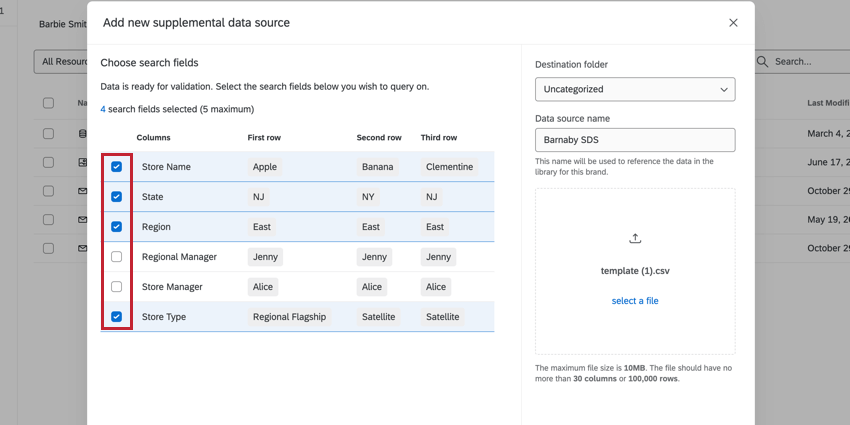
Before you can use the lookup task, you must create a supplemental data source that contains the data used in the lookup. Follow the linked instructions to create a supplemental data source.
Qtip: You’ll need to choose at least 1 field as a search field to perform a proper lookup.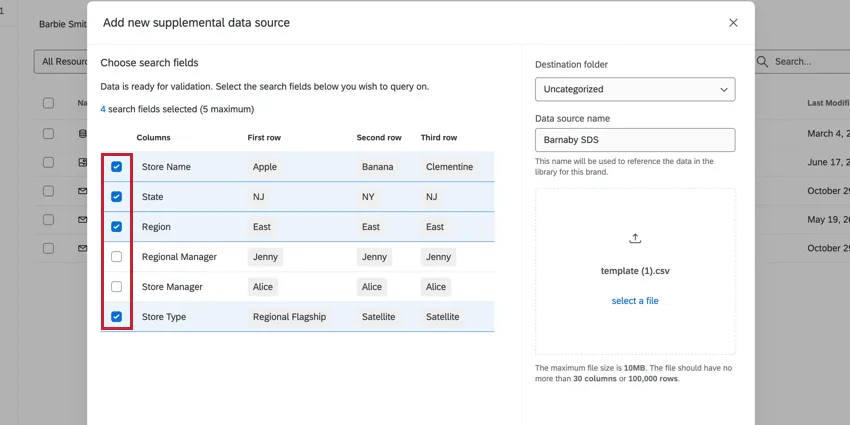
See the supplemental data sources support page for more information on platform limits, such as the maximum number of characters in values.


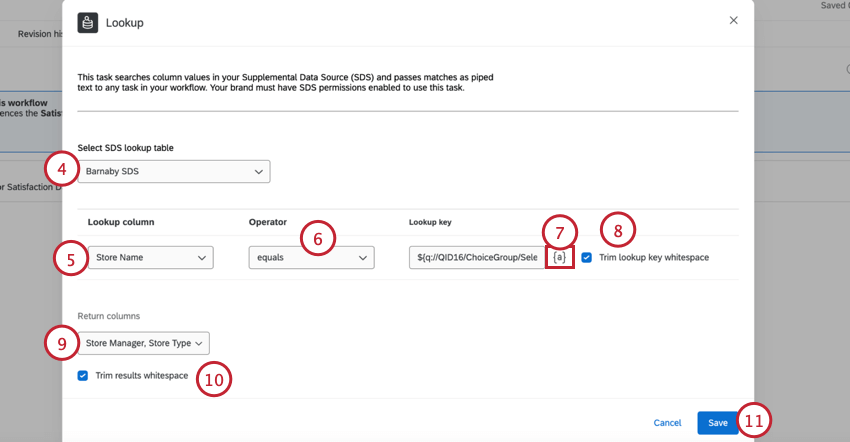
- equals: The values for the lookup key and lookup column must match. This operator is not case sensitive.
- startsWith: The values from the lookup key must match the beginning of the lookup column. Example: If my lookup key is “Bl” and my lookup column values are “Brown,” “Blue,” and “Yellow,” then “Blue” will be returned.

Qtip: Often, this is an embedded data field passed into the workflow via the event trigger.
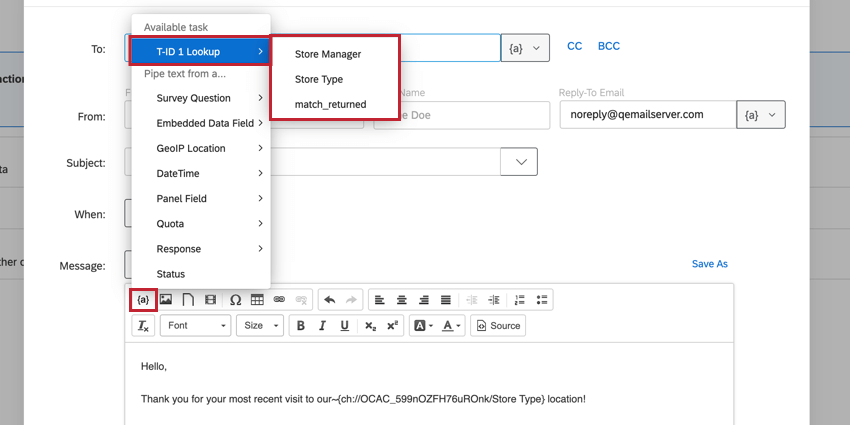
- The fields you selected as Return columns in the lookup task.
- A field called match_returned which indicates if results were retrieved via the lookup. This field will resolve to “true” if a result was returned by the lookup. This field will resolve to “false” if no result was returned by the lookup.
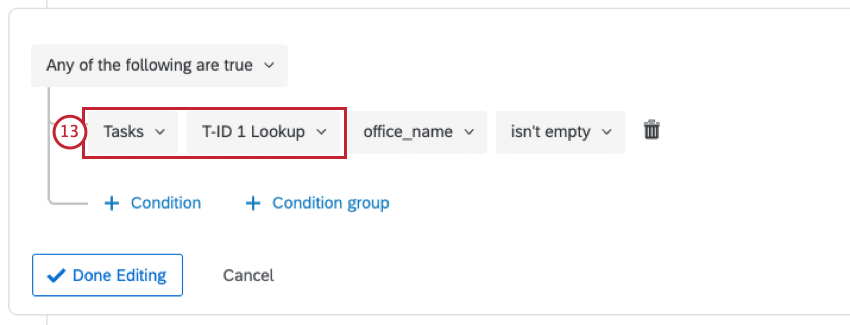
Qtip: The “match_returned” field is particularly useful for workflow conditions since it represents whether or not the lookup was successful.
Qtip: If your lookup task fails with a 429 error, the workflow will automatically retry after a few minutes.
That's great! Thank you for your feedback!
Thank you for your feedback!