

Anonymous Responses (Admin)
What's on this page
About Anonymous Responses
When only a few responses have been collected for a given data point, it can be easy to guess which responses came from which people. Anonymity thresholds prevent this by setting a minimum number of responses that must be collected before data starts to appear in a dashboard. Anonymity thresholds can be set directly on a dashboard or set at an organization-wide level.
This page discusses how administrators can set anonymity threshold for all dashboards in their brand. For more on anonymity in general, see Enhanced Confidentiality (EX).
Qtip: Anonymity is called Confidentiality in other parts of the platform.

Qtip: Only Brand Administrators can adjust these organization-wide anonymity settings. EX Administrators and Employee Insights Administrators cannot. Learn how to contact your Brand Administrator, or see more details on Existing User Types.
Qtip: This feature is only available for brands with Engagement, Lifecycle, Ad Hoc Employee Research, or Pulse projects.
Setting Minimum Anonymity Thresholds for the Entire Organization
Once these settings are in place, all dashboards (including Stats iQ) in the brand will have to either follow these settings, or have even more restrictive anonymity thresholds. These limits will be visible to dashboard editors when they adjust a dashboard’s anonymity settings.
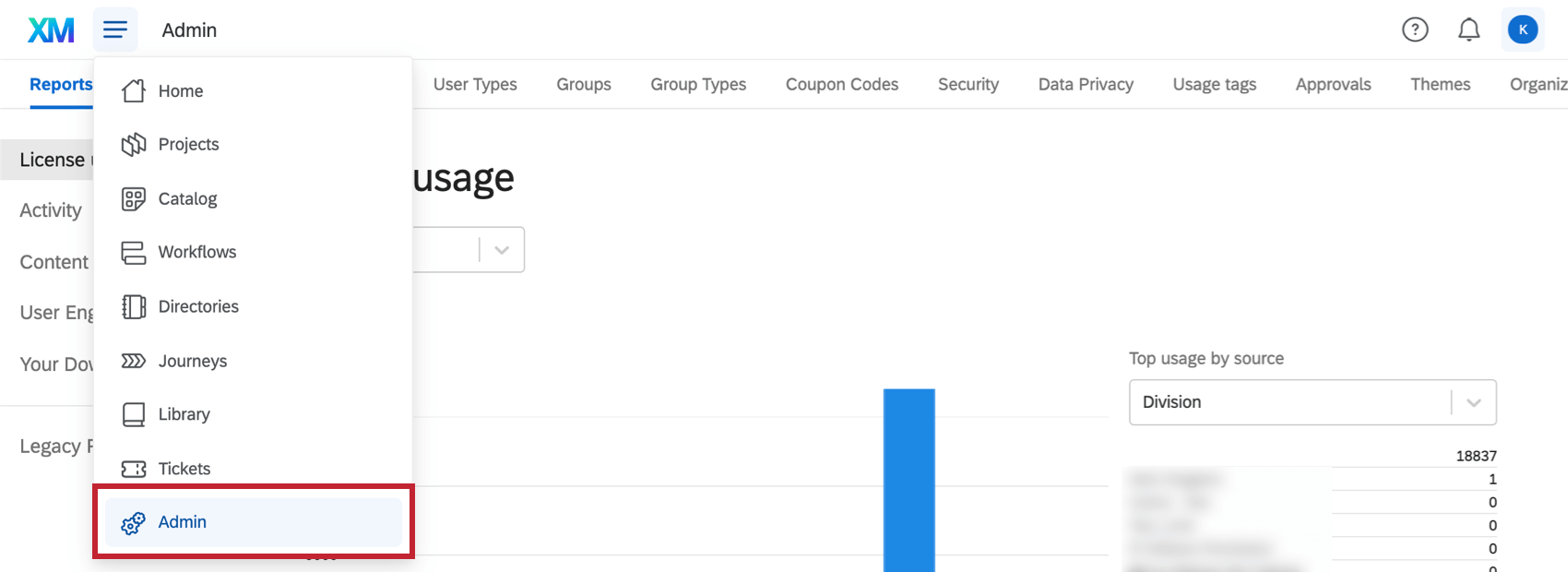
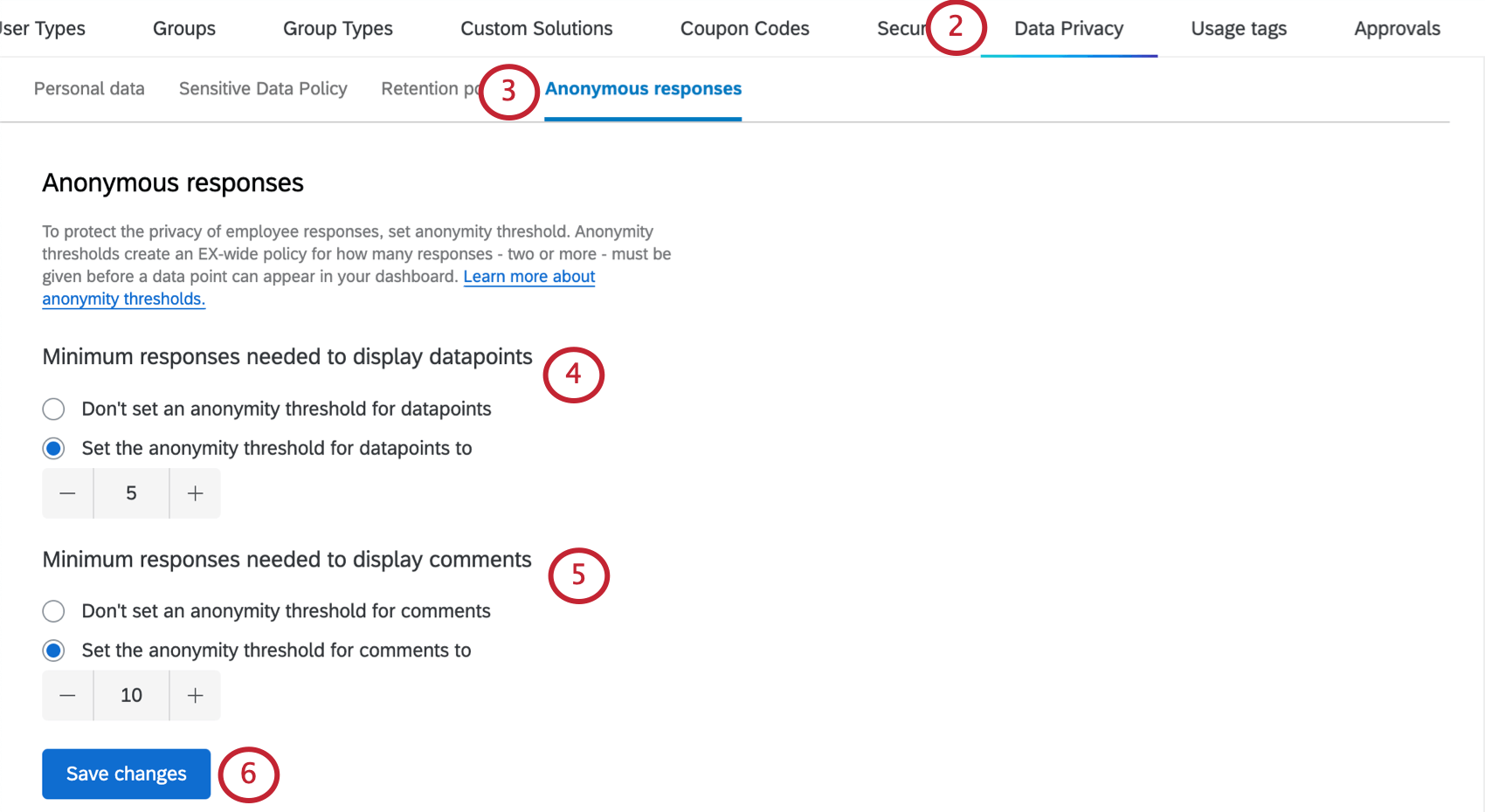
- Don’t set an anonymity threshold for datapoints: This means there should be no organization-wide minimum threshold for datapoints. Dashboard editors can set whatever they want for their anonymity thresholds, and even decide not to include them altogether.
- Set the anonymity threshold for datapoints to: Once selected, you can enter the minimum number of responses that should be collected before data will start to appear in the dashboard. This limit is applied to all data breakouts in all widgets.
- Don’t set an anonymity threshold for comments: This means there should be no organization-wide minimum threshold for open-ended text responses. Dashboard editors can set whatever they want for their comment anonymity thresholds, and even decide not to include them altogether.
- Set the anonymity threshold for comments to: Once selected, you can enter the minimum number of open-ended text responses that should be collected before data will start to appear in the dashboard.
FAQs
Can I set minimum suppression thresholds for the entire organization?
Can I set minimum suppression thresholds for the entire organization?
No, you cannot set org-wide suppression thresholds. However, the suppression threshold will always be at least 1 less than the response threshold. If you’d like to set response thresholds or comment thresholds for the organization, see Anonymous Response (EX Admin).
That's great! Thank you for your feedback!
Thank you for your feedback!