

ServiceNow Task
What's on this page
Qtip: If you’re interested in purchasing this extension, check it out on the XM Marketplace!
About the ServiceNow Task
Workflows in Qualtrics can create incidents in ServiceNow, or update existing ones. For example, you may want to create a ServiceNow incident whenever a negative NPS score comes through a Qualtrics survey. You can also update a client’s information in a ServiceNow incident if they respond to a survey in Qualtrics where they provide new contact information.
Qtip: Are you having trouble accessing your instance? If your instance has “gone to sleep,” please contact ServiceNow’s support team.
Qtip: Are you curious how events in ServiceNow can trigger tasks in Qualtrics, such as a CSAT survey that goes out when ServiceNow tickets are resolved? Check out our JSON Event page for an example on integrating with ServiceNow.
Setting Up a ServiceNow Task
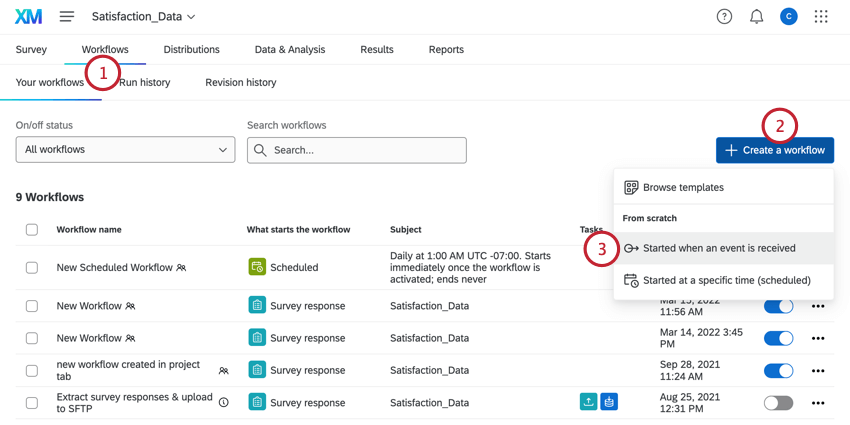
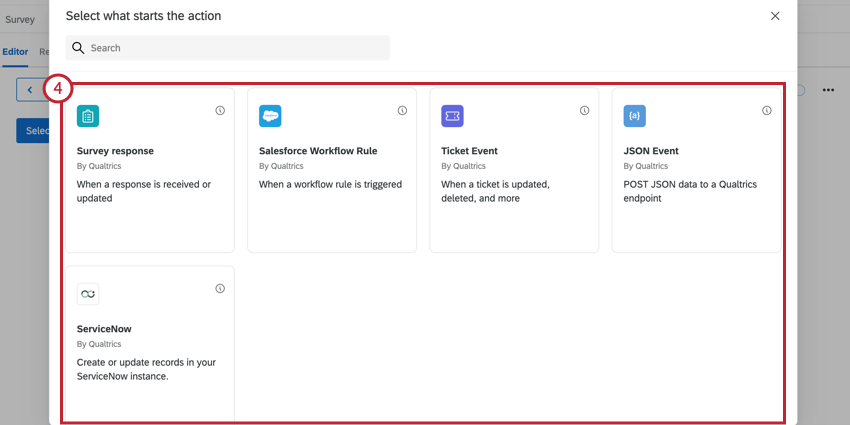
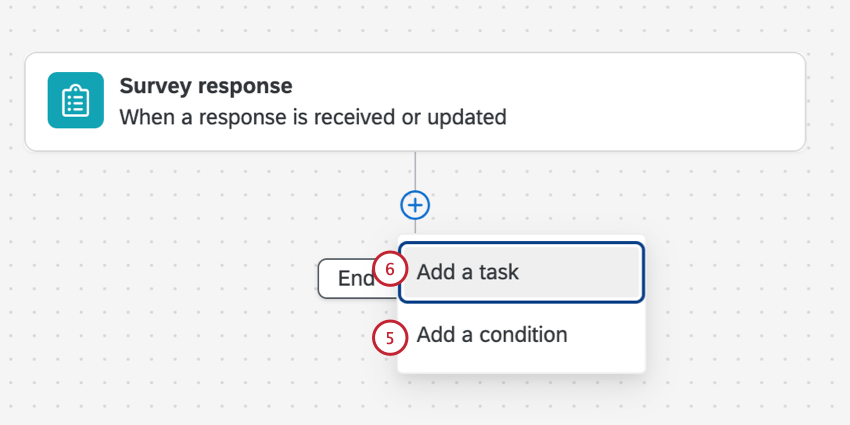
Qtip: This is most helpful if you don’t want a ServiceNow ticket created or updated for every single response that is submitted to the survey.
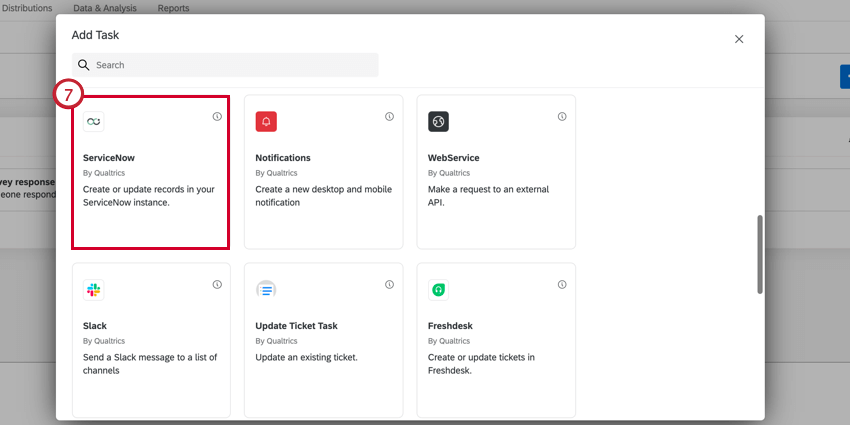
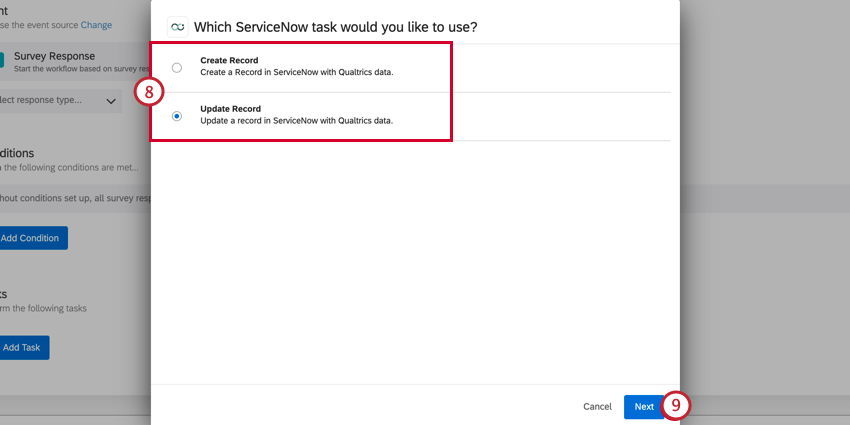
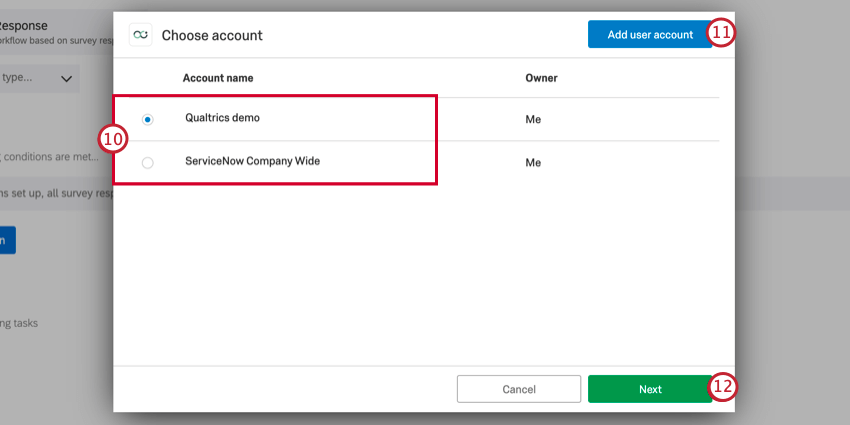
Qtip: You’ll be able to select any ServiceNow accounts you’ve previously connected to Qualtrics, along with any accounts configured by Brand Administrators in Extensions.
Qtip: After clicking Add user account, you’ll be asked to give your account a name and to enter the username and password.
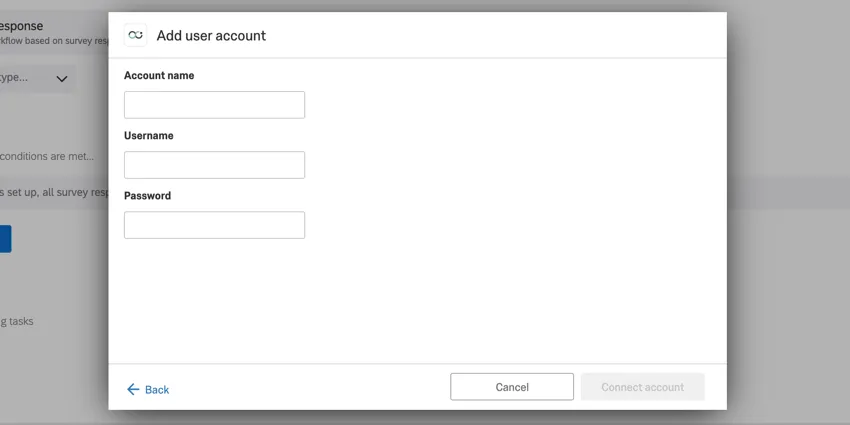
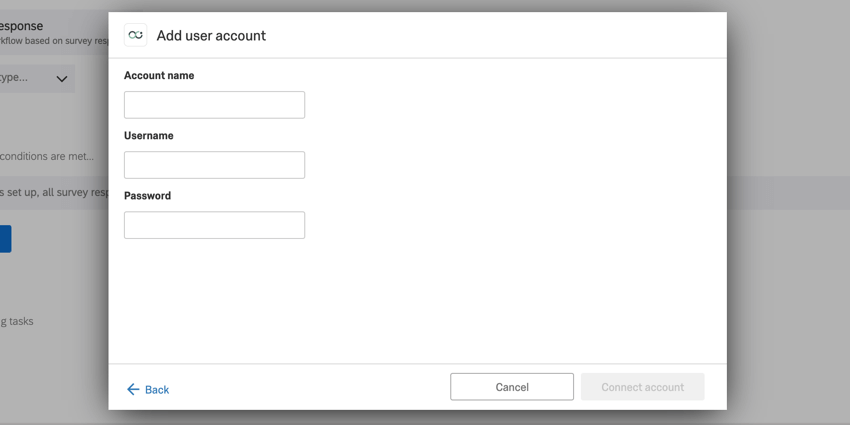
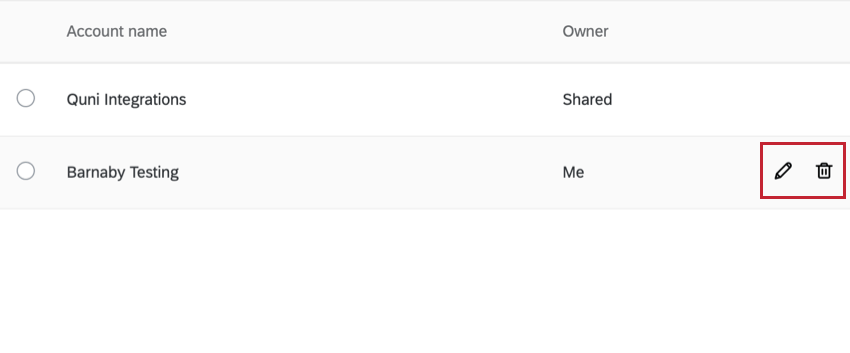
Qtip: You can edit your connected account’s name by clicking the pencil icon in the account selection window. To disconnect your account, click the trash can icon. Be careful when deleting accounts, as any plugins using this account will no longer work.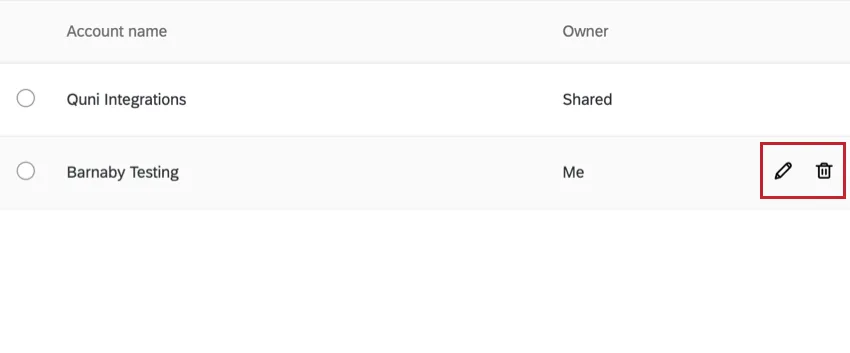
Create Record
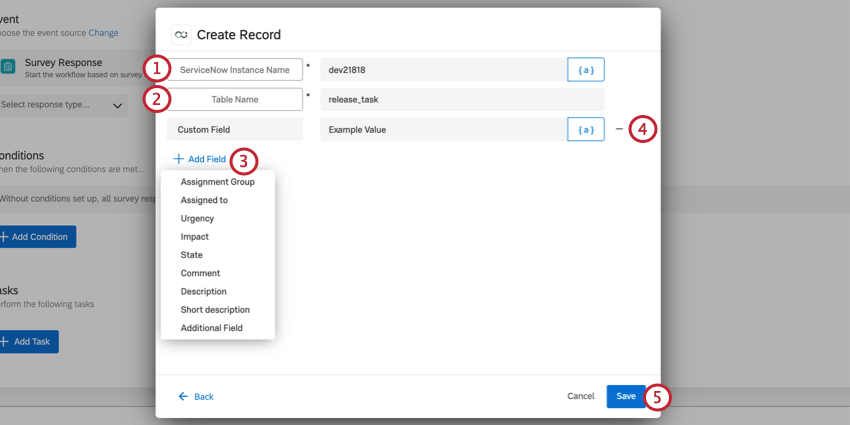
If you selected Create Record as your task, you will be creating a new record in ServiceNow.
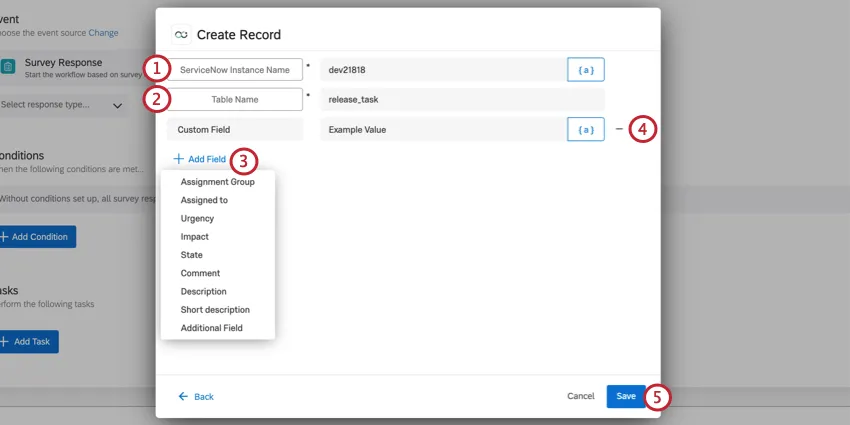
Qtip: When you access your ServiceNow instance, this is a short sequence that appears in the beginning of the URL. For example, if your URL is dev12345.service-now.com, your instance is dev12345.
- Your own, custom value.
- change_request
- change_task
- incident
- problem
- release_task
- ticket
- Assignment Group: The ID of the assignment group.
- Assigned to: The ID of the person assigned to the record.
- Urgency: The extent to which the incident can be delayed, or must be addressed with utmost urgency. Possible values include Low, Medium, and High.
- Impact: The effect a record has on business. Possible values include Low, Medium, and High.
- State: The state, or status, of a record. Values include In Progress, On Hold, Resolved, Closed, and Cancelled.
- Comment: Any additional comment you want to add to the record.
- Description: Description of the record.
- Short description: Short text description of the record.
- Additional Field: Add a custom field. You can add multiple. Qtip: Click the {a} icon to insert piped text as your field value. Piped text is great for when the value may be dynamic and changing based on survey responses provided.

Update Record
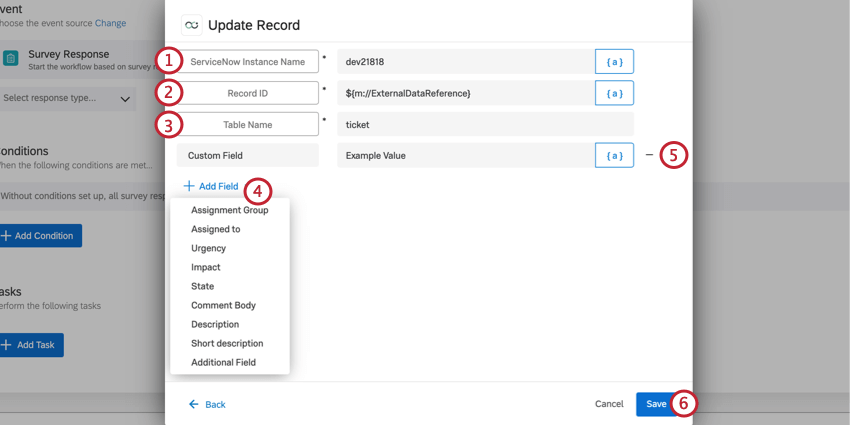
If you selected Update Record as your task, you will be updating an existing record in ServiceNow.
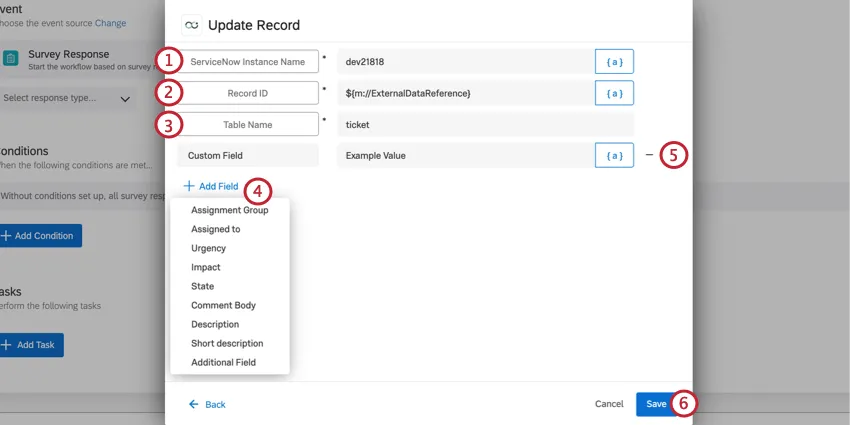
Qtip: When you access your ServiceNow instance, this is a short sequence that appears in the beginning of the URL. For example, if your URL is dev12345.service-now.com, your instance is dev12345.
- Your own custom value
- change_request
- change_task
- incident
- problem
- release_task
- ticket
- Assignment Group: The ID of the assignment group.
- Assigned to: The ID of the person assigned to the record.
- Urgency: The extent to which the incident can be delayed, or must be addressed with utmost urgency. Possible values include Low, Medium, and High.
- Impact: The effect a record has on business. Possible values include Low, Medium, and High.
- State: The state, or status, of an incident. Values include In Progress, On Hold, Resolved, Closed, and Cancelled.
- Comment: Any additional comment you want to add to the incident.
- Description: Description of the incident.
- Short description: Short text description of the incident.
- Additional Field: Add a custom field. You can add multiple. Qtip: Click the {a} icon to insert piped text as your field value. Piped text is great for when the value may be dynamic and changing based on survey responses provided.
Setting Up an OAuth Connection with Authorization Code
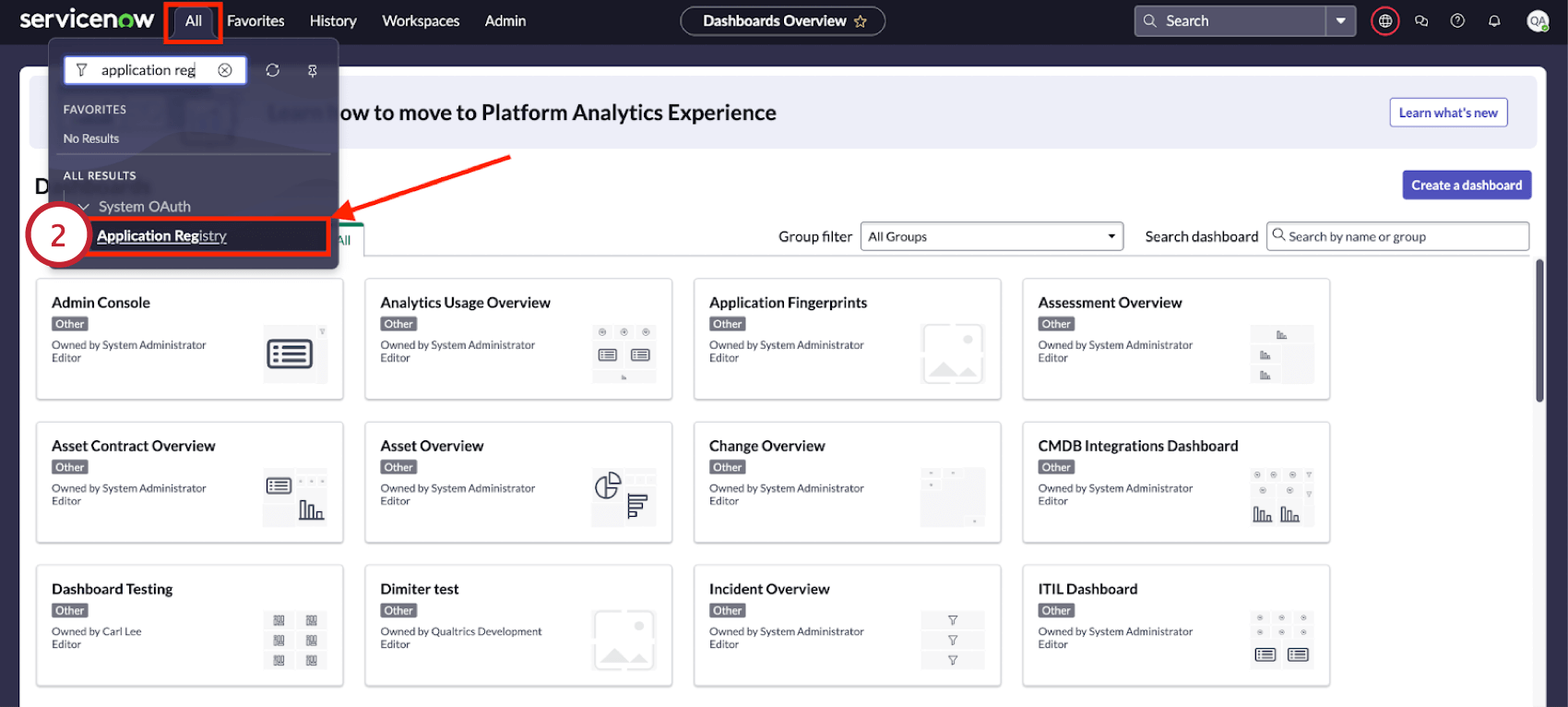
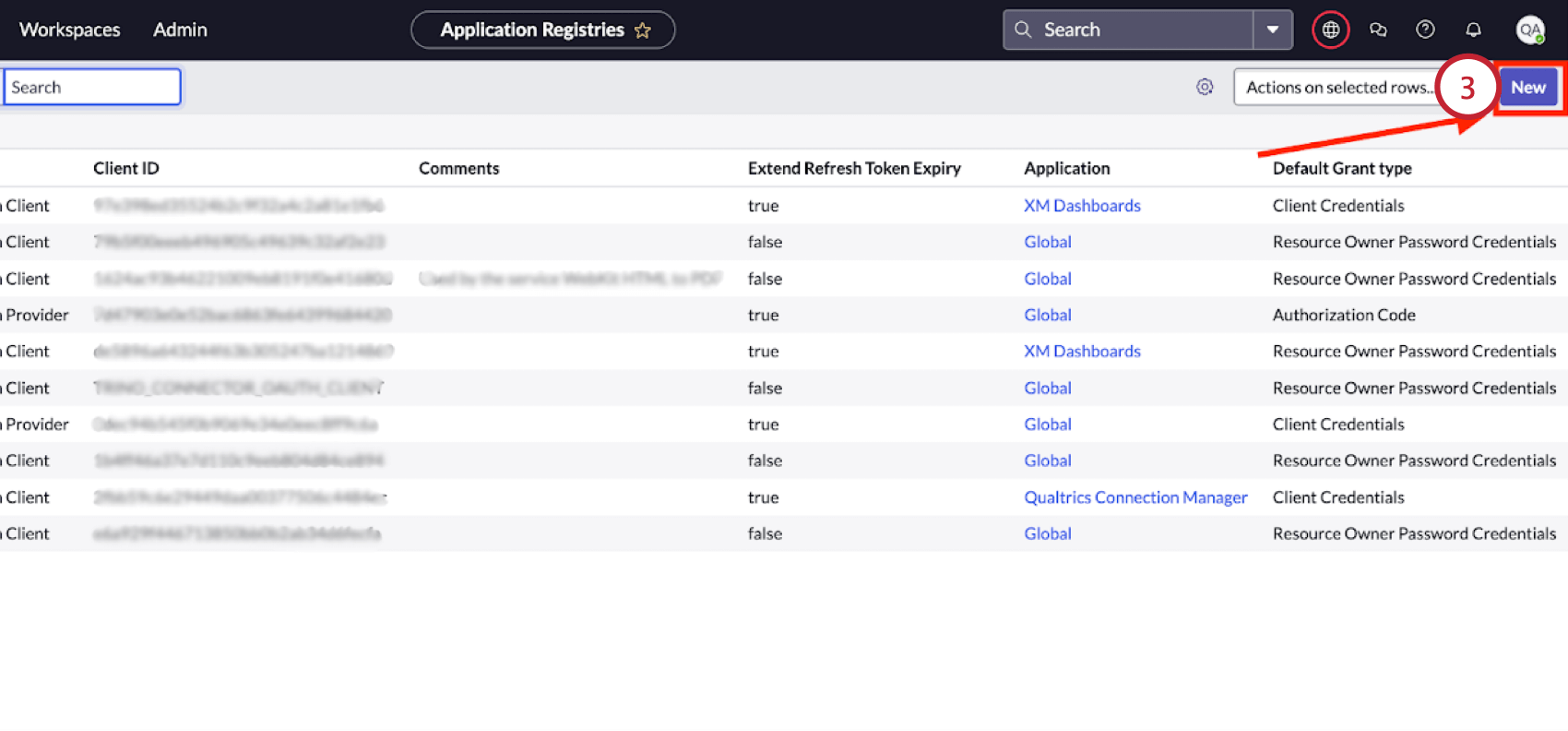
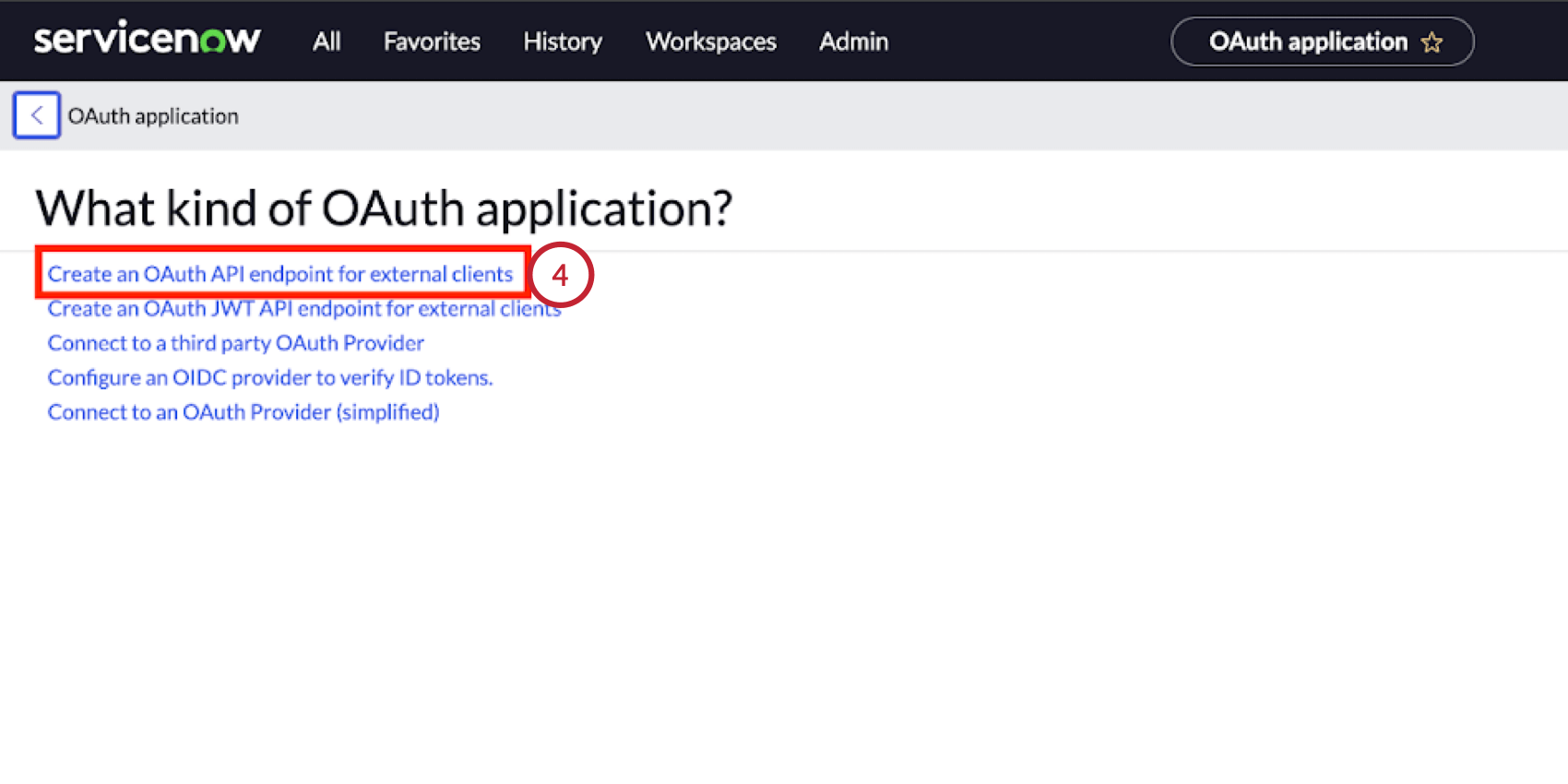
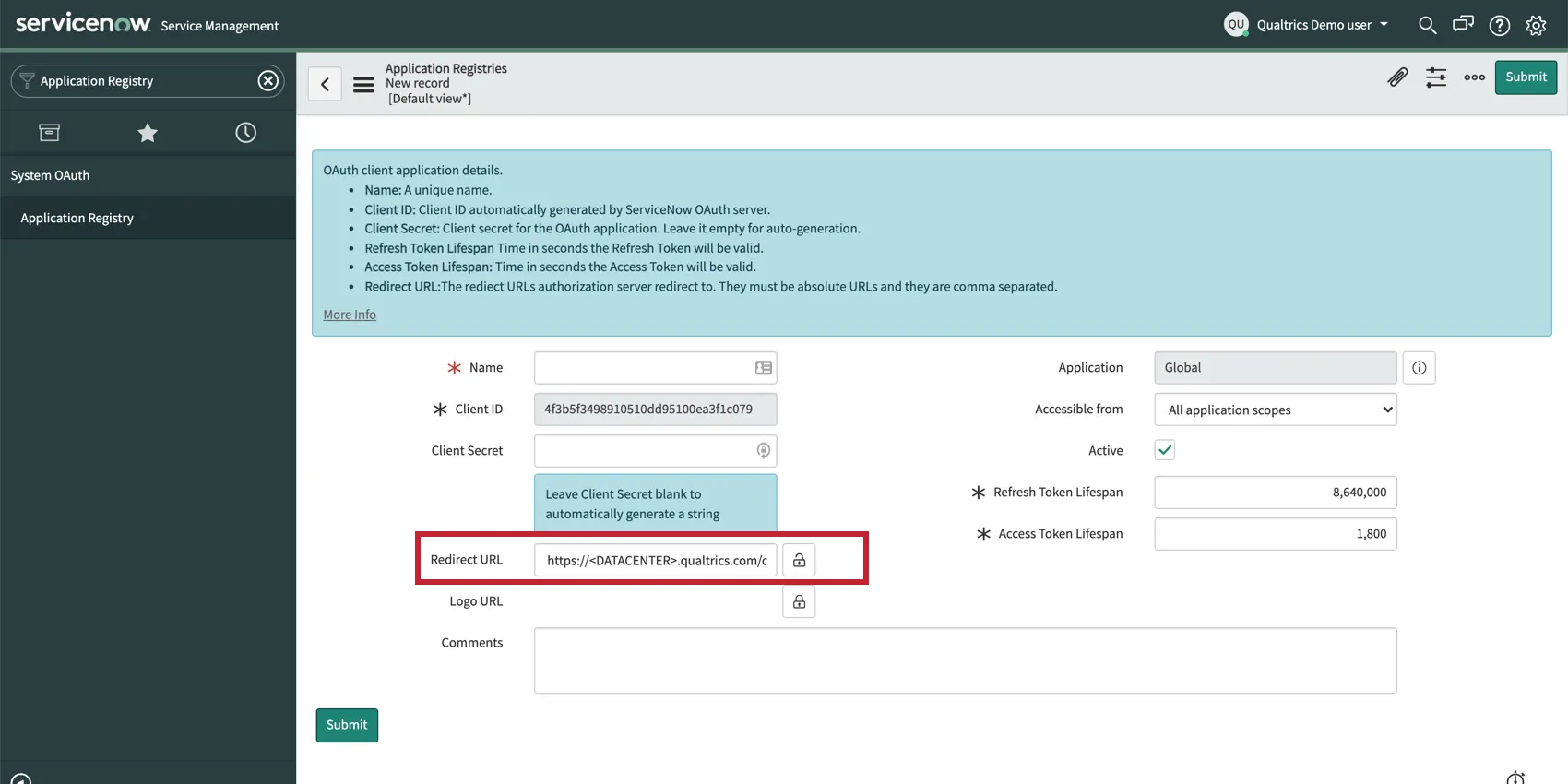
Follow the instructions in this section to set up an OAuth connection using an authorization code as the grant type.
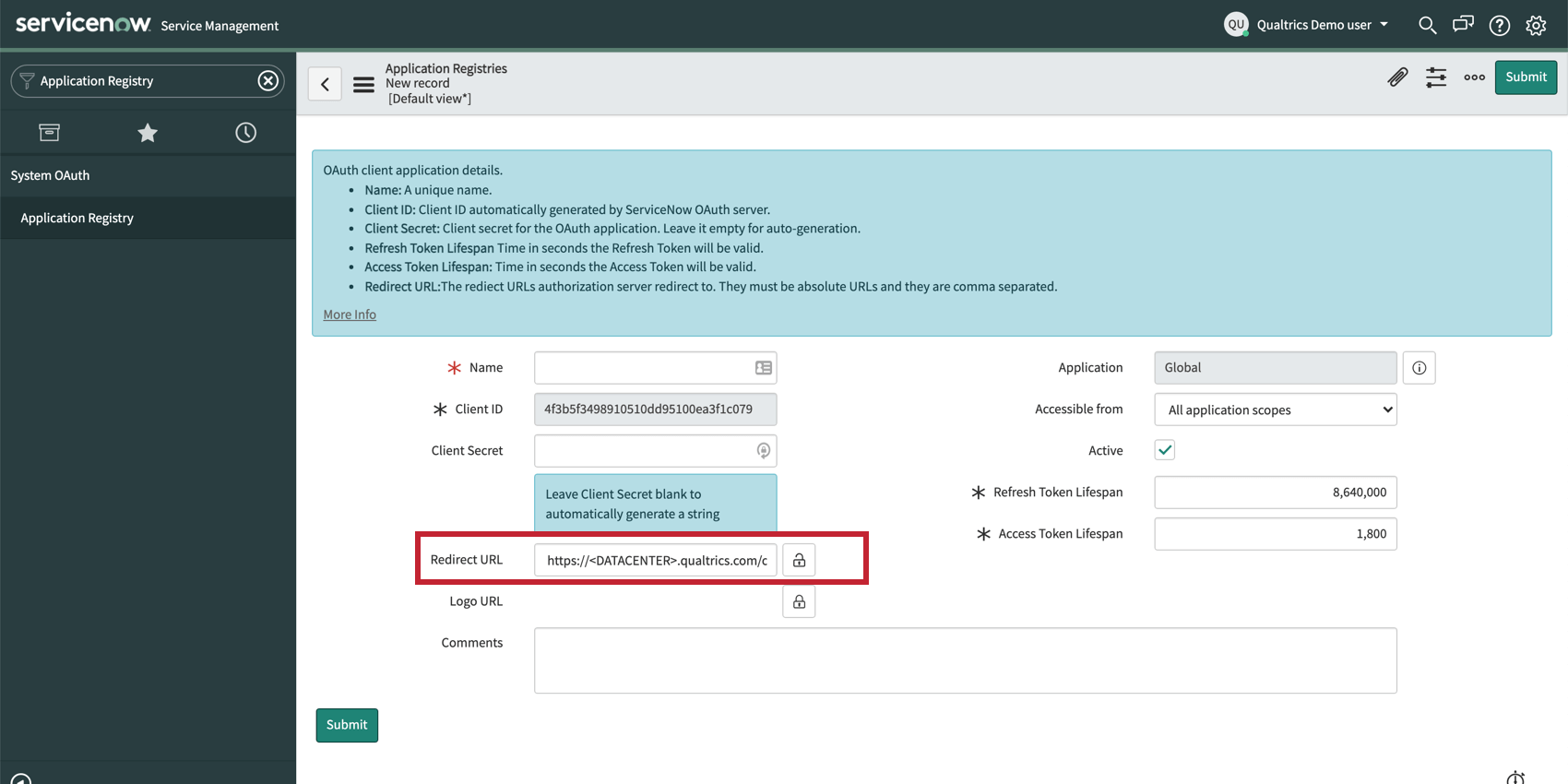
In Servicenow
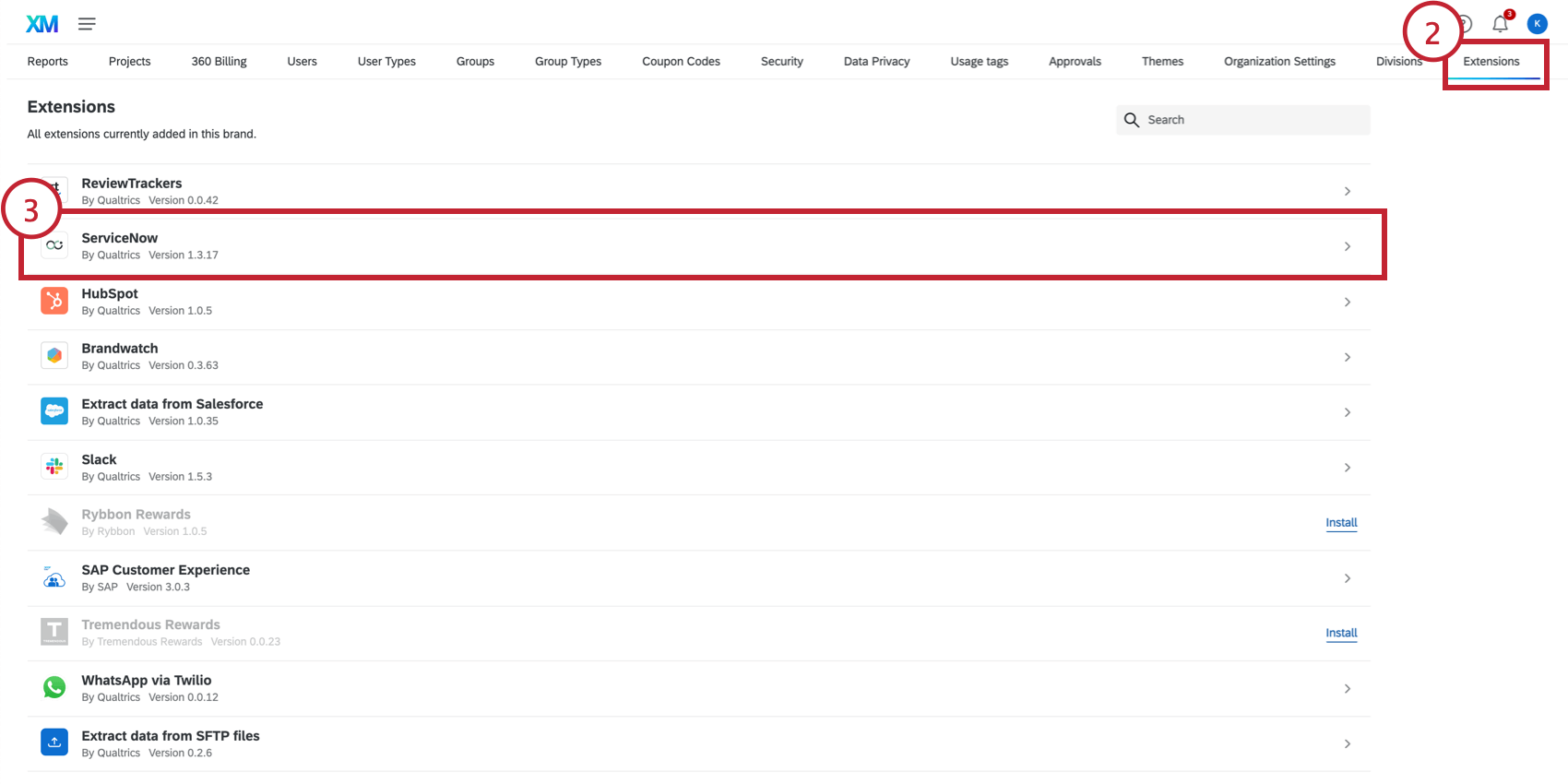
In Qualtrics
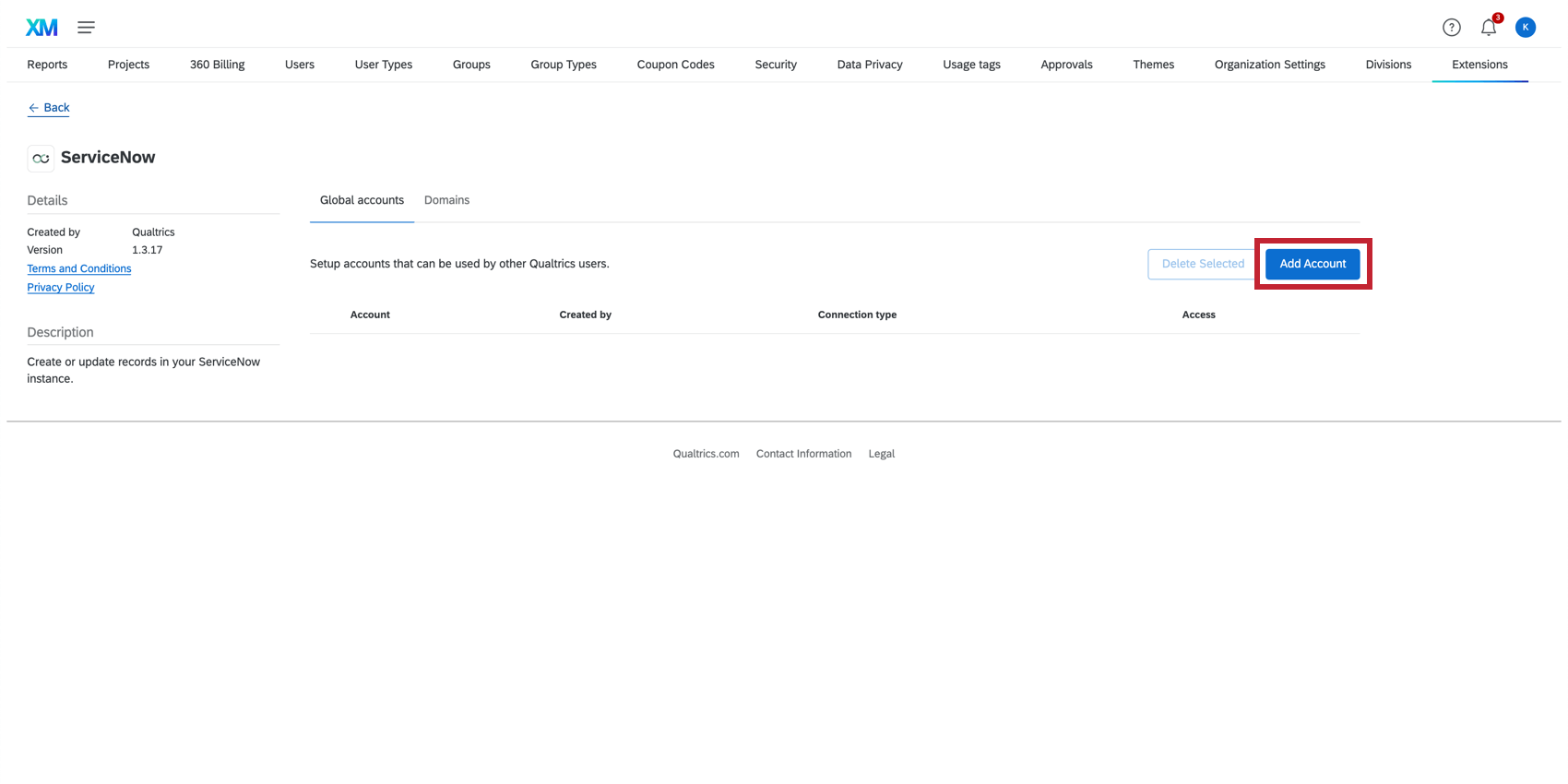
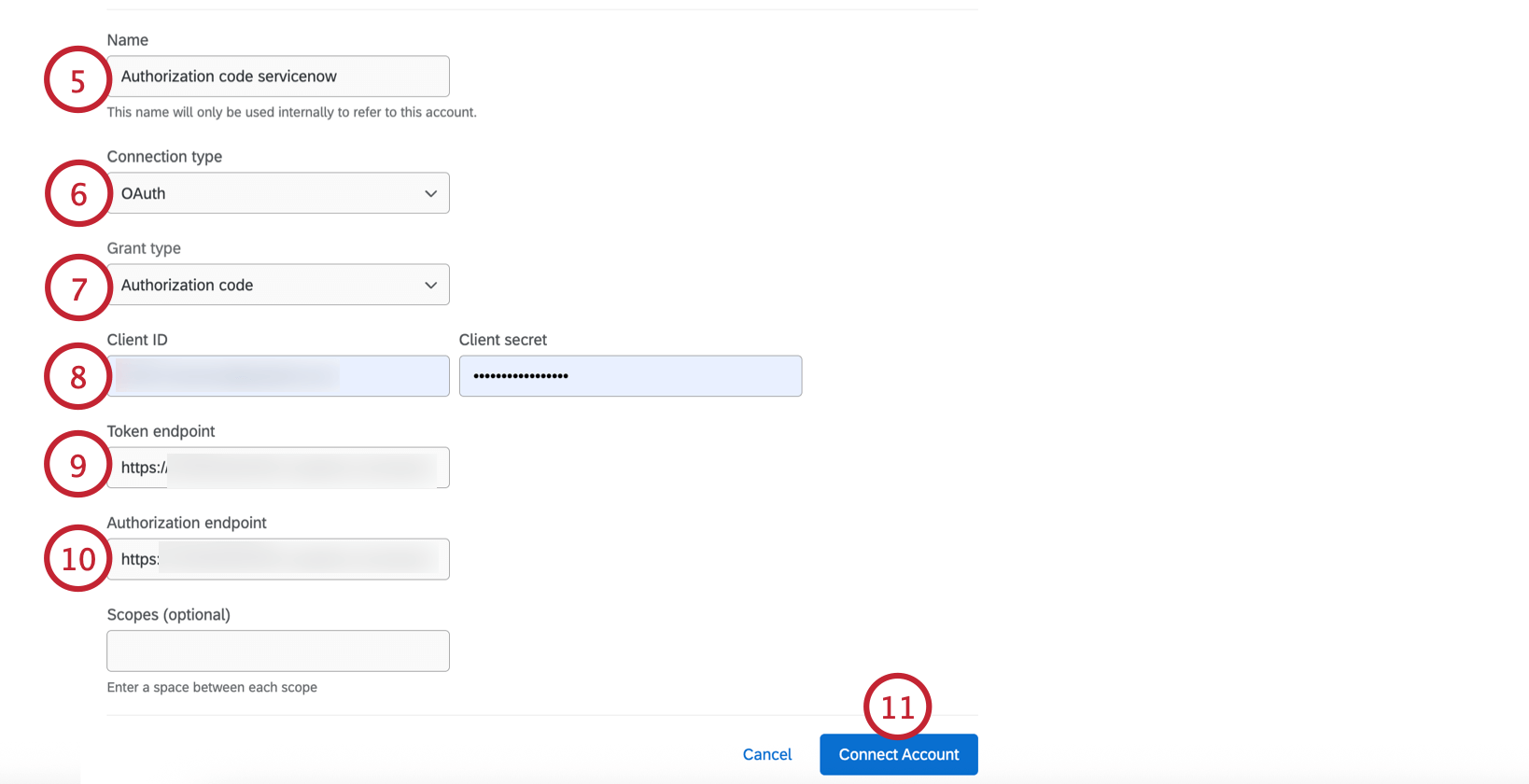
Qtip: Your instance is the name you see in the URL before Servicenow’s domain. For example, in https://ven123456.service-now.com/, ven123456 is your instance.
Setting Up an OAuth Connection with Client Credentials
Follow the instructions in this section to set up an OAuth connection using client credential as the grant type.
In Servicenow
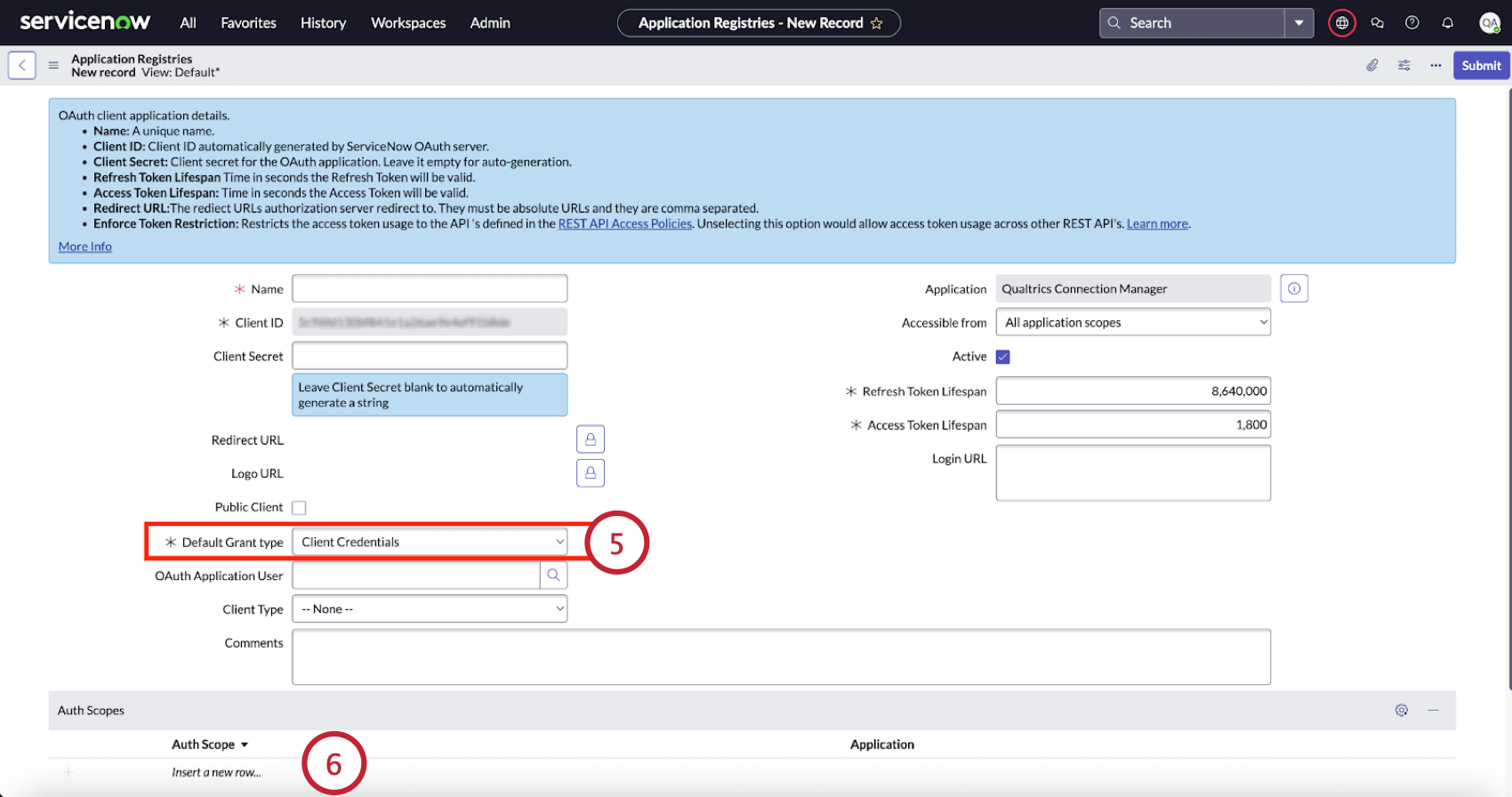
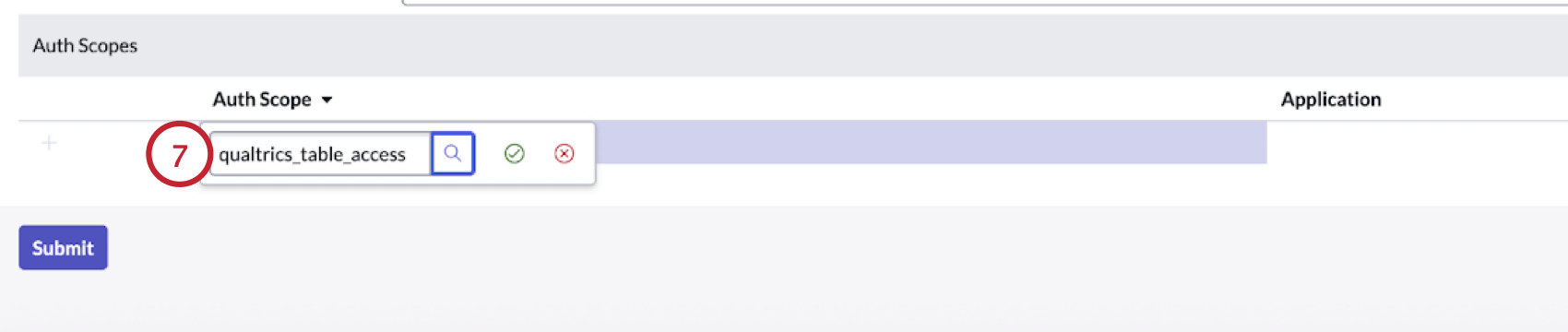
In Qualtrics
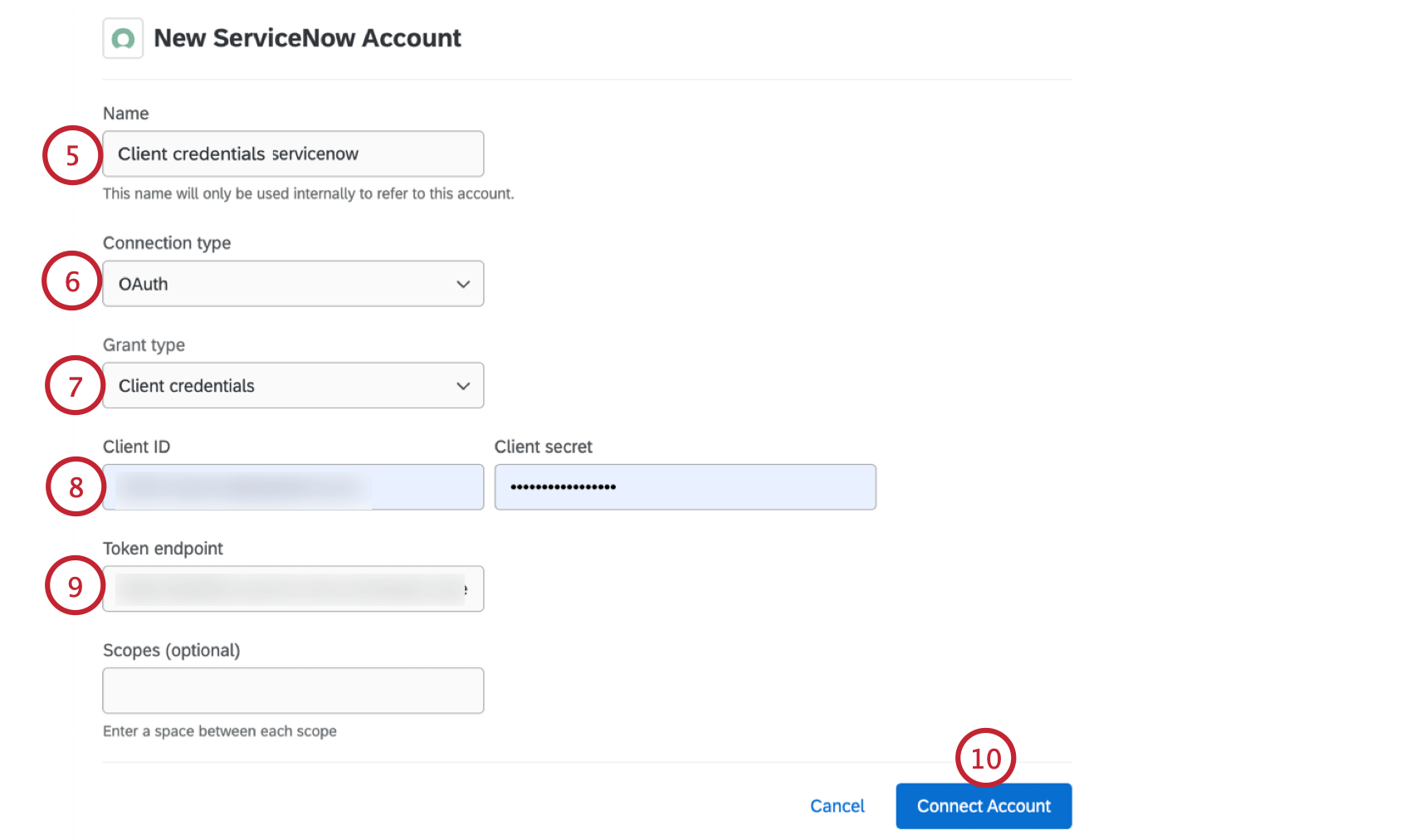
Qtip: Your instance is the name you see in the URL before Servicenow’s domain. For example, in https://ven123456.service-now.com/, ven123456 is your instance.
FAQs
How can I tell the difference between first party and third party extensions? Where do I go for support for either kind?
How can I tell the difference between first party and third party extensions? Where do I go for support for either kind?
How do I add or remove an extension from my Qualtrics account?
How do I add or remove an extension from my Qualtrics account?
That's great! Thank you for your feedback!
Thank you for your feedback!