

Facebook Inbound Connector
What's on this page
Qtip: This feature is scheduled for deprecation in December 2025. Instead, use the “Extract data from Facebook” and “Load data to Discover” workflow tasks to import Facebook data to Discover. These features are in development and your account may be eligible for early access; contact your Qualtrics Account Executive if you have questions. Qualtrics may, in its sole discretion and without liability, change the timing of any product feature rollout, change the functionality for any in preview or in development product feature, or choose not to release a product feature or functionality for any reason or for no reason.
About the Facebook Inbound Connector
You can use the Facebook inbound connector to load Facebook posts, comments, and reviews into XM Discover.
The Facebook inbound connector enables you to retrieve two types of data:
- Public posts and comments from a news feed associated with a Facebook profile or a page.
- Public reviews for your pages.
Attention: Facebook pages have Reviews. While you can import any public posts and comments from a Facebook page’s news feed, importing page reviews is only possible if the following requirements are met:
- You are an admin of the page.
- The review is public.
- The page, along with your profile, is connected to XM Discover.

Setting Up a Facebook Inbound Connector Job
Qtip: The “Manage Jobs” permission is required to use this feature.
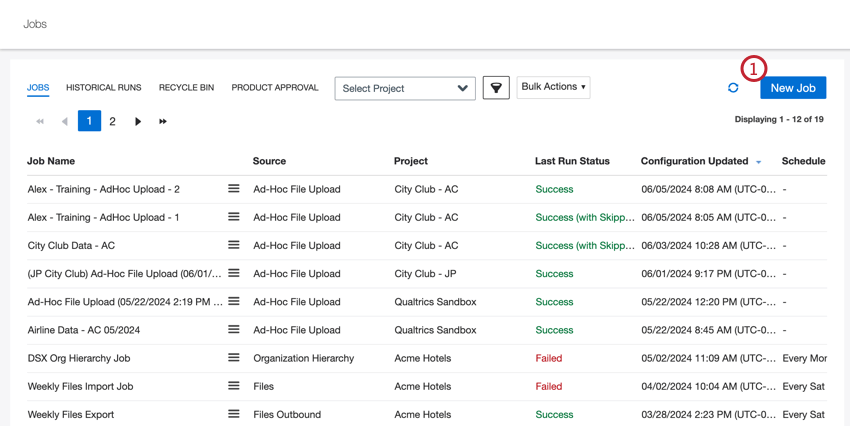
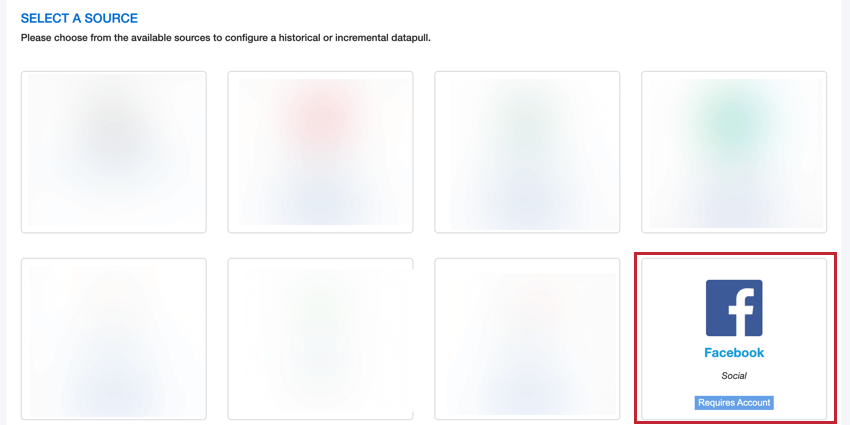
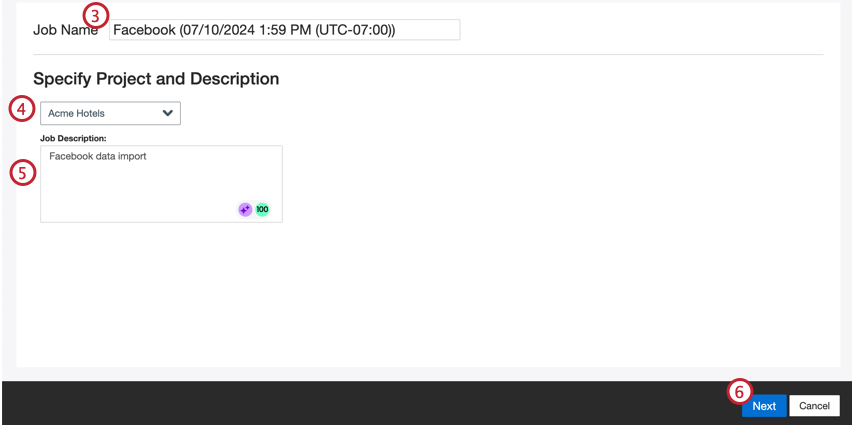
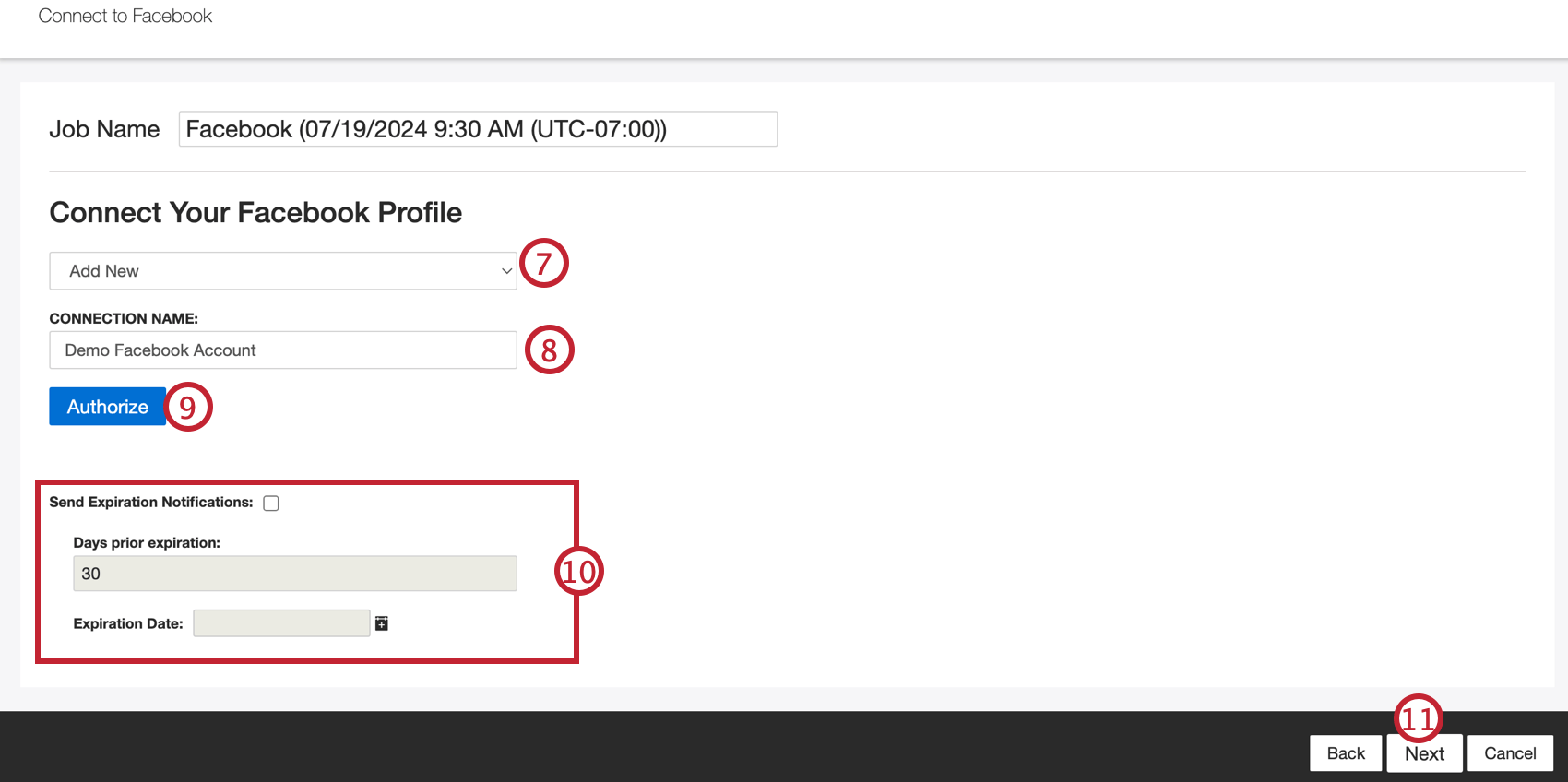
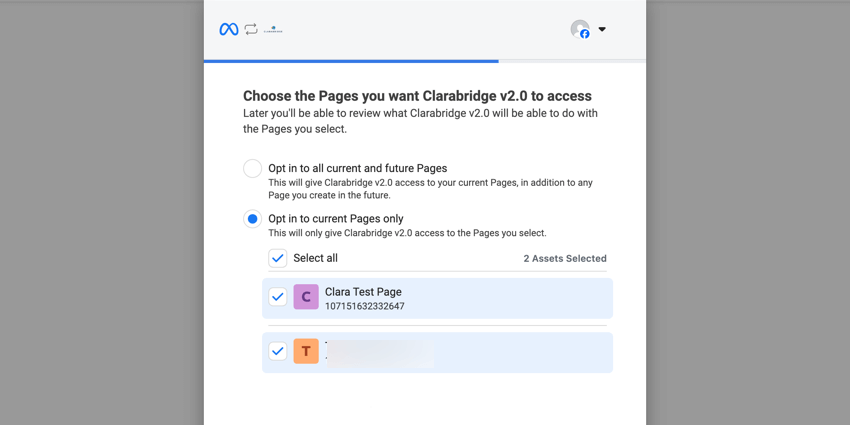
Qtip: While logging into Facebook, you will select the pages you want to use with XM Discover v2.0. If you do not have any pages, you can still pull public posts from a page’s news feed.

- Send Expiration Notifications: Click this checkbox to allow your credentials to expire.
- Days prior to expiration: Enter the number of days prior to expiration that you want to receive a notification.
- Expiration Date: Select the expiration date.
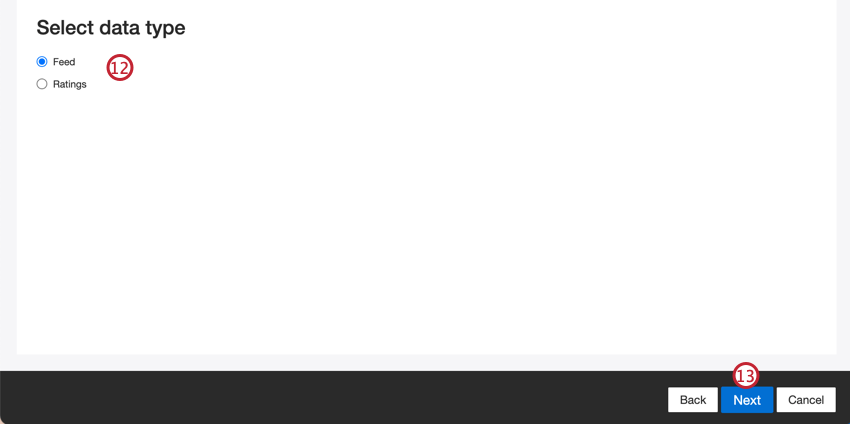
- Feed: Retrieve public posts from the news feed of a Facebook profile or page.
- Ratings: Retrieve public reviews from a Facebook page.
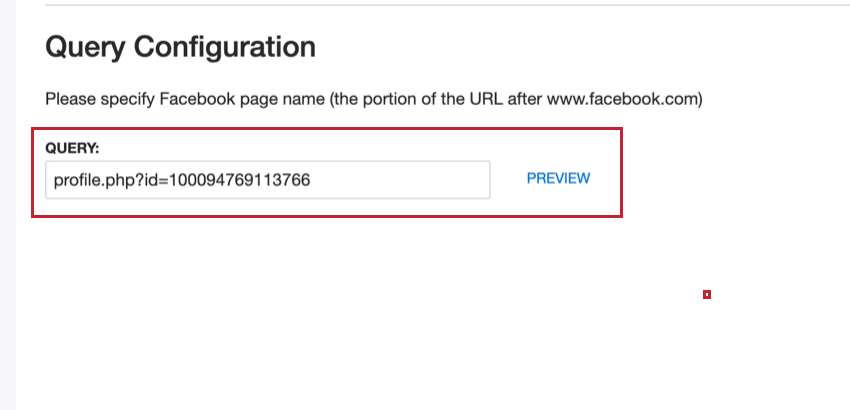
- Query Configuration: Enter the name of the Facebook profile or page. You can get the name by opening the page on Facebook then copying the URL after facebook.com.

- Select Facebook Page: Select the Facebook page. You can only upload reviews from pages selected during the account connection in Step 3. Qtip: The Facebook account in this connector must be the admin for the Facebook page in order to pull in Ratings.

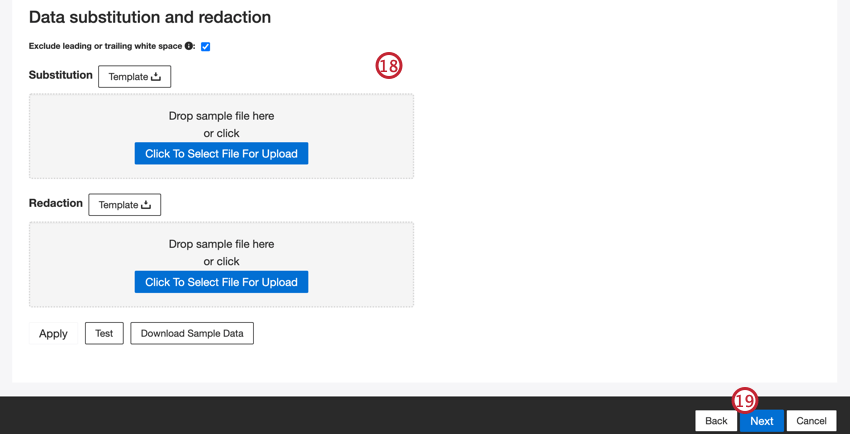
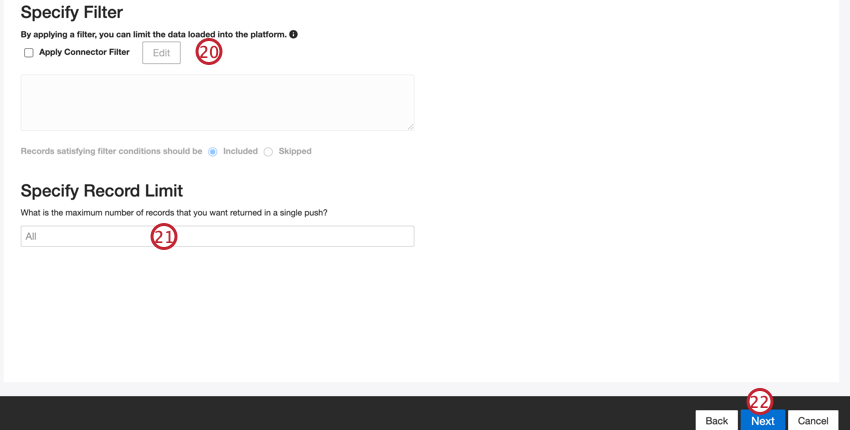
Qtip: For conversational data, the limit is applied based on conversations rather than rows.
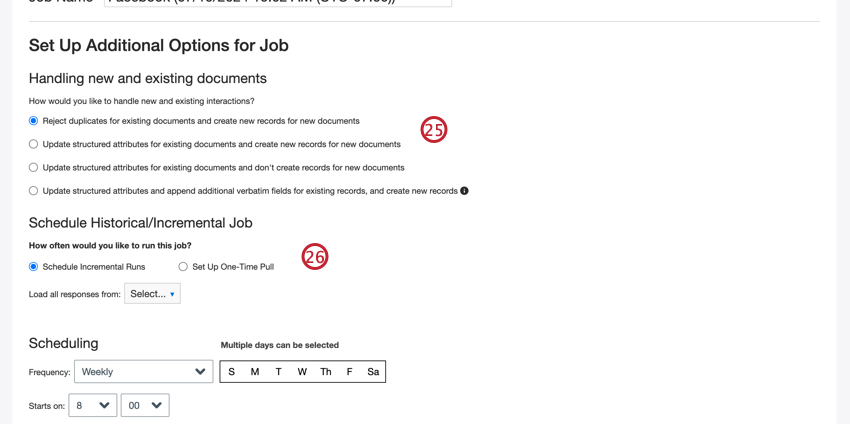
Default Data Mapping
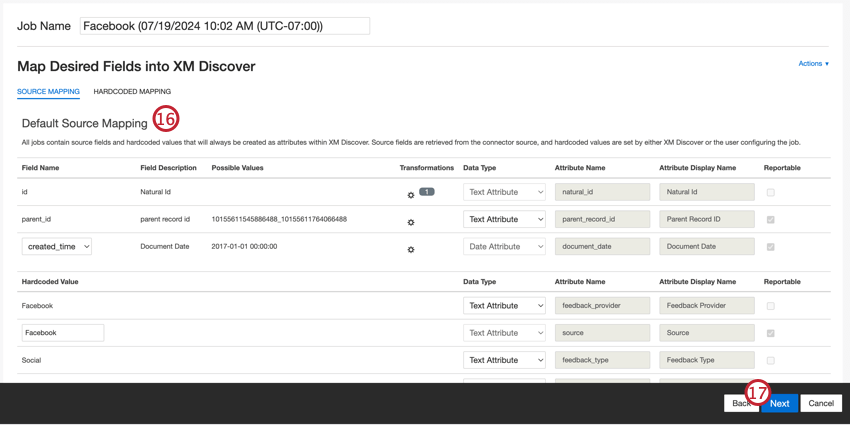
This section contains information on the default fields for Facebook inbound jobs.
- natural_id: A unique identifier of a document. It is highly recommended to have a unique ID for each document to process duplicates correctly. For Natural ID, XM Discover uses source IDs prefixed by the connector’s name.
- parent_record_id: Parent Record ID serves as a unique identifier of a parent Facebook post when uploading comments.
- document_date: The primary date field associated with a document. This date is used in XM Discover reports, trends, alerts, and so on. You can choose one of the following options:
- created_time (default): The date and time the post was published.
- updated_time (Feed data type only): The date and time the post was last updated, which occurs when a user comments on the post.
- You can also set a specific document date.
- feedback_provider: Identifies data obtained from a specific provider. For Facebook uploads, this attribute’s value is set to “Facebook” and cannot be changed.
- source: Identifies data obtained from a specific source. This can be anything that describes the origin of data, such as the name of a survey or a mobile marketing campaign. By default, this attribute’s value is set to “Facebook.” Use custom transformations to set a custom value, define an expression, or map it to another field.
- feedback_type: Identifies data based on its type. This is useful for reporting when your project contains different types of data (for example, surveys and social media feedback). By default, this attribute’s value is set “Social”. Use custom transformations to set a custom value, define an expression, or map it to another field.
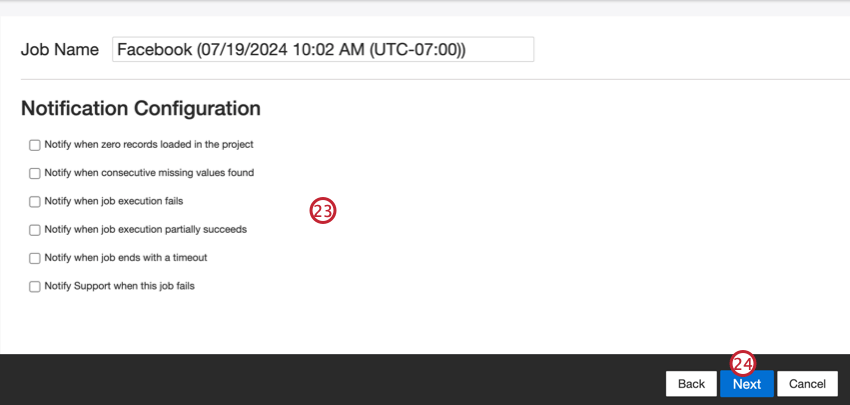
- job_name: Identifies data based on the name of the job used to upload it. You can modify this attribute’s value during the setup via the Job Name field that is displayed at the top of each page during the setup.
- loadDate: Indicates when a document was uploaded into XM Discover. This field is set automatically and cannot be changed.
That's great! Thank you for your feedback!
Thank you for your feedback!