

Selecting a Scoring Model
What's on this page
About Selecting a Scoring Model
The first step in setting up intelligent scoring is selecting a category model to use for scoring.
Qtip: This step is performed in Designer. You must have data access to the project you want to use.

Selecting a Scoring Model
For intelligent scoring, you can use a maximum of 10 category models per 1 project.
Any given topic (including its siblings and children) can only be used in 1 rubric. However, you can create multiple rubrics for each category model.
Category models used for intelligent scoring should not derive attributes from category-derived attributes or reference category-derived attributes in any way.
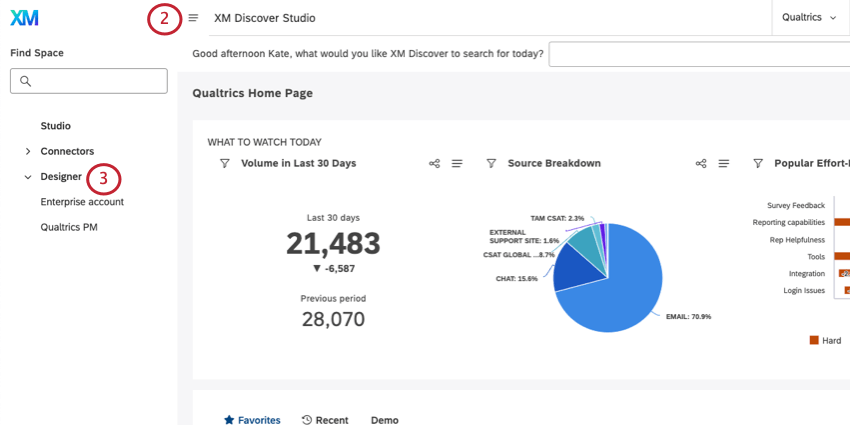
Qtip: If you have access to more than one instance, select the instance you’d like to open.
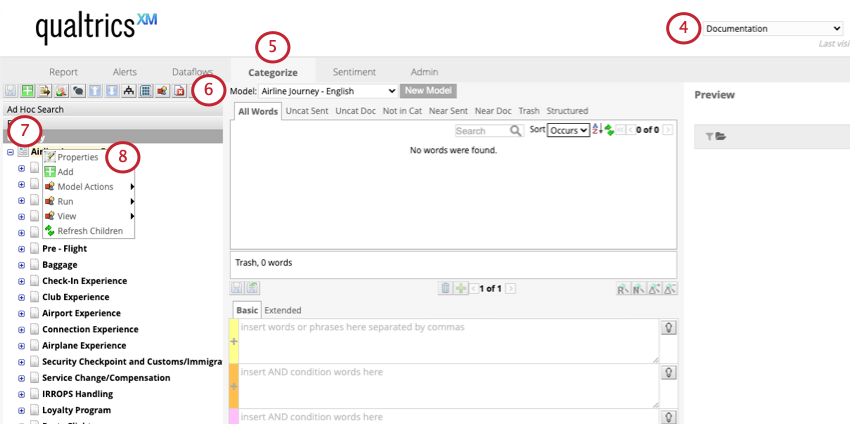
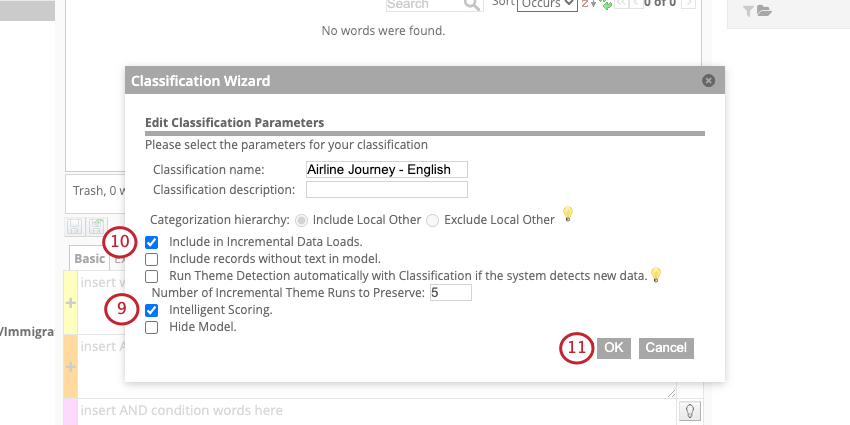
Qtip: Categorization hierarchy is always set to Include Local Other for intelligent scoring. This option makes sure that rebuttals work consistently.
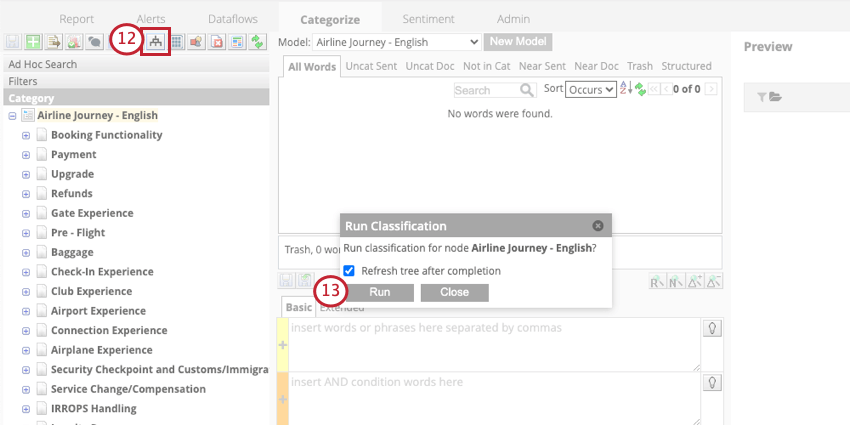
You can now create a rubric for intelligent scoring.
Editing Scoring Models
When you update the scoring model or the rubric based on it, the default behavior is to apply the new criteria moving forward. If you want to retroactively score historical data, you need to run the rescoring dataflow.
See Best Practices for Editing Scoring Models for more details.
FAQs
What is a category model? What is a topic?
What is a category model? What is a topic?
Since category models are how XM Discover analyzes topics, you will see “category model” and “topic” used interchangeably throughout the platform.
What is a node?
What is a node?
For example, your category tree may be Airline Journey, and includes topics like Booking Functionality, Payment, Upgrades, and more, which all might have topics underneath them, as well. Each branching topic is a node. “Airline Journey” would be the root node.
If I updated the scoring model's topmost topic (root node), but didn’t update my existing (historical) data, will classification be performed on my existing data automatically?
If I updated the scoring model's topmost topic (root node), but didn’t update my existing (historical) data, will classification be performed on my existing data automatically?
That's great! Thank you for your feedback!
Thank you for your feedback!