

Early Access Documentation Overview
What's on this page
About Early Access Documentation
Right now, you’re in a special category of the support site reserved especially for early access features. If you’re enrolled in the Early Access Program here at Qualtrics, this is where you can find step-by-steps on how to use these features. However, even if you haven’t joined our program yet, you’re still welcome to browse and see what’s in development.
Attention: Early access features published on the support site (qualtrics.com/support/) do not represent a comprehensive list of all features in development at Qualtrics, nor do they represent a comprehensive list of all features currently available in our Early Access Program. Qualtrics may, in its sole discretion and without liability, change the timing of any product feature rollout, change the functionality for any early access or in development product feature, or choose not to release a product feature or functionality for any reason or for no reason.

Viewing Early Access Support Pages
Only existing Qualtrics users get exclusive access to our early access support pages. To verify that you’re an existing Qualtrics user, log into the support site with your normal Qualtrics user account.
You can also follow the steps below:
Log into the support site on http://qualtrics.com/support/login/.
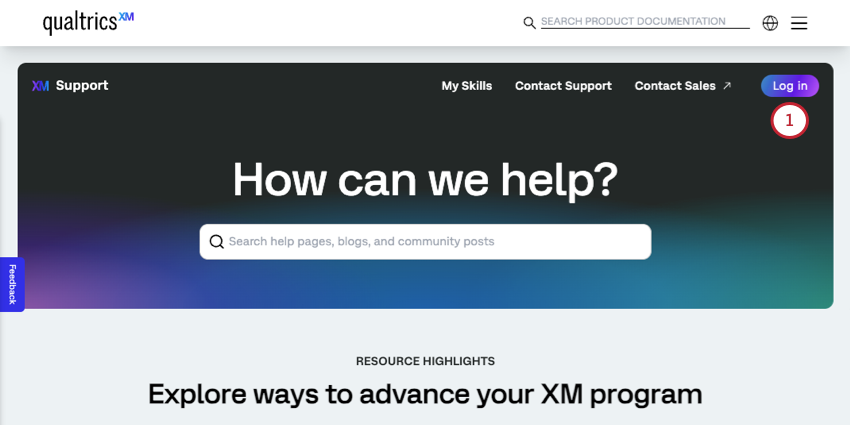
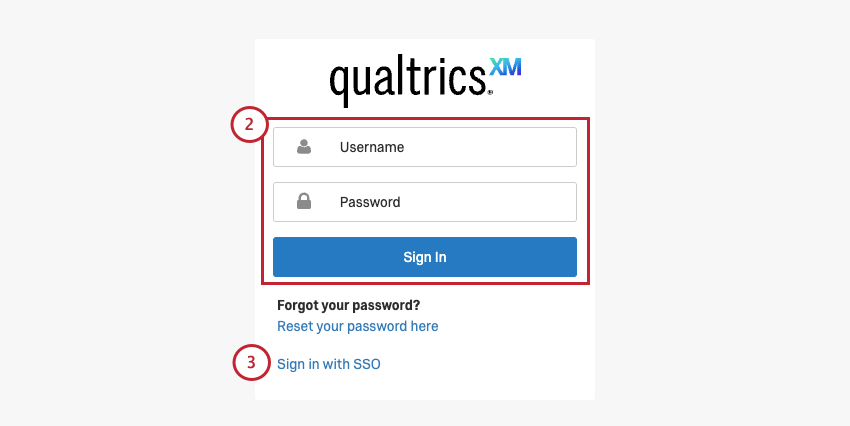
If you usually log into Qualtrics the standard way, enter your Qualtrics username (or email) and password into the fields above. Your Qualtrics Support Site login credentials will always match your Qualtrics account credentials.
Qtip: If you’ve recently signed into your Qualtrics account on the same device and browser, you will not have to re-enter your credentials when going to the Qualtrics Support Site. Simply click the brand ID shown on the page to enter your portal.
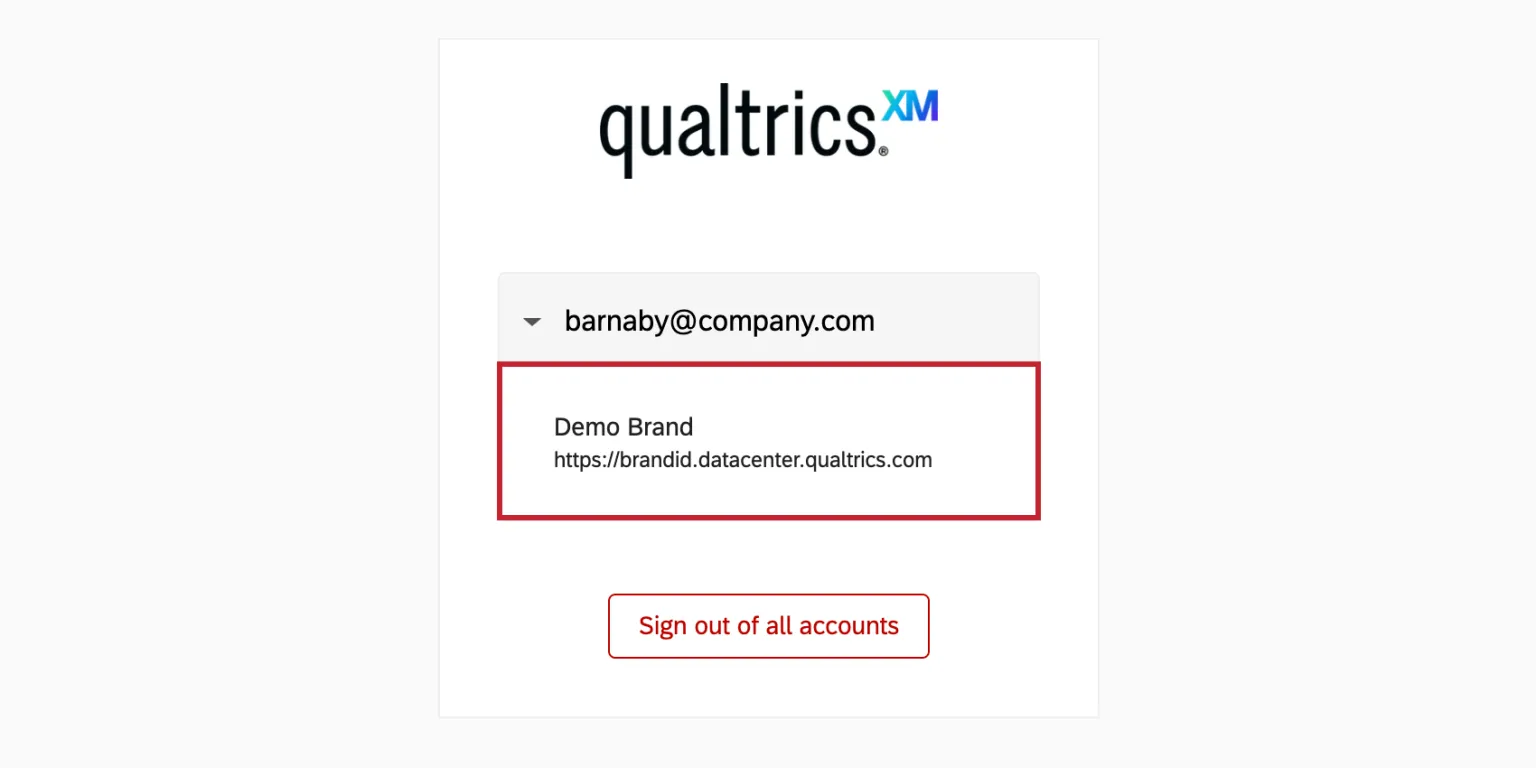
Be sure to verify that the username or email shown on the login page is the account you are trying to access. If you’d like to access another account, you can select Sign out of all accounts and you will be prompted to enter your credentials.

If your organization uses the same branded webpage to log into many different services, you probably have single sign-on. Click the Sign in with SSO link to log into the Qualtrics Support Site. You will then be asked for your organization ID, and proceed to log in as normal.
Qtip: For more guidance on finding your organization or brand ID, see Logging into Your Customer Success Hub with SSO. Although these steps are written for the Hub, the Qualtrics Support Site login works similarly.
If you do not have an account yet or if you are having login issues, you can request a password reset email.
Qtip: If you can't log into your Qualtrics user account, you won't be able to view exclusive content like Early Access Documentation. If you need help figuring out your login information, reach out to Technical Support.
Once you’ve logged in, use the menu on the left to check out currently available early access documentation.
Qtip: FedRAMP users cannot log into the Qualtrics Support Site. With the exception of Early Access Documentation and other exclusive features, you can still browse the majority of the Qualtrics Support Site without logging in.
Enrolling in the Early Access Program
If you’re interested in enrolling in our Early Access Program, please go to our program’s homepage.
FAQs
How do I sign up for the Early Access Program?
How do I sign up for the Early Access Program?
Please see our program’s homepage.
Can any user sign up for the Early Access Program?
Can any user sign up for the Early Access Program?
Only Brand Administrators can enroll their organization. Please see our program’s homepage.
Why isn’t this specific early access feature documented on your site?
Why isn’t this specific early access feature documented on your site?
Early access features published on the support site (qualtrics.com/support/) do not represent a comprehensive list of all features in development at Qualtrics, nor do they represent a comprehensive list of all features currently available in our Early Access Program. Qualtrics may, in its sole discretion and without liability, change the timing of any product feature rollout, change the functionality for any early access or in development product feature, or choose not to release a product feature or functionality for any reason or for no reason.
Will all early access features eventually be launched to all users?
Will all early access features eventually be launched to all users?
Qualtrics may, in its sole discretion and without liability, change the timing of any product feature rollout, change the functionality for any early access or in development product feature, or choose not to release a product feature or functionality for any reason or for no reason.
What happens to a feature’s page if it goes from early access to generally available?
What happens to a feature’s page if it goes from early access to generally available?
Once a feature is generally available, the support page will be published to all site visitors (even those who aren’t logged in), and will be moved out of the Early Access section to a spot that fits its related product. We try to keep links functional where we can. If you have questions about a feature’s availability once it goes live, please see our program’s homepage.
I can’t find a page that used to be in this category, where is it?
I can’t find a page that used to be in this category, where is it?
If the feature is now generally available, chances are it’s still on the site, just moved to another category. Try our search engine.
There’s also a chance the page isn’t available anymore. Qualtrics may, in its sole discretion and without liability, change the timing of any product feature rollout, change the functionality for any early access or in development product feature, or choose not to release a product feature or functionality for any reason or for no reason.
That's great! Thank you for your feedback!
Thank you for your feedback!