

Employee Led 360 Projects
What's on this page
About Employee Led 360 Projects
A 360 project is used to conduct a “360 assessment” where employees give each other feedback. Relationships are established between employees and each participant receives a personalized report with feedback to help with their professional development.
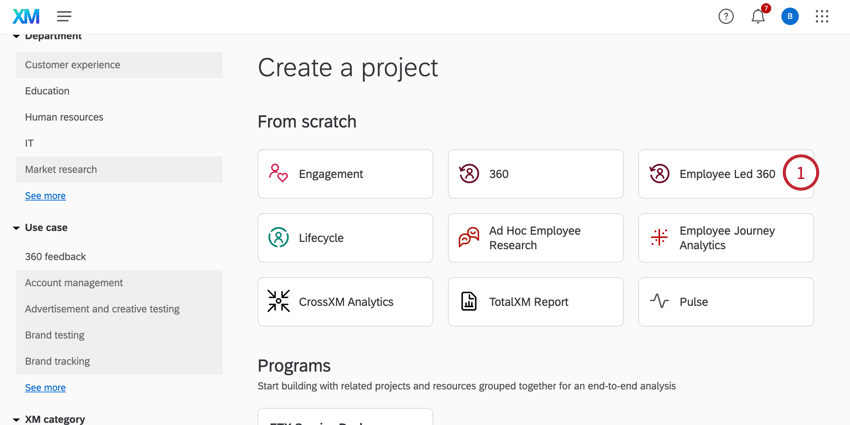
Employee led 360 projects are a type of 360 project that allow employees to take control of their own 360 feedback. Instead of an administrator beginning 360 assessments for many employees at the same time, each individual employee can initiate their own 360 when it fits their development goals.
Employee led 360 projects enable individual employees to:
- Opt-in to receiving 360 feedback
- Choose who they want to receive feedback from
- Determine when to start the 360
Differences Between 360 Project Types
There are some key differences between employee led 360 projects and standard 360 projects.
Project Administration
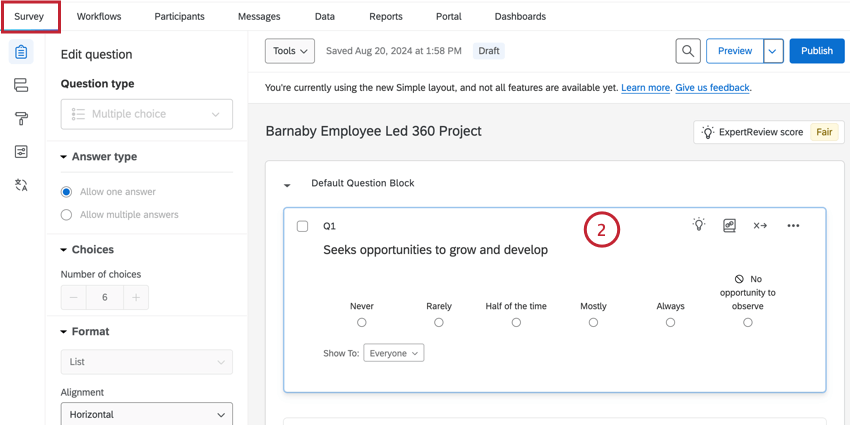
Project administrators no longer determine the project’s subjects and evaluators, nor do they choose when feedback collection starts. Instead, they only control the questions asked in the assessment and how long the feedback window is open once started.
Once the project is configured, individual employees can opt-in to the project and add other employees to evaluate them.
Locked Settings
Some settings in employee led 360 projects are pre-configured and locked so they cannot be changed. This includes:
- Report Options:
The Assessment Completion Window is set to close 2 weeks after the assessment is started. You can change the timeframe for closing the assessment, but you cannot remove it.

Qtip: This option is called “Report Availability” in standard 360 projects.
- The option to Email subject when report becomes available is enabled and cannot be changed.
- Messages Options:
- The Automatically send invites to new evaluators option is disabled and cannot be changed.
- Participant Options:
- The Opt-in link option is enabled and cannot be changed. You can still change the other settings associated with this option.
- The Subject nominates evaluators option is enabled and cannot be changed.
- As a result, conflicting options like Managers approve nominations are not available for Employee Led 360.
Report Regeneration
If you’ve made changes to your 360 project and aren’t seeing them reflected in the subject report, you can regenerate your reports. In Employee Led 360, you don't have access to the Report Generation Summary. You can only generate reports from the Participants tab.
Steps to Set Up an Employee Led 360 Project
Employee led 360 projects mostly function the same as standard 360 projects. This section contains the general steps to create and launch a 360 project, but links out heavily to other support pages for more detailed information.
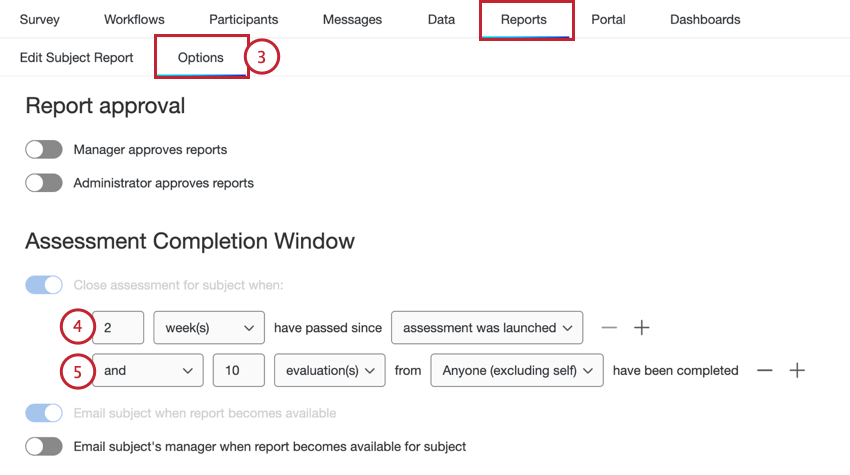
Qtip: See the “Report Availability” settings on the Report Options (360) page for more information about these settings.
Qtip: The option to email the subject when their report is available is enabled and locked by default.
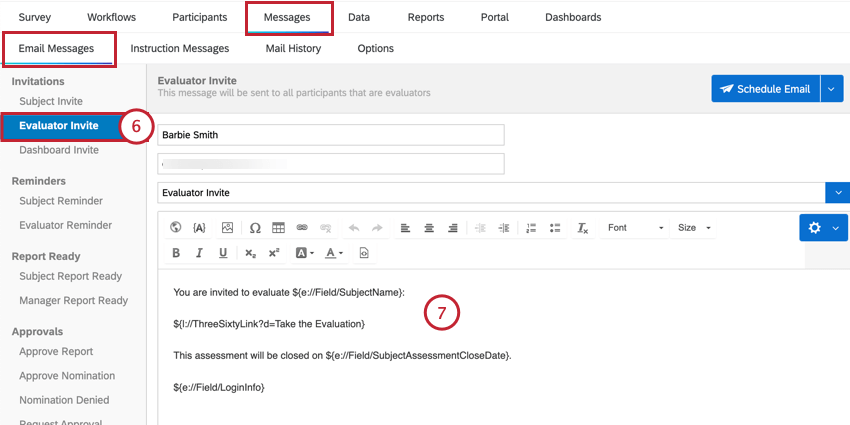
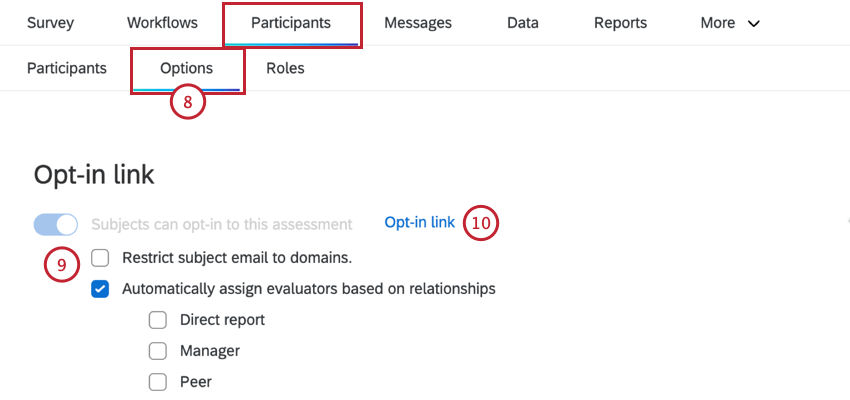
Qtip: You’ll also need to build the subject report before the assessment closes so employees can view a report about their evaluations. These reports function the same in both types of 360 projects.
Participant Portal Tasks
This section covers the experience for subjects and evaluators in the Participant Portal.
Subject Tasks
Once a subject is added to the project by clicking the opt-in link, they can log into the Participant Portal. From here, they can add evaluators, do a self-evaluation, and launch their assessment:
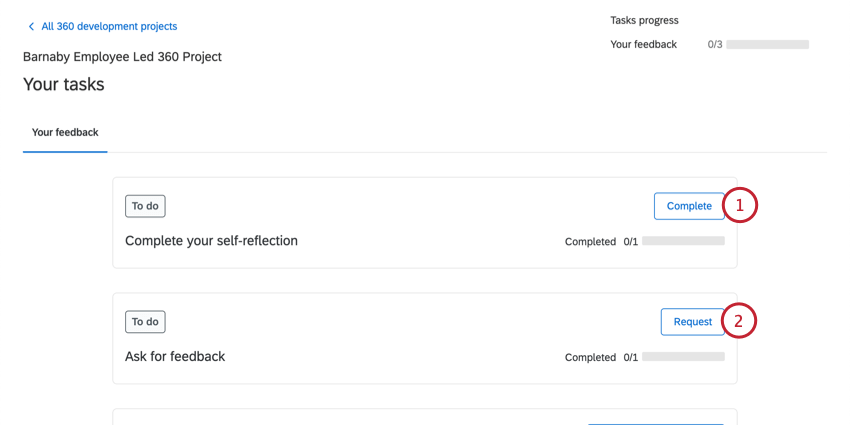
Qtip: You can do your self-evaluation before or after adding other evaluators.
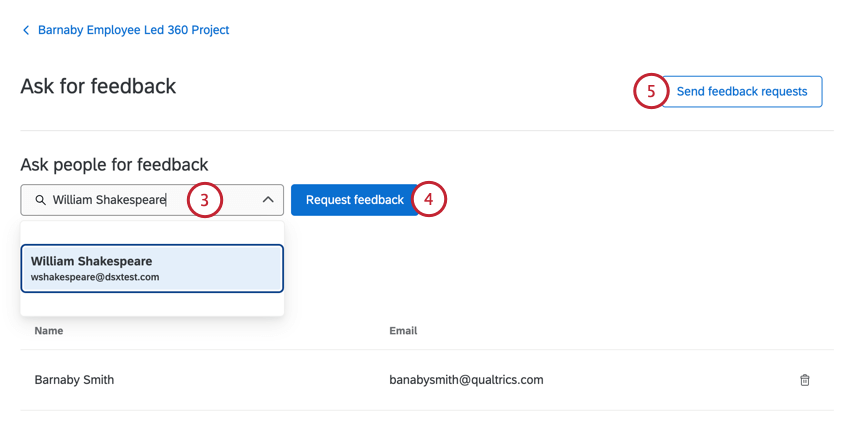
Qtip: Depending on the project’s setting, there may be an additional dropdown for you to define your relationship to the evaluator.
Qtip: Your evaluators will not see this nomination nor receive an invitation email until you launch the assessment.
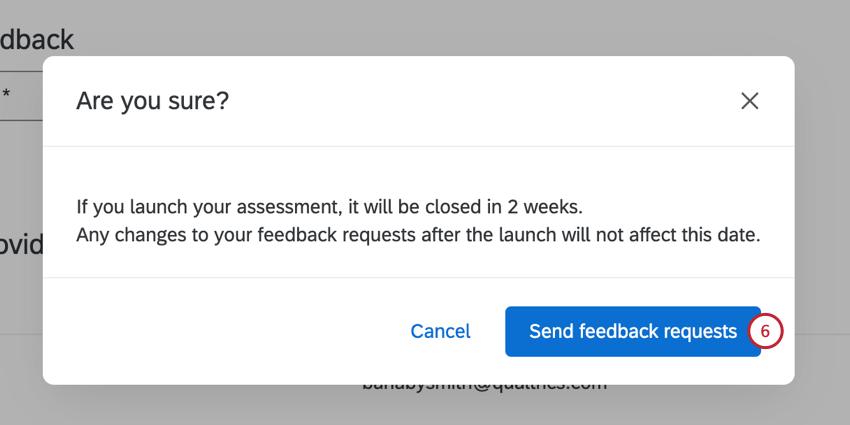
Qtip: You can add more nominations while the assessment is still open by repeating the steps above, but this will not change the assessment close date.
Qtip: Once your assessment has been launched, the end date will be visible on the nominations page in the Participant Portal.
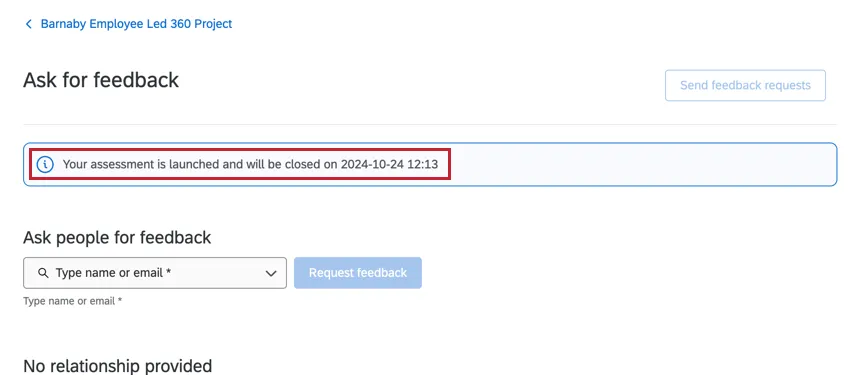
After the assessment has been closed, you can view your subject report via the Participant Portal.
Evaluator
Once a subject adds nominations and launches their assessment, evaluators will be invited to take the assessment.
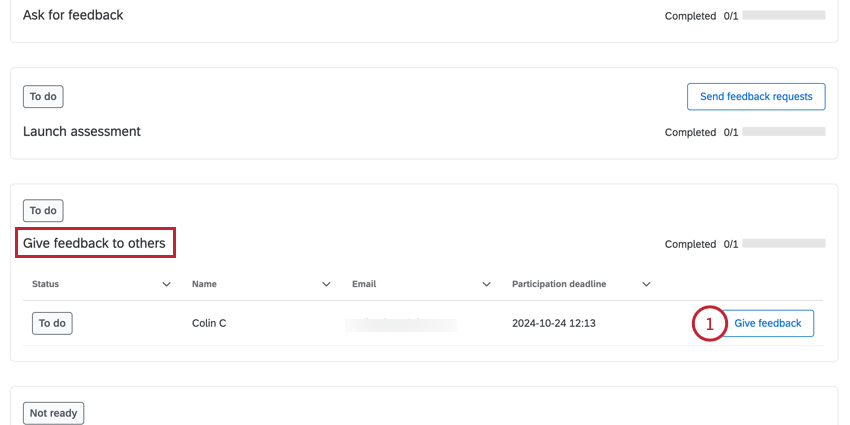
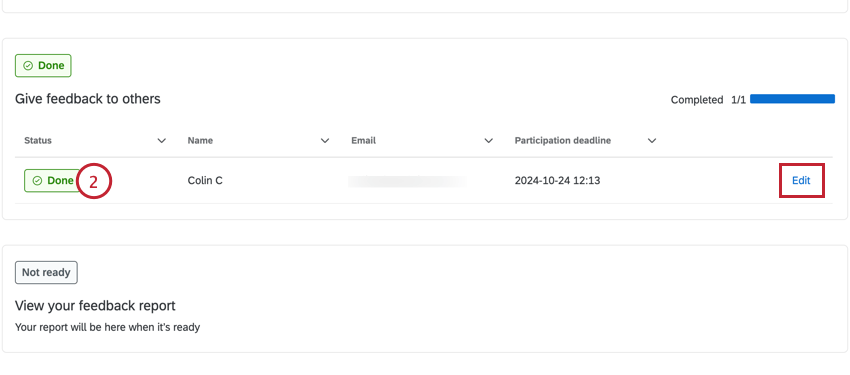
Qtip: If the assessment is still open and you need to change your response, you can click Edit.
That's great! Thank you for your feedback!
Thank you for your feedback!