

Employee Journey Analytics Overview
What's on this page
Qtip: If you are interested in implementation or advisory services for an Employee Journey Analytics Project, reach out to your Technical Success Manager.

About Employee Journey Analytics
Employee Journey Analytics is a project type that allows you to combine existing employee data from multiple projects into a single dataset that can be analyzed. With this dataset you can run analyses across your EX programs to understand how key moments of the employee experience relate to employee engagement, wellbeing, attrition risk, and other key measurements. With an Employee Journey Analytics project you can investigate questions such as:
- How does the onboarding experience impact employee engagement?
- How are elements of the employee experience impacting employee attrition?
- How do key milestones (e.g., returning from leave) impact employee engagement?
Qtip: Text iQ is not available in Employee Journey Analytics projects. Instead, perform text analysis in the projects you’d like to use in your data model.
Creating an Employee Journey Analytics Project
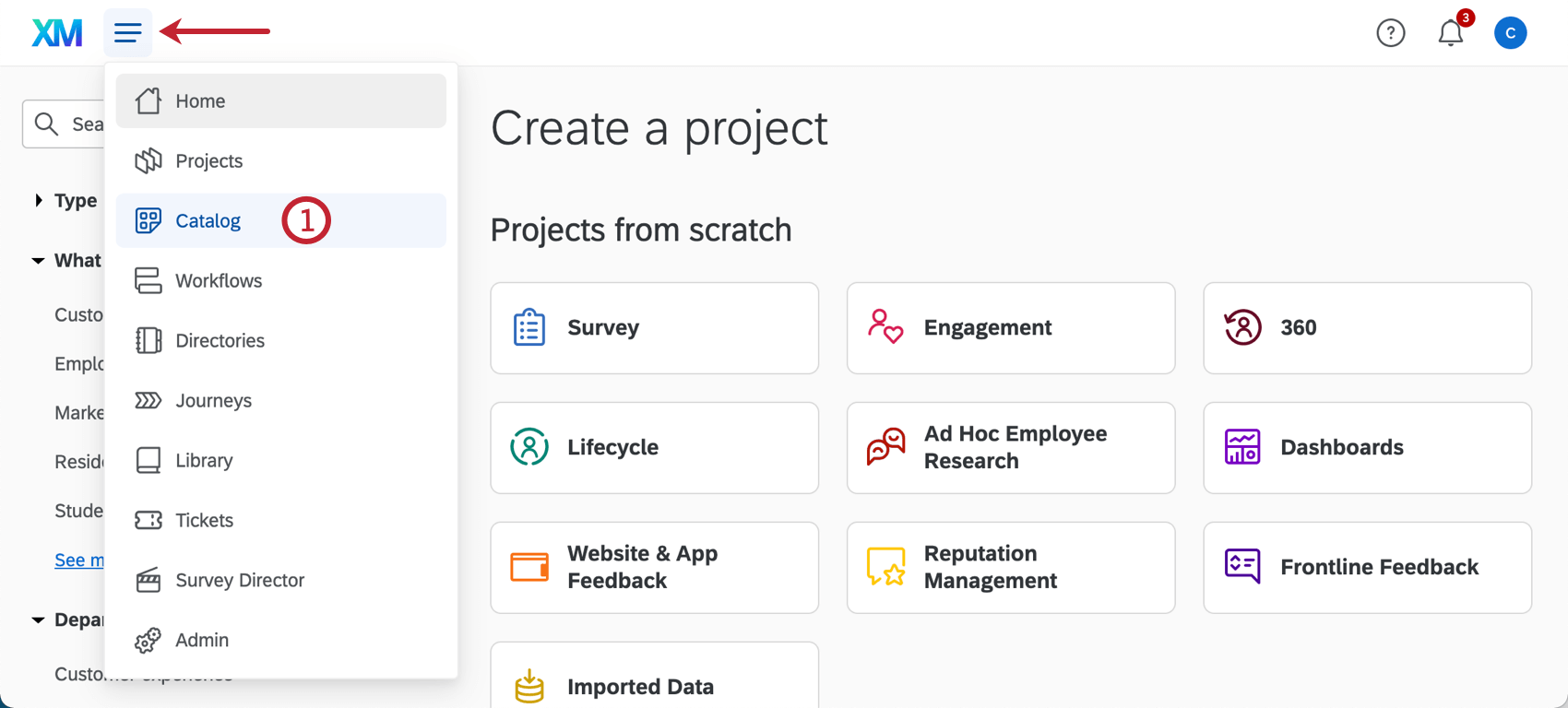
Qtip: A project can also be created from the Projects or Homepage.
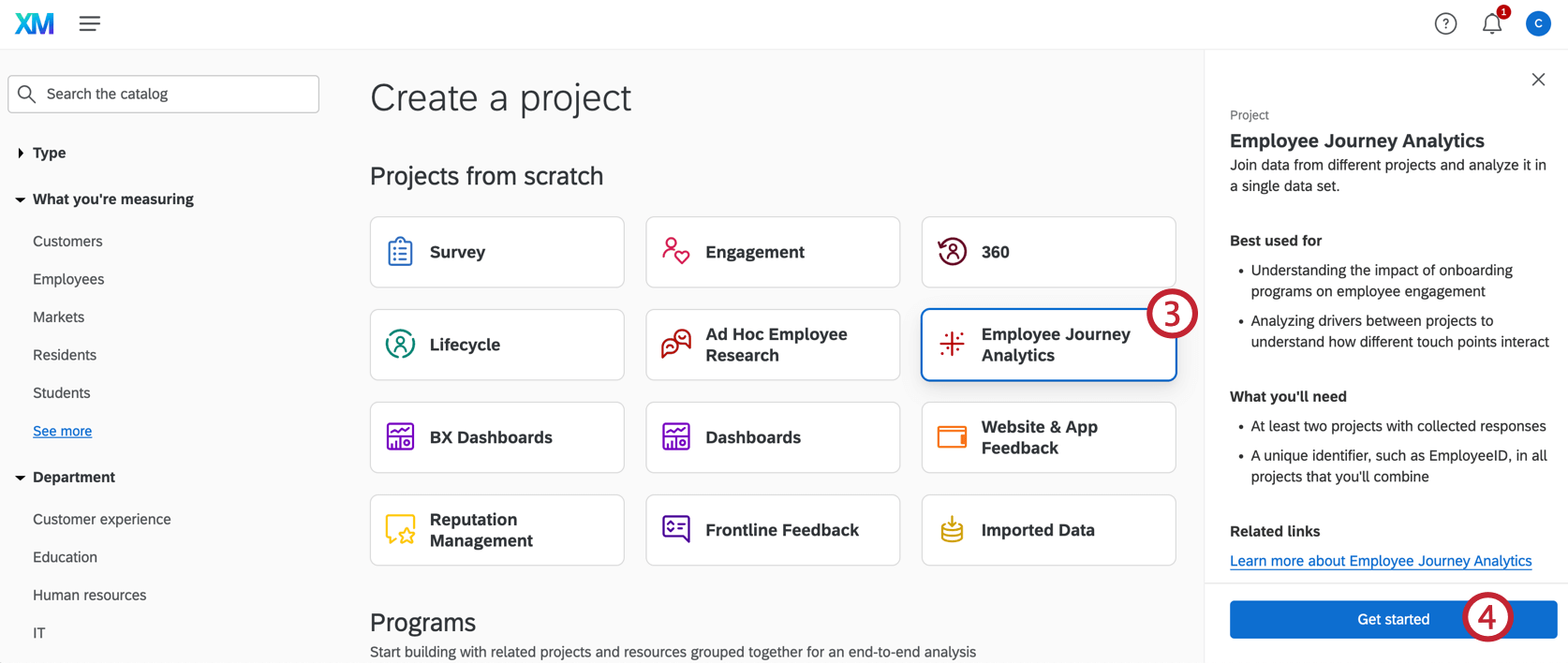
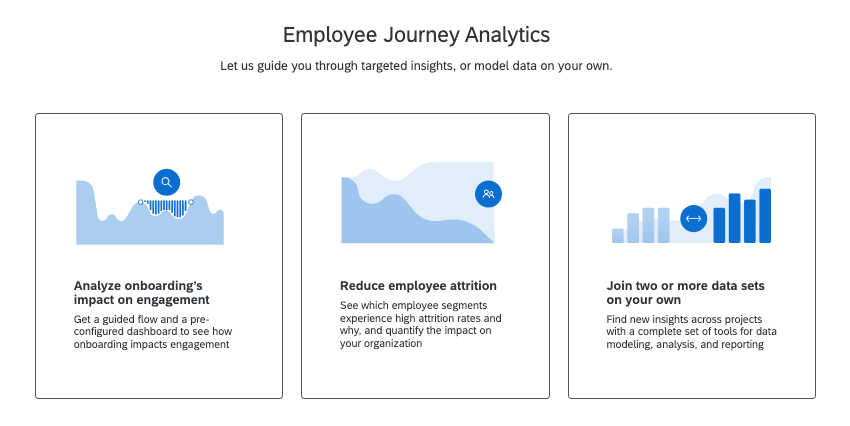
- Analyze onboarding’ impact on engagement: This guided flow and pre-configured dashboard helps you analyze the impact of onboarding on engagement. See the linked page for more details on setup.
- Reduce employee attrition: This guided flow and pre-configured dashboard gives you the tools to uncover the drivers of employee attrition. See the linked page for more details on setup.
- Join two or more data sets on your own: Create your own employee journey, combining data from existing projects to discover new insights.
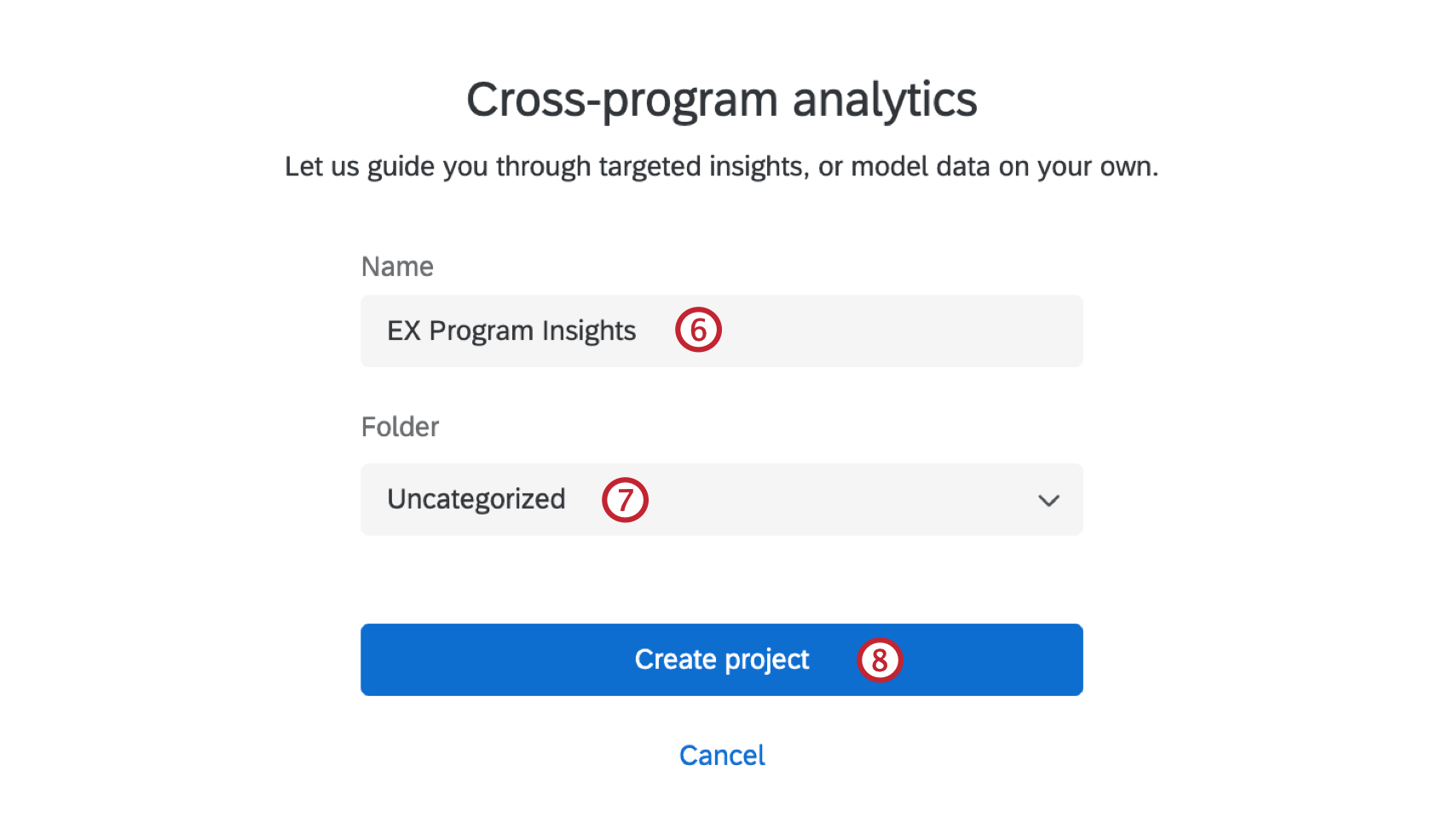
Qtip: You can always rename this later!
Using a Guided Flow and Preconfigured Dashboard
When creating a new Employee Journey Analytics project, you have the option to use a guided flow. Selecting one of these options will walk you through setting up the project to analyze the impact of onboarding on employee engagement. Once set up is complete you will be taken to a pre-configured dashboard to view your data.
There are currently 2 guided flows:
- Analyze onboarding’ impact on engagement: This guided flow and pre-configured dashboard helps you analyze the impact of onboarding on engagement. See the linked page for more details on setup.
- Reduce employee attrition: This guided flow and pre-configured dashboard gives you the tools to uncover the drivers of employee attrition. See the linked page for more details on setup.
Joining Two or More Datasets On Your Own
Creating a custom project gives you the flexibility to analyze any of your existing employee projects. Using a guided flow is currently limited to only looking at onboarding and engagement, while a custom project can combine up to 10 of your existing projects into a single dataset for analysis.
Employee Journey Analytics projects have 2 main components:
Qtip: When you set up your project with a guided flow, this model will be created for you.
Attention: The data in this dashboard will not be refreshed automatically. See Publishing Your Data Model for more information on refreshing your dataset.

For help getting started on your custom project, visit Creating A Data Model.
Collaborating on an Employee Journey Analytics Project
You can invite other users in your Qualtrics organization to edit the Employee Journey Analytics project with you.
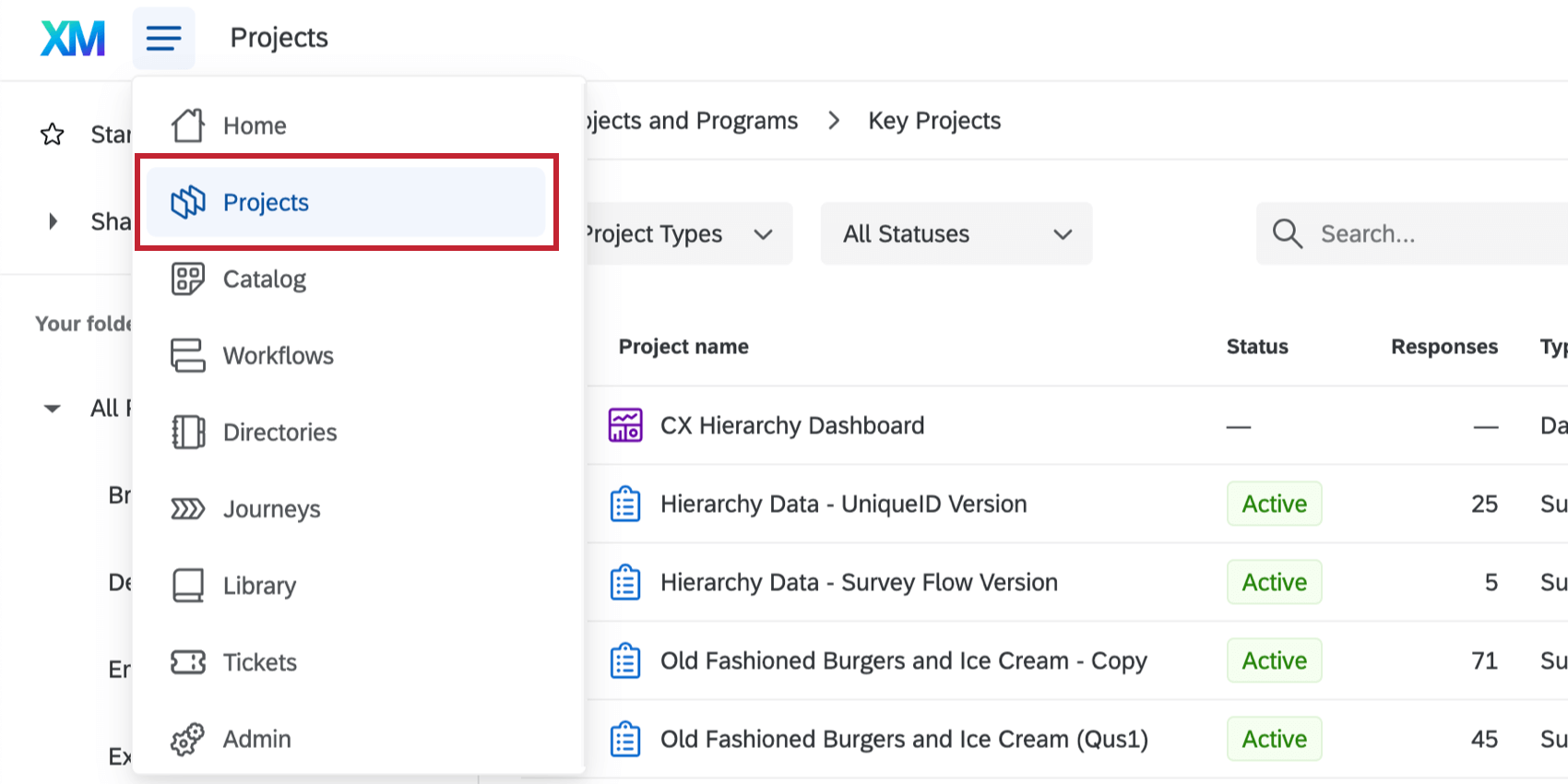
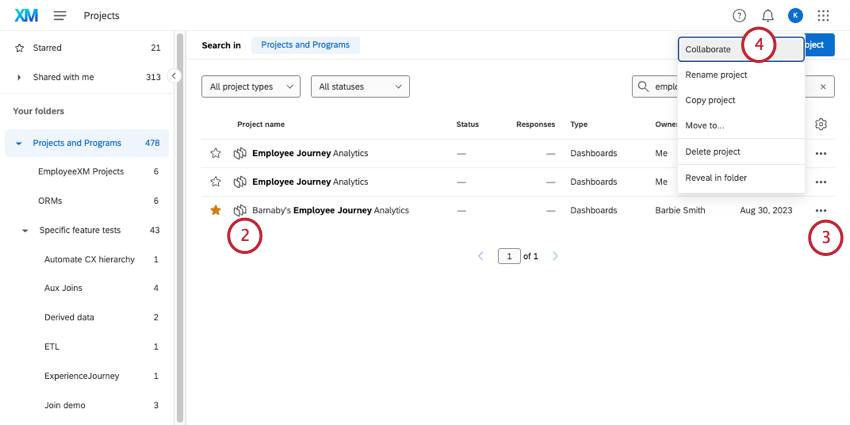
Qtip: You can find Employee Journey Analytics projects by searching your project by name, or filtering for the project type “Dashboards.”
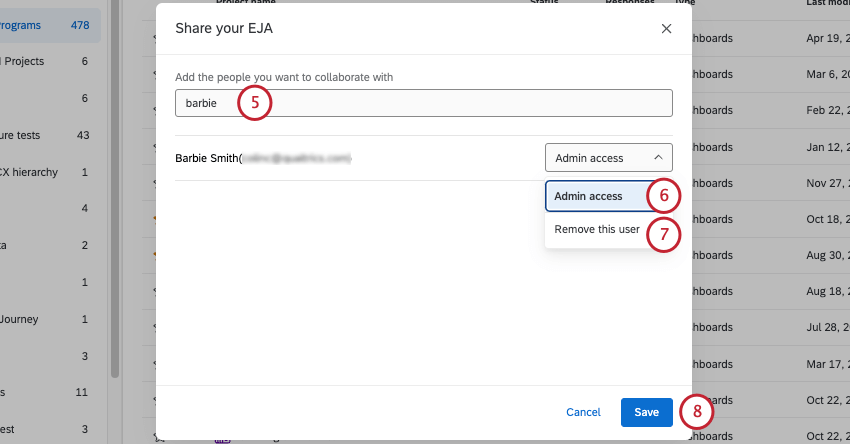
Qtip: Users should have permission to use Employee Journey Analytics.
Qtip: To only give dashboard access, see Sharing the Dashboard.
Archived Projects
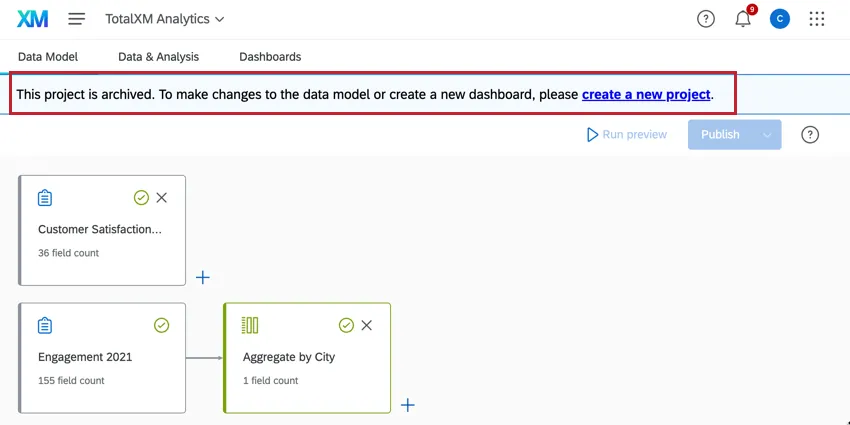
Attention: Projects created before November 6, 2024 use the old data model and have been placed in an Archived state. You cannot edit, publish, or refresh the data model in archived projects. Previously published data, dashboards, participants, and Stats iQ will continue to be available and operational, however dashboard creation and copying is disabled in archived projects. Archived projects cannot be copied; create a new project instead.
That's great! Thank you for your feedback!
Thank you for your feedback!