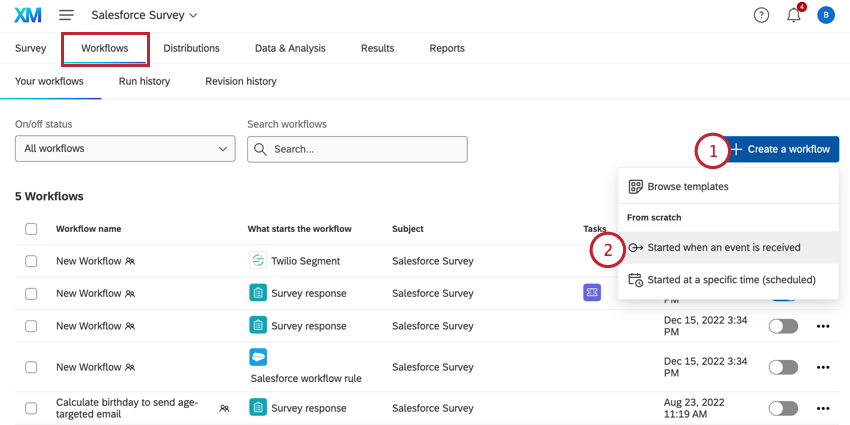
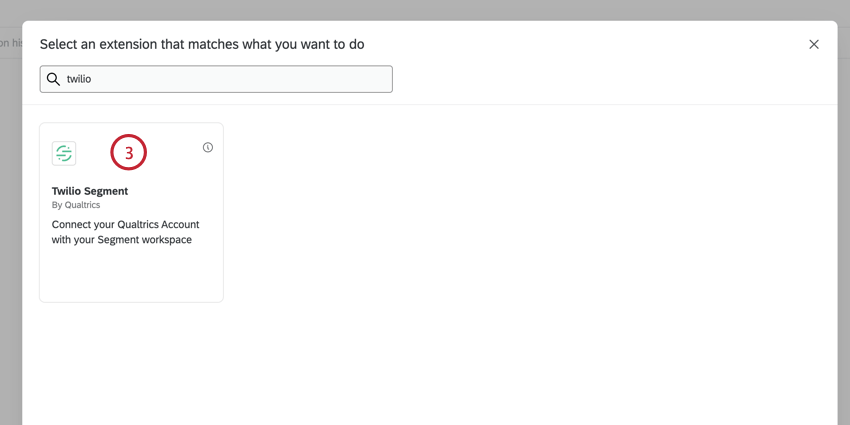
The Twilio Segment event allows you to integrate Qualtrics with Twilio Segment for sending data to Qualtrics based on events in Twilio Segment. The Twilio Segment event supports 3 main use cases:
Beginning a workflow based on data events in Twilio Segment.
Updating contact information in XM Directory based on events in Twilio Segment.
Adding transaction data to a contact based on events in Twilio Segment.
Setting up a Twilio Segment Event
Qtip: Qualtrics Support cannot assist with setup within Twilio Segment. For help with the setup in Twilio Segment, contact Twilio Segment Support.
To use the Twilio Segment event, you must complete a setup within both Twilio Segment and Qualtrics. You must add Qualtrics as a webhook destination within your Twilio Segment instance. This section will cover setting up the initial integration with Twilio Segment.
To set up the connection, you will need the following Qualtrics IDs:
Your API Token (if you already have a token, do not generate a new one)
In a separate browser tab, log in to Twilio Segment. Do not close out of Qualtrics.
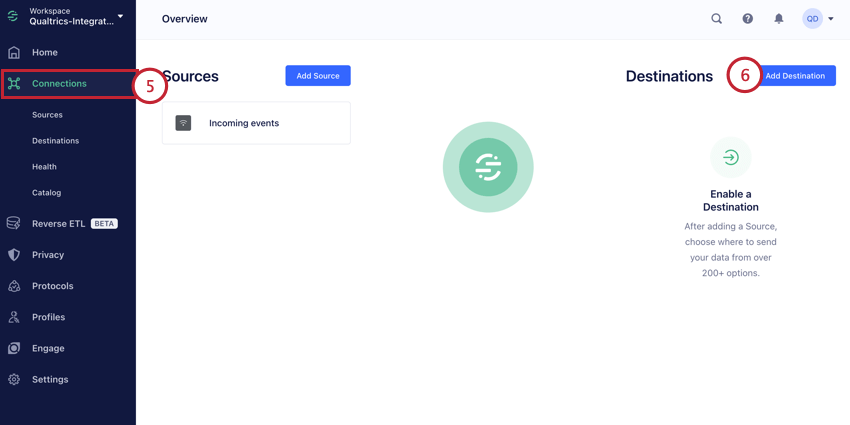
Go to the Connections tab.
Click Add Destination.
Search for the Qualtrics connection and add it to your workspace. Click on it to begin setting up the connection.
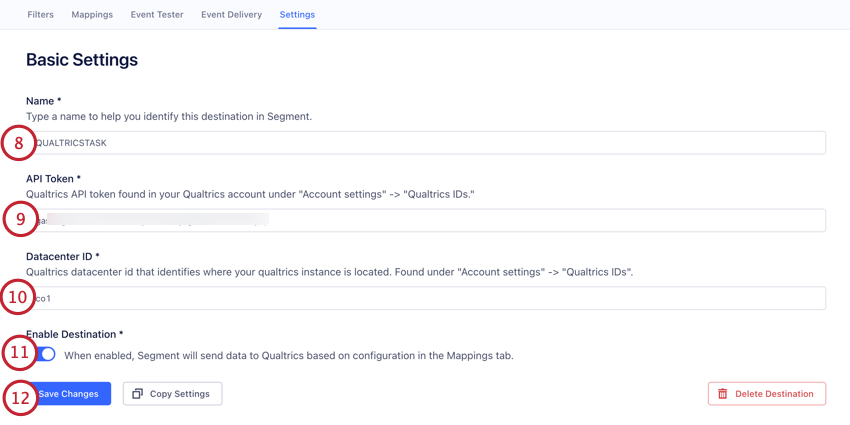
Give the connection a Name. This name is for your own organizational purposes.
Enter your Qualtrics API Token. See Generating an API Token if you need help finding your token.
Enter your Qualtrics Datacenter ID. See Locating the Datacenter ID if you need help finding your datacenter.
Make sure that Enable Destination is turned on.
Click Save Changes.
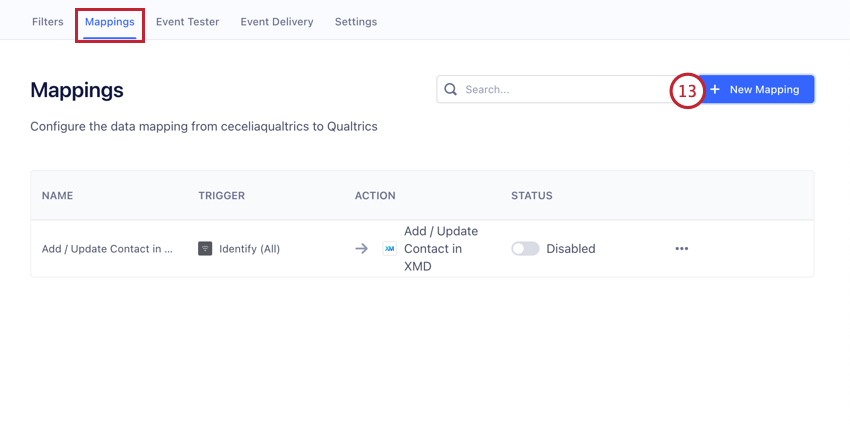
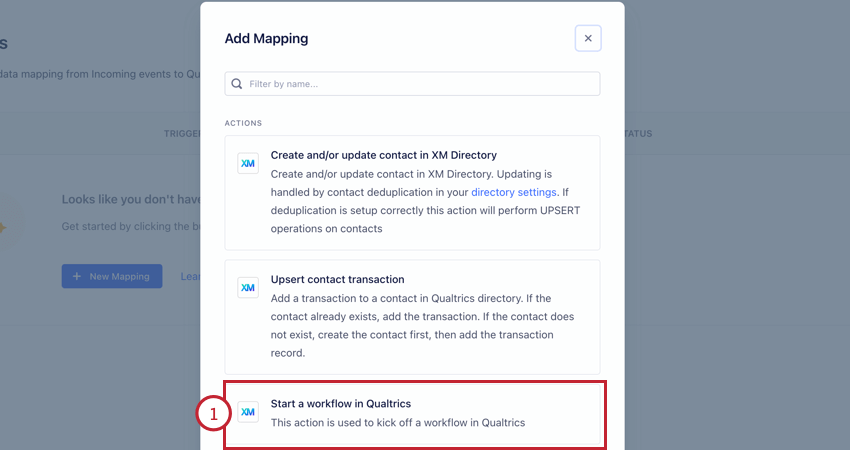
In the Mappings tab, click New Mapping.
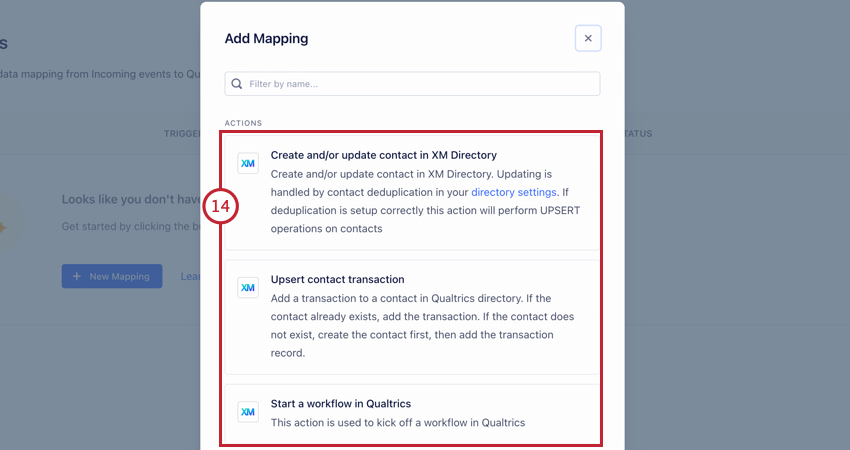
Choose what you’d like to do:
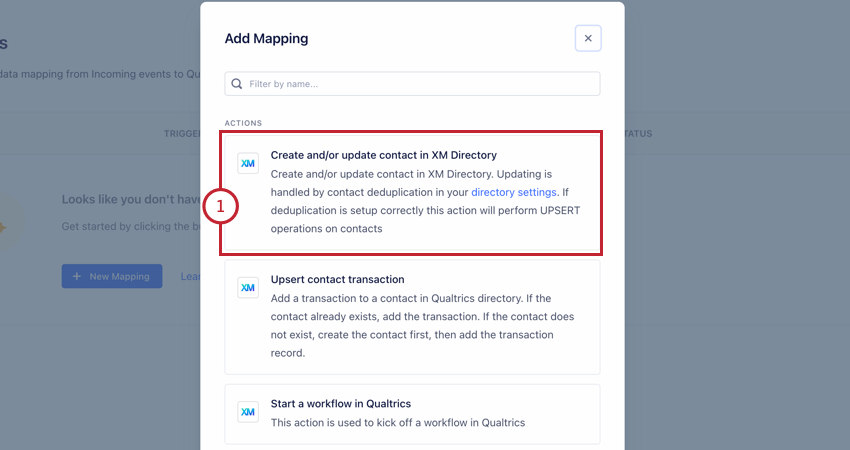
Create and/or update contact in XM Directory: Add or update a contact in XM Directory based on data events in Twilio Segment. All contacts that are processed by this event will be deduplicated per your directory’s settings. See Adding or Updating Contacts in XM Directory for the remainder of the setup for this option.
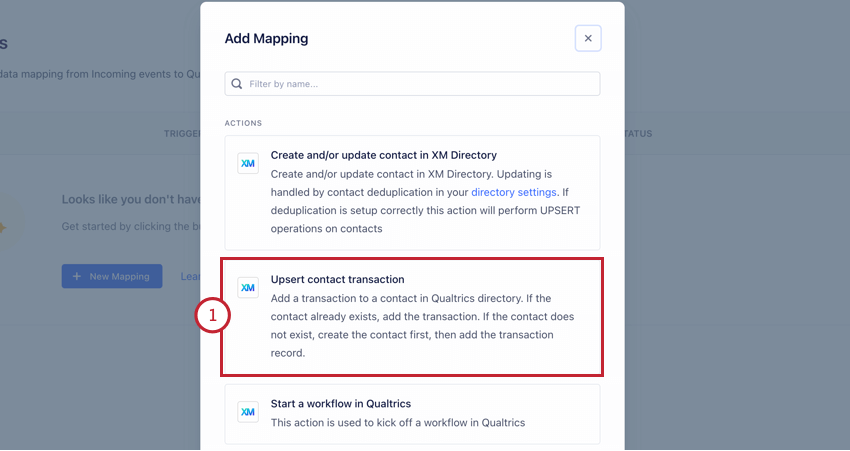
Upsert contact transaction: Add transaction data to a contact. If the contact does not exist, then the contact will be created and then transaction data will be added to that contact. See Adding Transactions to Contacts for the remainder of the setup for this option.
Start a workflow in Qualtrics: Begin a Qualtrics workflow based on data events in Twilio Segment. See Triggering a Qualtrics Workflow for the remainder of the setup for this option.
Qtip: You can use all of these options if you would like! You will just need to create additional mappings after setting up the first.
Adding or Updating Contacts in XM Directory
The Twilio Segment event allows you to update contacts in XM Directory based on changes to your data in Twilio Segment.
Follow the instructions in Setting up a Twilio Segment Event to integrate Qualtrics with Twilio Segment. Choose the Create and/or update contact in XM Directory option when setting up the integration.
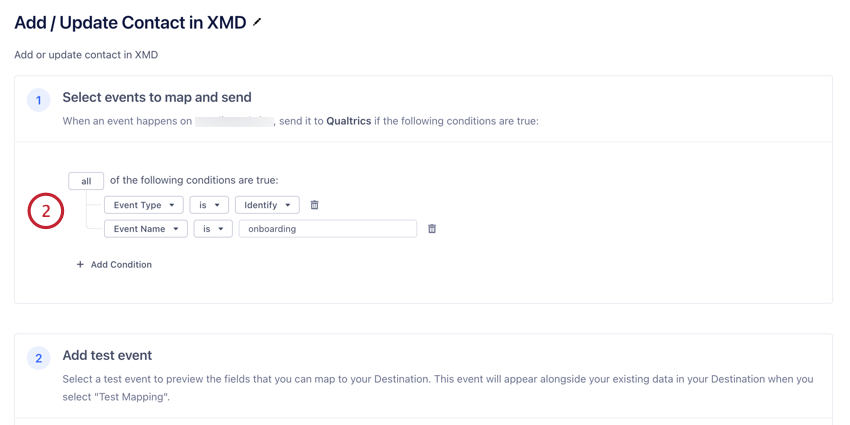
Add any filter conditions you’d like. These conditions determine when data is sent to Qualtrics.
Qtip: By default, this integration automatically includes a condition for “Event Type” is “Identify.” You can change this filter or add new ones as needed. We recommend you include at least 1 filter to limit the data that is sent to Qualtrics.
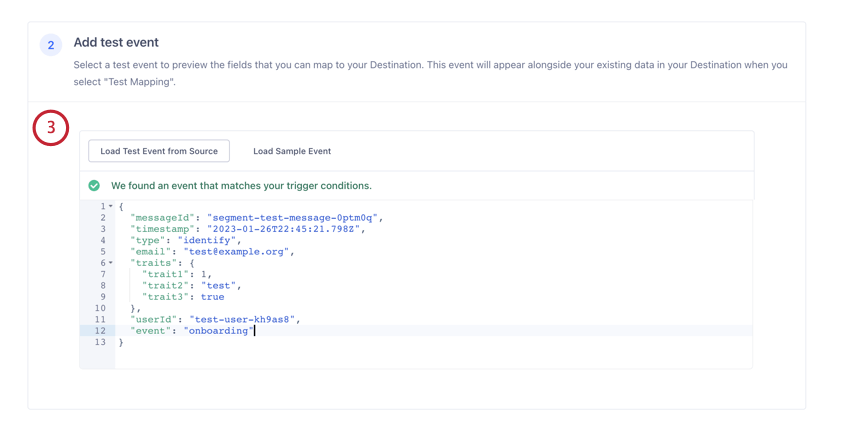
If desired, use the Add test event section to test what fields can be included in your mappings.
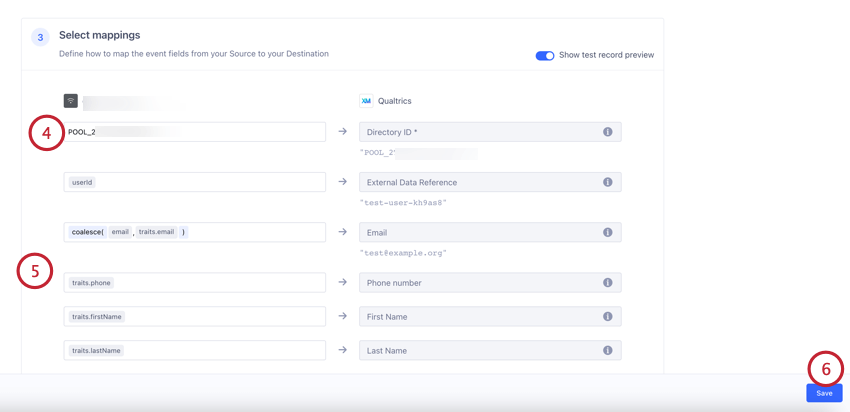
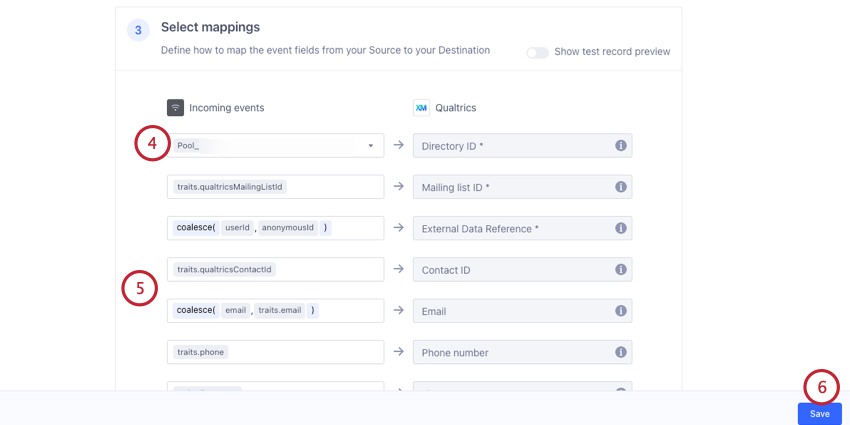
In the Select mappings section, map your Qualtrics Directory ID. If you have multiple directories, choose the directory that you want to add contacts to. See Locating the PoolID for more information.
If desired, adjust the event field mappings. See this Twilio Support page for more information. Oftentimes you will not need to make any adjustments to the preconfigured mappings.
Click Save.
Adding Transactions to Contacts
The Twilio Segment event allows you to add transaction data to existing contacts in your XM Directory. If the contact does not yet exist in your directory, it will be created. The transaction data will be saved to the newly created contact.
Follow the instructions in the Setting up a Twilio Segment Event to integrate Qualtrics with Twilio Segment. Choose the Upsert contact transaction option when setting up the integration.
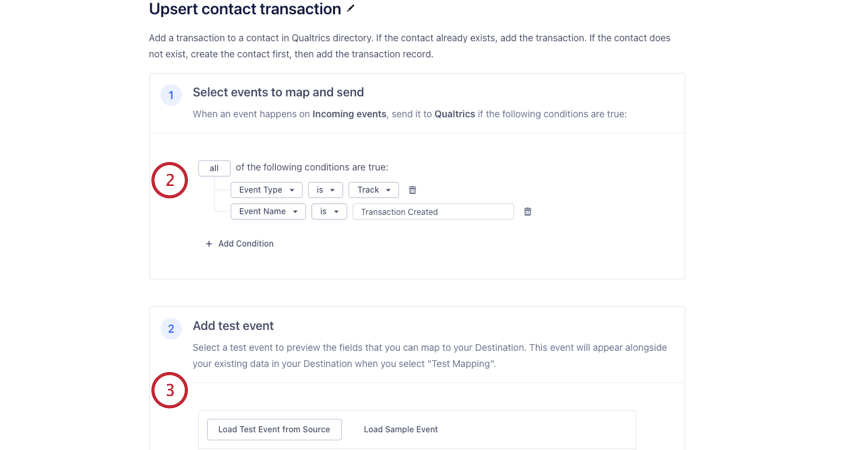
Add any filter conditions you’d like. These conditions determine when data is sent to Qualtrics.
Qtip: By default, this integration automatically includes a condition for “Event Type” is “Track” and “Event Name” is “Transaction Created.” You can change this filter or add new ones as needed. We recommend you include at least 1 filter to limit the data that is sent to Qualtrics.
If desired, use the Add test event section to test what fields can be included in your mappings.
In the Select mappings section, map your Qualtrics Directory ID. If you have multiple directories, choose the directory that you want to add contacts to. See Locating the PoolID for more information.
If desired, adjust the event field mappings (for example, if there are extra fields you want to pass to Qualtrics). See this Twilio Support page for more information. Oftentimes you will not need to make any adjustments to the preconfigured mappings.
Click Save.
Triggering a Qualtrics Workflow
The Twilio Segment event allows you to begin a workflow in Qualtrics based on data events in Twilio Segment.
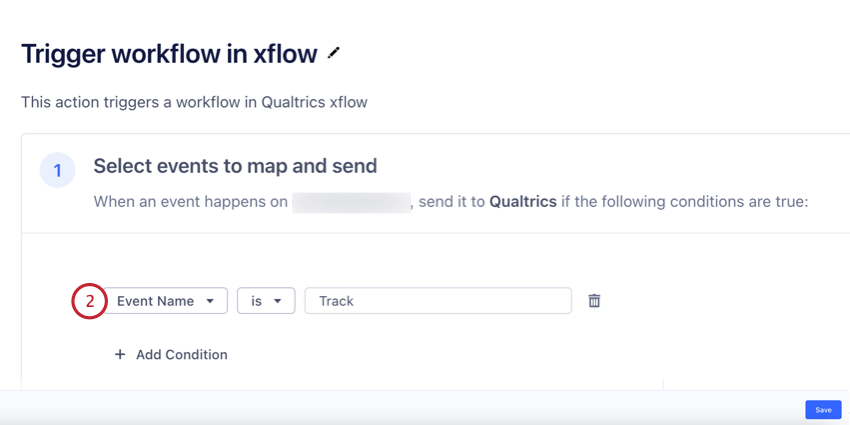
Follow the instructions in Setting up a Twilio Segment Event to integrate Qualtrics with Twilio Segment. Choose the Start a workflow in Qualtrics option when setting up the integration.
Add any filter conditions you’d like. These conditions determine when data is sent to Qualtrics.
Qtip: We recommend you include at least 1 filter to limit the data that is sent to Qualtrics.
Use the Add test event section to generate a test field mapping.
Qtip: You’ll need at least 1 filter condition to generate a test event.
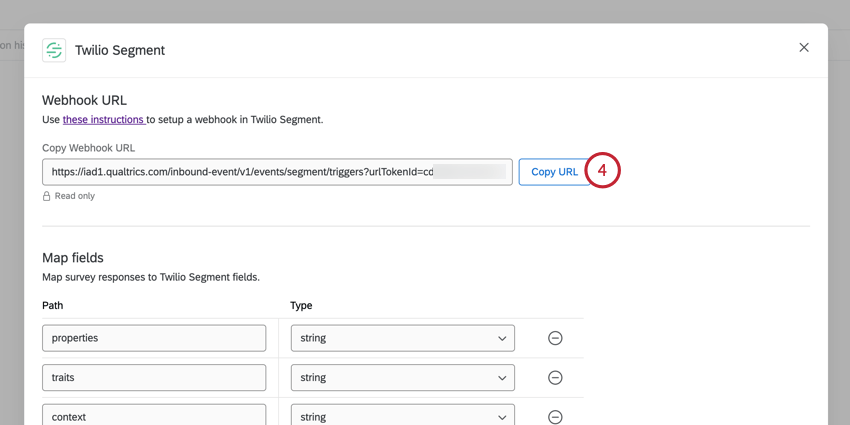
In Qualtrics, return to the Twilio Segment event. Click Copy URL.
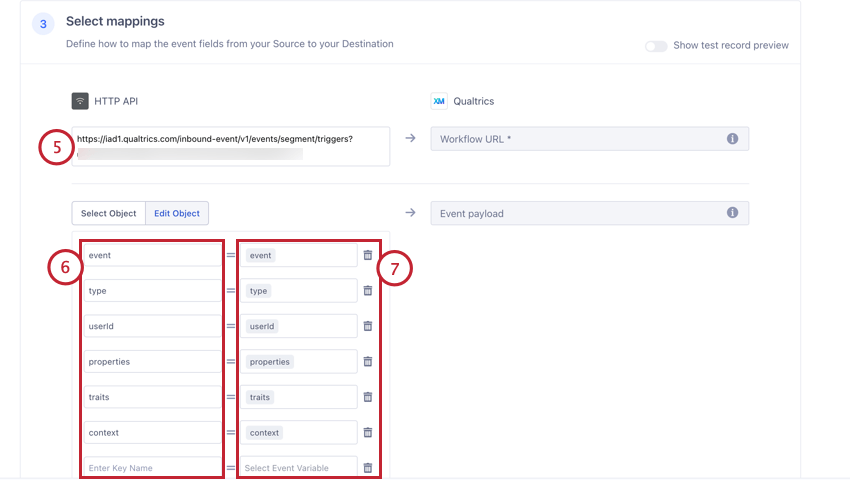
Return to Twilio Segment. In the Select mappings section, paste your copied URL into the HTTP API field to map it to your Workflow URL.
If desired, adjust the mappings for the fields you want to pass to Qualtrics. In the left-hand column, enter the name of the field as you want it to appear in Qualtrics.
In the right-hand column, choose the event variable you want to pass to Qualtrics by clicking the box and selecting a field.
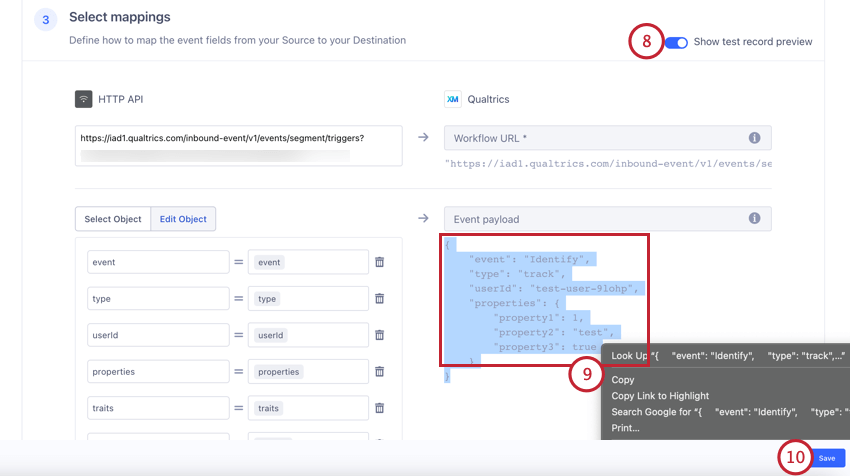
Enable Show test record preview.
Qtip: You won’t be able to enable this option if you did not generate test mapping earlier. Scroll up to the Add test event section to generate test mapping.
Highlight the JSON event payload and copy it.
Click Save.
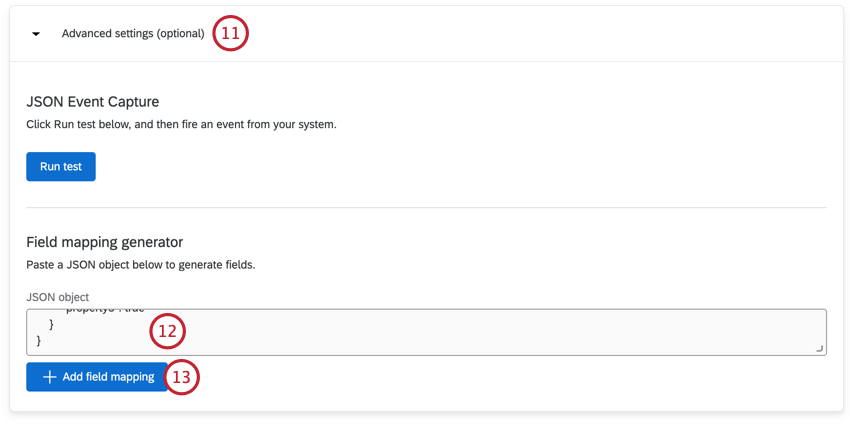
Return to the Twilio Segment event in Qualtrics. Navigate to the Advanced settings section.
Paste the JSON event payload you copied earlier into the JSON object field.
Click Add field mapping. Your fields will be automatically mapped for you based on the JSON payload.
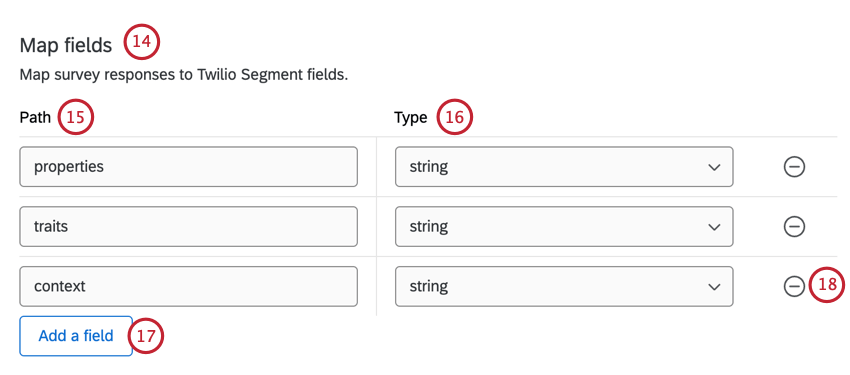
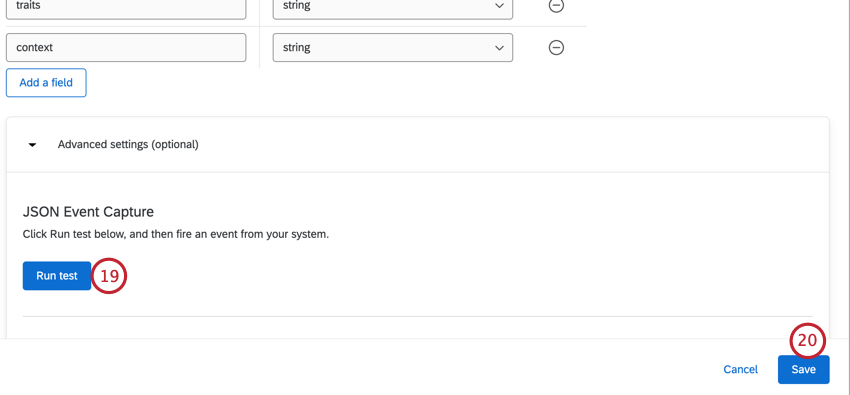
Navigate to the Map fields section and verify that your fields are mapped correctly. You can adjust your fields as needed.
For the Path, enter in the field path names from Twilio Segment for the fields you want to save in Qualtrics.
For the Type, choose the type of data that the field contains:
String: The data is a string of text.
Number: The data is a numeric value.
Boolean: The data is a boolean value (i.e., true or false).
Click Add a field to map additional fields.
Click the minus sign ( – ) to remove a field from your mapping.
If desired, you can test the integration to check if the right data is passed to Qualtrics by clicking the Run test data and then firing an event from Twilio Segment. See Capturing Event Data for more information.
Qtip: Check out JSONPath Syntax for more help interpreting your JSON.
Click Save.
Don’t forget to add a task to your workflow. Usually this is a Send a survey via task to distribute a survey.
Example: Let’s say a customer completes their new user onboarding tour, which updates their record in Twilio Segment. This data change can then trigger a Qualtrics workflow, which we can use to distribute a survey to the customer asking them to provide feedback about their onboarding experience.
Was this helpful?
The feedback you submit here is used only to help improve this page.