

Automated Text Analytics
What's on this page
About Automated Text Analytics
Do you have a set of text interactions that you’d like to analyze for common topics and themes? You can jumpstart a topic model by using Artificial Intelligence (AI) to build a topic hierarchy. Using a diverse set of inputs including your unstructured customer data, use case, persona, industry, and additional context information, you can leverage AI to build a topic hierarchy, enabling you to identify the themes most important for your business use case.
Qtip: This page covers creating an automated topic model in Qualtrics. See Topic Hierarchy Generator in XM Discover for information on building an AI-Assisted model in XM Discover.

Qtip: You cannot use AI to build topic models based on any EX projects (Engagement, etc).
Requirements
User Permissions
To build a topic model using AI, you need the Automated Text Analytics user permission enabled for your account. If this permission is disabled, the “Text Analytics” section will not appear in your navigation menu.
Supported Data
You can analyze unstructured data from the following Qualtrics project types:
-
- Survey projects
- Imported data projects
- Online reputation management project
- Email data project
- Chat data project
- Voice project
Please note that you can only create automated topic models for a project if that project does not already have any Text iQ models associated with it. This includes models created in both the Text iQ tab of a project or the Text iQ section of a dashboard using the data modeler. If you select an ineligible project, you will receive a warning that the project already has Text iQ fields.
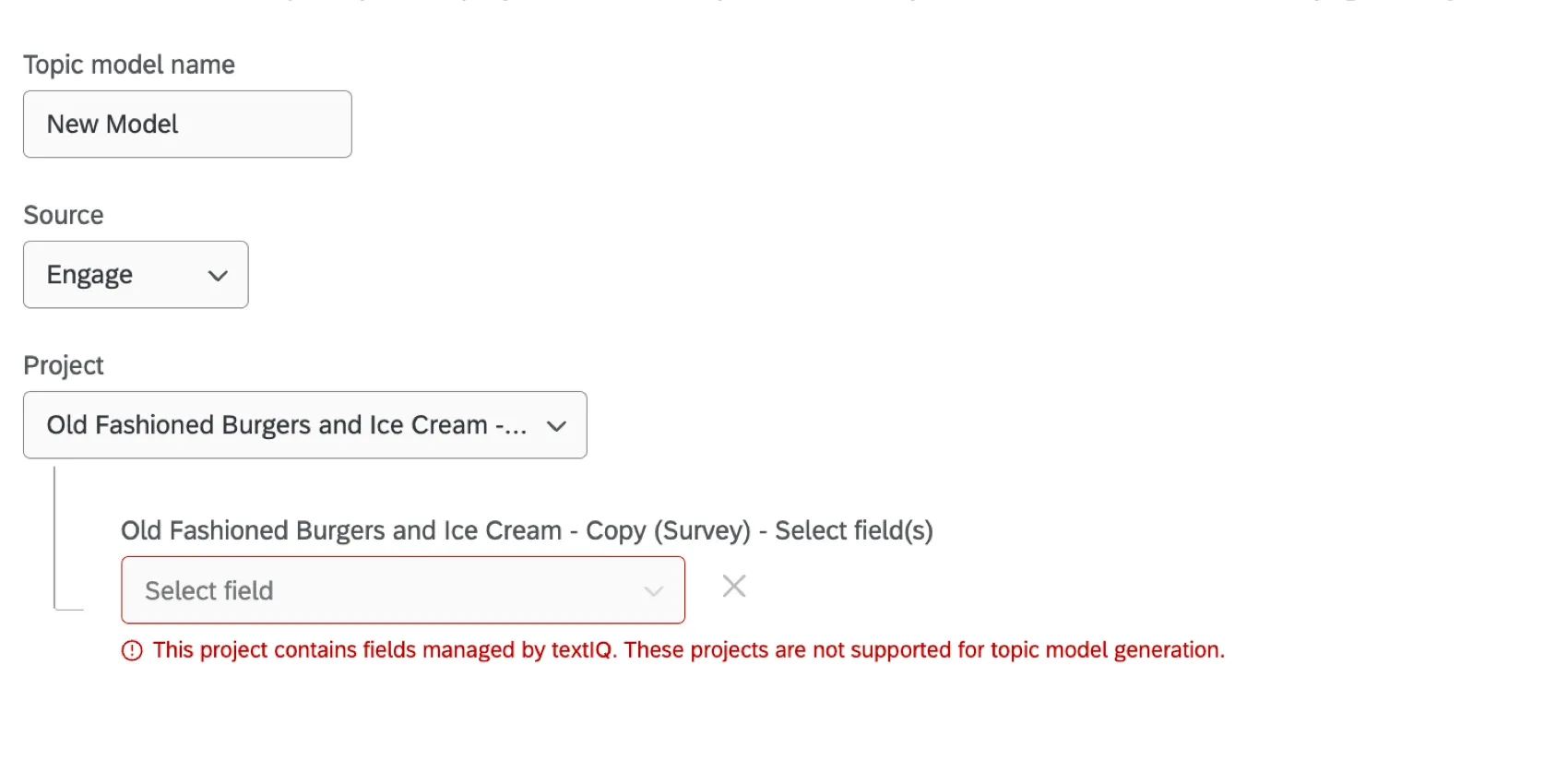
Qtip: If you’d like to use a project that already has been analyzed with Text iQ, you must:
Generating a Topic Model
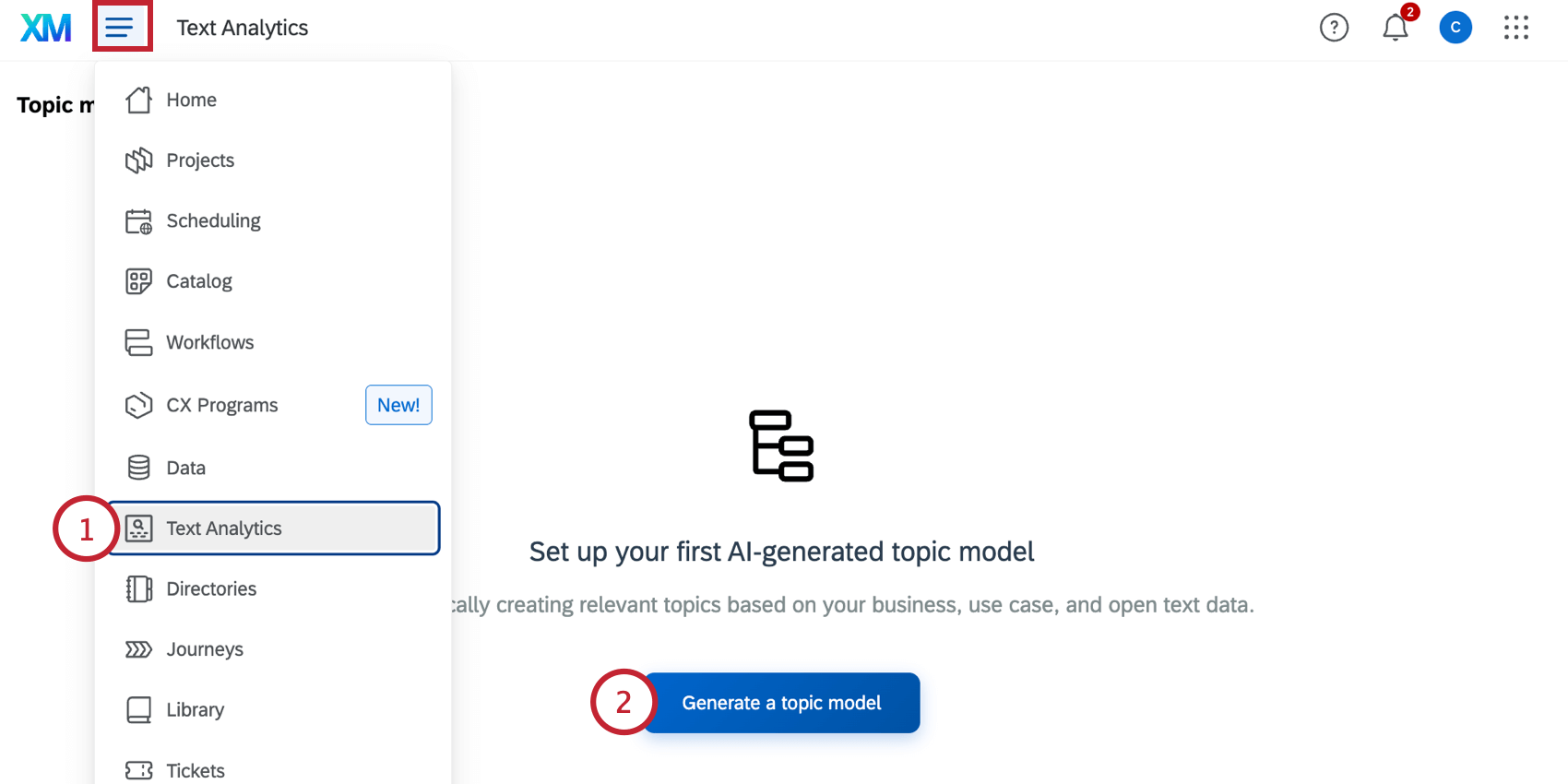
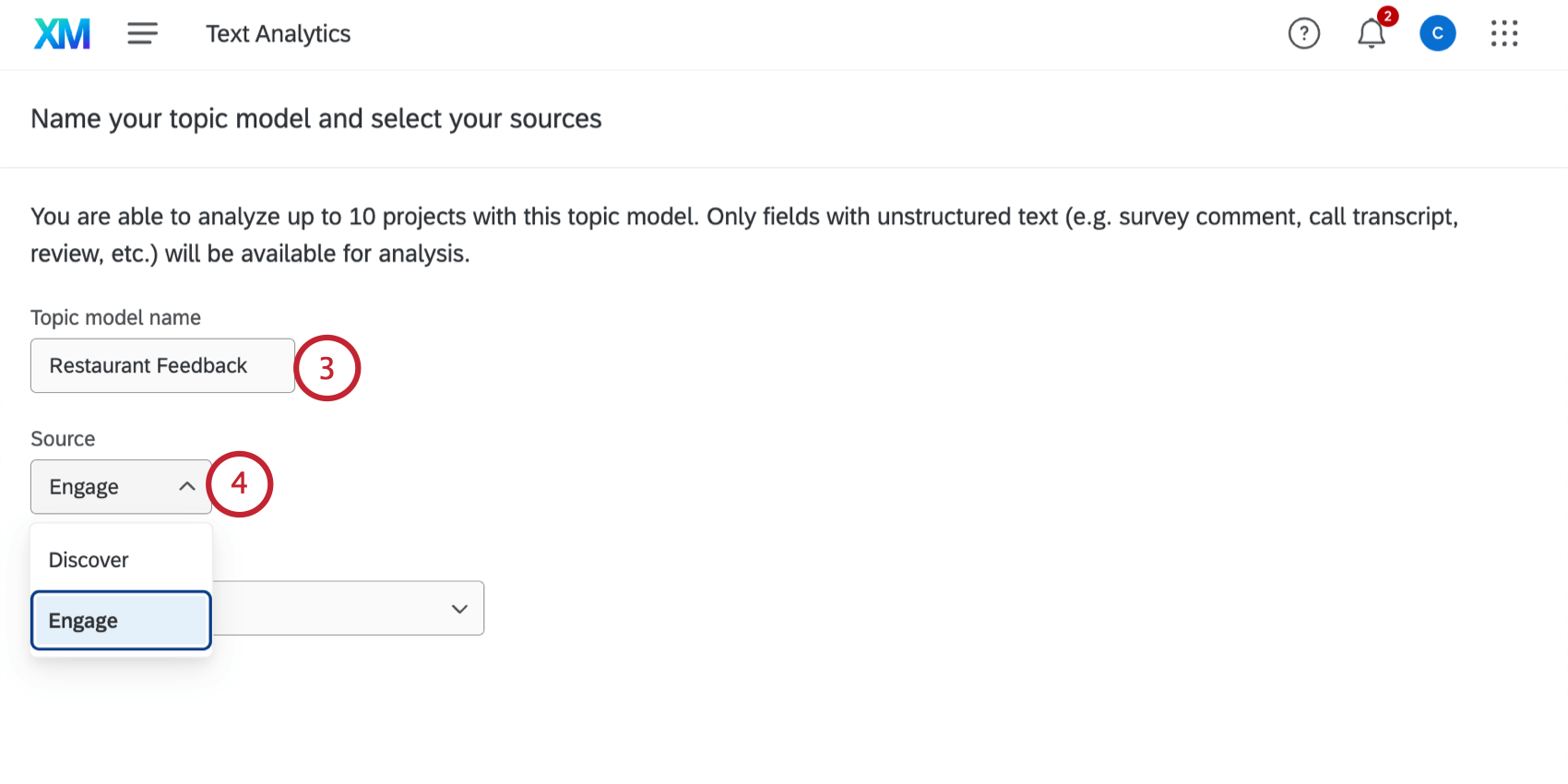
Qtip: See Topic Hierarchy Generator in XM Discover for steps on generating a model using data from XM Discover.
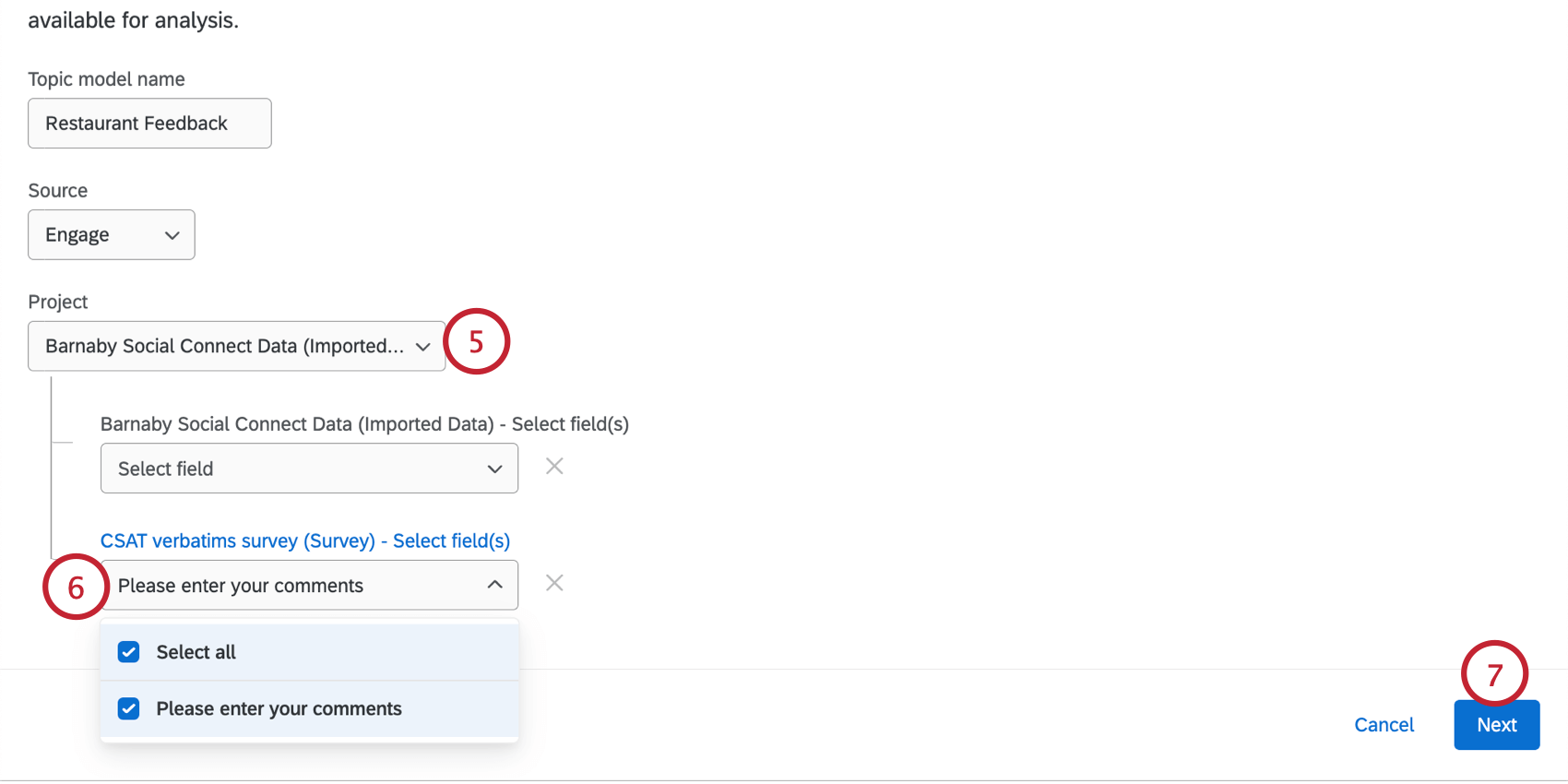
Qtip: See the Requirements section above for information about what data is eligible to be selected here.
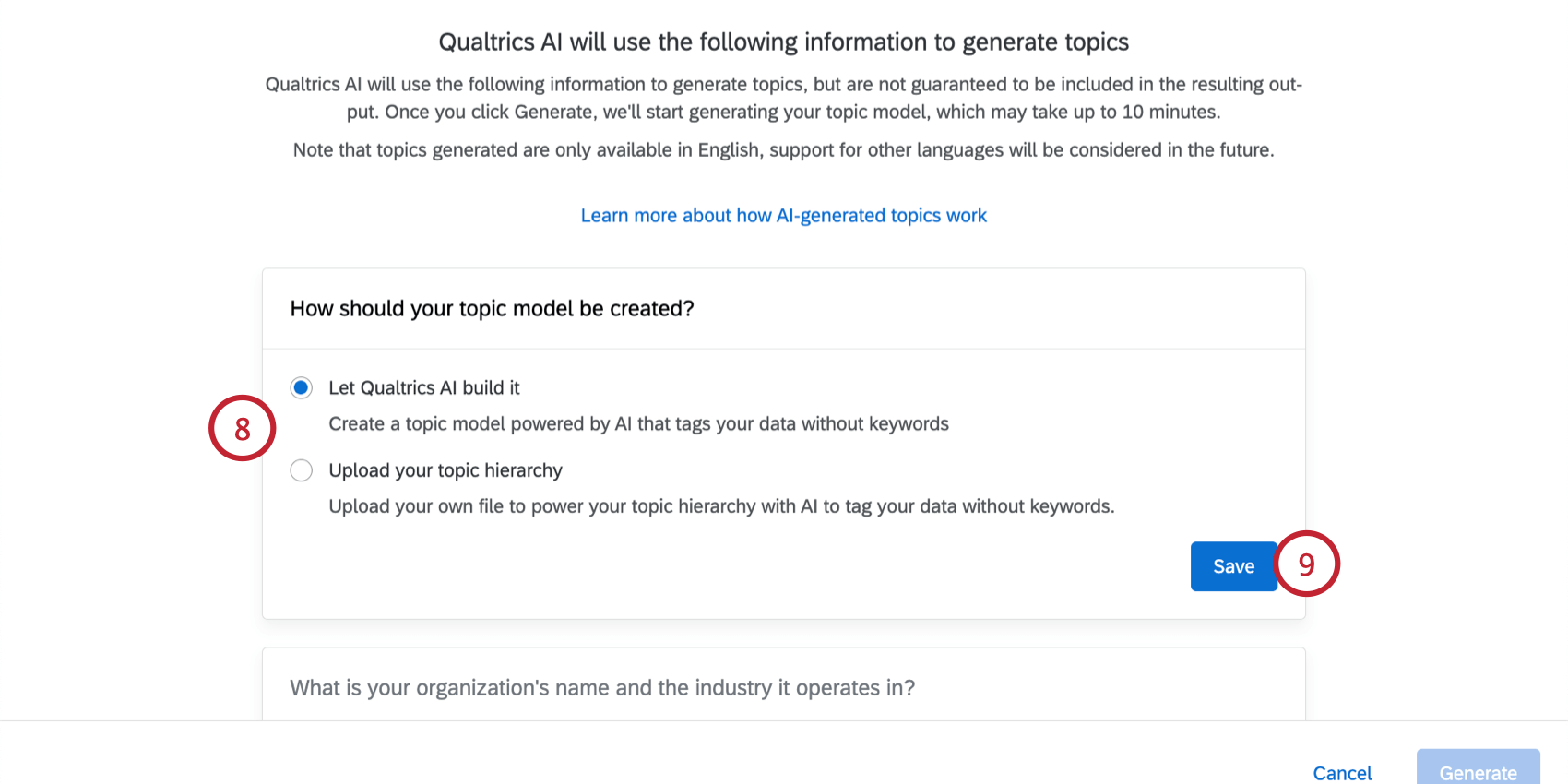
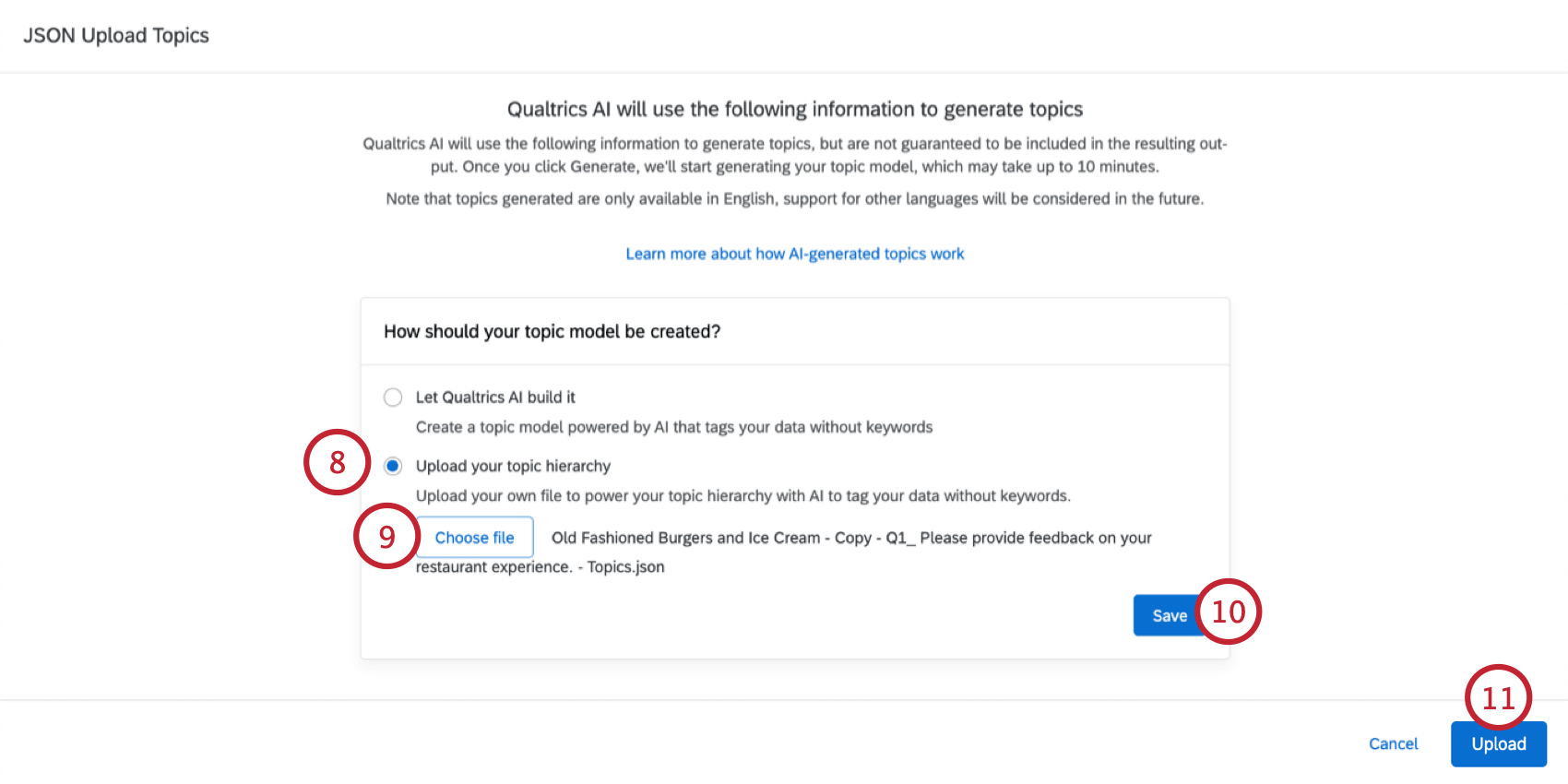
Qtip: The “Upload your topic hierarchy” option is useful if you have an existing topic hierarchy in JSON format that you’d like to reuse instead of generating a new hierarchy.
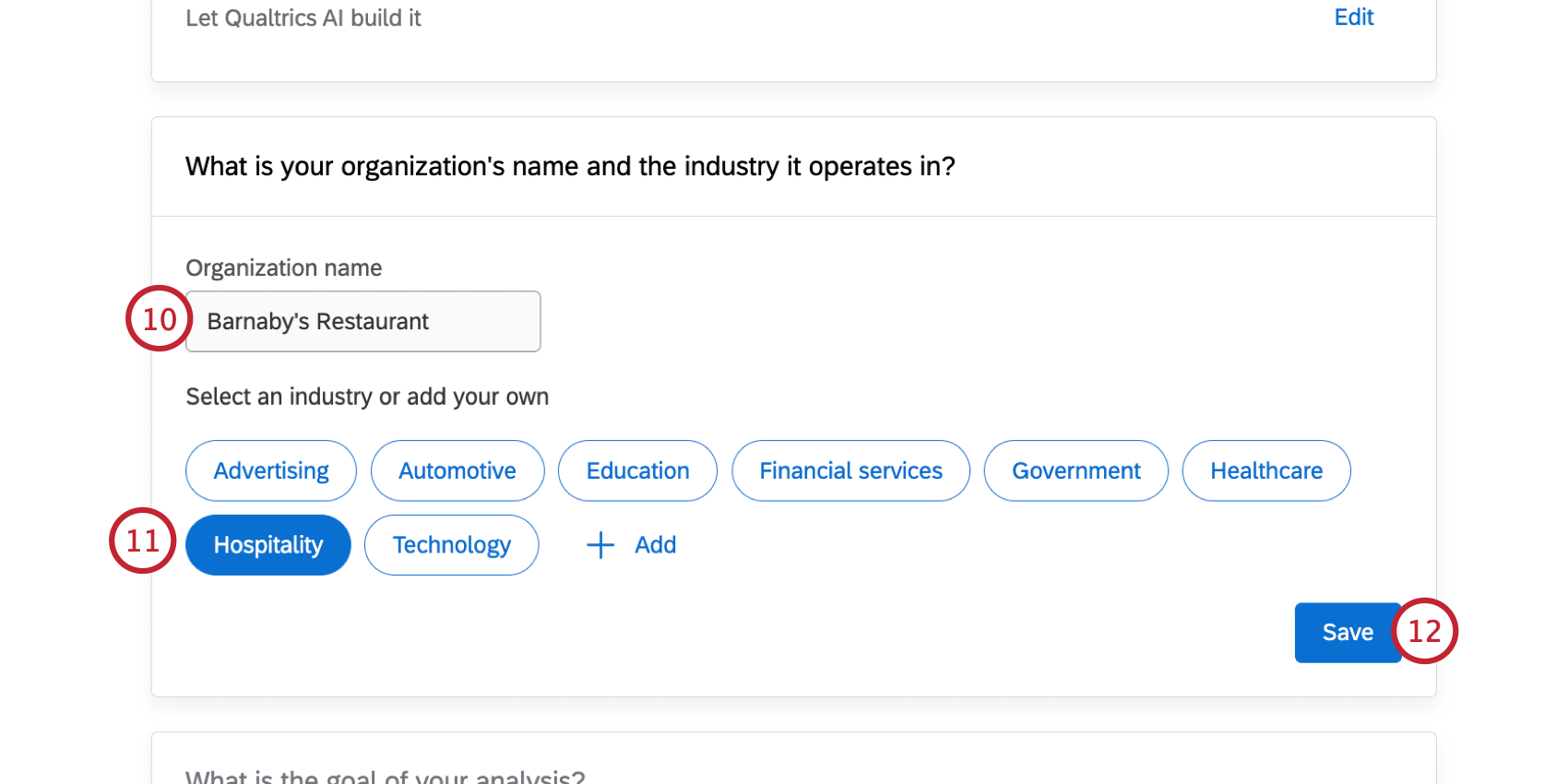
Qtip: If your industry isn’t listed here, you can click “Add” and then specify your industry in the text box.
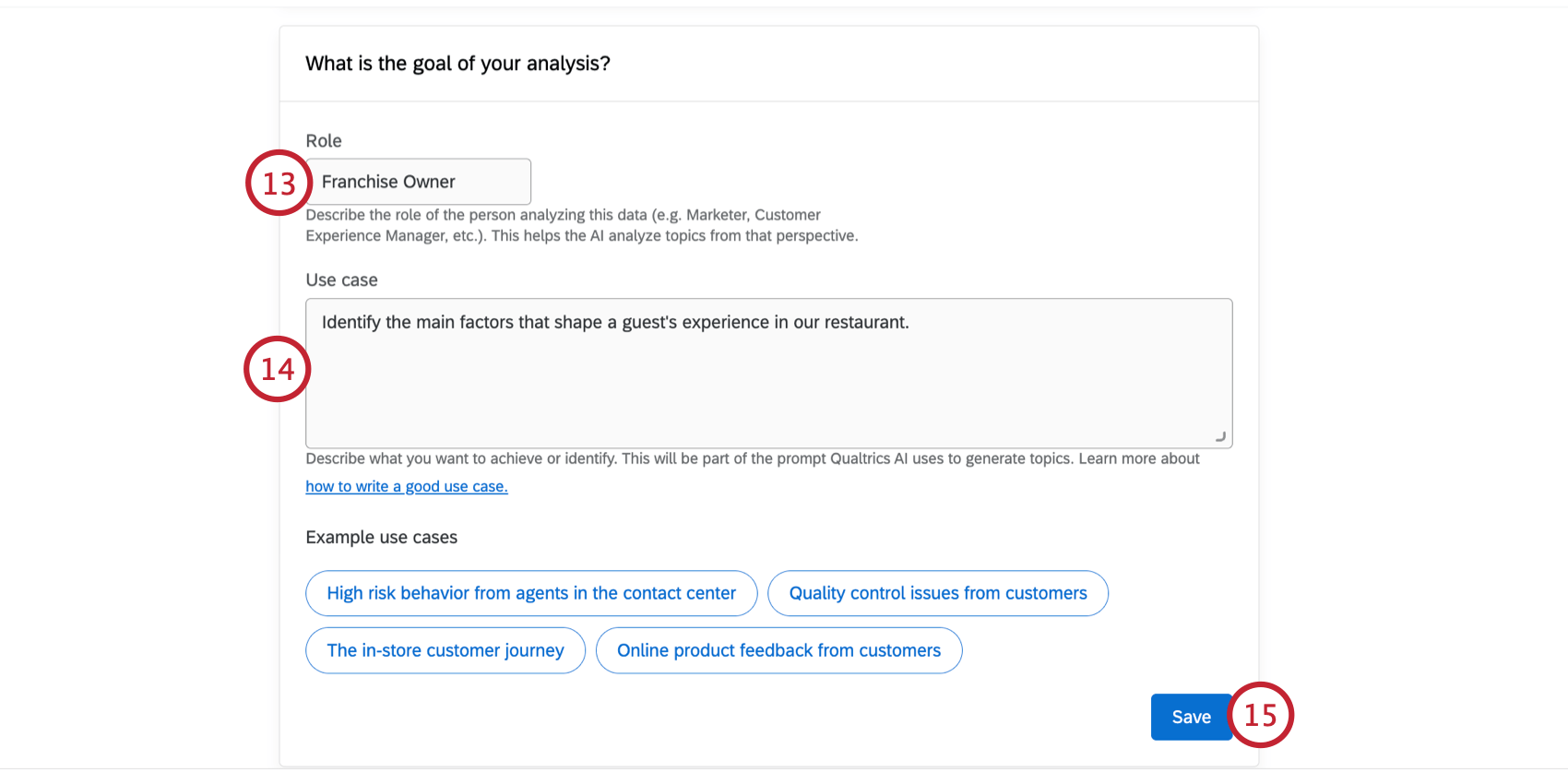
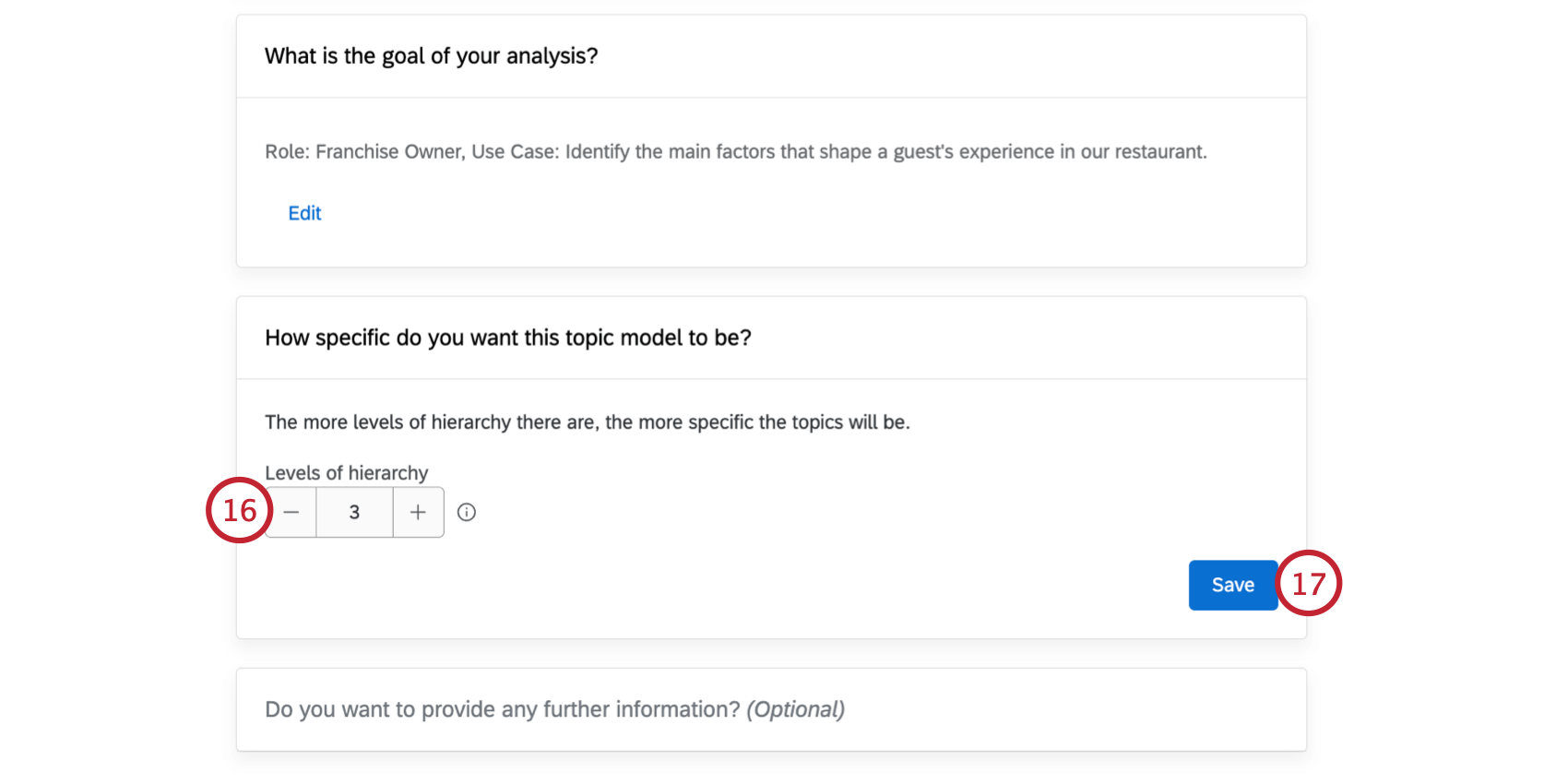
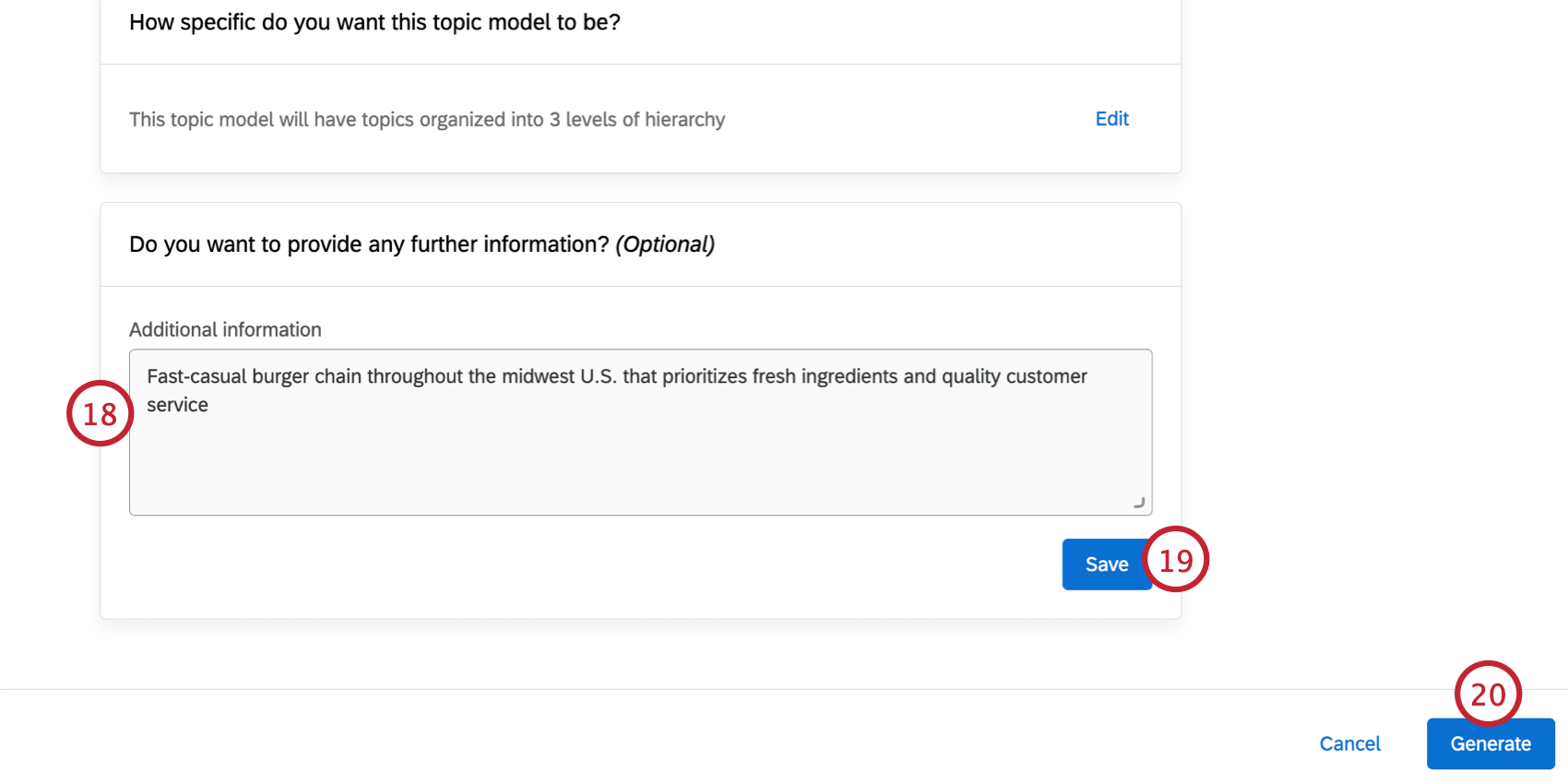
Qtip: If needed, you can click Edit to change any part of the model parameters before generating the text hierarchy. You cannot edit these parameters after your hierarchy is generated.
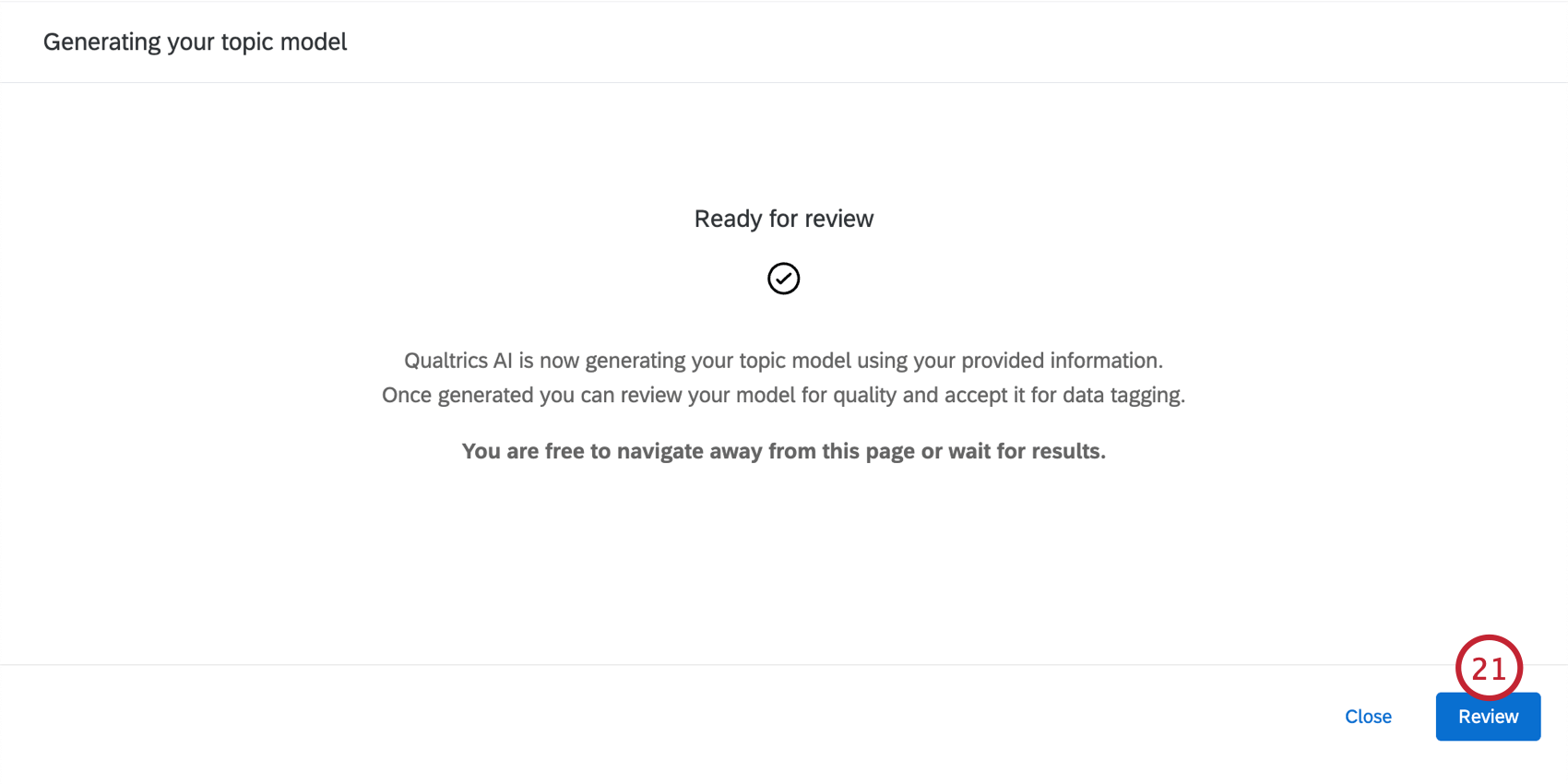
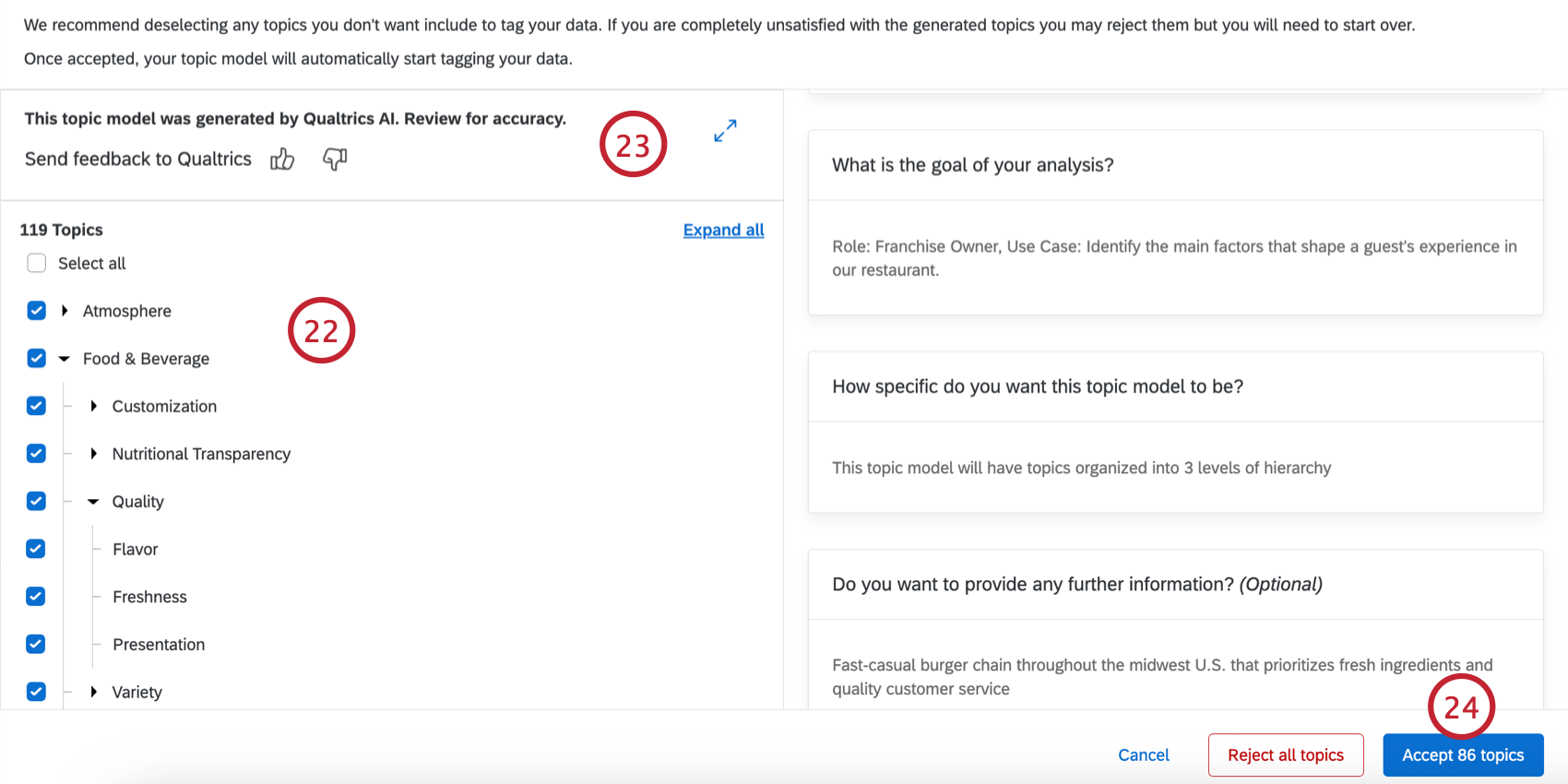
Qtip: You can repeat these steps while modifying the inputs to generate a new model (for example, to create a model tailored to a certain role at your organization).
Importing a Topic Model
Follow the steps in this section to import a topic model from a JSON file. Typically, this file is exported from an existing Text iQ dataset.
Qtip: This option is only available for Qualtrics Platform data sources.
Qtip: See Requirements for information about what data is eligible to be selected here.
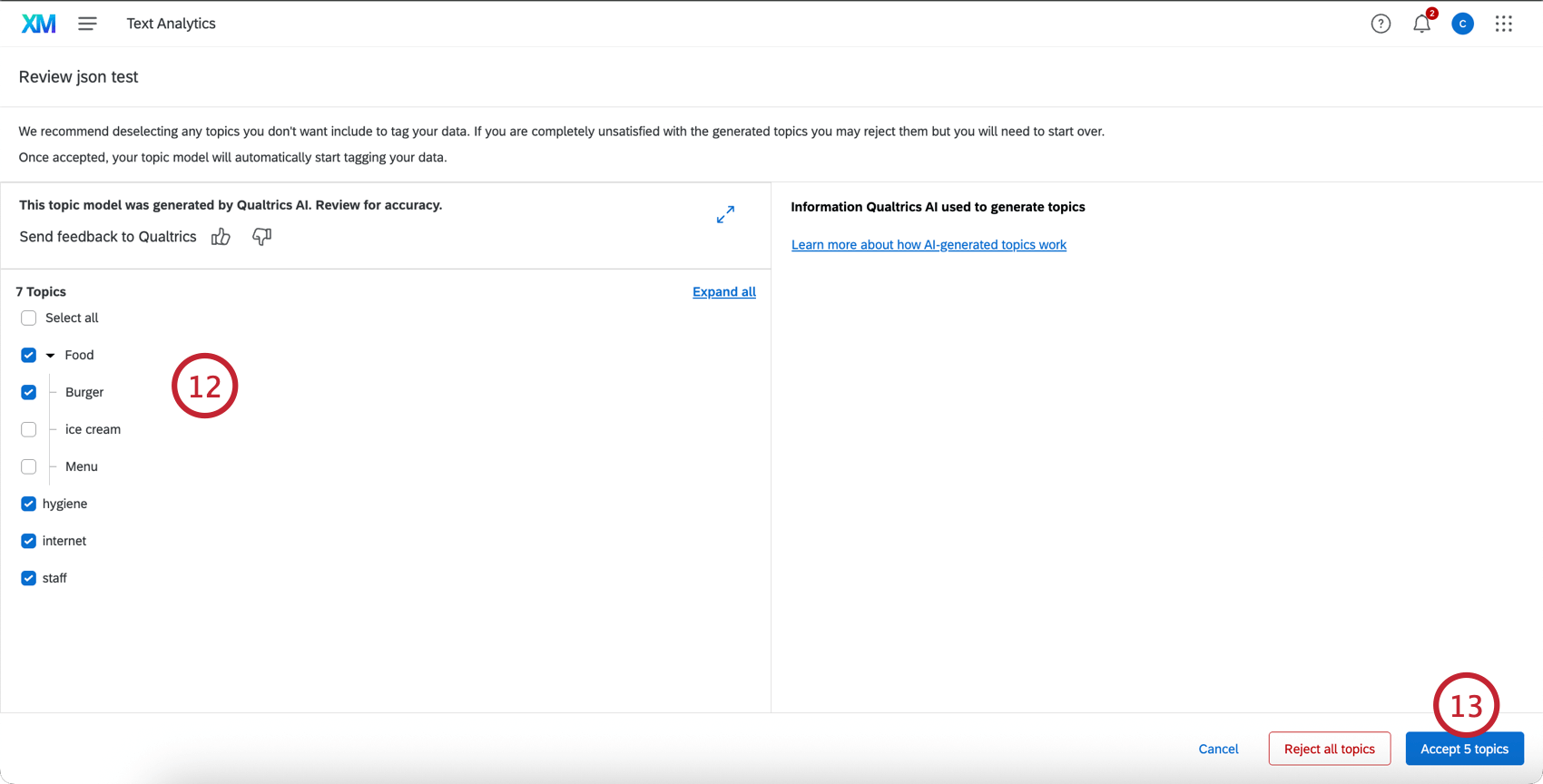
Using an Automated Topic Model
Qtip: Automated Text Analytics comes with support from a Qualtrics representative, such as an Implementation Consultant or a Technical Success Manager. This representative will take care of implementing Text Analytics into a dashboard data setup.
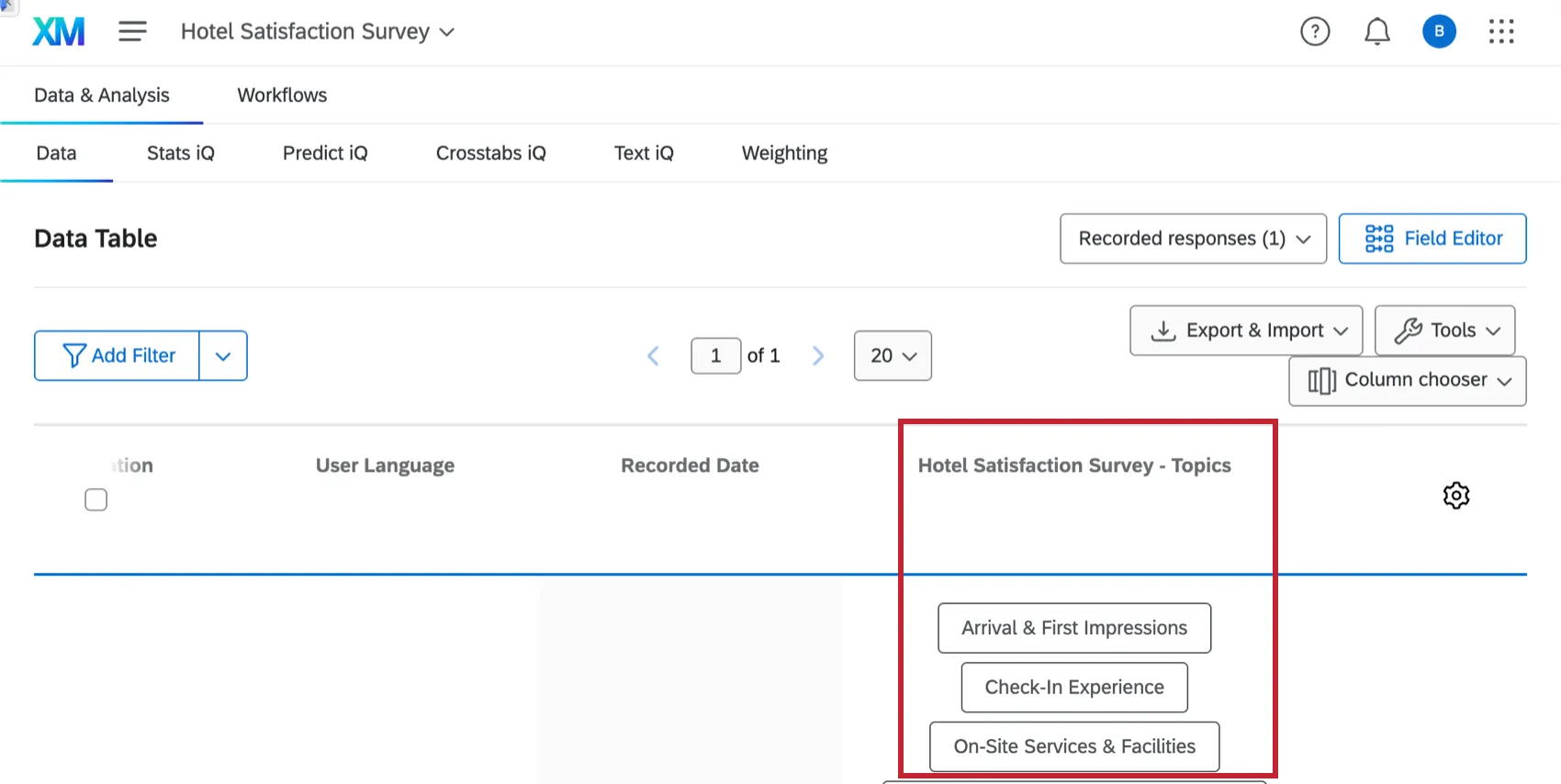
After creating an automated topic model, the generated topics will be tagged to the data source(s) used for the model. You will be able to see these topics in the Data & Analysis tab of your project, much like any other text topic fields.
Your automated topic model will also create a “Granular Text Analytics” data source that has the structure of all sentences from source interactions. For each sentence, there will be associated topics, sentiment, effort, emotion, emotional intensity, and actionability fields. This data source is available in the CX dashboard data modeler.
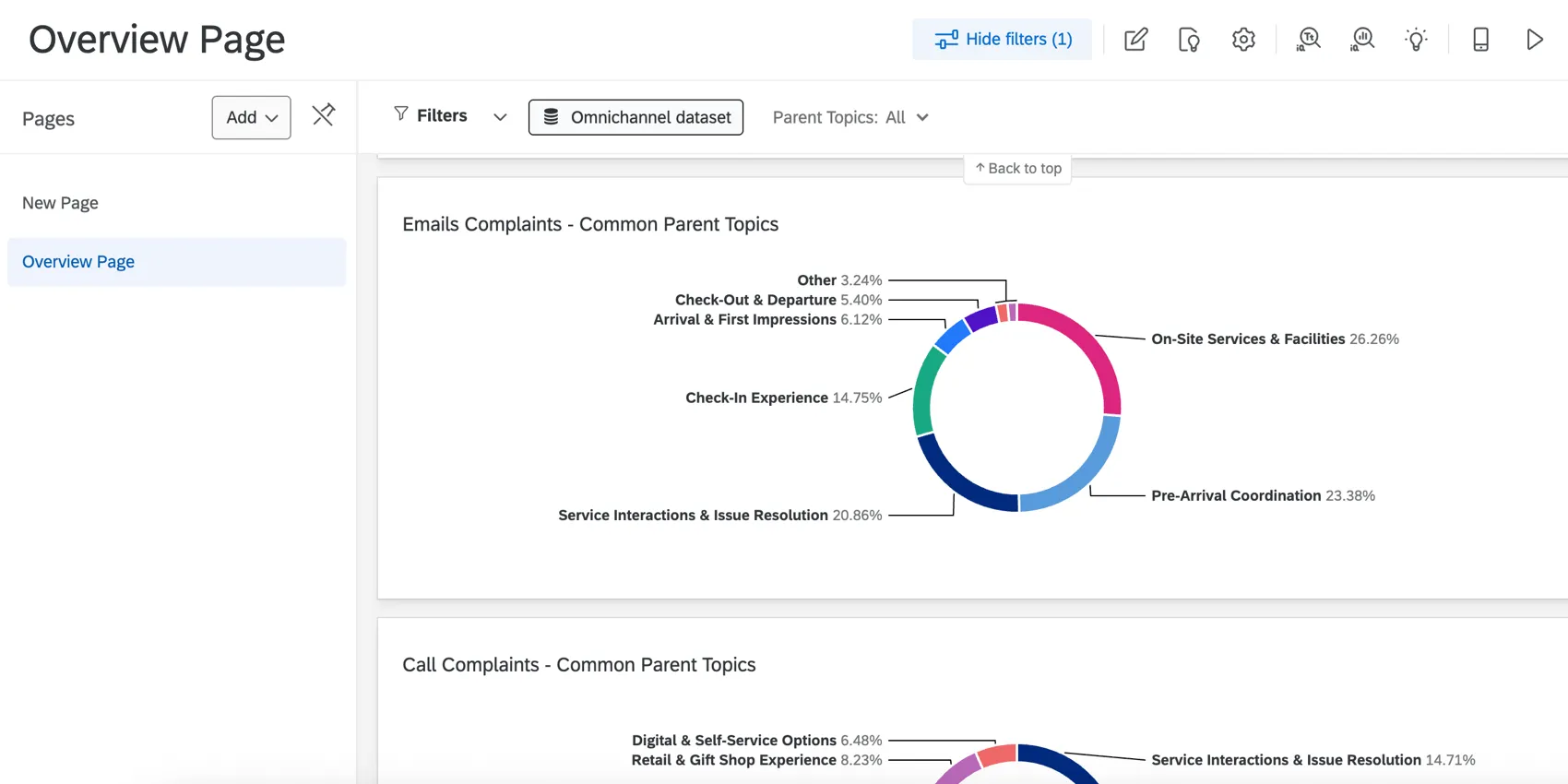
After you have your new source containing text enrichments, you can display it in a CX dashboard. Currently, this is managed by your Qualtrics team. Your new source containing text enrichments will be joined with your original interaction data, and linked dashboard fields are used to link the same field across interaction and derived datasets. Once your dashboard’s data is set up, you can choose which datasets(s) you want to use on an individual widget and filter basis.
That's great! Thank you for your feedback!
Thank you for your feedback!