

Action Plan Event
Suite
Employee Experience
Product
Qualtrics
What's on this page
About the Action Plan Event
Have you ever wanted to take action when an EX action plan is updated? The action plan event can be used to trigger a Workflow when a variety of tasks are performed on action plans. This event can be triggered when:
- A new comment is added to an action plan.
- A new action plan owner is assigned.
- A new action owner is assigned.
Qtip: The action plan notification options in your EX dashboard will automatically create workflows for you based on the type of notifications you’d like to receive. You can then customize that workflow if you’d like. We strongly recommend using these options instead of manually configuring the action plan event.
Setting up an Action Plan Event
Go to the standalone Workflows page.
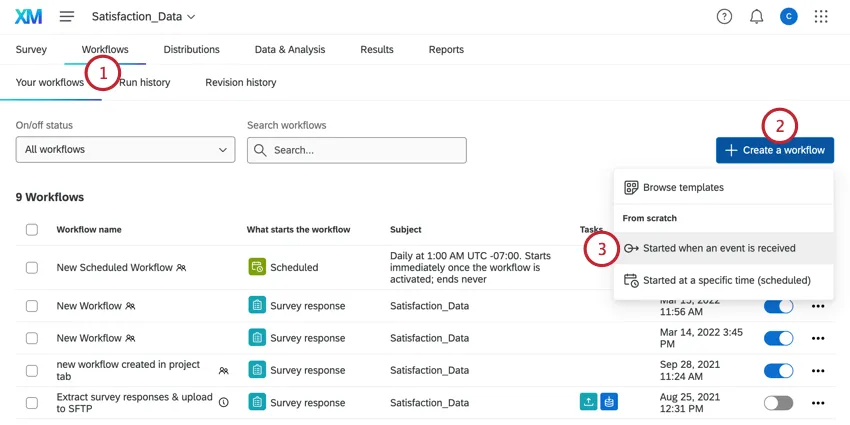
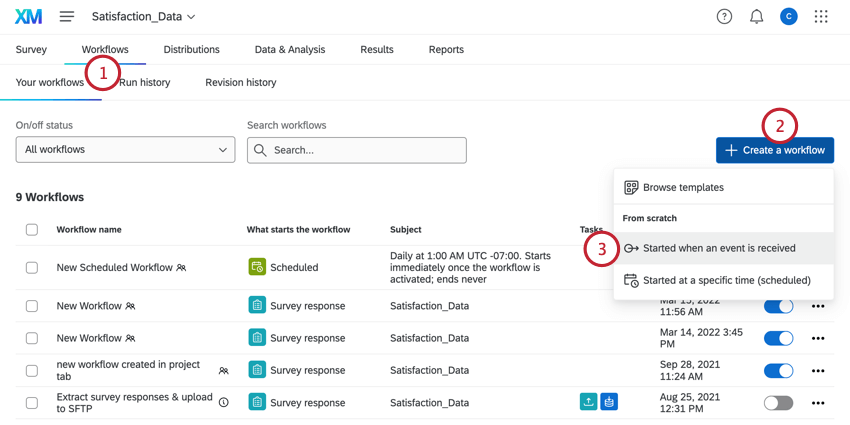
Qtip: Action plan events can only be created from the standalone Workflows page.
Click Create a workflow.
Select Started when an event is received.
Select the Action plan event.
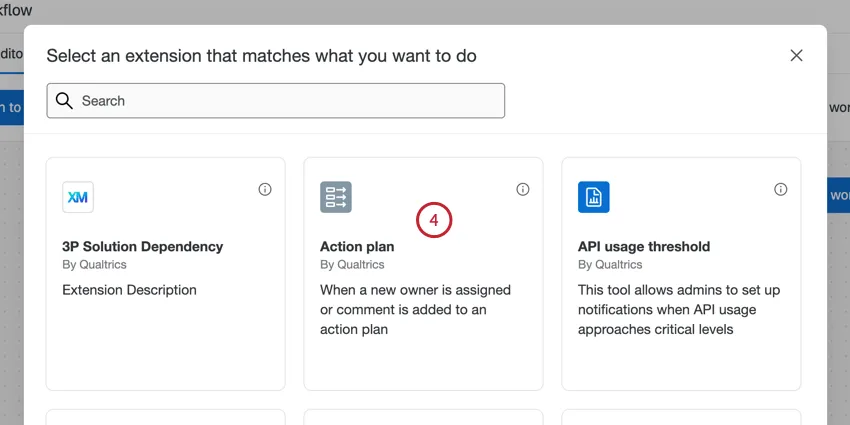
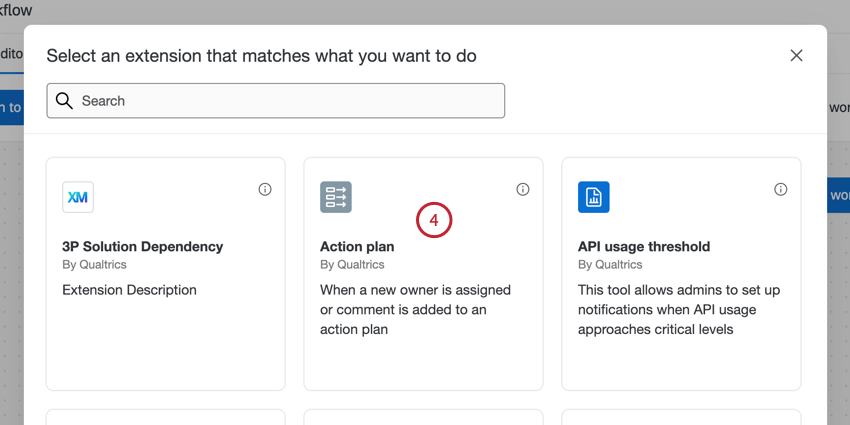
Choose what causes the event to trigger:
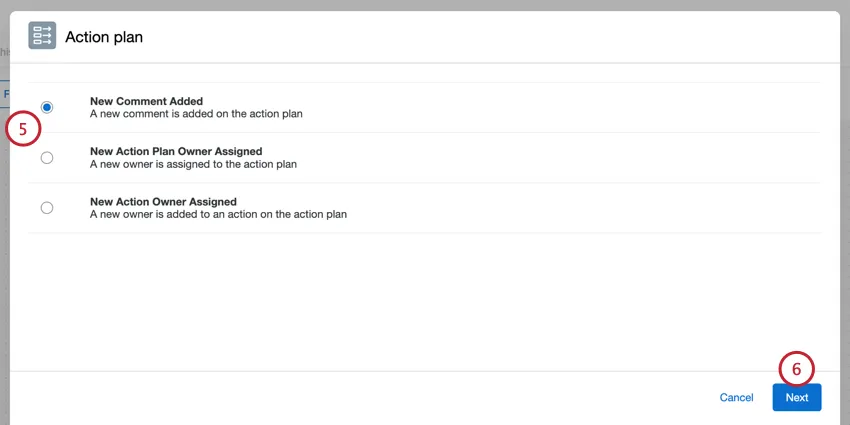
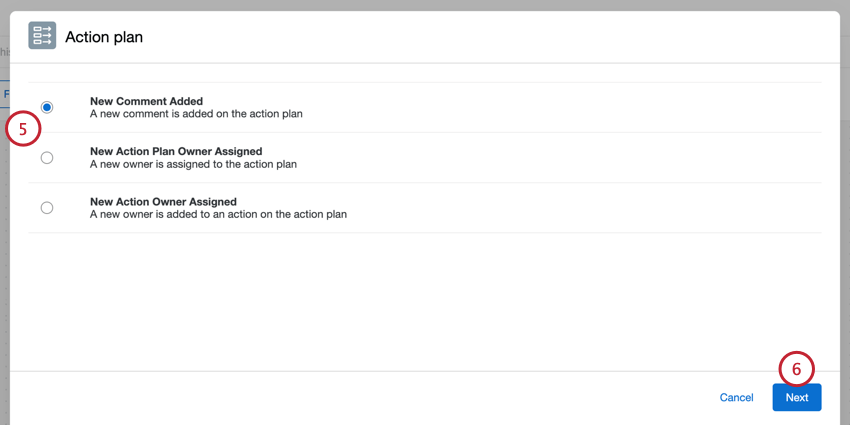
- New Comment Added: Trigger the workflow when a new comment is added on the action plan.
- New Action Plan Owner Assigned: Trigger the workflow when a new owner is assigned to the action plan.
- New Action Owner Assigned: Trigger the workflow when a new owner is added to an action on the action plan.
Click Next.
Select the project that contains the action plans you’d like to be notified about.
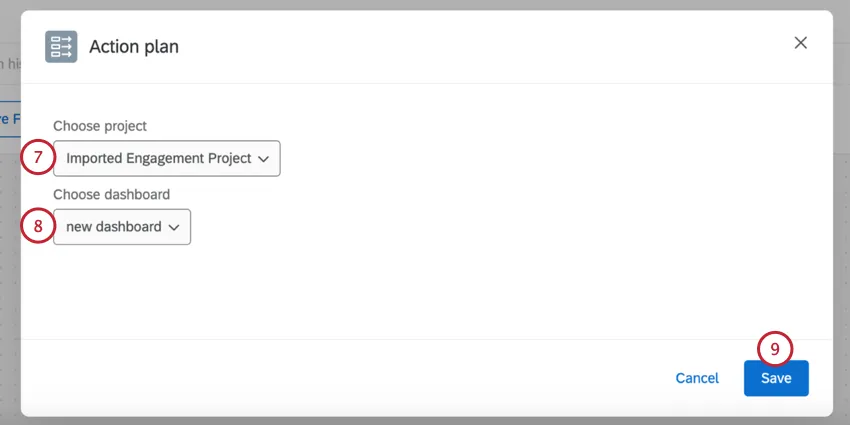
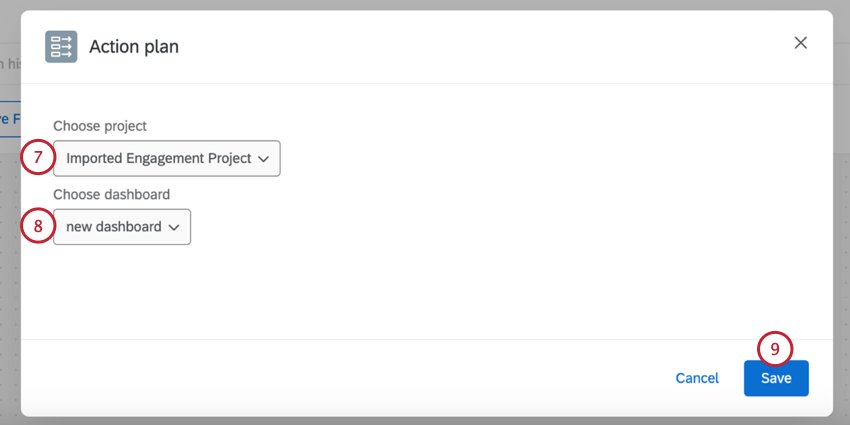
Select the dashboard that contains the action plans.
Click Save.
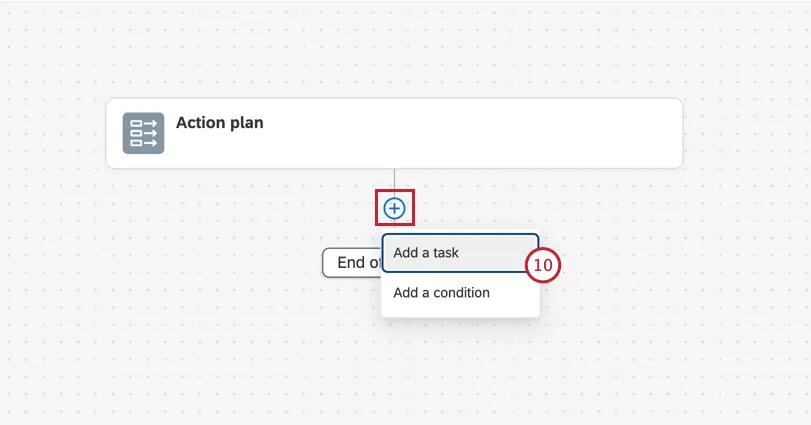
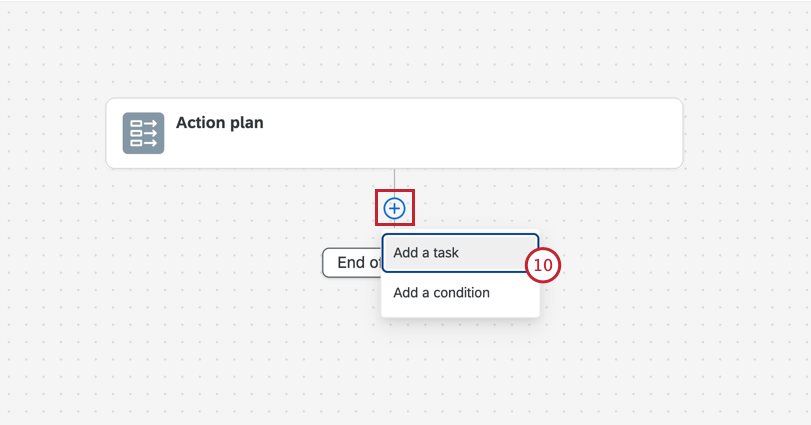
Click the plus sign ( + ) and add conditions or tasks to your workflow. Conditions are criteria that must be met for the workflow to run. Tasks are what happens when the workflow runs (for example, send an email).
Action Plan Event Fields
When using an action plan event, there are action plan fields available to use in your subsequent workflow components. You can use these fields to build logic conditions or access them via piped text in the follow-up tasks.
The following fields are available:
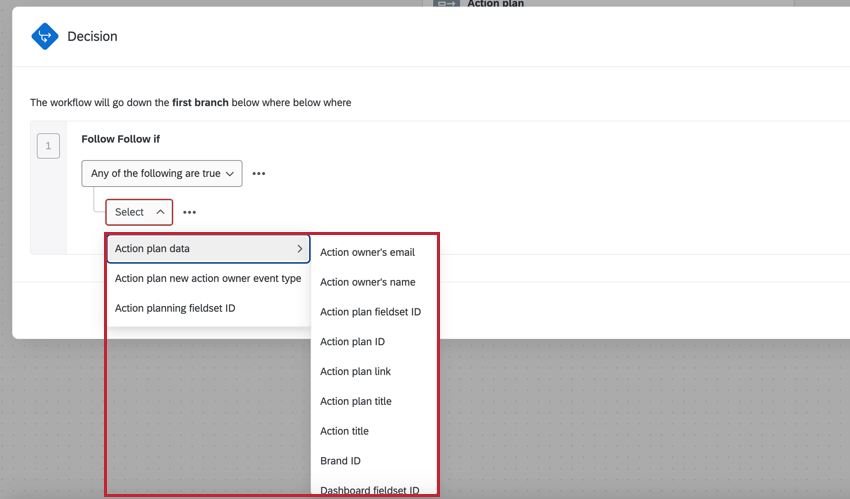
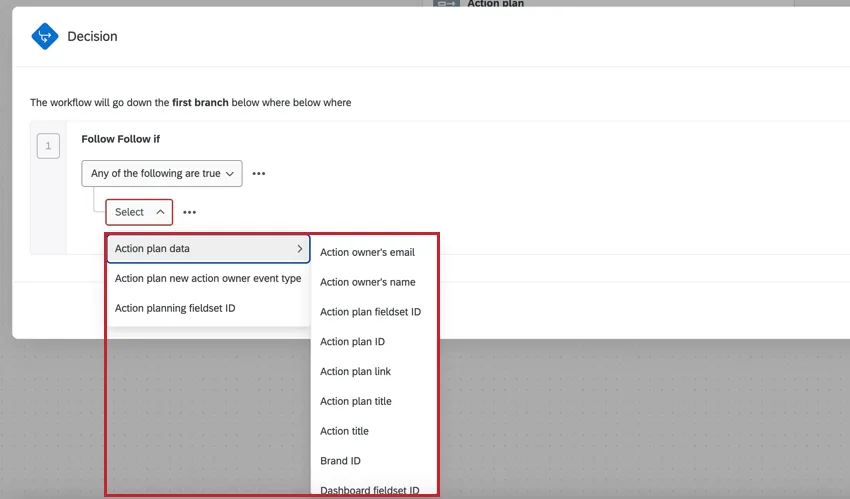
- Action plan data: Data fields from the action plan, which includes:
- Action owner’s email Qtip: You can use this field to pipe in a “to” email address for an email task.

- Action owner’s name
- Action plan fieldset ID
- Action plan ID
- Action plan link
- Action plan title
- Action title
- Brand ID
- Dashboard fieldset ID
- Dashboard ID
- Dashboard name
- User language
- Action owner’s email
- Action plan new action owner event type: The type of action plan event that triggered the workflow (i.e., a new owner is assigned, or a comment was added).
- Action planning fieldset ID: The fieldset ID of the action plans.
That's great! Thank you for your feedback!
Thank you for your feedback!