

Unit Tools (CX)
What's on this page
Qtip: CX Hierarchies are only available to CX licenses with tickets included. If you’re interested in this feature, reach out to your Account Executive.

Qtip: CX Hierarchies and EX Hierarchies are very similar, but have some key differences. If you are an EX client, please see Unit Tools (EE) instead.
About Unit Tools
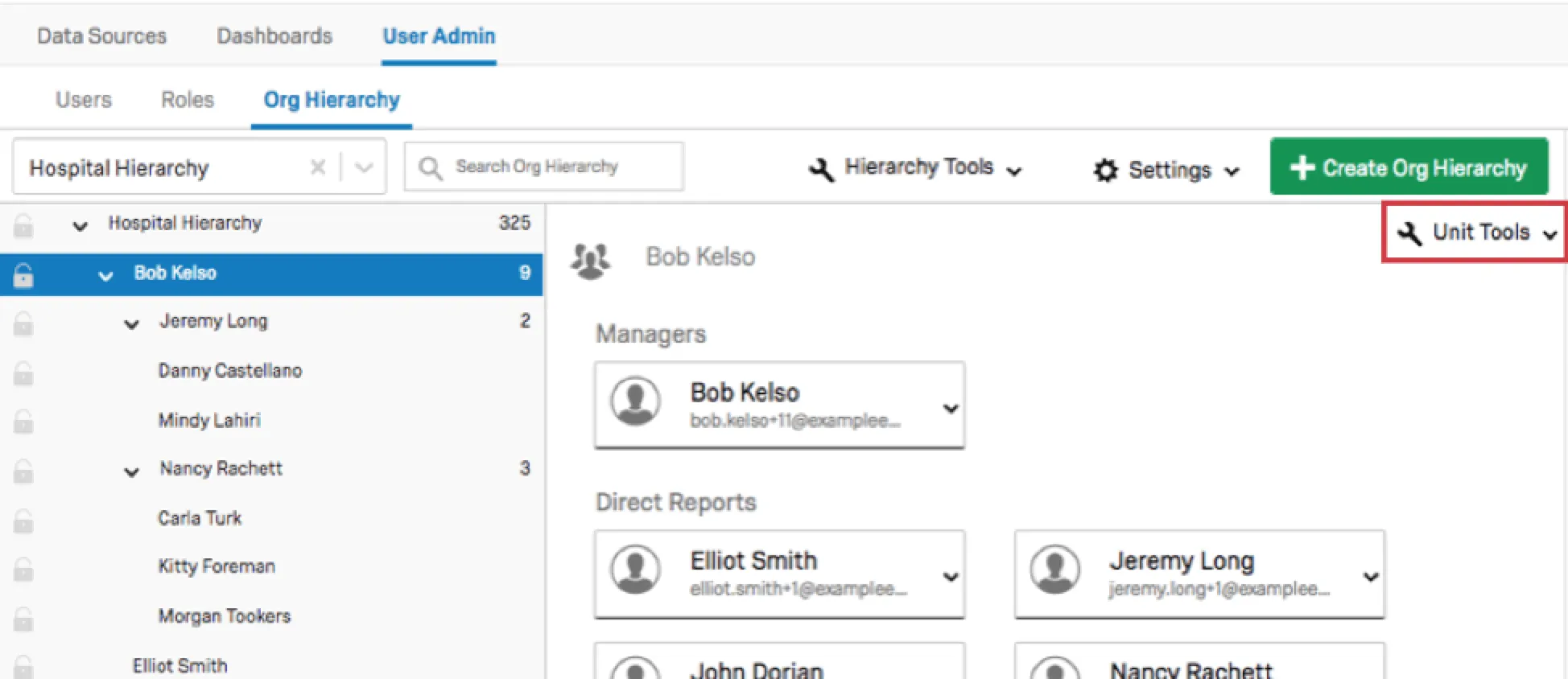
Unit Tools allow you to adjust your units on a unit level. These can be found in the upper right-hand corner of a selected unit when in the Org Hierarchy section of the User Admin tab.
Adjusting Units
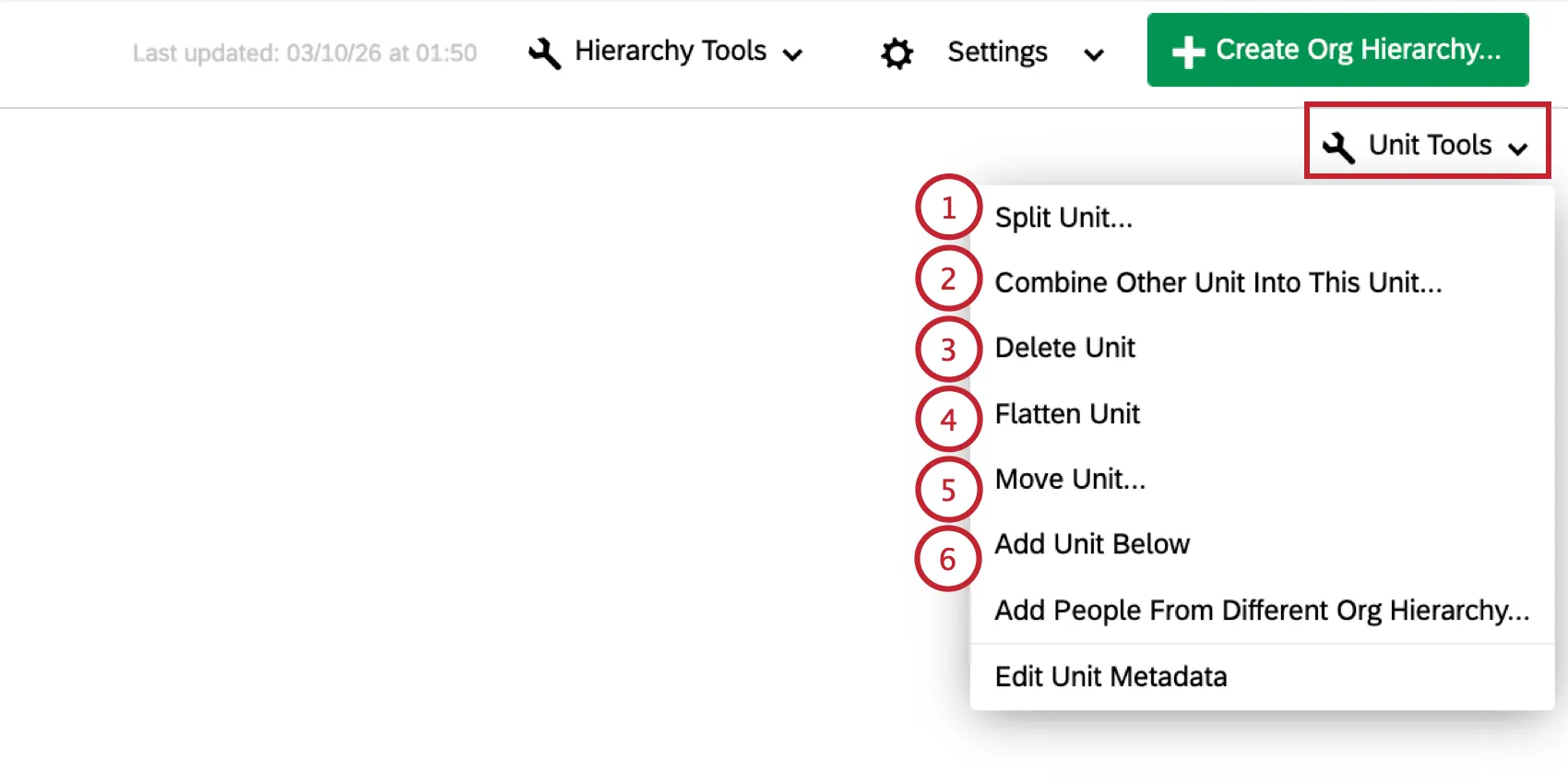
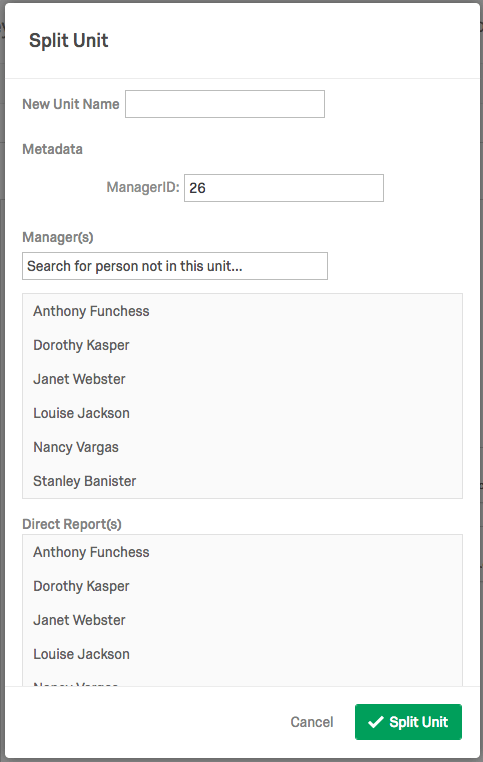
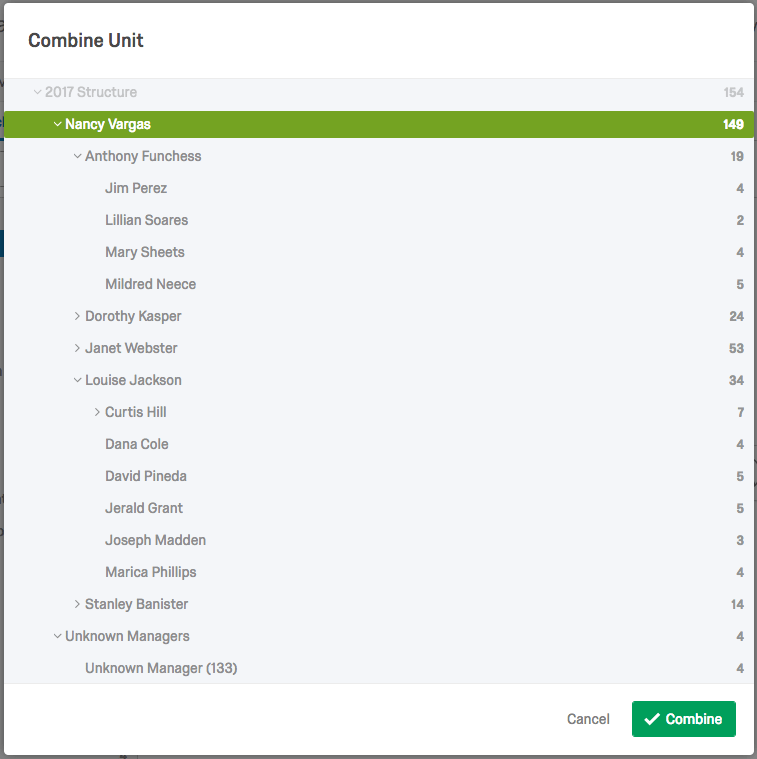
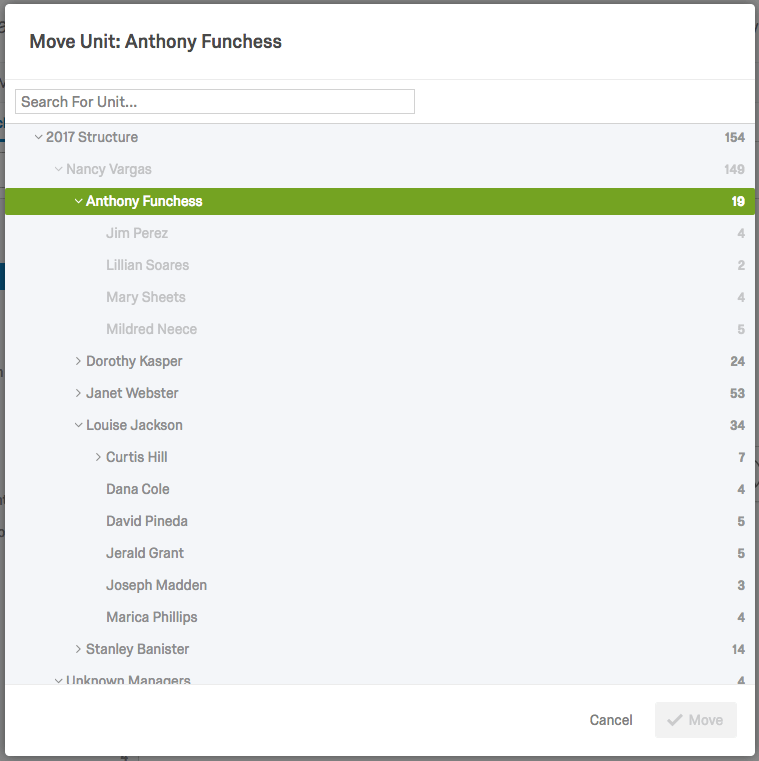
Warning: This manual approach is discouraged because the hierarchy in the Org Hierarchy section and the hierarchy constructed when you imported your users will be different. If you were to later import your user list again to update metadata or for some other reason, this could potentially revert the hierarchy to what it was before you made any manual changes. The import must contain all of the metadata fields used to generate the original hierarchy (e.g., EmployeeID, ManagerID, Unit Name, etc.) in order to trigger a hierarchy update. Therefore, Qualtrics recommends that when editing your hierarchy, you should re-import users instead of manually adjusting the hierarchy.

Qtip: For Level-Based hierarchies, you will be unable to add units beyond your current levels (e.g., if your hierarchy has two levels, you won’t be able to add a unit under your Level 2 unit).
Qtip: For Parent-Child Hierarchies, if you select a person who is already in the hierarchy to be the Manager of the new unit, a duplicate entry will be created. To make an existing person the Manager of the new unit, you should Add Unit Below, leave Manager and ManagerID empty, and create the unit. Then, you can Move Unit to move the existing person to the newly created unit and then select Make Manager to make them the Manager of the new unit.
Adjusting Unit Members
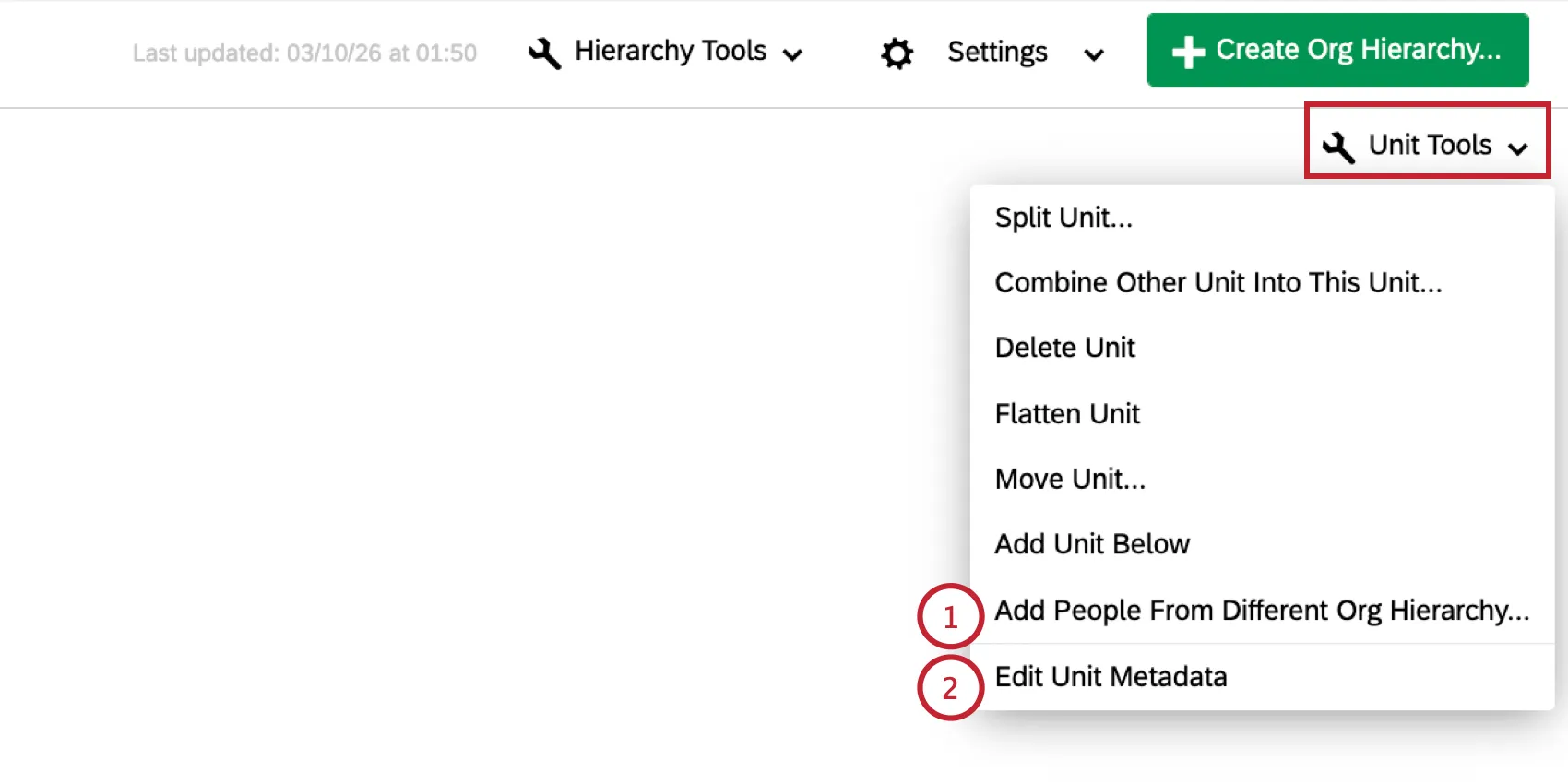
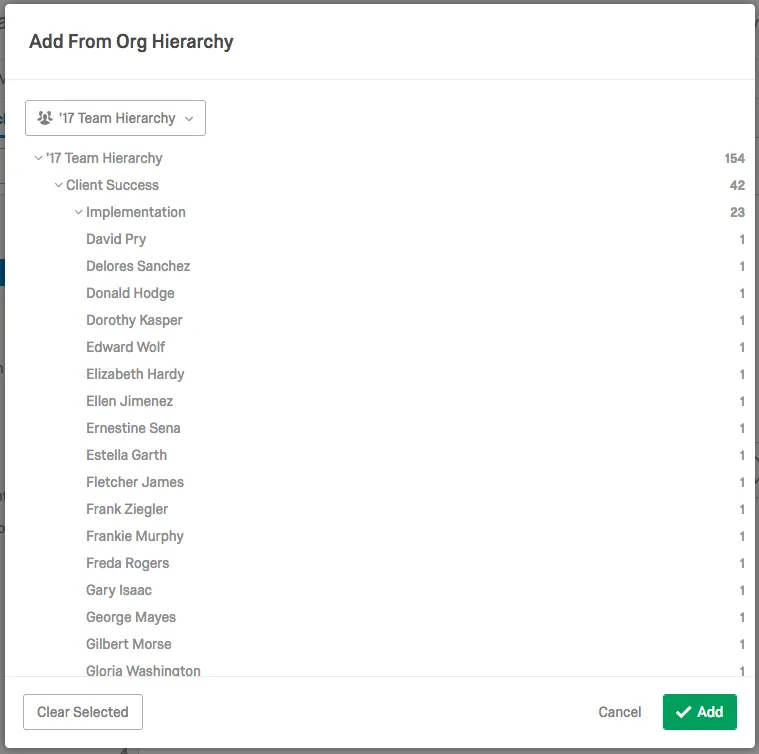
Add People From Different Org Hierarchy: If you have another hierarchy added to your project, you can add additional people or units to your selected unit by specifying a hierarchy and locating the units or users you would like to add. Note that you can select multiple units and/or individuals at a time.
Edit Unit Metadata: Allows you to change and add unit metadata for the selected unit. While Qualtrics strongly advises against changing existing unit metadata here (instead, re-upload your users with the correct unit metadata), you can freely add additional unit metadata, if desired. Metadata fields added here can be used in Advanced Searches in the User Admin section.
Qtip: Edit Unit Metadata will only be available for Parent-Child hierarchies.
FAQs
Is this feature compatible with data models?
Is this feature compatible with data models?
Can I automate changes to my CX org hierarchy?
Can I automate changes to my CX org hierarchy?
That's great! Thank you for your feedback!
Thank you for your feedback!