

Qualtrics Inbound Connector
Suite
Customer Experience
Product
Qualtrics
What's on this page
About the Qualtrics Inbound Connector
You can use the Qualtrics Inbound Connector to load Qualtrics data into your XM Discover projects. You can load data from a survey or an online reputation management project.
Requirements
Before setting up the connection, you’ll need the following information from your Qualtrics account:
- Your Qualtrics datacenter ID.
- Your Qualtrics API token.
- The name of the project that contains the data you’d like to import. This could be:
- A survey’s response data
- The data from an ORM project
Creating a Qualtrics Inbound Connector Job
Qtip: The “Manage Jobs” permission is required to use this feature.
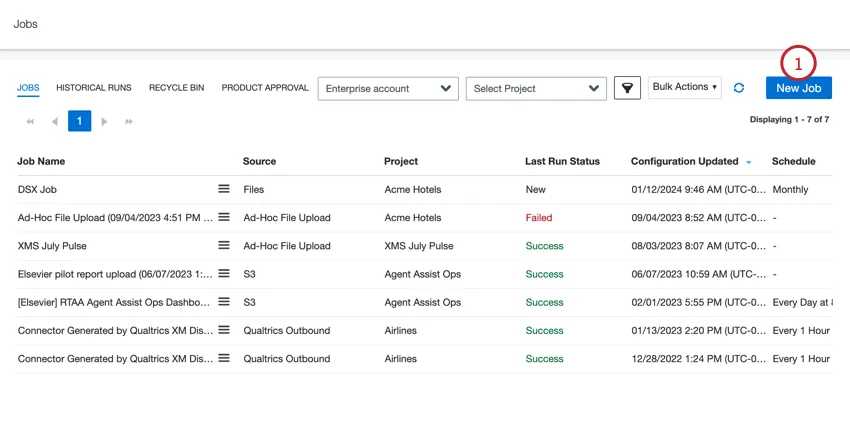
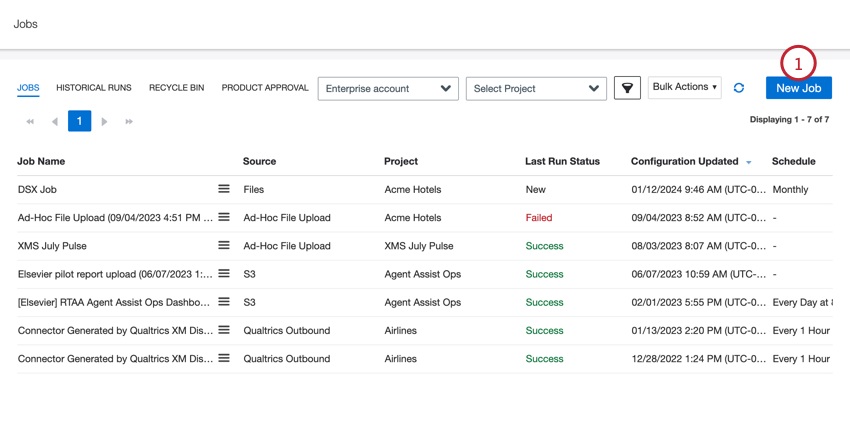
On the Jobs page, click New Job.
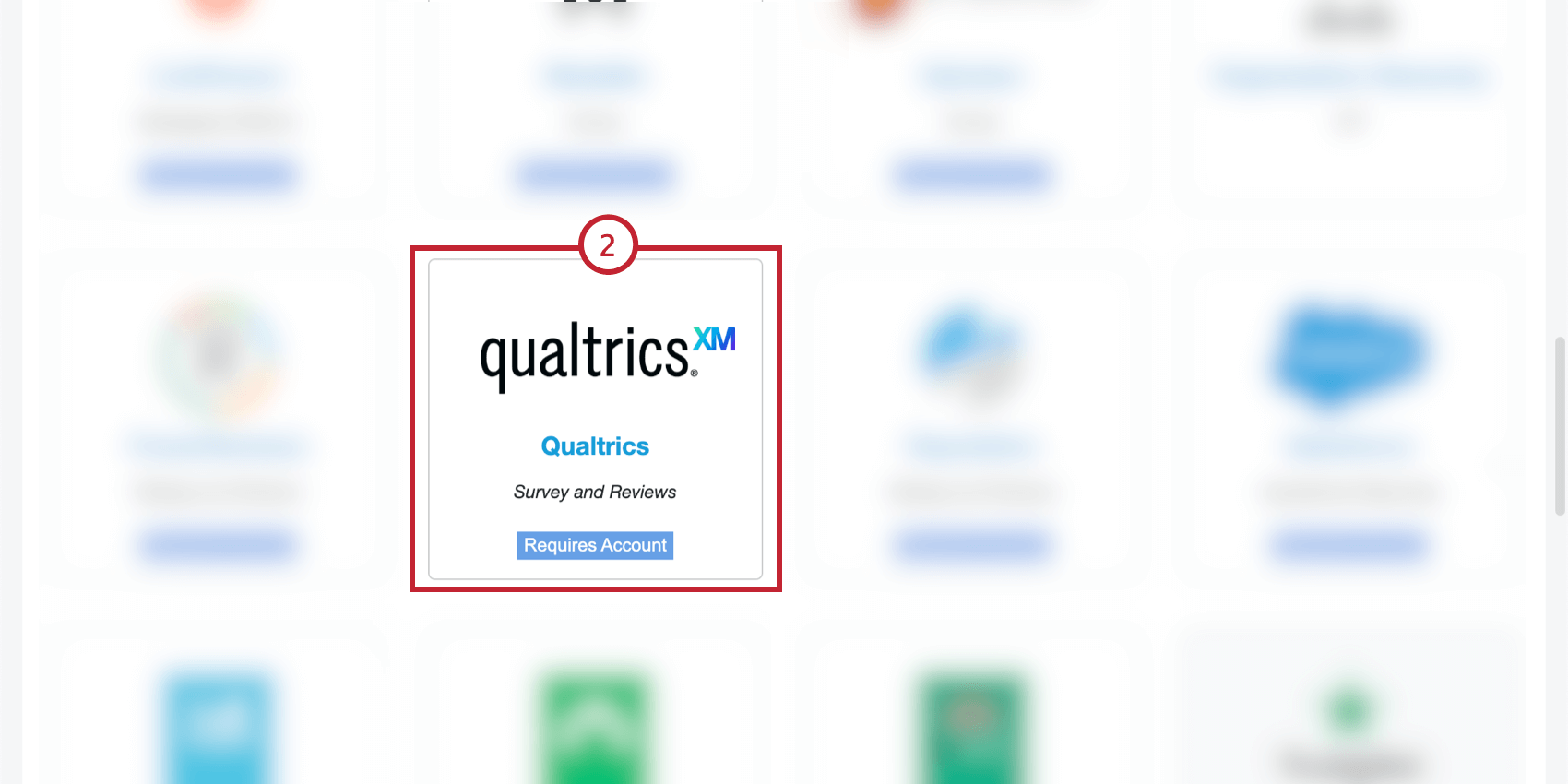
Click the Qualtrics Connector.

Give your job a name so you can identify it.
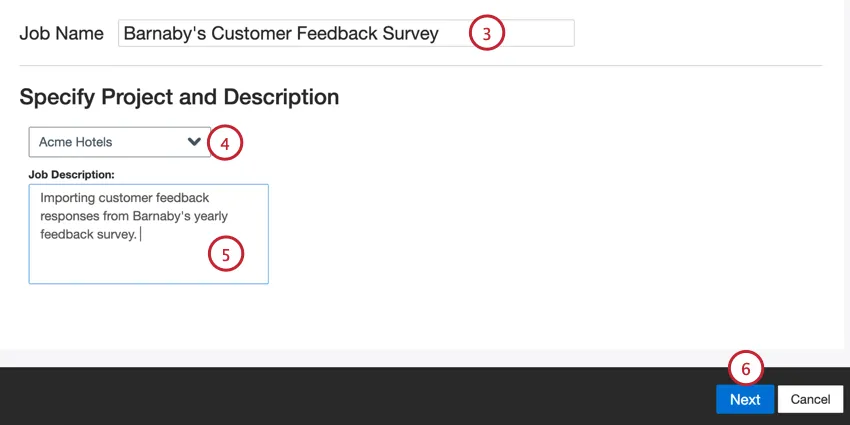
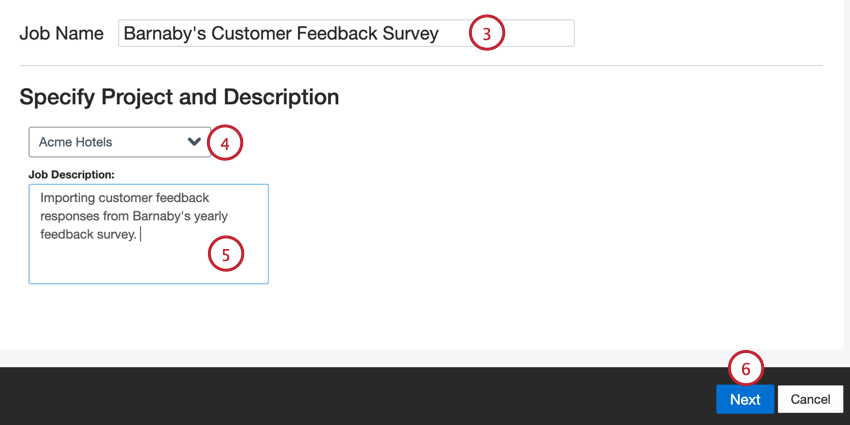
Choose the project to load data into.
Give your job a description so you know its purpose.
Click Next.
Use the dropdown to select an existing Qualtrics connection, or choose Add New to create a new one.
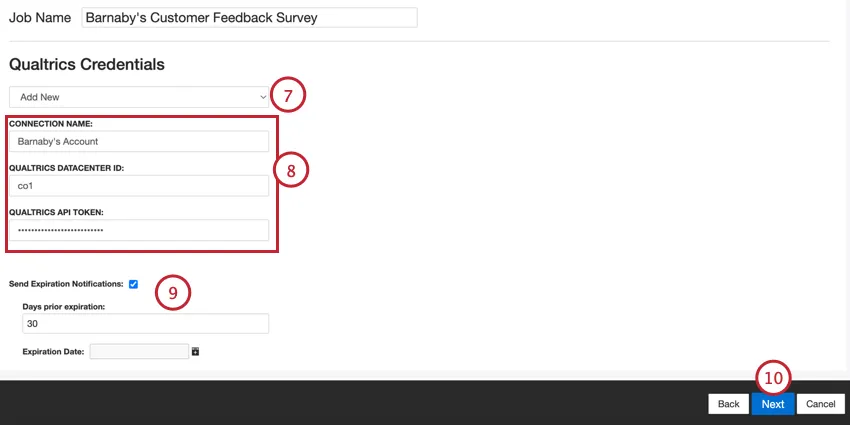
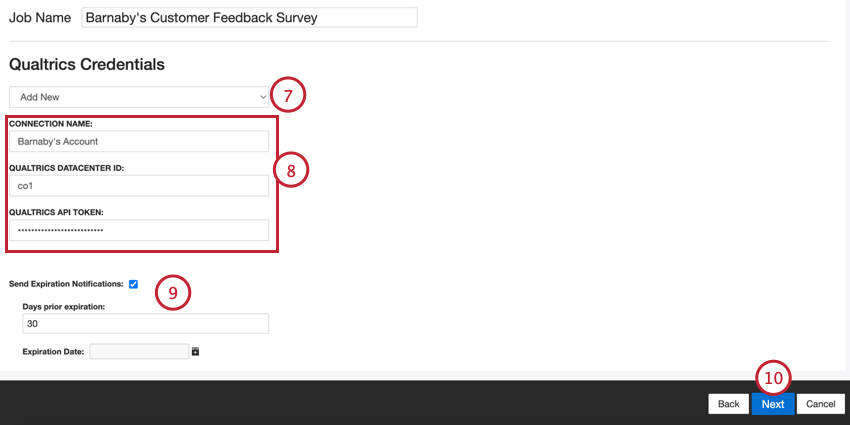
Qtip: To edit or remove an existing connection, go to your account settings.
When adding a new connection, provide the following:
- Connection Name: Give the connection a name so you can identify it later.
- Qualtrics Datacenter ID: Enter your Qualtrics datacenter ID.
- Qualtrics API Token: Enter your Qualtrics account’s API token.
If you’d like the connection to expire after a period of time, enable the Send Expiration Notifications option. Use the Expiration Date field to choose when the credentials expire. In the Days prior expiration box, enter how far in advance you’d like to be notified of the connection’s expiration, up to 100 days.
Click Next.
Choose the type of data you’d like to import:
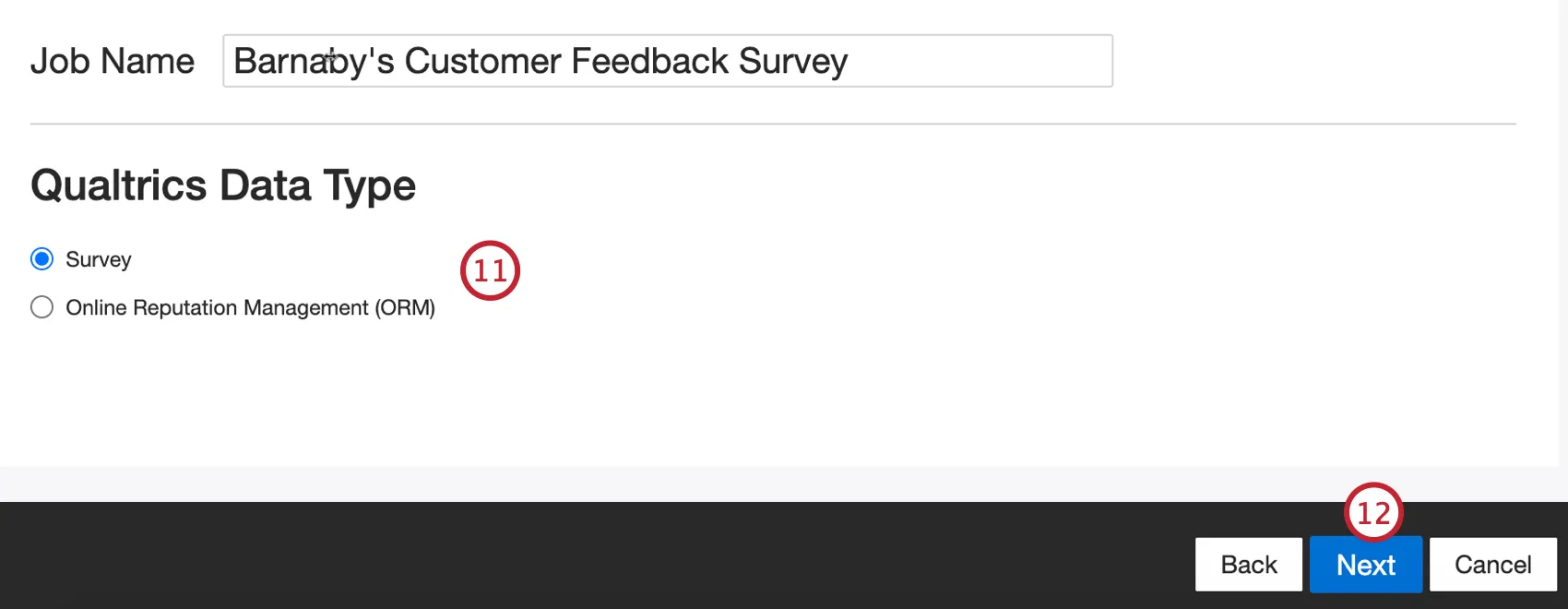
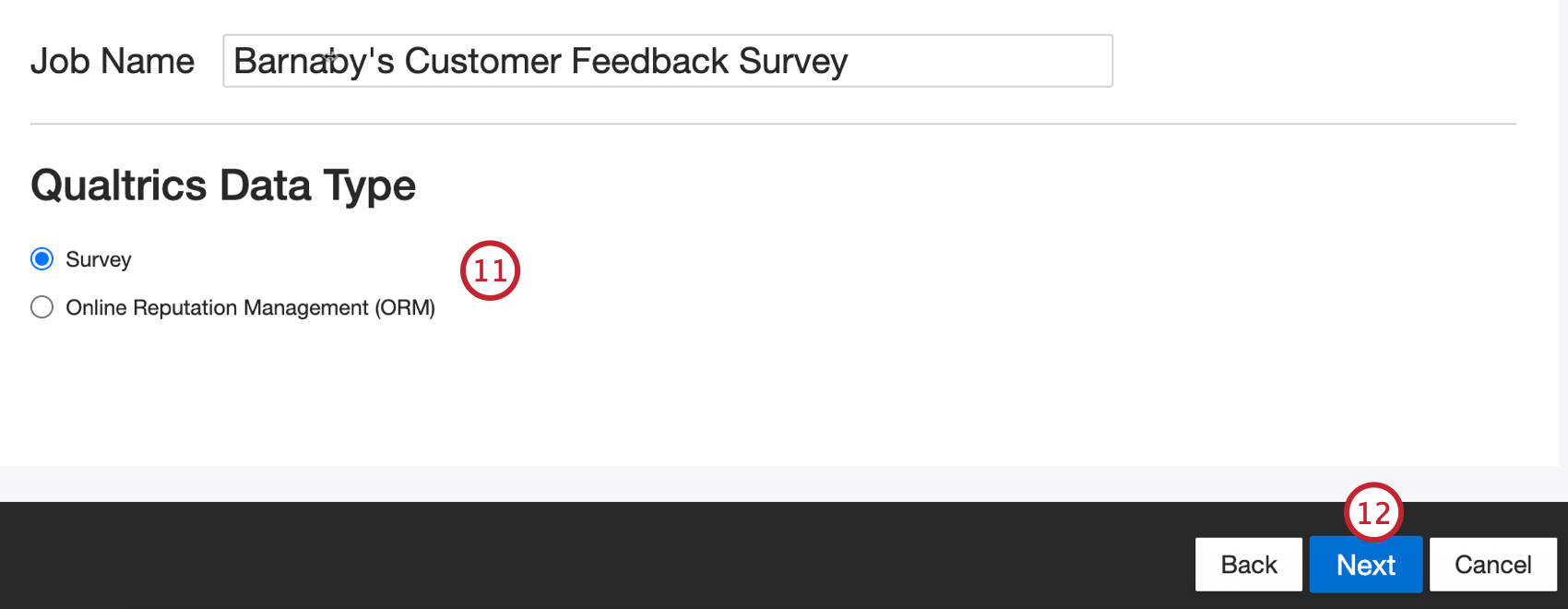
- Survey: Survey response data.
- Online Reputation Management (ORM): Data from an ORM project.
Click Next.
The next step will depend on your selected data type:
- Survey: For survey data, select the survey you’d like to import data for.
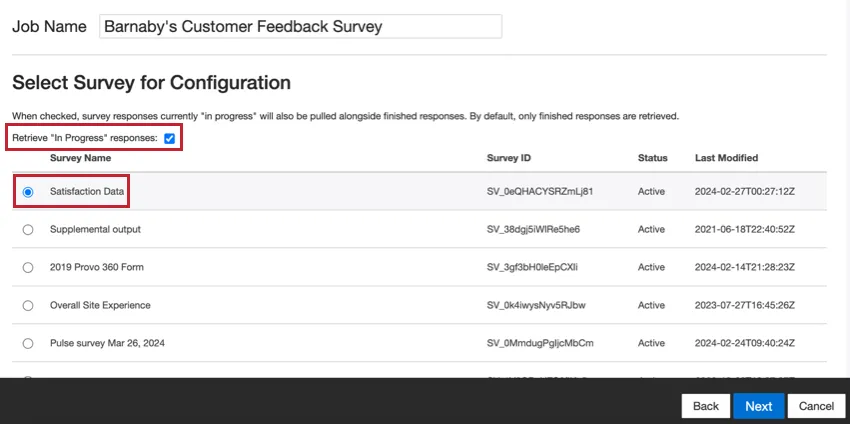
By default, only recorded responses are imported. Enable the Retrieve “In Progress” responses option if you’d also like to import responses in progress. Once finished, click Next.
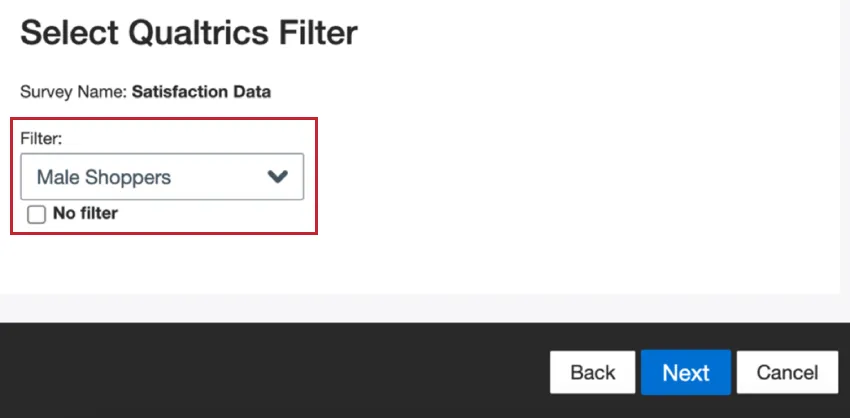
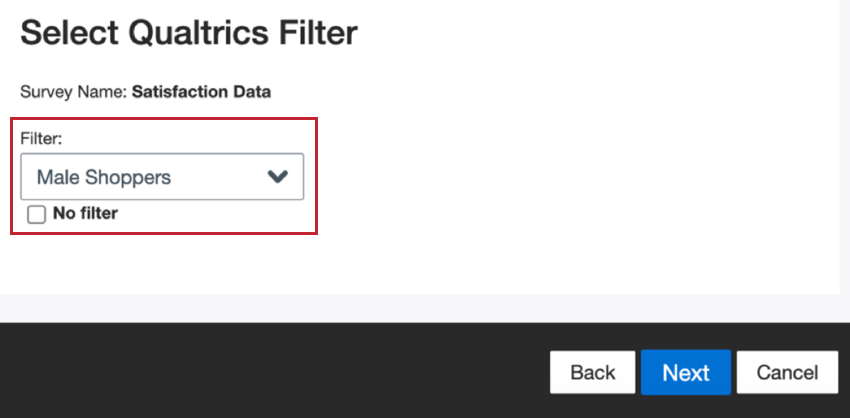
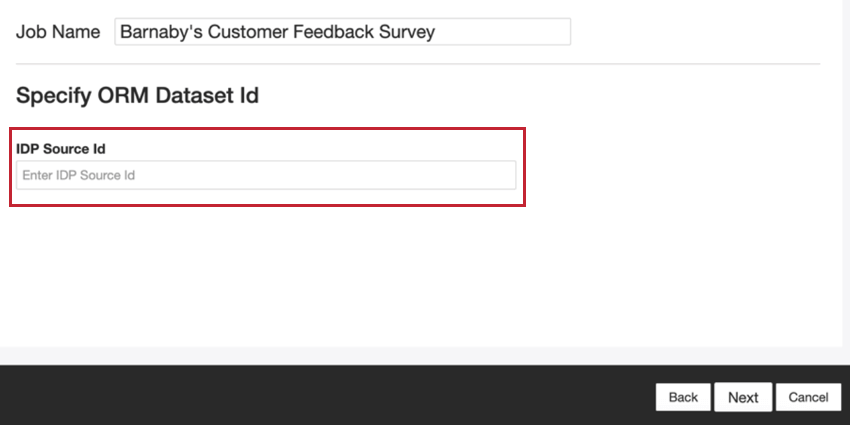
On the next screen, choose if you’d like to filter the data by any of your saved filters. If you do not want to filter data, click No filter. Click Next to continue the setup. - ORM: For an ORM project, you must enter the IDP Source ID of your ORM project. This can be retrieved using the Imported Data Project API. Once you’ve added this ID, click Next to continue the setup.

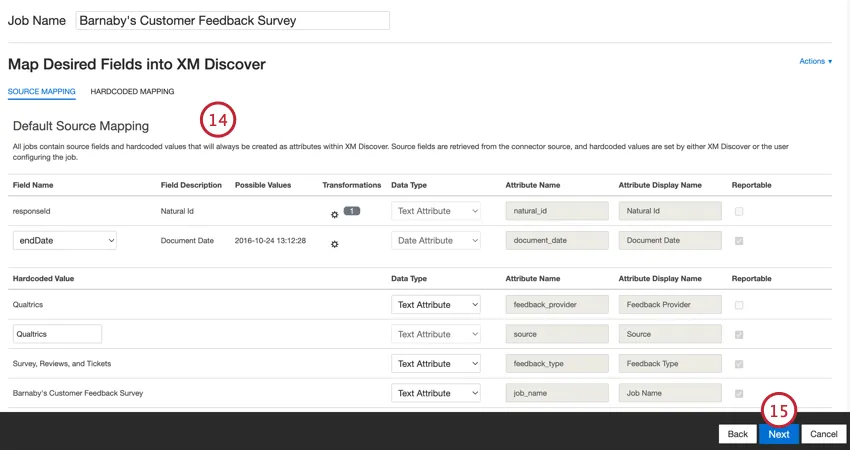
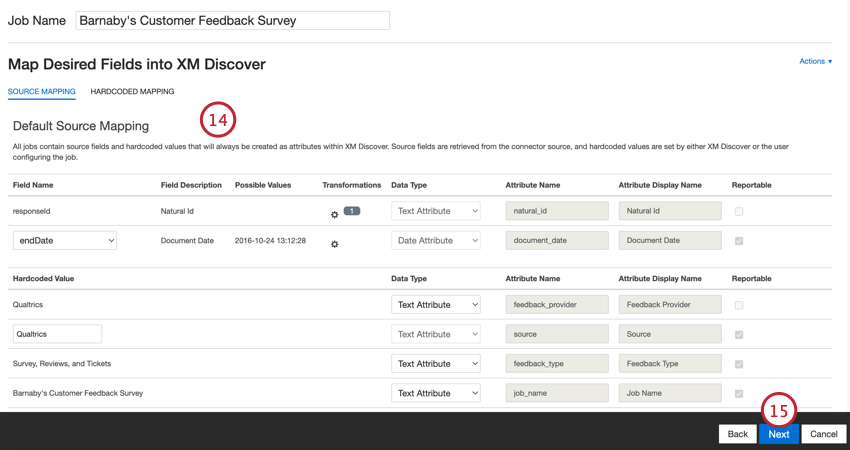
If needed, adjust your data mappings. See the Data Mapping support page for detailed information on mapping fields in XM Discover. The Default Data Mapping section has information on the fields specific to this connector.
Click Next.
If desired, you can add data substitution and redaction rules to hide sensitive data or automatically replace certain words and phrases in customer feedback and interactions. See the Data Substitution and Redaction support page for more information.
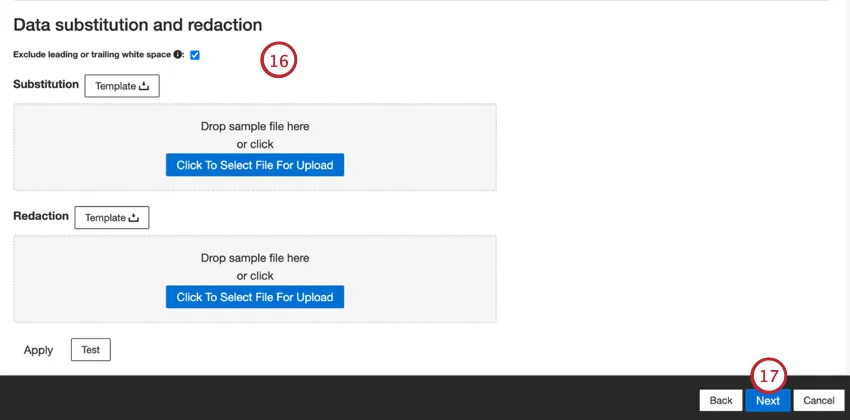
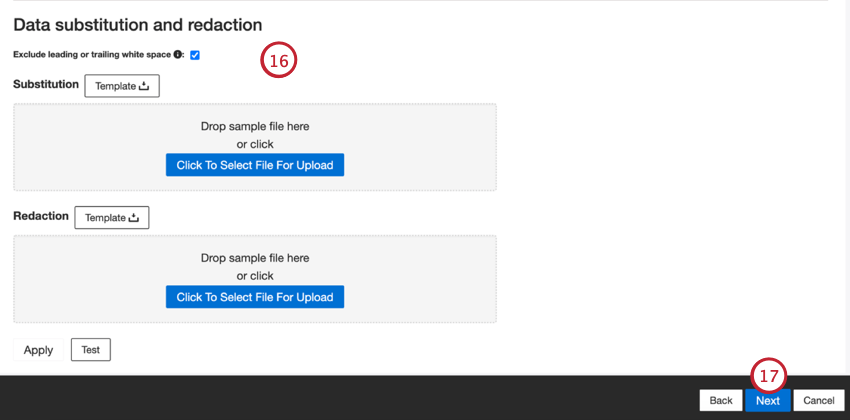
Click Next.
If desired, you can add a connector filter to filter the incoming data to limit what data is imported.
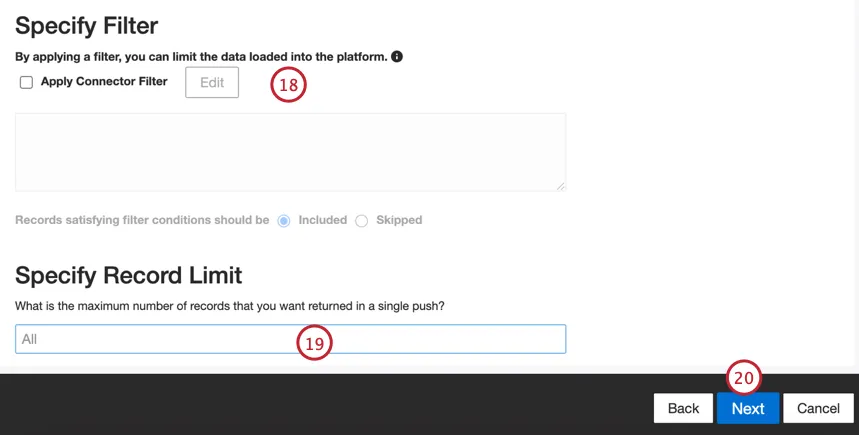
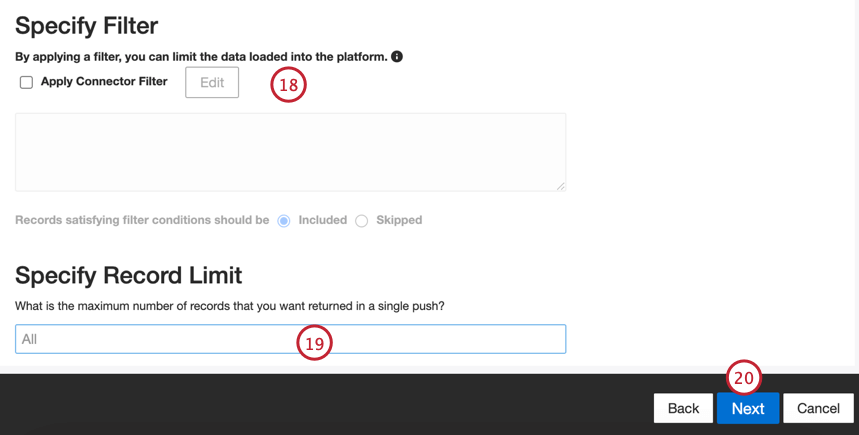
You can also limit the number of records imported in a single job by entering a number in the Specify Record Limit box. Enter “All” if you would like to import all records.
Qtip: For conversational data, the limit is applied based on conversations rather than rows.
Click Next.
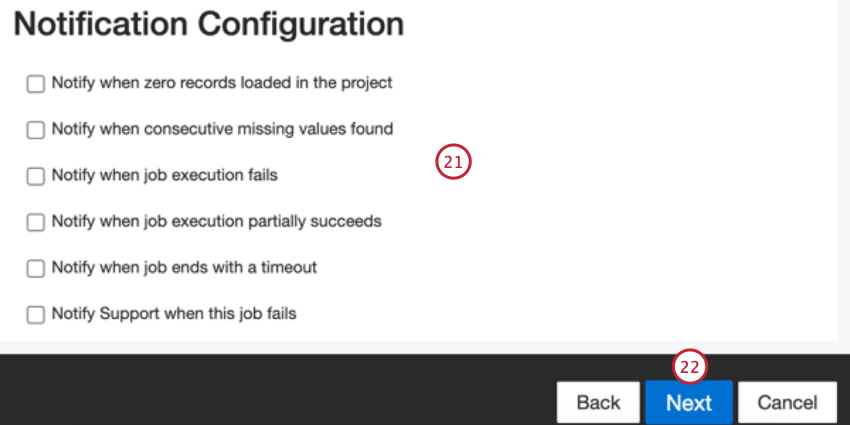
Click Next.
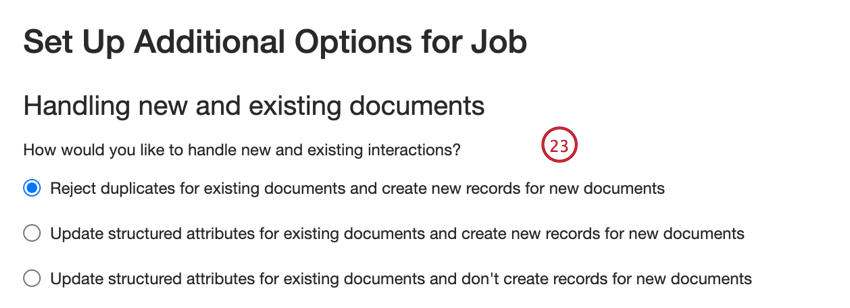
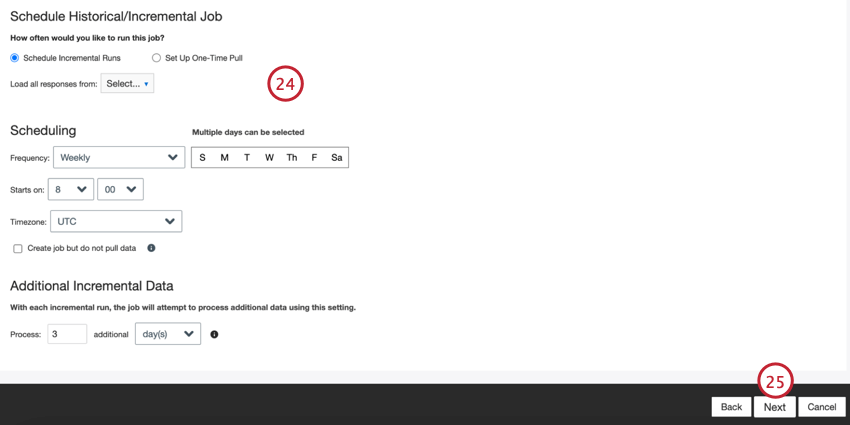
Choose when your job runs. You can do either a one-time pull or set up a recurring data pull. See Job Scheduling for more information.
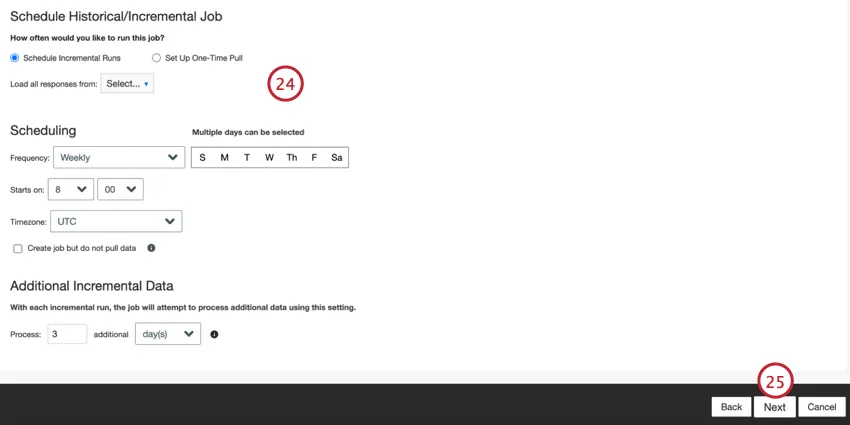
Click Next.
Review your setup. If you need to change a specific setting, click the Edit button to be brought to that step in the connector setup.
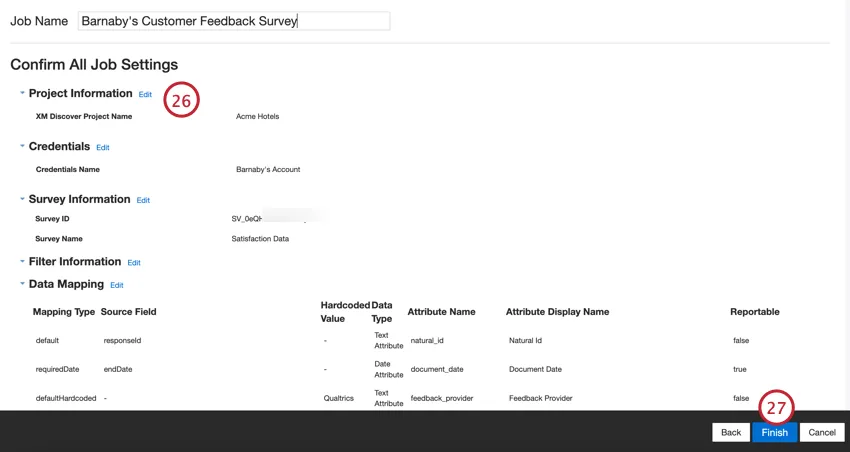
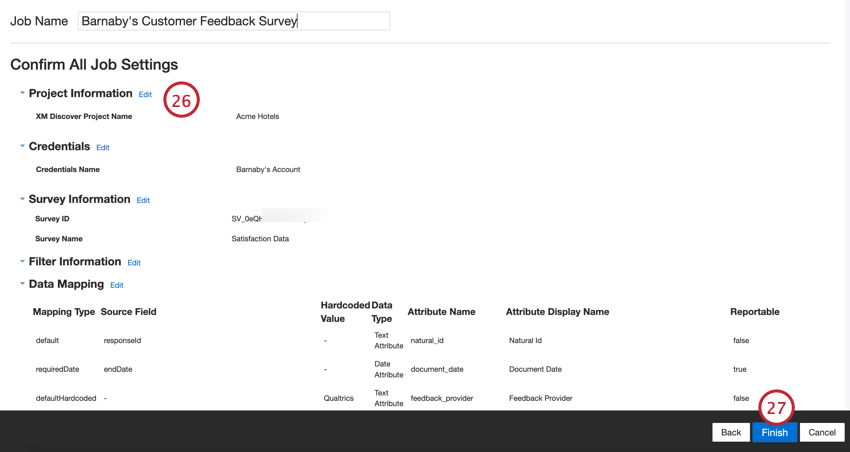
Click Finish to save the job.
Default Data Mapping
This section contains information on the default fields for Qualtrics inbound jobs.
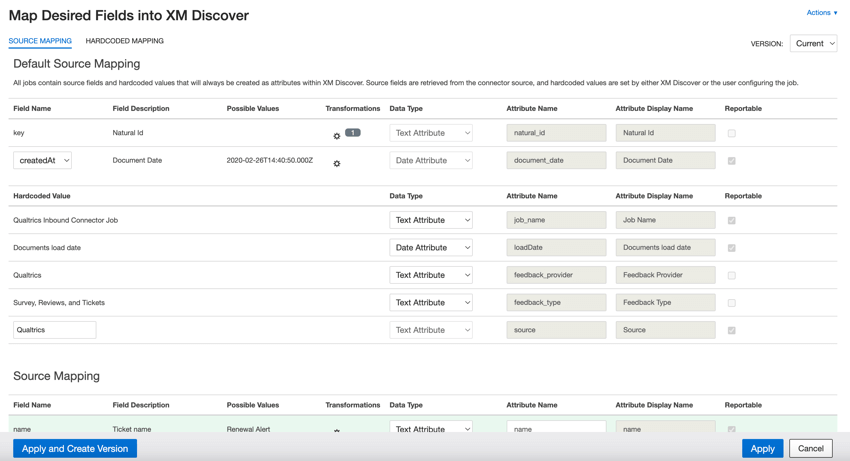

- natural_id: Natural ID serves as a unique identifier of a document and allows the correct processing of duplicate documents. For Natural ID, XM Discover uses source IDs prefixed by the connector’s name via a custom transformation: Natural ID = Connector-name;Source-ID
- document_date: Document date is the primary date field associated with a document. This date is used in XM Discover reports, trends, alerts, and so on. For document date, choose 1 of the following options:
- endDate (default): The date and time when the respondent submitted their survey. If the entry is a partial response, this date will indicate the last time the respondent interacted with the survey.
- startDate: The date and time when the respondent first clicked the survey link.
- recordedDate: This is a record of when a survey response was started, submitted, or updated in Qualtrics. Qtip: If your source data contains other date fields, you can use that field as your document date by choosing it in the Field Name .

- job_name: Job name helps you to identify data based on the name of the job used to upload it. You can modify this attribute’s value at the top of the page while setting up the job, or by editing the job.
- loadDate: Load date indicates when a document was uploaded into XM Discover. This field is set automatically and cannot be changed.
- feedback_provider: Feedback provider helps you to identify data obtained from a specific provider. For Qualtrics documents, this attribute’s value is set to Qualtrics and cannot be changed.
- feedback_type: Feedback type helps you to identify data based on its type. This is useful for reporting when your project contains different types of data (for example, surveys and social media feedback). For Qualtrics data, this attribute’s value is set to Survey and Reviews and cannot be changed.
- source: Source helps you to identify data obtained from a specific source. This can be anything that describes the origin of data, such as the name of a survey or a mobile marketing campaign. By default, this attribute’s value is set to Qualtrics, but you can provide your own value in the Hardcoded Value.
That's great! Thank you for your feedback!
Thank you for your feedback!