

Editing an Account (Designer)
Suite
Customer Experience
Product
Qualtrics
What's on this page
About Editing an Account in Designer
An account in designer is a collection of projects and users. You can edit the aspects of an account from the Accounts section of the Admin tab.
Qtip: Only Administrators can access the Admin tab.

Editing an Account
To edit an account:
Navigate to the Admin tab in Designer.

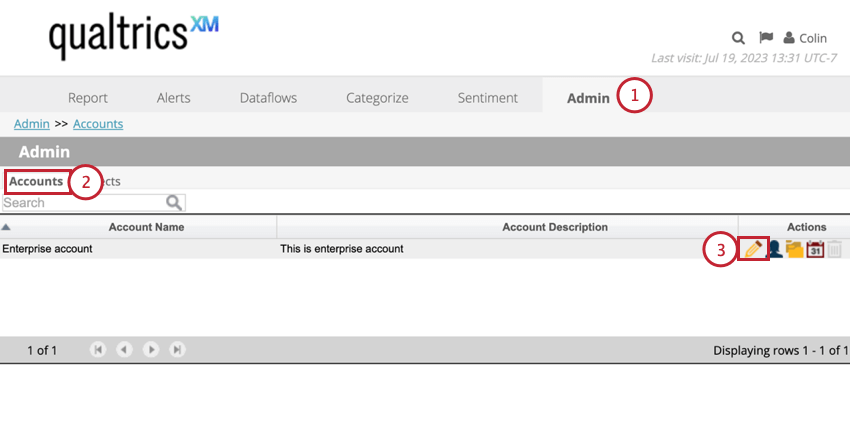
Select Accounts.
Click the Edit button next to the account you want to edit.
Navigate to the different sections to edit different account settings:
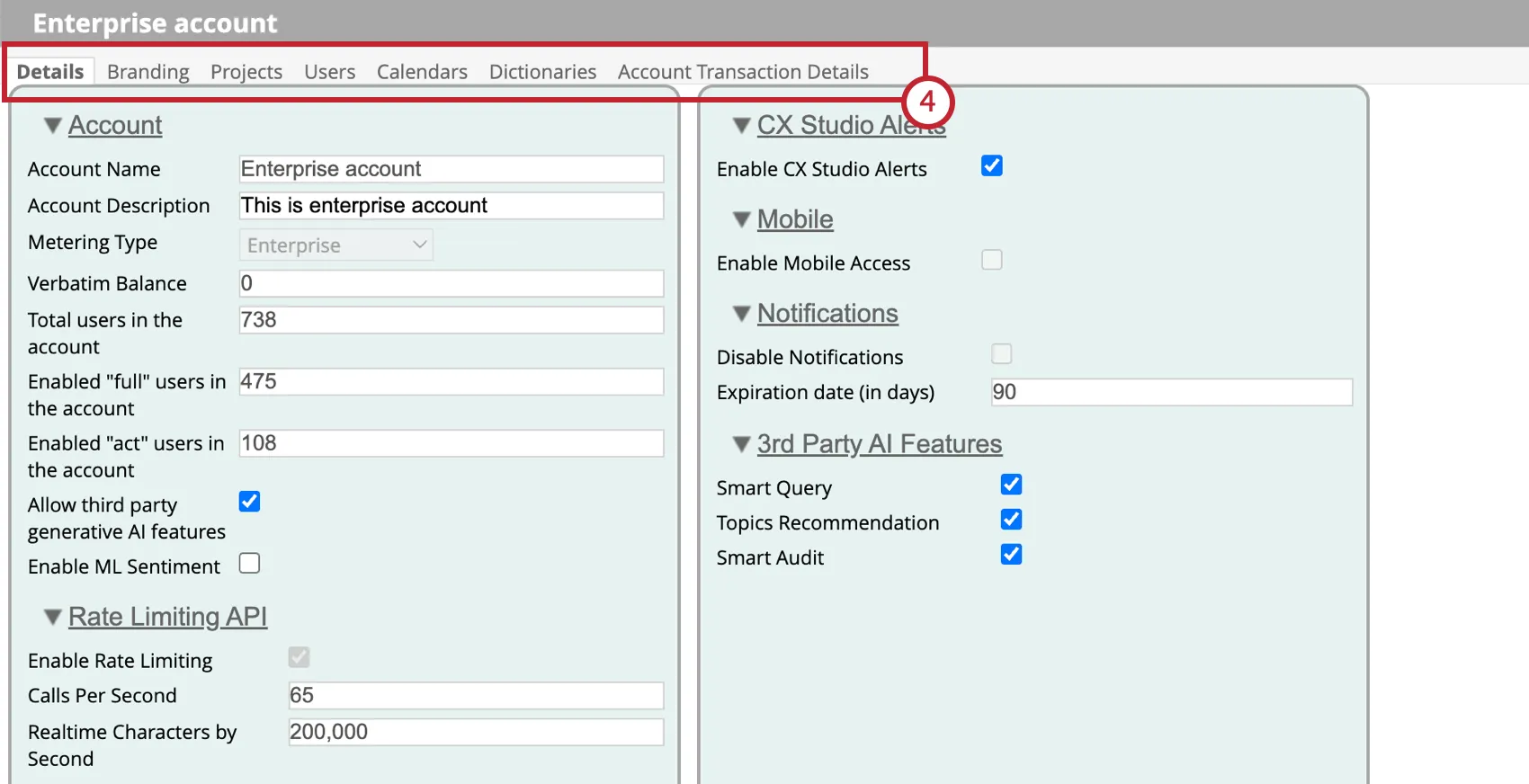
- Details: View and edit information about your account, such as the account description, the number of users in the account, API rate limiting settings, and the 3rd party AI features.
- Branding: Customize your account’s appearance, including adding a logo and choosing a color palette.
- Projects: Manage the projects in the account.
- Users: View and edit the users with access to this account. See Viewing & Editing Users (Designer) for more information.
- Calendars: Create and manage custom calendars to use in reporting.
- Account Transaction Details: View a log of account transactions to monitor your account usage.
That's great! Thank you for your feedback!
Thank you for your feedback!