

Records Without Text (Discover)
What's on this page
About Records Without Text (Discover)
Customer feedback, especially survey data, may often contain records without text (also called empty verbatim fields). You can choose whether or not to include empty records throughout XM Discover.
For example, this dataset contains some empty cells:
| Record ID | Location | Positive feedback | Negative feedback |
|---|---|---|---|
| 1 | Provo | The hotel was surprisingly quiet. (Sentiment = 3) | The room was very small and smelled moldy. (Sentiment = –2.25) |
| 2 | Provo | ||
| 3 | Dublin | The hotel is very nicely decorated and spacious. (Sentiment = 2.5) |
Filtering Out Empty Verbatims
You can easily filter to exclude results with no text and other low value content, such as extremely short replies and replies containing ads and other spam.
Filtering by Specific Verbatims
To filter out documents where only the specific verbatim is empty, create a filter using the specific verbatim condition and the “has any value” operator.
Example: We want to see every response where the Review attribute has been filled out.


Filtering by “N/A” And Other Such Responses
Sometimes instead of leaving a record blank, respondents leave feedback like “no response,” “N/A,” “nothing,” and so on. To filter these documents out, select your specific verbatim, use the “is not” operator, then type the specific content you want to exclude.

Filtering by Word Count
You can exclude documents below a certain word count. Use the CB Document Word Count attribute and set it to be “greater than or equal to” your chosen minimum word count.

Filtering by Content Type
The CB Content Type filter recognizes verbatims that contain less useful information, like ads, coupons, and article links. Set the operator to “is not” and the value to “contentful.”

Filtering Records with No Verbatim Text
Records where every single column is empty get flagged with a verbatim type of “no_verbatim_text.”
Example: Looking at our table above, only record 2 would be flagged with “no_verbatim_text.”
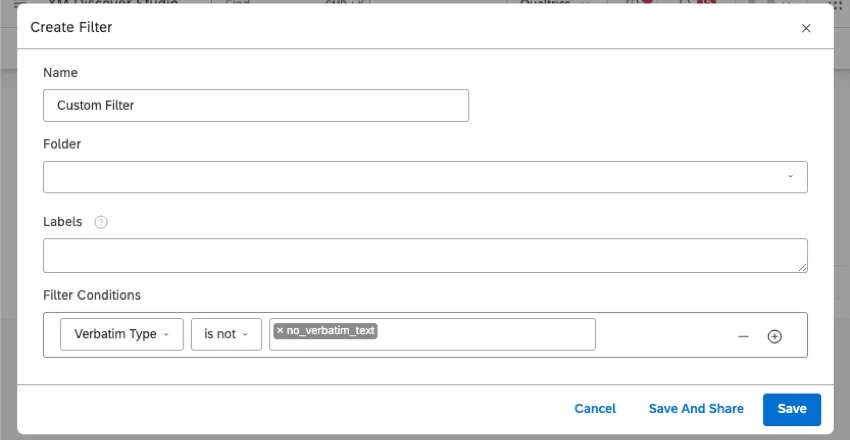
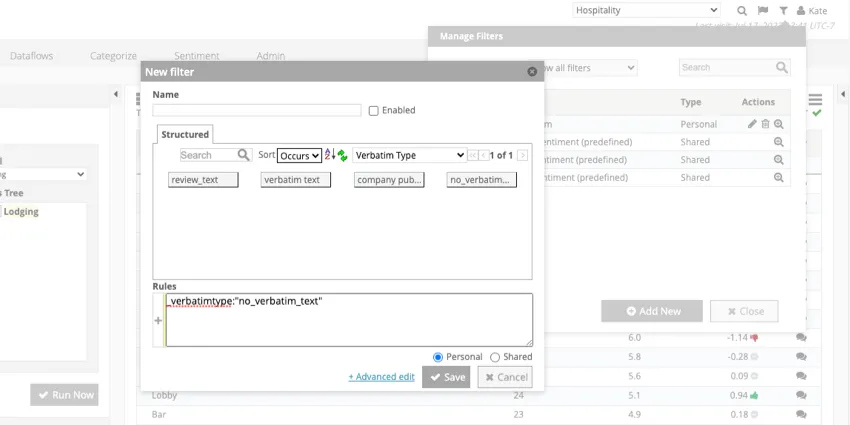
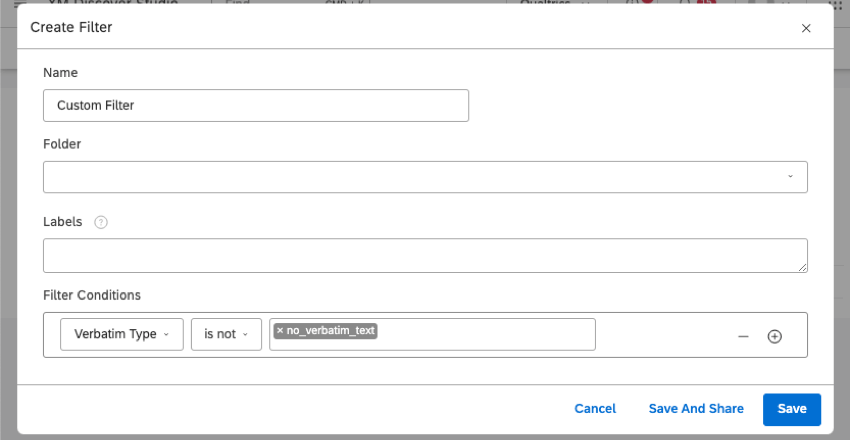
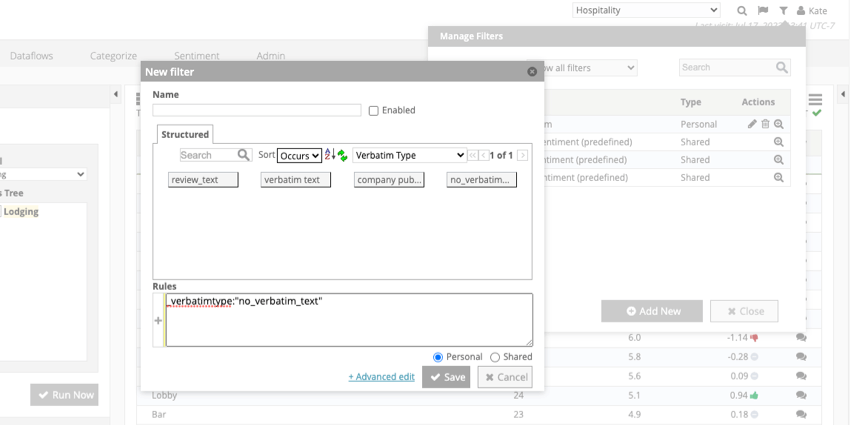
In both Studio and Designer, you can filter to only include empty records, or to exclude all empty records. To do this, select Verbatim Type and set it to “no_verbatim_text.”
Example: Here’s what this filter looks like in Studio:
Here’s what this filter looks like in Designer:
Attention: Verbatim type filters remove the entire interaction from your results.

Placeholder Text for Empty Records
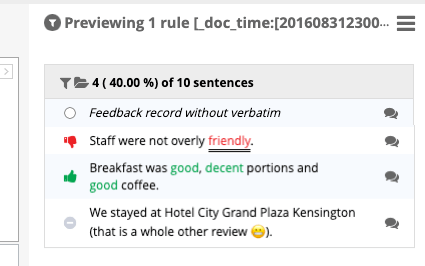
When previewing sentences in Designer, records with empty verbatim are displayed with the following text: “Feedback record without verbatim.”
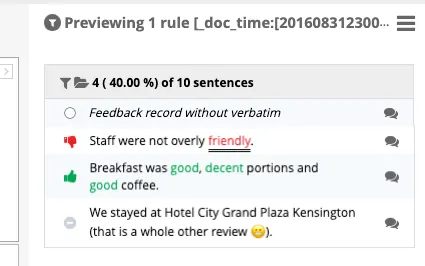
Qtip: When sentences are empty, they don’t have a sentiment icon, as shown above.

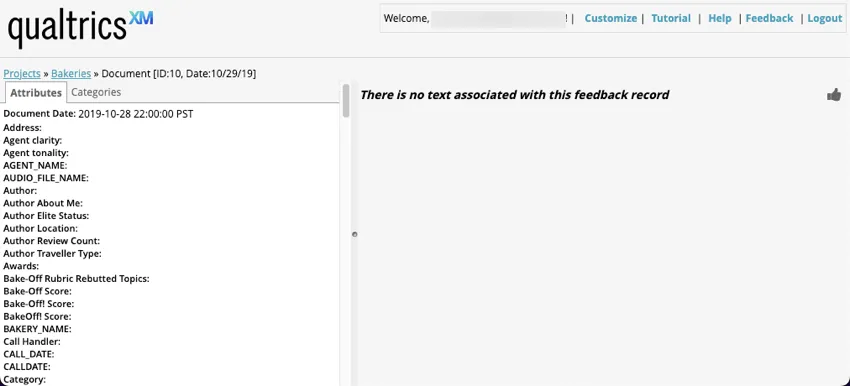
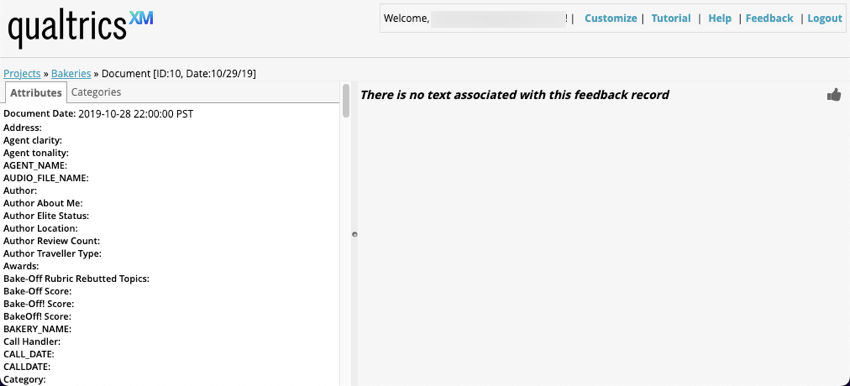
When viewing empty records in source highlighter or document explorer, the text says, “There is no text associated with this feedback record.”
Impact on Volume
In Studio, you can report on volume, which is the number of records that fit a certain metric or filter. Here are some rules to keep in mind regarding volume and empty records:
- Volume includes records with empty verbatims, except if you’re reporting on Words and Associated Words.
- When reporting on attributes, empty verbatims are always included.
- When reporting on attributes and breaking out volume results by a category model, relevant empty records are included, even if this category model is not configured to include records without text.
Example: Looking at our table, both records 1 and 2 will be considered when calculating volume for the Provo attribute.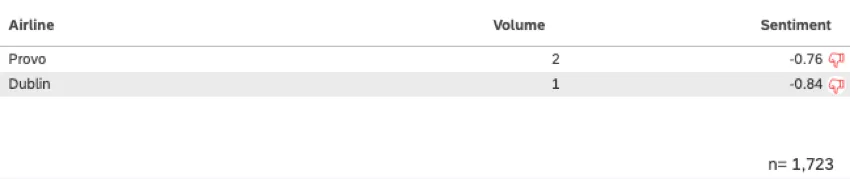



Impact on Sentiment
The sentiment metric does not include records with empty verbatim.
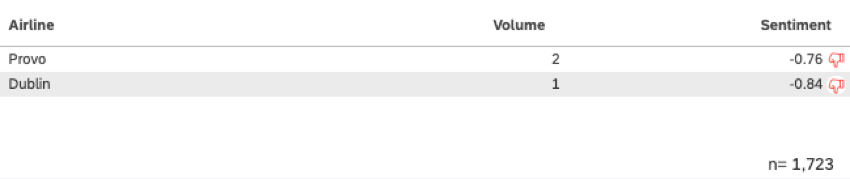
Example: Looking at our table, only record 1 is considered when calculating sentiment for the Provo attribute. Record 2 is ignored in sentiment calculation.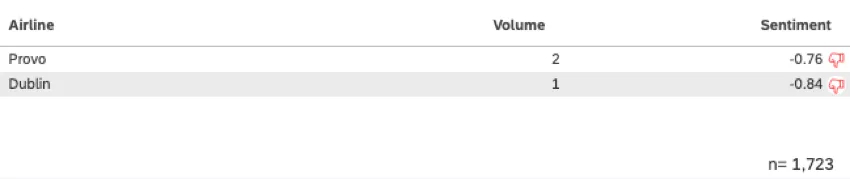
Impact on Classification
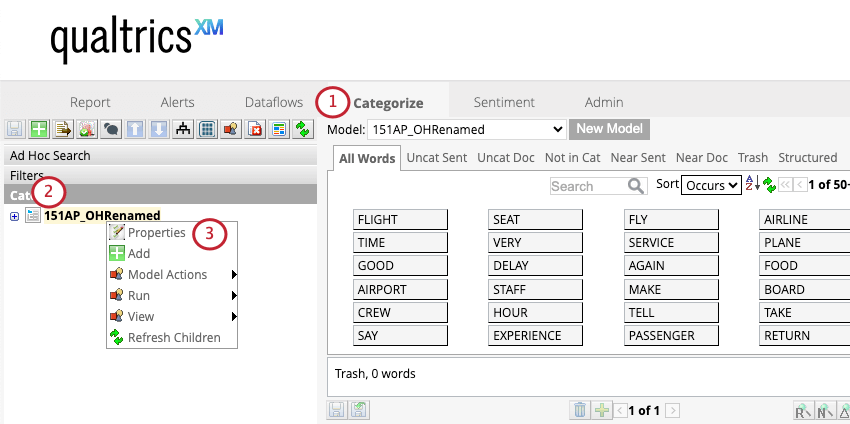
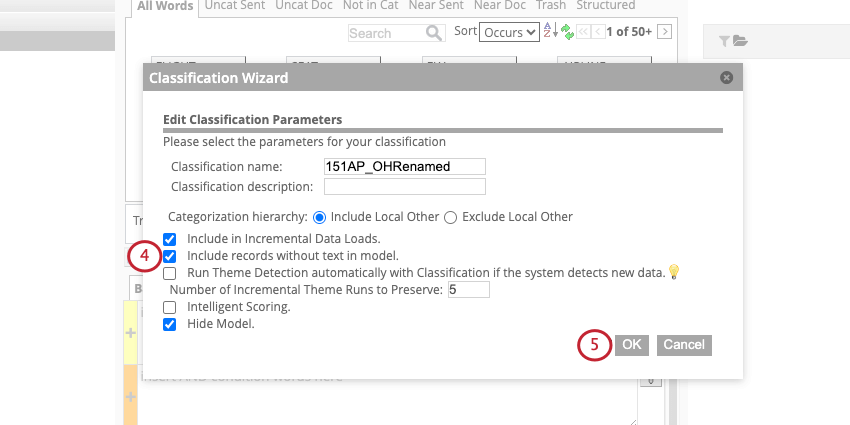
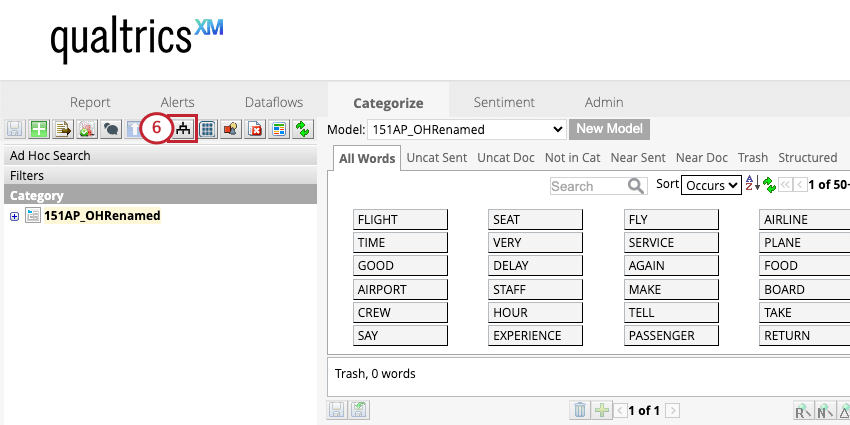
When you’re running classification, you can choose whether to include empty records in your category model.
To include empty records in a classification:
Impact on Project Statistics
In Designer, project statistics on the Dataflows tab behave as follows:
- Documents: Count includes all records, including the ones with empty verbatims.
- Verbatims: Count does not include records with empty verbatims.
- Sentences: Count does not include records with empty verbatims.
That's great! Thank you for your feedback!
Thank you for your feedback!