

Metric Dependencies (Studio)
Suite
Customer Experience
Product
Qualtrics
What's on this page
About Metric Dependencies
You can view which dashboards, other metrics, and metric alerts use your metrics. This is useful to consider when editing or deleting metrics.
Qtip: In order to view a metric’s dependencies, you need editor-level access to the metric and at least read-only data access to the metric’s source project.

Viewing Metrics’ Dependencies
Click the Spaces menu.
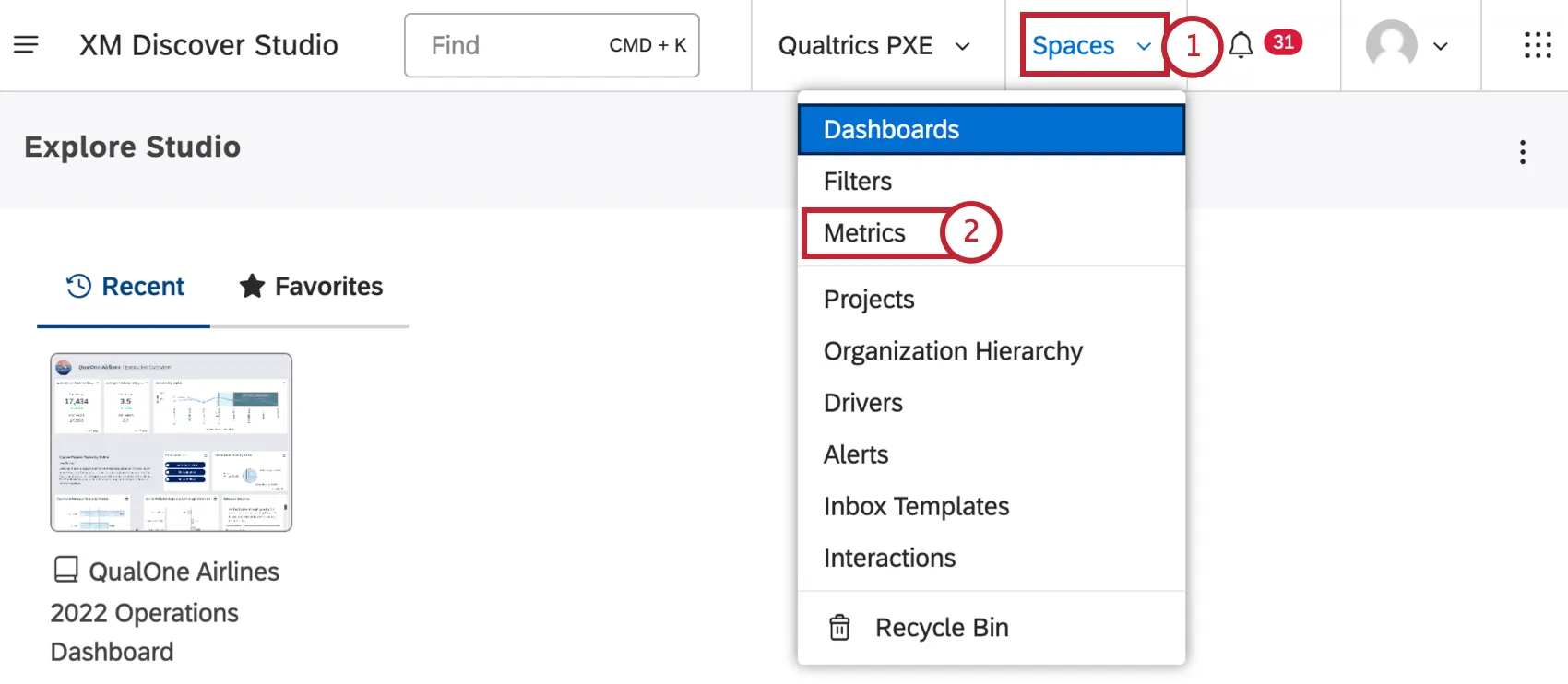
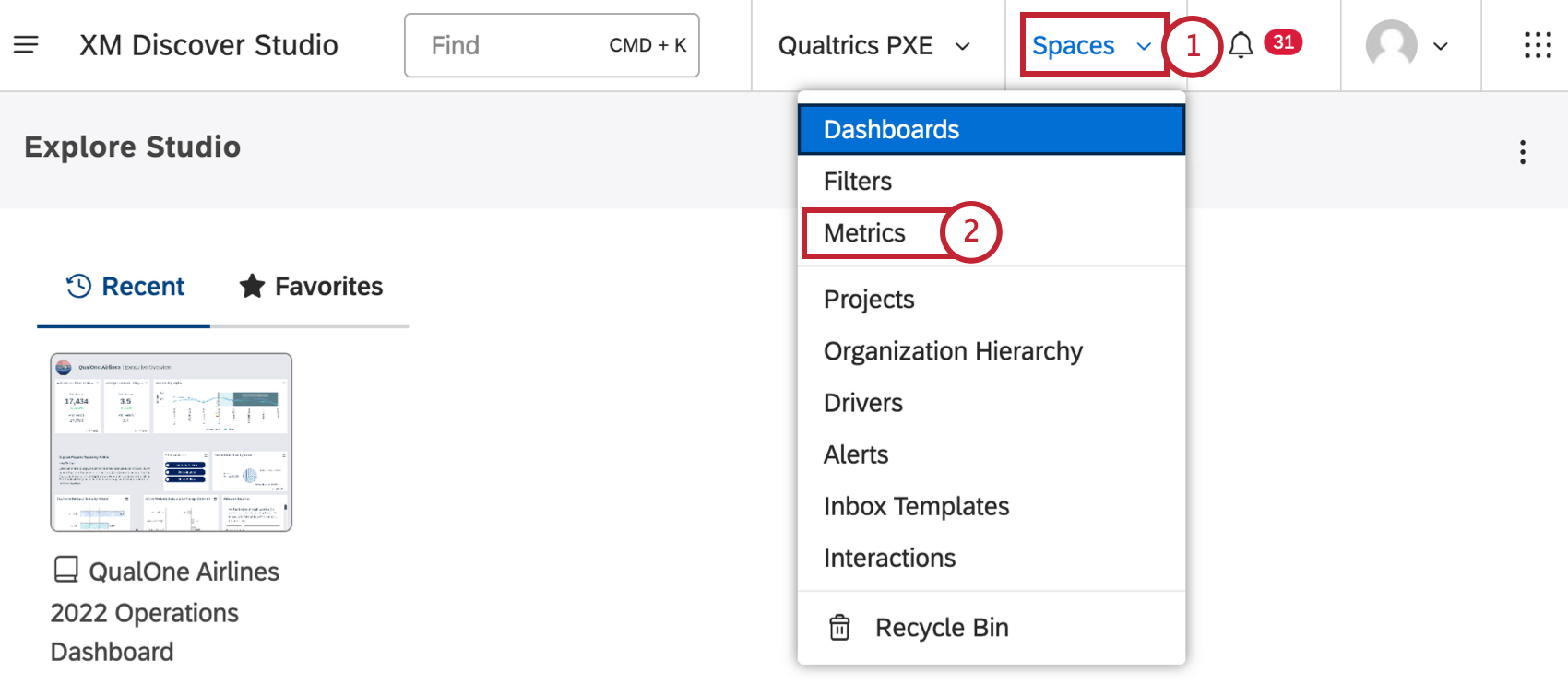
Select Metrics.
Choose a project the metric belongs to.
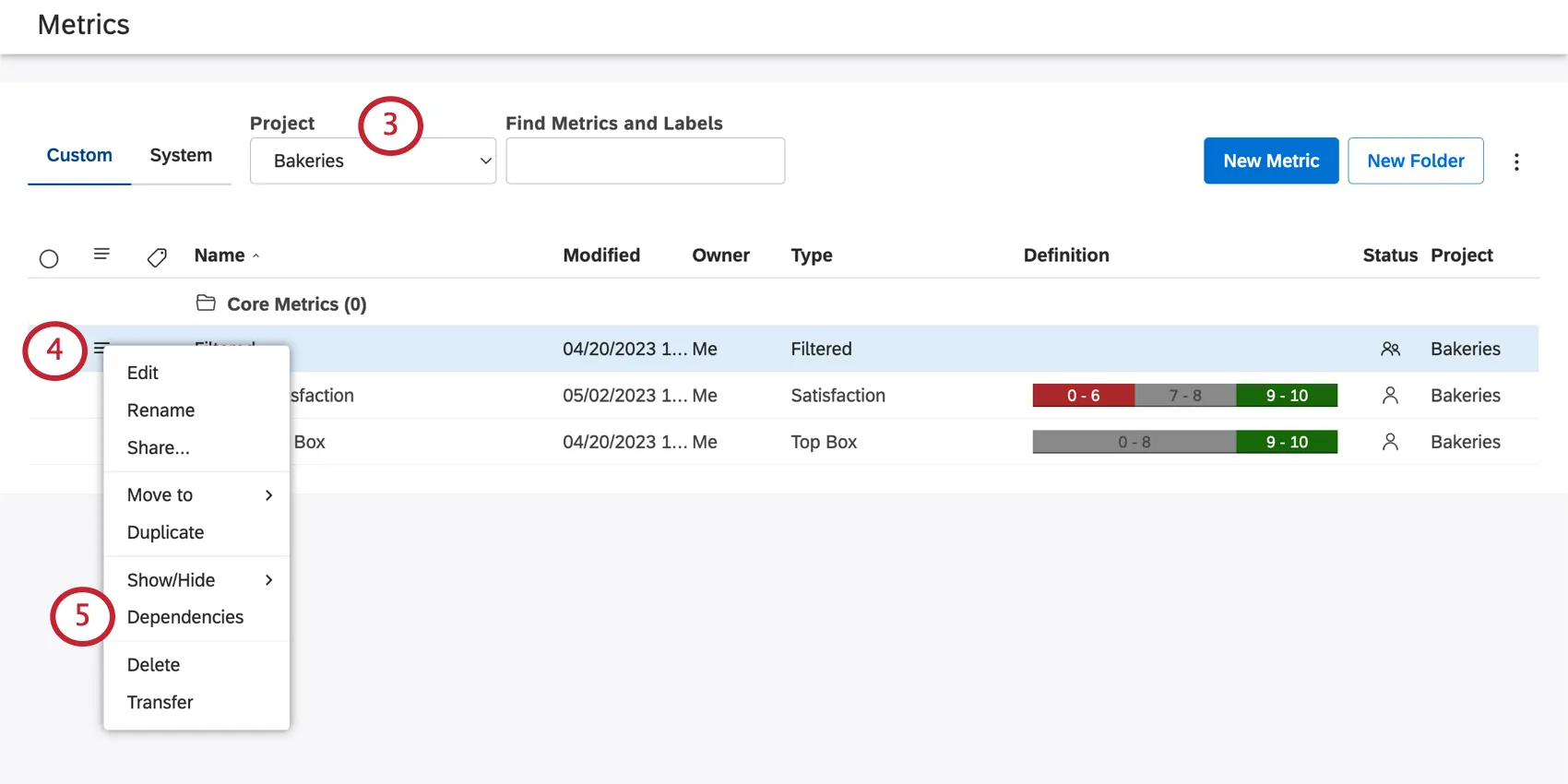
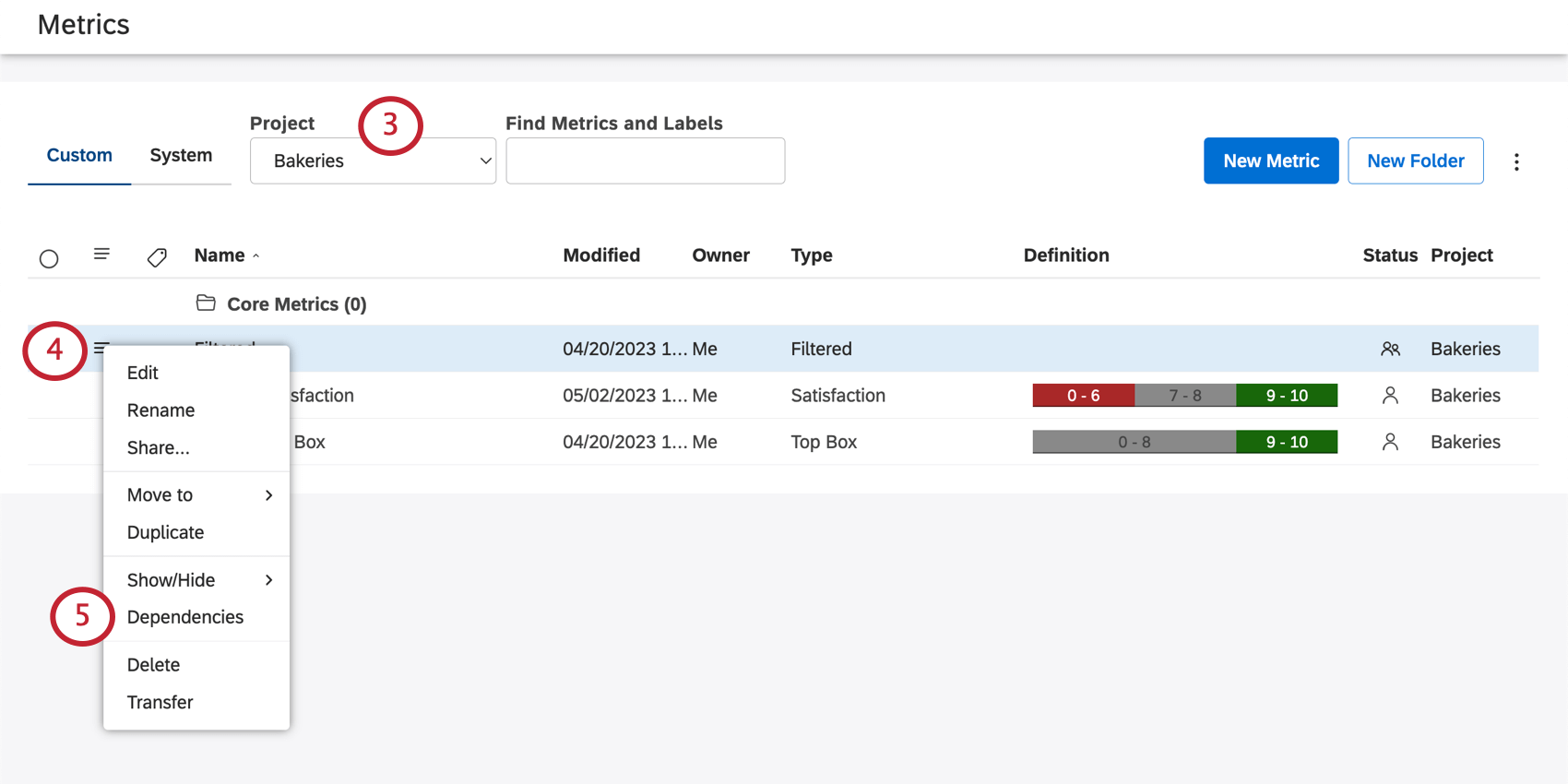
Qtip: You may also need to choose an account and a content provider, depending on what you have access to.
Click the dropdown next to a metric.
Select Dependencies.
Select from the following:
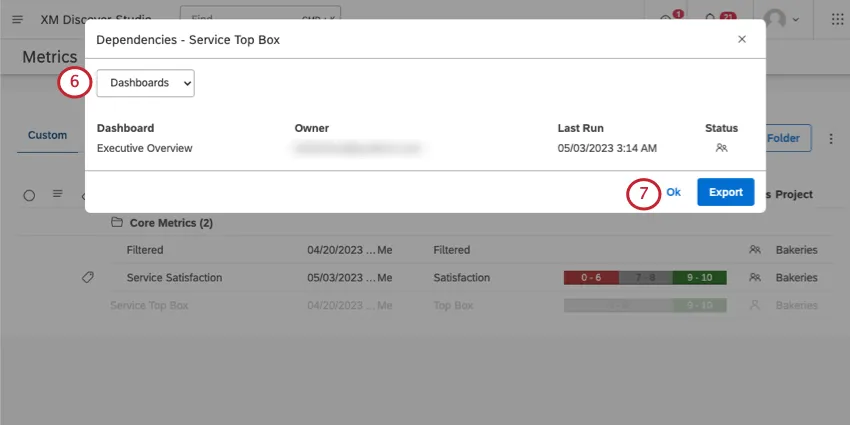
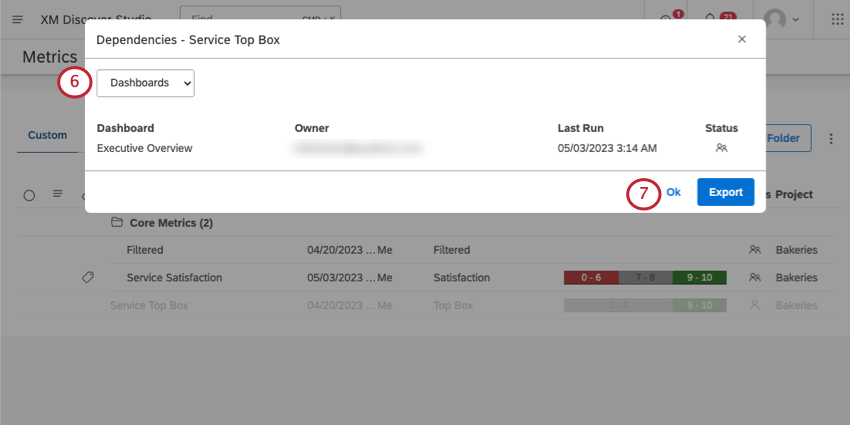
- Dashboards: See dashboards where this metric is used.
- Metrics: See other metrics, such as custom math metrics, where your selected metric is being used.
- Alerts: See metric alerts that use this metric.
Click Ok to close the window.
Information Displayed for Each Dependency
For each dashboard, metric, or alert, you’ll see the following information displayed.
- Dashboard/Metric/Alert: The name of the dependency.
- Owner: The user who owns this dependency.
- Calculation Type: This is only displayed for metrics. This will tell you the type of compound metric used.
- Last Run: The last time the dashboard was viewed in Studio, emailed as a PDF, or refreshed.
- Last Alert: The last time this alert triggered.
- Status: The status of the dependency (Private, Shared, or Public).
Exporting Metric Dependencies
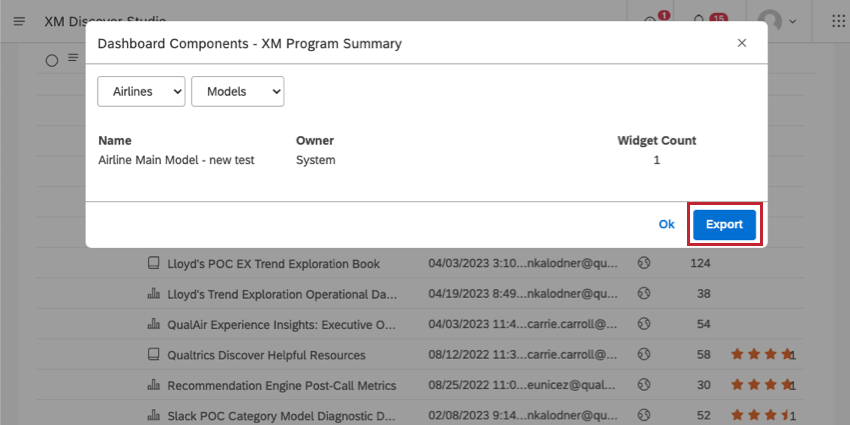
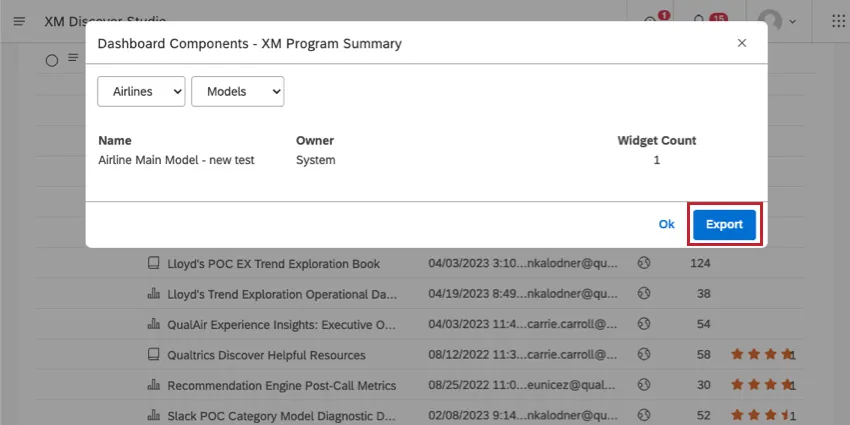
Click Export to download all dashboards, alerts, and metrics to an XLSX file (Microsoft Excel). Once the export is finished, the file is emailed to you.
The export file contains usage data for dashboards, alerts, and metrics broken down into separate sheets.
That's great! Thank you for your feedback!
Thank you for your feedback!