

Survey Options Overview
What's on this page
About Survey Options
Survey options allow you to change many general survey settings, such as the timeframe the survey’s available, the addition of a back button or visible question numbers, and more.
To access these settings, click Survey options from the left navigation on the Survey tab.
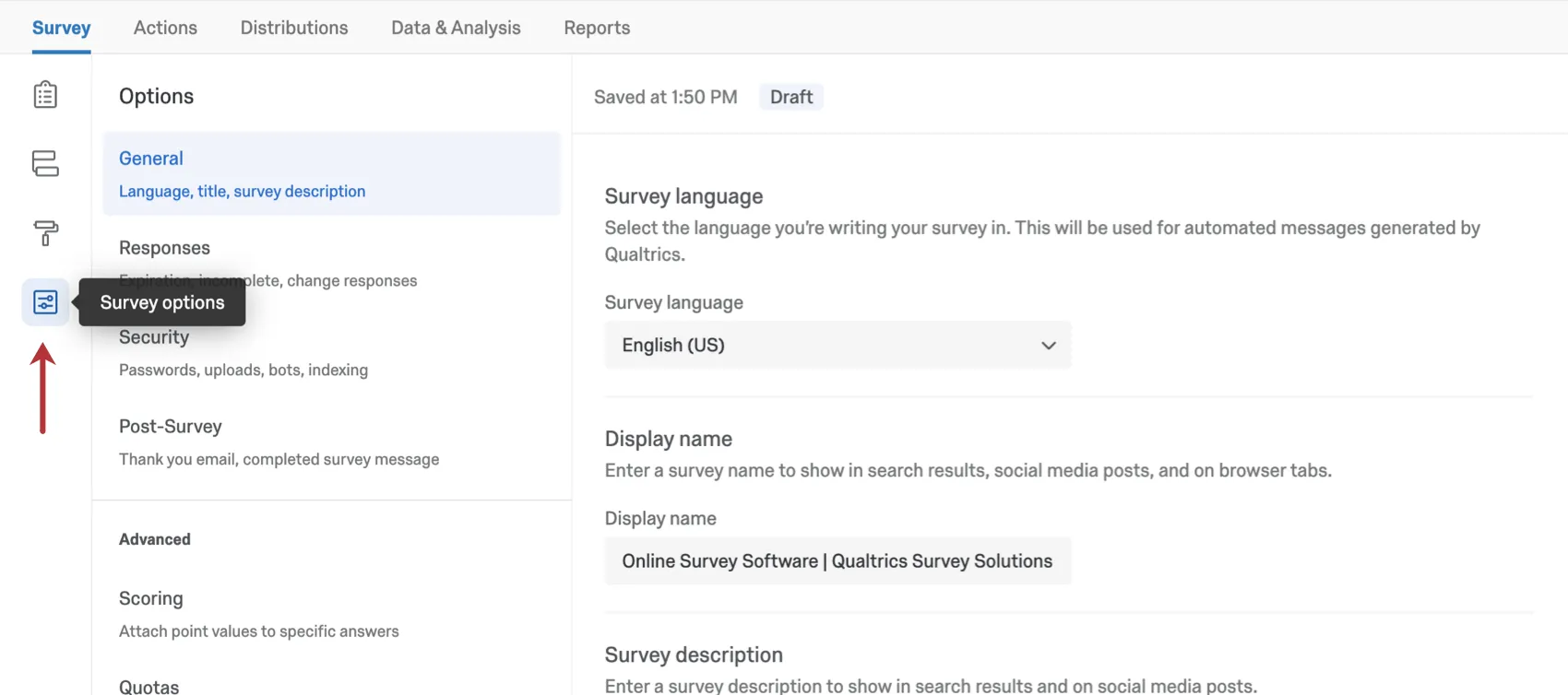
Survey options is divided into 5 sections, described below.
Qtip: Changes made to the survey options are saved automatically. To push changes to survey respondents, be sure to publish the changes.


General
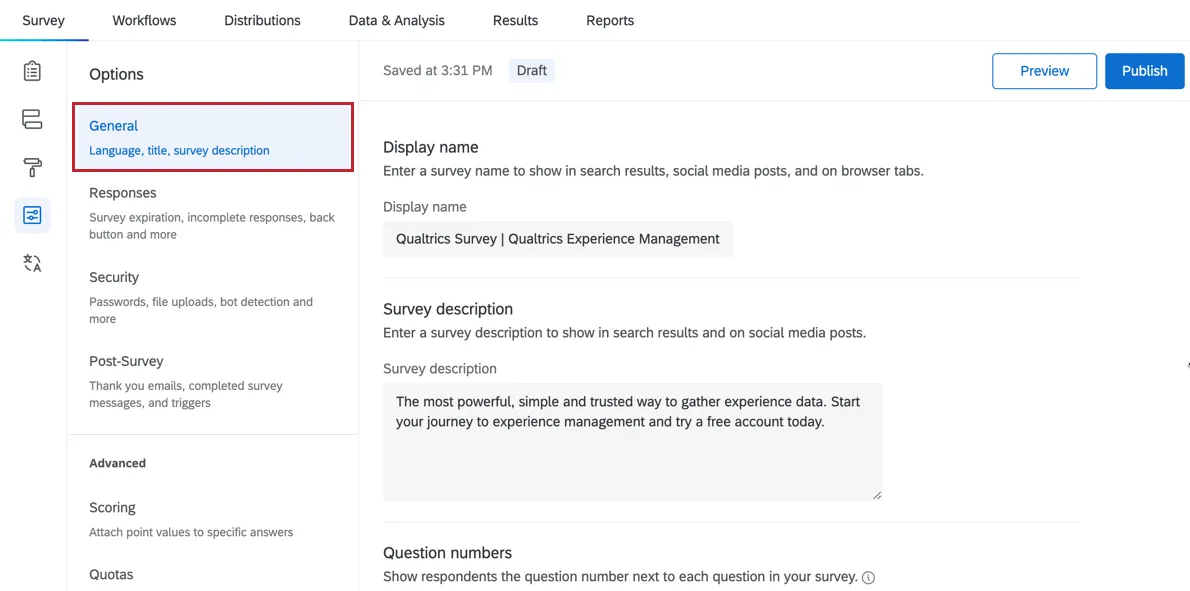
The General section contains survey options related to the survey’s title and description displayed in search results, question numbering, and ExpertReview.
Responses
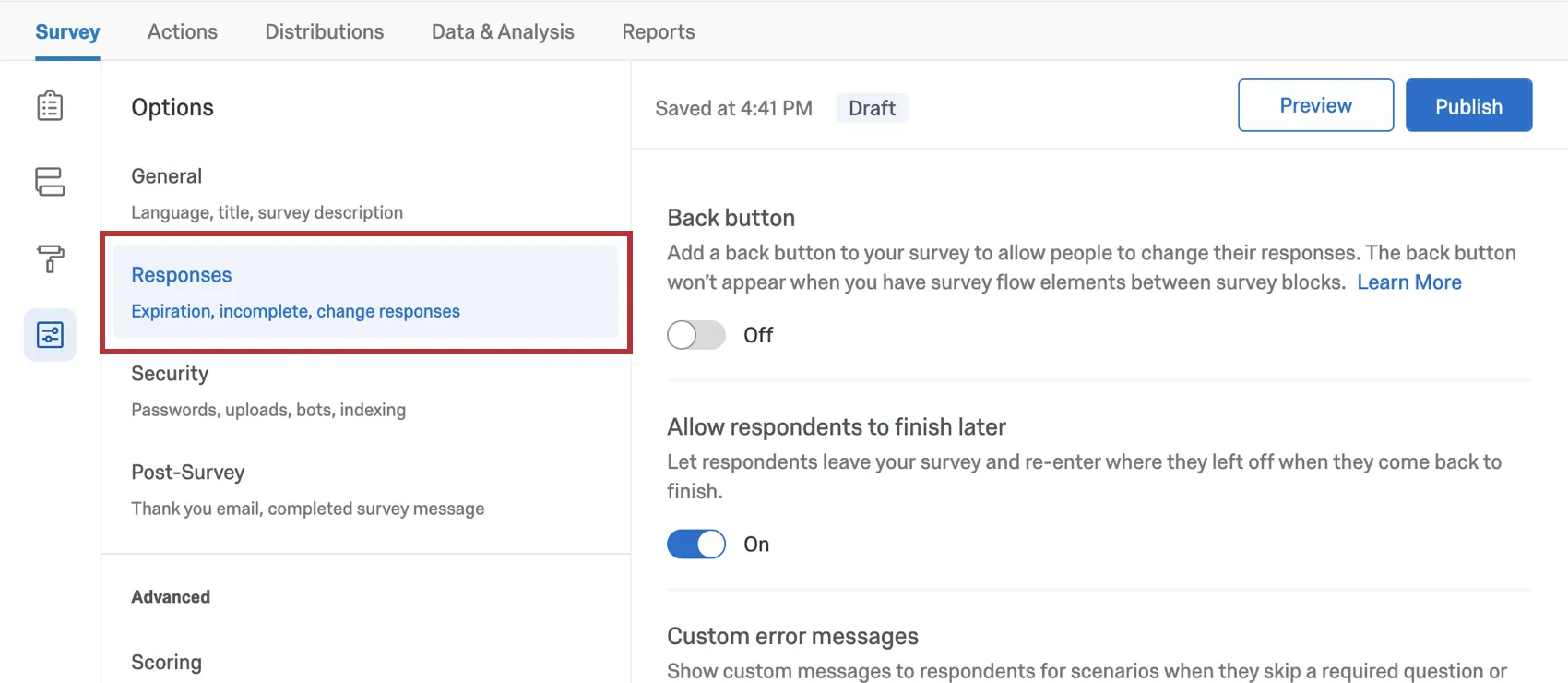
The survey options in the Responses section affect how responses are recorded and how respondents experience the survey-taking process. Here, you’ll find settings related to how respondents can change their answers during a survey session, the error messages they should receive, what to do with incomplete responses, and more.
Security
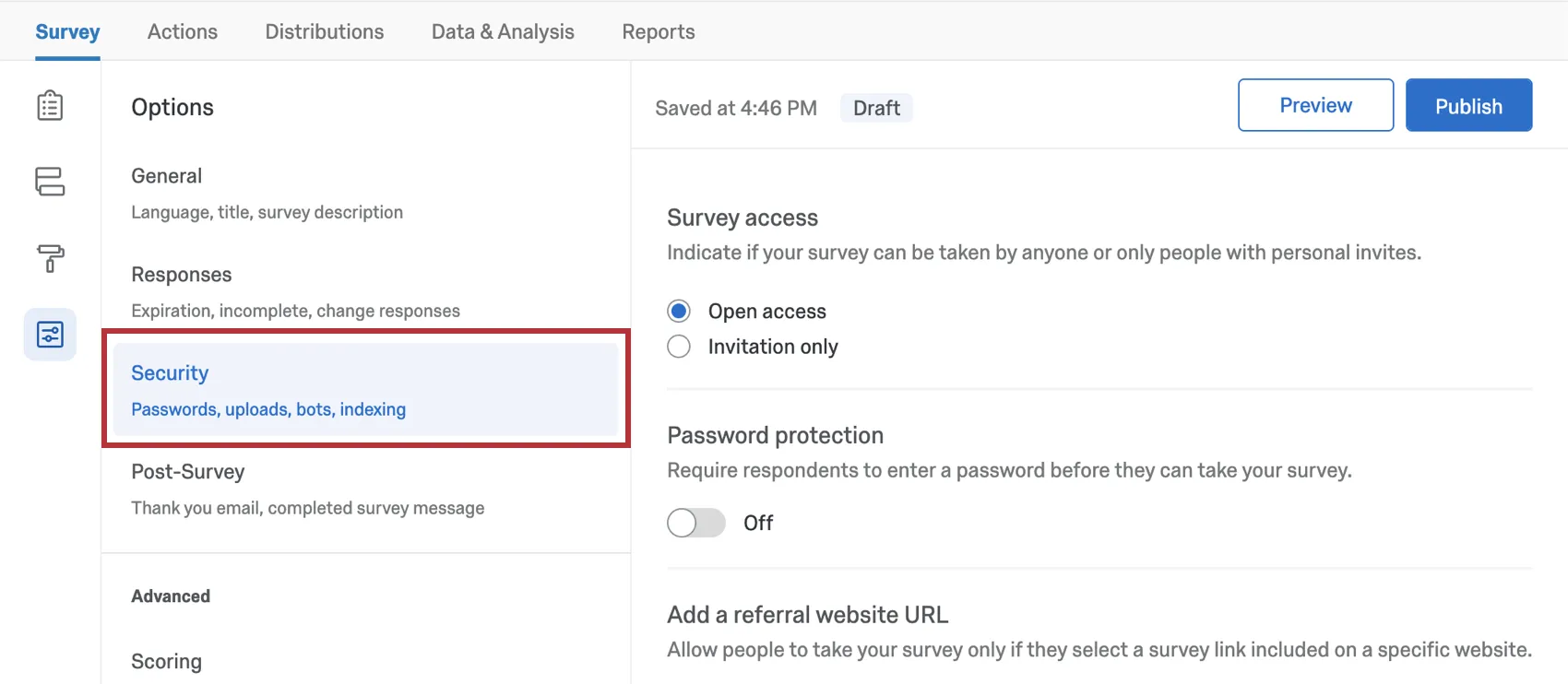
The survey options in the Security section can increase your survey’s security and protect it from unwanted responses.
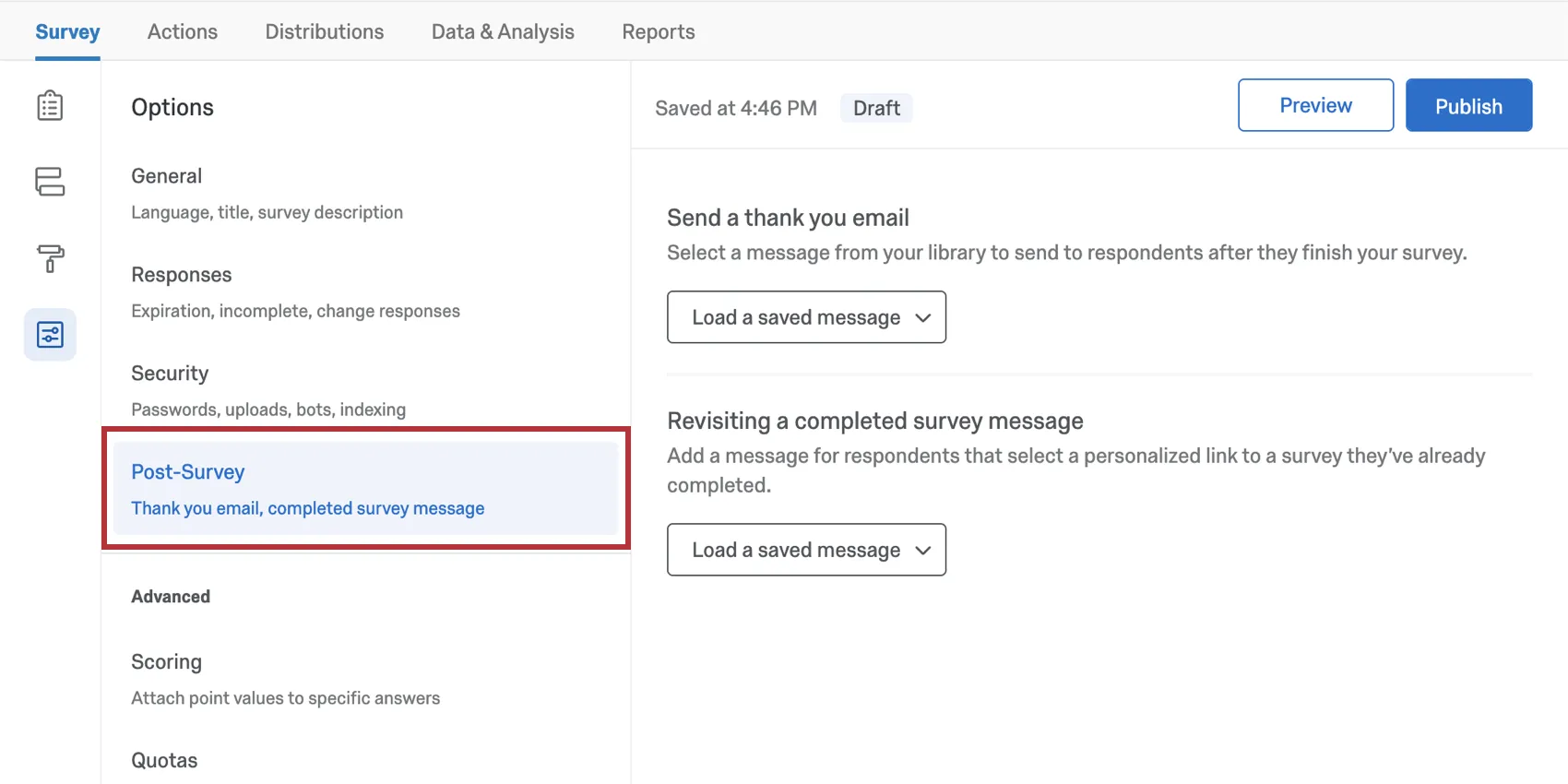
Post-Survey
The survey options under Post-Survey concern what happens after a survey ends.
Advanced
In the Advanced section of your survey options, you can find additional settings that can enhance your survey.
- Scoring: Assign point values to answer choices to use your survey as a test or quiz.
- Quotas: Create and monitor quotas on your surveys.
- Translations: Translate your survey into multiple languages, allowing respondents to choose which language to view the survey in. You also set the survey’s base language here.
- Adobe Analytics: Augment data you have stored for website visitors with data collected through a Qualtrics survey, or integrate Website Feedback with Adobe Analytics.
Survey Options in Different Project Types
Survey options are available in many different types of projects. The options described on this page are available in:
There are a few other projects that have access to survey options, but with unique functionality to keep in mind.
- For Engagement, Lifecycle, or Ad Hoc Employee Research projects, please see Survey Options (EX).
- For Pulse, see the section on survey options in Features Available in Pulse Surveys.
- For 360 projects, see Survey Options (360).
- For Conjoint and MaxDiff, see Survey Options.
- For Unmoderated User Testing projects, see Survey Options.
FAQs
My participants are telling me that their survey link is not working. What could be causing this?
My participants are telling me that their survey link is not working. What could be causing this?
- Prevent Multiple Submissions: The participant may be attempting to take a survey on the same computer and browser with the Prevent Multiple Submissions feature enabled in the Survey Options. Prevent Multiple Submissions places a cookie on the participants browser that will prevent another survey session from being started from that device. The participant will need to clear their browser cache.
- Used Individual Links: The participant may be trying to access the survey through a used or expired Individual Link. Individual Links are created automatically for every person in your contact list when you send the survey out through the Qualtrics mailer or create Personal Links. This kind of survey link can be used only once and then becomes invalid. We recommend not forwarding any Individual Link to avoid this situation. In addition, if your respondent clicks onto the link, decides not to fill anything out, and leaves the survey for a long time (one week by default), this can also cause the link to close, because the incomplete survey response timeframe has passed. In both of these scenarios, the participant will need to receive another survey link (either through a new email distribution, Personal Link, or the Anonymous Link) in order to access the survey.
- Expiration: The participant may be trying to access a survey that is expired. In the Survey Options, there is an option to set an Expiration Date (after which participants can no longer start new surveys). Turn off the expiration to allow them access to the survey. (Please note that copying a project will copy over all survey settings, including the Expiration Date.)
How can I make sure the participant only takes the survey once?
How can I make sure the participant only takes the survey once?
If you are distributing your survey through the Qualtrics mailer or Personal Links, then Individual Links will automatically be generated for each participant. These Individual Links can be used only once and then become invalid.
If you are distributing your survey through the Anonymous Link, there are 2 options to prevent participants from retaking the survey:
- Prevent Multiple Submissions: You can enable Prevent Multiple Submissions in your Survey Options. This option will place a cookie in the participant’s browser that will restrict them from retaking the survey on that browser. However, the participant could still clear their cookie cache, use a different browser, or use a different computer in order to take the survey again.
- Authentication: You can use the Authenticator element in the Survey Flow. This option will require the participant to be a member of a contact list you have previously set up within your account. The Authenticator prevents contacts from retaking the survey by using the contact list as an authentication database. (Unless the Reload any previously saved progress upon authentication option is enabled, a single response from each contact is not guaranteed.)
How do I display different messages for different participants at the end of the survey?
How do I display different messages for different participants at the end of the survey?
How do I show respondents their progress in the survey?
How do I show respondents their progress in the survey?
I set a survey expiration date, but some responses are still coming in. What is happening?
I set a survey expiration date, but some responses are still coming in. What is happening?
When the survey expiration date arrives, respondents who have already started their surveys will be able to complete their responses for a limited period of time. How long they have is determined by the Incomplete Survey Response setting (also found in Survey Options).
For example, let's say Survey Availability is set to 60 days and Incomplete Survey Response completion is set to 2 weeks. You receive your survey link and wait 55 days before clicking on it. As soon as you move past the first page (i.e., click the first "next" button), the Incomplete Survey Response setting takes over. You now have 2 weeks to finish taking the survey (even though the survey expires in 5 days). In this situation, participants can submit survey responses after a survey has expired or been deactivated.
If you want to avoid this scenario, you can pause response collection and choose to close all incomplete responses. This will close all surveys regardless of Incomplete Survey Response status and stop anyone from submitting after that point. All the partial data will be added to the Recorded Responses page with all the other survey data.
How do I change the link expiration when I email my survey using the Qualtrics Mailer?
How do I change the link expiration when I email my survey using the Qualtrics Mailer?
When you are composing your email, select Show advanced options and click Set survey link expiration. You cannot change this after the email has been sent.
If you would like to change the expiration for your entire survey and not just a few links, see Survey Availability. This availability can be changed at any time.
Why do the options for Anonymous and Multiple Completes links not show up when I try to change the Link Type in my email I am sending?
Why do the options for Anonymous and Multiple Completes links not show up when I try to change the Link Type in my email I am sending?
Navigate to the Survey tab and select Survey Options. In the Survey Protection section you can change your survey to be Open Access which will allow you to choose Anonymous or Multiple Completes links when sending your survey.
Does a survey expire? Under what circumstances?
Does a survey expire? Under what circumstances?
Yes - see Distribution and Survey Expiration for a full explanation.
How do I translate my survey into other languages and specify a language for my survey respondents?
How do I translate my survey into other languages and specify a language for my survey respondents?
How can I redirect respondents to another website or survey after they have submitted their response?
How can I redirect respondents to another website or survey after they have submitted their response?
If you would like to send different subsets of respondents to different pages, you can create branches for the different subsets and customize end of survey elements with different redirect URLs.
I want to offer the opportunity to enter a raffle following the end of my survey for my participants. I want participants to submit their email address, but keep it separate from their response so it remain anonymous. Is this possible?
I want to offer the opportunity to enter a raffle following the end of my survey for my participants. I want participants to submit their email address, but keep it separate from their response so it remain anonymous. Is this possible?
What is the incomplete survey responses setting?
What is the incomplete survey responses setting?
For more information regarding Incomplete Survey Responses, visit the Partial Completion support page.
When I click the link, I see an old version of my survey! Are my changes not being saved?
When I click the link, I see an old version of my survey! Are my changes not being saved?
Next, check whether you have Allow Respondents to Finish Later turned on in your Survey Options. If you've been testing out your survey on the Anonymous Link while you make edits, then you're seeing an old version of the survey because a cookie was placed on your browser to save your progress. Open your Anonymous Link in an Incognito Window or a Private Window. If this window has your changes, then Save and Continue is just saving your place, and you don't have to worry about brand new respondents seeing an old version of the survey.
(Note: We recommend testing your survey using your preview link instead of your anonymous link for this reason.)
That's great! Thank you for your feedback!
Thank you for your feedback!