

Manually Adding Participants to Pulse Surveys
What's on this page
About Manually Adding Pulse Participants
In addition to randomly sampling from a larger pool of program participants, you can decide to manually select the participants you want to include in each survey of your pulse. You still start by creating a larger pool of program participants, then select from those participants in each survey. You can use metadata to speed up the selection process, or you can choose specific individuals.
This method of adding participants can also be called custom sampling.
Qtip: Custom sampling allows you to select exactly the participants you want each time. There are no limits based on whether participants have already been surveyed.

Enabling Custom Sampling
Before you can manually add participants to a pulse survey, you need to configure your program schedule accordingly.
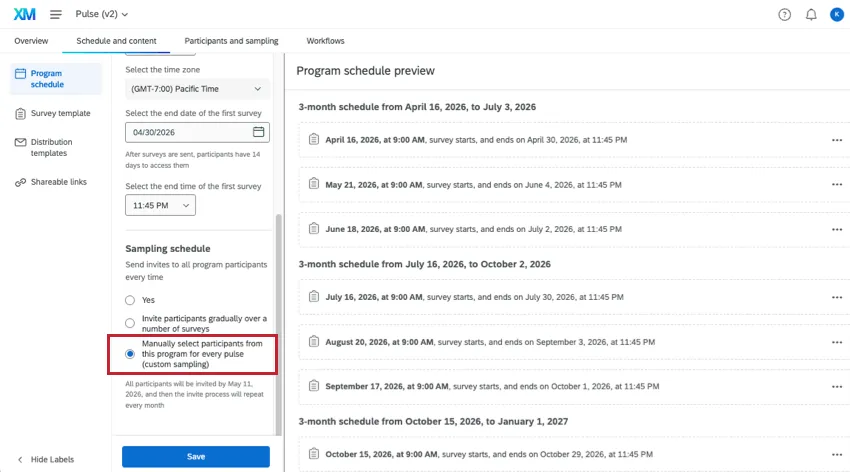
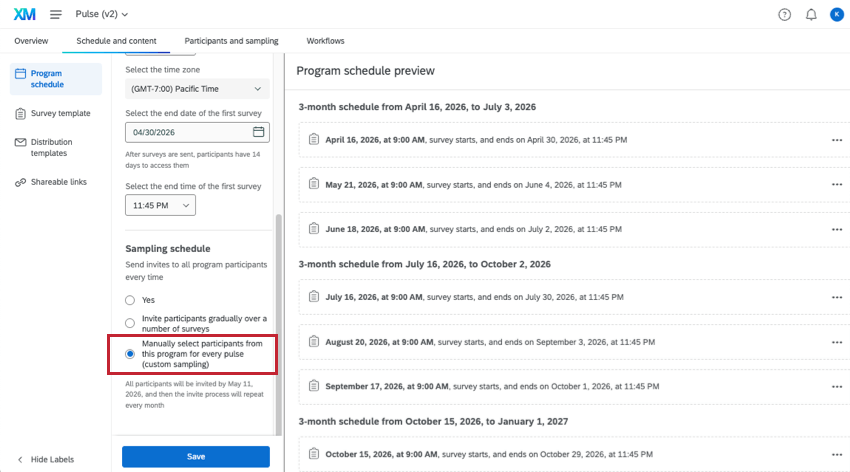
Under Sampling schedule, select Manually select participants from this program for every pulse (custom sampling).
Next, you need to make sure your surveys for the program are generated so you can add participants to them. To start generating Pulse surveys, complete your program setup.
Qtip: The program participants act as the pool you can select survey participants from. Make sure every participant you want to eventually include is here.
Qtip: Automated sampling of program participants is incompatible with custom sampling for pulse surveys, since the goal is to add participants manually. If you visit the Sampling settings page, you will only see the following note.
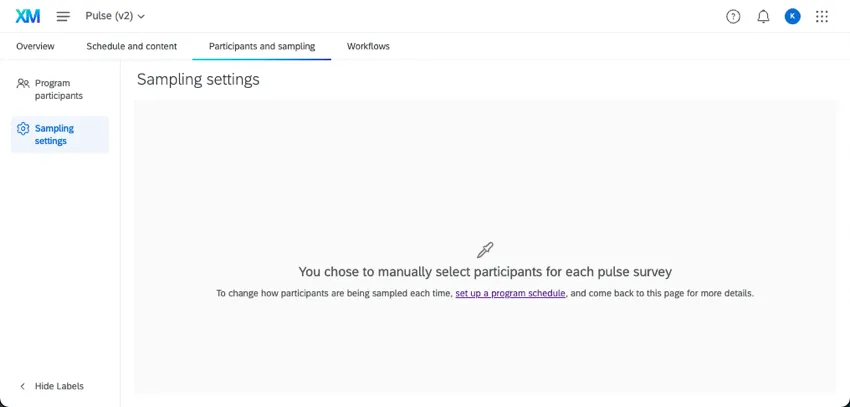
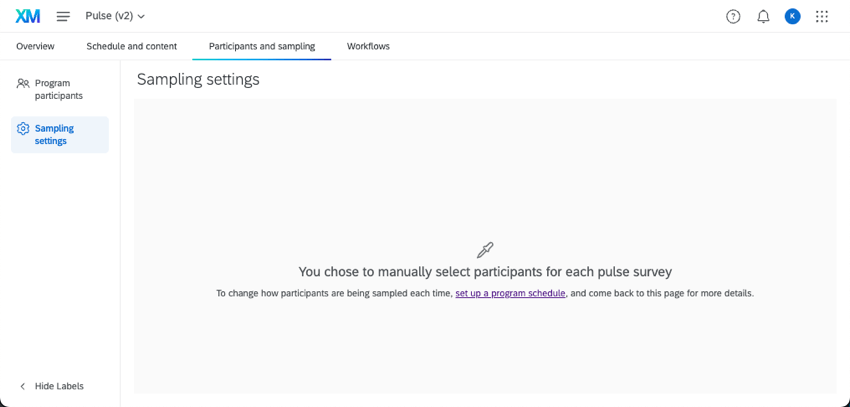
Manually Adding Participants to a Pulse Survey
Attention: Make sure you are familiar with your pulse’s schedule. You will need to add participants to each survey before it launches. Surveys are created 30 days before distribution to give you lots of lead time.

Qtip: If you need a reminder to update your participants, you can make a workflow in your Pulse. Scheduled workflows can send out regular emails, Slack messages, or Microsoft Teams messages, depending on the channel where you want to receive your reminder.
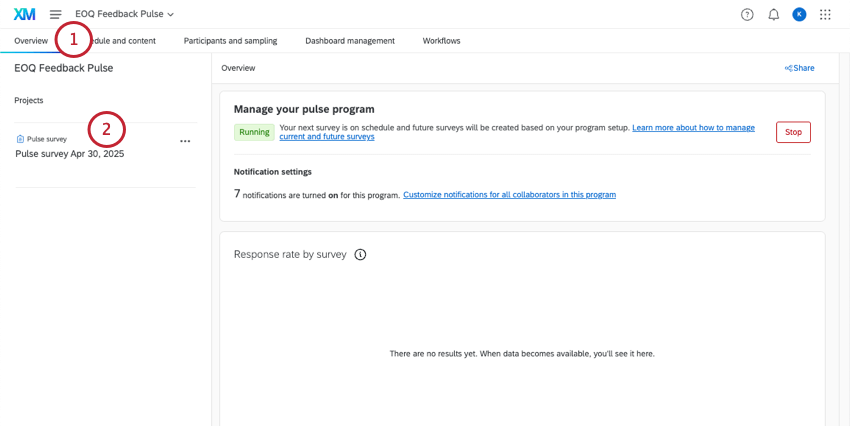
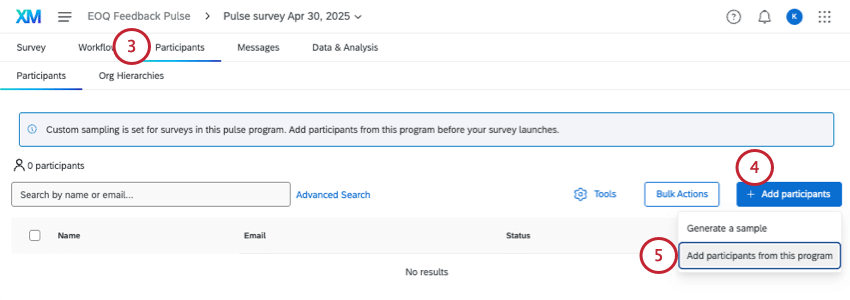
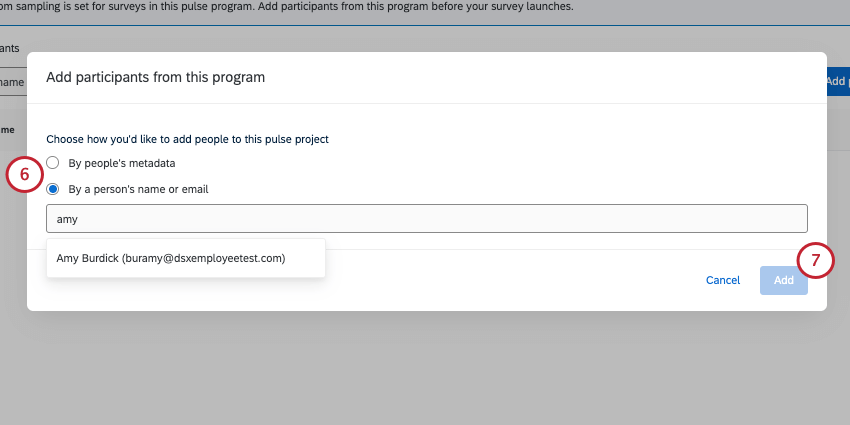
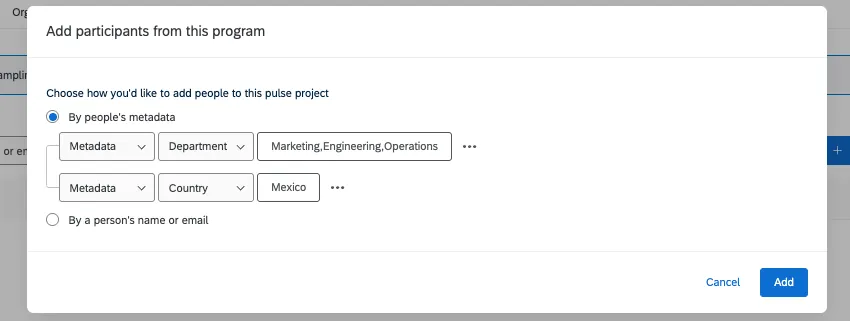
- By people’s metadata: Add any participants that meet the metadata you’ve configured. You can add multiple metadata conditions. See more on Creating Metadata conditions.
- By a person’s name or email: Search a participant by name or email and add them to the survey. You can only add 1 person at a time using this method.
Creating Metadata Conditions
In this section, we’ll cover hope to make metadata conditions and how those conditions are joined.
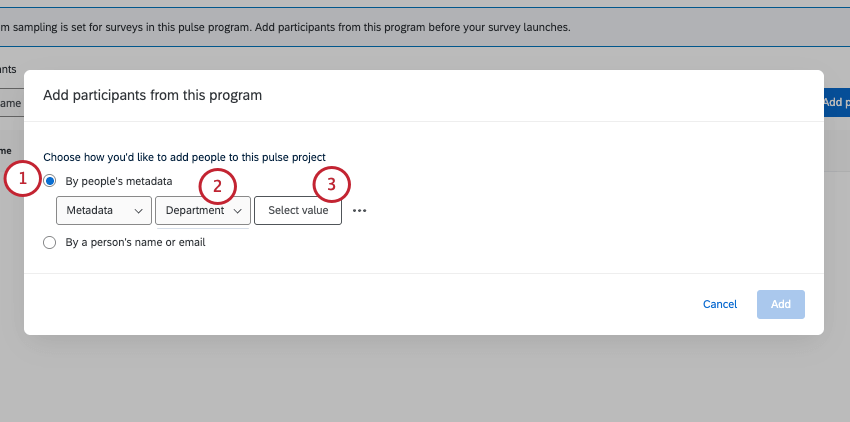
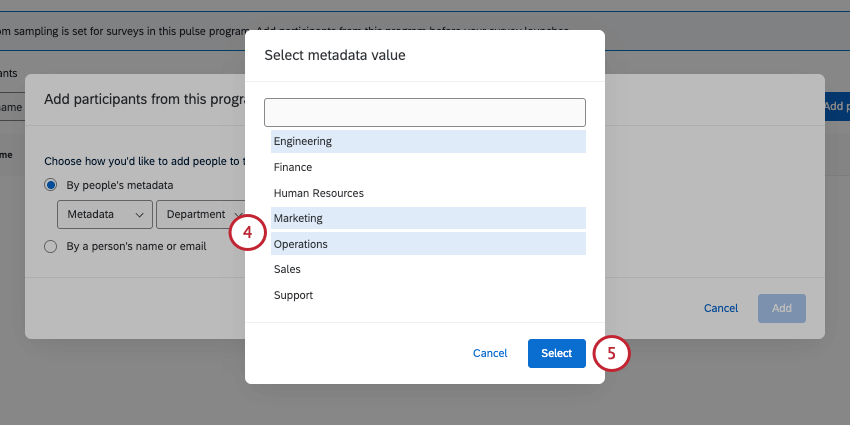
Example: For department, you select engineering, marketing, and operations. That means the participants included in this pulse survey will belong to either the engineering, marketing, or operations departments.

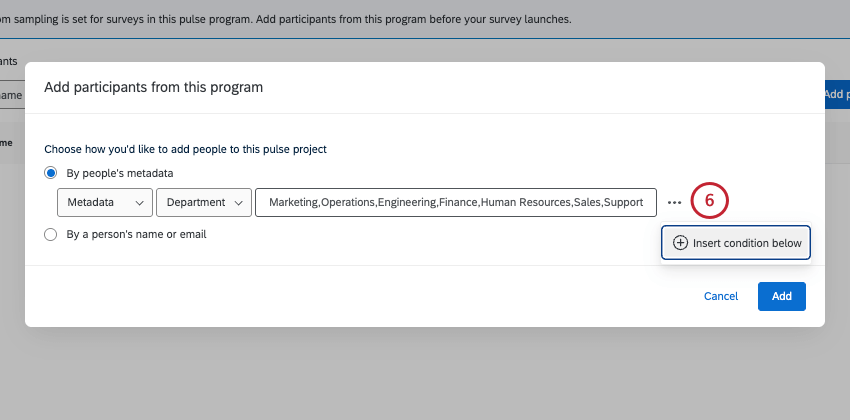
Qtip: You can add up to 8 total conditions.
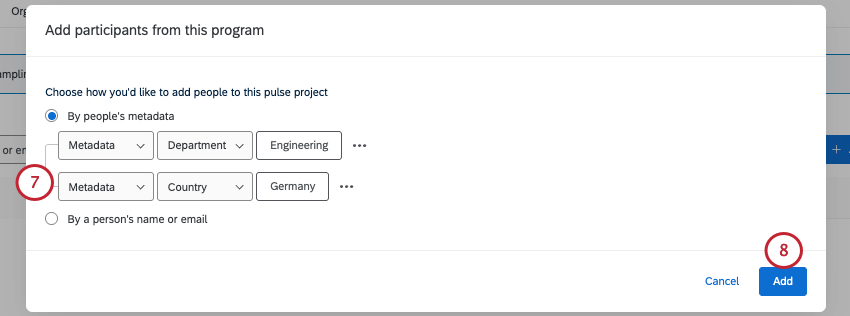
Qtip: In other words, your participants must match all conditions to be included in the survey.
Example: Look at the condition below. Every participant included in this survey will be in the engineering department and the Germany office.
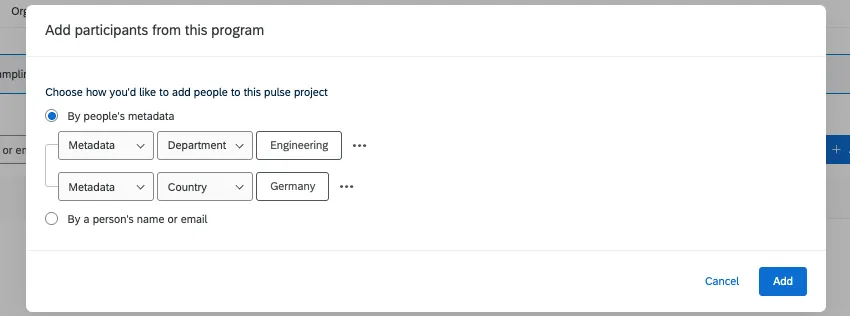
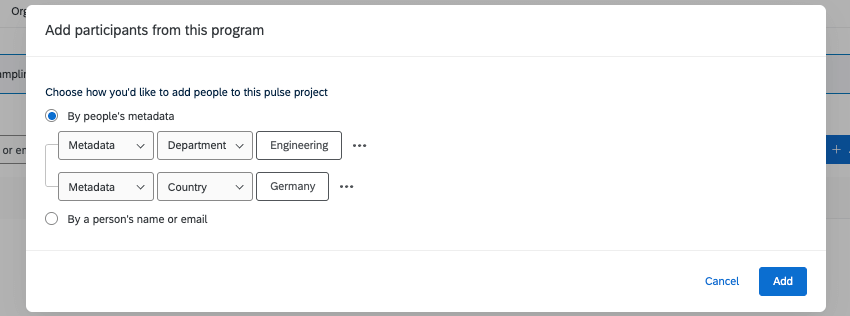
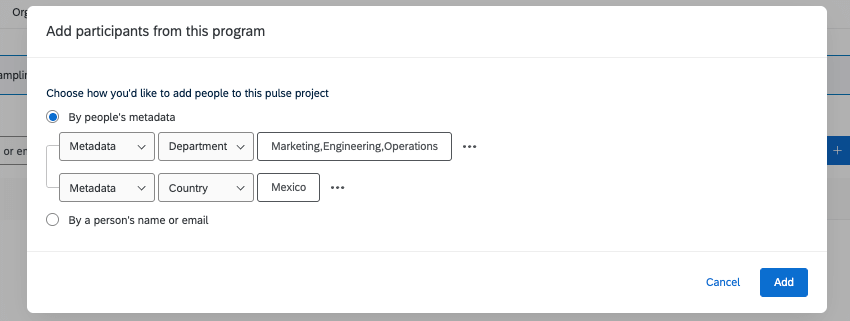
Example: Look at the condition below. Every participant will belong to the Mexico office; they must also belong to either the engineering, marketing, or operations departments. No one in the Mexico office belonging to human resources would be included, and no one in marketing from the Germany office would be included.
That's great! Thank you for your feedback!
Thank you for your feedback!