

Connectors Basic Overview
Suite
Customer Experience
Product
Qualtrics
What's on this page
About Connectors
XM Discover includes a set of integrations, referred to as connectors. These connectors enable you to import feedback data into XM Discover.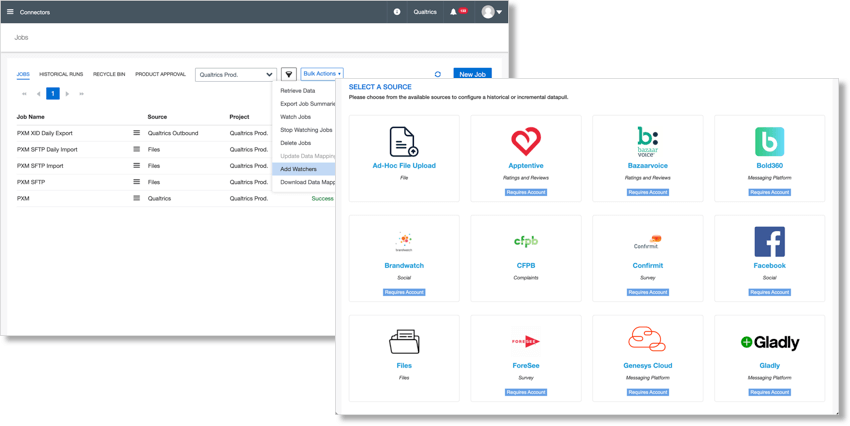
The Connectors section of XM Discover is where you manage all of your external data connections. Here, you can set up jobs to import data on a one-time or recurring basis. Your imported data fields are then mapped to fields in XM Discover, which allows you to analyze them using XM Discover’s analytics capabilities.
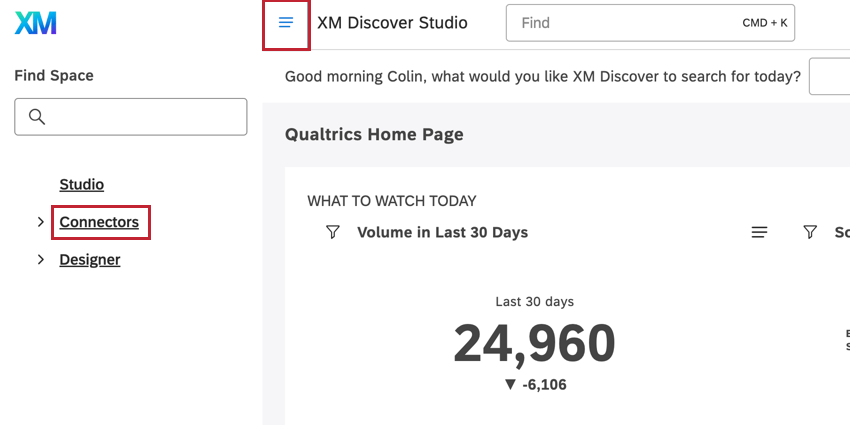
Navigating Connectors
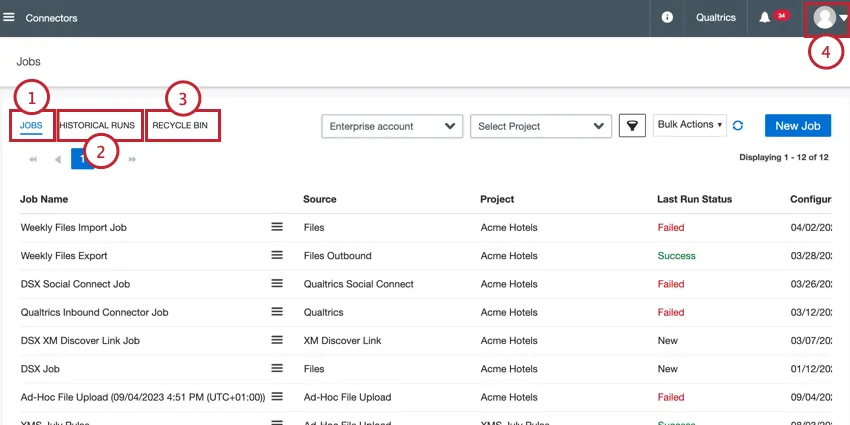
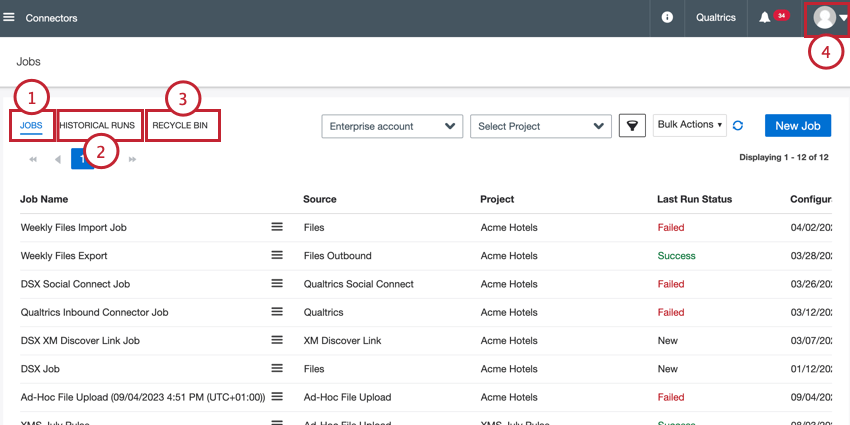
Once you’ve navigated to the Connectors section of XM Discover, you can switch between the following sections:
List of Integrations
The following data connectors are available:
- Ad-Hoc File Inbound Upload Connector
- Brandwatch Inbound Connector
- CFPB Inbound Connector
- Confirmit Inbound Connector
- Facebook Inbound Connector
- Files Inbound Connector
- Files Outbound Connector
- ForeSee Inbound Connector
- Genesys Cloud Inbound Connector
- Khoros Inbound Connector
- LivePerson Inbound Connector
- Organization Hierarchy Inbound Connector
- Qualtrics Inbound Connector
- Qualtrics Outbound Connector
- Reputation Inbound Connector
- Salesforce Inbound Connector
- Sprinklr Inbound Connector
- TripAdvisor Inbound Connector
- Trustpilot Inbound Connector
- Twitter Inbound Connector
- XM Discover Link Inbound Connector
- Yotpo Inbound Connector
- Zendesk Inbound Connector
Qtip: Some licenses may have access to additional data connectors not listed here. Contact your Discover Representative if you have questions about what’s included in your license. If you’re unsure how to contact your Discover representative, reach out to Discover Support.

That's great! Thank you for your feedback!
Thank you for your feedback!