

Percent Total & Percent Parent (Studio)
What's on this page
About Percent Total and Percent Parent
% Total and % Parent are calculations you can display in your widgets. For any given group, you can see the percentage it represents of the total widget volume or parent volume.
Percent Total
% Total measures the contribution of a grouping’s volume to the widget’s total volume. The widget’s total volume is the total number of records that match the widget’s conditions and filters.
% Total is calculated using this formula:
% Total = (Number of records for a grouping) / (Total number of records for a widget) * 100 Percent Parent
% Parent measures the contribution of a grouping’s volume to its parent grouping’s volume. A “parent” for a data point refers to the data point’s position in a hierarchy when widget data is grouped. It does not refer to a topic’s parent node in the category model tree.
% Parent is calculated using this formula:
% Parent = (Number of records for a grouping) / (Number of records for the parent grouping) * 100 Comparing Percent Total and Percent Parent
If a selected grouping does not have a parent, the widget’s total volume is used as a denominator, in which case % Parent matches % Total.
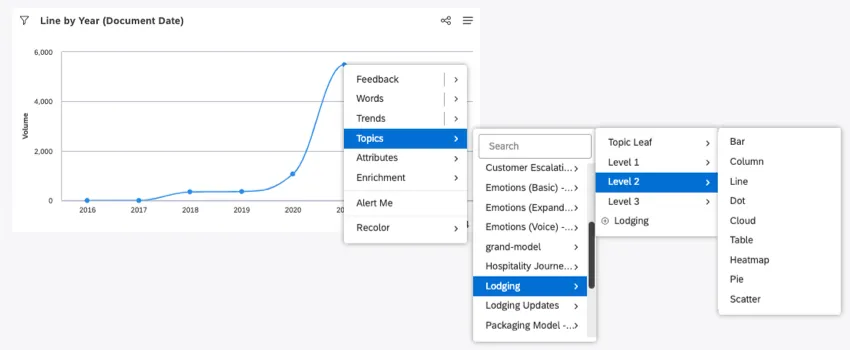
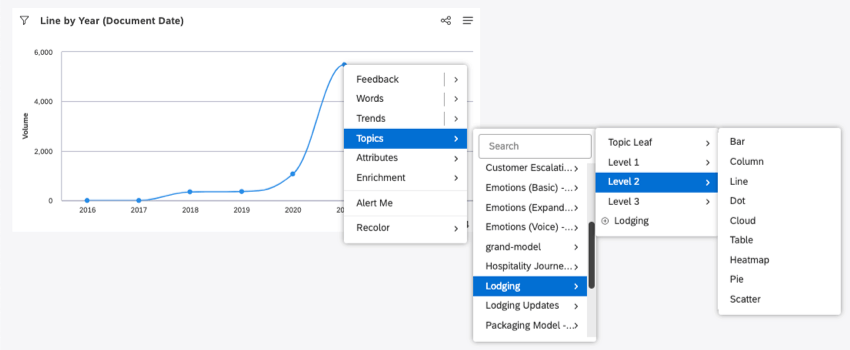
Example: We decided to drill down to the topic Lodging, level 2.
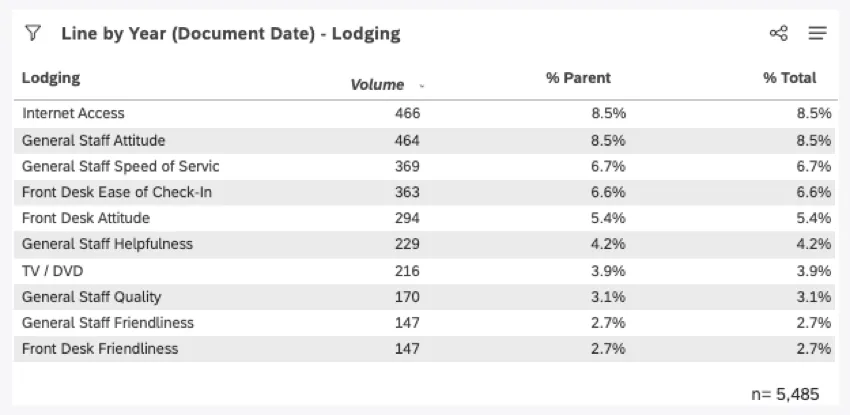
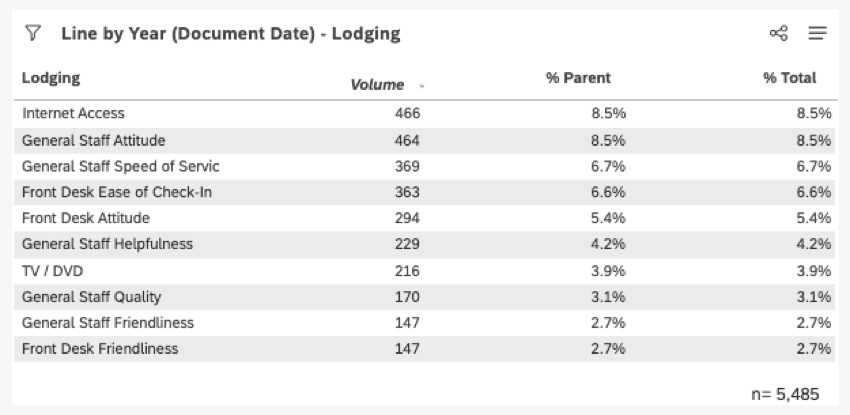
When we break out the results by % Parent and Total, we see the values are the same.

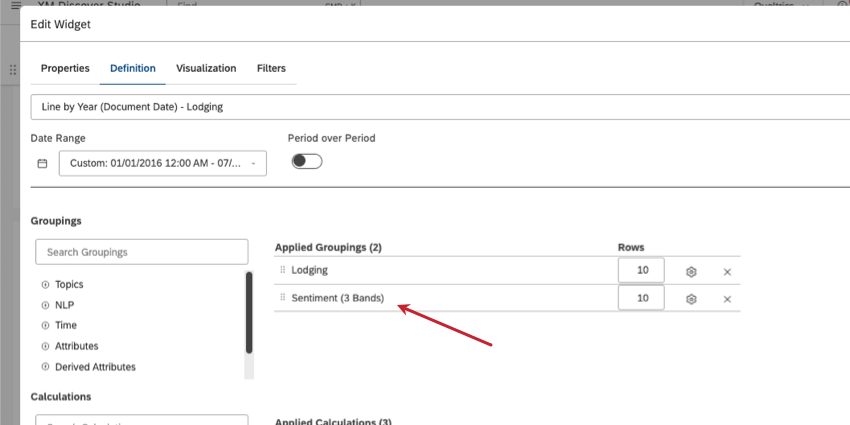
Example: Then we edit our table to have another Grouping.
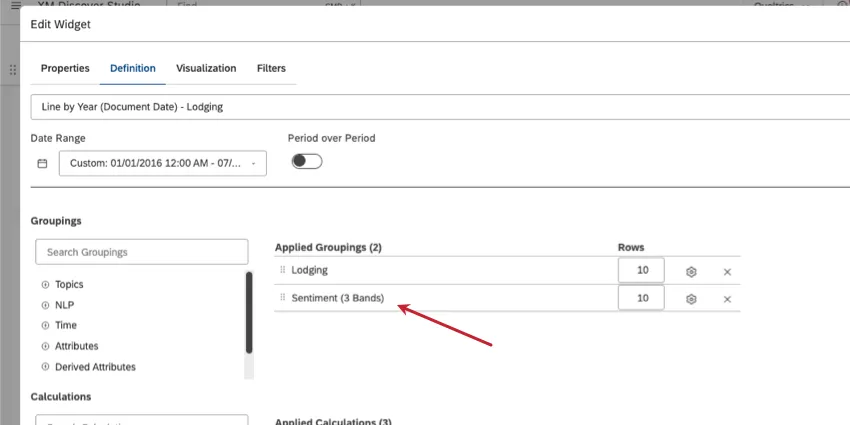
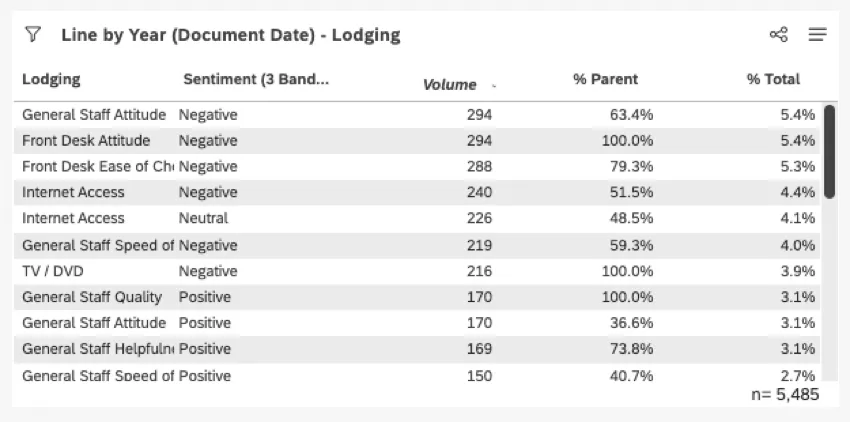
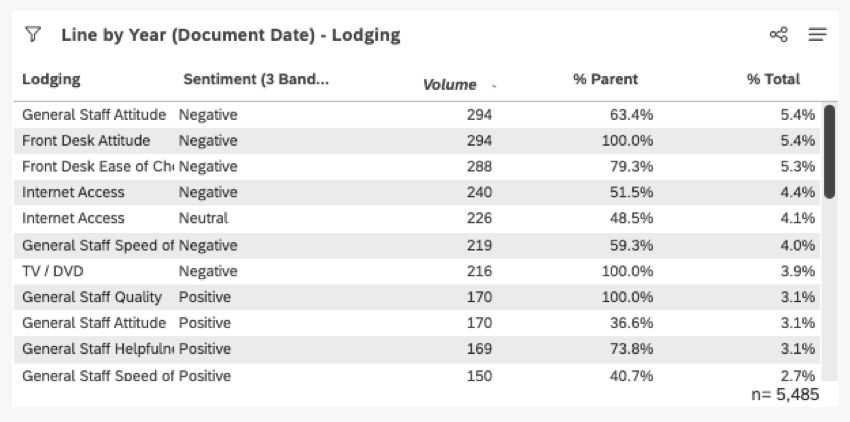
Now that there are 2 groupings, there’s a parent to compare to. % Parent no longer uses the total volume as its denominator, so it gives a different result than the % Total.
Topics and Topic Leaves
Please keep in mind that % Parent and % Total for topics and topic leaves will often not add up to 100%, because topics can have significant overlap.
Example: Topic A may occur in 60% of records, whereas Topic B may occur in 70%.
Sentiment Bands
For sentiment bands, % Parent and % Total are calculated as a share of voice, since each document has as many sentiment scores as there are sentences in it.
Example: If one person has some negative and positive feedback to express at the same time, their overall document sentiment may average to neutral. However, in practical terms, this customer expressed both negative and positive sentiment. Thus, we count them toward both bands.
Another way to think about it is this:
- Sentiment grouping does tell you the number of documents or people that have experienced positive, neutral, or negative sentiment.
- Sentiment grouping does not tell you the number of documents or people that have an average sentiment of positive, neutral, or negative.
That's great! Thank you for your feedback!
Thank you for your feedback!